
How to Create Educational Videos with Seedance AI: Complete Guide for Educators in 2026
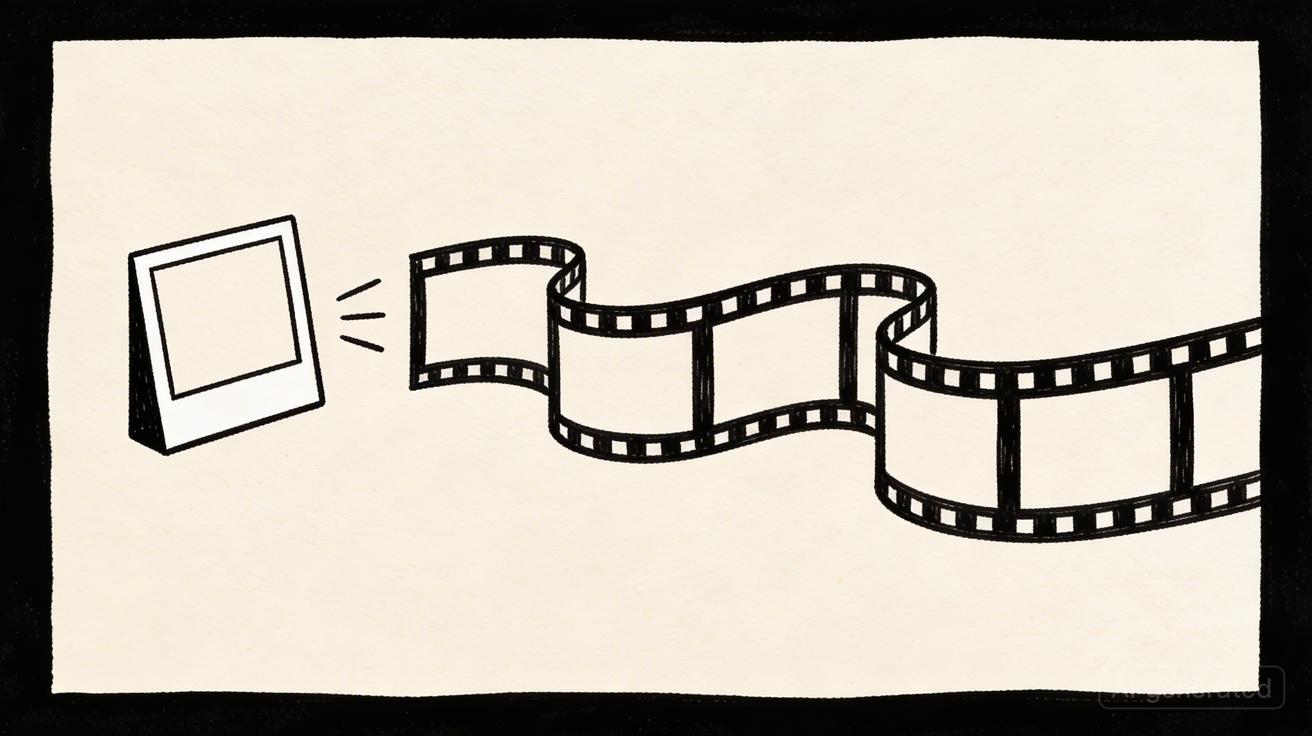
AI video generation is transforming educational content creation. What once required expensive production equipment, studio time, and video editing expertise can now be accomplished in minutes with Seedance AI. This guide covers how educators, course creators, and educational institutions can use Seedance to create engaging, professional educational videos.
Why Educational Video Matters
Research consistently shows that video improves learning outcomes:
- Students retain 95% of information from video vs. 10% from text alone
- Video increases course completion rates by up to 40%
- Visual explanations improve comprehension of complex concepts
- Engaging video content reduces cognitive load
The challenge has always been production cost and complexity. Seedance removes these barriers, making professional educational video accessible to any educator.
Types of Educational Content Seedance Can Generate
Concept Visualization
Abstract concepts become concrete with visual representation. Seedance can generate:
Scientific processes: Cell division, chemical reactions, astronomical phenomena, geological processes — visualize what's impossible to film in a classroom.
Historical events: Recreate historical settings, environments, and atmospheres to bring history to life.
Mathematical concepts: Visualize geometric transformations, statistical distributions, and mathematical relationships.
Engineering and physics: Show how machines work, how forces interact, how structures bear loads.
Course Introduction Videos
First impressions matter in online learning. Seedance can generate professional intro sequences:
- Course overview visuals that set the tone and expectations
- Instructor introduction backgrounds that look professional
- Module transition animations that maintain engagement
- Chapter opening sequences that signal new content
Supplementary B-Roll
Talking-head videos become more engaging with relevant B-roll footage:
- Industry-specific environments that match course content
- Process visualizations that illustrate concepts being discussed
- Abstract backgrounds that maintain visual interest without distraction
- Contextual footage that grounds abstract concepts in real-world settings
Assessment and Quiz Visuals
Visual elements improve assessment engagement:
- Scenario-based question setups
- Case study visualizations
- Problem context illustrations
- Answer explanation visuals
Seedance Prompt Strategies for Educational Content
Science and STEM Content
Biology: "Cell division process, microscopic view, slow motion, scientific visualization, blue and green tones, clean and educational"
"DNA double helix rotating slowly, soft blue lighting, scientific visualization, dark background, educational quality"
"Ecosystem visualization, forest with diverse wildlife, aerial view, slow pan, documentary style, natural colors"
Physics: "Pendulum in motion, slow motion, physics demonstration, clean white background, precise and educational"
"Wave propagation visualization, water surface, slow motion, scientific, blue tones, clear and precise"
"Planetary orbits visualization, solar system, slow rotation, space environment, educational, accurate scale"
Chemistry: "Molecular structure rotating, 3D visualization, clean dark background, blue and white, scientific quality"
"Chemical reaction visualization, abstract representation, color change, slow motion, educational"
History and Social Studies
Historical environments: "Ancient Roman forum, marble columns, busy marketplace, period-accurate atmosphere, cinematic, warm tones"
"Medieval castle exterior, stone walls, drawbridge, overcast sky, historical atmosphere, cinematic"
"1920s city street, period vehicles, fashion, architecture, black and white or sepia tone, historical"
Geography and culture: "Aerial view of [geographic feature], slow drone descent, educational documentary style, natural colors"
"Cultural ceremony or tradition visualization, respectful and accurate, documentary style"
Business and Professional Education
Corporate environments: "Modern business meeting, diverse professionals, glass conference room, natural light, professional and engaging"
"Financial data visualization, abstract charts and graphs, clean and professional, blue tones"
"Supply chain visualization, abstract representation of logistics flow, clean and educational"
Arts and Humanities
Literature and writing: "Writer at desk, period-appropriate setting, focused and creative, warm lighting, cinematic"
"Abstract visualization of narrative concepts, flowing and dynamic, artistic quality"
Music and performing arts: "Concert hall interior, empty stage with dramatic lighting, cinematic, warm and inspiring"
"Abstract music visualization, sound waves and patterns, dynamic and engaging, colorful"
Building an Educational Video Workflow
The Lesson Planning Integration
Integrate Seedance into your lesson planning process:
Step 1: Identify visual opportunities As you plan each lesson, identify concepts that would benefit from visual representation. Mark these as "Seedance opportunities."
Step 2: Write prompts during planning Write Seedance prompts while the concept is fresh in your mind. Keep a running list of prompts for each lesson.
Step 3: Batch generate Generate all clips for a lesson or module in a single session. This is more efficient than generating one clip at a time.
Step 4: Organize and label Download and organize clips by lesson and concept. Clear naming conventions make clips easy to find during editing.
Step 5: Integrate into course Import clips into your video editor or course platform. Use them as B-roll, intro sequences, or standalone concept visualizations.
The Course Production Timeline
For a complete online course:
Week 1: Plan all lessons, identify visual needs, write all Seedance prompts Week 2: Generate all clips in batch sessions (2-3 hours total) Week 3: Record lecture content, integrate Seedance clips during editing Week 4: Review, refine, and publish
This timeline produces a complete course with professional video production in four weeks — a fraction of the time and cost of traditional production.
The Rapid Content Update Workflow
For keeping course content current:
- Identify outdated visual content in existing courses
- Write updated prompts reflecting current information
- Generate replacement clips (15-45 seconds each)
- Swap old clips for new in your course platform
This workflow makes it practical to update course visuals regularly, keeping content fresh without expensive reshoots.
Platform-Specific Considerations
Learning Management Systems (LMS)
Seedance generates MP4 files compatible with all major LMS platforms:
- Canvas: Upload directly to course media library
- Moodle: Compatible with built-in video player
- Blackboard: Upload to course content
- Teachable/Thinkific: Direct upload to lesson content
- Kajabi: Compatible with video hosting
YouTube Educational Channels
For educators building YouTube channels:
- Generate B-roll for talking-head videos
- Create intro and outro sequences
- Produce standalone concept explanation videos
- Generate thumbnail-worthy visual content
Social Media Educational Content
Short-form educational content performs well on social media:
- TikTok and Instagram Reels: Generate vertical 9:16 educational clips
- LinkedIn: Professional educational content for career development topics
- Twitter/X: Short concept visualization clips
Accessibility Considerations
When creating educational video with Seedance:
Add captions: Always add captions to educational video. Seedance generates visual content; add captions in your video editor or course platform.
Provide transcripts: Offer text transcripts of all video content for learners who prefer reading or have hearing impairments.
Consider color contrast: When generating visualizations, ensure sufficient color contrast for learners with visual impairments.
Avoid flashing content: Avoid prompts that might generate rapidly flashing visual content, which can trigger photosensitive conditions.
Measuring Educational Video Effectiveness
Track these metrics to evaluate your educational video content:
Engagement metrics:
- Video completion rate (aim for 70%+ for educational content)
- Rewatch rate (high rewatch = content is valuable)
- Drop-off points (where students stop watching)
Learning metrics:
- Assessment scores before and after video content
- Student feedback on video clarity and helpfulness
- Course completion rates
Production metrics:
- Time to produce (should decrease as you build prompt library)
- Cost per video (should be near zero with Seedance free tier)
- Volume of content produced per week
Frequently Asked Questions
Can I use Seedance videos in paid courses? Yes. Seedance includes commercial usage rights in the free tier, which covers paid educational courses.
Is the quality good enough for professional educational use? Yes. Seedance 2.0 produces 1080p video suitable for all educational platforms and professional course production.
How do I handle copyright for educational content? Seedance-generated content is original AI-generated video. You own the commercial rights to use it in your educational content. Always review Seedance's current terms of service for any updates.
Can Seedance generate accurate scientific visualizations? Seedance can generate visually compelling scientific content, but it's not a scientific simulation tool. For precise scientific accuracy, use Seedance for atmospheric and contextual visuals, and use dedicated scientific visualization tools for precise data representation.
How many clips should I generate per lesson? A typical 10-15 minute lesson benefits from 3-5 Seedance clips. More than that can feel overwhelming; fewer may leave visual gaps.
Start creating educational videos with Seedance's free plan at seedance.tv →
Accessibility and Inclusive Design
Educational video should be accessible to all learners. When using Seedance for educational content:
Visual Accessibility
High contrast: Generate content with clear visual contrast between subjects and backgrounds. Avoid low-contrast combinations that are difficult for visually impaired learners.
Clear subjects: Ensure the main educational subject is clearly visible and not obscured by complex backgrounds.
Consistent visual language: Use consistent visual styles across your course so learners can focus on content rather than adapting to new visual approaches.
Supporting Diverse Learning Styles
Visual learners: Seedance's video content directly serves visual learners who benefit from seeing concepts rather than just reading or hearing about them.
Kinesthetic learners: Process visualizations and dynamic content help kinesthetic learners understand how things work and change over time.
Auditory learners: Pair Seedance visuals with clear narration to serve auditory learners who benefit from hearing explanations alongside visual content.
Cultural Sensitivity
When generating content for diverse audiences:
- Use diverse representation in human subjects
- Avoid culturally specific imagery that may not translate across audiences
- Consider regional and cultural context when generating environmental content
- Review generated content for unintended cultural implications
Platform-Specific Considerations
Learning Management Systems (LMS)
Most LMS platforms (Canvas, Moodle, Blackboard, Google Classroom) accept standard video formats. Seedance generates MP4 files that are compatible with all major LMS platforms.
File size considerations: Seedance generates high-quality video that may have larger file sizes. Check your LMS's file size limits and compress videos if necessary before uploading.
Hosting options: For large courses with many video assets, consider hosting videos on YouTube (unlisted) or Vimeo and embedding them in your LMS rather than uploading directly.
YouTube and Video Platforms
For educators who publish on YouTube:
- Seedance's commercial rights allow you to monetize YouTube videos that include AI-generated content
- Generate thumbnail-worthy visuals for video thumbnails
- Create intro and outro sequences that establish your channel brand
- Generate B-roll that improves watch time and engagement
Social Media Education
For educators who teach on social media (Instagram, TikTok, LinkedIn):
- Generate vertical 9:16 content for Instagram Reels and TikTok
- Create visually engaging concept explanations for short-form video
- Develop consistent visual branding across your educational content
Measuring Educational Effectiveness
Track these metrics to evaluate the impact of Seedance-enhanced educational content:
Engagement metrics:
- Video completion rate (are learners watching to the end?)
- Time spent on video content vs. text content
- Replay rate (are learners rewatching to understand?)
Learning outcome metrics:
- Assessment scores before and after adding video content
- Course completion rates
- Student satisfaction ratings
Production efficiency metrics:
- Time to produce video content (should decrease significantly with Seedance)
- Cost per video (should approach zero with Seedance free tier)
- Volume of video content produced per week
Getting Started: Your First Educational Video
If you're new to Seedance for educational use, here's a simple first project:
Project: Create a concept visualization for your most challenging topic
Step 1: Identify the concept Choose a concept that students consistently struggle with — something that would benefit from visual representation.
Step 2: Write a visualization prompt "[Concept] visualization, [visual metaphor], [style], educational quality, clear and precise"
Example: "Photosynthesis process visualization, plant cell with light rays converting to energy, scientific illustration style, educational quality, green and yellow tones"
Step 3: Generate and review Generate 3 variations and select the most accurate and engaging result.
Step 4: Integrate into your lesson Add the clip to your presentation, video, or course platform.
Step 5: Gather feedback Ask students if the visual helped their understanding. Use their feedback to refine your approach.
This simple project takes about 15 minutes and can meaningfully improve student comprehension of a difficult concept.
Frequently Asked Questions
Can I use Seedance videos in paid courses? Yes. Seedance includes commercial usage rights in the free tier, which covers paid educational courses.
Is the quality good enough for professional educational use? Yes. Seedance 2.0 produces 1080p video suitable for all educational applications — online courses, presentations, YouTube, and LMS platforms.
Can I use Seedance to create accurate scientific visualizations? Seedance can create visually compelling representations of scientific concepts, but accuracy depends on your prompt. Always review generated content for scientific accuracy before using in educational contexts.
How do I ensure generated content is appropriate for my students? Review all generated content before use. Seedance's content moderation prevents inappropriate content, but you should verify that generated visuals accurately represent the concepts you're teaching.
Can students use Seedance for their own projects? Yes. Seedance's free tier is accessible to students for educational projects, presentations, and creative assignments.
Start creating educational videos with Seedance's free plan at seedance.tv →
Real Educator Stories
Understanding how other educators use Seedance can inspire your own approach:
The Online Course Creator: A business skills instructor uses Seedance to generate professional corporate environments for course intro videos. Previously, she used stock footage that felt generic. Now she generates custom visuals that match her exact course content. Student satisfaction scores have improved, and she attributes part of this to the more professional and relevant visual presentation.
The High School Science Teacher: A biology teacher uses Seedance to generate cell and molecular visualizations for classroom presentations. The visuals help students understand microscopic processes that are impossible to observe directly. Test scores on cellular biology topics have improved since introducing the visualizations.
The University Professor: A history professor uses Seedance to generate period-appropriate environmental visuals for lecture slides. Students report that the visuals help them connect with historical periods in a way that text descriptions alone don't achieve.
The Corporate Trainer: A corporate learning and development specialist uses Seedance to generate scenario-based visuals for compliance training. The visuals make abstract policy concepts concrete and memorable, improving training completion rates and knowledge retention scores.
The YouTube Educator: A science communicator uses Seedance for B-roll footage in YouTube videos. The AI-generated visuals allow her to cover topics that would be impossible to film — deep sea environments, microscopic processes, astronomical phenomena — without expensive production resources.
These examples illustrate the breadth of educational applications for Seedance. Whether you're teaching kindergarteners or corporate executives, AI-generated video can enhance your educational content and improve learning outcomes.
The investment in learning Seedance prompt writing for educational content pays dividends in student engagement, comprehension, and satisfaction. Start with one concept visualization, measure the impact, and expand your use of AI video as you build confidence with the tool.
Create your first educational video with Seedance at seedance.tv →
The future of education is increasingly visual and interactive. AI video generation tools like Seedance are making it possible for every educator — regardless of budget or technical expertise — to create the kind of engaging visual content that was previously only available to well-funded institutions with dedicated production teams. The democratization of educational video production is one of the most significant developments in educational technology in recent years, and Seedance is at the forefront of making it accessible to all.
Whether you teach in a traditional classroom, run an online course platform, create educational YouTube content, or develop corporate training programs, Seedance gives you the tools to create professional educational video content that engages learners and improves outcomes. Start with the free tier today and discover how AI video can transform your educational content.
Seedance's free tier with commercial rights means there's no financial barrier to getting started. Create your first educational video today and see the difference that professional AI-generated visuals can make for your learners. The combination of zero cost, commercial rights, and professional quality makes Seedance the ideal starting point for any educator looking to enhance their content with AI-generated video.
Ready to try it yourself?
Put the steps from this guide into practice with Seedance and turn prompts or images into polished videos in minutes.
Free credits on signup. Plans from $28/month.
Related Articles
More posts in the same locale you may want to read next.

Seedance App Preview Video Generator 2026: Create App Store and Product Launch Clips
Use Seedance to turn app screenshots, feature copy, and launch goals into App Store previews, Google Play promo videos, and product launch clips.
Read article
Best AI Video-to-Video Models in 2026
The best AI video-to-video models in 2026 for editing footage you already shot: Higgsfield Genjutsu, Seedance 2.x, Runway Aleph, Luma Modify and Kling Omni compared.
Read article
Kling 4.0 vs Seedance 2.5: Full Comparison
Kling 4.0 vs Seedance 2.5 compared by spec: 30-second clips, keyframes vs 50 references, audio, 4K and 10-bit color, editing, and which model fits which job.
Read article