
How to Create AI Commercial Videos with Seedance (2026 Guide)
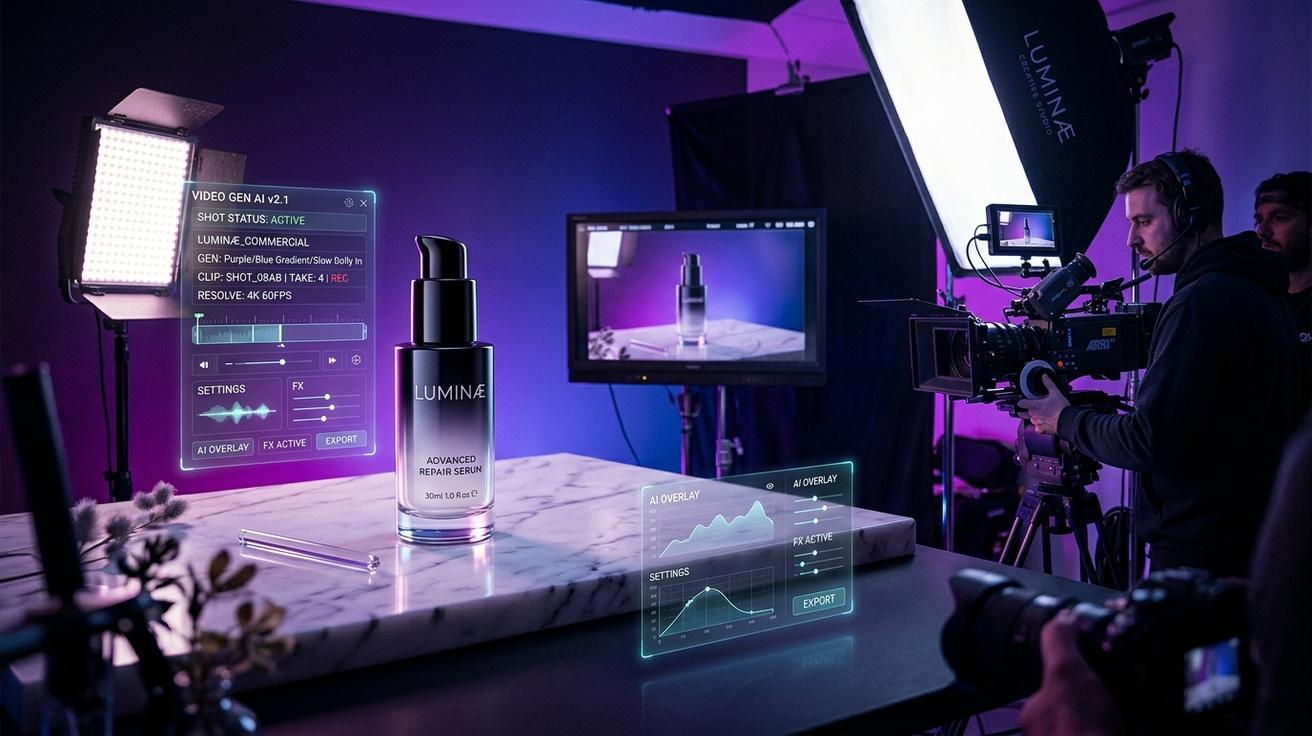
Creating high-quality commercial videos used to require a professional crew, expensive equipment, and days of production time. With Seedance AI commercial video capabilities, you can produce polished brand and product videos in minutes—no studio required.
This guide covers the complete workflow: concept setup, prompt writing, model selection, QA, export, and real use cases for product ads, social media campaigns, and landing pages.
What Is an AI Commercial Video?
An AI commercial video is a short-form marketing or brand video generated using an AI video model. These videos typically run 5–30 seconds and are used for product launches, social media ads, landing page heroes, brand storytelling, and e-commerce listings.
Unlike traditional video production, AI commercial video generation lets you go from a single product image or a text description to a rendered video clip in under two minutes. You can iterate on dozens of creative directions in the same afternoon that would previously take days of pre-production, shooting, and post-production.
Seedance supports both text-to-video and image-to-video generation across multiple AI models—Seedance 2.0, Sora 2, Veo 3, Kling, and others—making it a practical tool for commercial production workflows at any budget level.
Why Seedance Works Well for Commercial Video
Seedance gives commercial creators several practical advantages over single-model platforms:
Multiple model access in one place. Generate with Seedance 2.0, Sora 2, Veo 3, Kling, and other models from the same dashboard. This means you can compare outputs across models for the same concept and pick the one that best fits your brand's visual style—without managing multiple accounts or subscriptions.
Image-to-video from product photos. Upload a product shot and generate a cinematic video showing the product in motion, in context, or from a dynamic camera angle. This is particularly powerful for e-commerce brands that already have professional photography but want to add video to their listings, ads, and landing pages.
Prompt control for brand consistency. Fine-grained prompts let you specify lighting style, camera movement, background environment, mood, and pacing. Once you find a prompt formula that matches your brand's visual language, you can reuse and adapt it across all your content.
Fast iteration. Generate 2–3 versions of the same concept and pick the most brand-aligned result without re-shooting. This makes Seedance useful not just for final production, but also for concept testing and pitch decks—showing clients what a campaign could look like before committing to a shoot.
No watermarks on exported content (paid tier). Commercial use requires clean exports. Seedance's paid plans remove watermarks so you can deliver client-ready files directly from the platform.
How to Create a Commercial Video with Seedance: Step-by-Step
Step 1: Define Your Commercial Concept
Before opening Seedance, clarify four things:
- Subject: What is the hero element? Product, person, logo sequence, or lifestyle scene?
- Platform and format: TikTok/Reels (9:16), YouTube pre-roll (16:9), or square for feed ads (1:1)?
- Tone and style: Energetic/fast-cut, cinematic/slow, minimal/clean, lifestyle/aspirational?
- Duration: 5–15 seconds is standard for paid social; 15–30 seconds for YouTube or landing pages.
Having these four elements nailed down before you start generating will save you multiple revision cycles. AI models respond very differently to "energetic product reveal" versus "cinematic slow lifestyle shot"—so the more specific your creative direction, the faster you'll land on a usable clip.
Step 2: Prepare Your Source Asset
For image-to-video (recommended for product commercials):
- Start with a high-resolution product photo—minimum 1024px on the short side. Clean backgrounds work best for your first tests; complex lifestyle shots can be layered in once you understand how the model handles motion.
- For lifestyle ads, use a scene image that already matches the brand environment (kitchen, gym, office, outdoor setting).
- Remove any existing text overlays or watermarks from the source image.
- Crop and resize to match your target aspect ratio before uploading. Mismatched aspect ratios cause unexpected cropping during generation.
For text-to-video (when no existing asset is available):
Write a detailed scene description that specifies the product, background, lighting, motion direction, camera behavior, and mood. The more specific you are, the more useful the output.
Step 3: Write a Commercial Prompt
A strong commercial video prompt uses this five-part structure:
[Subject] + [Action/Motion] + [Camera Movement] + [Environment/Lighting] + [Style/Mood]
Here are ready-to-use prompt examples for the most common commercial categories:
Skincare / beauty product:
A sleek white moisturizer bottle slowly rotates on a marble surface. Camera orbits smoothly around the product. Soft natural light with a warm highlight. Clean minimalist background. Premium beauty commercial style, 4K cinematic.
Sneaker / athletic footwear:
A pair of running shoes placed on a black glossy surface. Slow zoom in with particles of light drifting across the frame. High contrast studio lighting. Dynamic and energetic feel. Nike-style commercial aesthetic.
Food and beverage:
A condensation-covered glass of cold lemonade. Camera pulls back slowly from a tight close-up. Bright summer kitchen background, shallow depth of field. Warm golden hour light. Refreshing and appetizing mood.
SaaS / app product:
A modern smartphone showing a clean dashboard interface. A hand picks up the phone in a minimalist office environment. Smooth rack focus from background to screen. Professional, confident, tech-forward aesthetic.
Fashion / apparel:
A model wearing a structured white blazer walks through a sunlit courtyard. Slow tracking shot from behind, then cuts to a close-up of the lapel detail. Warm afternoon light, editorial fashion commercial tone.
Home goods / interior:
A modern ceramic vase on a wooden table. Camera slowly dollies forward while soft ambient light shifts to reveal texture details. Warm neutral background. Lifestyle home décor editorial style.
E-commerce hero:
A premium leather wallet opens slowly revealing credit cards and cash. Close-up macro camera with shallow depth of field. Dark studio background with a single warm key light. Luxury goods commercial aesthetic.
Step 4: Model Selection
Different Seedance-supported models suit different commercial styles:
- Seedance 2.0: Strong on product motion, smooth camera control, and short clips with consistent subject rendering. Best for product hero shots, close-ups, and clean studio aesthetics.
- Sora 2: High-realism lifestyle scenes, complex environments, and longer shots. Good for aspirational brand narratives and outdoor/lifestyle contexts.
- Veo 3: Excellent for cinematic quality and motion dynamics. Useful when the brief calls for film-quality output or complex camera paths.
- Kling: Strong on character and human subjects in motion. Good for fashion, fitness, and lifestyle campaigns featuring people.
For commercial production, run the same prompt through at least two models and compare outputs. The best take for a beauty product may come from Seedance 2.0 while the same brand's lifestyle video performs better with Sora 2.
Step 5: Generate and Compare Versions
- Open Seedance and navigate to the video generation workspace.
- Upload your product image (for image-to-video) or paste your text prompt.
- Select your target model and set the aspect ratio to match your platform.
- Generate 2–3 versions from the same prompt to compare motion quality and brand alignment.
- Review each output against these five criteria:
- Subject consistency: Does the product maintain its shape, color, and proportions throughout the clip?
- Background coherence: Is the environment stable and brand-appropriate?
- Motion smoothness: Does the camera and subject movement look intentional, not jittery?
- Edge artifacts: Are there visual glitches at the frame edges or during camera transitions?
- Brand safety: No unintended text, distorted logos, or out-of-character visual elements?
Select the version that scores best across all five criteria. If none are fully acceptable, adjust your prompt—usually one or two specific changes (camera movement direction, lighting description, or subject action) will solve the issue.
Step 6: Iterating on Prompts
When your first-generation clips aren't quite right, use this diagnostic approach:
- Subject distorting: Add explicit stabilization language—"subject stays centered and stable throughout," "no deformation."
- Background too active/distracting: Simplify—"clean neutral background," "background remains static."
- Camera movement wrong: Be more prescriptive—replace "dynamic camera" with "slow dolly forward from medium shot to close-up."
- Lighting off: Specify the light source type and direction—"single warm key light from camera left," "soft diffuse daylight from a large window on the right."
- Wrong mood: Add cinematic reference language—"premium Apple ad style," "editorial fashion photography aesthetic," "National Geographic documentary quality."
Step 7: QA Before Export
Before downloading your final clip, run through this checklist:
- [ ] Brand safety check: No distorted logo, product name, or unintended text in frame.
- [ ] Subject consistency check: Product holds its shape and color throughout the entire clip.
- [ ] Physical realism check: Liquids, fabrics, and surfaces move in physically plausible ways.
- [ ] Edge artifact check: No glitches during camera moves or near frame edges.
- [ ] Duration check: Is the clip the right length for your target placement?
- [ ] Aspect ratio check: Does the composition work for your target platform (no important content cropped)?
If any item fails, re-generate with adjusted prompts or try a different model before proceeding.
Step 8: Export and Deploy
Download in the highest available resolution. For paid social ads, 1080p minimum is the standard. For YouTube pre-roll or landing pages, 4K output provides future-proofing and quality headroom for compression.
Post-export workflow:
- Layer text and branding in post-production. AI models struggle with accurate in-video text rendering—add all title cards, product names, CTAs, and logo overlays in Premiere, Final Cut, DaVinci Resolve, or CapCut. Never rely on generated text legibility.
- Add audio. AI-generated clips have no audio. Layer licensed background music, voiceover, or SFX in your editing tool.
- Export to platform specs. TikTok and Instagram prefer MP4/H.264 at 9:16; YouTube pre-roll at 16:9 1080p or 4K; Meta feed ads at 4:5 for maximum mobile real estate.
- Submit to ad platforms. Meta Ads Manager, TikTok Ads Manager, and Google Ads all accept MP4 uploads directly. No additional transcoding is typically needed if you exported at platform-native specs.
Commercial Video Prompt Templates
Copy and adapt these for your use case:
Product hero (general):
[Product name] on a [surface type]. [Camera movement]. [Lighting style] light. [Background description]. [Brand tone] commercial aesthetic. Cinematic, 4K.
Lifestyle product:
A [person type] using [product] in a [setting]. [Mood/activity]. [Camera movement], [lens/depth description]. [Tone] and authentic feel.
Fashion / apparel:
[Garment] worn by [subject] in [environment]. [Movement]. [Lighting]. Editorial fashion commercial style.
Technology / software:
[Device] displaying [product interface] in [environment]. [Camera movement]. [Lighting]. Professional and tech-forward aesthetic.
Food / beverage:
[Product] [action/state]. Camera [movement]. [Background]. [Lighting]. [Mood/appetite appeal] style.
Best Use Cases for Seedance AI Commercial Videos
Product launches. Generate a hero video from a single product photo before the shoot is even scheduled. Use AI output for early social teasers, email campaigns, and crowdfunding pages where speed-to-market matters.
Social media ad creatives. Create 6–15 second creatives for TikTok, Instagram Reels, and YouTube Shorts at a fraction of traditional production cost. Generate multiple visual styles for the same product and A/B test them in your ad platform to find the highest-performing creative before investing in a full shoot.
Landing page hero videos. Replace static hero images with looping video clips that show the product in use or in motion. Seedance's image-to-video pipeline is particularly effective here—upload your existing hero image and animate it with a slow orbit, dolly, or zoom.
E-commerce product pages. Add short product-motion clips to product listings to increase engagement and conversion. Video content on product pages consistently outperforms static imagery for time-on-page and add-to-cart rates.
Brand storytelling prototypes. Use text-to-video to prototype brand narrative spots before committing to a full production budget. Present AI-generated concepts to clients or stakeholders, gather feedback on visual direction, then commission the real shoot based on validated creative direction.
Event and campaign teasers. For product launches, seasonal campaigns, and brand events, generate short atmospheric teasers using text-to-video. These work well as countdown content on social media and email.
Internal pitch decks and concepts. Replace wireframe slides with actual video concepts in client presentations. AI-generated commercials are strong enough to communicate creative direction without being confused for final deliverables when presented with the right context.
Limitations to Know
Text rendering in video. AI models still struggle with in-video text accuracy. Do not rely on text overlays being legible in the generated clip. Always add product names, taglines, and CTAs in post-production.
Logo consistency. Logos placed in complex motion scenes may distort or shift. Generate without a logo, then composite the logo in post-production using a video editor.
Duration constraints. Current AI video models typically generate 5–10 second clips. For 30-second spots or longer brand films, plan a multi-clip assembly workflow in your editing tool.
Human talent identity. For clips featuring specific real people or brand representatives, generate from reference images and check subject consistency carefully across multiple versions. AI models may alter facial features or clothing details across frames.
Physical simulation limits. Very complex physics—fast-pouring liquids, fire, exploding particles—can look unconvincing. For these effects, plan to use AI for the static/slow elements and add VFX layers in post.
Frequently Asked Questions
Can I use Seedance-generated videos for paid advertising? Yes—commercial use rights are included in paid Seedance plans. Verify your plan's specific licensing terms for client work and resale.
What resolution do I need for Meta or TikTok ads? Both platforms accept 1080p (1920×1080 or 1080×1920) as standard. TikTok recommends 9:16 vertical at 1080×1920 for Spark Ads and standard in-feed video.
How many versions should I generate for each concept? Generate 2–3 for evaluation. More than 3 for a single prompt without changing variables wastes credits—if 3 versions all fail the same QA criteria, the issue is in the prompt, not the generation count.
Can I use my own brand fonts and logos in the video? Not directly in generation—AI models cannot reliably render specific brand fonts or logos. Add these elements in post-production.
What's the best model for product close-ups? Seedance 2.0 performs consistently well on product close-ups with controlled camera movement. For highly realistic materials (glass, metal, liquid), try Veo 3 as a comparison.
Conclusion
Seedance AI commercial video production gives brands and creators a fast, affordable path to polished video content. Whether you're generating from a product photo with image-to-video or scripting a full scene with text-to-video, the workflow follows the same structure: define your concept, craft a specific five-part prompt, select the right model, generate 2–3 versions, run QA, and export clean for post-production. For more on crafting effective Seedance prompts, see the Seedance prompt guide and camera movement prompts guide.
Common Mistakes to Avoid in AI Commercial Video Production
As you scale your commercial video workflow, watch for these pitfalls:
Over-relying on a single model. Each model has strengths and weaknesses. Seedance 2.0 handles product motion and camera control well; Sora 2 excels at photorealistic scenes; Veo 3 produces natural human movement. Testing across models takes two minutes and can meaningfully improve your output quality.
Ignoring aspect ratio from the start. Generating in 16:9 and then cropping to 9:16 for TikTok introduces composition problems. Always set the target format before generating.
Vague prompts. "A product video of a watch" produces generic output. "A luxury stainless steel watch on a dark slate surface, slow rotating with a golden rim light catching the bezel, camera slowly pushing in, cinematic depth of field" produces something brandable.
Skipping QA. The first generated clip is rarely the final asset. Always review for subject distortion, background artifacts, and unintended motion before exporting.
Adding text to AI-generated clips. In-video text rendered by AI models is still unreliable. Always add captions, product names, and CTAs in post-production using a video editor.
Trying to match your competitor's exact style. Use competitors as reference for quality benchmarks, not as copy templates. Your product and brand context are different—build prompts around your specific subject, not a generic lookalike.
How Long Does AI Commercial Video Generation Take?
Generation time in Seedance depends on the model and queue load, but typical ranges are:
- Seedance 2.0: 30–90 seconds per clip
- Sora 2: 60–180 seconds
- Veo 3: 60–120 seconds
- Kling: 45–90 seconds
For a three-version comparison test, expect 3–8 minutes end-to-end. For a full campaign with 5 concepts × 3 versions, allow 30–60 minutes of generation time. The iteration loop is still dramatically faster than scheduling a production day.
Scaling Your AI Commercial Video Output
Once you have a prompt formula that works for your brand, you can scale production significantly:
Build a prompt library. Document your best-performing prompts in a spreadsheet with the model used, output quality rating, and where the clip was deployed. This becomes your reusable creative asset library.
Batch-generate variants. For seasonal campaigns or A/B tests, generate multiple product variants from the same base prompt by changing only the background or lighting descriptor. You can produce 10–20 creative variants in an afternoon.
Repurpose across formats. Generate once in 16:9, then re-generate the same concept in 9:16 for TikTok and 1:1 for Instagram. Different aspect ratios require different composition adjustments in the prompt, so keep notes on what works per format.
Integrate into your production calendar. AI commercial video works best as a complement to traditional production, not a replacement for high-stakes flagship content. Use Seedance for rapid-turnaround social content, product teasers, and concept prototyping. Reserve traditional shoots for hero brand films and regulated industries where authentic footage is required.
Conclusion
Seedance AI commercial video production gives brands and creators a fast, affordable path to polished video content. Whether you're generating from a product photo with image-to-video or scripting a scene with text-to-video, the core workflow is the same: define your concept, craft a specific prompt, generate 2–3 versions, run QA, and export. Use the prompt templates in this guide as your starting point, adapt them to your product and brand, and build a reusable prompt library as you learn which combinations produce the best results for your use case. For more on crafting effective prompts, see the Seedance prompt guide and camera movement prompts guide.
Ready to try it yourself?
Put the steps from this guide into practice with Seedance and turn prompts or images into polished videos in minutes.
Free credits on signup. Plans from $28/month.
Related Articles
More posts in the same locale you may want to read next.

Seedance App Preview Video Generator 2026: Create App Store and Product Launch Clips
Use Seedance to turn app screenshots, feature copy, and launch goals into App Store previews, Google Play promo videos, and product launch clips.
Read article
How to Make a Talking AI Avatar You Can Reuse
Make a talking AI avatar with Seedance: design one consistent character, give it a voice, and make it speak in a talking photo or a full Seedance 2.5 scene, episode after episode.
Read article
Best AI Video-to-Video Models in 2026
The best AI video-to-video models in 2026 for editing footage you already shot: Higgsfield Genjutsu, Seedance 2.x, Runway Aleph, Luma Modify and Kling Omni compared.
Read article