
Kling AI Generation Taking Too Long? Diagnose the Queue Before You Rerun

AI Overview
Why is Kling AI video generation taking so long?
A long wait may reflect a queue, active processing, a stalled interface, or a failed job. Check the original task in your project history before changing the prompt or submitting a second paid attempt.
Is a Kling AI video stuck at 99% necessarily lost?
No. A progress indicator is not a reliable diagnosis by itself. Reopen the task from history, look for a completed output or an explicit failure, and save its task ID before deciding what to do next.
What should I do when Kling AI video generation fails?
Capture the exact error, job ID, settings, submission time, and credit entry. Check whether the job is truly terminal, then make one controlled retry or send that evidence to official support rather than submitting duplicates blindly.
Can I make a slow Kling AI generation finish faster?
You cannot speed up a job already in the provider's queue by editing your browser. For a new test, simplify settings only when they are under your control; for a deadline, prepare a separate production route.
Diagnose the Job, Not the Percentage
Find the original task first
When Kling AI generation is taking too long, the first useful action is not rewriting the prompt. Locate the original request in the same account and project where you submitted it. Record the submission time, model or mode, duration, aspect ratio, source image or video, any reference files, and the task or job ID if the interface exposes one. Keep the prompt in a separate note. This small record lets you distinguish one slow task from a newly created duplicate and gives support something precise to investigate.
Open the project history in a fresh tab or refresh the task list once. A completed clip there suggests the progress indicator was stale. For a waiting or processing job, avoid a duplicate paid attempt. For a clear failure, preserve the error before retrying. A finished video that will not download needs a different remedy.
The table is a decision aid, not a claim about Kling's internal queue or guaranteed timing:
| What you can observe | What it may mean | Safest next action |
|---|---|---|
| Request exists but has not started | The task may be waiting for capacity | Keep its ID, check again later, do not duplicate it blindly |
| Processing state is still changing | Work may be underway | Continue from the original task; avoid changing multiple variables |
| Interface stays at 99% | The display may be stale or finalization may be delayed | Reopen history, look for output or a terminal error |
| Explicit failure or error | This attempt did not deliver an approved clip | Save the message and billing entry before one controlled retry |
| Completed output cannot play or download | Delivery may be failing after generation | Try the task's original output view and collect the file error |
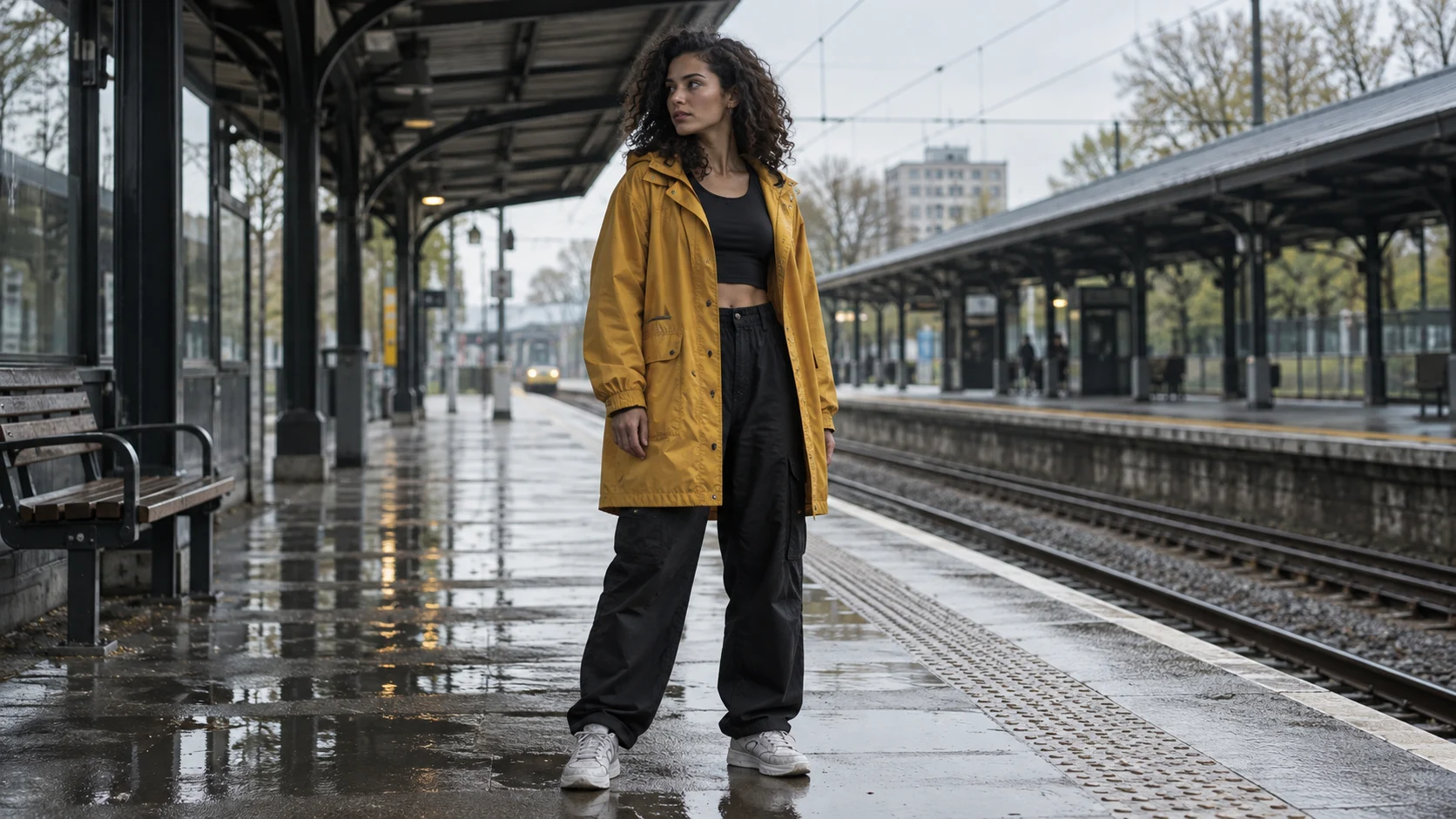
Illustrative generated source still, not a Kling output: keep the approved subject and scene while you investigate a delayed task.
Recover a 99% Stall or Failed Request Safely
Use one controlled check, then one controlled retry
“Kling AI video stuck at 99” is a popular search because the number looks like a diagnosis. It is only a user-interface signal. First, reopen the same job from history rather than pressing Generate again. Check whether the clip has appeared in results, whether the status changed to failed, and whether credits changed. If the page itself is unresponsive, a single refresh or sign-in check is reasonable; neither action makes a server-side render complete sooner. Do not clear browser data before you have copied the task information you need.
If the status is genuinely failed, inspect the error before modifying the input. Was the file rejected, an upload lost, a mode setting exceeded, or a generic processing error shown? Replace a damaged upload only if implicated. Shorten a new draft only if that control exists and the goal tolerates it. Preserve the original reference and action to isolate the effect.
Run at most one diagnostic retry with a different task ID and log what changed. A second attempt with identical inputs does not prove much if the bottleneck is a shared queue; many simultaneous retries can create confusion or additional charges. Check the current credit and refund rules inside your account rather than assuming every failed or delayed attempt is automatically reimbursed. If the credit ledger and task status disagree, include both in a support report.
Here is a copy-ready report: “Task ID: __. Submitted at: __ with time zone. Model/mode: __. Duration and aspect ratio: __. Source file type and size: __. Current status and exact error: __. Last visible change: __. Credit entry: __. Steps already tried: __. Expected deliverable and deadline: __.” Attach the exact screenshot or task record to official support. Do not publish private source files or billing details in a public forum.
The AI video generation freeze guide explains a related diagnostic principle: separate the visible interface symptom from the underlying job and delivery state.
Why a Video Request Can Be Slow
Separate queue, render, delivery, and local display
“Kling AI slow generation” can describe four different delays. Queue time is the interval before processing begins. Render time is the model's work after it starts. Delivery time is the handoff from generated result to a playable or downloadable file. Display lag is a browser view that has not caught up with the underlying task. None is diagnosed reliably by a single percentage or by one comment describing another user's wait.
Settings may also change the amount of work in a new request. A longer duration, complex references, additional output requirements, or a mode with audio and editing controls can be more demanding than a short baseline. That is a practical inference, not a published Kling service-level promise. Provider load, plan rules, and model availability can change; do not treat an old article's “typical minutes” as a guaranteed turnaround. A browser tab remaining open is not evidence that it is accelerating generation.
Run one simple baseline only after you know the first job's state. Note the timestamp and settings. If it completes while the original fails, inspect what differs. If both remain queued, more prompt tinkering may only add tasks. If the file is inaccessible after completion, focus on delivery. Do not infer an outage from one account.

Illustrative motion target, not a timed Kling benchmark. A short, bounded action is easier to evaluate than a prompt that changes subject, location, camera, and action together.
If your team is deciding between hosted routes under a deadline, the local versus cloud AI video guide helps frame the trade-off in queue behavior, control, and recovery work rather than a headline render time alone.
Preserve the Shot While You Wait
Keep an approved source and a testable motion brief
A long queue is worse when the only creative brief lives in the pending job. Save the approved frame, prompt, reference roles, audio requirement, aspect ratio, and destination separately. Give the shot a stable name and version. The next attempt can then start from approved material instead of a reconstructed brief.
For an image-led scene, specify a single visible action and what must stay fixed. Example: “Use this approved full-body frame as the first frame. The dancer makes one controlled turn and lands on the same wet platform. Keep the coat, face, station canopy, train direction, and overcast light recognizable. Medium-wide camera holds position; no new people move into the foreground.” This is a brief for a new test, not a command that can repair an already-processing job. Adjust it for the controls supported by your selected mode.
The stills on this page illustrate the reference-and-review idea; they are not claimed to be frames from a Kling benchmark or a continuous generated sequence. For a real result, play the entire file and inspect face, coat, hands, landing, and background motion. A beautiful poster is insufficient if the action breaks halfway through. The example below is a real moving media-library clip from a separate production context, included to demonstrate what a complete motion check looks like—not a Kling queue-speed result.
Watch the full movement and background continuity before accepting a replacement clip; the video is an illustration, not a Kling latency test.
If you already have a still that passes review, an image-to-video project keeps that visual anchor central. If you have only a written scene, text-to-video can help draft a test shot before you lock a reference. Keep the same evaluation checklist whichever route you choose.
Decide Whether to Wait, Retry, or Switch Routes
Match the decision to the deadline
Use a simple decision rule. Wait when the original task is active and the deadline has room; retain the task ID and avoid a duplicate. Retry when it has clearly failed and one small, evidence-based change addresses the observed error. Escalate when status, credits, or output delivery remain contradictory after a controlled check. Switch routes when the remaining deadline no longer supports an uncertain wait. This is a production choice, not a claim that a second platform fixes Kling's queue.
Switching works only if the brief is portable. Bring the approved frame, prompt, settings, audio plan, and review criteria. If the alternative lacks a feature, get approval for a revised shot. Keep the original Kling task visible until you know whether it completes and how credits were handled; a fallback does not settle billing.

Illustrative finished-looking frame. The acceptance test is the delivered moving clip, not the appearance of one still.
For a one-off replacement, make one controlled shot and compare its actual output with the brief. For a campaign, a Seedance-versus-Kling comparison is useful background, but model features are secondary to whether your specific shot can be approved on time. Seedance Agent is most useful when the delay threatens multiple dependent shots: organize source roles, approve a shot plan, review actual outputs, and rerun only the part that fails. Keep the production record intact so an alternative attempt does not become an untraceable duplicate.
Conclusion
If Kling AI generation is taking too long, identify the original task's real state before you refresh, retry, or pay for another attempt. A 99% indicator alone does not prove failure; a completed-but-unavailable file is not the same as an unstarted render. Save the task ID, settings, prompt, credit evidence, and source assets, then use one controlled test or a documented support request. When the deadline cannot absorb the uncertainty, carry the approved brief into a separate workflow and judge the complete moving result. For a shot-planned route with selective review and reruns, start with Seedance Agent.
Ready to try it yourself?
Put the steps from this guide into practice with Seedance and turn prompts or images into polished videos in minutes.
Free credits on signup. Plans from $28/month.
Related Articles
More posts in the same locale you may want to read next.

Seedance App Preview Video Generator 2026: Create App Store and Product Launch Clips
Use Seedance to turn app screenshots, feature copy, and launch goals into App Store previews, Google Play promo videos, and product launch clips.
Read article
How to Make a Talking AI Avatar You Can Reuse
Make a talking AI avatar with Seedance: design one consistent character, give it a voice, and make it speak in a talking photo or a full Seedance 2.5 scene, episode after episode.
Read article
Best AI Video-to-Video Models in 2026
The best AI video-to-video models in 2026 for editing footage you already shot: Higgsfield Genjutsu, Seedance 2.x, Runway Aleph, Luma Modify and Kling Omni compared.
Read article