
Giz AI Video Generator Free: What You Can Make Before Paying

AI Overview
Is the Giz AI video generator really free?
GizAI currently offers limited free video generations and lets visitors start without creating an account. Free access is model-specific and time-windowed, so check the live model, resolution, duration and remaining allowance before each run.
Can I use GizAI without signing up?
The public generator says no sign-up is required to start, which is useful for a quick first test. An account may still be needed for saved history, expanded limits, paid models or longer-term project management.
Does the free GizAI video generator add a watermark?
Do not assume a clean export from the word “free.” Generate one disposable test, download it and inspect the opening frame, closing frame and corners before building a campaign around that workflow.
What should I test with my first free generation?
Use one short shot with a clear subject, one camera move and one physical action. Judge prompt accuracy, motion stability, geometry, audio, export quality and whether you can reproduce the setup later.
Is GizAI Free Enough for a Real First Test?
The useful promise behind “Giz AI video generator free” is not unlimited production. It is the chance to learn whether a model can handle your shot before you commit money or move a project into a new workspace. On September 11, 2026, GizAI's public video page presented a no-sign-up starting path and a live form with model, resolution, aspect ratio and duration controls. The visible default used LTX-2.5 Distilled at 480p, 16:9 and roughly four seconds. Those settings can change, so treat the live form as the authority rather than a copied limit from an older review.
Free access is usually an allowance, not an ownership model. A provider may give a small number of generations per rolling window, offer only selected models, limit resolution or duration, reduce concurrency, or ask you to sign in when you want history and storage. That is still valuable if you use the free run as a controlled audition. It is less useful if you expect to finish a thirty-second ad through repeated random prompts.

A strong first test combines subject motion, fabric movement, depth and moving background objects instead of hiding behind a static portrait.
Before generating, write down the selected model, input type, duration, resolution and aspect ratio. Afterward, save the prompt and inspect whether the exported file carries a visible watermark. Also note whether commercial use, retention and privacy terms match your project. “No sign-up to start” answers an access question; it does not automatically answer rights, confidentiality or repeatability.
For a wider view of what “free” claims can mean across products, use the free AI video generator guide as a checklist rather than assuming every free tier works the same way.
Set Up a Four-Minute First-Run Test
Start with a disposable concept that does not contain a client's face, unreleased product or confidential campaign material. A free no-login form is convenient, but convenience is not permission to upload sensitive assets. Text-to-video is the cleanest first test because you can evaluate the interface without transferring a personal reference image.
Use a prompt with six parts: subject, action, environment, camera, lighting and sound. Keep each part concrete. For example: “A compact service robot walks through a rain-soaked night market; steam drifts from food stalls; the camera tracks backward at walking speed; warm lanterns reflect on wet pavement; soft wheel motors and distant conversation.” One subject, one action and one camera move create a result that is easy to diagnose.
Choose the shortest available duration and default resolution for the first run. Changing resolution, aspect ratio and model simultaneously makes a failure difficult to explain. Submit once, then record queue time and completion time. Watch the result at normal speed, muted and with sound. Download it if the interface allows, and inspect the actual file—not only the browser preview.
The text-to-video workspace is a useful comparison route when you want to repeat the same brief in Seedance. Keep the prompt, aspect ratio and duration aligned so the comparison evaluates the finished motion rather than a different creative direction.
Copy-Ready Prompts for Four Common Modes
A prompt should make the free attempt informative even when it fails. These patterns are original test briefs, not claimed GizAI outputs. Replace the bracketed details and retain the single-action structure.
Travel reveal: “Wide aerial view from a hot-air balloon above [landscape] at sunrise. A traveler in [wardrobe] leans toward the basket edge as the scarf moves in the wind. Several balloons drift at different depths. Slow forward glide, stable horizon, natural wind ambience, one continuous shot.” Inspect face stability, basket geometry, fabric and background motion.
Product orbit: “Macro commercial shot of an unbranded [product] on dark stone. A ribbon of water circles the product while the camera moves through a slow 30-degree orbit. Preserve exact edges, buttons and material reflections. Cool rim light, subtle water sound, no text or logo.” Inspect geometry before admiring lighting.
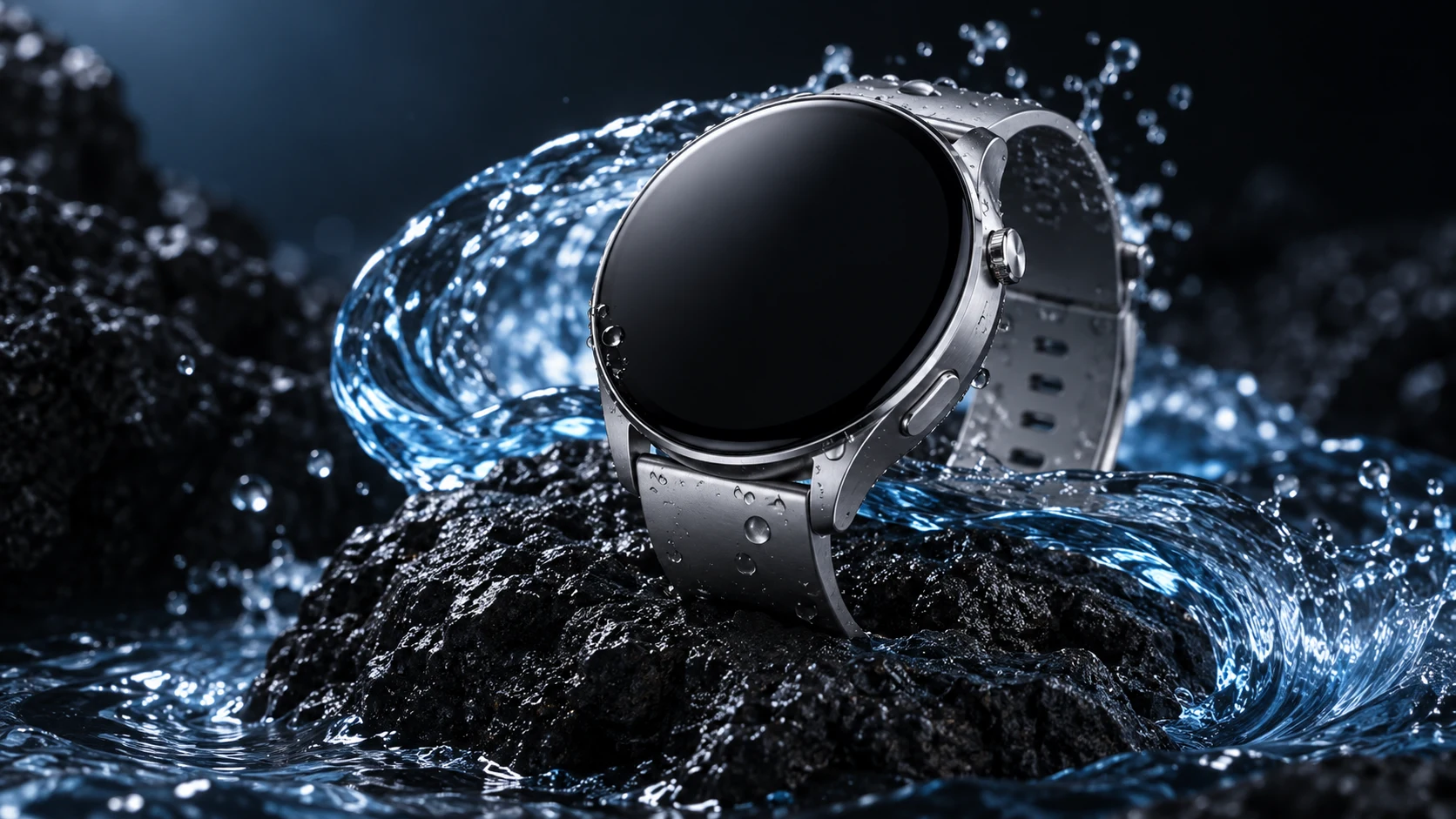
Rigid products expose deformation quickly. Watch the case, crown, strap connection and reflection pattern through the full motion.
Character walk: “A friendly compact robot walks down a rainy neon alley at night. The camera tracks backward at chest height. Both feet contact the ground with consistent weight; arms swing naturally; puddle reflections follow the robot; steam moves behind it. One continuous shot, no cuts.” Inspect limb count, foot contact and environmental continuity.
Stylized action: “Handmade clay stop-motion café in warm morning light. A clay barista pours milk into one cup and completes a simple leaf pattern while two customers talk softly in the background. Locked medium shot, tactile fingerprints, gentle room tone, no sudden camera movement.” Inspect whether the action completes instead of resetting.
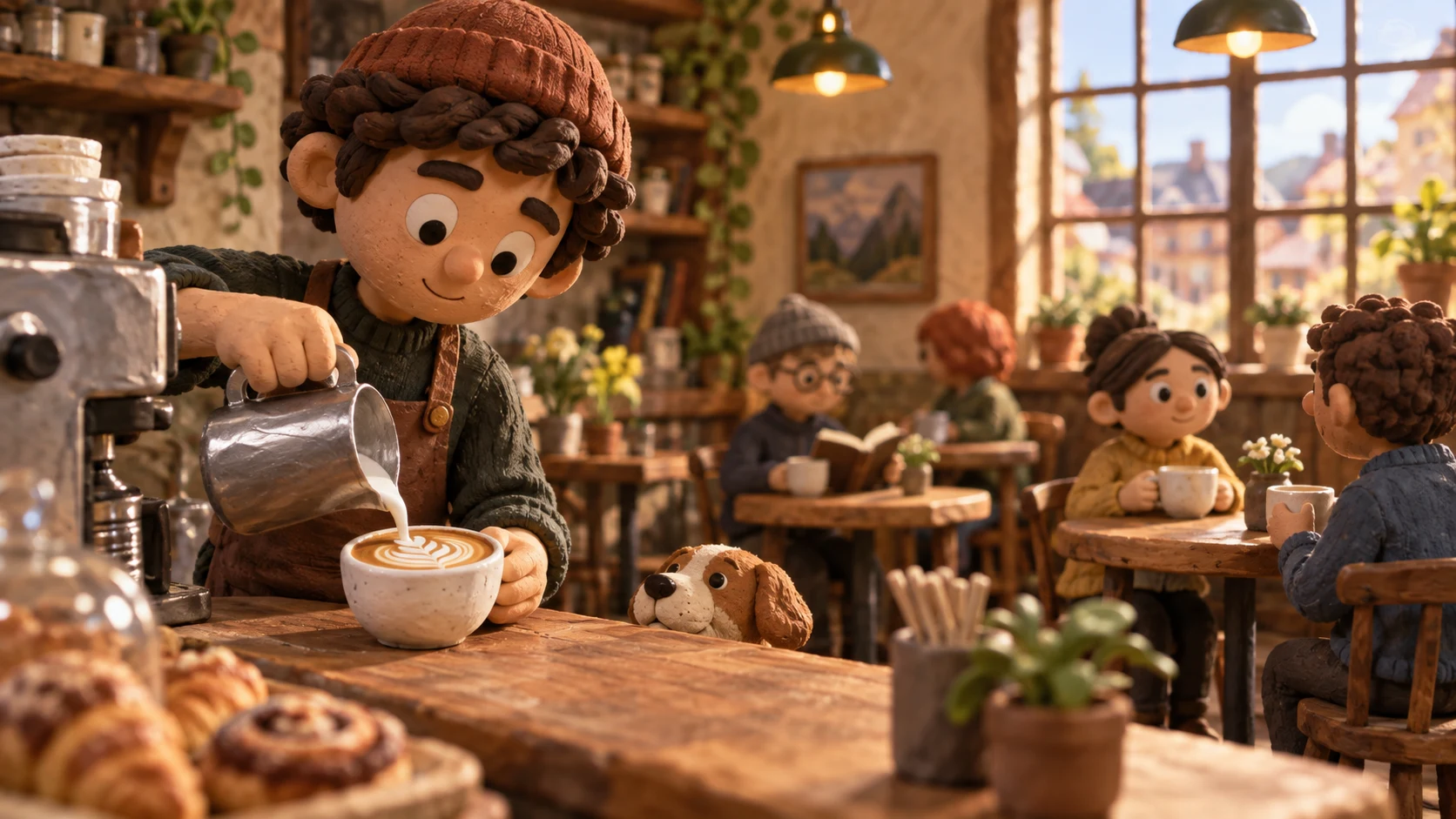
Stylized footage is not automatically easier: hand-object contact, liquid continuity and a completed action still need review.
If you already own a strong source frame, use the image-to-video workspace for the second comparison. An image controls initial composition, but it does not guarantee identity, product shape or background stability after motion begins.
Evaluate the Output, Not the Free Label
Score the result with six pass-or-fail checks. First, did the requested action happen? Second, did the camera move as directed? Third, did the subject keep the same identity or geometry? Fourth, did hands, feet, objects and contact behave plausibly? Fifth, did the environment remain coherent? Sixth, did audio match the event without unwanted music or speech?
This finished motion sample demonstrates what to inspect; it is not presented as a GizAI benchmark. Watch steam, cup geometry, camera stability and whether the movement remains continuous.
A beautiful first frame can hide a broken clip. Scrub the middle, then watch the last second: many continuity errors appear after the visual hook. Listen separately for clipping, accidental dialogue, mismatched impacts and abrupt fades. Check the exported dimensions, frame rate, duration, file size and watermark. If the result fails, change one instruction and run again only when the remaining allowance makes that comparison worthwhile.

Complex environments reveal whether the generator can preserve subject geometry while reflections, steam and background traffic keep moving.
Record “approved,” “usable after edit” or “reject,” plus one reason. This turns a free experiment into evidence. It also prevents a common mistake: choosing a platform because one thumbnail looked impressive while the downloadable video failed the intended use.
Know When Free Limits Change the Decision
Free generation works best for interface discovery, prompt rehearsal and a small model audition. It becomes a poor production plan when you need many variations, private assets, predictable deadlines, higher resolution, longer duration, parallel jobs or reliable support. Rolling allowances can also make capacity harder to predict than a monthly credit total.
Before paying, calculate cost per approved clip rather than cost per generation. If one usable result requires four attempts, the effective price and schedule are four times the headline unit. Include upscaling, reruns, editing, storage and human review. If a workspace offers several models, confirm whether each has a separate allowance or shares credits, and whether switching models changes the controls you depend on.
Use the aggregator versus direct API guide when your decision extends beyond one website. It explains how to compare model breadth, provider-specific control, failover and lock-in without confusing a convenient interface with a durable production architecture.
Move from a Free Test to Seedance Agent
A successful sample still has to become a sequence. Once a project needs several shots, reference organization, model selection, review notes and partial reruns create more work than the first generation itself. Seedance Agent can turn the approved concept into a shot plan, keep each asset's role clear and route individual shots without forcing the whole campaign through one undifferentiated prompt.
Bring the evidence from your GizAI test: prompt, selected settings, exported clip, pass/fail notes and the frame that best represents the intended look. Define which details are locked—character, product, environment, camera language and sound—and which can change. The agent can then prepare targeted generations, preserve approvals and rerun only the failed segment.
This is not a claim that every free test should migrate. If one short clip already meets the need, finish it. Move when coordination becomes the bottleneck: multiple deliverables, several aspect ratios, continuity across shots or reviewers who need a repeatable approval trail. A hosted production layer is valuable because it protects decisions, not because it replaces creative judgment.
Conclusion
Giz AI video generator free access is most useful as a controlled first audition: confirm the live model and allowance, begin with a non-sensitive text prompt, keep duration and resolution simple, and evaluate the downloaded clip for motion, identity, geometry, environment, audio and watermark. Do not equate no sign-up with unlimited use, guaranteed rights or production reliability, and do not spend every free attempt changing multiple variables at once. Save the prompt and settings, score the outcome, calculate cost per approved clip, and pay only when higher limits solve a demonstrated constraint. When the winning idea needs multiple coordinated shots and selective reruns, continue the project with Seedance Agent and carry the approved evidence into a repeatable production workflow.
Ready to try it yourself?
Put the steps from this guide into practice with Seedance and turn prompts or images into polished videos in minutes.
Free credits on signup. Plans from $28/month.
Related Articles
More posts in the same locale you may want to read next.

Seedance App Preview Video Generator 2026: Create App Store and Product Launch Clips
Use Seedance to turn app screenshots, feature copy, and launch goals into App Store previews, Google Play promo videos, and product launch clips.
Read article
How to Make a Talking AI Avatar You Can Reuse
Make a talking AI avatar with Seedance: design one consistent character, give it a voice, and make it speak in a talking photo or a full Seedance 2.5 scene, episode after episode.
Read article
Best AI Video-to-Video Models in 2026
The best AI video-to-video models in 2026 for editing footage you already shot: Higgsfield Genjutsu, Seedance 2.x, Runway Aleph, Luma Modify and Kling Omni compared.
Read article