
Ghost Face in Pictures: How to Create, Fix, and Avoid It with AI
AI Overview
What causes ghost face in pictures?
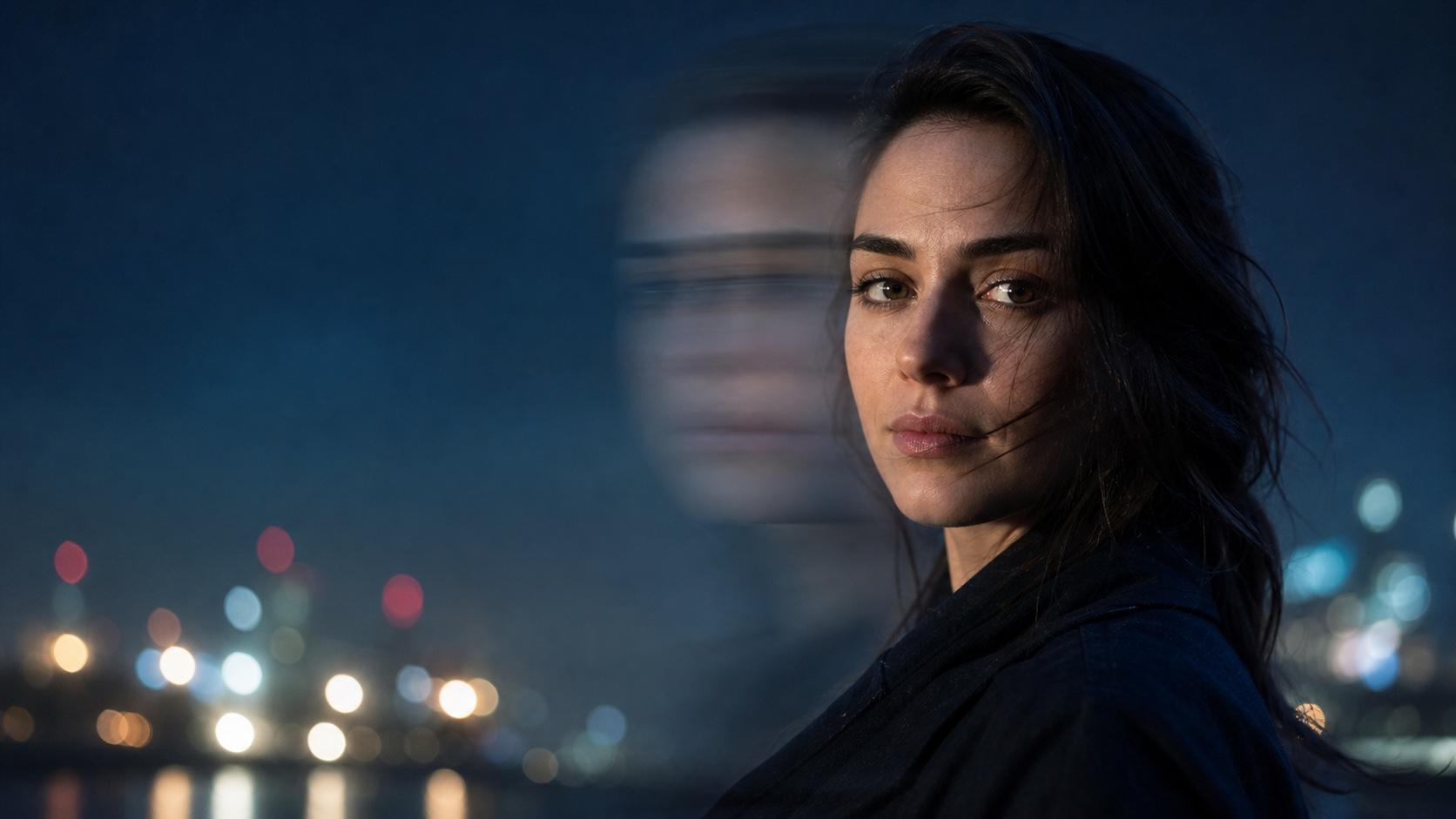
Ghost face in pictures usually comes from subject movement, camera shake, a slow shutter, frame blending, or an intentional double exposure. A sharp face and a faint offset face recorded in the same image create the transparent “ghost” look.
How do I avoid ghost face in pictures?
Use more light, a faster shutter speed, stable camera support, and a still subject. On a phone, brace your hands, avoid digital zoom, tap the face to focus, and take several frames when light is low.
Can I create ghost face effects intentionally?
Yes. Start with a clear portrait, then describe one translucent duplicate, its direction and distance, the blend style, lighting, and what must stay unchanged. AI makes the effect easier to control than an accidental long exposure.
How do I fix ghost face in an existing picture?
For mild ghosting, regenerate only the face area while locking identity, expression, hair, clothing, light, and composition. Heavy blur that erased the eyes or facial structure may require a cleaner source photo rather than invented detail.
What Is Ghost Face in Pictures and Why Does It Happen?
A ghost face is a second, semi-transparent outline of a face inside one picture. It may look like doubled eyes, a drifting profile, or a pale facial trail. The cause matters because a real motion artifact and a deliberate double exposure need opposite fixes.
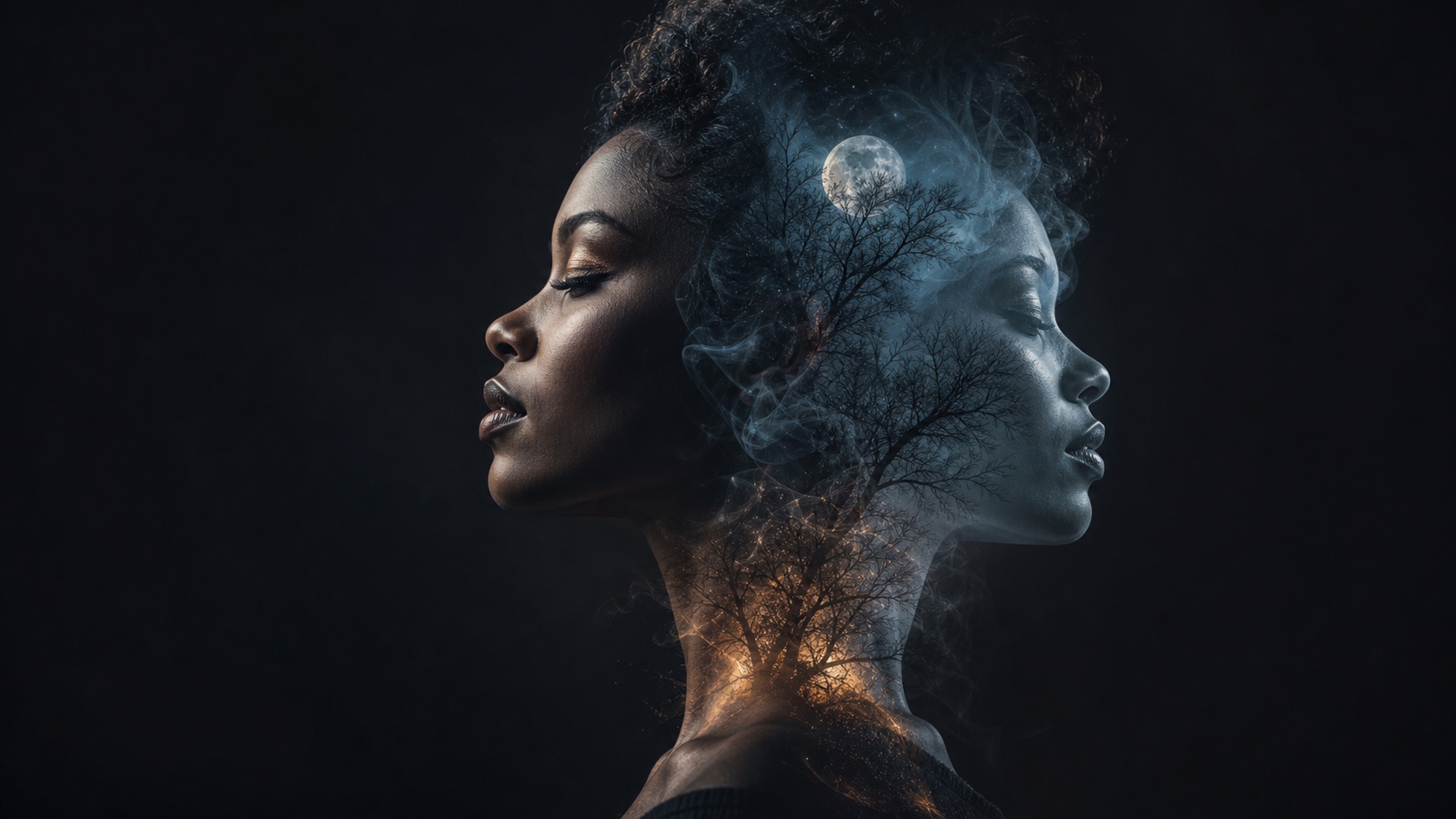
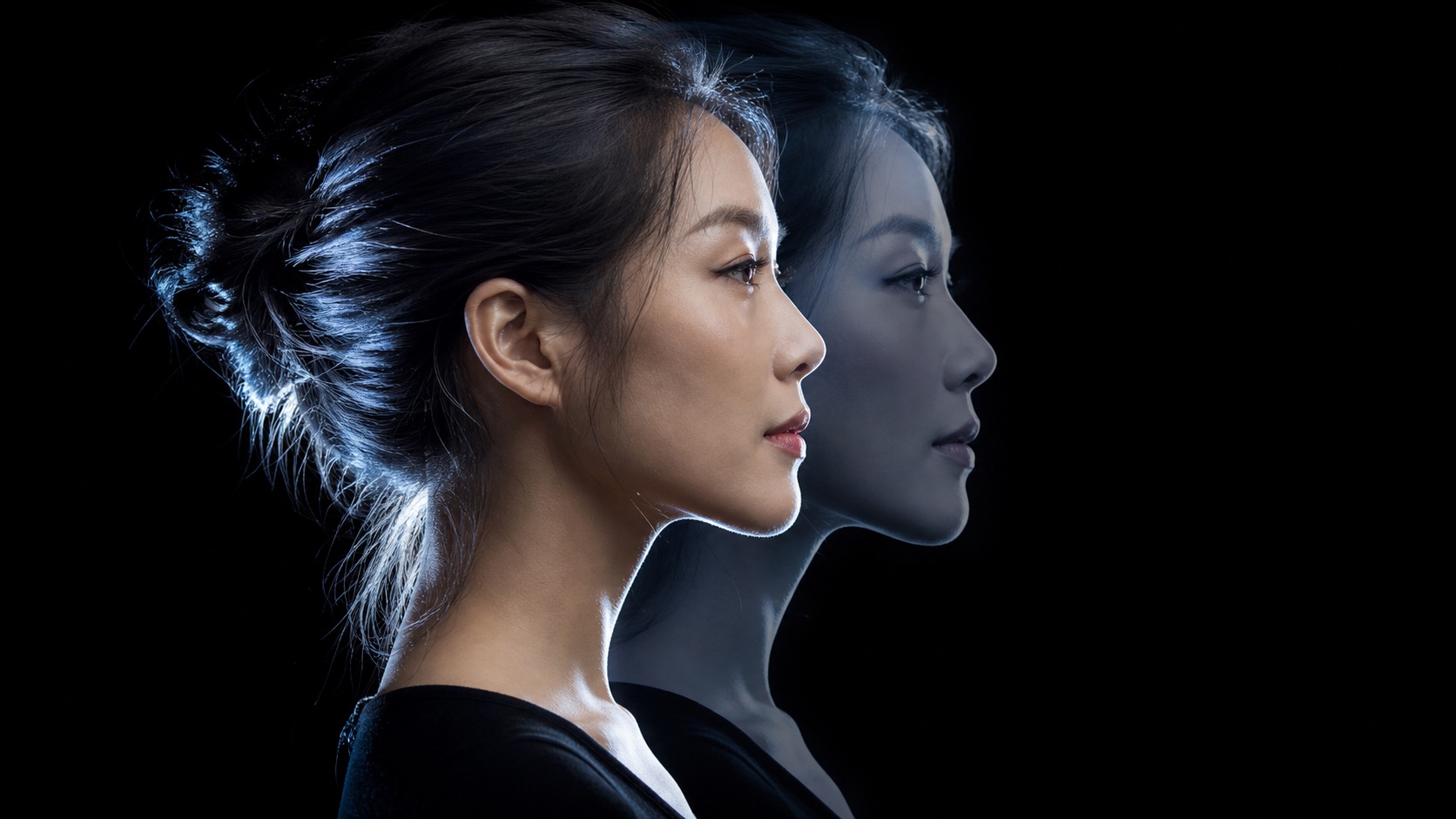
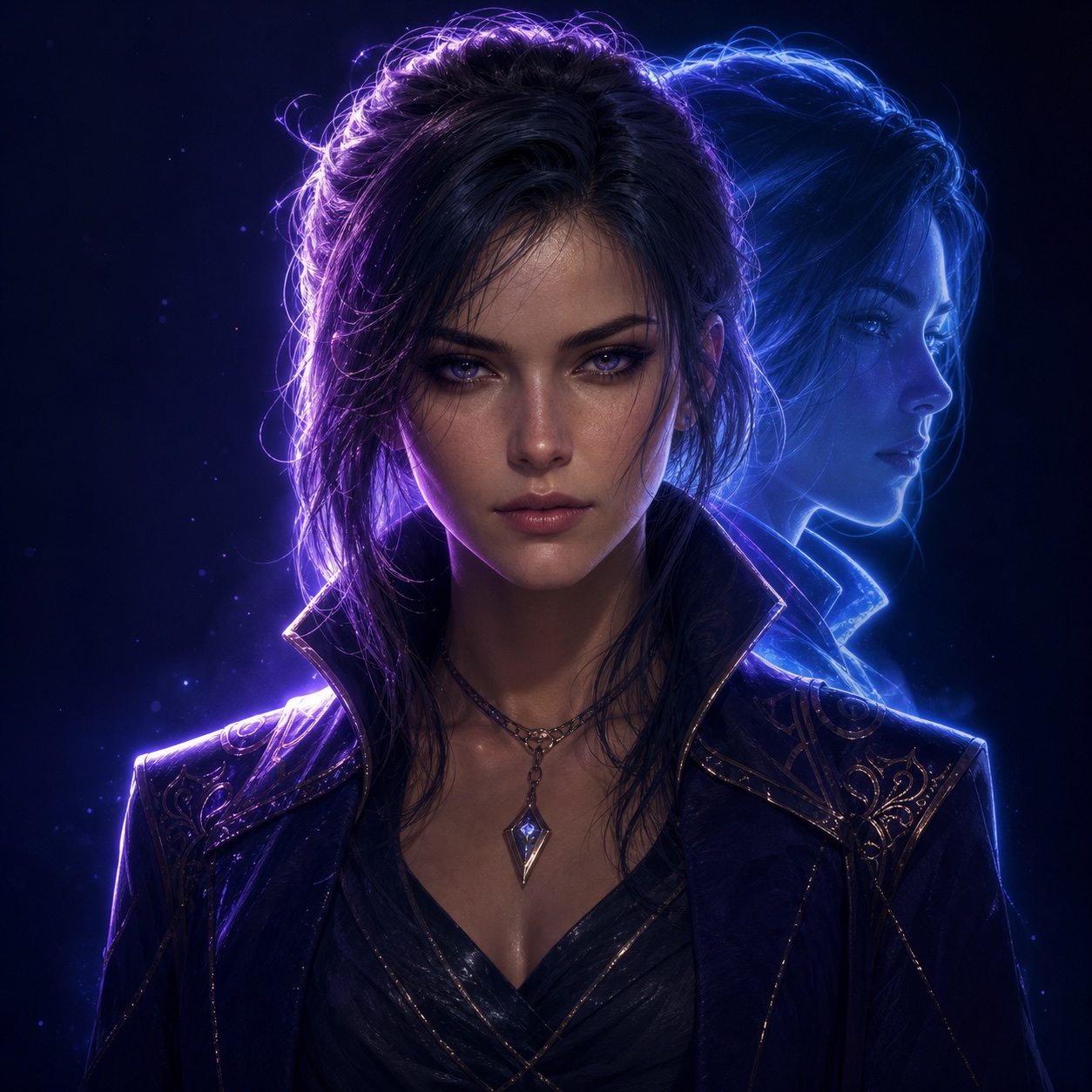
An intentional double exposure keeps the main profile readable while the second profile becomes a controlled creative layer.
Motion Blur and Long Exposure
When the shutter stays open while the person moves, the camera records several positions along the motion path. Low light increases the risk because the exposure often lasts longer. The background can remain sharp while the eyes, nose, and mouth appear twice.
Camera Shake, Frame Blending, and Double Exposure
Camera shake moves the whole frame, so edges in the background may double too. Computational cameras can also combine several low-light frames that do not align perfectly. A traditional double exposure is different: two exposures are intentionally blended into one composition.
Mistake or Creative Choice?
Treat the effect as a mistake when identity, eye contact, or product clarity matters. Keep it when the double image supports a surreal portrait, Halloween concept, music artwork, film still, or transition. A deliberate effect should have one readable sharp face and one controlled echo—not random blur everywhere.
How to Avoid Ghost Face in Pictures
Use a Faster Shutter and More Light
For a moving person, begin around 1/125 second and go faster for quick action. This is a practical starting point, not a universal rule: focal length, stabilization, distance, and motion speed all matter. Open the aperture, raise ISO carefully, or move toward a brighter source so the camera can shorten the exposure.
Stabilize the Shot
- Hold the camera with both hands and tuck your elbows in.
- Use a tripod, stable surface, timer, or remote release.
- Ask the subject to pause at the key moment.
- Use burst mode and choose the sharpest frame.
- Review the eyes at full size before leaving the scene.
Know When AI Is the Better Recovery Path
If a unique moment cannot be reshot, AI can rebuild a small damaged area. Use the clearest frame from the burst as a reference. Do not promise forensic recovery: when the source contains no reliable facial detail, a model produces a plausible reconstruction, not proof of what was originally captured.
How to Fix Ghost Face in Pictures with AI
Step 1 — Choose the Best Source
Select the frame with the clearest eyes, face outline, and natural expression. Crop only if it helps the face occupy more of the working area; keep the original file so you can compare identity and framing later.
Step 2 — Regenerate Only the Damaged Area
Open Image to Image, upload a photo you own or may edit, and make the smallest possible request:
Remove the translucent duplicate face and motion trail. Restore one sharp, natural face using the visible identity as the reference. Keep the exact person, expression, skin texture, hairstyle, clothing, pose, lighting, background, crop, and colors. Do not beautify, de-age, change facial proportions, or add new details.
Step 3 — Inspect Identity, Not Just Sharpness
Compare eye spacing, nose shape, jawline, hairline, expression, and apparent age. Check the face at 100% and then view the full composition. If identity changed, strengthen the lock instead of adding more style words.
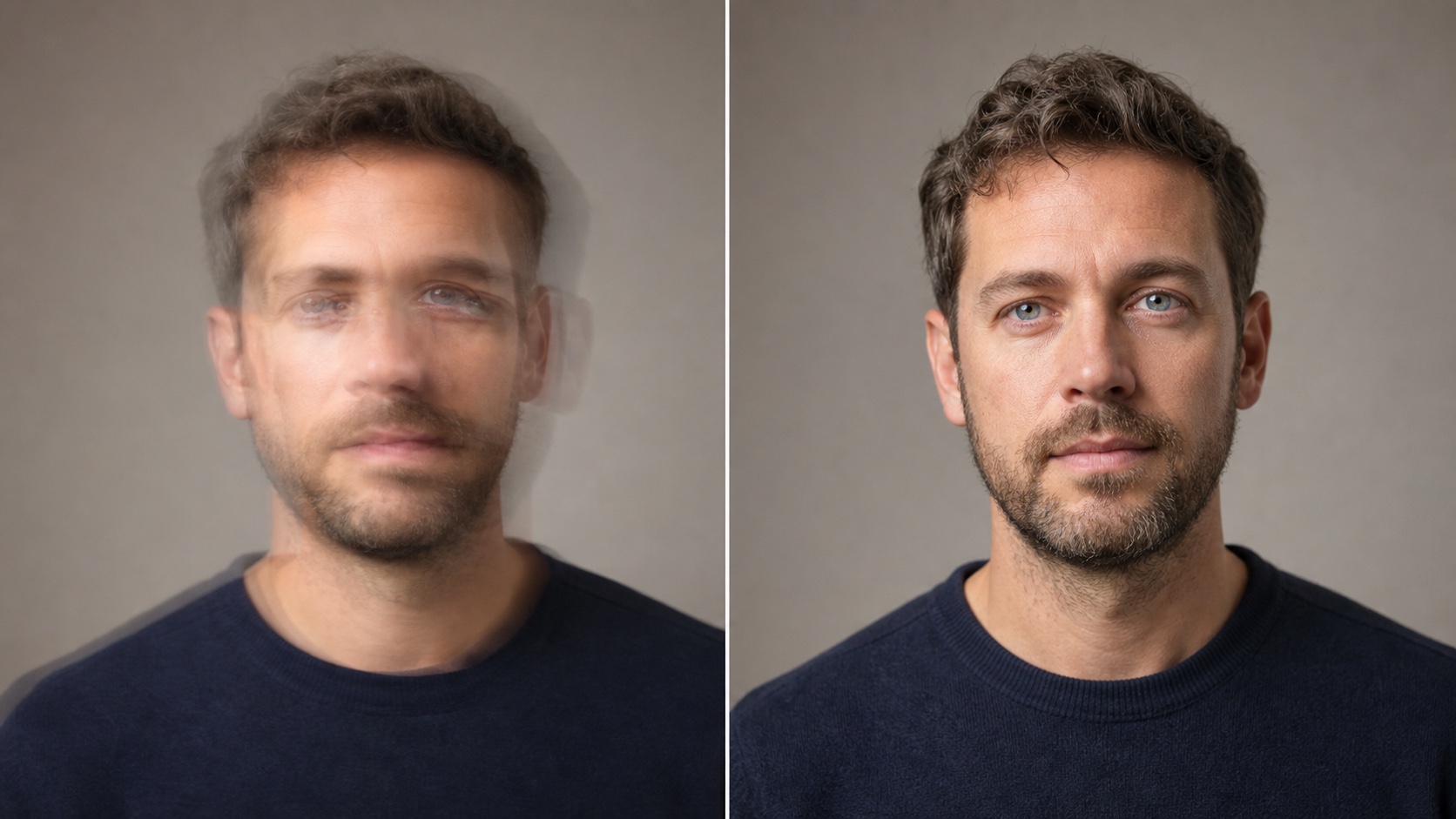
Original before-and-after example. The target change is ghosting and sharpness; identity, clothing, crop, background, and light remain controlled.
For another identity-preserving edit pattern, see the AI Clothes Changer guide, which uses the same “change one thing, freeze everything else” discipline.
How to Create Ghost Face Effects with AI
Start with a clean portrait whenever identity matters. In Text to Image, describe a new fictional subject; with an uploaded portrait, name the original face as the identity anchor. A reliable prompt has six parts:
Subject + one ghost duplicate + offset direction + opacity/blend + camera and light + locked details
10 Ready-to-Use Ghost Face Prompts
-
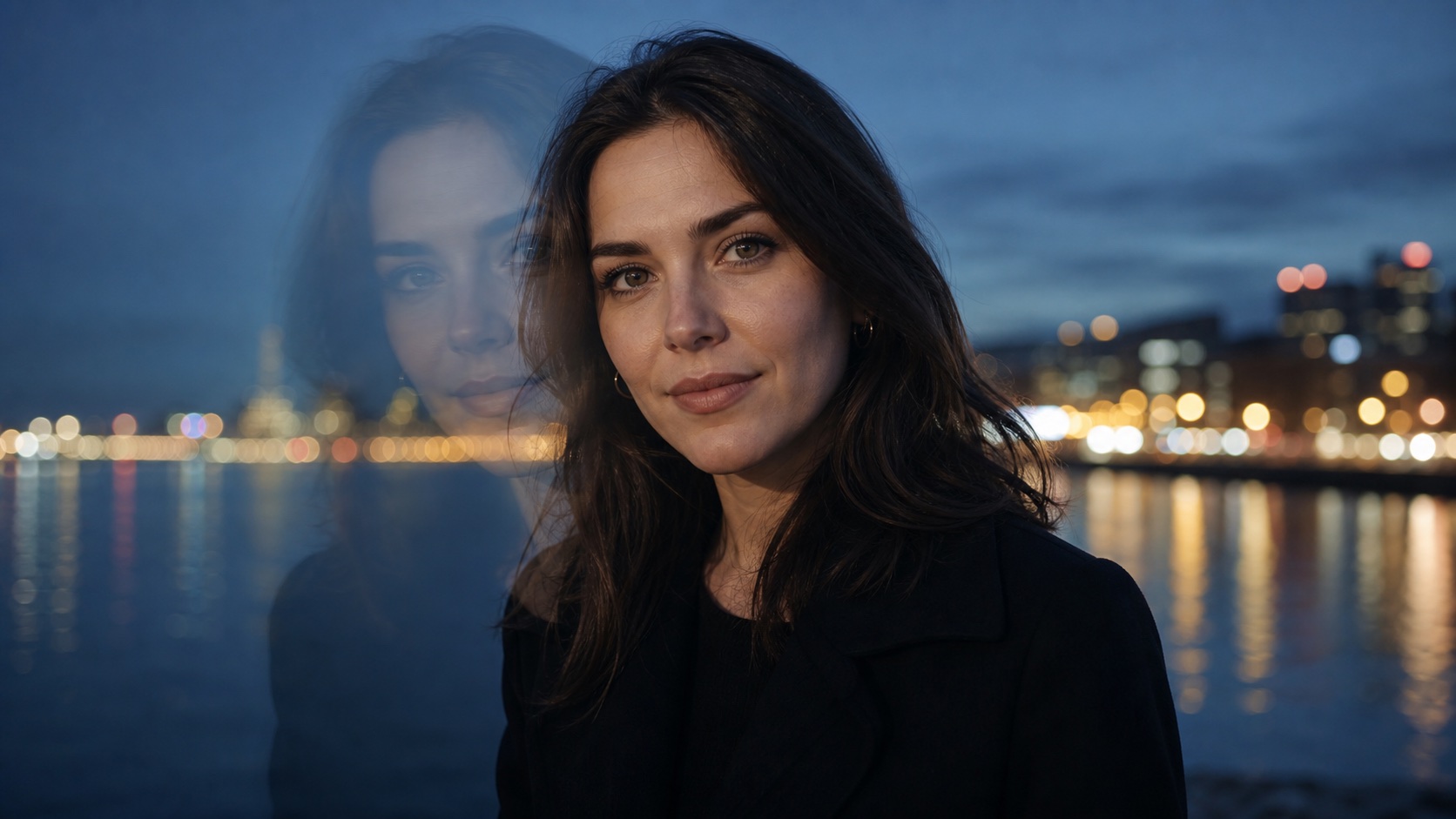
Subtle long exposure: Photorealistic night portrait, one sharp face and one faint translucent facial echo shifted slightly left, blue-hour city lights, realistic skin, no extra person, no mask, no text.
-
Camera-shake realism: Low-light indoor portrait with a controlled horizontal face trail caused by camera movement, sharp background clues, natural color, documentary photography, no facial deformation.
-
Double profile: Elegant studio profile with one transparent duplicate profile behind it, smooth photographic blend, silver rim light, black background, same identity in both layers.
-
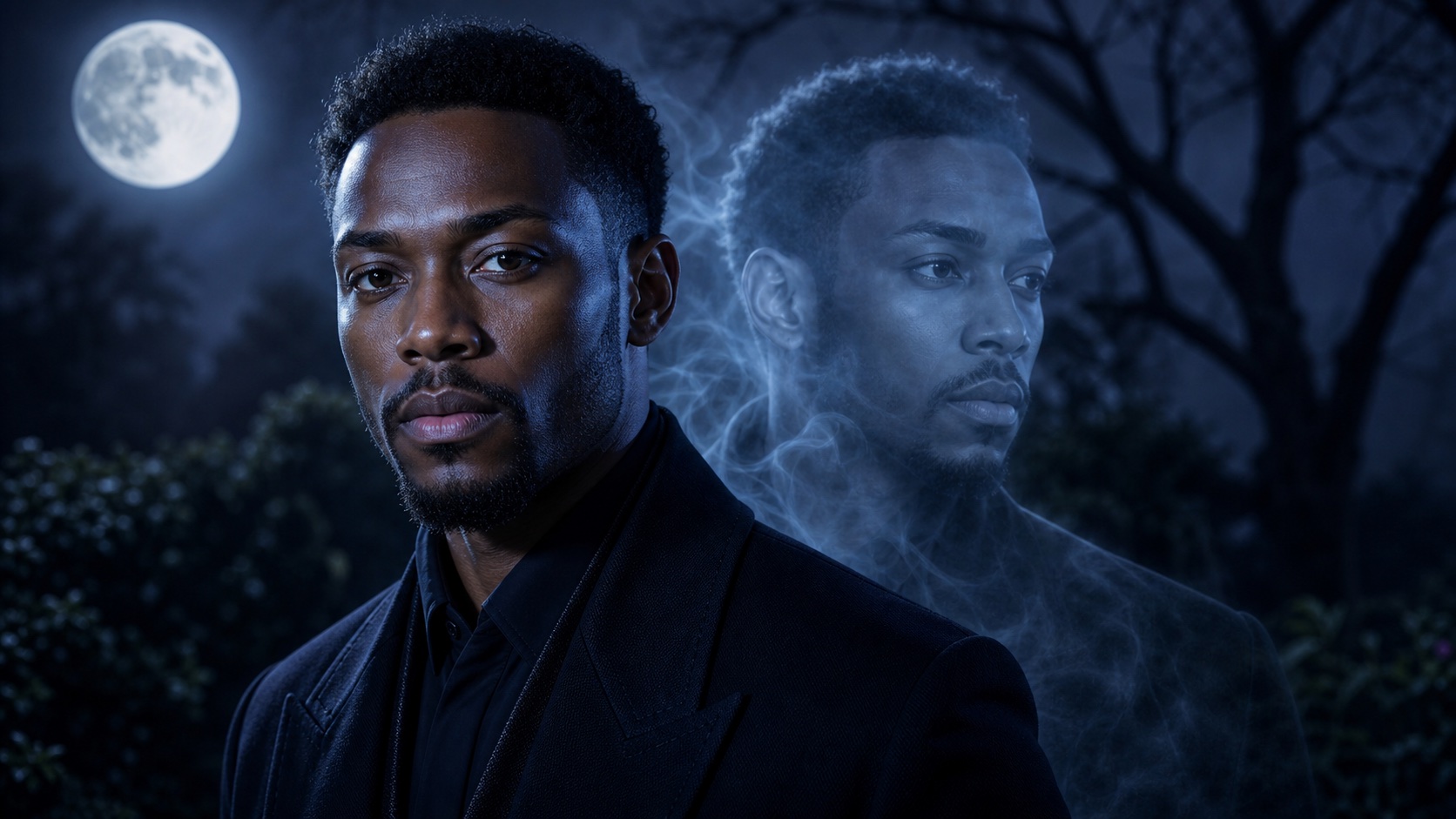
Halloween portrait: Sophisticated Halloween portrait, readable natural face, one pale echo emerging behind the shoulder, light mist, moonlit blue palette, eerie but non-violent, no costume mask.
-
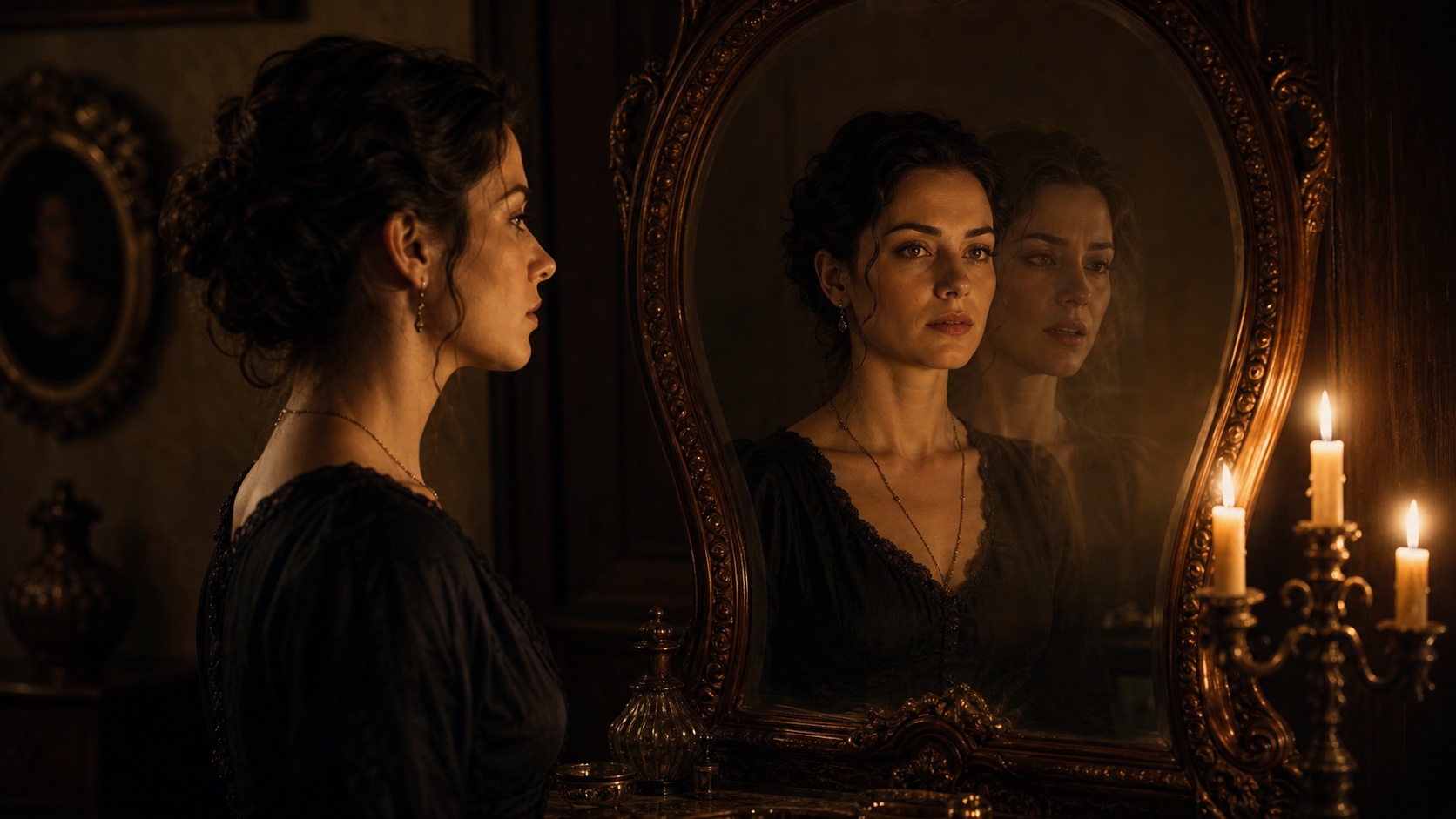
Mirror ghost: Person facing an antique mirror; the real face is sharp while the reflection lags as one translucent offset expression, cinematic candlelight, no extra bodies.
-
Horror film still: Wide hallway film still, subject turns toward camera, a restrained double-image trail follows the head movement, practical lights, film grain, no gore, no text.
-
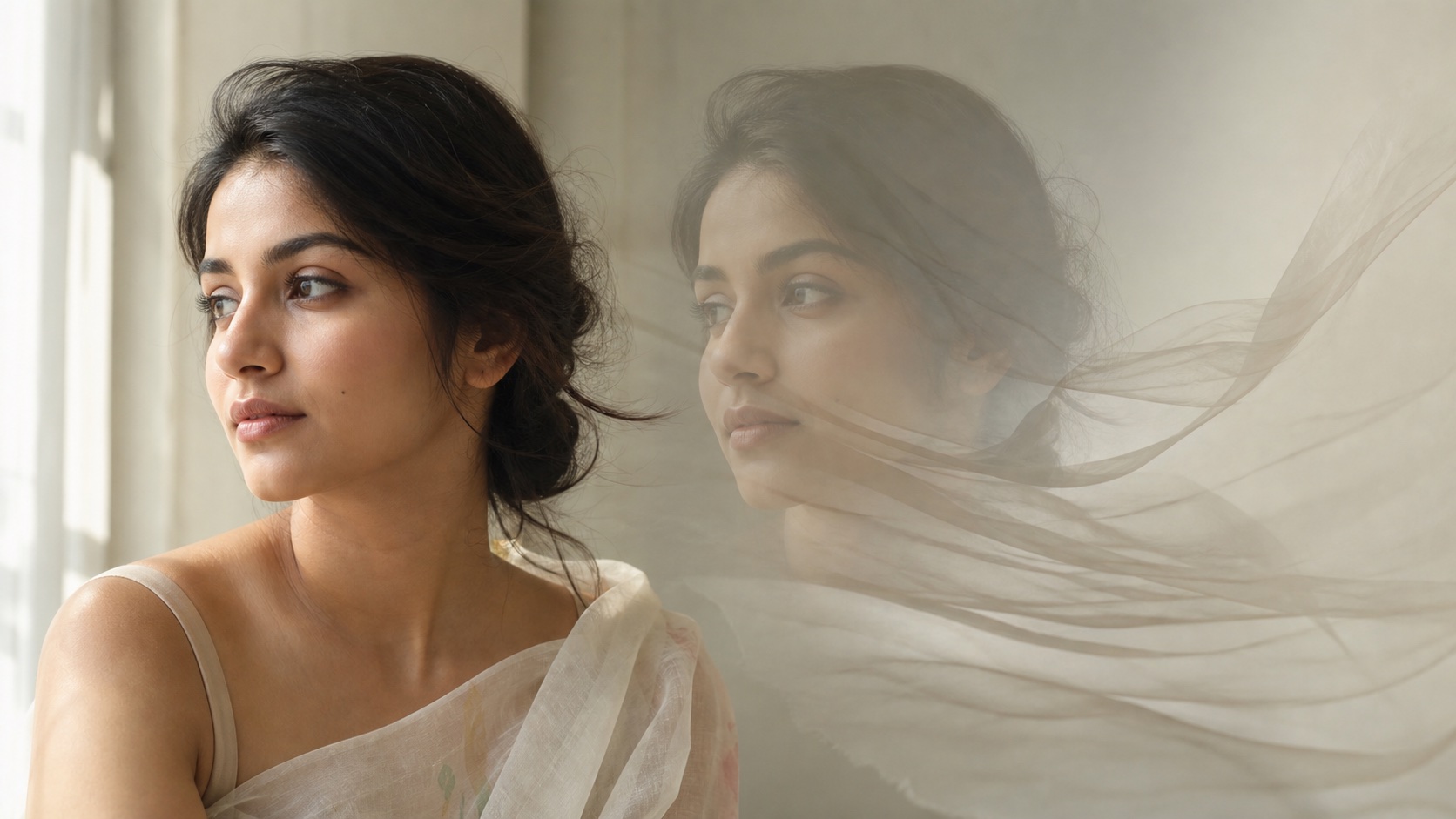
Dreamlike memory: Soft daylight portrait with a second semi-transparent face dissolving into windblown fabric, muted pastel palette, intimate editorial photography, same identity.
-
Neon profile trail: Side-profile portrait under red and cyan neon, two low-opacity face echoes following one direction, crisp primary face, clean dark background.
-
Gaming avatar: Square original avatar portrait, sharp central face, translucent spectral outline behind it, dramatic rim light, uncluttered composition, no logo or typography.
-
Thumbnail concept: High-contrast close portrait with one controlled ghost duplicate and generous negative space, clear eyes, simple background, readable at small size, no captions.
Ghost Face Pictures for Social Media and Video
Halloween, Posters, and Profile Images
Vertical 9:16 works for short-form covers, 1:1 for avatars, and 16:9 for video thumbnails. Keep faces away from interface overlays and leave clean negative space if text will be added later with a normal design tool. For more remixable portrait formats, use the structure in these ChatGPT trend prompts.
Turn a Ghost Portrait into Motion
Once the still is approved, send it to Image to Video and request one restrained movement:
Five-second locked-camera portrait. The sharp face remains perfectly stable while one translucent echo drifts slowly backward and fades. Preserve identity, hair, clothing, background, and lighting. One continuous shot; no new face, cut, zoom, text, logo, or morphing.
Small motion protects identity better than asking for a full turn, fast camera move, and transformation at once.
AI vs. Traditional Editing for Ghost Face Pictures
Traditional layer editing gives exact masks, opacity, blend modes, and pixel-level placement. It is best when a designer needs deterministic control or must preserve every original pixel. AI is faster for rebuilding a mildly blurred face or exploring several ghost styles from a prompt, but it may change identity or invent details.
Use traditional editing for exact compositing; use AI for quick recovery and concept exploration. In both cases, compare the result with the source and change one variable per attempt.
Conclusion
If ghost face is accidental, stabilize the camera, shorten exposure, add light, and repair only the damaged region. If it is intentional, keep one face sharp, add one controlled echo, and specify the blend, motion direction, lighting, and locked identity details. The same visual can be either a technical failure or a strong creative device—the difference is control.
Ready to try it yourself?
Put the steps from this guide into practice with Seedance and turn prompts or images into polished videos in minutes.
Free credits on signup. Plans from $28/month.
Related Articles
More posts in the same locale you may want to read next.

Seedance App Preview Video Generator 2026: Create App Store and Product Launch Clips
Use Seedance to turn app screenshots, feature copy, and launch goals into App Store previews, Google Play promo videos, and product launch clips.
Read article
15 Faceless YouTube Channel Ideas You Can Make with AI (2026)
15 faceless YouTube channel ideas for 2026, with the format, a sample AI video prompt and difficulty for each, plus how to make them with Seedance AI.
Read article
How to Use Seedance in Claude: MCP Setup and Automated Video Workflows
Use Seedance 2.5 inside Claude: connect the Seedance MCP server, generate videos by chat, batch variations and schedule daily video jobs with Claude scheduled tasks.
Read article