
Best Free Text to Video AI 2026: No-Watermark Tools, Prompts & Seedance Pick
May 2026 update: May 2026 refresh: stronger no-watermark and prompt-example coverage, with Seedance positioned as the practical pick for controlled text-to-video tests.
Text-to-video AI has become one of the most searched capabilities in AI tools. The ability to type a description and receive a professional video in return — for free — has transformed content creation. This guide ranks the best free text-to-video AI tools available in 2026, with honest assessments of what each free tier actually offers.
Quick Answer: Yes, you can get started with AI video generation for free using Seedance, which offers a generous free tier that lets you create high-quality videos without any upfront cost.
What Is Text-to-Video AI?
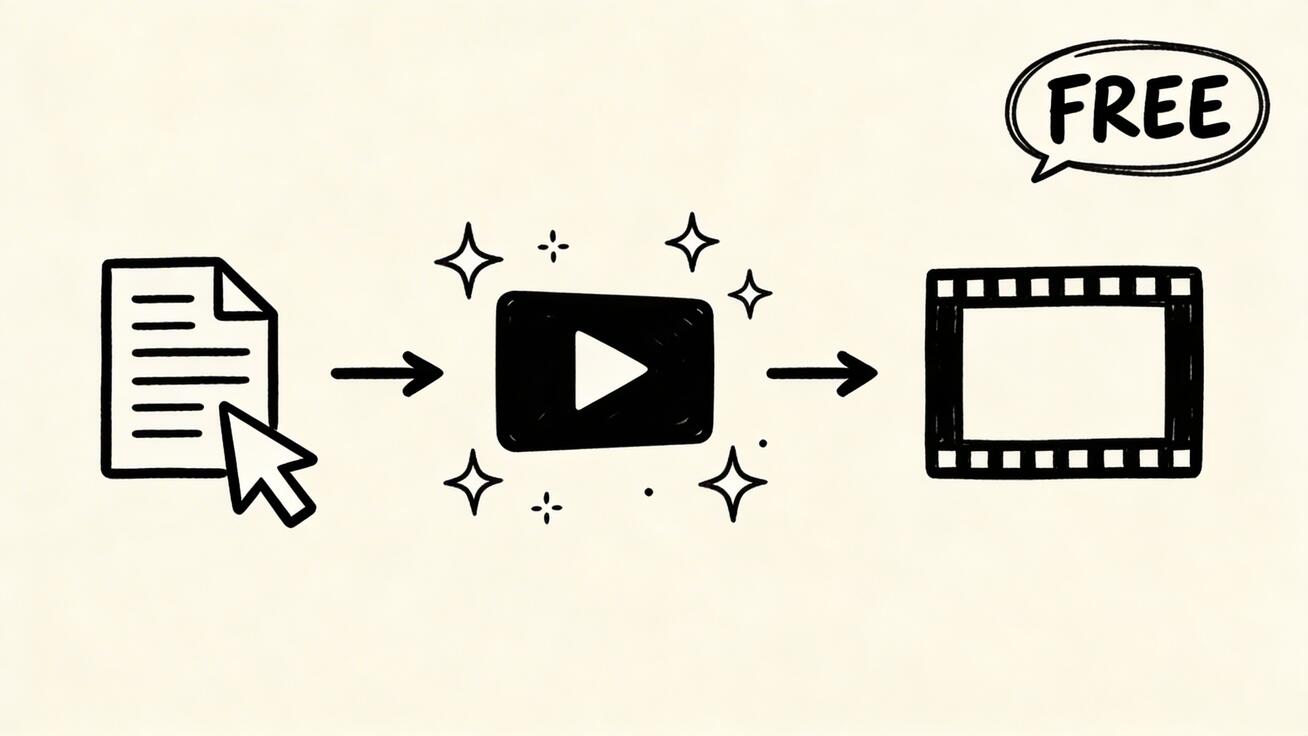
Text-to-video AI converts written descriptions (called 'prompts') into video content using machine learning models trained on millions of video-text pairs. You type what you want to see, and the AI generates it — no filming, no editing skills, no equipment required.
Example: Type A hummingbird hovering near tropical flowers in slow motion, golden light → receive a 5–8 second video of exactly that scene.
Best Free Text-to-Video AI Tools in 2026
1. Seedance 2.0 — Best Overall Free Text-to-Video
Free tier: Unlimited use | No watermark | Commercial use permitted
Seedance 2.0 delivers the best combination of quality and accessibility for free text-to-video:
Why it's #1:
- No watermark on free-tier videos — ready for immediate commercial use
- High-quality cinematic output from text prompts
- Image-to-video also available free (animate your own images)
- Fast generation: 30–90 seconds per video
- Responsive to complex, detailed prompts
- No credit card required to start
Best prompt style for Seedance: Describe the subject, action, setting, lighting, and camera style in one detailed sentence.
Example: A woman walking through a Tokyo night market, colorful lanterns, neon reflections on wet pavement, slow dolly shot, cinematic
Try free: seedance.tv
2. Google Veo 3 — Best Quality Free Text-to-Video
Free tier: Limited daily generations | No watermark | Available via AI Studio
Veo 3 produces 4K output with native audio — the highest technical quality available in any free text-to-video tool. Daily generation limits are lower than Seedance 2.0, but the quality ceiling is exceptional.
Best for: When you need maximum quality for a specific hero video Access: aistudio.google.com or veo3ai.io
3. Pika 2.0 — Best Free Text-to-Video for Social Media
Free tier: Watermarked | Limited generations | Mobile-friendly
Pika's free tier includes a watermark but is useful for testing and social platforms where a subtle watermark is acceptable. Fast generation optimized for social formats.
4. Kling 2.0 — Best Free Text-to-Video for Human Subjects
Free tier: Watermarked | Daily credits | Strong on human subjects
Kling's free tier is more generous than most competitors on daily credits. Particularly strong for videos featuring human subjects, faces, and East Asian aesthetics.
5. Runway Gen-4 — Best for Cinematic Free Text-to-Video
Free tier: 125 credits | Watermarked | 720p
Runway's free tier provides a taste of its cinematic quality. Credits deplete quickly but the output quality justifies testing.
Free Text-to-Video Comparison
| Tool | Free Watermark | Free Daily Limit | Free Quality | Commercial Use |
|---|---|---|---|---|
| Seedance 2.0 | ❌ None | Generous | ⭐⭐⭐⭐⭐ | ✅ Yes |
| Google Veo 3 | ❌ None | Limited | ⭐⭐⭐⭐⭐ | ✅ Yes |
| Pika 2.0 | ✅ Yes | Moderate | ⭐⭐⭐⭐ | ⚠️ Limited |
| Kling 2.0 | ✅ Yes | Generous | ⭐⭐⭐⭐ | ⚠️ Limited |
| Runway Gen-4 | ✅ Yes | Very limited | ⭐⭐⭐⭐ | ❌ No |
How to Get the Most from Free Text-to-Video
Write Better Prompts
The biggest factor in free text-to-video quality is prompt quality. Structure every prompt with:
[Subject] + [Action] + [Setting] + [Lighting] + [Camera/Style]
❌ Weak: cat in park
✅ Strong: A fluffy orange cat stretching in a sunny park, dappled afternoon light through oak trees, slow-motion close-up, warm golden tones
Use Multiple Free Tiers
Combine free tiers strategically:
- Seedance 2.0 for B-roll and watermark-free commercial content
- Veo 3 free for hero videos needing maximum quality or audio
- Kling free for human-subject content
Save Everything Good
Free tiers have daily limits. When you get a great generation, download it immediately. Build a reusable library of your best clips for future projects.
Generate at Off-Peak Hours
AI video servers are slower during peak hours (typically US daytime). Generating during off-peak hours (US night / Asia morning) often produces faster results.
Free Text-to-Video Use Cases
Content creators: B-roll for YouTube videos, Shorts, TikTok Marketers: Social media content, email visuals, ad creative tests Educators: Illustrative content for presentations and courses Small businesses: Product context videos, social media content Developers: Testing prompts and building AI video applications
Will Free Text-to-Video Get Better?
Yes. The trend is clear: what requires a paid plan today will be on free tiers within 12–18 months. Seedance 2.0's generous free tier with no watermark reflects this competitive pressure among providers.
Expect free tiers to improve throughout 2026 as Veo 3, Kling, and Runway compete for users.
Frequently Asked Questions
What is the best free text to video AI?
Seedance 2.0 offers the best free text-to-video experience: no watermark, commercial use permitted, high quality output, and no credit card required. Google Veo 3 is the top alternative for maximum quality when daily limits allow.
Can I use free text-to-video AI for commercial purposes?
Seedance 2.0 and Google Veo 3 permit commercial use on their free tiers. Pika 2.0 and Kling have more restrictive free tier terms — verify current terms of service before commercial use.
How long does free text-to-video AI take?
Generation times vary: Seedance 2.0 typically 30–90 seconds; Veo 3 45–90 seconds; Pika 2.0 15–45 seconds. All are server-side processes unaffected by your device speed.
Is text-to-video AI improving?
Dramatically. In 2024, free text-to-video was low-resolution and inconsistent. In 2026, Seedance 2.0 and Veo 3 produce cinematic-quality output for free. The trajectory is toward higher quality and longer duration within the next 12–24 months.
Create your first free text-to-video with Seedance 2.0 — no account required to preview, no watermark.
Related: AI Video Generator for Beginners | No Watermark AI Video | Best AI Video Generator 2026
The Complete Beginner's Guide to Starting with AI Video Today
Step 1: Choose Your Platform
For most creators starting out, the decision is simple: start with Seedance AI. Here's why:
- No credit card required — sign up and start generating immediately
- Daily credits — your free allocation refreshes every 24 hours, not monthly
- No watermarks — your videos look professional from day one
- Intuitive interface — no technical background needed
- Both text-to-video and image-to-video — two powerful creation modes in one place
Step 2: Write Your First Prompt
Don't overthink it. Start with the SCAT formula:
Subject + Context + Action + Tone
Example: "A coffee shop barista (S) in a cozy morning café (C) carefully pouring latte art (A), warm amber lighting, slow motion, cinematic style (T)"
That single prompt gives the AI everything it needs to generate a compelling, professional-quality video clip.
Step 3: Review, Iterate, and Publish
AI video generation isn't perfect on the first try — and that's expected. Professional creators typically:
- Generate 3-5 versions of each concept
- Select the best one (or best 2-3 seconds from multiple)
- Iterate by adjusting specific elements that didn't work
Over time, you'll develop an intuition for which prompts produce reliable results and which elements cause the AI to struggle.
Step 4: Build a Content Calendar
The creators who see real growth from AI video are those who treat it systematically. A basic content calendar:
| Day | Content Type | Prompt Focus |
|---|---|---|
| Monday | Inspirational/atmospheric | Scenic, mood-setting |
| Tuesday | Educational/how-to | Process demonstration |
| Wednesday | Product/service focus | Feature highlight |
| Thursday | Behind-the-scenes style | Authentic, candid feel |
| Friday | Entertainment/fun | Lighter, engaging |
| Weekend | Repurpose best content | Top performer re-edit |
Step 5: Track What Works
After 2-3 weeks of consistent posting, review your analytics:
- Which videos had the highest view completion rate?
- Which generated the most comments or saves?
- Which drove the most website traffic?
Double down on what works. If atmospheric nature videos outperform product demos for your audience, generate more atmospheric content.
The Economics of AI Video for Small Businesses
The Old Way vs. The New Way
Traditional video production (before AI):
- 30-second social media video: $500-2,000
- Production time: 1-3 weeks (briefing → filming → editing → delivery)
- Monthly content budget for 8 videos: $4,000-16,000+
AI video production (2026):
- 30-second social media video: $0-5 (free tier or fraction of a credit)
- Production time: 15-45 minutes (prompting → generation → minimal editing)
- Monthly content budget for 8+ videos: $0-20 (free or entry-level plan)
For small businesses and solo creators, this is transformative. Marketing budgets that previously couldn't afford video content can now produce professional-quality output daily.
ROI Calculation Framework
To evaluate your AI video investment, track:
Cost: Monthly AI tool subscription (often $0-20) Time: Hours spent per video × your hourly rate Value: Revenue attributed to video-driven leads and sales
A realistic scenario:
- Monthly tool cost: $0 (free tier)
- Time cost: 2 hours/week × $50/hr × 4 weeks = $400/month
- Revenue from 2 video-driven sales: $2,000
- Net ROI: 5× on time investment
As you build your prompt library and production speed improves, the time investment drops significantly. Experienced AI video creators often produce usable clips in under 10 minutes per piece.
Common AI Video Mistakes and How to Avoid Them
Mistake 1: Posting Without Captions
AI video is often viewed without sound. Always add captions or text overlays that deliver the message independently of audio.
Mistake 2: Ignoring Aspect Ratio
Different platforms require different ratios. Generate at 9:16 for TikTok/Reels/Shorts and 16:9 for YouTube and LinkedIn. Never post a cropped video when the full ratio version is available.
Mistake 3: Generating Too Many Similar Videos
Variety keeps audiences engaged. Rotate through different scene types, lighting conditions, and subjects rather than repeatedly generating variations of the same concept.
Mistake 4: Neglecting the First 2 Seconds
On social media, users decide whether to keep watching within the first 2 seconds. Make sure your AI video starts with an immediately compelling visual — movement, contrast, or a striking subject.
Mistake 5: Not Adding a CTA
AI video without a call-to-action is just aesthetics. Always end with a clear next step: visit your website, follow your account, click the link in bio, or comment below.
Conclusion: The Future Belongs to Video Creators
AI video has democratized what was once an expensive, technical skill. Whether you're a nonprofit raising awareness, a small business promoting products, a creator building an audience, or an enterprise marketer producing at scale — the tools are available, the quality is there, and the free tiers are genuinely usable.
The question isn't whether to incorporate AI video into your strategy. It's how quickly you can build the skills and systems to make it a consistent part of your workflow.
Start creating with Seedance AI for free → — no credit card, no watermarks, no waiting.
In-Depth Platform Comparison: The 5 Best Free Text-to-Video Tools
Seedance AI: Best Overall for Daily Content Creation
Seedance AI stands alone in offering daily credit resets rather than monthly bundles. For social media creators who need consistent daily output, this is the most practical free tier available. The Seedance 2.0 model produces cinematic quality across a wide range of scene types, from product showcases to lifestyle content to atmospheric nature footage. No watermarks and commercial use permitted on the free tier make it the clear choice for professional use without payment.
The text-to-video interface accepts natural language descriptions and consistently produces output that would require professional video crews to match. Image-to-video support means you can animate your own photos, product images, and brand assets.
Google Veo 3: Best Quality, Limited Volume
Veo 3 sets the quality ceiling for AI video generation in 2026. The unique native audio generation capability allows a single text prompt to produce synchronized video with ambient sound, music, and even dialogue. For creating hero content, marketing centerpieces, and premium brand videos, nothing else matches Veo 3.
The limitation is volume. Monthly free credits typically allow 15-20 generations. For daily content creators, this is a supplement rather than a primary tool. Use Veo 3 for your most important monthly pieces and Seedance AI for everyday production.
Kling AI 3.0: Best for Human Motion Scenes
Kling AI from Kuaishou consistently outperforms competitors on scenes involving complex human motion. Dance performances, sports activities, group interactions, and scenes requiring natural facial expressions and body language all benefit from Kling's specialized motion modeling. Daily credits provide reasonable free access for specific use cases.
Hailuo AI: Best Speed and Throughput
Generation speed matters when you need to iterate through multiple prompt variations to find the right output. Hailuo AI generates most clips in under 60 seconds, compared to 2 to 5 minutes for Veo 3 and 1 to 3 minutes for most competitors. For high-volume production workflows, this speed advantage is significant.
Pika 2.0: Best for Unique Creative Effects
Pika's proprietary effects system offers visual transformations unavailable elsewhere, including explosions, melts, crushes, and morphs applied to video content. For creative directors who need to stand out visually, Pika provides a distinctive toolkit. The free tier includes 150 credits weekly, though watermarks apply.
Text-to-Video Prompt Engineering: Advanced Techniques
Cinematography Language That Works
Veo 3 and Seedance AI respond well to specific cinematic terminology:
Camera movements: "slow dolly forward," "crane shot pulling back," "handheld tracking shot," "static wide angle"
Lens descriptions: "shallow depth of field," "wide angle distortion," "telephoto compression," "macro close-up"
Lighting specifications: "golden hour backlight," "hard directional sunlight," "soft overcast diffused light," "practical neon lighting"
Film style references: "ARRI Alexa footage look," "16mm film grain," "documentary handheld style," "commercial product photography"
Scene Complexity Management
AI video handles single-focus scenes more reliably than complex multi-element compositions. When you need complex content, decompose it:
Instead of: "A busy restaurant with servers, diners, a chef visible through the kitchen window, and a bar scene in the background"
Try separately generating: "A server carrying plates through a busy restaurant" and "Close-up of a chef plating a dish in a professional kitchen" then edit them together.
Iteration Strategies
When a generation does not meet your expectations, identify specifically what failed:
- Wrong subject appearance: Add more descriptive detail about the subject
- Wrong mood: Adjust lighting and style descriptors more explicitly
- Wrong camera framing: Specify "close-up," "medium shot," or "wide shot" explicitly
- Unnatural motion: Describe the motion more specifically or request slower or faster movement
Most experienced AI video creators reach their target output within 3 to 5 iterations using this systematic approach.
Free Text-to-Video for Specific Industries
E-Commerce and Retail
Product demonstration videos generated from product photos dramatically increase conversion rates. Use image-to-video to animate product images showing the product in use, from multiple angles, or in aspirational lifestyle settings. A study of e-commerce brands using AI video found an average 23 percent increase in add-to-cart rates compared to static product photography alone.
Real Estate and Property
AI video allows real estate agents to create atmospheric property showcase videos without scheduling a video crew. Generate scenes of similar properties at different times of day, in different seasons, or with idealized lighting conditions. Combine with real property photos via image-to-video for compelling listing content.
Food and Beverage
Food content performs exceptionally well on social media, and AI video excels at generating appetizing food scenes. Restaurant operators, food bloggers, and beverage brands use AI to generate consistent high-quality content at a fraction of traditional food photography and videography costs.
Health and Fitness
Fitness brands and wellness coaches use AI video to generate motivational content, workout environment scenes, and lifestyle imagery that conveys their brand values without expensive photo or video shoots.
Measuring Success: KPIs for AI Video Content
Track these metrics to understand your AI video performance:
Engagement rate: Likes plus comments plus shares divided by views. Benchmark against your non-video content to measure the video premium.
View completion rate: The percentage of viewers who watch to the end. Higher completion indicates more compelling content. Aim for above 40 percent for sub-10-second clips.
Save rate: Saves indicate high-value content that users want to reference again. Particularly important for tutorial and educational content.
Click-through rate: For videos with calls to action, the percentage who click. This directly measures conversion effectiveness.
Reach and impressions: Total audience exposed to your content. Consistent AI video production typically increases organic reach by improving posting frequency.
FAQ: Free Text-to-Video AI Tools
Which free text-to-video AI tool is best for beginners?
Seedance AI is the best starting point for beginners due to its intuitive interface, no credit card requirement, daily free credit reset, and no watermarks on output. The quality is professional-grade from the first generation, providing immediate motivation to continue learning.
Can I really use these tools commercially for free?
Yes, Seedance AI explicitly permits commercial use on the free tier. Google Veo 3 has limited commercial rights on the free tier. Always verify the specific terms for your intended use case before committing to a commercial project.
How does text-to-video compare to hiring a videographer?
For certain use cases, AI video is now genuinely comparable to entry-level videography in terms of output quality, and dramatically faster and cheaper. For content requiring authentic real-world footage, specific people, or unique unrepeatable moments, human videographers remain essential. The best strategy combines both.
What internet connection speed do I need?
AI video generation happens on the platform's servers, so your connection speed mainly affects upload times (for image-to-video prompts) and download times (for saving generated videos). A standard broadband connection of 25 Mbps or faster is sufficient for smooth use of any major platform.
Are AI-generated videos eligible for monetization?
Most major social media platforms allow monetization of AI-generated content as long as it meets their standard content policies and, where required, includes proper AI disclosure labels. Check the specific monetization policies of YouTube, TikTok, and Instagram for current requirements, as these are evolving rapidly.
Ready to try it yourself?
Put the steps from this guide into practice with Seedance and turn prompts or images into polished videos in minutes.
Free credits on signup. Plans from $28/month.
Related Articles
More posts in the same locale you may want to read next.

Seedance App Preview Video Generator 2026: Create App Store and Product Launch Clips
Use Seedance to turn app screenshots, feature copy, and launch goals into App Store previews, Google Play promo videos, and product launch clips.
Read article
Gemini AI Video Prompt Examples: Copy-Ready Veo Scenes and a Better Prompt Formula
Copy Gemini AI video prompt examples for cinematic motion, product ads, dialogue, and vertical clips, then adapt them with a practical Veo prompt formula.
Read article
How to Keep Product Shape Consistent in AI Video Ads
Lock product geometry, packaging, labels, references, camera angles, and approval checks so AI video ads preserve the real SKU across every shot.
Read article