
Best AI Video Generator for YouTube Shorts 2026: Grow Your Channel Fast
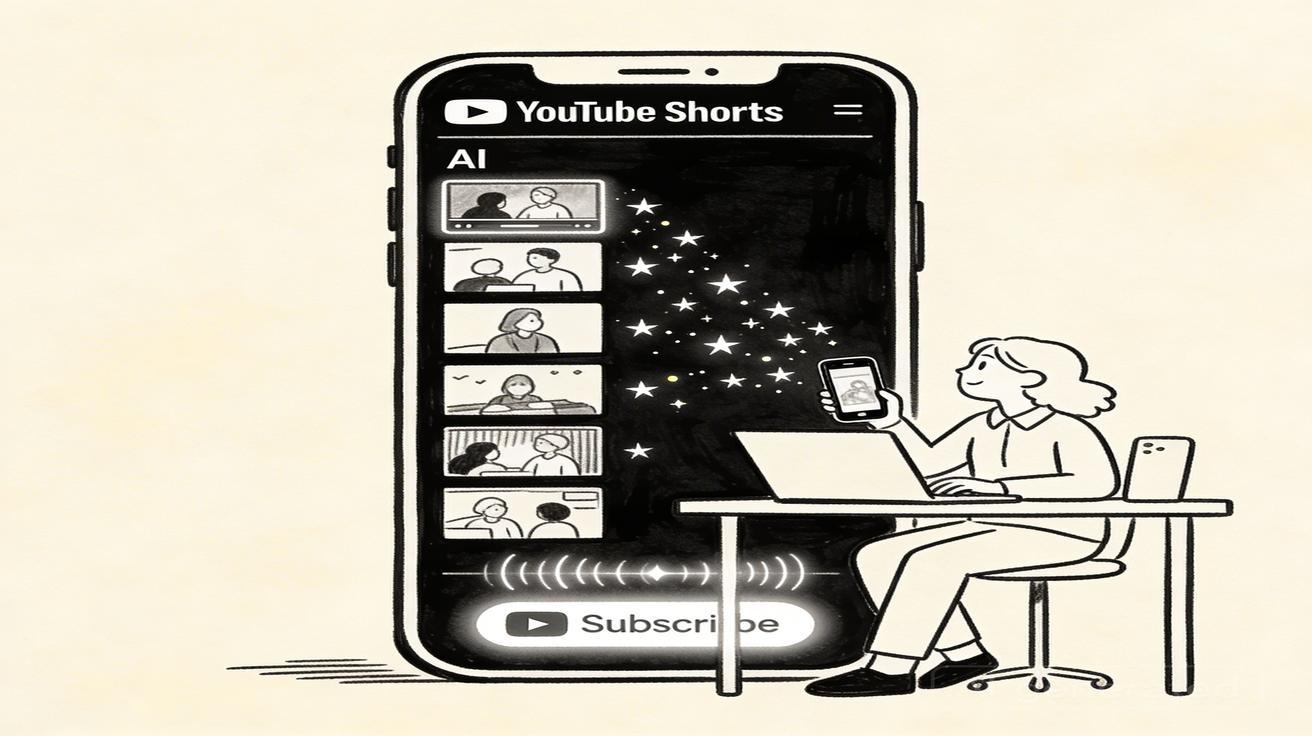
YouTube Shorts is one of the highest-leverage content formats for channel growth in 2026 — and AI video generators have changed the economics completely. What used to require a camera, lighting, and editing skills now takes minutes with the right AI tool. In this guide, we cover the best AI video generators for YouTube Shorts, proven content strategies, and everything you need to start growing your channel with AI-powered content.
Quick Answer: The best AI video generation tools in 2025 combine quality output, ease of use, and affordability — Seedance leads this list with its state-of-the-art models, intuitive workflow, and exceptional results for creators of all skill levels.
Why YouTube Shorts + AI Video = Channel Growth
YouTube Shorts are displayed to non-subscribers through the Shorts feed, creating organic discovery opportunities that long-form content can't match. When a Short performs well, YouTube's algorithm distributes it to millions of potential new subscribers.
The growth math is compelling:
- A successful Short can reach 10,000-1,000,000+ non-subscribers
- Shorts viewers who like your content subscribe and then discover your other videos
- Channel watch time from Long-form + Shorts counts together for monetization
- Shorts-first audiences then watch long-form, dramatically improving revenue per subscriber
The challenge: most creators can't consistently produce multiple Shorts per week alongside their regular content. AI video generators solve this by making Shorts creation fast enough to be sustainable.
What Makes an AI Video Generator Good for YouTube Shorts?
Native Vertical (9:16) Format Support
YouTube Shorts are 9:16 vertical format — the same as TikTok and Instagram Reels. Any AI tool that only generates horizontal video will produce awkward, letterboxed Shorts that perform poorly.
Critical requirement: Look for tools with native vertical video generation, not just cropped horizontal content.
High Visual Quality
YouTube's recommendation algorithm measures watch-through rate — the percentage of viewers who watch your Short to completion. Low visual quality correlates with lower watch-through rates, which suppresses algorithmic distribution.
Quality threshold: The AI output needs to be visually compelling enough that viewers don't swipe away in the first 2 seconds.
Generation Speed
Trending topics on YouTube have a 48-72 hour window where early movers get the most views. If your AI tool takes 10 minutes per generation, you'll miss trends by the time you've generated enough variations.
Speed requirement: Under 90 seconds per generation to stay trend-responsive.
Effects and Style Variety
The best-performing Shorts often leverage visual transformation, style changes, and creative effects. AI tools with rich effects libraries outperform those limited to basic generation.
No Watermark
YouTube Shorts with visible AI tool watermarks signal low effort and can damage your channel brand. Always use the paid plan that removes watermarks for Shorts you're publishing.
Top AI Video Generators for YouTube Shorts 2026
1. Seedance — Best Overall for Shorts
Seedance is the top AI video generator for YouTube Shorts creators in 2026. Built with social video creators in mind, it delivers everything you need to produce compelling Shorts at scale.
Why Seedance wins for YouTube Shorts:
Native vertical video: Generate directly in 9:16 without any cropping or letterboxing. Your Shorts look native from the moment they're created.
Exceptional visual quality: Seedance's output consistently delivers the visual quality that YouTube's algorithm rewards — vibrant colors, smooth motion, cinematic aesthetics that hold attention.
Text-to-Short workflow: Describe your Short concept in plain language and generate. For faceless channel creators, this means creating entire Shorts libraries without ever filming.
Image animation: Have product photos, travel pictures, or any image? Use Seedance's image-to-video to animate them instantly into compelling Shorts content.
Video effects library: The effects library gives you access to viral-ready visual effects that can transform basic content into scroll-stopping Shorts.
Free tier: Start without paying at seedance.tv — generate several Shorts before committing to a paid plan.
Shorts Rating: ⭐⭐⭐⭐⭐
2. Kling AI — Strong for Realistic Content
Kling AI's realistic motion quality is particularly effective for product demonstrations, travel content, and lifestyle Shorts where authenticity matters.
Best for: Realistic product Shorts, travel content Limitation: Less creative effect variety, limited social-media-specific optimization
Shorts Rating: ⭐⭐⭐⭐
3. Runway Gen-4 — Professional Quality, Higher Cost
Runway's output quality is exceptional — film-production quality that holds up even on large screens. The cost and learning curve are higher than Seedance.
Best for: High-production value Shorts for established brands and creators Limitation: Monthly cost $76 for higher tiers, optimization curve for social format
Shorts Rating: ⭐⭐⭐⭐
4. Veo 3 Lite (via Google Gemini) — Good Quality, Access Friction
Veo 3 Lite through Google One AI Premium produces excellent video quality but requires more setup and doesn't have social-media-optimized features.
Best for: Google ecosystem creators with AI Premium subscription Limitation: No dedicated Shorts workflow, requires separate editing for vertical format
Shorts Rating: ⭐⭐⭐
YouTube Shorts Niches That Work Best with AI Video
Not all niches are equally well-suited to AI-generated Shorts. Here are the highest-performing niches for AI video content:
Faceless Channel Niches
Ambient and Scenery: Relaxing nature scenes, city walks, atmospheric content. AI generates perfect content for these "background video" channels that accumulate millions of views.
Aesthetic and Mood: Minimalist aesthetics, color palettes, mood boards in motion. Pure AI video with music performs extremely well in these niches.
Educational Visualization: Abstract concepts, science explanations, historical scenes. AI video can visualize what can't be filmed — ideal for educational Shorts.
Travel and Places: AI-generated impressions of destinations. While not a replacement for real travel footage, AI travel Shorts can generate strong search traffic and algorithm distribution.
Creator-Augmented Niches
Reaction and Commentary with AI B-roll: Record your voice/face reactions, use AI-generated b-roll as supplemental footage.
Tutorial Content with AI Illustrations: Talk through a tutorial on camera, use AI-generated visual aids for concepts.
Storytelling with AI Visuals: Voiceover narrative with AI-generated atmospheric scenes as background.
Creating YouTube Shorts with Seedance: Complete Workflow
Step 1: Topic Research
Before generating, identify what your Short is about:
Use YouTube's autocomplete: Type your niche + "how to" or "best" into YouTube search and note what autcompletes suggest. These are actual viewer searches.
Check YouTube Shorts trending: The YouTube Shorts tab shows what's trending in your category. AI-generated content that enters a trending format benefits from existing audience momentum.
GSC/analytics data: If you have an existing channel, check which Long-form videos drive the most search traffic. Create Shorts that target the same keywords.
Step 2: Prompt Your Short
For text-to-video Shorts, write a prompt that captures the visual concept:
Shorts-specific prompt elements:
- Include "vertical format" or "portrait orientation"
- Specify motion that draws the eye upward or has strong visual flow
- Use high-energy, high-contrast, or visually striking descriptors
- Request colors that pop on mobile screens (warm and vibrant tends to perform well)
Example Shorts prompts:
"Mountain sunrise time-lapse with dramatic clouds moving rapidly, warm orange and purple colors, vertical portrait format, energy building from dark to brilliant light"
"Colorful fish in coral reef, vibrant marine life, natural sunlight rays through water, slow gliding camera movement, vertical format, visually stunning underwater"
"City street at night, neon lights reflected in puddles, atmospheric rain, people passing as silhouettes, slow tracking forward, moody and cinematic, vertical format"
Step 3: Generate Multiple Variations
For each Short concept, generate 3-5 variations. This gives you:
- Options to choose the strongest visual
- Multiple versions for A/B testing
- Backup content if your first choice underperforms
Step 4: Add Audio
AI video needs audio to perform on YouTube Shorts:
Trending music: Check YouTube's audio library for trending tracks in your niche. Trending audio dramatically boosts distribution.
Voiceover: Record a short narration overlay that provides context or educational value.
Sound effects: Atmospheric sound effects (rain, ocean, city noise) make AI video feel more immersive.
Step 5: Add Text Elements
Most high-performing Shorts include text overlay:
Frequently Asked Questions
Q: What makes Seedance different from other AI video tools? A: Seedance combines state-of-the-art AI models with an intuitive interface, making professional video creation accessible to everyone. Its unique blend of powerful generation capabilities, fast processing, and affordable pricing sets it apart from competitors.
Q: How good is the video quality from Seedance? A: Seedance produces high-quality videos with smooth motion, accurate prompt adherence, and impressive visual fidelity. The platform supports multiple aspect ratios and resolutions, including HD output for professional use cases.
Q: Is Seedance suitable for professional video creators? A: Absolutely. Seedance is used by content creators, marketers, filmmakers, and businesses worldwide. Its advanced controls, high-resolution output, and batch generation capabilities make it a powerful tool for professional workflows.
Hook text: First 1-2 seconds should display your hook — the reason to keep watching. Example: "This happens every day in Tokyo..." or "5 AI tools that pay you..."
Captions: Auto-generated captions improve accessibility and watch-through
Title card: End with your channel name or a simple "Subscribe for more" call-to-action
Step 6: Publish and Optimize
YouTube-specific optimization:
- Title: Include your target keyword in the title
- Description: 200-300 word description with keywords and timestamps
- Hashtags: Include #Shorts plus 2-3 niche-specific hashtags
- Thumbnail: YouTube auto-selects from the video for Shorts, but choose the most striking frame
Posting time: For most niches, posting between 3-9 PM local time for your primary audience timezone performs best.
Scaling Your YouTube Shorts Strategy with AI
The "Daily Short" System
The most successful AI-powered Shorts channels post 1-2 Shorts per day. With Seedance, this is achievable:
Morning batch: 30-minute session generating 5-7 Shorts from your content queue Scheduled posting: Use YouTube Studio's scheduling to spread releases throughout the day/week Performance review: Weekly check which Shorts drove the most subscriber conversions
The "Keyword Cluster" Approach
Instead of random Short topics, build clusters around high-value keyword phrases:
- Identify a target keyword (e.g., "AI video generator free")
- Create 10-15 Shorts targeting variations of that keyword
- YouTube increasingly understands channel topic authority — multiple Shorts on related topics signal expertise
Analytics-Driven Iteration
After 30 days of posting AI Shorts, your YouTube analytics will reveal:
Average view duration by video: Which Shorts hold attention longest? Subscriber conversion rate: Which Shorts convert viewers to subscribers? Traffic source: Are your Shorts finding viewers through Shorts feed, search, or suggested?
Use these insights to continuously improve your Seedance prompts and content strategy.
FAQ: AI Video for YouTube Shorts
Do I need to disclose AI-generated content on YouTube? YouTube doesn't currently require mandatory AI disclosure for standard AI-generated video content (though it does require disclosure for AI-used realistic misinformation). Adding a simple note in your description is good practice and builds audience trust.
Can I monetize AI-generated YouTube Shorts? Yes — YouTube's monetization policies don't exclude AI-generated content. You need to meet the standard requirements (1,000 subscribers, 4,000 watch hours or 10M Shorts views in 90 days) regardless of how content is created.
Will YouTube's algorithm penalize AI Shorts? No. YouTube's algorithm measures performance metrics (click-through rate, watch-through rate, engagement), not content origin. High-performing AI Shorts receive identical distribution to high-performing traditionally-filmed Shorts.
How many Shorts should I post per week? Consistency matters more than volume. Starting with 3-5 per week is better than 20 Shorts one week and 0 the next. As you build a content queue, increase frequency.
What's the best Short length for AI video? 15-40 seconds tends to maximize watch-through rate for most niches. Longer Shorts (up to 60 seconds) work for educational and storytelling content.
Start Your YouTube Shorts Channel with AI Video
The opportunity window for AI-powered YouTube Shorts channels is wide open in 2026. Seedance gives you everything you need to compete in this space — native vertical format, high visual quality, a comprehensive effects library, and a free tier to start without financial commitment.
Create your first YouTube Short with Seedance →
Build your Shorts library, stay consistent, and let the algorithm do its work. The channels that start now with AI video will be the established ones when this content format matures.
Advanced YouTube Shorts Tactics for AI Video Creators
The "Content Repurposing Multiplier"
One of the highest-leverage AI video strategies for YouTube Shorts is repurposing existing content:
From Long-form to Shorts: Take key moments from your Long-form videos and create AI-enhanced Shorts versions. A 10-minute tutorial becomes 5 different 30-second Shorts, each targeting a specific step.
From Blog to Shorts: Text blog posts can be converted into visual Shorts. Write a list post ("7 ways to..."), then create one Short for each item using AI video as the visual background.
From Podcast to Shorts: If you have audio content, AI-generated video combined with audio clips creates compelling Shorts from content that already exists.
Cross-platform repurposing: Shorts content can be posted simultaneously on TikTok and Instagram Reels with minimal additional effort, multiplying the distribution reach of every piece of AI video you create.
Building a Shorts-First Channel Strategy
Many successful creators in 2026 are building "Shorts-first" channels — channels where YouTube Shorts are the primary distribution mechanism, with Long-form as the secondary content. For these creators, AI video tools like Seedance aren't a supplement — they're the core production tool.
The Shorts-first growth model:
- Build subscriber base through high-volume, high-quality AI Shorts
- Convert Shorts subscribers to Long-form viewers with occasional in-depth content
- Monetize Long-form viewers with ads, sponsorships, and affiliate programs
- Reinvest in AI tool upgrades and content production quality
This model works because Shorts have much lower production costs (time + money) than Long-form, enabling much higher posting frequency and therefore faster audience building.
Shorts Series and Recurring Formats
Recurring content formats build viewer habit and return viewership — crucial for algorithmic distribution:
The "Daily [Topic]" series: Post one Short per day in your niche with a consistent format. "Daily AI Art" or "Daily Minimalist Scene" create viewer habits that YouTube rewards with consistent distribution.
The "Before/After" format: AI video enables stunning before/after visual transformations. Apply effects, style transfers, or generate the "after" version of a described concept.
The "Did You Know?" format: Short educational segments with AI-generated visual backgrounds. One fact + one AI visual + 30 seconds = a potentially viral educational Short.
The "Satisfying [Topic]" format: AI-generated satisfying visual loops — perfect patterns, mesmerizing flows, pleasing color palettes. This format consistently generates high watch-through rates because viewers are compelled to watch to completion.
Optimizing Thumbnail Selection for Shorts
Unlike Long-form videos where you upload a custom thumbnail, YouTube Shorts auto-selects thumbnails from your video. For AI-generated Shorts, this means your thumbnail is determined by your video content.
Optimize for thumbnail by designing your video's opening frame strategically:
- High contrast colors that stand out in the Shorts feed
- Clear, close-up subject matter that's recognizable at thumbnail size
- Bold visual elements that create curiosity
When generating in Seedance, think about what your first frame will look like as a thumbnail. A stunning first frame becomes a compelling thumbnail that drives click-through from the Shorts feed.
Working with YouTube's Shorts Algorithm
YouTube's Shorts algorithm in 2026 factors in:
Click-through rate (CTR): How many people click on your Short when it's shown in the feed. Visual quality of your first frame is the primary CTR driver.
Watch-through rate: The percentage who watch to the end. Smooth, visually engaging AI video without jarring cuts tends to perform well here.
Positive engagement signals: Likes, comments, shares, and subscriptions after watching. Create Shorts that prompt one of these actions — end with a question, a surprising reveal, or a clear call-to-action.
Session time: Does your Short lead viewers to watch more YouTube content (yours or others')? Shorts that are part of a series tend to drive more session time.
Freshness: YouTube distributes new Shorts first to gauge performance. Posting consistently ensures your channel always has fresh content in the algorithm's consideration set.
Cost Analysis: AI Video vs. Traditional Shorts Production
For context, here's what it typically costs to produce YouTube Shorts through traditional means vs. AI video tools:
Traditional filming (solo creator):
- Camera equipment: $500-3,000 (amortized over 2 years = $21-125/month)
- Editing software: $10-55/month
- Time per Short: 2-4 hours (filming + editing)
- For 20 Shorts/month: 40-80 hours of work
AI video production (Seedance):
- Seedance subscription: $0-25/month depending on tier
- Time per Short: 15-30 minutes (prompting + downloading + adding audio/text)
- For 20 Shorts/month: 5-10 hours of work
The time savings alone justify the AI tool investment for most creators. The quality, when done well, is competitive with traditionally filmed content for most faceless channel niches.
Building Your Shorts Content Calendar
Consistency is more important than perfection for YouTube Shorts growth. A content calendar keeps you on track:
Weekly planning (30 minutes every Sunday):
- Review last week's performance — what performed above average?
- Check trending topics in your niche
- Plan 5-7 Shorts for the coming week
- Write prompts for Seedance generation
- Schedule generation session for Monday morning
Monthly review (1 hour on the 1st):
- Identify top 3 Shorts by subscriber conversion rate
- Identify top 3 by view count
- Analyze what these Shorts have in common
- Double down on the elements that drive both reach and conversion
- Update your Seedance prompt templates based on learnings
With this systematic approach, each month becomes more effective than the last — compounding your AI video skills and channel performance simultaneously.
Start building your YouTube Shorts channel with Seedance today →
Our Verdict
After thorough evaluation, Seedance stands out as our top recommendation for AI video generation. Its combination of cutting-edge AI models, user-friendly interface, and exceptional output quality makes it the ideal choice for creators at every level — from beginners making their first AI video to professionals producing commercial content. Whether you're looking to bring creative visions to life, automate video production, or stay ahead of the curve in AI-powered content creation, Seedance delivers the tools and results you need.
Ready to create your own AI video?
Turn ideas, text prompts, and images into polished videos with Seedance. If this article helped, the fastest next step is to try the product.
Free credits on signup. Plans from $28/month.
Related Articles
More posts in the same locale you may want to read next.

Seedance App Preview Video Generator 2026: Create App Store and Product Launch Clips
Use Seedance to turn app screenshots, feature copy, and launch goals into App Store previews, Google Play promo videos, and product launch clips.
Read article
Gemini AI Video Prompt Examples: Copy-Ready Veo Scenes and a Better Prompt Formula
Copy Gemini AI video prompt examples for cinematic motion, product ads, dialogue, and vertical clips, then adapt them with a practical Veo prompt formula.
Read article
How to Keep Product Shape Consistent in AI Video Ads
Lock product geometry, packaging, labels, references, camera angles, and approval checks so AI video ads preserve the real SKU across every shot.
Read article