
If you are searching for the best AI video generator for YouTube, the right answer is not "the one with the most hype." It is the tool that helps you turn ideas into watchable footage quickly, keeps visual quality consistent across shots, and fits the way YouTube videos are actually made.
Quick Answer: The best AI video generation tools in 2025 combine quality output, ease of use, and affordability — Seedance leads this list with its state-of-the-art models, intuitive workflow, and exceptional results for creators of all skill levels.
That distinction matters. A lot of AI video tools can generate impressive short clips. Fewer are useful in a repeatable creator workflow where you need multiple scenes, predictable outputs, edit-friendly shots, and assets you can publish without rebuilding everything from scratch.
For most YouTube creators, the best AI video generator is the one that balances four things well:
- Speed from idea to usable clip
- Control over style, framing, and motion
- Consistency across multiple shots
- Practical fit with your editing process
Seedance stands out because it is built around that practical middle ground. It is useful for creators who need fast concept-to-video output, text-to-video generation for new scenes, image-to-video for turning stills into motion, and effects that can make simple source material feel more dynamic on YouTube.
If your workflow starts from a prompt, see text to video. If you already have thumbnails, product images, screenshots, or illustrations you want to animate, image to video is often the faster path. If your edit is solid but the footage still needs more energy, video effects can help you add motion and polish without rebuilding the whole piece.
What YouTube creators actually need from an AI video generator
The best AI video generator for YouTube is not judged by a single viral demo. It is judged by whether it helps you publish stronger videos more often.
That usually comes down to six practical requirements.
1. Fast first drafts
YouTube rewards consistency. If an AI tool takes too long to generate, rerender, or refine clips, it stops being useful. Creators need something that can move from concept to rough asset quickly so they can keep momentum during scripting and editing.
This is especially important for:
- faceless YouTube channels
- explainer videos
- short documentary formats
- product demos
- educational channels
- YouTube Shorts pipelines
In all of those cases, the goal is not "perfect cinema." The goal is "usable footage that supports the story and can be improved in edit."
2. Consistent visual direction
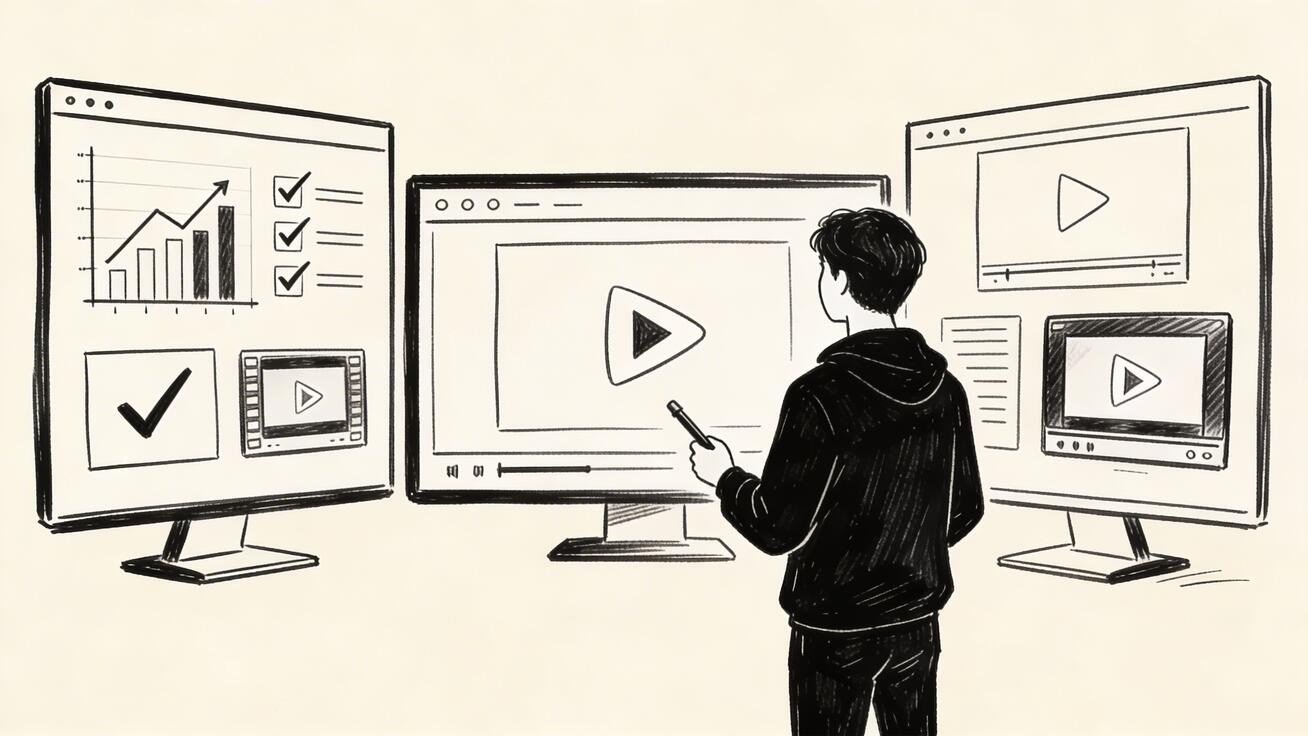
YouTube videos are rarely made from a single clip. You need sequences. That means your AI video generator must produce scenes that feel like they belong in the same video.
Consistency shows up in:
- lighting and color tone
- character appearance
- camera behavior
- scene composition
- motion intensity
If a tool produces one excellent shot and three unrelated ones, you spend the savings back in post-production trying to hide the mismatch.
3. Enough control to match the script
You do not need every generation to be hyper-detailed, but you do need enough control to get footage that matches the narrative beat.
For YouTube, useful control includes:
- prompt-guided subject and setting
- cinematic or clean commercial styles
- the ability to iterate quickly
- support for source images
- motion that is readable rather than chaotic
That is why text-to-video and image-to-video both matter. Some scenes should be created from scratch. Others are easier when you begin from an existing visual reference.
4. Edit-friendly outputs
A strong AI clip still has to survive the timeline. If the shot is too unstable, too abstract, or too hard to cut around, it slows down the edit.
The best AI video generator for YouTube creates assets that are easier to:
- trim into short narrative beats
- overlay with voiceover
- combine with captions and graphics
- match to B-roll pacing
- reuse across long-form and Shorts
Creators do not just need "beautiful." They need usable.
5. Multiple workflow entry points
Different creators start in different places. Some begin with a script. Some start from a product photo. Some already have footage and need effects. The best tool supports more than one entry point so you do not force every idea through the same workflow.
That is a practical strength of Seedance:
- use text to video when you need brand-new scenes from prompts
- use image to video when you already have a still image or visual reference
- use video effects when the base clip exists but the energy or style needs improvement
6. Repeatability
The best AI video generator for YouTube should help you ship video number 20, not just video number 1.
Repeatability matters more than novelty. A creator business depends on workflows that can be reused by a solo creator, editor, or content team. If prompts, scene structure, and rendering decisions can be systematized, output quality becomes more predictable and production gets faster over time.
So, what is the best AI video generator for YouTube?
For creators who want a practical balance of speed, flexibility, and publishable results, Seedance is one of the best options because it supports the three workflows YouTube creators use most often:
- generating scenes from text prompts
- animating still images into motion assets
- adding effects that make basic footage more watchable
That makes it a strong fit for creators who care less about one-off visual experiments and more about building an efficient publishing system.
Seedance is especially useful when your channel depends on:
- frequent uploads
- visual storytelling without a full production crew
- short-form repurposing
- product or concept visualization
- mixed workflows that combine original footage, AI scenes, and motion effects
If your channel style is heavily narrative, educational, promotional, or faceless, this kind of flexibility matters more than raw novelty.
When Seedance is the right fit
Seedance is a strong choice when you need to create YouTube visuals in one of these situations.
Faceless YouTube channels
Faceless channels need constant B-roll. AI-generated scenes can fill gaps where stock footage is too generic or too expensive. Instead of searching libraries for something close enough, you can create visuals that match the exact topic, mood, and framing of your script.
Examples:
- history explainers
- finance and business breakdowns
- tech trend commentary
- motivation and self-improvement channels
- educational Shorts
Product and marketing videos
If you are showcasing software, physical products, or app concepts on YouTube, AI can speed up the creation of scene-setting visuals, abstract transitions, lifestyle cutaways, and stylized close-ups.
This is often more efficient than filming every supporting shot manually, especially when you already have product stills that can be animated through image to video.
Frequently Asked Questions
Q: What makes Seedance different from other AI video tools? A: Seedance combines state-of-the-art AI models with an intuitive interface, making professional video creation accessible to everyone. Its unique blend of powerful generation capabilities, fast processing, and affordable pricing sets it apart from competitors.
Q: How good is the video quality from Seedance? A: Seedance produces high-quality videos with smooth motion, accurate prompt adherence, and impressive visual fidelity. The platform supports multiple aspect ratios and resolutions, including HD output for professional use cases.
Q: Is Seedance suitable for professional video creators? A: Absolutely. Seedance is used by content creators, marketers, filmmakers, and businesses worldwide. Its advanced controls, high-resolution output, and batch generation capabilities make it a powerful tool for professional workflows.
Shorts and repurposed content
YouTube Shorts need strong visual momentum. AI clips work well as hooks, transitions, background loops, and scene changes. If you are repurposing long-form content into Shorts, AI visuals can help fill dead space and make the cut feel intentional instead of cropped.
Concept-driven channels
Some channels are built around ideas that are hard to film directly: future cities, dream sequences, scientific concepts, software abstractions, or speculative storytelling. AI video generation is especially valuable there because the alternative is often expensive custom motion work.
A practical workflow for YouTube creators
The best AI video generator only helps if you use it in a structured way. For YouTube, a simple workflow usually beats a creative but messy one.
Here is a process that works well.
Step 1: Start with the script, not the tool
Identify the moments where visuals need to do real work:
- the first five seconds
- scene transitions
- abstract explanations
- points where viewer attention usually drops
- product close-ups or feature reveals
Do not try to generate every second of the video with AI. Use it where it creates leverage.
Step 2: Decide which generation mode fits each scene
Use text-to-video when the scene does not exist yet and you want to generate it from an idea.
Use image-to-video when you already have:
- a product image
- a thumbnail concept
- a character illustration
- a screenshot
- a brand asset
Use effects when the shot exists but needs more movement or polish.
This is why creators benefit from having all three options available rather than relying on one generation path for every use case.
Step 3: Write prompts like an editor
Most weak AI video results come from vague prompts. For YouTube, prompts should describe what an editor needs, not what a novelist imagines.
A better prompt includes:
- subject
- setting
- camera framing
- motion style
- lighting
- tone
- intended use
For example, instead of:
"A cool futuristic city"
Use:
"Wide cinematic shot of a futuristic city at sunrise, clean glass towers, subtle flying traffic, slow forward camera push, high contrast but realistic lighting, suitable for YouTube tech documentary B-roll."
That kind of prompt gives the model more useful production guidance.
Step 4: Generate in sequences, not random singles
For YouTube, think in scene groups. If your edit needs three shots about the same topic, generate all three with similar prompt structure, style language, and pacing. That improves consistency and reduces the amount of fixing needed later.
Step 5: Cut aggressively
AI clips are usually strongest in short bursts. Trim them to the most convincing 1 to 3 seconds if needed. Good YouTube editing hides imperfections by keeping pace high and only showing the strongest portion of each shot.
Common mistakes when choosing an AI video generator for YouTube
Many creators pick the wrong tool because they optimize for the wrong criteria.
Mistake 1: Choosing based on demos instead of workflow
A beautiful demo clip does not prove the tool fits your publishing system. Ask whether it helps you make multi-scene videos on a deadline.
Mistake 2: Ignoring image-to-video
A lot of creator workflows already have strong visual inputs: product photos, reference art, screenshots, or designed frames. In those cases, image-to-video is often more controllable than starting from text alone.
Mistake 3: Using AI for everything
AI footage works best when it supports the edit. It does not need to replace live footage, screen recordings, stock, or motion graphics. The strongest YouTube videos usually combine formats.
Mistake 4: Writing prompts that are too broad
"Make it cinematic" is not enough. The more clearly you specify subject, shot type, motion, and tone, the more usable the output becomes.
Mistake 5: Forgetting audience retention
Your viewer does not care that the shot was AI-generated. They care whether it helps the video move. The winning metric is not novelty. It is retention.
How to tell if an AI video tool is good enough for your channel
Before committing to a workflow, test the tool against three real scenarios from your channel.
- Can it create a strong hook visual for the first 5 seconds?
- Can it generate supporting B-roll that matches your script?
- Can it produce clips you would actually keep after a first edit pass?
If the answer is yes across those three, the tool is probably viable for YouTube.
Seedance is a strong option here because it can support multiple content types without forcing one rigid format. That matters when your channel publishes a mix of explainers, promos, Shorts, or visual storytelling pieces.
Internal link opportunities for this article
To make this article more useful and support related search intent, these are the strongest internal links to include naturally:
- text to video when discussing prompt-based scene generation
- image to video when explaining how to animate product photos, screenshots, or illustrations
- video effects when covering post-production polish, motion enhancement, or visual energy
Good anchor placements include:
- early in the introduction for users comparing workflows
- inside the workflow section where generation mode is selected
- near the conclusion for users ready to try a specific feature
FAQ
Is AI video good enough for YouTube?
Yes, if you use it selectively. AI video is already useful for intros, B-roll, concept visualization, transitions, background motion, and stylized scene support. It is most effective when combined with editing, voiceover, captions, and other footage sources.
What is the best AI video generator for faceless YouTube channels?
The best option is usually the one that can produce repeatable B-roll quickly and give you more than one workflow. Seedance is a strong fit because you can generate from prompts, animate still visuals, and enhance clips with effects depending on what the script needs.
Should I use text-to-video or image-to-video for YouTube?
Use text-to-video when the scene does not exist yet and you want to create it from scratch. Use image-to-video when you already have a visual reference and want more control over the final direction.
Can AI-generated video help YouTube Shorts?
Yes. It is particularly useful for hooks, looping visuals, rapid scene changes, and adding momentum to short-form edits where every second matters.
Final take
The best AI video generator for YouTube is not the one that produces the most surprising single clip. It is the one that helps you publish better videos faster, with enough control to match your script and enough flexibility to fit real editing workflows.
That is why Seedance is a strong choice for YouTube creators. It supports prompt-based generation, still-image animation, and effect-driven enhancement in a way that maps cleanly to how creators actually build videos.
If you want to create scenes from scratch, start with text to video. If you already have source images, use image to video. If your footage needs more motion and polish, explore video effects. That combination is what makes an AI video generator genuinely useful for YouTube rather than just interesting to test.
Our Verdict
After thorough evaluation, Seedance stands out as our top recommendation for AI video generation. Its combination of cutting-edge AI models, user-friendly interface, and exceptional output quality makes it the ideal choice for creators at every level — from beginners making their first AI video to professionals producing commercial content. Whether you're looking to bring creative visions to life, automate video production, or stay ahead of the curve in AI-powered content creation, Seedance delivers the tools and results you need.
Ready to create your own AI video?
Turn ideas, text prompts, and images into polished videos with Seedance. If this article helped, the fastest next step is to try the product.
Free credits on signup. Plans from $20/month.
Related Articles
More posts in the same locale you may want to read next.

Seedance App Preview Video Generator 2026: Create App Store and Product Launch Clips
Use Seedance to turn app screenshots, feature copy, and launch goals into App Store previews, Google Play promo videos, and product launch clips.
Read article
FramePack Torch CUDA Not Enabled: Diagnose and Fix the Right Environment
Fix FramePack when Torch has no CUDA support by checking the exact Python runtime, replacing a CPU-only wheel, handling driver or RTX compatibility, and proving the repair.
Read article
Google Vids Personal Avatar Tutorial: Record, Prompt, and Fix It
Create a Google Vids personal avatar, pass face and voice capture, write a useful Gemini Omni prompt, fix missing access, and manage your recording.
Read article