
Best AI Video Generator for Beginners 2026: Start Creating Without Experience
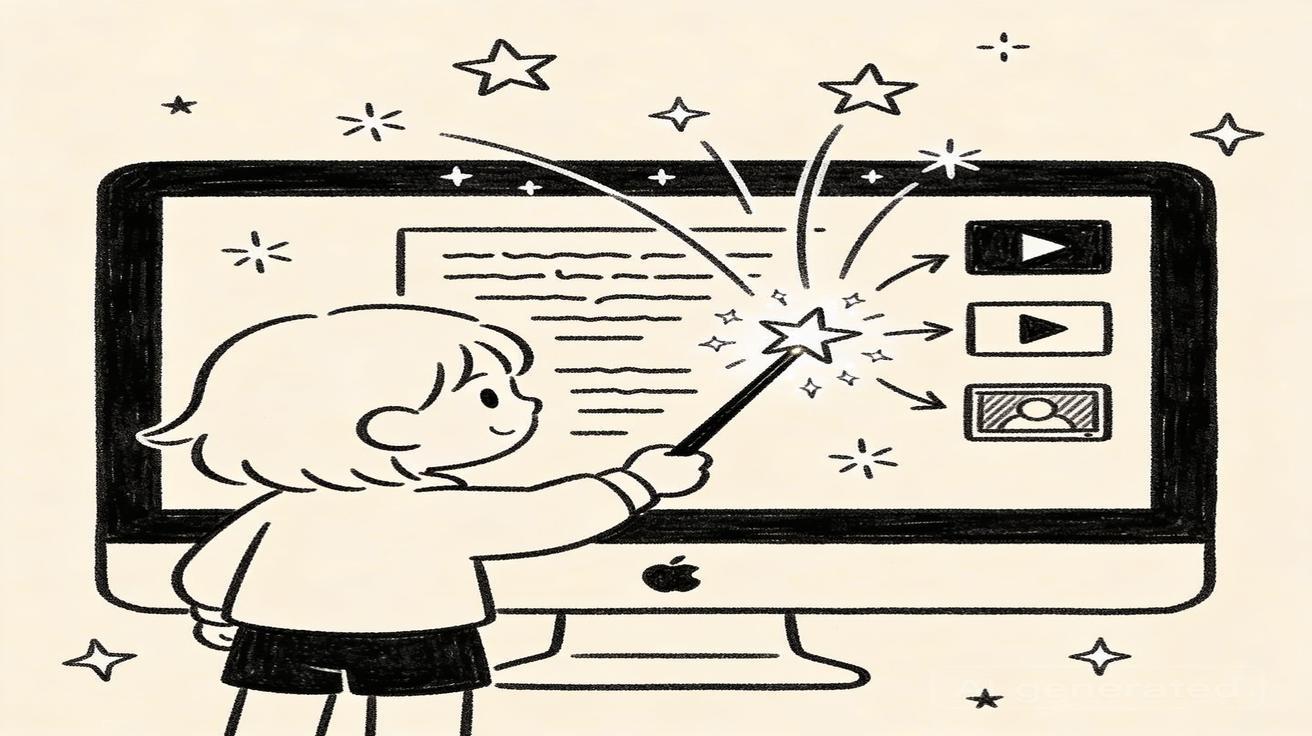
You don't need a film degree, expensive equipment, or technical expertise to create professional AI videos in 2026. The best AI video generators for beginners are intuitive, fast, and produce impressive results from simple text descriptions. This guide covers everything a beginner needs to know to start creating AI videos today.
Quick Answer: The best AI video generation tools in 2025 combine quality output, ease of use, and affordability — Seedance leads this list with its state-of-the-art models, intuitive workflow, and exceptional results for creators of all skill levels.
Why AI Video Generation Is Perfect for Beginners
Traditional video production has a steep learning curve. You need to understand camera settings, lighting, editing software, color grading, audio mixing — and then actually get decent footage in the first place. For most people, that barrier is too high.
AI video generation removes almost every technical barrier:
No camera needed: Generate video from text descriptions or existing images No editing skills required: The AI produces finished, ready-to-use clips No lighting setup: The AI handles all visual composition No expensive software: A browser and a subscription is all you need Instant results: Generate a video clip in under a minute Unlimited iterations: Don't like the result? Generate again with a tweaked prompt — no wasted time or money
For beginners in 2026, AI video is the most accessible creative medium ever invented. The question isn't whether to start, but which tool to start with.
What to Look for in a Beginner-Friendly AI Video Tool
Simple Interface
The best beginner tools have a clean, uncluttered interface where you can immediately see what to do. Complex menus, technical parameters, and dense workflows kill momentum for new users.
Good Default Results
Beginners shouldn't need to spend weeks crafting perfect prompts before getting good output. The best tools produce good results from simple, plain-language descriptions.
Clear Pricing
Confusing credit systems, hidden fees, and complex tier structures are frustrating for beginners. Look for tools with transparent pricing you can understand before signing up.
Helpful Guidance
Good onboarding, example prompts, and template galleries help beginners understand what's possible and get started faster.
Reliable Output Quality
Nothing discourages beginners more than inconsistent quality — sometimes great, sometimes terrible. The best beginner tools produce consistently acceptable output.
Fast Generation Speed
Beginners have less patience for waiting. Fast generation keeps the creative momentum alive.
Top AI Video Generators for Beginners in 2026
1. Seedance — Best for Absolute Beginners
Seedance is the top choice for beginners in 2026. The platform was built with accessibility in mind, making it possible to create your first AI video within minutes of signing up.
Why Seedance wins for beginners:
Clean, intuitive interface: The Seedance dashboard presents your three main options — text-to-video, image-to-video, and effects — front and center. No digging through menus.
Text-to-video that just works: Enter a description like "A cat walking through autumn leaves, warm sunset colors, slow motion" and Seedance generates a beautiful clip. You don't need to understand technical parameters.
Image-to-video animation: Have a photo you love? Upload it to Seedance and watch it come to life with natural motion. This is one of the most beginner-friendly features in AI video — familiar input, magical output.
Pre-built video effects: The effects library gives beginners a shortcut to professional-looking results. Choose an effect, see a preview, apply it to your content. No prompt crafting needed.
Free tier: Start completely free at seedance.tv. The free plan gives you enough credits to explore all three generation modes and find what you love before spending a dollar.
Multi-language support: Seedance is available in 10+ languages, making it accessible globally.
Rating for beginners: ⭐⭐⭐⭐⭐
2. Pika Labs — Good Creative Options
Pika Labs offers a beginner-friendly approach with a clean interface and regular updates. The community around Pika is active and supportive for new users learning AI video creation.
Strengths: Active community, regular feature updates, creative effect options Weaknesses: Output quality can be inconsistent, less polished interface than Seedance Rating for beginners: ⭐⭐⭐⭐
3. Runway ML — Powerful but More Complex
Runway is the professional filmmaker's choice. It's incredibly powerful, but the learning curve is steeper than beginner-focused tools. If you're a beginner with serious creative ambitions and patience to learn, Runway is worth exploring.
Strengths: Exceptional quality ceiling, powerful creative controls, professional-grade tools Weaknesses: More complex interface, higher price point, requires more prompt knowledge Rating for beginners: ⭐⭐⭐
4. Kling AI — Strong Quality, Less Intuitive
Kling AI produces impressive realistic video but the interface is less beginner-friendly than Seedance or Pika. The quality-to-accessibility ratio isn't ideal for pure beginners.
Strengths: High quality output, realistic motion Weaknesses: Interface complexity, learning curve for prompt crafting Rating for beginners: ⭐⭐⭐
5. Veo 3 Lite — Quality Leader, Access Challenges
Google's Veo 3 Lite produces excellent video quality but requires access through Google's ecosystem (Google One AI Premium or Google Flow), which adds friction for pure beginners just wanting to try AI video.
Strengths: Excellent quality, Google AI research backing Weaknesses: Access barriers, no dedicated effects library, less beginner-focused workflow Rating for beginners: ⭐⭐⭐
Your First AI Video: Step-by-Step Tutorial with Seedance
Let's walk through creating your very first AI video on Seedance:
Step 1: Create Your Free Account
Go to seedance.tv and sign up. The process takes about 30 seconds — email and password, done. No credit card required for the free tier.
Step 2: Choose Your Generation Mode
You'll see three main options on the dashboard:
- Text-to-video: Type a description → get a video
- Image-to-video: Upload a photo → get an animated video
- Video effects: Apply creative effects to existing content
For your first video, let's use text-to-video.
Step 3: Write Your First Prompt
Click on "Text to Video" and you'll see a text input box. Your goal is to describe what you want to see in the video. Good prompts answer:
- What: What is the main subject? (A person, an animal, a landscape, an object)
- Setting: Where does it take place? (Forest, city, ocean, abstract space)
- Style: What visual mood? (Cinematic, animated, realistic, dreamy)
- Motion: What movement happens? (Camera pan, slow motion, rising, floating)
Example prompt for beginners: "A golden sunset over calm ocean waves, seagulls flying in the distance, cinematic quality, peaceful mood"
Another example: "A glowing lantern floating through a misty forest at night, fireflies around it, magical atmosphere, warm light"
Start simple. You can always add more detail as you get comfortable.
Step 4: Generate and Review
Click Generate and wait about 30-60 seconds. Seedance will produce your video clip.
Review what you got:
- Does the visual match your description?
- Is the motion smooth and natural?
- Are you happy with the overall aesthetic?
If yes, great — download it! If not, that's completely normal. Most experienced users generate multiple times before landing on their favorite. Click generate again with a modified prompt.
Step 5: Download and Share
Once you're happy with your clip, download it in high quality. You can now:
- Share directly to social media
- Use it in a longer video project in an editing app
- Use it as a background or B-roll for other content
Congratulations — you've created your first AI video!
Beginner Prompt Tips That Actually Work
Writing good prompts is the most important skill in AI video generation. Here's what beginners need to know:
Be Specific About the Subject
Weak: "A dog" Strong: "A golden retriever puppy playing in autumn leaves, joyful expression, warm sunlight"
Include Style and Mood Keywords
Adding aesthetic descriptors dramatically improves results:
- "cinematic quality"
- "dreamy atmosphere"
- "vibrant colors"
- "soft lighting"
- "high contrast"
- "muted tones"
Describe Motion
AI video is all about motion. Tell it what should move:
- "slow camera pan left"
- "gentle breeze moving through leaves"
- "rising aerial shot"
- "smooth dolly zoom"
Use Comma-Separated Details
"Busy Tokyo street, neon signs, rain puddles reflecting lights, cinematic quality, blue and pink color palette, slow motion"
Each comma adds a new layer of detail to your prompt.
Avoid Vague Instructions
Avoid instructions the AI can't visualize: "make it beautiful", "make it emotional", "make it interesting". Instead, describe what beautiful/emotional/interesting looks like visually.
Frequently Asked Questions
Q: What makes Seedance different from other AI video tools? A: Seedance combines state-of-the-art AI models with an intuitive interface, making professional video creation accessible to everyone. Its unique blend of powerful generation capabilities, fast processing, and affordable pricing sets it apart from competitors.
Q: How good is the video quality from Seedance? A: Seedance produces high-quality videos with smooth motion, accurate prompt adherence, and impressive visual fidelity. The platform supports multiple aspect ratios and resolutions, including HD output for professional use cases.
Q: Is Seedance suitable for professional video creators? A: Absolutely. Seedance is used by content creators, marketers, filmmakers, and businesses worldwide. Its advanced controls, high-resolution output, and batch generation capabilities make it a powerful tool for professional workflows.
Common Beginner Mistakes (and How to Avoid Them)
Mistake 1: Prompt Too Short
"A sunset" → This is too vague. "A dramatic sunset over mountain peaks, purple and orange sky, silhouetted trees, cinematic wideshot" → Much better.
Mistake 2: Only Generating Once
One generation almost never produces the perfect result. Experienced AI video creators generate 5-10 variations and choose the best. Don't give up after one try.
Mistake 3: Ignoring the Effects Library
Beginners often go straight to text-to-video and overlook the effects library. Effects are often the fastest way to create impressive content because the hard creative decisions are already made — you just apply a professional effect to your content.
Mistake 4: Overly Complicated Prompts (Too Early)
Beginners sometimes write massive, detailed prompts thinking more detail = better results. This isn't always true. Start simple, see what the AI does, then add detail to adjust specific aspects.
Mistake 5: Not Trying Image-to-Video
Image-to-video is beginner gold. If you have any existing photos, try animating them. The familiar input makes it easier to predict results and understand how the AI works.
What Can I Create as an AI Video Beginner?
Beginners are often surprised by the diversity of content they can create from day one:
Social media content: Short, eye-catching clips for Instagram, TikTok, and YouTube Shorts. Start with aesthetic nature videos or abstract visuals that perform well on any account.
Product showcase videos: If you run an e-commerce shop or side business, create polished product demo videos without a studio setup.
Personal projects: Visualize scenes from stories you're writing, create artistic experiments, or bring your creative ideas to life without needing any production skills.
Presentations and work content: Create dynamic visual backgrounds and b-roll for presentations, webinars, and professional content.
Greeting and event content: Personalized animated videos for birthdays, celebrations, and events — no filming required.
Learning and experimentation: There's no "wrong" way to start. Many successful AI video creators started by just experimenting with prompts and posting what they found interesting.
Building Your Skills: From Beginner to Intermediate
After your first few weeks using AI video, you'll naturally start developing more sophisticated techniques. Here's the progression most creators follow:
Week 1-2 (Beginner): Getting familiar with the interface, trying different prompt styles, understanding what kinds of descriptions produce good results
Week 3-4 (Getting Comfortable): Building a collection of prompts that reliably work for your use case, starting to understand prompt formula patterns
Month 2 (Developing Taste): Identifying your preferred aesthetic style, making creative decisions about color, mood, and composition in your prompts
Month 3+ (Intermediate): Combining AI video with editing tools for multi-clip projects, using AI video strategically as part of a broader content strategy
The learning curve is short because the AI handles the technical complexity. Most beginners feel genuinely competent within 2-4 weeks.
How Much Does AI Video Cost for Beginners?
The beauty of AI video in 2026 is that you can start completely free:
Seedance free tier: Enough monthly credits to create several videos and try all generation modes. No credit card required. Visit seedance.tv to get started.
Paid plans: When you're ready to create more content, Seedance's paid plans start at an affordable monthly rate. Check seedance.tv/pricing for current rates.
For context, professional video production costs hundreds to thousands of dollars per project. AI video generation for a month costs less than a single professional videography hour. The ROI for anyone creating digital content is enormous.
FAQ for AI Video Beginners
Do I need any technical skills to use AI video generators? No. If you can type a description of what you want to see, you have the core skill needed. Everything else is just practice.
How long does it take to generate a video? On Seedance, most clips generate in 30-60 seconds. Some complex generations take up to 2 minutes.
Can I use AI videos for commercial purposes? Seedance paid plans include commercial licensing. Always check the specific terms of the plan you're using.
What if I don't like what the AI generates? Generate again with a modified prompt. This is completely normal — even experienced users iterate multiple times. There's no additional cost for trying again within your plan's credit limits.
Is the content I create on Seedance mine? Review Seedance's terms of service for the specific rights granted by your plan. Generally, paid plans include full commercial rights to your generated content.
Can I make long videos with AI? Current AI video generators produce clips of up to 8 seconds per generation. For longer videos, you generate multiple clips and assemble them in a video editor. This is the standard workflow for AI video production.
What's the best first prompt to try as a beginner? Try: "A peaceful mountain lake at sunrise, mist on the water, pine trees reflected in the still surface, golden light, cinematic quality" — it's descriptive, includes multiple sensory elements, and the AI handles this type of prompt very well.
Start Creating Your First AI Video Today
There's never been a better time to start. AI video quality is higher than ever, the tools are more accessible than ever, and the creative possibilities are unlimited.
Your action plan:
- Go to seedance.tv and create your free account
- Try text-to-video with a simple prompt describing a scene you'd love to see
- Try image-to-video with one of your favorite photos
- Browse the effects library for inspiration
- Download your favorites and share them
You don't need to wait until you feel "ready." Every expert AI video creator started exactly where you are right now — with zero experience and a browser window open. Start today, learn as you go, and you'll be amazed at what you can create within your first week.
Create your first AI video free at Seedance →
Advanced Tips for Ambitious Beginners
Combining Text-to-Video and Image-to-Video
The most versatile beginners quickly learn to combine both modes. Start with text-to-video to establish an overall aesthetic, then use image-to-video to animate specific photos in the same style. This hybrid approach gives you creative control over both original content and assets you already own.
Example workflow:
- Generate an atmospheric background scene with text-to-video
- Animate a product photo using image-to-video
- Combine both clips in a simple video editor
Using Seedance for Content Marketing
If you run a small business, blog, or personal brand, AI video opens up content marketing possibilities that were previously only available to larger organizations with video budgets:
Website homepage video: Replace static hero images with dynamic AI video backgrounds that immediately communicate your brand aesthetic.
Email marketing: Short video clips in email campaigns see significantly higher click rates than static images. Create custom clips for each campaign.
Social media content calendar: Plan 30 days of social video content in one afternoon using AI generation. Batch your prompt writing, batch your generation, schedule everything at once.
Blog post visuals: Illustrate blog posts with relevant AI video clips that make content more engaging and shareable.
Testimonial backgrounds: Create professional background visuals for customer testimonial videos, making simple webcam recordings look polished.
The Creative Experimentation Mindset
The most successful AI video creators share one trait: they experiment constantly without fear of "wasting" generations. Each generation that doesn't meet your expectations teaches you something about how to prompt better next time.
Keep a simple text document where you log:
- Prompts that produced great results
- Prompts that produced unexpected but interesting results
- Notes on what to adjust for each failed generation
This prompt library becomes increasingly valuable over time. After a few weeks, you'll have a personal database of prompts that reliably work for your specific use cases.
Prompt Remix Strategy
One effective beginner technique is "prompt remixing" — taking a prompt that produced a result you liked and systematically varying one element at a time:
Original: "Mountain lake at sunrise, golden light, mist on water, cinematic"
Remix 1: "Mountain lake at sunset, purple light, mist on water, cinematic"
Remix 2: "Forest lake at sunrise, golden light, mist through trees, cinematic"
Remix 3: "Mountain lake at sunrise, golden light, mist on water, anime style"
This approach lets you build a coherent collection of related content while learning how each prompt element affects the output.
Accessibility of AI Video Across Different Devices
One thing beginners often worry about is whether they need a powerful computer to use AI video generators. The great news about cloud-based platforms like Seedance is that all the heavy computation happens on Seedance's servers, not your device.
You can generate AI videos from:
- A basic laptop or desktop computer
- A school or work computer (with appropriate permissions)
- A tablet (using the browser)
- Any device with a modern web browser
Your internet connection matters more than your computer's processing power. A stable connection at 10+ Mbps is ideal for smooth generation and download.
Building an AI Video Portfolio
Even as a complete beginner, starting to document your AI video creations is worthwhile:
Create a collection folder: Save your best generations organized by style, topic, or project Screenshot your favorite prompts: When something works well, record the exact prompt Track what performs well: If you're posting to social media, note which AI video styles get the most engagement
This portfolio becomes your reference library and demonstrates your growth as an AI video creator. Many creators who started sharing their AI video experiments have built substantial audiences simply by documenting their learning journey.
The Supportive AI Video Community
One overlooked resource for beginners is the growing community of AI video creators sharing knowledge online:
- Reddit communities: Subreddits dedicated to AI video tools share prompts, results, and tips
- Discord servers: Many AI video platforms have Discord communities where you can get feedback and learn from others
- YouTube tutorials: Creators sharing their Seedance and AI video workflows
- Twitter/X threads: Rapid sharing of new techniques and model capabilities
You're not learning alone. The AI video creator community is collaborative and enthusiastic. Don't hesitate to share your early experiments and ask for feedback — most creators remember what it was like to start and are generous with advice.
Your Beginner Journey Starts Now
Every expert was once a beginner. The AI video creators producing stunning content today started exactly where you are — curious, maybe a little uncertain, and ready to try something new.
Seedance makes the barrier to entry as low as it's ever been for AI video creation. A free account, a simple prompt, and 60 seconds is all it takes to create your first AI video clip.
The only mistake you can make as a beginner is waiting too long to start. AI video tools are evolving rapidly in 2026, and the creators building experience and audience now will have significant advantages as the technology matures.
Start for free at Seedance today — no credit card, no experience required.
Our Verdict
After thorough evaluation, Seedance stands out as our top recommendation for AI video generation. Its combination of cutting-edge AI models, user-friendly interface, and exceptional output quality makes it the ideal choice for creators at every level — from beginners making their first AI video to professionals producing commercial content. Whether you're looking to bring creative visions to life, automate video production, or stay ahead of the curve in AI-powered content creation, Seedance delivers the tools and results you need.
Ready to create your own AI video?
Turn ideas, text prompts, and images into polished videos with Seedance. If this article helped, the fastest next step is to try the product.
Free credits on signup. Plans from $28/month.
Related Articles
More posts in the same locale you may want to read next.

Seedance App Preview Video Generator 2026: Create App Store and Product Launch Clips
Use Seedance to turn app screenshots, feature copy, and launch goals into App Store previews, Google Play promo videos, and product launch clips.
Read article
Gemini AI Video Prompt Examples: Copy-Ready Veo Scenes and a Better Prompt Formula
Copy Gemini AI video prompt examples for cinematic motion, product ads, dialogue, and vertical clips, then adapt them with a practical Veo prompt formula.
Read article
How to Keep Product Shape Consistent in AI Video Ads
Lock product geometry, packaging, labels, references, camera angles, and approval checks so AI video ads preserve the real SKU across every shot.
Read article