
Best AI Video Generator for YouTube Shorts in 2026 (Complete Guide)
Last Updated: March 22, 2026
Quick Answer: AI video generation with Seedance lets you create stunning, professional-quality videos from text prompts or images in just minutes — no editing experience required.
YouTube Shorts gets over 70 billion daily views — and that number keeps climbing. AI video generators make it possible to create Shorts without a camera, studio, or editing skills. But not all AI tools are built for Shorts. You need vertical output, fast generation, no watermarks, and the right visual quality to satisfy YouTube's algorithm.
This guide covers the best tools, YouTube Shorts best practices, algorithm insights, creative prompt ideas, a complete step-by-step tutorial, and monetization strategies for AI-powered Shorts.
YouTube Shorts Best Practices: What the Algorithm Wants
Before picking a tool, understand what makes YouTube Shorts perform. The algorithm has clear preferences:
Technical Requirements
- Aspect ratio: 9:16 vertical (1080×1920 pixels). Horizontal or square videos won't be classified as Shorts.
- Duration: Under 60 seconds. YouTube recently expanded this from the original 60-second limit, but shorter (15-30 seconds) Shorts often perform better for reach.
- Resolution: 1080p minimum. The algorithm favors crisp, clear video. 720p or lower gets suppressed.
- No watermarks: YouTube actively deprioritizes content with visible watermarks from other platforms (TikTok, Pika, etc.). This matters when choosing an AI tool.
The First 3 Seconds Rule
YouTube Shorts live or die in the first 3 seconds. If viewers don't engage immediately, they swipe away — and the algorithm notices. Your opening must:
- Show something visually striking — unexpected imagery, dramatic transformation, or impossible scene
- Create a question — "What happens when..." or an unfinished action that demands completion
- Use motion immediately — Static opening frames lose viewers. Start with dynamic movement.
- Skip intros entirely — No logos, no "hey guys," no brand cards. Jump straight into the content.
For AI-generated Shorts, this means your prompt needs to specify dramatic opening moments. Don't generate generic scenes — generate hooks.
How YouTube's Algorithm Recommends Shorts
YouTube's Shorts algorithm is fundamentally different from long-form video discovery:
- Swipe-based discovery — Shorts appear in a vertical feed. Users swipe, not search. Your content competes in real-time against every other Short.
- Watch-through rate — The #1 metric. If viewers watch your entire Short (or replay it), the algorithm pushes it further.
- Engagement velocity — Likes, comments, and shares within the first hour matter disproportionately.
- Session time — Shorts that keep viewers on the platform longer get boosted.
- Consistency signals — Channels posting Shorts regularly (daily) get more algorithmic trust than sporadic posters.
- Niche relevance — The algorithm matches Shorts to viewer interests. Niche-focused channels get better targeting.
The implication for AI creators: Quantity and consistency matter. You need a tool that lets you generate multiple Shorts per day without breaking the bank — or hitting watermark issues.
Top 5 AI Video Generators for YouTube Shorts
1. Seedance (Best Overall for Shorts)
Seedance is the best choice for YouTube Shorts creators because it solves every Shorts-specific problem: free daily credits for volume, multiple AI models for variety, 1080p output for quality, and zero watermarks.
Why Seedance wins for Shorts:
- ✅ Free daily credits — create multiple Shorts per day without paying
- ✅ Multiple models (Veo 3, Sora 2, Seedance 2.0, Kling) — pick the best style for each video
- ✅ 1080p output — meets YouTube's quality threshold
- ✅ No watermarks on any plan — critical for Shorts algorithm performance
- ✅ 9:16 vertical support — native vertical generation
- ✅ 60-90 second generation — fast enough for batch creation
- ✅ Image-to-video — turn trending images into Shorts instantly
Best models for Shorts by content type:
- Veo 3 — Photorealistic content, nature scenes, cinematic shots
- Sora 2 — Complex multi-object scenes, surreal concepts
- Seedance 2.0 — Character-consistent series, storytelling
- Kling — Smooth motion, physics-based animations
2. Kling AI (Best for Longer Shorts)
Kling generates videos up to 2 minutes, giving you more raw footage to edit into polished Shorts.
- ✅ Up to 2-minute generations
- ✅ 66 free credits per day
- ✅ Good motion quality and physics simulation
- ✅ Consistent character rendering
- ⚠️ Slower generation for longer clips (2-5 minutes)
- ⚠️ Limited stylistic range compared to multi-model platforms
Price: Free tier / $5.99/month for Pro
Best for: Creators who want longer raw clips to edit down into Shorts, rather than generating exactly 10-second clips.
3. Pika Labs (Best for Effects-Heavy Shorts)
Pika's Pikaffects (crush, melt, explode, cake-ify) create inherently viral, scroll-stopping content that performs well in the Shorts feed.
- ✅ Unique visual effects that stop the scroll
- ✅ Lip sync for talking head Shorts
- ✅ Sound effects auto-generated
- ✅ Modify Region for targeted edits
- ⚠️ 4-second max on free plan — too short for most Shorts
- ⚠️ Watermark on free tier — algorithm penalty
Price: Free / $8/month Standard / $28/month Pro
Best for: Effects-based viral content. The "melt your face" and "cake-ify this building" format consistently generates millions of views.
4. Luma Dream Machine (Best for Speed)
When you need to produce Shorts fast — like 20+ per day for a faceless channel — Luma's generation speed is hard to beat.
- ✅ Under 30 seconds per generation
- ✅ Smooth, cinematic camera movements
- ✅ Good understanding of spatial relationships
- ⚠️ 720p on free tier (below YouTube's quality preference)
- ⚠️ 30 generations per month free (too few for daily Shorts)
Price: Free / $23.99/month
Best for: Speed-focused batch creation when combined with a paid plan.
5. CapCut with Dreamina (Best All-in-One Editing)
CapCut combines AI video generation with a full editing suite — generate, edit, add captions, add music, and upload to YouTube all within one app.
- ✅ Generate and edit in one workflow
- ✅ Auto-captions (essential for Shorts)
- ✅ Trending music library with YouTube-safe licensing
- ✅ Direct YouTube upload
- ✅ Templates designed for Shorts
- ⚠️ AI generation quality below dedicated tools like Seedance
- ⚠️ Less control over generation parameters
Price: Free / $7.99/month
Best for: Creators who want a single-app workflow and prioritize editing speed over generation quality.
Tool Comparison Summary
| Feature | Seedance | Kling | Pika | Luma | CapCut |
|---|---|---|---|---|---|
| Free Credits | Daily refresh | 66/day | 150/month | 30/month | Limited |
| Watermark (Free) | ❌ None | ✅ | ✅ | ✅ | ✅ |
| Max Resolution | 1080p | 1080p | 1080p | 720p (free) | 1080p |
| 9:16 Support | ✅ | ✅ | ✅ | ✅ | ✅ |
| Generation Speed | 60-90s | 120-300s | 30-120s | <30s | 30-60s |
| Multiple Models | ✅ (4+) | ❌ | ❌ | ❌ | ❌ |
| Best For | Overall | Long clips | Effects | Speed | Editing |
10 YouTube Shorts Prompt Ideas (Ready to Use)
These prompts are optimized for AI video generation and YouTube Shorts engagement. Use them with Seedance's text-to-video:
1. The Impossible Nature Scene
A massive whale swimming through golden clouds above a glowing city at sunset, bioluminescent particles trailing behind, cinematic lighting, photorealistic, vertical 9:16, awe-inspiring atmosphere, slow motion
2. Historical "What If"
Ancient Roman gladiators fighting in a cyberpunk Colosseum with holographic crowds, neon lights reflecting on armor, rain falling, cinematic, vertical 9:16, dramatic epic mood
3. Satisfying Transformation
A rusty abandoned car slowly transforming into a pristine luxury sports car, pieces flying and reassembling, golden hour garage lighting, photorealistic, vertical 9:16, satisfying reveal
4. Miniature World
A tiny village built inside a glass bottle on a desk, warm lamplight illuminating miniature houses and trees, tilt-shift photography style, cozy atmosphere, vertical 9:16, magical realism
5. Time-Lapse Fantasy
A single seed growing into a massive glowing tree that lights up an entire dark forest, roots spreading and flowers blooming, time-lapse style, bioluminescent, vertical 9:16, enchanting
6. Surreal Food
A giant chocolate cake melting in slow motion to reveal a miniature city inside, cream flowing like rivers between buildings, studio lighting, photorealistic, vertical 9:16, mesmerizing
7. Cyberpunk Animals
A samurai cat walking through a neon-lit Tokyo alley in the rain, reflections on wet ground, wearing traditional armor, cyberpunk aesthetic, cinematic, vertical 9:16, dramatic mood
8. Space Exploration
An astronaut floating above Earth discovering a door standing in space, light streaming through the crack, Earth visible in background, cinematic awe, photorealistic, vertical 9:16
9. Micro World
Camera diving into a drop of water to reveal an entire underwater civilization with coral buildings and fish vehicles, macro photography transitioning to wide shot, vertical 9:16, wonder
10. Weather Drama
A massive lightning bolt striking a lone tree on a hill, splitting into a thousand glowing butterflies that scatter across a stormy sky, slow motion, dramatic, vertical 9:16, breathtaking
Pro tip: Modify these prompts to fit your channel's niche. Add "in the style of [your channel theme]" to maintain visual consistency.
Step-by-Step Tutorial: Create a YouTube Short with Seedance
Step 1: Find Your Niche
The most successful AI Shorts channels focus on a specific niche. Pick one and commit:
- Satisfying visuals — Mesmerizing AI animations and transformations
- What-if scenarios — "What if Tokyo was underwater?" "What if dinosaurs lived today?"
- Historical reimagining — "Ancient Rome in 4K," "Medieval cities with modern technology"
- Nature + sci-fi — Surreal landscapes, impossible creatures, bioluminescent worlds
- Mini stories — 10-second narrative clips with character continuity
- Educational visuals — Science concepts visualized, space exploration
- Memes and trends — AI interpretations of trending topics
Step 2: Set Up a Content Calendar
Consistency is the single biggest factor in Shorts growth. Plan ahead:
- Minimum: 1 Short per day (7/week)
- Optimal: 3-5 Shorts per day for fastest growth
- Batch creation: Generate a week's worth in one 2-hour session using Seedance
- Schedule uploads: Use YouTube Studio's scheduler to post at optimal times (typically 2-4 PM in your target audience's timezone)
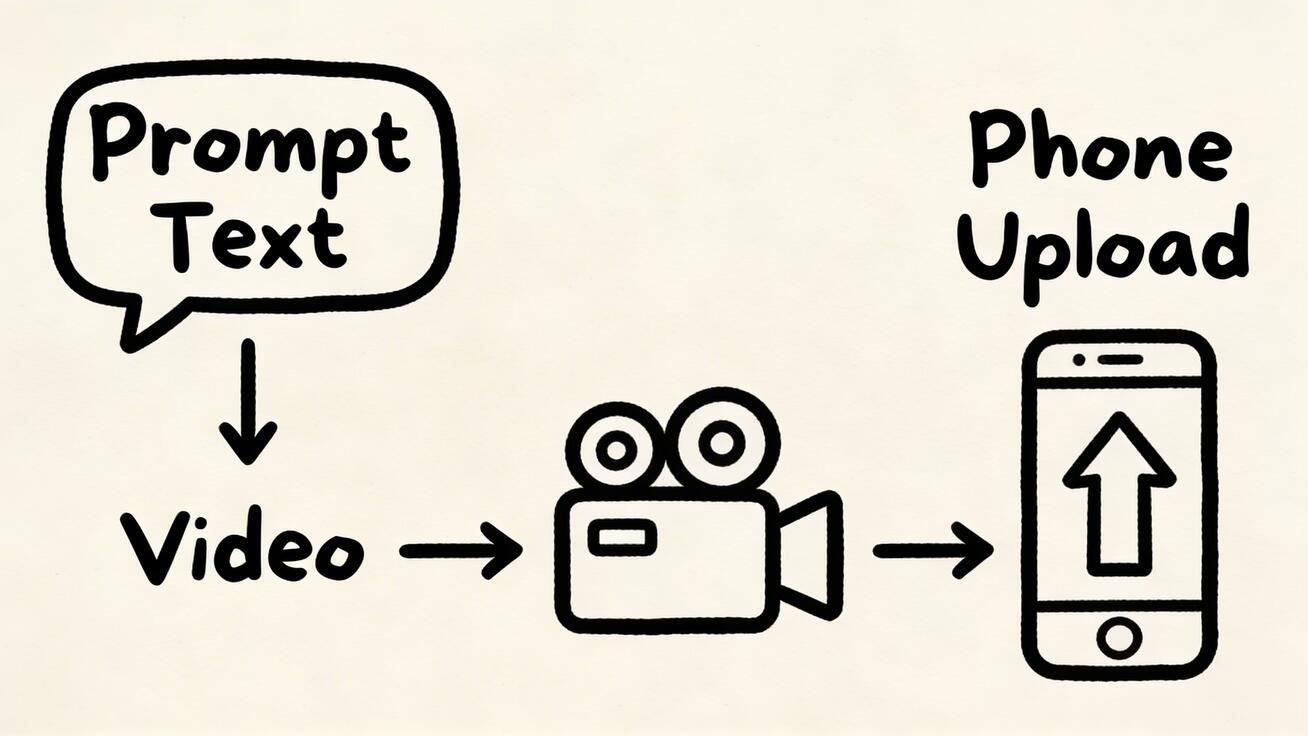
Step 3: Generate Your Video on Seedance
- Go to Seedance Text-to-Video
- Write your prompt — always include "vertical 9:16" and specific visual details
- Choose your model:
- Veo 3 for photorealistic scenes
- Seedance 2.0 for character-consistent series content
- Kling for smooth motion-heavy content
- Click Generate — wait 60-90 seconds
- Preview the output — regenerate if needed (free daily credits mean you can iterate)
- Download in 1080p
Step 4: Edit and Polish
Raw AI video needs polish before posting:
- Trim to 15-30 seconds — Shorter Shorts get more replays, which boosts algorithm performance
- Add captions — 85% of Shorts are watched on mute. Use CapCut or YouTube's auto-caption feature.
- Add music — Use YouTube's royalty-free audio library or trending sounds
- Craft the hook — Ensure the first frame is visually striking. Trim any slow start.
- Add a text overlay — "Wait for it..." or a question that keeps viewers watching
Step 5: Optimize Metadata
- Title: Include keywords naturally. "AI Generated" or "Made with AI" can boost curiosity clicks. Keep under 40 characters for full mobile visibility.
- Description: Front-load keywords. Mention the AI tool. Add relevant links.
- Hashtags: #Shorts is mandatory. Add 2-3 niche tags (#AIVideo, #AIArt, plus your niche).
- First 2 seconds: The hook. If viewers don't engage in 2 seconds, they swipe away.
Step 6: Post and Engage
- Post at consistent times daily
- Reply to every comment within the first hour (engagement velocity signal)
- Pin the best comment to encourage discussion
- Use YouTube Community posts to tease upcoming Shorts
Monetization: Making Money with AI YouTube Shorts
YouTube Partner Program (YPP)
To monetize Shorts through ads, you need:
- 1,000 subscribers + 10 million Shorts views in 90 days, OR
- 1,000 subscribers + 4,000 watch hours (long-form route)
Once accepted:
- Shorts ad revenue sharing — YouTube pools ad revenue from the Shorts feed and distributes based on views
- Typical RPM: $0.01-0.07 per 1,000 views (lower than long-form, but volume compensates)
- Realistic earnings: 1M views/month → $100-700/month from ads alone
Beyond Ad Revenue
The real money isn't in Shorts ad revenue. It's in what Shorts enable:
- Affiliate marketing — Link to AI tools, editing software, or niche products in descriptions. AI tool affiliate programs often pay $5-50 per referral.
- Channel memberships — Offer exclusive prompts, behind-the-scenes content, or custom generations for members.
- Brand sponsorships — AI content channels attract tech, SaaS, and creative tool sponsors. Even 10K subscribers can land $200-500 per sponsored Short.
- Course/template sales — Sell your prompt templates, workflow guides, or AI video courses.
- Drive traffic — Use Shorts to funnel viewers to a monetized website, newsletter, or long-form YouTube videos (higher RPM).
- Print-on-demand — Turn popular AI frames into merchandise.
Revenue Timeline (Realistic)
| Month | Subscribers | Monthly Views | Monthly Revenue |
|---|---|---|---|
| 1-2 | 0-500 | 10K-100K | $0 (building) |
| 3-4 | 500-2K | 100K-1M | $10-70 (YPP pending) |
| 5-6 | 2K-5K | 1M-5M | $100-350 (ads) |
| 7-12 | 5K-20K | 5M-20M | $500-2,000 (ads + affiliates + sponsors) |
The key is consistency. Most AI Shorts channels that post daily reach YPP within 3-4 months.
Tips for Growing Your AI Shorts Channel
- Niche down aggressively — "AI nature documentaries" beats "random AI videos." Specific niches build loyal subscribers.
- Create series — "Day 47 of generating [X]" builds anticipation and subscriber habits. Number your series in titles.
- Use trending audio — When relevant, add popular sounds. YouTube's algorithm cross-promotes Shorts using the same audio.
- Cross-post everywhere — Share on TikTok and Instagram Reels simultaneously. Different algorithms, same content, 3x the reach.
- Engage aggressively early — Reply to every comment in the first hour. Ask questions in your descriptions to spark comments.
- Analyze and adapt — Check YouTube Analytics weekly. Double down on content types that get above-average watch-through rates.
- Be transparent about AI — Disclose AI use. YouTube requires it, and audiences appreciate honesty. "Made with AI" actually drives curiosity clicks.
- Quality over pure quantity — One great Short beats five mediocre ones. Use Seedance's multi-model comparison to pick the best generation.
- Study competitors — Follow top AI Shorts channels. Note their posting frequency, prompt styles, and engagement tactics.
- Repurpose long-form content — If you also make long-form videos, cut the best 15 seconds into Shorts for cross-promotion.
Frequently Asked Questions
Can AI-generated videos be monetized on YouTube?
Yes. YouTube allows AI-generated content for monetization through the YouTube Partner Program. You must disclose AI use in your video description (YouTube's policy as of 2026). Failure to disclose can result in demonetization.
What is the best aspect ratio for YouTube Shorts?
9:16 vertical at 1080×1920 pixels. Always specify "vertical 9:16" in your AI generation prompts. Horizontal or square videos will not be classified as Shorts and won't appear in the Shorts feed.
How many Shorts should I post per day?
1-3 per day is the sweet spot for most creators. Consistency matters more than pure volume — 1 Short every day beats 7 Shorts on Monday and then nothing for a week. Use batch creation sessions with Seedance to stay ahead.
Do I need to edit AI videos before posting as Shorts?
Strongly recommended. At minimum, add captions (85% of mobile viewers watch on mute), add music or trending audio, and ensure the first 2 seconds are a strong visual hook. Trim any slow openings.
Which AI model produces the best Shorts?
It depends on your niche:
- Veo 3 — Photorealistic nature, cinematic scenes
- Seedance 2.0 — Character-consistent series content
- Kling — Smooth motion and longer clips
- Pika — Special effects and artistic style
Use Seedance to compare models side by side and find the best fit for your content type.
Is it worth starting a YouTube Shorts channel in 2026?
Yes. YouTube Shorts is still growing, the algorithm actively promotes new creators, and AI tools like Seedance have dramatically lowered the barrier to entry. The channels that start now and post consistently will have a significant advantage over latecomers.
How long does it take to monetize?
Most AI Shorts channels that post daily reach YouTube Partner Program requirements (1,000 subscribers + 10M Shorts views in 90 days) within 3-6 months. Affiliate revenue and brand deals can start earlier — even before YPP qualification.
Can I use the same AI video on TikTok and YouTube Shorts?
Yes, and you should. Cross-posting to TikTok, Instagram Reels, and YouTube Shorts triples your reach from the same content. Just ensure there are no platform-specific watermarks (another reason to use Seedance's watermark-free output).
Start Creating AI YouTube Shorts Free →
Related:
- Text-to-Video: Generate AI Videos from Prompts
- Image-to-Video: Turn Photos into AI Videos
- Seedance Pricing Plans
Our Verdict
After thorough evaluation, Seedance stands out as our top recommendation for AI video generation. Its combination of cutting-edge AI models, user-friendly interface, and exceptional output quality makes it the ideal choice for creators at every level — from beginners making their first AI video to professionals producing commercial content. Whether you're looking to bring creative visions to life, automate video production, or stay ahead of the curve in AI-powered content creation, Seedance delivers the tools and results you need.
Ready to try it yourself?
Put the steps from this guide into practice with Seedance and turn prompts or images into polished videos in minutes.
Free credits on signup. Plans from $20/month.
Related Articles
More posts in the same locale you may want to read next.

Seedance App Preview Video Generator 2026: Create App Store and Product Launch Clips
Use Seedance to turn app screenshots, feature copy, and launch goals into App Store previews, Google Play promo videos, and product launch clips.
Read article
MiniMax H3 Camera Focal Length Control: Wide, Normal, and Telephoto Looks
Control the apparent lens look in MiniMax H3 with shot size, camera distance, zoom language, reference frames, and a repeatable 24mm-to-85mm prompt test.
Read article
MiniMax H3 Two Person Video Workflow: Keep Roles, Dialogue, and Motion Clear
Build a MiniMax H3 two-person scene with stable subject labels, readable blocking, assigned dialogue, clean prop handoffs, and a practical failure-check workflow.
Read article