
AI Video Generator for Small Business: Affordable Marketing Videos in 2026
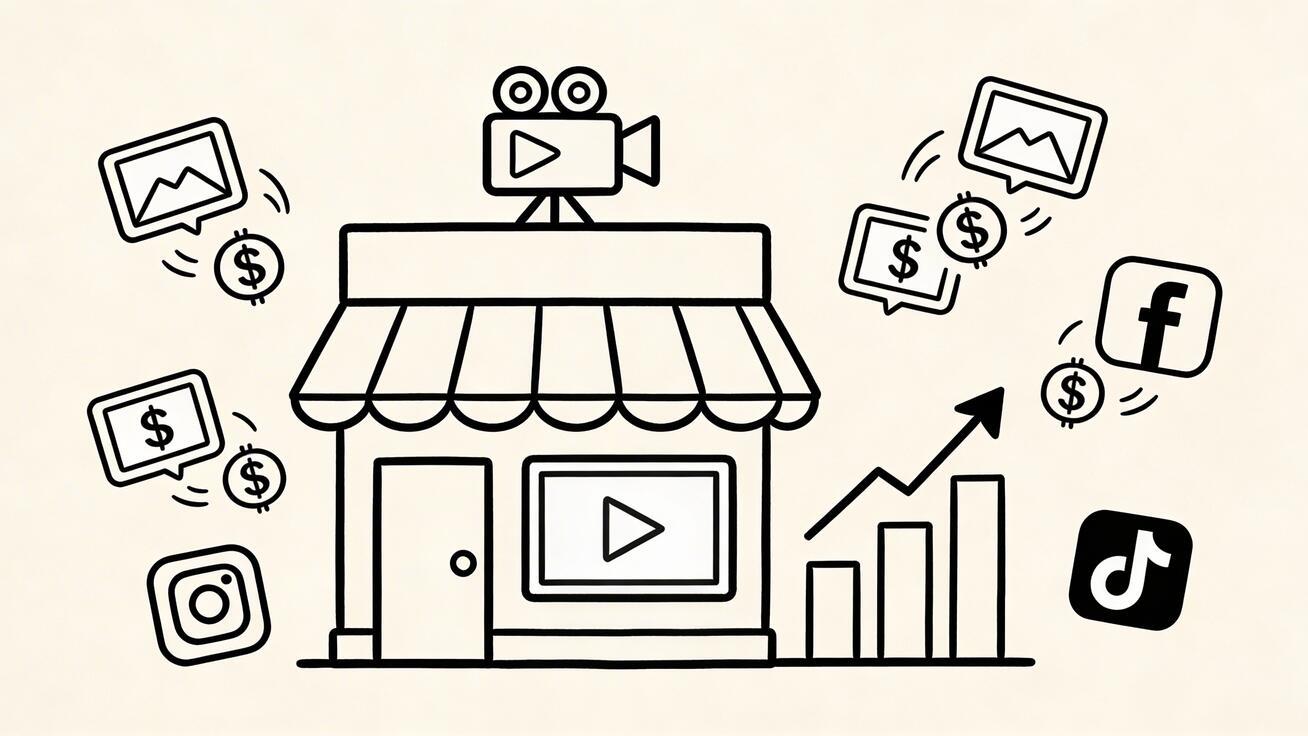
Small businesses compete against brands with million-dollar marketing budgets. Video content — the most effective marketing format in 2026 — used to be the exclusive domain of companies who could afford production crews. That's no longer true.
Quick Answer: AI video generation with Seedance lets you create stunning, professional-quality videos from text prompts or images in just minutes — no editing experience required.
AI video generators have democratized professional video production. With tools like Seedance 2.0, a solo entrepreneur can produce the same quality marketing videos as a Fortune 500 company's creative team — in minutes, not weeks, at a fraction of the cost.
This guide covers everything small business owners need to know: which tools to use, how to use them, real-world workflows, and the ROI case for making the switch now.

Why Small Businesses Need Video Marketing in 2026
The data is unambiguous:
- 91% of consumers want to see more video content from brands
- Video content generates 1,200% more shares than text and image combined
- Landing pages with video convert at 86% higher rates than those without
- Social media posts with video get 48% more views on average
- 96% of people have watched a video to learn about a product or service
For small businesses, the challenge has always been production cost and time. A single professional marketing video used to cost $1,000-$5,000. AI video generators have changed the economics completely.
The 5 Best AI Video Generators for Small Business
1. Seedance — Best All-Around for Small Business
Seedance 2.0 is built for businesses that need consistent, professional video output without a dedicated production team. Its combination of generous free tier, multi-format support, and high output quality makes it the top recommendation for most small businesses.
Why Seedance works for small business:
- No upfront cost: Start with the free tier, upgrade only when volume demands it
- Multi-format output: One workflow produces social media clips, website video, email campaigns, and ads
- Image-to-video: Convert your existing product photos into dynamic video content
- No watermark: Professional output even on the free plan — no "made with [tool]" branding
- Fast turnaround: Generate a video in under 2 minutes vs. days for traditional production
Best use cases:
- Product showcase videos for your website and social media
- Promotional clips for sales and seasonal campaigns
- Content for Instagram Reels, TikTok, and YouTube Shorts
- Email campaign video thumbnails that link to video pages
- Before/after demonstrations for service businesses
Pricing: Free tier available. Paid plans from $29/month.
2. Veo 3 — Best for Premium Quality Content
For small businesses where video quality directly impacts brand perception (luxury goods, professional services, premium products), Veo 3 from Google delivers photorealistic quality that's difficult to distinguish from professional production.
Best use cases:
- Premium product visualizations
- Service environment showcases (law firm, medical practice, real estate)
- Brand story videos for "About Us" pages
- High-end social media content
Access: Limited free tier via Google AI Studio; veo3ai.io for streamlined access
3. Pika 2.2 — Best for Creative/Retail Campaigns
Pika 2.2 excels at creative visual effects that make promotional content stand out in crowded social feeds. Its "Pikaffects" features create eye-catching transformations perfect for product launches and sale announcements.
Best use cases:
- Product launch teaser videos
- Sale/promotion announcements
- Creative social media campaigns
- Food and beverage visuals (excellent material rendering)
4. Synthesia — Best for Service Businesses with Talking Head Content
If your business relies on explaining services, training staff, or communicating complex information, Synthesia converts text scripts into professional presenter videos with AI avatars — no camera, no presenter needed.
Best use cases:
- Service explanation videos
- Staff training and onboarding
- FAQ video content
- Customer testimonial-style explainers
5. InVideo AI — Best for Content Marketing at Scale
For small businesses investing in content marketing (YouTube, blogs, educational content), InVideo AI automates the entire video production pipeline from script to finished product.
Best use cases:
- YouTube educational content
- How-to video series
- Product comparison videos
- Industry news and roundup content
Small Business Video Marketing Workflows
Workflow 1: Weekly Social Media Content (3 hours/week)
This workflow produces 5-7 social media videos per week using Seedance.
Monday (30 min): Plan the week's content — one video per platform (Instagram, TikTok, LinkedIn, Facebook)
Tuesday-Friday (30 min/day):
- Choose the day's product/service/message
- Open Seedance, select 9:16 (vertical) for Instagram/TikTok or 16:9 (horizontal) for LinkedIn/Facebook
- Generate 2-3 variations with different prompts
- Select the best clip, download
- Add text overlay with offer/message in Canva (5 minutes)
- Schedule for posting
Weekly output: 5 videos across 2-4 platforms — comparable to what a social media agency would charge $2,000-$5,000/month to produce.
Workflow 2: Product Launch Campaign
For a product launch, this 5-day workflow creates a complete video marketing package.
Day 1: Product hero video
- Upload product photos to Seedance (image-to-video mode)
- Generate: slow rotating product shot, premium studio style
- Use: Website hero banner, email campaign header
Day 2: Feature spotlight videos (3-5 clips)
- Generate one 8-10 second clip per key product feature
- Use: Social media carousel, product page
Day 3: Lifestyle/context videos
- Generate: "Product in use" scenarios using text-to-video
- Prompt: "[Your product] being used by [target customer] in [ideal setting]"
- Use: Instagram Reels, Facebook ads
Day 4: Comparison/proof video
- Generate: Before/after visual representation
- Use: Website testimonials section, email
Day 5: Launch announcement video
- Compile clips into a 30-60 second launch video
- Add music and text overlays in CapCut or Premiere
- Use: All channels simultaneously on launch day
Workflow 3: Seasonal Promotions (Holiday, Sales Events)
AI video generators make seasonal campaigns dramatically easier:
2 weeks before the event:
- Generate "season-themed" product videos (Halloween, Christmas, Summer Sale aesthetics)
- Create promotional announcement clips with seasonal visual elements
1 week before:
- Generate countdown-style teaser content
- Create "last chance" urgency clips for the final days
During the event:
- Generate same-day "just posted" style clips for new deals
- Produce customer appreciation and thank-you content
With traditional production, seasonal campaigns require weeks of lead time and significant budget. With AI, you can respond to market conditions and generate relevant content in hours.
Cost Comparison: AI Video vs. Traditional Production
Here's what small business video production actually costs:
| Method | Cost Per Video | Turnaround | Monthly Cost (10 videos) |
|---|---|---|---|
| Freelance videographer | $300-800 | 3-7 days | $3,000-8,000 |
| Video production agency | $1,000-3,000 | 1-3 weeks | $10,000-30,000 |
| In-house video staff | $50,000-80,000/year | 1-3 days | $4,000-7,000 |
| Seedance free tier | $0 | 10-15 min | $0 |
| Seedance paid plan | ~$3-5/video | 10-15 min | $29/month |
| Veo 3 + Seedance combo | ~$5-10/video | 20-30 min | $20-50/month |
The economics are transformational. A small business that previously couldn't afford video marketing can now produce professional content every day for less than a Netflix subscription.
Types of Videos Small Businesses Should Create
1. Product Demonstration Videos
Show your product in action. For physical products, generate lifestyle videos showing the product being used. For software, generate UI walkthrough-style visuals.
Proven prompt format: "[Product type] in use by [target customer type], [setting], professional product photography style, [key feature being demonstrated]"
2. Brand Introduction / About Us Videos
Create an atmospheric video that communicates your brand's personality and values. These perform particularly well as website hero videos and social media profile pins.
Proven prompt format: "[Your business type] in [city/setting], professional and welcoming atmosphere, [your brand's visual style — modern/warm/premium/etc.]"
3. Customer Problem / Solution Videos
Visualize the problem your product solves, then the solution. This narrative structure is proven to drive conversions.
Part 1 prompt: "[Customer type] frustrated by [problem they have], realistic lifestyle setting" Part 2 prompt: "[Customer type] happy and satisfied after using [product type], same setting"
4. Seasonal and Promotional Videos
Timely content that capitalizes on buying moments: holidays, events, sale periods.
Template: "[Product type] with [seasonal element — holiday decorations, summer setting, etc.], promotional feel, sale announcement aesthetic"
5. Educational / How-To Content
Position your business as an authority in your field. Educational content builds trust and drives organic search traffic.
Format: Generate visual accompaniment to script or voiceover about your industry knowledge.
6. Social Proof / Testimonial-Style Videos
Visualize customer outcomes and success stories. While you can't generate fake testimonials, you can create atmospheric videos that accompany real customer quotes.
Platform-Specific Strategies
Instagram (Reels)
- Format: 9:16 vertical, 15-30 seconds
- Best content: Product showcases, before/after, trending audio + visuals
- Frequency: 3-5x per week for growth
- Seedance setting: Vertical 9:16 preset
TikTok
- Format: 9:16 vertical, 15-60 seconds
- Best content: Behind-the-scenes style, product demonstrations, trending topics
- Frequency: Daily posting for algorithm traction
- Strategy: Generate 7 clips weekly in one session, schedule through the week
- Format: 16:9 horizontal, 30-90 seconds
- Best content: Promotional offers, community-focused content, educational
- Frequency: 3-4x per week
- Best use: Combine with Facebook ads for boosted reach
LinkedIn (B2B businesses)
- Format: 16:9 horizontal or 1:1 square, 30-90 seconds
- Best content: Industry insights, service demonstrations, professional environment showcases
- Frequency: 2-3x per week
- Strategy: Use Veo 3 for premium-quality content that matches LinkedIn's professional audience expectations
YouTube
- Format: 16:9 horizontal, 2-10 minutes for search traffic
- Best content: How-to guides, product comparisons, educational content
- Frequency: 1-2x per week
- Long-term value: YouTube videos compound in value — content from 2 years ago still drives traffic
Email Marketing
- Format: Short GIF or video thumbnail (links to hosted video)
- Impact: Video email thumbnails increase click rates by 200-300%
- Best use: Generate a short product clip, host on YouTube or Vimeo, include thumbnail in email
Common Mistakes Small Businesses Make With AI Video
Mistake 1: Inconsistent Visual Style
Generating videos with different aesthetics creates a fragmented brand impression. Develop 2-3 "style templates" — specific prompt formulations that consistently produce your brand's look — and use them exclusively.
Mistake 2: No Clear Call to Action
Beautiful video that doesn't direct viewers to a next step is wasted marketing spend. Every video needs: a message, and a next action (visit website, call, buy now, follow).
Mistake 3: Ignoring Audio
Silent video underperforms by 40%+ in most feed environments. Add music (licensed tracks from Epidemic Sound, Artlist, or YouTube Audio Library) to every video before publishing.
Mistake 4: One-Off Content (No System)
Producing a video here and there won't move business metrics. The businesses that win with video marketing have a systematic, consistent schedule — even if it's just 2 videos per week.
Mistake 5: Using Competitor Brand Visuals in Prompts
AI generators sometimes interpolate competitor brands into outputs if prompts are vague. Be specific about your own brand aesthetic to avoid compliance issues.
Getting Started: Your First Week With AI Video
Day 1 (30 min): Create a free Seedance account at seedance.tv. Generate 5 test videos using your product or service as the subject. Evaluate what works.
Day 2 (45 min): Based on Day 1 results, develop 3 "style prompts" that consistently produce good results. These become your brand video templates.
Day 3 (30 min): Create your first real marketing video — a product or service showcase. Add text overlay and post to Instagram or TikTok.
Day 4 (30 min): Create your second video — a seasonal or promotional piece. Post to Facebook or LinkedIn.
Day 5 (60 min): Review performance of your first videos. Identify what resonated with your audience. Adjust your style prompts based on results.
End of Week 1 result: A video production workflow that costs less than $1/video and takes 20-30 minutes per piece.
Frequently Asked Questions
How much does AI video generation cost for small businesses?
Start with $0 using Seedance's free tier. For most small businesses, the free tier covers initial needs. When you're producing 20+ videos per month, paid plans start at $29/month (Seedance) — delivering professional video at roughly $1-2 per clip.
Can AI-generated videos be used in paid advertising?
Yes, for most platforms. Both Seedance and Veo 3 allow commercial use on their paid plans. Verify the specific terms for free tiers before running paid ads. Facebook, Instagram, TikTok, and Google Ads all accept AI-generated video content.
Do I need any video editing skills?
Basic AI video generation requires zero editing skills. For more polished output, free tools like CapCut or Canva (both with mobile apps) make text overlays, music, and light editing simple enough for non-technical users.
How do I make AI videos that match my brand?
Develop "brand prompts" — specific prompt formulations that describe your brand's visual style. Include: your color palette descriptors (warm/cool/neutral tones), aesthetic (modern/rustic/premium/playful), and consistent elements (lighting style, environment type).
Example brand prompt template: "[Product/service], [brand aesthetic] style, [lighting mood], [environment/background], professional commercial quality"
Once you find prompts that consistently produce your brand look, save and reuse them as templates.
Is AI video good enough for professional use?
For social media, websites, and email marketing — yes, definitively. Veo 3 and Seedance produce results that are often indistinguishable from professional production for digital formats. For broadcast television or premium brand campaigns, traditional production still has advantages, but digital-first marketing at small business scale is fully covered by AI tools.
How long does it take to produce a video with AI?
From prompt to finished clip: 10-20 minutes for a single video including generation time. Adding text overlays and music: another 10-15 minutes. Total: under 30 minutes from concept to published content — compared to 3-7 days for traditional production.
The Bottom Line for Small Business Owners
Video marketing is no longer optional. Consumers expect it, algorithms reward it, and competitors are already using it. The question isn't whether to use video — it's whether to keep paying agency rates or adopt AI tools that deliver the same results for 95% less.
Start with Seedance — the most accessible, generous free tier in the market. Generate your first product video today. Measure the engagement difference versus your photo posts. The results will be immediate and obvious.
The window for early-mover advantage in AI video marketing is still open. Small businesses that establish consistent video content production now will have insurmountable content depth and SEO authority by the time competitors catch up.
Start creating for free at Seedance →
Advanced Strategies: Scaling Your Small Business Video Marketing
Once you've established a basic workflow, these advanced strategies will help you scale video's impact on your business.
Build a Video Content Calendar
Consistency beats occasional excellence in content marketing. A simple monthly calendar ensures you never run out of video ideas:
Week 1: Product/service spotlight (one key offering) Week 2: Educational content (one industry tip or how-to) Week 3: Promotional/sales content (current offer or campaign) Week 4: Brand/culture content (your story, your team, your values)
Repeat monthly, rotating the specific topics within each category. This gives you 12-16 videos per month with zero creative blank-page moments.
Repurpose Across Platforms Automatically
One AI-generated video can serve multiple platforms with minimal extra work:
- Generate in 16:9 — use for YouTube, Facebook, website
- Crop to 9:16 in CapCut — use for Instagram Reels, TikTok, YouTube Shorts
- Crop to 1:1 — use for LinkedIn, Facebook feed posts
- Extract still frames — use for regular photo posts with "watch the full video" CTAs
Three platforms of content from one 15-minute generation session.
Build a Prompt Library for Your Business
Over time, develop a library of tested, effective prompts specific to your business:
Product Library: Proven prompts for each product category you sell Seasonal Library: Tested prompts for holidays and sale events Format Library: Reliable prompts for different video types (product, lifestyle, educational)
This compound knowledge becomes a genuine business asset — your competitors can't copy your specific prompt library.
Track What Converts, Not Just What Gets Views
Views and reach are vanity metrics for small businesses. Track what actually drives business:
- Click-throughs to product pages from video posts
- Coupon code redemptions from video-specific offers
- Email sign-ups attributed to video campaigns
- Direct messages and inquiries that reference videos
- Sales lift in the week after video campaign launches
Many small businesses find that a "boring" product demonstration video that directly shows how to solve a specific problem outperforms a creative lifestyle video by 3-5x in actual conversions.
Leverage AI Video for Google and YouTube SEO
YouTube is the second-largest search engine in the world, and Google increasingly surfaces video results for commercial queries. Small businesses that build a consistent YouTube presence with AI-generated content will capture organic search traffic that competitors investing only in written content will miss.
High-value video SEO topics for small businesses:
- "[Your product/service] review 2026"
- "How to [solve the problem your business solves]"
- "[Your product/service] vs [competitor's product/service]"
- "Best [product category] for [specific use case]"
Each of these topics has monthly search volume and can be captured with a well-produced AI video plus basic SEO optimization.
Use Customer Language in Your Prompts
The most effective small business video content uses the exact language your customers use to describe their problems and desires. Study your:
- Customer reviews on Google and Yelp
- Social media comments and messages
- Customer support inquiries
- Surveys and feedback
When a customer writes "I needed something that wouldn't make a mess on my countertop" — that's a prompt element. "Clean, professional kitchen countertop demonstration, no spills, easy cleanup" speaks directly to that buyer's concern.
Integrate Video Into Your Sales Process
AI video can strengthen every stage of the customer journey:
Awareness: Social media content, YouTube videos (AI-generated, visually compelling) Consideration: Product comparisons, feature demonstrations, FAQ videos Decision: Testimonial-style showcase videos, "why us" videos, special offer announcements Retention: Onboarding tutorials, usage tips, exclusive customer content
Most small businesses only use video at the awareness stage. Integrating AI-generated video throughout the full funnel can significantly improve conversion rates at each stage.
Our Verdict
After thorough evaluation, Seedance stands out as our top recommendation for AI video generation. Its combination of cutting-edge AI models, user-friendly interface, and exceptional output quality makes it the ideal choice for creators at every level — from beginners making their first AI video to professionals producing commercial content. Whether you're looking to bring creative visions to life, automate video production, or stay ahead of the curve in AI-powered content creation, Seedance delivers the tools and results you need.
Ready to create your own AI video?
Turn ideas, text prompts, and images into polished videos with Seedance. If this article helped, the fastest next step is to try the product.
Free credits on signup. Plans from $28/month.
Related Articles
More posts in the same locale you may want to read next.

Seedance App Preview Video Generator 2026: Create App Store and Product Launch Clips
Use Seedance to turn app screenshots, feature copy, and launch goals into App Store previews, Google Play promo videos, and product launch clips.
Read article
Gemini AI Video Prompt Examples: Copy-Ready Veo Scenes and a Better Prompt Formula
Copy Gemini AI video prompt examples for cinematic motion, product ads, dialogue, and vertical clips, then adapt them with a practical Veo prompt formula.
Read article
How to Keep Product Shape Consistent in AI Video Ads
Lock product geometry, packaging, labels, references, camera angles, and approval checks so AI video ads preserve the real SKU across every shot.
Read article