
AI Video Generator for Teachers and Education 2026: The Complete Guide
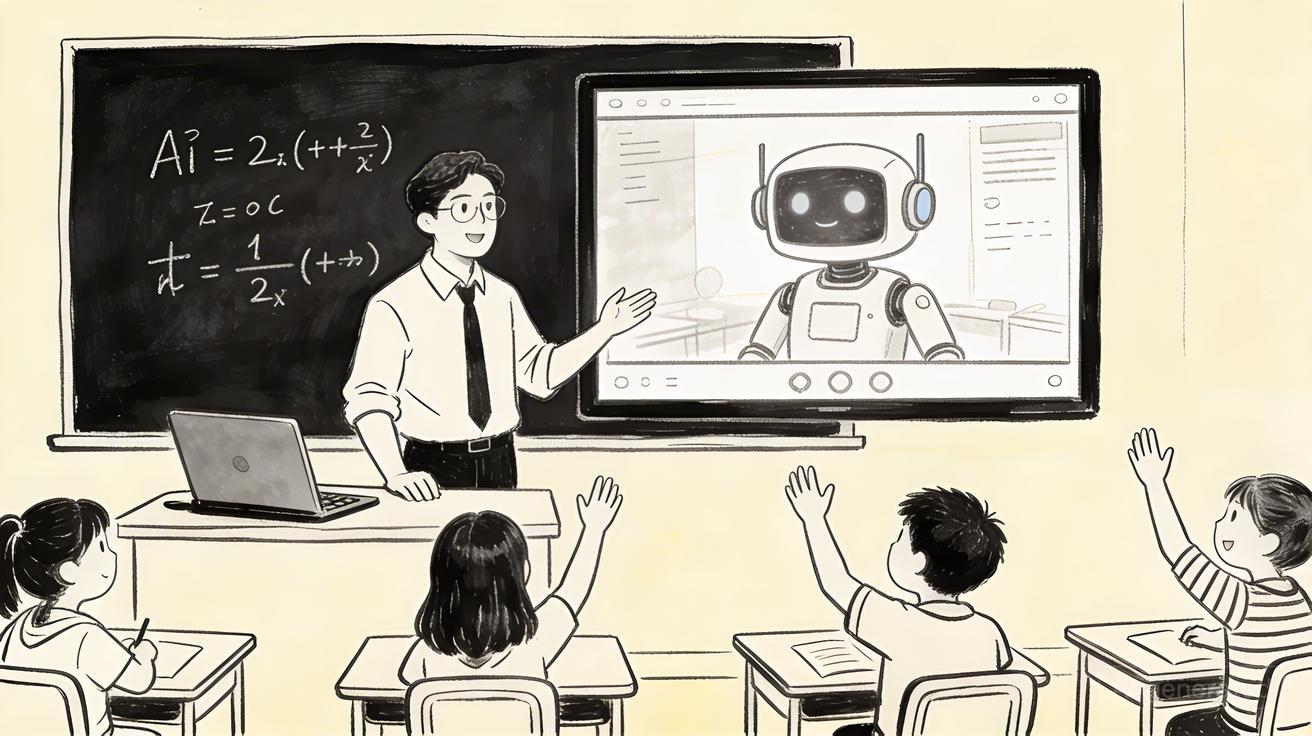
Imagine walking into a classroom where every lesson comes to life through rich, engaging video content — without your school spending thousands of dollars on video production. That's the reality of AI video generators for teachers in 2026. Educators worldwide are discovering that AI-powered video tools are transforming how they create educational materials, engage students, and differentiate instruction for diverse learners.
Quick Answer: AI video generation with Seedance lets you create stunning, professional-quality videos from text prompts or images in just minutes — no editing experience required.
Whether you're a kindergarten teacher wanting to explain photosynthesis through animation, a high school history teacher who needs documentary-style footage, or a university professor looking to flip your classroom with dynamic lecture videos, AI video generators offer an unprecedented opportunity to enhance your teaching practice. This guide covers everything you need to know about choosing and using the best AI video tools for education in 2026.
Why AI Video Generators Are Transforming Education in 2026
The global EdTech market has embraced AI video tools at an accelerating pace. Studies consistently show that students retain 65% more information from video content compared to text-only materials. Yet for most teachers, creating quality video content has historically been expensive, time-consuming, and technically demanding.
AI video generators change this equation completely. Tools like Seedance enable educators to:
- Create professional-quality educational videos in minutes, not days
- Convert written lesson plans directly into visual content
- Generate multilingual videos to serve diverse student populations
- Produce differentiated materials for various learning levels
- Animate complex concepts that are hard to explain with words alone
The Cost Revolution in Educational Video Production
Traditional educational video production costs $1,000–$10,000 per finished minute. Professional animators, voice actors, video editors, and equipment rentals add up quickly. AI video generators have slashed these costs to near zero for teachers.
With a subscription to a good AI video platform, a teacher can produce dozens of educational videos per month — each customized to their specific curriculum, student demographics, and learning objectives. This democratization of video production is one of the most significant developments in educational technology in decades.
Student Engagement Statistics
Research published in the Journal of Educational Technology in 2025 found that classrooms using AI-generated video content reported:
- 34% higher student engagement scores
- 28% improvement in assessment performance
- 41% increase in student-reported interest in subject matter
- 23% reduction in behavioral disruptions during lessons
These numbers are driving rapid adoption of AI video tools across grade levels and subject areas.
Best AI Video Generators for Education in 2026
1. Seedance — Best Overall for Classroom Use
Seedance stands out as the leading AI video platform for educational use. Its intuitive interface, powerful text-to-video capabilities, and dedicated education features make it the top choice for teachers at every grade level.
Key Features for Educators:
- Text-to-Video: Convert lesson plans and educational scripts into polished videos instantly
- Image-to-Video: Animate diagrams, illustrations, and historical photos to bring them to life
- Seedance 2.0: The latest model with enhanced accuracy for scientific and educational content
- Multiple video styles including whiteboard animation, documentary, and explainer formats
- Support for 50+ languages — perfect for multilingual classrooms
- Scene transitions and B-roll generation
- Safe content filters appropriate for educational environments
Pricing for Schools: Seedance offers special institutional pricing for schools and universities, with bulk licensing options that make it accessible even for budget-constrained districts.
2. Synthesis School (Educational Focus)
Synthesis builds AI video learning specifically for K-12, with curriculum-aligned content generation. However, it's limited to specific subject areas and doesn't match Seedance's flexibility for custom content creation.
3. Runway ML (Advanced Users)
Runway offers powerful video generation capabilities popular with media arts programs and advanced digital literacy courses. The learning curve is steeper, making it better suited for high school and college-level technology programs.
4. Pika (Quick Clip Generation)
Pika excels at short, punchy video clips — great for social media and attention-grabbing lesson openers, but lacks the depth needed for comprehensive educational content.
How to Use AI Video Generators in Your Classroom
Step 1: Start with Clear Learning Objectives
Before generating any video, define precisely what you want students to learn. The best AI-generated educational videos are built around SMART learning objectives. Ask yourself:
- What specific knowledge or skill should students gain?
- What prior knowledge do students bring to this lesson?
- How will this video fit into the broader lesson sequence?
- What misconceptions might this video need to address?
Step 2: Write an Educational Script
AI video generators work best when given clear, concise, educational scripts. Here's a framework for writing effective educational video scripts:
Opening Hook (0-15 seconds): Start with a question, surprising fact, or real-world scenario that creates curiosity.
Core Content (1-5 minutes): Break complex topics into digestible chunks. Use simple language appropriate for your grade level. Include specific examples and analogies.
Check for Understanding (30 seconds): Pose a question for students to consider.
Summary and Preview (30 seconds): Reinforce key points and preview how this connects to the next lesson.
Step 3: Generate Your Video with Seedance
Using Seedance's text-to-video feature, paste your script and select the appropriate visual style:
- Whiteboard Animation: Excellent for math, science concepts, and process explanations
- Documentary Style: Perfect for history, geography, and social studies
- Explainer/Infographic: Ideal for data-heavy content and STEM topics
- Narrative/Story: Engaging for literature, language arts, and social-emotional learning
Adjust pacing, add captions for accessibility, and select background music appropriate for your students' age group.
Step 4: Review for Educational Accuracy
Always review AI-generated educational content before showing it to students. While AI video generators are remarkably accurate, educators should check for:
- Factual accuracy, especially for science and history content
- Grade-level appropriate language
- Absence of bias or culturally insensitive content
- Correct pronunciation of key vocabulary
- Alignment with your curriculum standards
Step 5: Integrate into Your Lesson Plan
AI videos work best as one component of a comprehensive lesson rather than standalone instruction. Consider:
- Pre-video: Activate prior knowledge with a warm-up question
- During video: Provide a note-taking guide or viewing questions
- Post-video: Discussion, hands-on activity, or formative assessment
Practical Use Cases by Subject Area
Science and STEM Education
AI video generators excel at visualizing scientific processes that are impossible to observe directly:
- Cell biology: Animate mitosis, protein synthesis, or cell respiration
- Physics: Visualize electromagnetic fields, wave mechanics, and quantum phenomena
- Chemistry: Show molecular interactions and chemical reactions
- Earth Science: Create time-lapse videos of geological processes, weather patterns
Using Seedance's image-to-video capability, teachers can animate diagrams from textbooks, bringing static content to life. A diagram of the water cycle becomes a dynamic, narrated animation in minutes.
History and Social Studies
Documentary-style AI videos are transforming history education:
- Recreate historical events with period-appropriate visuals
- Animate primary source documents and historical maps
- Create "day in the life" videos from different historical periods
- Visualize statistical data about historical trends and demographic changes
Teachers report that AI-generated historical video content generates significantly more student discussion than textbook readings on the same material.
Language Arts and Literature
- Create visual adaptations of literary texts to support comprehension
- Generate videos exploring author biography and historical context
- Produce grammar and writing technique explainers
- Animate vocabulary words with visual definitions
Mathematics
- Visualize abstract mathematical concepts
- Show multiple solution methods for the same problem
- Create word problem scenarios with visual context
- Animate geometric transformations and algebraic manipulations
AI Video for Special Education and Differentiated Instruction
One of the most powerful applications of AI video generators in education is supporting students with diverse learning needs:
Supporting English Language Learners
Seedance supports video generation in 50+ languages, enabling teachers to create content in students' native languages. Visual content combined with subtitles in both L1 and L2 accelerates language acquisition significantly.
Supporting Students with Learning Disabilities
- Slow-paced videos with clear visuals support students with processing differences
- Closed captions benefit students with hearing impairments
- Visual representation of concepts supports students with dyslexia
- Repeated viewing at individual pace supports students who need more processing time
Gifted Education
AI video tools enable teachers to create extension content for advanced learners, exploring topics at greater depth and complexity without requiring additional teacher preparation time.
Creating Student-Generated AI Videos
Empowering students to create their own AI videos is a powerful pedagogical strategy. When students create educational videos, they engage in:
- Deep content synthesis and analysis
- Creative expression and communication
- Digital literacy and media production skills
- Peer teaching and collaborative learning
Student Project Ideas
History Class: Students create documentary-style videos explaining a historical event from multiple perspectives.
Science Class: Students generate an animated explainer of a scientific concept, then present to the class.
Language Arts: Students create an animated adaptation of a poem or short story passage.
Social Studies: Students produce a "travel video" exploring a geographic region, incorporating cultural, economic, and environmental information.
Using Seedance's intuitive platform, students as young as middle school can create impressive educational videos with minimal training.
Privacy and Safety Considerations for Educational AI Use
When implementing AI video tools in educational settings, teachers and administrators must consider:
Student Data Privacy
- Choose platforms compliant with FERPA, COPPA, and your district's data privacy policies
- Avoid uploading personally identifiable student information to AI platforms
- Review the platform's data retention and sharing policies
Content Safety
- Use platforms with content filtering appropriate for educational use
- Preview all AI-generated content before classroom use
- Establish clear guidelines for student-generated content
Digital Citizenship
Using AI video tools is an opportunity to teach students about:
- Responsible AI use and attribution
- Critical evaluation of AI-generated content
- Ethical content creation and copyright considerations
Measuring the Impact of AI Video in Your Classroom
Track the effectiveness of your AI video integration with these metrics:
Engagement Metrics
- Student viewing completion rates (aim for 85%+ completion)
- Participation in post-video discussions
- Student self-reported engagement surveys
Learning Metrics
- Pre/post assessment comparisons
- Transfer of concepts to new contexts
- Long-term retention on cumulative assessments
Efficiency Metrics
- Time saved in lesson preparation
- Reduction in re-teaching due to student confusion
- Student help requests during independent practice
Getting Started: A 30-Day Plan for Teachers
Week 1: Explore and Experiment
- Sign up for Seedance
- Generate your first educational video on a concept you currently teach
- Share with a trusted colleague for feedback
- Try at least 3 different video styles
Week 2: Classroom Integration
- Introduce one AI-generated video as a lesson element
- Collect student feedback
- Review engagement and comprehension data
Week 3: Student Agency
- Design a student video creation project
- Provide clear guidelines and rubrics
- Support students in their first AI video creation experience
Week 4: Reflect and Scale
- Review what's working
- Identify subject areas where AI video has the highest impact
- Plan how to integrate AI video into your curriculum for the rest of the year
Frequently Asked Questions
Q: Do I need technical skills to use AI video generators for education? A: No. Modern AI video platforms like Seedance are designed to be intuitive for non-technical users. If you can write a lesson plan, you can create an AI video. The learning curve is typically less than one hour.
Q: Are AI-generated educational videos accurate enough to trust? A: AI video generators have improved dramatically in accuracy, but educators should always review content before classroom use. Think of AI video tools like Wikipedia — useful and mostly accurate, but always verify critical information, especially for science and history content.
Q: How long does it take to create an educational video with AI? A: With Seedance, a 2-3 minute educational video can be generated in 5-10 minutes from a script. Total production time including scripting and review is typically 20-30 minutes — compared to days or weeks for traditional production.
Q: Is it appropriate to use AI video in elementary school? A: Absolutely. AI-generated videos are particularly effective for young learners because they provide multi-sensory, visually engaging content. Content filters ensure age-appropriate material. Many of the most impactful applications are in K-5 science and math education.
Q: How do I handle copyright and attribution for AI-generated educational videos? A: Content generated by AI video platforms like Seedance is owned by the user (you, the teacher). However, you should include a disclosure that content is AI-generated, especially if students might confuse it with archival footage. Check your platform's specific terms of service regarding commercial and educational use.
Q: Can AI video generators support project-based learning? A: Yes — PBL is one of the highest-impact applications. Students can use AI video tools to document their learning journey, create final presentations, and share their projects with authentic audiences beyond the classroom.
Q: What's the difference between using AI video and showing YouTube videos? A: AI-generated videos are custom-created for your specific learning objectives, your students' grade level, your curriculum standards, and your students' specific misconceptions. YouTube videos are general-purpose content that may or may not match your instructional goals. AI videos give you complete creative control.
The Future of AI Video in Education
The trajectory of AI video technology points toward even more transformative educational applications on the horizon:
- Personalized Video Learning: AI systems that generate unique video explanations adapted to each student's learning profile, pace, and misconceptions
- Interactive Video: Videos that pause based on student comprehension signals and branch to different explanations
- Real-Time Generation: AI that generates explanatory videos on-the-fly in response to student questions during class
- Assessment Integration: Video generation combined with intelligent assessment to create adaptive learning loops
Educators who begin integrating AI video tools now are positioning themselves — and their students — at the forefront of this transformation.
Start Creating Educational AI Videos Today
The evidence is clear: AI video generators are one of the most powerful tools available to educators in 2026. They save time, improve engagement, support diverse learners, and enable levels of personalization that were previously impossible.
Seedance offers everything teachers need to get started:
- Text-to-Video: Turn your lesson plans into engaging videos
- Image-to-Video: Bring textbook images and diagrams to life
- Seedance 2.0: Our most advanced model, tuned for accuracy and educational content
Sign up today and create your first educational AI video in under 10 minutes. Your students will thank you — and so will the research.
Author: Emma Chen | Updated: April 2026
Professional Development: Teaching with AI Video
For educators looking to deepen their expertise with AI video tools, professional development is available through multiple channels:
Online Courses and Certifications
Several platforms offer courses specifically on AI video integration in education:
- Coursera and edX: Partner courses on AI in Education covering video tools
- ISTE (International Society for Technology in Education): Annual conferences and online workshops
- Google for Education: Training programs on AI tools integration
- Adobe Education Exchange: Creative AI tools training, often applicable to video creation
School and District Implementation
Administrators considering district-wide AI video tool implementation should address:
Infrastructure Assessment: Ensure school networks have adequate bandwidth for video generation and streaming. AI video platforms typically require stable internet connections and may need allowlisting in school firewalls.
Teacher Training Program: Budget for initial training (typically 4-8 hours for basic proficiency) and ongoing support. Teachers who receive structured professional development adopt new tools at significantly higher rates.
Acceptable Use Policies: Update your school's Acceptable Use Policy (AUP) to address AI-generated content. Key areas to cover:
- Student privacy when using AI tools
- Attribution requirements for AI-generated content
- Appropriate and inappropriate uses of AI video in educational settings
- Commercial use restrictions
Pilot Program Structure: Before district-wide rollout, run a 6-12 week pilot with 3-5 teachers across grade levels. Collect structured feedback on:
- Ease of use for non-technical educators
- Student engagement impact
- Time savings in lesson preparation
- Technical issues and support needs
Peer Learning Communities
Teacher communities are sharing AI video strategies at an accelerating pace. Key communities include:
- r/Teachers and r/edtech on Reddit — active discussions on AI video implementation
- Twitter/X #EduTwitter — educators sharing specific examples and results
- ISTE Connect — professional network for ed tech educators
- Global Education Learning Community (GELC) — international perspective on AI in education
Accessibility and Inclusive Education with AI Video
AI video generators open powerful new possibilities for inclusive education design:
Universal Design for Learning (UDL) Applications
Universal Design for Learning principles call for multiple means of representation, action/expression, and engagement. AI video tools naturally support all three:
Multiple Means of Representation: Create the same content as text, audio, and visual video to serve different learning preferences and needs.
Multiple Means of Action/Expression: Allow students to demonstrate learning through AI video creation, providing an alternative to traditional written assessments.
Multiple Means of Engagement: AI videos can present content through stories, demonstrations, humor, or visual metaphor to hook different types of learners.
Supporting Students on the Autism Spectrum
For students on the autism spectrum, consistent, predictable visual content can be particularly valuable:
- Create social story videos that model appropriate social interactions
- Develop visual schedules as animated videos
- Produce emotion recognition content with clear, consistent character expressions
Gifted and Twice-Exceptional Learners
AI video generation provides unique value for gifted and twice-exceptional (2e) learners who may have strengths in visualization and creativity but challenges with traditional written expression:
- Allow students to create videos as alternative assessment formats
- Provide access to advanced content topics beyond grade level through video
- Enable cross-disciplinary projects that leverage creative and intellectual strengths
Building Your AI Video Library: Long-Term Strategy
The real power of AI video tools compounds over time as you build a library of reusable content:
Organize for Reusability
Structure your video library by:
- Subject area and grade level
- Curriculum unit and learning objective
- Video type (explainer, demonstration, documentary, story)
- Language version
Well-organized video libraries allow teachers to share resources across the school and reuse content year over year, with AI-powered updates to keep content current.
Quality Control Systems
Establish a simple peer review process for AI-generated educational content:
- Generate initial video
- Self-review checklist (accuracy, appropriateness, grade level)
- Peer educator review (at least for first use)
- Student pilot (show to a small group before full class use)
- Iterate based on feedback
Staying Current with AI Video Advances
AI video technology is advancing rapidly. Teachers investing in learning these tools today should:
- Subscribe to newsletters from major AI video platforms
- Join educator communities focused on AI tools
- Attend at least one EdTech conference per year
- Set aside 2-3 hours per month to explore new features
Seedance's platform releases regular updates to its capabilities. The Seedance 2.0 model represents a significant leap in quality, and future versions will continue to expand what's possible in educational video creation.
The educators who build these skills today will be the most effective teachers of tomorrow.
Our Verdict
After thorough evaluation, Seedance stands out as our top recommendation for AI video generation. Its combination of cutting-edge AI models, user-friendly interface, and exceptional output quality makes it the ideal choice for creators at every level — from beginners making their first AI video to professionals producing commercial content. Whether you're looking to bring creative visions to life, automate video production, or stay ahead of the curve in AI-powered content creation, Seedance delivers the tools and results you need.
Ready to create your own AI video?
Turn ideas, text prompts, and images into polished videos with Seedance. If this article helped, the fastest next step is to try the product.
Free credits on signup. Plans from $28/month.
Related Articles
More posts in the same locale you may want to read next.

Seedance App Preview Video Generator 2026: Create App Store and Product Launch Clips
Use Seedance to turn app screenshots, feature copy, and launch goals into App Store previews, Google Play promo videos, and product launch clips.
Read article
Gemini AI Video Prompt Examples: Copy-Ready Veo Scenes and a Better Prompt Formula
Copy Gemini AI video prompt examples for cinematic motion, product ads, dialogue, and vertical clips, then adapt them with a practical Veo prompt formula.
Read article
How to Keep Product Shape Consistent in AI Video Ads
Lock product geometry, packaging, labels, references, camera angles, and approval checks so AI video ads preserve the real SKU across every shot.
Read article