
AI Overview
What does “AI fruit” mean?
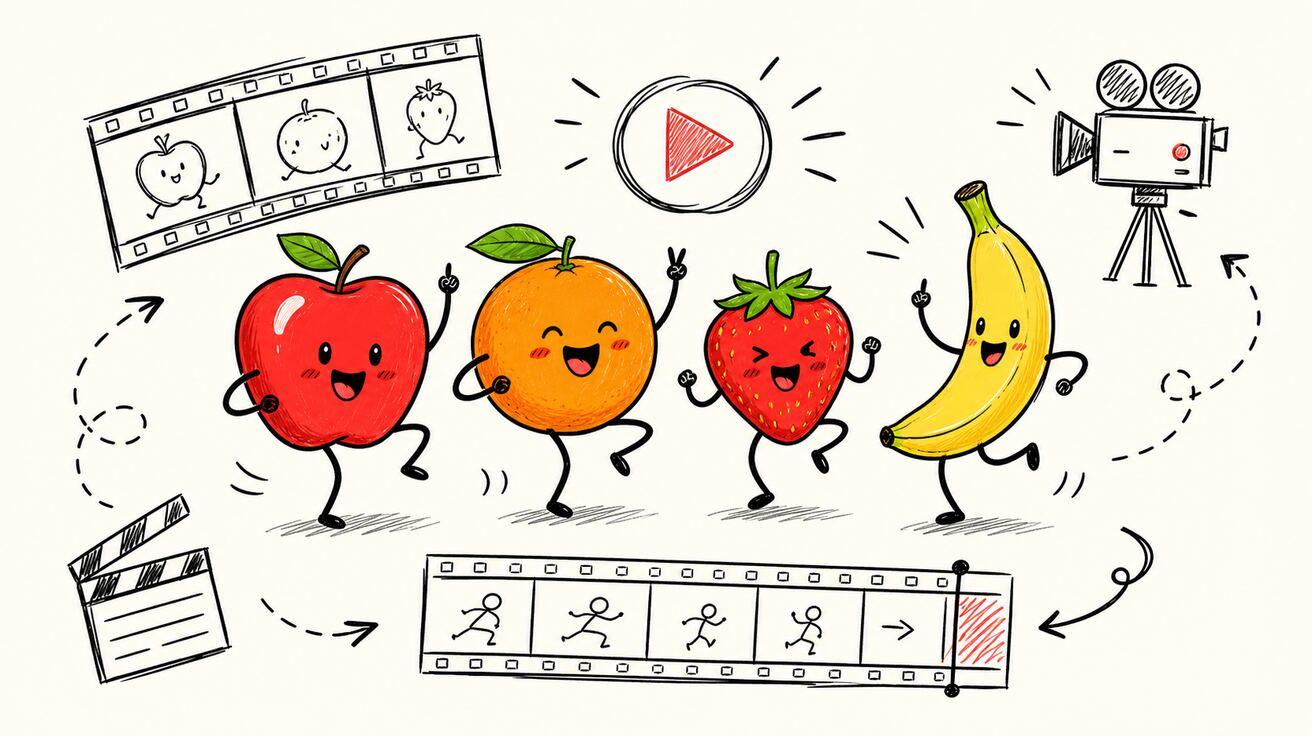
“AI fruit” refers to generated fruit characters, stylized fruit images, and short animations. For video, start with a recognizable character, simple silhouette, and one clear action.
How do you make an AI fruit video?
Generate a clean white-background apple character, then animate it with Seedance Image to Video using one bite, chew, or reaction. Keep the camera stable, compare two or three versions, and export the cleanest clip in 9:16.
Can you make a fruit video from one photo?
Yes, one photo works best when the fruit is front-facing, the mouth is clear, and the background is simple. Keep the fruit slice already in the character’s hand or beside it, with clean separation between the face, hands, and slice.
Can you create AI fruit videos for free?
Possibly, but free access depends on the current credits, watermark limits, and export rules. Check the live plan before generating, and do not assume unlimited free use.
Create a Reusable AI Fruit Character
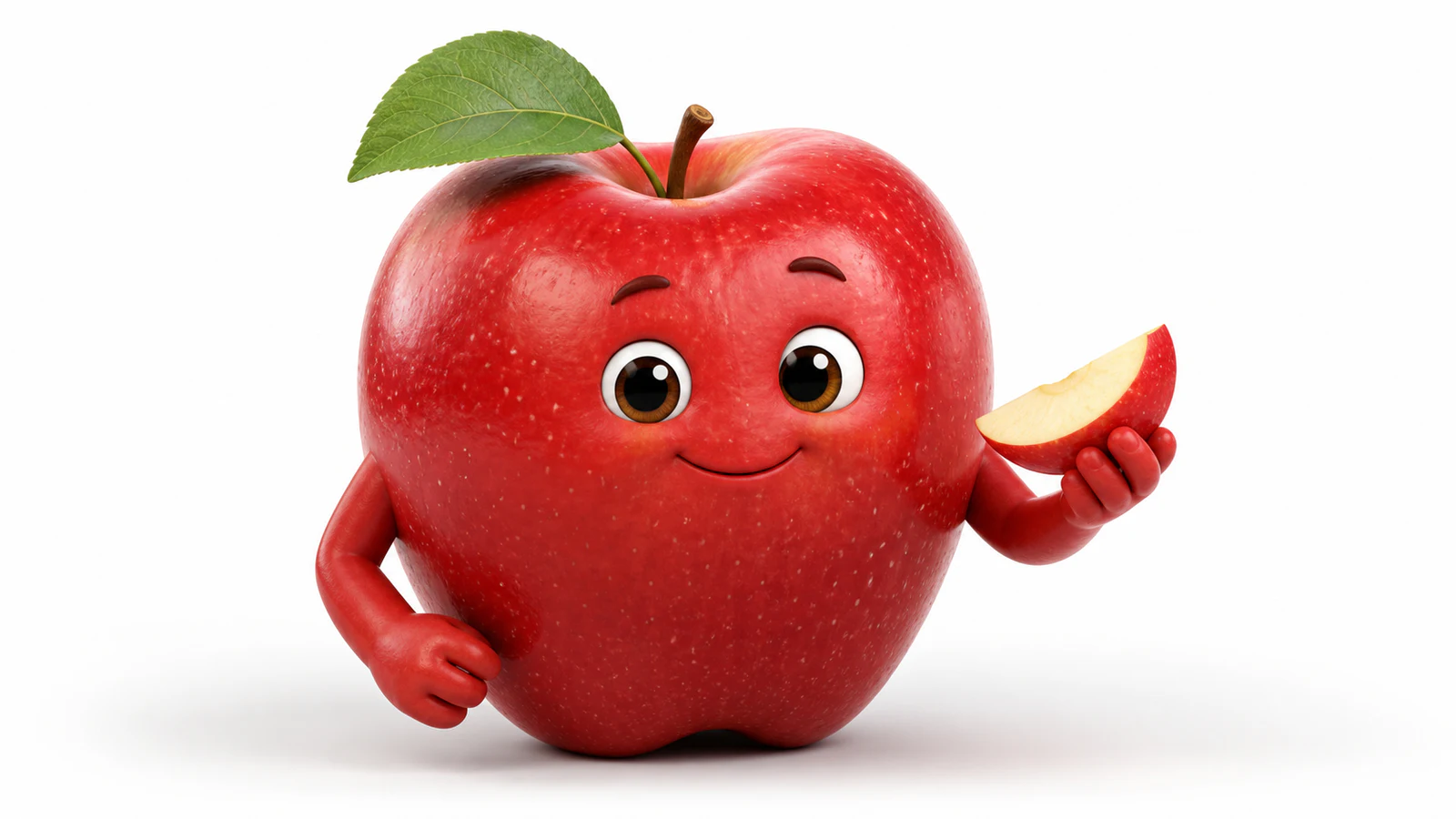
Treat the first image as a production-ready source frame, not just a cute illustration. Use Text to Image to create a white-background AI fruit character with one fruit subject in a front-facing or slightly angled pose. Give it a clear but simple face, keep the mouth separate from any fruit slice, and make the hands, slice, and body easy to distinguish against the clean background.
Avoid gore, crowded teeth, or overly realistic human facial features. These choices give Image to Video cleaner boundaries to animate and reduce warped mouths, duplicated fruit, and unstable hands.
Build a white-background character library
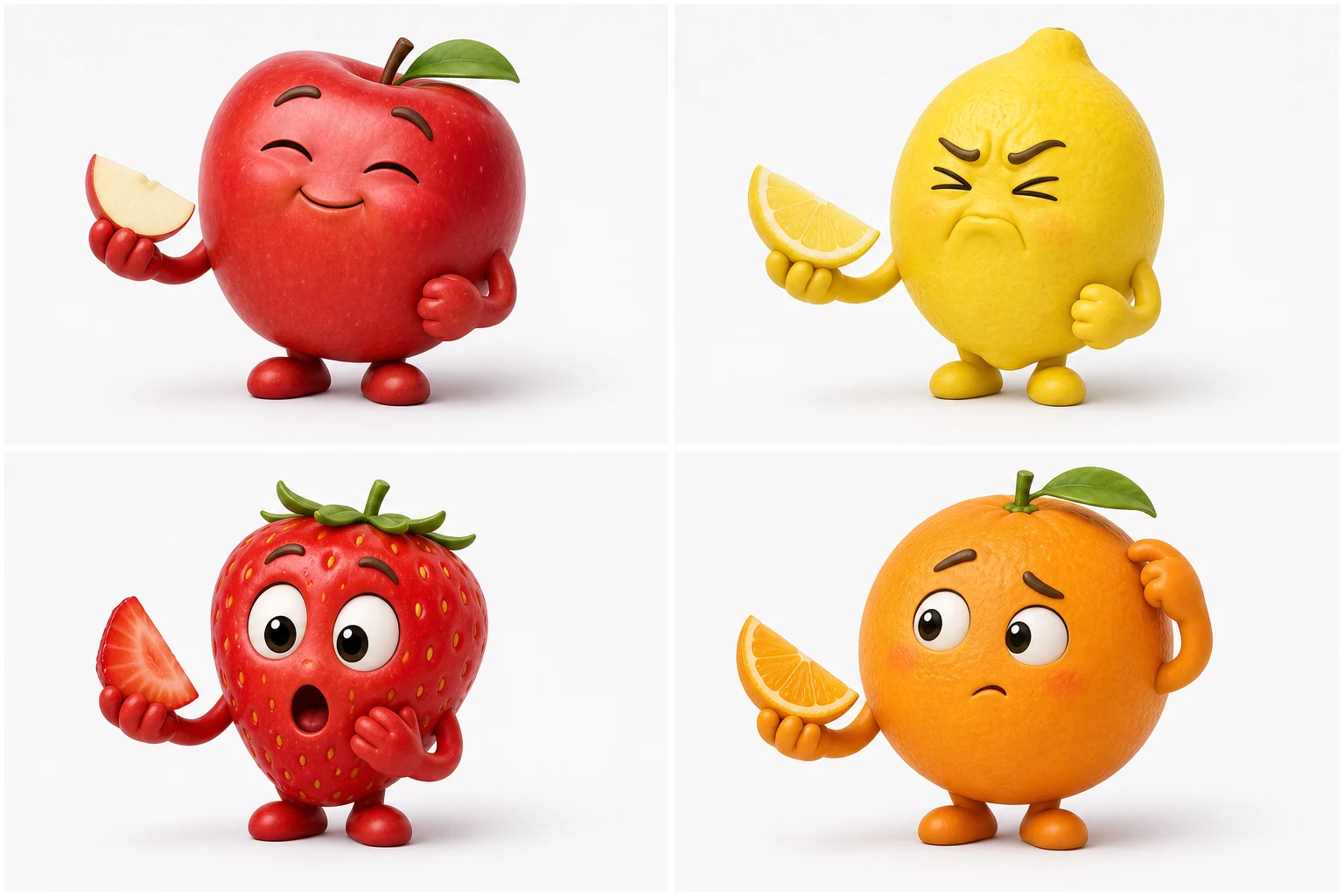
Build the library around four clean subjects—an apple, lemon, strawberry, and orange—so every character begins with the same controlled white-background style. For each fruit, create a neutral portrait, a version holding a slice, and a reaction-ready pose while keeping the face, silhouette, colors, and proportions consistent.
The white background is not just an aesthetic choice. It gives Image to Video a controllable first frame and leaves you with reusable material for stickers, thumbnails, and future meme variations. Once a source frame is approved, animate the AI fruit from one image so the face, slice, hands, and background all begin from a known design.
Make an AI Fruit Video in Seedance
Start with a clean, white-background source image in Seedance Image to Video. Keep each test focused on one small meme or ASMR action so the result is easy to compare and loop.
1. Choose one action
Use one clear beat per clip:
- One bite
- One chew
- One blink
- One sour reaction
Do not combine several actions or make waving and dancing the main event. A single action gives the model fewer details to change.
2. Describe motion, camera, and constraints
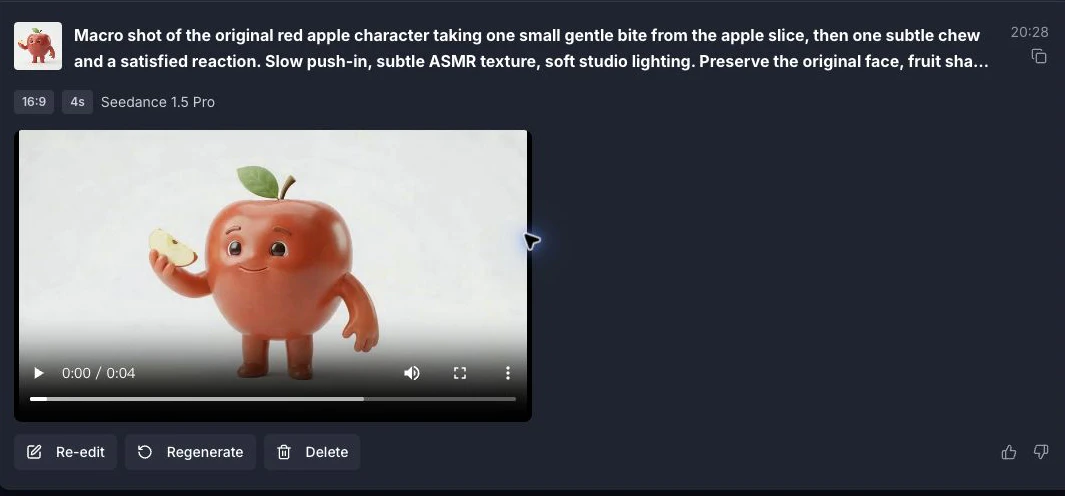
Describe the action, camera, sound mood, and details that must stay fixed. A macro shot or slow push-in works well for fruit meme and ASMR clips; ask for subtle ASMR rather than loud or complex audio.
Macro shot of the fruit character taking one small bite. Slow push-in, subtle ASMR texture. Preserve the original face, fruit shape, hands, fruit slice, background, and object count. No extra teeth, fingers, fruit, props, or text.
3. Generate two or three versions
Compare each version frame by frame. Check the mouth, fruit slice, face, liquid, fingers, and background, then keep the version with the cleanest bite and most stable identity.
4. Export for the destination
Prioritize 9:16 for TikTok, Reels, and Shorts. Use 1:1 for GIFs and feed posts; reserve 16:9 for compilations or YouTube.
Copy-Ready AI Fruit Video Prompts
AI Apple Meme: Apple Eating an Apple Slice
An original anthropomorphic red apple holds a small apple slice in one hand. Macro camera, one clear bite, one subtle chew, then a satisfied reaction. Preserve the original apple shape, face, leaf, hands, slice, and background. No extra teeth, fingers, fruit, props, or text.
AI Fruits Eating Themselves ASMR
Create an original anthropomorphic lemon, strawberry, or orange holding a small slice of the same fruit. Macro shot, one bite, subtle crunch and juicy ASMR, one small reaction, then return close to the starting pose for a clean loop. Preserve the source design and use original sound; do not copy a specific account’s character design or audio. No extra teeth, fingers, or fruit.
AI Fruit Reaction Meme
The fruit tastes something sour, sweet, or spicy and gives one clear reaction. Keep the face and fruit shape stable, then hold the final pose for one second so an original caption can be added in editing. No generated caption, extra limbs, duplicate fruit, or scene change.
White-Background Fruit Product Reveal
On a clean white background, an original fruit character turns toward an unbranded product package and presents it with one hand. Use a locked camera or gentle push-in, preserve the package shape, approved copy, label placement, and character identity, and add no new logos or text. Keep packaging, labels, and copy stable throughout the clip.
Plan and Publish an AI Fruit Meme
The joke should come from a simple setup plus a strange reversal, not a complicated plot. An apple eating a slice of apple is already the unexpected turn; the animation only needs to make that idea readable.
- Setup: the apple faces the camera with a small apple slice already in its hand.
- Action: it completes one bite and one chew.
- Finish: it shows one surprised, satisfied, or regretful expression and holds.
- Edit: add original text and licensed ASMR or audio in post-production.
Keep the same source image and change only the final reaction when making variants. This produces a recognizable meme series without asking one generation to solve a full story.
Edit the final clip
Treat generation as the first pass. Keep the clearest complete action, trim unstable opening or ending frames, and place captions in the safe area without covering the face or feet. Add only licensed music or original sound, export in the platform’s preferred ratio, review the compressed upload, and include an AI label where required.
Editing should polish a strong result, not hide a broken one. Regenerate clips with obvious face, limb, or identity drift; for a clean loop, cut between similar poses or finish on a deliberate hold instead of forcing a jump cut.
Ideas for TikTok, Reels, and Shorts
- A fruit character reacting to a creator problem
- A three-fruit “choose your mood” series
- One apple dance move adapted to several songs
- A fruit mascot introducing a product feature
- A white-background loop used as a sticker overlay
- A before-and-after post showing the source image and animated result
- A weekly fruit character with a new expression
Keep the first second readable: one character, one focal point, and one visible action. If viewers need to decode the scene before the movement begins, the concept is probably too complicated for a short clip.
Publish responsibly
Use only images you created, licensed, or have permission to upload. Avoid copying recognizable meme characters, mascots, packaging, logos, or a creator's signature style.
Get consent before using a real person—especially a child—and keep minors out of unsafe or inappropriate scenes. Before publishing or using a clip commercially, review every frame and confirm you have the necessary rights; platform terms do not guarantee ownership.
Choose and Troubleshoot a Seedance Workflow
With Seedance 2.0, use Text to Image → Image to Video as the main workflow for creating a white-background AI fruit character or an AI apple meme. Design the controlled first frame first, then animate one bite, chew, or reaction.
Use Image to Video when you already have an approved apple or fruit image. The source image should define the face, fruit shape, slice, hands, and background that must remain stable.
Use Reference to Video when you are building a series and need the same character to stay recognizable across multiple clips or scenes.
Use Text to Video to explore a single surreal fruit shot where exact character identity does not matter. It is not the best choice for a series that requires strict face, color, leaf, or mascot consistency.
Whichever route you choose, test one low-complexity action before generating a batch.
Fix common AI fruit video problems
Change only one instruction per retry so the cause of the improvement remains clear.
Fruit slice merges into the face: increase only the distance between the hand, slice, and mouth; keep the action and camera unchanged.
Mouth or teeth change shape: reduce only the bite range and specify a stable mouth outline with no new teeth.
Extra fingers appear: simplify only the grip so one clearly visible hand holds the slice; leave the rest of the prompt unchanged.
Apple loses its original color or leaf: to preserve the same face and fruit design, strengthen only the identity constraint—preserve the exact red color, silhouette, and leaf placement.
Bite becomes graphic or unpleasant: change only the bite style to a gentle, shallow bite with no tearing, gore, or excessive liquid.
ASMR timing does not match the mouth: adjust only the timing so the bite sound happens at contact and one chew sound follows the mouth movement.
White background develops shadows or extra objects: change only the background instruction to preserve the original clean white background with no new shadows, props, or objects.
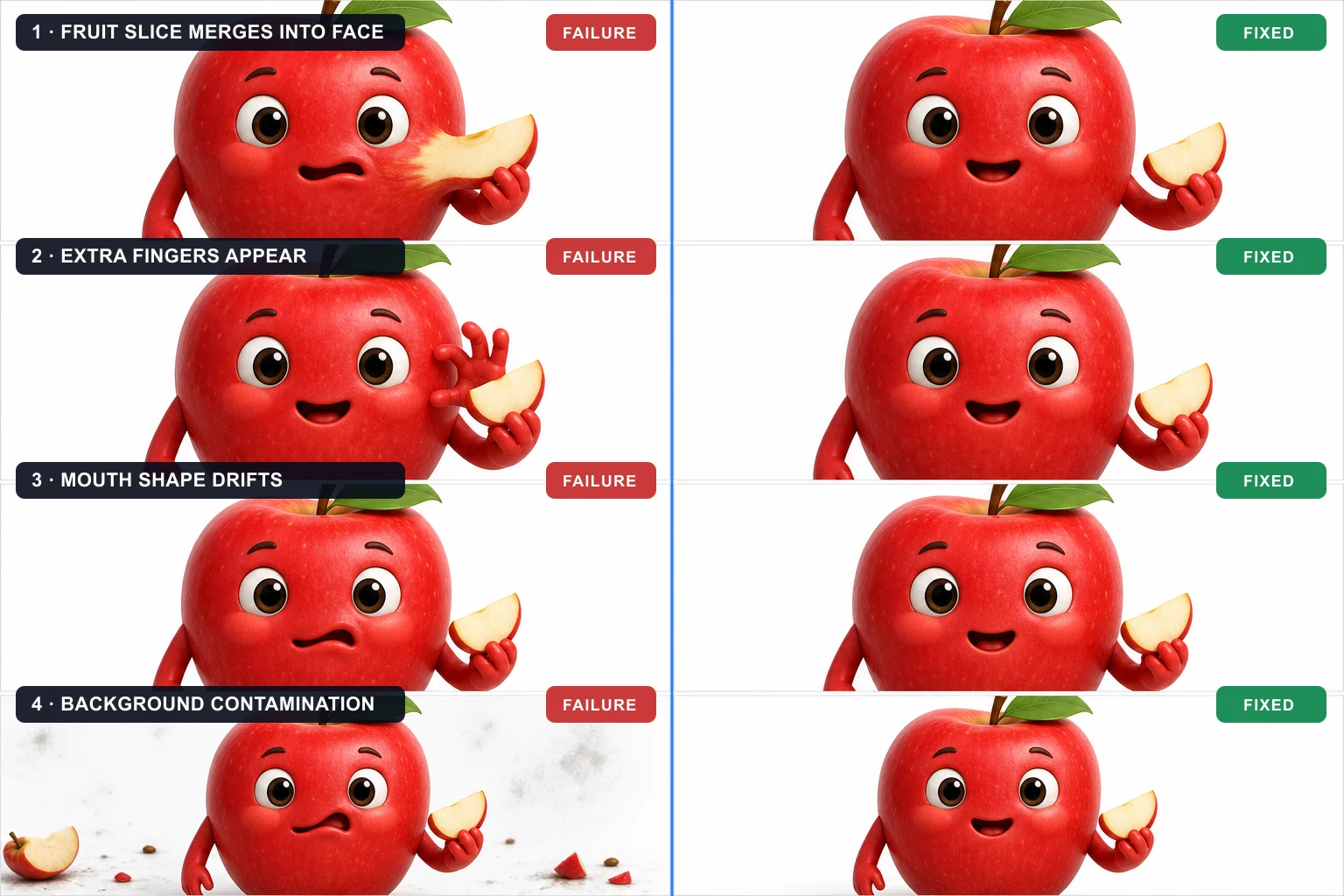
Failure vs Fixed Output — four common AI fruit generation errors beside corrected keyframes with one-variable fixes.
Review before posting
Watch the entire clip at normal speed and once frame by frame. A strong thumbnail cannot rescue a broken transition in the middle.
Also check audio separately. Some models or settings may provide sound while others may not. If you add music or effects later, use audio you have permission to publish and confirm that the timing matches the final edit.
Conclusion
A reliable AI fruit workflow starts with a clean white-background character and one simple action. For an AI apple or fruit meme, keep the bite small, the camera stable, and the final reaction readable. Generate several versions, review every frame for face, mouth, fruit-slice, and hand consistency, then add original captions and licensed audio before publishing. Seedance Image to Video is the most direct place to animate the source image and test short meme variations.
Ready to try it yourself?
Put the steps from this guide into practice with Seedance and turn prompts or images into polished videos in minutes.
Free credits on signup. Plans from $28/month.
Related Articles
More posts in the same locale you may want to read next.
Seedance Video Prompt Guide: 15 Seedance 2.0 Video Prompts to Copy
Use this Seedance video prompt guide to copy 15 Seedance 2.0 video prompts, control camera motion, use references, and fix inconsistent AI video results.
Read article
Seedance 2.0 Character Consistency: Pro Video Guide
Master Seedance 2.0 character consistency. Our guide covers prompt engineering, asset prep, and multi-character workflows to create professional videos.
Read article
8 Master Seedance 2.0 Camera Movement Prompts
Unlock cinematic shots with our guide to 8 essential Seedance 2.0 camera movement prompts. Master dolly, crane, orbit, and more with actionable examples.
Read article