
أداة رفع دقة الفيديو

AI Video Upscaler: Upscale and Enhance Videos to 4K Online
Use Seedance's AI video upscaler to improve video quality online. Enhance blurry or low-resolution videos to 1080p, 2K, or 4K while preserving the original motion, timing, and framing.
Upscale a Video NowWhy Choose Our AI Video Upscaler?

High-Quality AI Video Upscaling
Go beyond simply stretching pixels. Our AI video upscaler rebuilds edges, textures, and fine details to create clearer, sharper footage that looks natural on larger screens.
Start Upscaling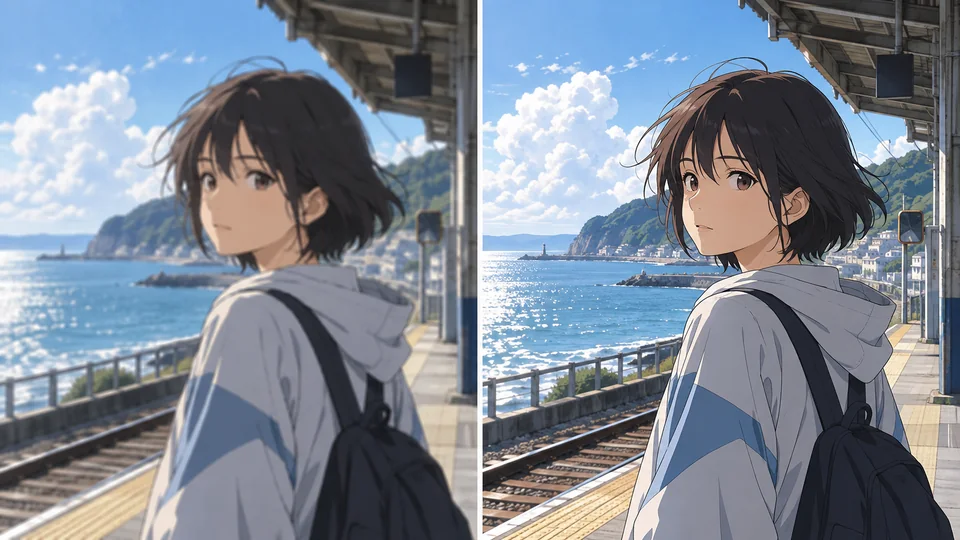
Make Anime Videos Crisp and Vivid
Enhance anime clips while protecting the style that makes them distinctive. Sharpen linework, enrich color, and improve clarity without changing the original animation, timing, or composition.
Start Upscaling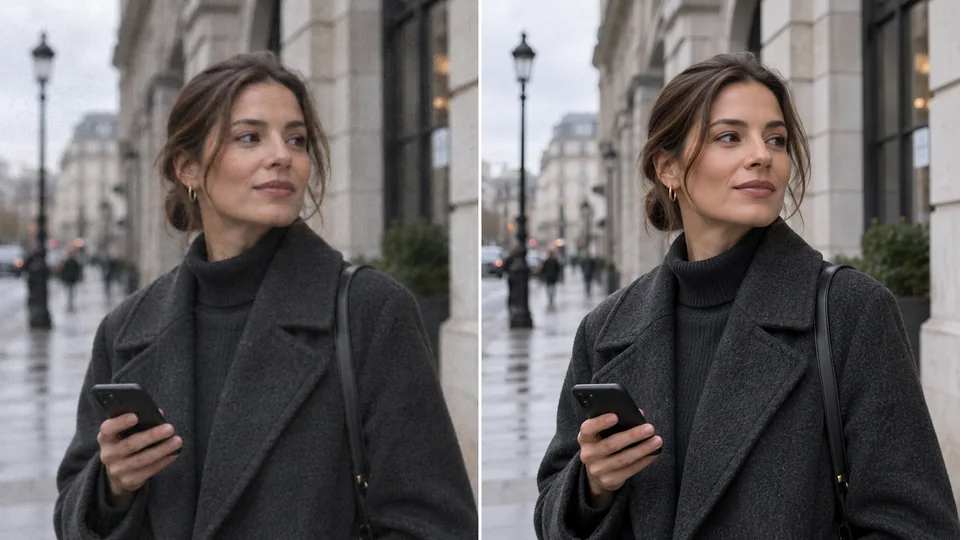
Reduce Video Noise and Blur
Clean up distracting grain, compression blocks, banding, and soft edges as you upscale. The result is smoother, more polished video with details that are easier to see.
Start Upscaling
Preserve Every Original Detail
Improve video resolution without sacrificing the source footage. Seedance keeps the original framing, motion, duration, and visual character intact while giving each frame a cleaner, sharper finish.
Start UpscalingWho Uses the AI Video Upscaler?
The footage people bring here is usually soft for a reason — and each reason has a different fix
Sharpen Every Upload
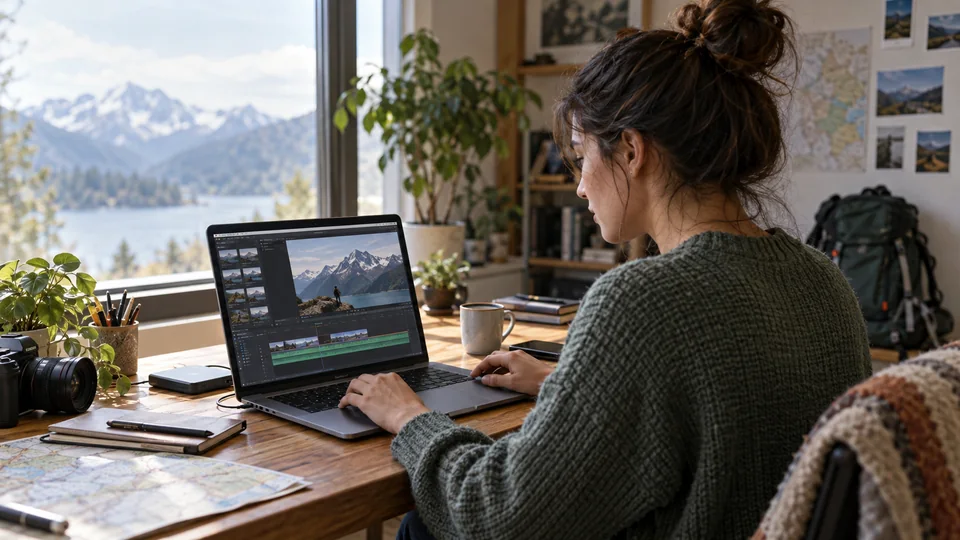
Make soft vlogs, YouTube Shorts, and tutorials look crisp, clean, and more professional before you publish.
Restore Style-Rich Scenes
Clean up anime and animated footage while keeping bold outlines, vivid color, and smooth character motion intact.
Polish Campaign Videos
Enhance product videos, social ads, and UGC clips so every frame looks clearer, more credible, and ready to convert.
Make Tutorials Easier to Follow
Improve explainers, product demos, and training videos so on-screen text, interfaces, and presentation details stay sharp and readable.
How to Upscale a Video to 4K in 3 Steps
From a soft clip to a sharp one, without leaving the browser
- 1
Add Your Source Video
Upload an MP4 or MOV file up to 50 MB, or pick a clip you already generated from My Creations. No install, no plugin — it runs in the browser on Windows, Mac and mobile.
- 2
Choose the Output Resolution
Choose 1080p, 2K or 4K. Only sizes above your source are shown; output dimensions and credits update with your selection.
- 3
Upscale and Download
Start the job and the enhanced video appears in the history panel when it is ready. Download the MP4 — no watermark, and nothing re-encoded a second time.
Explore More Cutting-Edge AI Video Tools
Text to Video
Describe a shot and generate it from scratch, then upscale the take you keep.
Try Now →

Image to Video
Animate any photo into a dynamic AI video with realistic motion and lighting.
Try Now →

AI Product Ad Generator
Turn product photos into scroll-stopping video ads with AI avatars and prompts.
Try Now →
AI Video Upscaler FAQs
Common questions about enhancing existing footage with AI
What does an AI video upscaler actually do?
It raises the resolution of an existing video while rebuilding the detail that was never captured or was lost to compression. Unlike scaling in an editor, which simply spreads the same pixels over a larger frame, the model predicts plausible fine structure — hair, fabric weave, text edges, skin texture — from what it learned about how real footage looks before and after degradation.
Which files can I upload?
MP4 and MOV, up to 50 MB per file. We read the real duration and resolution of the file on our servers before the job starts, so a clip that cannot be read is rejected before any credits are spent.
How is the cost calculated?
By the length of the source video, counted in whole seconds — a partial second at the end is not charged, and every job bills at least one second — at the per-second rate shown next to the cost in the form. Upload your clip first and the panel shows the exact figure before you submit. Failed jobs are refunded automatically.
Should I choose 1080p, 2K or 4K?
Choose the size your delivery needs. 2K uses the 1440p tier. Only sizes above the source are offered. Exact dimensions follow the source aspect ratio.
Will upscaling change what happens in my video?
No. The upscaler is source-preserving: it takes no prompt and cannot add, remove or re-time anything. Duration, framing, cuts and motion come back unchanged; only resolution and clarity differ.
Can I upscale AI-generated videos?
Yes, and it is one of the most useful cases. Many models cap output at 720p or 1080p. Generate at the model's native resolution, pick the result from My Creations, and upscale it afterwards — usually cheaper than paying a premium tier for a higher-resolution generation.
How long does a job take?
Time depends on source duration, output size and the provider queue. The job continues after you leave; collect the finished video from your history.
Is there a watermark on the result?
No. The upscaled MP4 comes back clean and ready to publish, at the same duration and aspect ratio as the file you uploaded.
Do I need to install software?
No. Everything runs on our servers, so the work does not depend on your machine's GPU. Upload from a browser on Windows, Mac or a phone, close the tab if you like, and collect the result from your history later.
What kind of source gives the best result?
Footage that is soft or small but otherwise clean. Heavy compression blocking, severe motion blur and extreme low light limit what any model can recover, because the detail is not merely hidden — it was never recorded. Start from the highest-quality master you have rather than a re-exported or re-uploaded copy.
Try Seedance AI Video Upscaler for Free Now
Give old footage, AI-generated clips, and final exports the clarity they deserve—right from your browser.