
Seedance for Website Hero Videos 2026: Turn Product Screens into Motion Assets
Last Updated: May 6, 2026
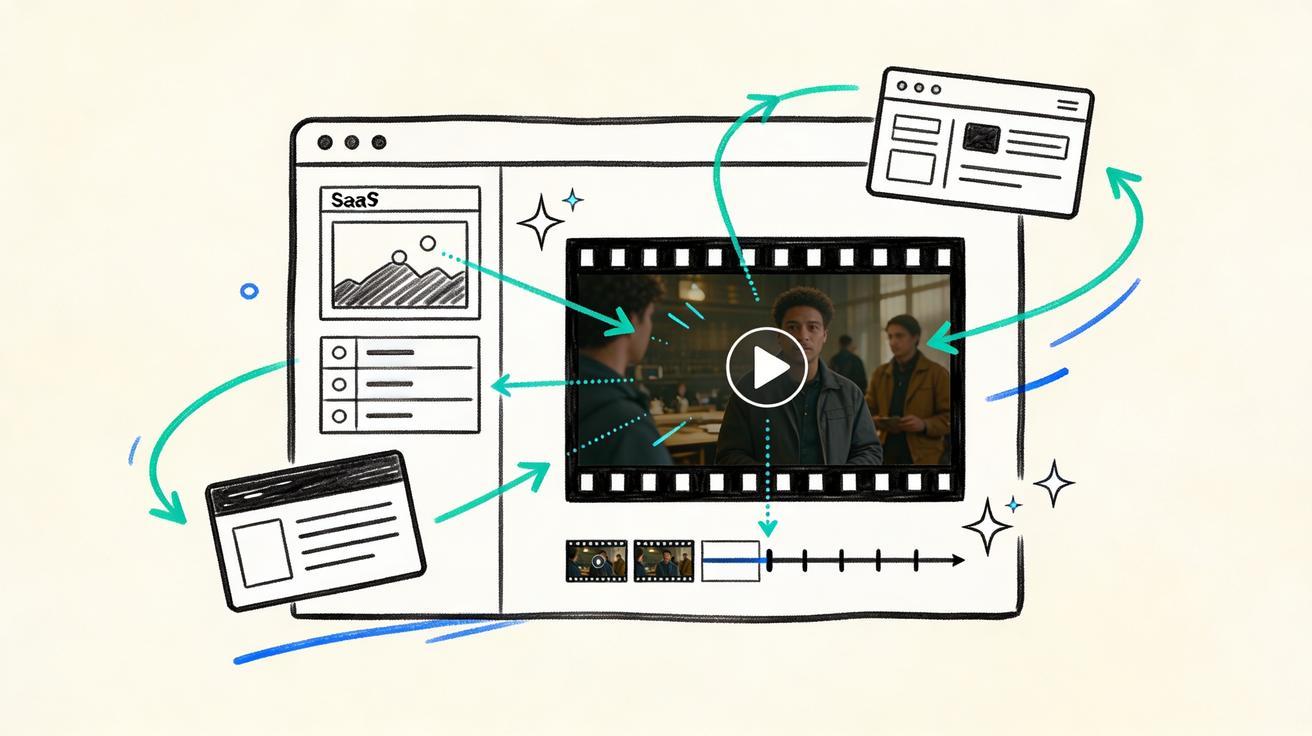
Quick Answer: Seedance helps teams turn static product screens, dashboard screenshots, app mockups, and UI stills into short website hero videos. For SaaS, ecommerce, mobile apps, and AI products, the best workflow is to start with a clean screen capture, use Seedance image-to-video to create controlled motion, export a tight silent loop, and place it in the hero section with performance and accessibility safeguards.
Website hero sections have become the first product demo many visitors see. A headline explains the value, but a moving product screen can show the value before a visitor reads the second line. The challenge is that most teams do not have time to film a polished product video for every launch, feature page, landing page, or A/B test. Static screenshots are fast, but they often feel flat. Full explainer videos are rich, but they can be heavy, expensive, and too slow for the first viewport.
This is where Seedance website hero videos fit. Seedance gives marketers, founders, product designers, and growth teams a practical middle path: take a real product screen and turn it into a short motion asset that feels alive without requiring a camera crew, motion designer, or full post-production workflow. Instead of treating hero video as a once-a-quarter brand project, you can treat it as an everyday conversion asset.
This guide shows how to plan, prompt, generate, edit, and deploy website hero videos with Seedance in 2026. The focus is not on making random AI clips. The focus is on using Seedance to create motion that supports the page message, protects product clarity, and helps visitors understand what your tool does faster.
Why product screens make strong hero video inputs
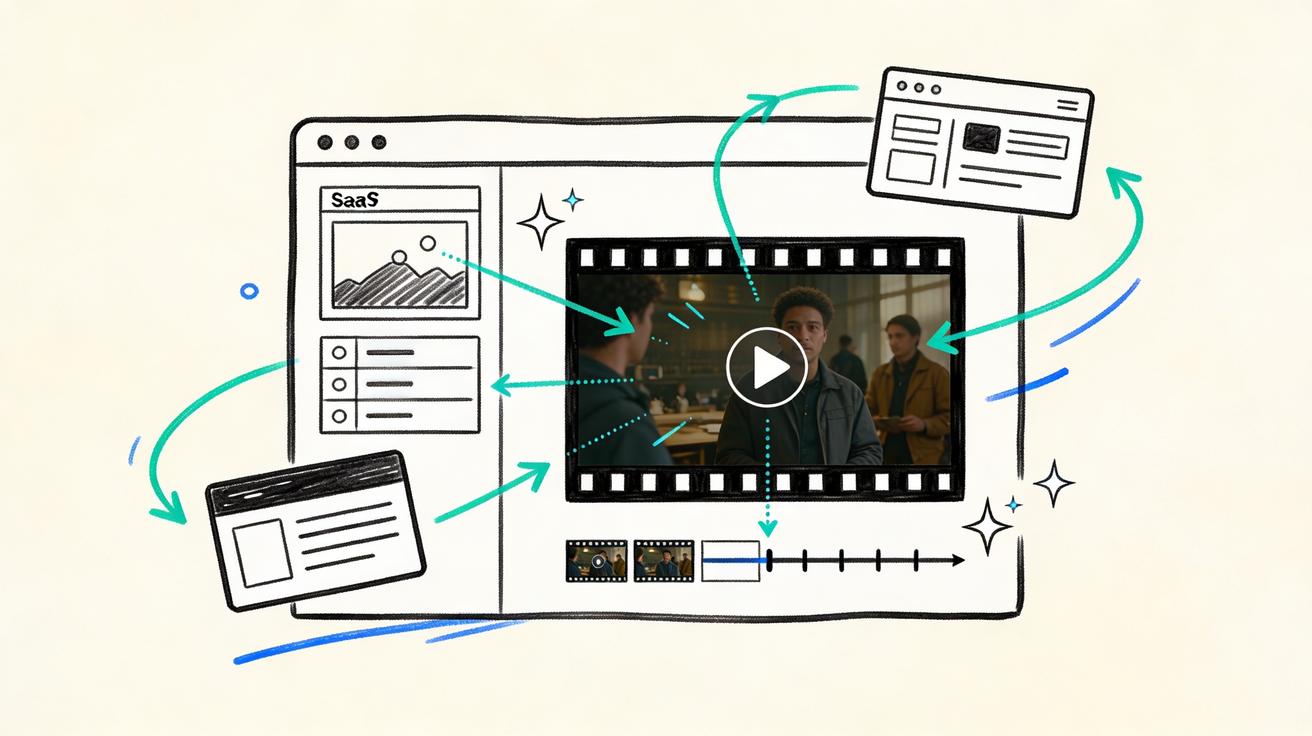
A product screen already contains the proof visitors want. It shows the interface, the workflow, the dashboard, the editor, the result, or the business outcome. When you use a real screen as the starting point, your hero video does not need to invent a fictional world. It only needs to add the right amount of movement.
That matters because many hero videos fail for the same reason: they look impressive but do not explain the product. A cinematic abstract animation may create atmosphere, yet it can also delay understanding. A product screenshot is clearer, but it may not earn attention. Seedance helps combine both strengths. You keep the recognizability of the product screen and add subtle motion that guides the eye.
For example, a SaaS analytics page can become a hero video where cards slide into place, a chart line animates upward, and a cursor highlights one insight. An ecommerce product page can become a hero video where a product mockup rotates slightly, option chips activate, and social proof cards appear around the screen. A mobile app landing page can show a phone UI with a smooth scroll, a message bubble, or a before-and-after transition. None of these need to be long. Five to eight seconds can be enough when the loop is designed well.
The best Seedance hero videos usually start from one of these assets:
- A clean desktop screenshot of the product dashboard
- A mobile app screen capture placed in a device frame
- A Figma mockup of a new feature or landing concept
- A product result page, report, generated image, or generated video still
- A before-and-after screen pair that shows transformation
- A marketplace or ecommerce product card layout
- A UI scene with a cursor, progress state, or callout card
The key is to start from a screen that already communicates value. Seedance can add motion, polish, and story, but it should not be asked to rescue a confusing visual. If the still frame is unclear, the moving version will usually be unclear too.
What makes a hero video different from a social video
A website hero video has a different job from a TikTok clip, YouTube ad, or product launch trailer. It lives inside a page layout. It competes with the headline, navigation, CTA, trust badges, and scroll depth. Visitors may see it without sound. Some visitors may be on mobile connections. Others may prefer reduced motion. That means the hero video needs discipline.
A good Seedance website hero video should be:
- Short: Usually four to ten seconds, with a loop that does not feel abrupt.
- Silent by default: The video should communicate without narration or music.
- Readable: The key interface elements should remain stable enough to understand.
- Low distraction: Motion should support the CTA, not pull attention away from it.
- Performance aware: The final file should be compressed and lazy-loaded where appropriate.
- Accessible: The page should respect reduced-motion preferences and provide a static fallback.
- Message aligned: Every movement should reinforce the promise in the headline.
This is why Seedance is especially useful for hero sections. You can generate multiple motion directions quickly, then choose the version that best supports the page. One version may feel too cinematic. Another may move too much. A third may have exactly the right amount of interface motion. The practical advantage is iteration speed: instead of briefing a motion designer for every variation, you can use Seedance to explore the range first.
The Seedance workflow for website hero videos
The most reliable workflow is simple: prepare the screen, define the hero message, generate motion in Seedance, review for clarity, export a loop, and deploy with a fallback. The steps below are designed for production pages, not just experiments.
1. Choose the product screen that proves the headline
Before opening Seedance, write the hero headline and subheadline. Then ask which product screen proves that promise fastest. If the headline says “Turn customer data into weekly growth insights,” the hero screen should show a dashboard, insight cards, or report generation flow. If the headline says “Create AI videos from product images,” the hero screen should show the input image, prompt, and generated video preview.
Avoid screens that are visually busy without a clear focal point. A dense admin dashboard may be accurate, but if every number is tiny, it will not work well in a hero section. Crop the screen to the meaningful area. Hide private data. Replace sensitive customer names. Increase UI scale if needed. A hero video is not a documentation screenshot; it is a conversion asset.
2. Clean the input image before generating motion
Seedance image-to-video works best when the source image is crisp and intentional. Export a high-resolution screenshot or mockup. Remove browser clutter unless the browser frame helps the story. Use consistent spacing. Keep the contrast high. If the product screen has tiny text, consider replacing small labels with larger representative text or simplified cards.
A useful preparation checklist:
- Export at 16:9 if the hero area is desktop first.
- Export a vertical or square alternate if the mobile hero uses a different crop.
- Keep the product UI centered with room for motion around it.
- Avoid overlapping popups unless the popup is the main story.
- Remove real personal data and internal account information.
- Save one static fallback image from the exact same composition.
This preparation step makes the difference between an AI clip that feels random and a Seedance hero video that feels designed.
3. Prompt Seedance for controlled motion, not chaos
The prompt should describe the motion, the camera behavior, the UI stability, and the loop. Do not simply write “make this screenshot into a cool video.” Seedance can do more useful work when the prompt explains what should move and what should remain stable.
A strong prompt pattern looks like this:
“Create a short silent website hero video from this product dashboard screenshot. Keep the UI layout and text stable. Add subtle motion: a cursor glides to the main insight card, the chart line animates gently, small highlight rings appear around the key metric, and the background has a soft parallax movement. Professional SaaS landing page style, clean, premium, no extra text, no logo changes, smooth loop, 6 seconds.”
For ecommerce, the same pattern becomes:
“Turn this product page screenshot into a polished website hero video. Keep the product image and UI structure consistent. Add subtle motion: product card lifts slightly, color options activate one by one, review stars shimmer softly, and the add-to-cart area receives a gentle highlight. Clean ecommerce landing page style, silent autoplay loop, no new text, no distorted UI, 6 seconds.”
For an AI tool, you might write:
“Animate this AI video generator interface for a website hero section. Keep the product screen readable. Add controlled motion: prompt box receives a cursor focus, progress bar fills, preview window changes from still image to moving frame, and small generated thumbnails slide into place. Modern AI product landing page style, smooth loop, no extra words, 7 seconds.”
The phrase “keep the UI layout and text stable” is important. Hero videos should not confuse visitors by warping the product. You want motion around the interface, not a hallucinated redesign.
Hero video concepts you can create with Seedance
Different product categories need different motion patterns. Below are practical Seedance concepts that work well for websites.
SaaS dashboard hero
Use a dashboard screenshot as the base. Ask Seedance to animate a chart line, highlight a metric card, and move a cursor toward the primary action. Keep all numbers and labels stable. The goal is to show clarity and momentum, not to overwhelm the visitor with motion.
Best for analytics tools, CRM platforms, finance apps, HR software, project management tools, and internal operations products.
AI product generation hero
Show the product input and output in one frame. Seedance can animate the moment where a prompt turns into a preview, a still image becomes video, or generated options appear in a grid. This format is especially strong for AI products because visitors want to see cause and effect immediately.
Best for image generators, video generators, design tools, writing tools, coding assistants, and creative automation platforms.
Ecommerce product motion hero
Start with a product detail page, collection card, or product mockup. Add a gentle product float, variant selection motion, review highlight, or cart interaction. Keep it elegant. Ecommerce hero videos work best when they make the product feel tangible without turning the page into a noisy ad.
Best for DTC brands, Shopify stores, fashion, beauty, hardware, digital products, and marketplace pages.
Mobile app hero
Place the app screen in a phone frame and prompt Seedance for a clean swipe, scroll, notification, or screen transition. Mobile hero videos often need a separate vertical version, because a desktop crop may waste space on phone layouts. Create desktop and mobile variants instead of forcing one video to serve every breakpoint.
Best for consumer apps, productivity apps, fintech apps, education apps, fitness apps, and social products.
Before-and-after hero
Use a split screen or two stacked states. Seedance can animate the transition from messy input to polished output, manual workflow to automated workflow, blank screen to finished result, or static product photo to motion asset. This concept is useful when the product value is transformation.
Best for automation tools, AI editing tools, cleanup tools, optimization platforms, and agencies showing service outcomes.
How to evaluate Seedance hero video outputs
When Seedance generates several options, do not choose only the most visually exciting one. Choose the one that helps the landing page convert. Use a simple review scorecard.
Clarity
Can a first-time visitor understand what the product does within two seconds? If the answer is no, the motion may be too abstract. Hero motion should guide attention toward the product value. It should not require explanation.
UI fidelity
Does the product screen still look like your product? Watch for distorted buttons, changed labels, warped text, strange cursor behavior, or generated UI elements that do not exist. Small imperfections may be acceptable in a stylized background, but the main product area should remain trustworthy.
Loop quality
Does the end connect smoothly back to the start? A hard jump can make the page feel unfinished. If the loop is not seamless, trim the clip, fade the first and last frames, or generate a version with a clearer loop instruction.
CTA support
Does the motion move attention toward the call to action or away from it? If the CTA sits on the left and the video has frantic movement on the right, visitors may watch without clicking. Use slower motion near the CTA zone and more detail around the product proof.
Page speed
Can the final asset be compressed enough for production? A hero video that looks beautiful but slows the first viewport is not a win. Export multiple formats, test mobile performance, and keep a static image fallback.
Brand fit
Does the motion match your product category? A security SaaS page may need calm, precise motion. A creator tool may support more energy. A finance tool may need stability and confidence. Seedance gives you range, but the page strategy should decide the direction.
Recommended Seedance prompt library
Use these prompts as starting points. Replace the bracketed details with your product context.
Prompt for a calm SaaS hero video
“Create a short silent website hero video from this [product type] dashboard screenshot. Keep the interface, layout, and text stable. Add subtle professional motion: main metric card highlights softly, chart line animates from left to right, cursor moves once toward the primary action, and background cards have gentle parallax. Premium B2B SaaS landing page style, clean and trustworthy, no extra text, no distorted UI, smooth 6 second loop.”
Prompt for a high-energy AI product hero
“Animate this AI product interface for a website hero section. Preserve the product screen and readable UI. Add motion showing transformation: prompt field activates, generation progress moves, preview area changes from still input to polished output, and three result thumbnails slide into place. Modern AI startup landing page style, crisp, fast but not chaotic, silent autoplay, smooth 7 second loop, no new words.”
Prompt for ecommerce hero motion
“Turn this ecommerce product screen into a refined hero video. Keep product image, price area, and buttons consistent. Add subtle motion: product image lifts slightly, selected variant changes once, review badge glows gently, and add-to-cart button receives a soft highlight. Premium online store style, clean, conversion focused, silent loop, no extra text, no UI distortion.”
Prompt for mobile app hero
“Create a website hero video from this mobile app screen. Keep the app UI stable inside the phone frame. Add natural motion: thumb-like scroll, one card expands, a notification appears briefly, and the screen returns to the starting state for a seamless loop. Clean app landing page style, modern, friendly, no extra text, 6 seconds.”
Prompt for product-screen transformation
“Animate this product screen as a before-and-after website hero video. Keep both states clear. Add a smooth transition from [before state] to [after state], with highlight rings on the improved area and a subtle motion trail. Professional landing page style, simple, readable, silent, no new UI labels, seamless loop.”
These prompts are intentionally specific. Seedance can interpret creative direction, but production hero videos benefit from constraints. Tell Seedance what to protect, what to animate, and what the viewer should feel.
Deployment checklist for Seedance website hero videos
Generating the video is only half of the job. The final asset needs to work inside a real website.
Export the right formats
Use a compressed MP4 for broad compatibility and consider WebM where your stack supports it. Keep the duration short. Remove audio if the video does not need it. A silent file is easier to autoplay and easier to compress.
Add a static fallback
Use the source screenshot or the first polished frame as a fallback image. This helps visitors with reduced-motion settings, slow connections, or browsers that delay video loading. The fallback should be good enough to carry the hero message by itself.
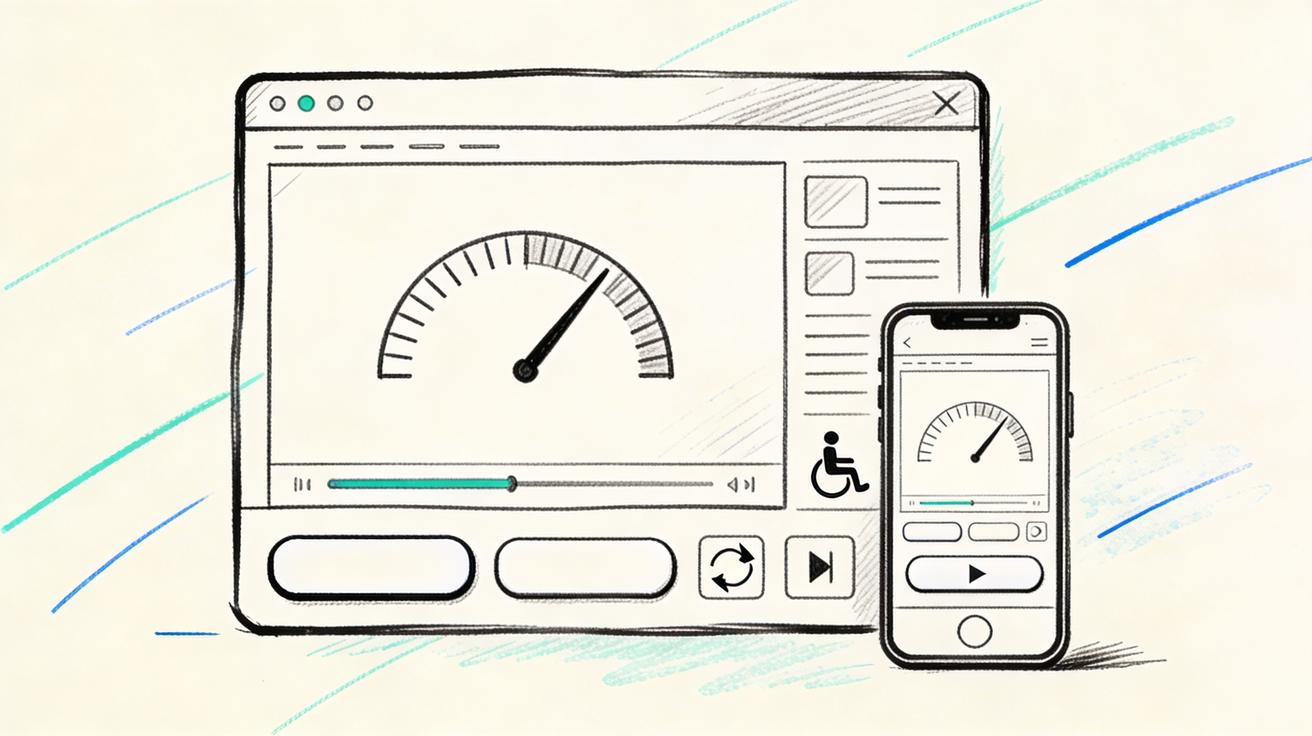
Respect reduced motion
If a visitor has requested reduced motion, do not force an animated hero. Show the fallback image or a very limited animation. This is both an accessibility improvement and a trust signal.
Keep text outside the video when possible
Important headline text, CTA copy, pricing messages, and legal claims should live in HTML, not inside the video. Video text can become blurry, inaccessible, hard to translate, and difficult to update. Use Seedance for product motion and visual proof; use the page for copy.
Test the first viewport
Check desktop, tablet, and mobile. Make sure the video does not cover the CTA, crop the product proof, or create layout shift. If the video sits behind text, test contrast. If it sits beside text, test whether motion distracts from reading.
Compress aggressively but honestly
The goal is not maximum cinematic detail. The goal is fast understanding. A smaller, cleaner video often performs better than a huge file with tiny details visitors cannot see. If compression damages UI readability, simplify the composition and regenerate rather than shipping a heavy asset.
A practical production recipe
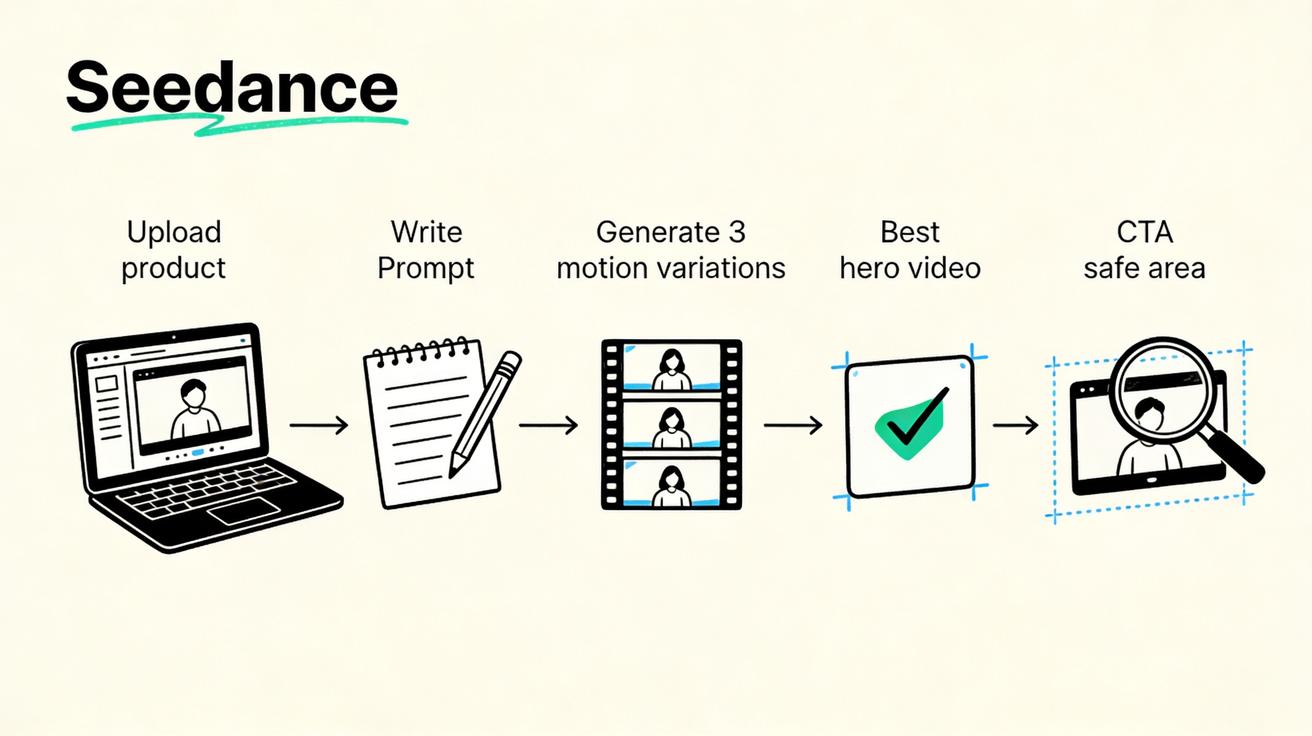
Here is a repeatable recipe for turning one product screen into a Seedance hero video asset.
- Define the page promise. Write the exact headline and CTA before creating the video.
- Pick one hero screen. Choose the product screen that proves the promise fastest.
- Clean the screenshot. Remove private data, increase scale, simplify noise, and export high resolution.
- Generate three Seedance versions. Create calm, medium, and energetic motion directions.
- Review with the scorecard. Judge clarity, UI fidelity, loop quality, CTA support, page speed, and brand fit.
- Trim and compress. Keep the best four to eight seconds and export silent autoplay versions.
- Create a fallback. Use a static image from the same composition.
- Deploy carefully. Add preload strategy, reduced-motion handling, and mobile-specific crop.
- Measure the page. Track scroll depth, CTA click rate, signups, and page performance after launch.
- Iterate. Use Seedance to create a second motion direction for A/B testing if traffic volume supports it.
This recipe makes hero video production predictable. It also prevents the common mistake of treating AI video generation as the whole strategy. Seedance creates the motion asset; the landing page still needs positioning, speed, accessibility, and measurement.
Common mistakes to avoid
Making the UI move too much
If the interface constantly morphs, visitors may not trust it. Ask Seedance for controlled motion and stable UI. The best website hero videos often feel almost understated. The visitor should think “I understand this product,” not “what just happened?”
Asking for a full commercial instead of a hero loop
A hero video is not a full ad. Do not cram every feature, benefit, persona, and use case into one loop. Pick one promise and one visual proof. Save deeper demos for lower sections or dedicated product videos.
Embedding critical copy inside the video
Video text is hard to localize and can be unreadable on mobile. Keep essential copy in the page layout. Let the Seedance asset demonstrate product motion behind or beside the copy.
Ignoring mobile crops
A desktop hero video may look great on a laptop and terrible on a phone. Create a mobile version or use a crop-safe composition. Place the most important product motion near the center so responsive layouts do not cut it off.
Shipping without a fallback
Even if the video works for you, it may not autoplay for every visitor. A static fallback protects the experience. It also helps page speed and accessibility.
Where Seedance fits in a growth workflow
Seedance is most valuable when it becomes part of the landing page iteration process. A growth team can create a hero video for a new feature page, test a different product proof angle, update the motion when the UI changes, and build seasonal campaign assets without restarting from zero each time.
For a Seedance-powered workflow, keep a small asset library:
- Original source screenshots
- Cleaned screenshots without private data
- Prompt versions that worked well
- Generated hero video candidates
- Final compressed production files
- Static fallbacks
- Notes on page performance and conversion results
Over time, this library becomes a motion system for your website. You learn which prompts preserve your UI, which motion styles fit your brand, and which product screens help visitors understand value fastest. That learning compounds.
If you are already using Seedance for image-to-video, website hero videos are a natural next step. Instead of animating only creative images or social assets, you can animate product proof directly. If you are building new landing pages, combine the hero motion workflow with text-to-video for concept exploration and Seedance 2.0 for product-led AI video generation.
Final recommendation
Use Seedance website hero videos when your page needs product proof, not just decoration. Start with a clean screen that already explains the product. Prompt Seedance for controlled motion. Review the output like a conversion asset. Deploy it with performance, accessibility, and mobile behavior in mind.
The winning version is rarely the wildest video. It is the version that makes the product feel clear, credible, and alive in the first few seconds. For teams launching pages quickly in 2026, Seedance turns product screens into motion assets that can be tested, improved, and reused across the website.
FAQ
What are Seedance website hero videos?
Seedance website hero videos are short motion assets created with Seedance for the top section of a webpage. They often start from a product screenshot, app mockup, dashboard, or ecommerce screen, then use AI video generation to add controlled motion that helps visitors understand the product quickly.
Can I use a product screenshot as the input for Seedance?
Yes. A clean product screenshot is one of the best inputs for a website hero video. For best results, remove private data, crop the screen to the important area, keep the UI readable, and prompt Seedance to preserve the interface while adding subtle motion.
How long should a website hero video be?
Most website hero videos work best as a short four to ten second loop. The exact length depends on the page layout and product story, but the video should communicate value quickly and loop smoothly without distracting from the headline or CTA.
Should hero videos autoplay with sound?
No. Website hero videos should normally be silent by default. Important messages should appear in the page copy, not in audio. A silent Seedance hero video is easier to autoplay, easier to compress, and more respectful of visitors.
How do I keep Seedance from changing my UI too much?
Use prompt constraints such as “keep the UI layout and text stable,” “no extra text,” “no logo changes,” and “preserve the product screen.” Also generate multiple versions and choose the one with the best UI fidelity, not just the most dramatic motion.
Do I need a static fallback for a Seedance hero video?
Yes. Always provide a static fallback image. It protects page speed, supports browsers that delay video loading, and respects visitors who prefer reduced motion. The fallback can be the original screen or a polished frame from the final video.
<script type="application/ld+json"> { "@context": "https://schema.org", "@type": "FAQPage", "mainEntity": [ { "@type": "Question", "name": "What are Seedance website hero videos?", "acceptedAnswer": { "@type": "Answer", "text": "Seedance website hero videos are short motion assets created with Seedance for the top section of a webpage. They often start from a product screenshot, app mockup, dashboard, or ecommerce screen, then use AI video generation to add controlled motion that helps visitors understand the product quickly." } }, { "@type": "Question", "name": "Can I use a product screenshot as the input for Seedance?", "acceptedAnswer": { "@type": "Answer", "text": "Yes. A clean product screenshot is one of the best inputs for a website hero video. For best results, remove private data, crop the screen to the important area, keep the UI readable, and prompt Seedance to preserve the interface while adding subtle motion." } }, { "@type": "Question", "name": "How long should a website hero video be?", "acceptedAnswer": { "@type": "Answer", "text": "Most website hero videos work best as a short four to ten second loop. The exact length depends on the page layout and product story, but the video should communicate value quickly and loop smoothly without distracting from the headline or CTA." } }, { "@type": "Question", "name": "Should hero videos autoplay with sound?", "acceptedAnswer": { "@type": "Answer", "text": "No. Website hero videos should normally be silent by default. Important messages should appear in the page copy, not in audio. A silent Seedance hero video is easier to autoplay, easier to compress, and more respectful of visitors." } }, { "@type": "Question", "name": "How do I keep Seedance from changing my UI too much?", "acceptedAnswer": { "@type": "Answer", "text": "Use prompt constraints such as keep the UI layout and text stable, no extra text, no logo changes, and preserve the product screen. Also generate multiple versions and choose the one with the best UI fidelity, not just the most dramatic motion." } }, { "@type": "Question", "name": "Do I need a static fallback for a Seedance hero video?", "acceptedAnswer": { "@type": "Answer", "text": "Yes. Always provide a static fallback image. It protects page speed, supports browsers that delay video loading, and respects visitors who prefer reduced motion. The fallback can be the original screen or a polished frame from the final video." } } ] } </script>
Ready to create your own AI video?
Turn ideas, text prompts, and images into polished videos with Seedance. If this article helped, the fastest next step is to try the product.
Free credits on signup. Plans from $28/month.
Related Articles
More posts in the same locale you may want to read next.

Seedance App Preview Video Generator 2026: Create App Store and Product Launch Clips
Use Seedance to turn app screenshots, feature copy, and launch goals into App Store previews, Google Play promo videos, and product launch clips.
Read article
Pictory Blog to Video Tutorial: Turn an Article Into a Watchable Story
Follow a practical Pictory blog-to-video workflow for compressing an article, fixing visuals, adding voiceover and captions, and approving the final export.
Read article
Higgsfield API Pricing per Video: Calculate the Real Cost Before You Generate
Calculate Higgsfield API cost per video using live per-second quotes, configuration estimates, retry budgets and approved-deliverable cost controls.
Read article