
Seedance 2.5 Text to Video: The Complete Workflow Guide for 2026
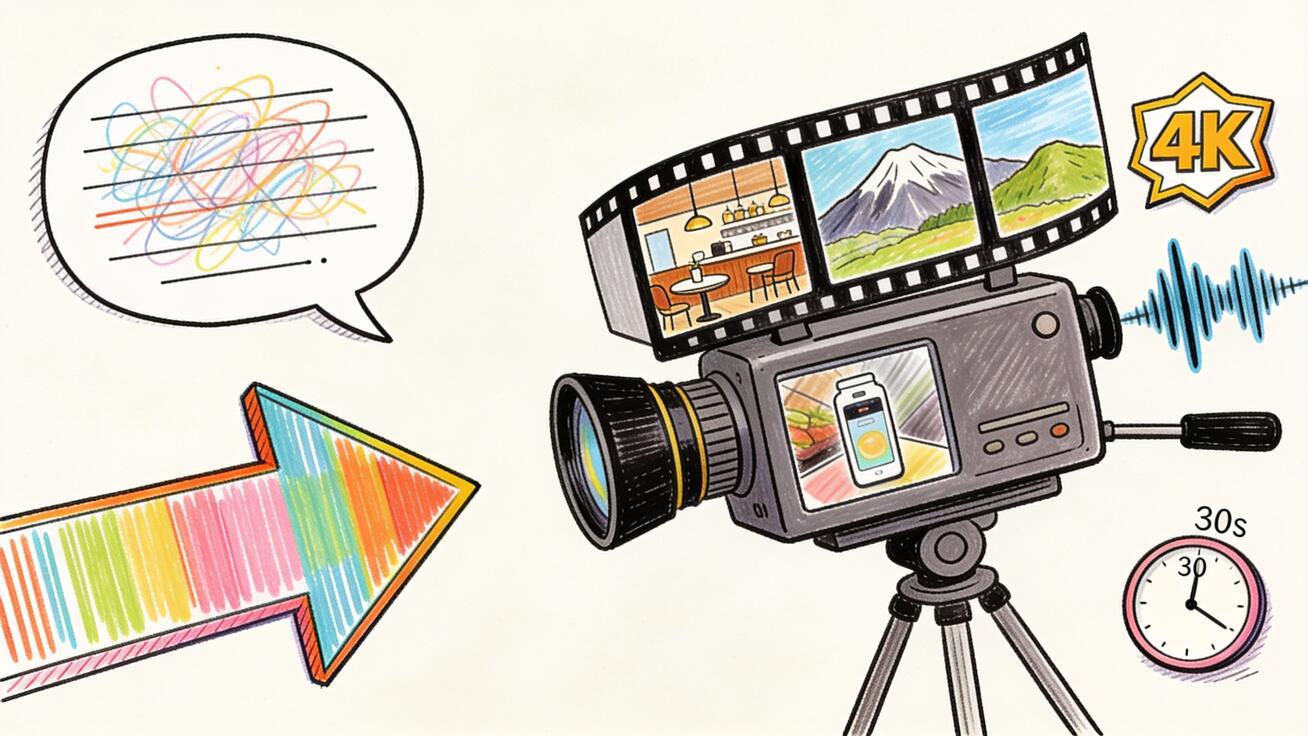
Seedance 2.5 text to video generates a single continuous clip up to 30 seconds long in native 4K with synchronized audio — all from a single text prompt. You describe a scene, and the model builds it: the subject, the camera movement, the environment, the sound. There's no multi-clip stitching, no separate audio job, and no need for source footage. If you have a clear prompt, you have the footage.
This guide covers how to use Seedance 2.5's text-to-video mode end-to-end: the prompt structure that produces consistent results, how to write motion and camera directions, audio control, specific use cases with copy-ready prompts, and how the 30-second format changes your production workflow compared to earlier models.
For the full Seedance 2.5 overview, start at the Seedance 2.5 model page. If you're starting from a still image instead of a text prompt, see the Seedance 2.5 image-to-video guide.
Quick Answer: How to Generate Video from Text with Seedance 2.5
- Open Seedance and select Text-to-Video mode
- Write a prompt that covers: subject + action + camera + lighting + style + audio
- Set any additional parameters (aspect ratio, duration preference)
- Generate — Seedance 2.5 returns up to 30 seconds of 4K video with audio in one pass
- Review subject consistency, motion, and audio; regenerate or refine if needed
That's the loop. The difference between a prompt that produces a publish-ready clip on the first try and one that needs five regenerations is how specifically you've described each of the six prompt elements.
The Six-Part Prompt Structure for Seedance 2.5
Every strong Seedance 2.5 text-to-video prompt covers the same six elements. Think of them as layers you stack, not a rigid order.
1. Subject — who or what is in the scene, with specific visual attributes. Generic: "a woman." Specific: "a woman in her early thirties with short red hair, wearing a tailored charcoal blazer." Concrete details — age, clothing, color, material, expression, physical trait — prevent the model from filling in the gaps with inconsistent interpretations across 30 seconds.
2. Action — one clear, continuous motion arc with a start and end. "She stands at the window, turns slowly to face the camera, and crosses her arms" is one arc. "She stands, then walks, then sits, then picks up her phone" is four unrelated actions — spread across 30 seconds, the model will try to fit them all in and often produces rushed or incoherent transitions. Keep the action singular and let the camera movement create variety.
3. Camera — shot size (wide, medium, close-up), angle (eye-level, low angle, overhead), and movement (dolly-in, pan, orbit, static, crane up). Camera direction is where most prompts underdeliver. A "medium close-up, slow push-in" feels completely different from a "wide static shot" of the same scene. Seedance 2.5 follows camera language well, so using it costs nothing and changes the output significantly.
4. Lighting — the quality, direction, and color temperature of the light. "Warm morning light through a tall window, soft shadows on the right" tells the model an enormous amount about the environment. "Natural light" tells it almost nothing. Lighting is often the invisible ingredient that separates cinematic output from flat output.
5. Style — the visual language. Film emulation: "35mm film, slight grain." Documentary: "verité handheld, natural light." Commercial: "clean commercial aesthetic, shallow depth of field." Product: "tabletop product photography style." Pick one consistent style direction; the model does not blend conflicting styles well.
6. Audio — what the environment sounds like. Seedance 2.5 generates audio natively, alongside the video. If you don't specify, the model makes an inference from the visual scene — sometimes correctly, sometimes not. Naming what you want is always more reliable: "ambient coffee shop noise, distant espresso machine," "outdoor wind, distant street traffic," "electronic ambient score, no diegetic sound."
Complete Prompt Example
A barista with curly dark hair and a green apron steams milk behind a marble counter, turning to smile at a customer. Slow dolly-in from medium to close-up over the full clip. Warm morning light from the right, soft bokeh on the background equipment. Cinematic 35mm film aesthetic, shallow depth of field. Ambient café noise, espresso machine hiss, quiet background music.
That prompt covers all six elements and gives the model a complete scene instruction — subject, action, camera, lighting, style, audio.
Text-to-Video vs. Image-to-Video in Seedance 2.5
The core difference: text-to-video builds a scene from scratch; image-to-video animates a scene you've already defined visually.
Use text-to-video when:
- You're creating footage that doesn't exist yet
- You want maximum creative latitude on the visual style
- You're generating concept footage before a real shoot
- The scene involves environments or situations you can't film
Use image-to-video when:
- You have a specific product photo, portrait, or branded asset to animate
- The exact colors, design, or face must be preserved from a real image
- You want the starting frame to be 100% accurate before adding motion
For most marketing and creative teams, text-to-video is the entry point for generating original scene footage, while image-to-video handles specific asset animation. Both modes produce the same maximum clip length and output quality in Seedance 2.5.
Camera Motion Vocabulary
Text-to-video in Seedance 2.5 gives you full camera direction language. Using the right phrases produces predictable results:
Movement toward subject:
- Slow push-in / dolly-in / zoom toward
- Gradual push from wide to close-up
Movement away from subject:
- Pull back / dolly-out
- Slow pull away, revealing the wider environment
Lateral movement:
- Pan left / pan right (camera head moves)
- Track left / track right (camera body moves with subject)
Circular movement:
- Orbit left / orbit right (arc around the subject)
- 360-degree orbit (full rotation, works well for products)
Vertical movement:
- Tilt up / crane up
- Tilt down toward subject
Static:
- Locked-off static shot
- No camera movement
Handheld feel:
- Subtle handheld drift
- Documentary-style handheld camera
Speed modifiers work well: "very slow," "gradual," "quick," "sweeping." Seedance 2.5 responds to speed language and it changes the rhythm of the output.
Audio Control in Text-to-Video
Seedance 2.5 generates audio that matches the visual context. The audio direction goes in the same prompt as the visual direction — there's no separate audio input. What you name gets generated:
Environmental/diegetic audio:
- "Ambient café noise, distant espresso machine, quiet background music"
- "Outdoor city street, distant traffic, pigeons"
- "Forest environment, birdsong, light wind through leaves"
- "Ocean waves, seagulls, moderate beach wind"
- "Factory floor ambient noise, machinery hum"
Music-style ambient:
- "Electronic ambient score, atmospheric, no diegetic sound"
- "Cinematic orchestral underscore, building tension"
- "Minimal piano, quiet, contemplative"
Silence:
- "No audio, silent"
- "Near-silent environment, faint room tone only"
Dialogue:
- If you describe a character speaking (e.g., "she looks at the camera and says hello"), Seedance 2.5 will generate lip movement and matched audio. You can influence the vocal quality by describing the character's voice: "warm, clear speaking voice" or "hushed, intimate tone."
The model sometimes generates more audio than described if the prompt implies a rich environment. When you need specific audio control, being explicit in the prompt — including what you don't want — gives you more consistent output.
Six Text-to-Video Use Cases with Prompts
1. Brand Commercial B-Roll
Prompt:
A matte black coffee grinder sits on a white marble kitchen counter. Freshly ground coffee slowly fills the lower chamber. Camera holds in a static close-up, then a very slow tilt up to reveal the full grinder. Clean commercial lighting, one side light, one bounce fill. Product photography style, sharp and minimal. Quiet ambient kitchen sounds, faint ticking from the grinder mechanism.
Use for: product launch campaigns, e-commerce content, brand awareness reels
2. Real Estate Establishing Shot
Prompt:
A modern two-story house with large glass windows and a cedar deck overlooks a forested hillside on a clear morning. Camera starts from a wide establishing shot and slowly pushes in toward the front entrance. Morning light, long horizontal shadows, slight mist in the trees behind the house. Cinematic, warm color grade. Wind through the forest, distant birds, very quiet.
Use for: property listing videos, real estate marketing, neighborhood overview content
3. Tech Product Demo Concept
Prompt:
A sleek silver laptop opens slowly on a clean white desk, the screen illuminating the dark room as it powers on. Camera arc from a front angle to a 45-degree over-shoulder view as the screen lights up. Dark-room product aesthetic, screen as primary light source, soft ambient fill. Minimal electronic hum, faint UI click sounds, quiet ambient.
Use for: SaaS product demos, app launch videos, tech brand content
4. Travel / Tourism Content
Prompt:
A narrow cobblestone street in a historic Mediterranean village at golden hour. Street lamps glow amber as the sky fades from orange to deep blue. Camera tracks slowly forward down the empty street, passing flowering balconies. Rich, saturated golden-hour color. Distant bells, evening crickets, light footsteps on stone.
Use for: travel brand content, tourism marketing, destination social reels
5. Fitness and Wellness Content
Prompt:
A woman in athletic wear performs a slow, controlled yoga stretch in a minimalist studio with morning light streaming through sheer curtains. Camera starts from a medium wide shot and very slowly arcs left over 15 seconds. Clean, bright, natural aesthetics. Quiet ambient breath and the subtle sound of fabric, no music.
Use for: fitness app marketing, wellness brand social content, product-adjacent lifestyle content
6. Narrative / Cinematic Scene
Prompt:
An astronaut stands at the edge of a crater on a barren red planet, looking out at a twin-sun horizon as both suns set simultaneously. Camera starts on a close-up of the visor reflecting the landscape, then slowly pulls back to reveal the full scale of the environment. Sci-fi cinematic, dramatic backlighting from the twin suns, deep shadows. Low atmospheric hum, distant wind, soft orchestral underscore.
Use for: creative content, short film B-roll, showreel demonstration
Working with the 30-Second Format
Seedance 2.5's 30-second maximum is significantly longer than most comparable AI video models, which typically max out at 4–10 seconds. This changes how you plan your shots.
Plan a complete arc, not a loop. A 30-second clip with a real start and end — a scene that opens, develops, and concludes — makes better content than a 30-second clip that could be trimmed to 5 seconds with no loss. Structure your prompt around a motion or narrative arc: "she enters the frame, walks to the window, and looks out as the camera slowly tightens toward her face."
Use the length for slow camera movement. A slow dolly-in that takes 25 seconds feels genuinely cinematic. The same movement in 5 seconds feels abrupt. The 30-second window gives you room for the kind of unhurried camera work that defines professional footage.
Know when shorter is better. Not every clip needs 30 seconds. For social content, 6–12 seconds of tight, on-message footage often outperforms 30 seconds of footage that has slow passages. You can generate 30 seconds and cut it to the best 8. The longer generation gives you more to work with.
Comparing Text-to-Video Across AI Models
Seedance 2.5 is not the only text-to-video model in 2026, but it holds a distinct position in the landscape based on a specific combination of features.
| Feature | Seedance 2.5 | Veo 3 | Kling 3.0 Omni | Sora 2 (discontinued) |
|---|---|---|---|---|
| Max clip length | 30 seconds | 8 seconds | ~10 seconds | 20 seconds |
| Native audio generation | Yes | Yes | No | No |
| Output resolution | 4K | 1080p | 1080p | 1080p |
| Camera control precision | High | High | Medium | Medium |
| Reference image system | Yes (up to 50) | Limited | No | No |
| Multi-shot continuity | Yes (one clip) | No (separate clips) | No | No |
The practical implication for text-to-video: Seedance 2.5 and Veo 3 are both high-quality models with native audio, but Seedance 2.5 produces a clip 3–4× longer in a single generation. For projects that need 10–30 seconds of continuous footage, this removes the need to generate and stitch multiple short clips. For projects where 8 seconds is enough, Veo 3 is an equally capable option accessible through veo3ai.io.
Common Text-to-Video Mistakes to Avoid
Starting with a vague subject. "A person walking" generates a random person walking. "A man in his forties wearing a navy peacoat walks briskly down a rain-slicked city street at dusk" generates something specific you can actually use. The model produces what you describe, not what you meant.
Using too many subjects. A prompt with three characters and multiple locations is harder for the model to hold consistent across 30 seconds than a prompt with one character in one location. Complex multi-character scenes should be broken into separate clips and assembled in post.
Forgetting camera and audio. Many users write excellent subject and action descriptions but leave camera and audio to the model's defaults. The defaults are often generic. Adding two sentences of camera direction and one sentence of audio description costs nothing and meaningfully improves results.
Using contradictory lighting. "Dark moody noir lighting" and "bright clean commercial lighting" are contradictory. The model will attempt to blend them and produce something incoherent. Pick one lighting direction per clip.
Treating the 30-second clip as a template. Not every use case needs the full 30 seconds. A product close-up that runs 8 seconds and then loops looks better than a 30-second clip that runs out of content and drifts at the end. Describe what fills the time — camera movement, environmental elements, subject behavior — or keep your intended clip length in mind when writing the prompt.
FAQ
Does Seedance 2.5 text-to-video support different aspect ratios? Yes. Use the aspect ratio settings in the Seedance interface. 16:9 for landscape/YouTube, 9:16 for vertical/TikTok/Reels, 1:1 for square social posts.
How many prompt revisions are typical before getting a publish-ready clip? With a complete six-part prompt, one to three generations typically produces at least one publish-ready take. Short or vague prompts regularly require five or more. The investment is in the prompt, not in regenerating bad output.
Can Seedance 2.5 generate text or typography in the video? No. Text and typography are post-production elements. The model does not reliably render readable on-screen text, which is a known limitation of all current video generation models. Add text in your editor after generation.
What's the difference between text-to-video and the text prompt in image-to-video? In text-to-video, the prompt defines everything: subject, environment, lighting, camera, and audio. In image-to-video, the source image defines the visual starting point and you use the prompt to direct motion, camera, and audio. Image-to-video prompts should not re-describe what's already in the image.
Conclusion
Seedance 2.5 text to video is the most capable single-prompt video generation workflow available in 2026. The 30-second clip length, native 4K, and integrated audio give you production-ready footage from a well-written prompt. The model handles the cinematography; your job is writing the direction.
Start with the six-part structure — subject, action, camera, lighting, style, audio — and use the use-case prompts above as copy-ready starting points. Try it at Seedance Text-to-Video, and see the Seedance 2.5 prompt guide for the complete prompt reference library.
Internal Links and Related Resources
Before you generate your first Seedance 2.5 text-to-video clip, it's worth knowing where to go next:
- Seedance 2.5 model page — full model specifications, access status, and capability overview
- Seedance 2.5 image-to-video guide — if you're starting from a still image instead of a text prompt
- Seedance 2.5 prompt guide — complete prompt reference with advanced techniques, camera vocabulary, and reference image prompting
- How to use Seedance 2.5 — full step-by-step interface walkthrough covering both text-to-video and image-to-video modes together
- Seedance 2.5 vs Kling 3.0 — direct model comparison if you're evaluating Seedance 2.5 against Kling's latest generation
These resources cover different entry points to the same production workflow. Start with the guide that matches where you are: new to Seedance, focused on text-to-video, focused on image-to-video, or ready to write advanced prompts.
Ready to try it yourself?
Put the steps from this guide into practice with Seedance and turn prompts or images into polished videos in minutes.
Free credits on signup. Plans from $28/month.
Related Articles
More posts in the same locale you may want to read next.

Seedance App Preview Video Generator 2026: Create App Store and Product Launch Clips
Use Seedance to turn app screenshots, feature copy, and launch goals into App Store previews, Google Play promo videos, and product launch clips.
Read article
Gemini AI Video Prompt Examples: Copy-Ready Veo Scenes and a Better Prompt Formula
Copy Gemini AI video prompt examples for cinematic motion, product ads, dialogue, and vertical clips, then adapt them with a practical Veo prompt formula.
Read article
How to Keep Product Shape Consistent in AI Video Ads
Lock product geometry, packaging, labels, references, camera angles, and approval checks so AI video ads preserve the real SKU across every shot.
Read article