
Seedance 2.5 Animation Guide: Creating Animated Videos with AI (2026)
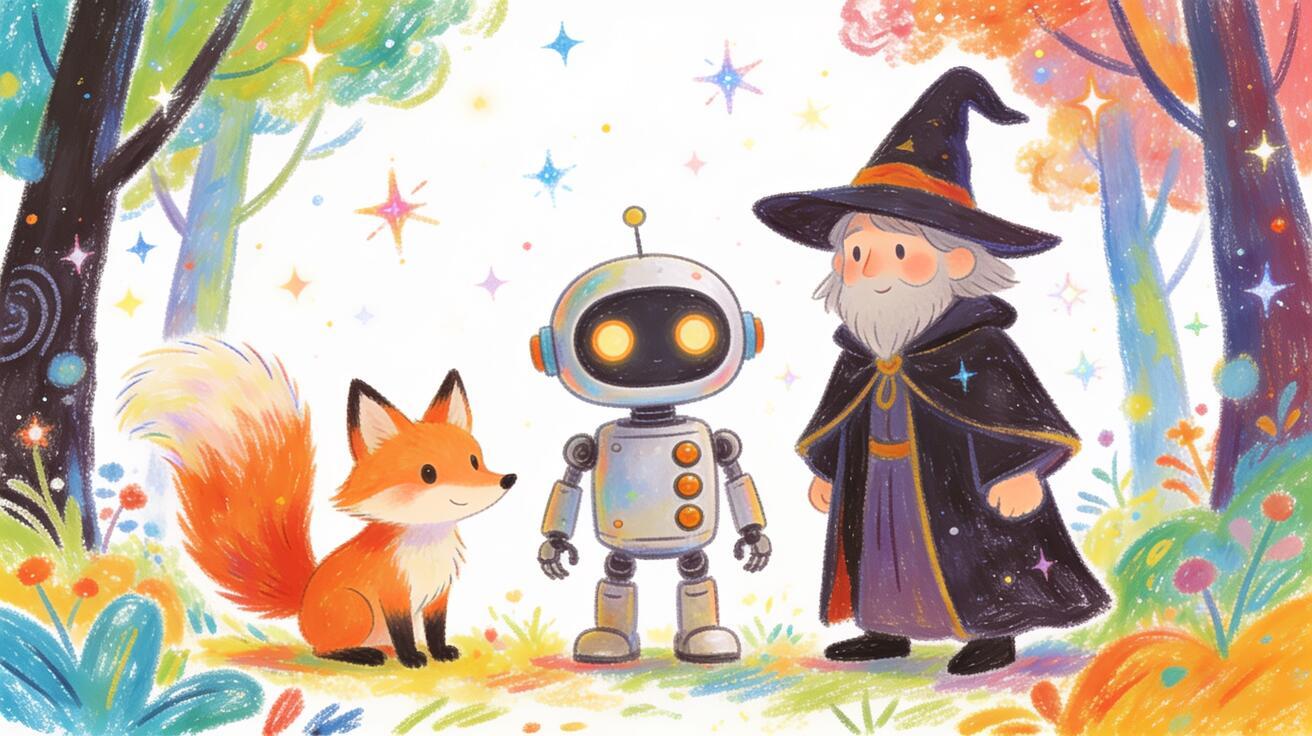
Seedance 2.5 produces animated video from text prompts and images — cartoon, 2D, illustrated, and stylized motion without a frame-by-frame animation workflow. You describe a style and a scene, and the model handles the frame generation. This guide covers how to use Seedance 2.5 specifically for animation-style output: the prompt patterns that produce consistent animated results, style vocabulary the model responds to, animation use cases with prompts, and how to combine image-to-video with character references for character-consistent animated scenes.
Quick Answer: Can Seedance 2.5 Make Animated Videos?
Yes. Seedance 2.5 generates animated-style video from text and image prompts. It does not use a traditional frame-by-frame animation pipeline — instead, it generates video that looks like animation through style prompting. This covers:
- 2D cartoon-style video (character motion, scene-based animation)
- Illustrated storybook motion (gently moving illustrated scenes)
- Anime and manga aesthetics (stylized Japanese animation look)
- Motion graphics adjacent content (bold flat-design style)
- Fantasy and stylized 3D-rendered animation looks
What it doesn't produce: frame-accurate character animation where a specific character must hold exact proportions across complex movements. For that, a dedicated animation tool with a rigging system gives more control. Seedance 2.5 is the right choice for style-first animation content, social media animated clips, and motion-illustrated content.
Why Use Seedance 2.5 for Animation in 2026
Traditional animation is expensive and slow. Even with modern tools, a 10-second 2D animated clip can require hours of keyframing, rigging, and rendering. Seedance 2.5 generates 30-second 4K animated clips from a text description in minutes.
The use case isn't replacing animation studios — it's giving content creators, educators, marketers, and small teams access to animation-style video without the production overhead. A brand that wants an animated explainer, a creator producing illustrated social content, or a developer building an animated app trailer can generate their content in Seedance 2.5 without a motion graphics or animation background.
Seedance 2.5's native audio is particularly valuable for animation: characters can have synthesized voices, animated scenes can have environmental sound, and musical scores match the animation style — all generated alongside the visual output.
Animation Style Vocabulary
The most important element of animation prompting in Seedance 2.5 is style vocabulary. The model understands and responds to specific animation style terms:
2D cartoon styles:
- "2D cartoon animation" — generic cartoon aesthetic
- "hand-drawn 2D animation" — traditional animation look with line weight variation
- "classic Disney-style animation" — smooth motion, expressive characters, saturated colors
- "Saturday morning cartoon style" — slightly flat, bold outlines, energetic
- "Cartoon Network style" — modern cartoon aesthetic, geometric characters
Illustrated and storybook styles:
- "illustrated children's book style" — warm, painterly, soft edges
- "watercolor illustration animation" — hand-painted look with visible texture
- "editorial illustration style" — clean lines, flat color, graphic design adjacent
- "pen-and-ink illustration" — linework-heavy, crosshatched textures
Anime and manga styles:
- "anime style animation" — general anime aesthetic
- "Studio Ghibli style" — soft, detailed environments, slower character motion
- "action anime" — high-energy movement, dynamic camera, speed lines
- "shōnen manga animation" — bold linework, dramatic expressions
- "slice-of-life anime" — calm, everyday environments, soft natural lighting
Motion graphics and flat design:
- "flat design animation" — geometric shapes, bold colors, no shadow
- "motion graphics style" — smooth transitions, graphic elements
- "minimalist animation" — simple forms, clean backgrounds, deliberate motion
3D-rendered stylized:
- "stylized 3D animation" — Pixar/Dreamworks aesthetic
- "low-poly 3D animation" — geometric, minimal textures
- "claymation style" — stop-motion clay look
- "stop-motion animation" — slightly jerky, tactile feel
Complete Prompt Template for Animated Video
A complete animation prompt in Seedance 2.5 follows the same six-part structure as any text-to-video prompt, but with the style element doing significant work:
[Character or subject with visual attributes] + [Action] + [Camera] + [Lighting] + [Animation style] + [Audio]
Example — 2D cartoon character scene:
A small orange fox kit with white ear tips waves goodbye from the doorway of a cozy forest cottage. Camera holds in a medium wide shot. Warm afternoon sunlight from the right, soft dappled light through trees. Hand-drawn 2D animation style, classic Disney aesthetic, soft saturated palette. Cheerful orchestral score, birds in the background, a gentle breeze through leaves.
Example — anime establishing shot:
A narrow alleyway in a rain-soaked Japanese city at night, neon signs reflecting in the puddles, a lone umbrella visible at the far end. Camera slowly pushes in toward the umbrella. Dark, moody lighting with neon color casts. Studio Ghibli style animation, soft rain FX, film grain overlay. Rain ambient sound, distant city traffic, soft ambient music.
Example — children's book illustration:
A smiling blue elephant with a tiny hat balanced on its trunk walks through a sunflower field, flowers swaying in the breeze. Camera tracks alongside at low angle. Bright natural daylight. Illustrated children's book style, warm watercolor textures, rounded soft edges. Upbeat playful music, footsteps on soft ground, flowers rustling.
Image-to-Video for Character-Consistent Animation
If you already have an anime illustration, image-to-video is the most direct way to turn that artwork into motion while preserving its character design. Use an original character or artwork you are licensed to animate, then begin in the Seedance image-to-video workspace. The source image anchors the first frame; your prompt should concentrate on movement, camera behavior, line stability, and sound instead of redescribing the character from scratch.
Prepare artwork that can survive motion
Choose a clean image with one readable pose, an uncluttered silhouette, and enough space around hands, hair, clothing, or props that need to move. Avoid starting with cropped fingers, intersecting accessories, illegible background text, or multiple characters whose limbs overlap. These ambiguities are already present in the source and can become more obvious once the frame begins moving.
The official Seedance 2.5 release describes reference-based generation and support for up to 30 images, 10 video clips, and 10 audio clips in one pass. That is a model capability, not a requirement to fill every slot. For one anime image-to-video shot, start with the minimum references needed to identify the character and motion. The controls and limits exposed by a particular provider may differ, so confirm the current interface before planning a large sequence.
Write an action prompt, not a second character description
Use this compact structure:
Preserve the character design and line weight + one primary action + one secondary motion + simple camera direction + background behavior + ending pose + audio.
For example:
Preserve the character's face, navy jacket, silver hair clip, and clean black linework. She turns toward the window and lifts one hand to catch a drifting paper charm. Her hair tips and jacket hem move lightly in the breeze. The camera makes a slow, straight push-in; the room remains structurally unchanged. End with her hand still raised and both eyes clearly visible. Soft paper rustle and quiet room tone; no dialogue.
Keep the first attempt to one action and one restrained camera move. If the character must run, turn, draw a sword, and change expression, split those beats into separate shots. A shorter instruction is easier to diagnose and rerun when one element fails.
Keep anime linework and proportions stable
Name only the visual anchors that must not change: face shape, eye color, outline thickness, hairstyle silhouette, costume panels, signature prop, and palette. Ask for secondary motion in limited areas such as hair tips, sleeves, steam, rain, or fabric hems. Fast spins, large perspective changes, full-body rotations, and aggressive handheld movement reveal unseen angles and increase the chance of design drift.
Review the entire clip rather than its opening frame. Check whether the eyes change size, the jaw contour flickers, costume seams move, fingers merge, or background lines bend around the subject. When a defect appears, reduce either the action or the camera movement first; do not add a long list of negative instructions all at once.
Failed prompt example and a safer repair
Risky prompt: “Make this anime character fight dramatically, spin the camera around her, add explosions, wind, speed lines, and a transformation.”
This request combines a body turn, camera orbit, effects, environment motion, and a costume change. Likely failure points include unstable facial features, boiling outlines, new costume details, merged hands, and a rewritten background. Those are predictable risks from an overloaded brief, not evidence from a controlled Seedance benchmark.
Safer retry: “Preserve the face, hairstyle, red scarf, costume panels, and black line weight from the source image. The character takes one step forward and raises the sword into a guarded pose. The red scarf moves once behind her. Camera holds at chest height with a subtle push-in. Keep the painted alley and lighting unchanged. End on a readable three-quarter pose with both hands separated.”
For a multi-shot anime sequence, save the approved source image, the final frame, and the exact prompt for each shot. Seedance Agent can help organize those references, proposed shots, and rerun decisions, while you approve each generation before spending credits.
Six Animation Use Cases with Prompts
1. Educational Content
Animated explanation videos work well for abstract or complex topics. The animation style makes the content approachable and memorable.
Prompt:
A friendly cartoon professor with a chalkboard behind them explains a science concept, gesturing enthusiastically. Camera holds in a medium shot with slight zoom in when they make a key point. Bright classroom lighting, warm yellow walls. 2D cartoon style, expressive character design, bold but readable background. Clear narrator voice (not diegetic), minimal background music.
Use for: EdTech content, YouTube explainers, corporate training videos
2. Brand Mascot Animation
Animated brand mascots are more memorable than static logos. An 8–30 second mascot animation for social media or onboarding flows.
Prompt:
A [brand mascot description: animal/character with brand colors] bounces into frame from the left, does a short celebratory dance, and gives a thumbs up to the camera. Camera holds in a medium wide shot. Clean white background or brand-color background. Flat vector animation style, bold outlines, brand palette. Upbeat jingle, short and punchy.
Use for: App loading screens, social media posts, email campaign headers, onboarding animations
3. Social Media Animated Stories
Short-form animated content for Instagram Stories, TikTok, or YouTube Shorts in a vertical format.
Prompt (9:16 vertical):
An illustrated character in a cozy winter scene picks up a steaming cup of coffee, steam curling from the top. Camera holds close-up. Warm indoor winter lighting, soft falling snow outside the window behind them. Lofi aesthetic 2D illustration style, warm muted palette. Cozy ambient music, fire crackling, faint snowfall sound.
Use for: Mood/lifestyle content, daily animated short-form, animated quote cards
4. Animated Product Explainer
Animated explainer for a SaaS product, app, or service that would be dry in a live-action format.
Prompt:
A cartoon user opens an app on a stylized phone interface — colorful icons, smooth transitions, a friendly chat bubble appears. Camera starts on a medium wide showing the person and phone, then slowly pushes in to the phone screen. Clean, modern flat design illustration. Motion graphics style, smooth UI animation. Upbeat tech background music, UI click/tap sounds.
Use for: App store preview, landing page hero video, product launch social content
5. Animated Logo Reveal
A short (6–8 second) animated logo or brand reveal for video intros, presentations, or social media.
Prompt:
A stylized [brand icon or shape] draws itself on screen with a smooth line animation, then fills with color. Camera holds static. Clean white or dark background. Motion graphics style, smooth 2D vector animation, crisp and professional. Subtle whoosh or draw sound as the lines form, soft chime when color fills.
Use for: YouTube channel intros, presentation slide transitions, LinkedIn post openers
6. Fantasy World Scene
Full-environment animated scene for storytelling, gaming content, or creative narrative.
Prompt:
A wide aerial view of a floating island kingdom with waterfalls cascading off the edges, populated by small animated characters going about their day. Camera slowly dollies forward through the scene. Fantasy golden hour light, warm and magical. Studio Ghibli style, soft detailed background art, gentle character movement. Orchestral fantasy score, ambient sounds of the floating world: waterfalls, distant bells, gentle wind.
Use for: Gaming channel intros, storytelling content, short animated narrative
Seedance 2.5 Animation vs. Dedicated Animation Tools
| Feature | Seedance 2.5 | Dedicated animation software (After Effects, Blender, Rive) |
|---|---|---|
| Speed | Minutes per clip | Hours to days per clip |
| Style flexibility | High (prompt-driven) | Medium-High (depends on skill) |
| Character precision | Medium (style-consistent, not rig-consistent) | Very High |
| Skill required | Low (prompting) | High (motion graphics, rigging expertise) |
| Cost | Low per clip | High (software + time) |
| Clip length | Up to 30 seconds | Any length |
| Native audio | Yes | Requires separate audio production |
When to use Seedance 2.5 for animation:
- Social media content that needs animation style, not exact character rigging
- Explainer and concept content where style consistency matters more than frame-accurate character movement
- Rapid iteration on animated content for A/B testing creative
- Teams without animation expertise who need animation-style output
When to use dedicated animation tools:
- Complex character animation where proportions and movement must be precisely controlled
- Long-form animated content (films, series) requiring continuity
- Interactive animation (apps, games) requiring exported assets, not video
Camera Direction in Animation Prompting
Animation has its own camera language that differs slightly from live-action. These camera directions work reliably in Seedance 2.5 for animated content:
Static establishing shot: "Camera holds in a wide establishing shot" — good for world-building scenes where you want the environment to carry the visual interest with minimal camera movement. Works especially well for Ghibli-style landscape animation.
Slow pan reveal: "Camera pans slowly from left to right, revealing the full scene" — good for panoramic environment shots in stylized worlds.
Zoom to character reaction: "Camera starts on a medium wide and slowly pushes in to the character's face as they react" — the classic cartoon reaction shot that emphasizes expression. Works well for 2D cartoon and anime styles.
Low-angle hero shot: "Camera holds at a low angle looking up at the character" — gives animated characters a larger-than-life presence. Works well for mascots and action anime.
POV walk: "Camera drifts forward at eye level through the scene, as if walking through the environment" — good for environment exploration in illustrated and fantasy styles. Produces an immersive feeling.
Orbit: "Camera slowly orbits the character over 15 seconds" — good for 3D-stylized animation where you want to show the character from multiple angles.
The rule for animation camera direction: match the camera energy to the animation style. A calm Ghibli-style landscape calls for slow, unhurried camera movement. An action anime scene calls for quick push-ins or dramatic low angles.
Audio Direction for Animated Video
Animation audio in Seedance 2.5 falls into three categories, and naming the right one in your prompt makes a significant difference:
Diegetic environmental audio: sounds that exist within the animated world. "Animated sound design: exaggerated footsteps on wood, ambient forest chirping, light wind through animated leaves" — this is the classic cartoon approach where everyday sounds are slightly heightened and stylized.
Non-diegetic score: background music that doesn't exist within the animated world. "Orchestral score, adventure theme, slow build as the scene opens" — good for establishing shots and emotional moments. "Upbeat cartoon jingle" for brand content. "Lofi ambient piano" for relaxed illustration content.
Voice and dialogue: if a character speaks or reacts vocally in your prompt, Seedance 2.5 generates audio that includes the character's voice. Describe the vocal quality: "enthusiastic child narrator voice," "wise elderly cartoon character voice," "cheerful robotic voice."
Mixing both: "Orchestral score, strings and piano, playing softly beneath animated environmental sounds: rain, the flicker of animated candle flames, distant city ambient" — this is the Ghibli approach, layering score and environment audio for depth.
For social media animated content, native audio gives a significant edge: TikTok and Instagram Reels autoplay with sound. An animated clip that feels complete with audio performs better than one that plays silently.
Common Animation Prompting Mistakes
Not specifying the animation style explicitly. Seedance 2.5 defaults to photorealistic when not given a style direction. "A fox waves goodbye" produces a realistic-looking fox; "A cartoon fox waves goodbye in a 2D illustrated children's book style" produces the animated version you likely wanted.
Putting too much motion in one clip. Animation prompts are especially vulnerable to overloading: "the character walks in, dances, picks up an object, hands it to another character, and they hug" — that's a 30-second action sequence that requires multiple shots in any real animation production. Split complex action into separate clips and assemble them.
Mixing realistic and animated descriptions. "A realistic woman in a 2D anime style environment" creates a visual conflict. The model will try to blend them and may produce an inconsistent look. Commit to one aesthetic per clip.
Forgetting audio. Animation is especially dependent on matching audio — a cartoon character's action should have matching cartoon sound effects, an anime scene should have its ambient music. Specifying audio transforms an animation prompt from a silent clip to something that feels complete.
FAQ: Animation with Seedance 2.5
Can Seedance 2.5 replicate a specific animation style like Miyazaki's films? Seedance 2.5 can produce output that looks similar to a Studio Ghibli aesthetic — soft backgrounds, detailed environments, gentle character movement. It won't produce a pixel-perfect replica of any specific studio's style, but it captures the visual language well enough for most content creation purposes.
Can I use my own illustration as the base for an animated character? Yes. Upload your illustration as a source image in image-to-video mode. The model animates from your starting frame. For repeated character use, attach the illustration as a reference image across multiple generations.
How long can animated clips be? Seedance 2.5 supports up to 30 seconds per clip, longer than most competing models. For animated content needing more than 30 seconds, generate multiple clips and assemble them in a video editor.
Does Seedance 2.5 generate dialogue for animated characters? If you describe a character speaking in your prompt, Seedance 2.5 will generate lip movement and matched audio. You can influence the voice character: "warm children's television narrator voice" or "enthusiastic cartoon character voice." For precise voiceover scripting, adding a professional voiceover in post-production gives more control.
Conclusion
Seedance 2.5 animation brings animated video production within reach for creators, educators, and marketers who don't have animation expertise or production budgets. The model's style vocabulary is broad enough to cover the most common animation aesthetics — cartoon, anime, illustrated, motion graphics — and the 30-second clip length, 4K output, and native audio make the output production-ready for most content formats.
Start with a clear style direction, write a focused single-action prompt, and use image-to-video when your character needs to stay visually consistent across clips. Try it at Seedance Text-to-Video; the image-to-video route is linked in the workflow above.
See the Seedance 2.5 prompt guide for the complete prompt reference library, the Seedance 2.5 text-to-video guide for the full six-part prompt structure, or the Seedance 2.5 model page for current access status and capability overview.
Ready to try it yourself?
Put the steps from this guide into practice with Seedance and turn prompts or images into polished videos in minutes.
Free credits on signup. Plans from $28/month.
Related Articles
More posts in the same locale you may want to read next.

Seedance App Preview Video Generator 2026: Create App Store and Product Launch Clips
Use Seedance to turn app screenshots, feature copy, and launch goals into App Store previews, Google Play promo videos, and product launch clips.
Read article
Gemini AI Video Prompt Examples: Copy-Ready Veo Scenes and a Better Prompt Formula
Copy Gemini AI video prompt examples for cinematic motion, product ads, dialogue, and vertical clips, then adapt them with a practical Veo prompt formula.
Read article
How to Keep Product Shape Consistent in AI Video Ads
Lock product geometry, packaging, labels, references, camera angles, and approval checks so AI video ads preserve the real SKU across every shot.
Read article