
Seedance 2.5 Talking Head Video: How to Create AI Presenter Videos (2026)
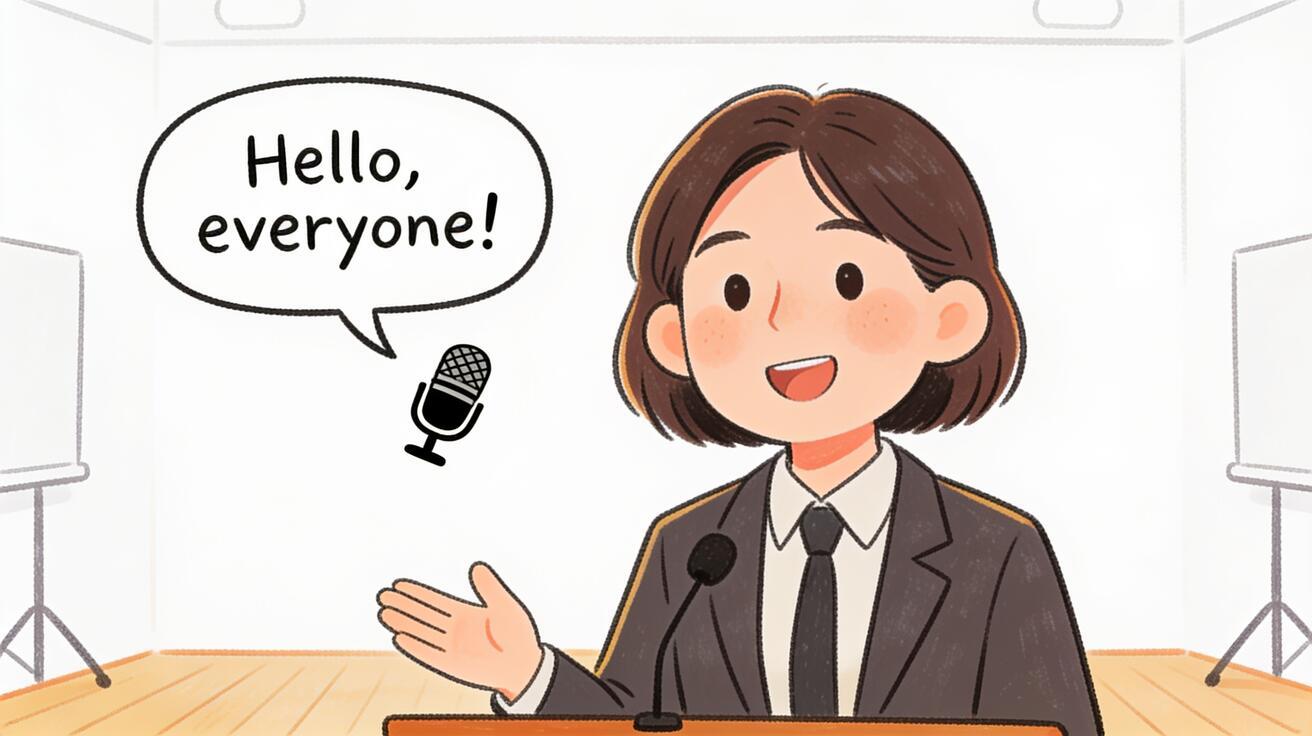
Seedance 2.5 talking head video generates a character speaking directly to the camera — a presenter, spokesperson, or fictional character delivering a message with synchronized lip movement and voice. You describe the character, what they're saying, the setting, and the camera, and the model generates a clip with a speaking character and native audio. This guide covers the complete workflow: when to use talking head mode, how to prompt for consistent results, character design, lip sync, and the use cases where AI talking head video replaces conventional filming.
Quick Answer: Can Seedance 2.5 Generate Talking Head Videos?
Yes. Seedance 2.5 can generate clips of a character speaking to the camera with:
- Lip movement synchronized to the character's speech
- Character facial expressions that match the emotional delivery
- Native audio with the character's voice and ambient environment
The limitation: Seedance 2.5 generates the character from your description — it doesn't import your face or a specific real person's appearance. For videos where the speaker must be a real, identified person (news interview, branded CEO message, testimonial), conventional filming remains the right approach. For videos where you need a presenter-style character — a fictional brand spokesperson, an animated explainer host, a general presenter for a training video — Seedance 2.5 is production-ready.
When to Use Seedance 2.5 for Talking Head Video
AI brand spokespersons: Companies that don't want to hire an actor but need a consistent on-camera presence. Generate a character with your brand's visual aesthetic, consistent appearance, and professional delivery.
Explainer video presenters: Training materials, product walkthroughs, and educational content that benefits from a human presenter but doesn't require a specific real person.
Social media persona content: AI influencer-style content where the character is the brand, not a real person. Fashion, lifestyle, tech — categories where an AI persona is an accepted format.
Prototype and demo video: Testing video content before committing to a full production. Generate a rough-cut talking head video with the AI presenter to validate the script and format.
Localized video at scale: Generate the same presentation with different character appearances and language-matched audio for multiple regional markets, without re-filming.
The Talking Head Prompt Formula
A complete talking head prompt for Seedance 2.5 has four components:
[Character description: appearance, age, style, expression] +
[What they're doing / saying / how they're delivering it] +
[Camera: shot size and angle] +
[Environment + audio]
Example — brand spokesperson:
A woman in her mid-thirties with short auburn hair and a tailored navy blazer speaks directly to the camera with confident, warm energy. She introduces a product with clear diction and a professional on-camera presence. Camera holds in a medium close-up, eye-level. Clean corporate office background, blurred, warm artificial lighting from the right. Clear professional speaking voice, neutral accent, minimal background ambient.
Example — tech explainer host:
A man in his late twenties with glasses and a casual grey sweater gestures toward an off-screen diagram as he explains a concept, then turns to look directly into the camera. Camera starts in a medium wide and slowly pushes in to a medium close-up. Clean white background, tech aesthetic. Engaged, enthusiastic voice. Near-silent, faint room tone.
Example — animated presenter:
A friendly cartoon character — a cheerful blue robot with expressive eyes — looks at the camera and waves hello, then opens its mouth as if beginning to speak. Camera holds in a medium close-up. Bright, colorful abstract background. Cartoon robot voice, warm and playful. Upbeat background jingle fades in.
Character Design for Consistency
For multi-clip projects where the same presenter appears in multiple videos, use Seedance 2.5's reference image feature to keep the character consistent:
- Write a detailed character description and generate 2–3 candidate clips
- Choose the best one and screenshot a clear frame of the character's face
- Upload that frame as a reference image for future generations
- Add "maintain character design consistency as shown in reference image" to your prompt
This approach stabilizes the character's appearance across regenerations. Without a reference image, the model may generate slightly different hair color, facial structure, or expression baseline with each generation.
Clothing and Brand Consistency
For brand spokesperson videos, the presenter's clothing often needs to be consistent across multiple videos:
In-prompt approach: Describe clothing precisely — "white button-down shirt with one collar button open and rolled sleeves" is more reproducible than "casual shirt." Specific material, color, and styling details give the model more information to lock onto.
Reference image approach: Generate a clean reference shot of the character in the target outfit, with neutral expression, facing the camera directly. Use this as the reference for all subsequent generations. Include "maintain exact clothing as shown in reference" in your prompt.
Camera Work for Talking Head Video
Talking head videos typically use minimal camera movement to keep the focus on the presenter. The most effective camera directions:
Static medium close-up: "Camera holds in a medium close-up, eye-level, no movement" — the classic news presenter shot. Feels authoritative and direct.
Slow push-in: "Camera holds in a medium wide shot and very slowly pushes in to a medium close-up over the clip duration" — adds visual motion without distracting from the presenter. Used in corporate and brand content for a premium feel.
Over-shoulder to face reveal: "Camera starts slightly over the subject's shoulder (back of head visible) and slowly arcs to face them, ending in a medium close-up" — good for cinematic intro moments.
Reaction close-up: "Camera holds in an extreme close-up of the face, showing expression only" — for emotional moments or emphasis shots.
Avoid complex camera movement in talking head videos — it fights with the presenter for attention and makes the clip harder to cut.
Settings and Background
The background in a talking head video communicates almost as much as the presenter. Common setups:
Corporate office (blurred): "Clean corporate office background, blurred, warm artificial lighting from the right" — professional, neutral, works for most B2B content.
Home office: "Bright home office with bookshelves visible in the background, slightly out of focus" — accessible, modern, good for founder/creator content.
Studio neutral: "Clean white studio background, soft even lighting from two sides" — most flexible for post-production color grading.
Outdoors: "Urban rooftop terrace, city skyline blurred in the background, afternoon light" — premium, aspirational.
Product environment: "Surrounded by the brand's products, relevant props subtly visible in the background" — good for retail and product-focused spokesperson content.
Audio in Talking Head Video
Seedance 2.5 generates the presenter's voice alongside the video. Describe what you want:
Professional delivery: "Clear, confident professional voice, neutral accent, measured pace" — good for corporate content.
Warm and approachable: "Warm, friendly voice, slight smile in the delivery, conversational pace" — good for consumer brand content.
Energetic presenter style: "Enthusiastic, high-energy TV presenter voice, fast-paced" — good for promotional content and social media.
Educational narrator: "Clear, precise educational narrator voice, deliberate pace, helpful tone" — good for explainer and training content.
Language specificity: If you're generating for a specific regional market, add the language and accent: "clear Spanish with a neutral Latin American accent" or "British English, professional BBC style."
For talking head videos where you need precise script delivery, consider generating the AI presenter as the visual element and adding professional voiceover in post-production. This gives you both the visual of a consistent on-camera presenter and precisely controlled audio.
Six Talking Head Use Cases with Prompts
1. Product Launch Announcement
Prompt:
A confident woman in her early forties with professional styling — dark hair, structured blazer — stands in a clean minimalist product showroom and addresses the camera directly, delivering a product launch announcement with controlled excitement and clear articulation. Camera holds in a medium close-up, eye-level. White background with subtle brand-colored accents. Clear professional spokesperson voice, warm but authoritative. Light room ambient.
2. App Tutorial Walkthrough
Prompt:
A friendly man in his late twenties with casual styling — hoodie, relaxed but engaged — looks directly at the camera and begins explaining an app feature, gesturing slightly to the right as if toward a screen. Camera holds in a medium wide and very slowly pushes in. Clean home-office environment, monitor visible in the background, soft desk lamp light. Approachable, clear tech tutorial voice. Near-silent, keyboard ambient.
3. CEO / Founder Update
Prompt:
A serious but approachable woman in her early fifties with silver-streaked hair and a tailored charcoal jacket speaks to the camera as if in a recorded message to stakeholders. Camera holds in a medium close-up, slight over-eye-level angle downward — executive framing. Clean modern office, blurred glass and city view behind. Measured, thoughtful speaking pace. Minimal ambient, professional room acoustic.
4. Social Media Persona Introduction
Prompt:
A stylized AI persona character — a woman with violet hair, futuristic streetwear, and expressive animated eyes that feel real — waves at the camera and introduces herself with playful energy. Camera holds in a medium wide. Neon-lit urban environment behind her, slightly out of focus. Fun, slightly exaggerated voice — clear but with personality. Upbeat electronic ambient, urban street sound.
5. Educational Module Host
Prompt:
A friendly educational presenter — a man in his mid-thirties, professional but relaxed in a casual blazer — looks at the camera and introduces a topic, making eye contact and nodding as he speaks. Camera holds in a medium close-up. Bright, modern learning environment background, blurred. Warm lamp lighting. Clear, inviting educational narrator voice with measured pace. Quiet classroom ambient.
6. Customer Testimonial (Fictional)
Prompt:
A woman in her late thirties in casual everyday clothing sits comfortably and speaks to the camera as if giving an honest review, smiling and nodding as she confirms a point. Camera holds in a medium close-up, natural head tilt. Home environment background, slightly blurred. Natural, everyday speaking voice, not overly scripted sounding. Quiet home ambient.
Comparing Seedance 2.5 Talking Head vs. Dedicated Avatar Tools
| Feature | Seedance 2.5 | Dedicated AI avatar tools (e.g., HeyGen, Synthesia) |
|---|---|---|
| Character from scratch | Yes (prompt-driven) | Yes (avatar library) |
| Real-person cloning | No | Yes (requires consent) |
| Script-to-lip-sync accuracy | Good | High (text-to-speech pipeline) |
| Style flexibility | Very High | Medium |
| Native audio | Yes | Yes (text-to-speech) |
| Clip length | Up to 30 seconds | Up to minutes |
| Multi-language support | Yes (describe language in prompt) | Yes (TTS-based) |
When Seedance 2.5 wins: You need a stylistically distinctive or fictional presenter, you want creative control over the character's look and environment, or you're producing short social media clips where style matters as much as script accuracy.
When dedicated avatar tools win: You need to clone a real person's appearance (with consent), you need precise script-to-mouth sync for a full-length training video, or you're producing text-heavy content where TTS integration is critical.
Talking Head Video for Social Media Platforms
Each platform has different expectations for presenter video. Here's how to align your talking head output to each:
TikTok / Instagram Reels (9:16 vertical): Generate with a "vertical aspect ratio, 9:16" specification. The presenter should be centered in the upper two-thirds of frame, with background and lower frame empty or branded. Keep clips to 8–15 seconds — the sweet spot for stop-and-watch presenter content on TikTok. Voice should be conversational and fast-paced. Use "9:16 vertical format, presenter centered in upper frame with negative space at bottom" in your prompt.
LinkedIn (16:9 horizontal): Professional, corporate presenter style. Medium close-up, clean background. Voice should be measured and professional. LinkedIn audiences respond to direct eye contact and confident delivery. Keep to 30–60 seconds (use multiple Seedance clips assembled with a voiceover overlay for longer LinkedIn videos).
YouTube (16:9): YouTube presenter videos can be longer. For a 2-minute video, generate 4–6 Seedance clips (each up to 30 seconds) and assemble them in a video editor with consistent character reference and setting. Add an intro card and outro in editing. The presenter style should be engaging and educational — YouTube audiences will watch longer if the content delivers value.
Email thumbnail video: A 3–6 second version of the presenter clip, muted-friendly (text overlay in editing), in 16:9. The presenter waves or makes a welcoming gesture. The thumbnail frame should show the presenter clearly — use a static medium close-up to ensure the thumbnail is readable.
Building a Multi-Clip Presenter Series
For recurring presenter content — a weekly brand update, a course module series, a social series — consistent character appearance is critical. Here's the workflow:
- Character Bible: Write a detailed character description document: exact hair color and length, eye color, skin tone, typical clothing style, default expression, voice quality. This document is your prompt reference.
- Reference Shot: Generate a clean neutral reference: medium close-up, neutral expression, direct camera look, clean background. Save the best frame as a reference image.
- Series Template Prompt: Create a base prompt with the character description and add the specific topic/action for each video. The base stays constant; only the action description changes.
- Generation and QA: Generate each clip, compare to the reference shot, check lip sync and character consistency, and save approved clips.
- Assembly: In a video editor, add any text overlay, branded intro/outro, voiceover, or music that's consistent across the series.
This workflow produces a recognizable presenter character across multiple episodes with minimal prompt-writing overhead per episode.
Facial Expression Direction
Seedance 2.5 responds well to explicit facial expression direction in talking head prompts. Naming the expression produces more consistent results than leaving it to inference:
- "warm, open smile throughout the clip"
- "focused, serious expression, occasional nod"
- "animated, expressive face — eyebrows raised, engaged eyes"
- "calm, neutral, professional expression — minimal facial movement"
- "slight smile, approachable but not exaggerated"
Expression direction is especially important for the emotional tone of the presenter. A spokesperson announcing a product should read as excited and confident. An educational presenter should look attentive and engaged. A CEO delivering a difficult company update should look serious and measured. Telling the model the expression consistently produces it.
Common Mistakes in Talking Head Prompting
Not describing the character precisely enough. "A woman" generates a random character. "A woman in her mid-thirties with short auburn hair, a warm expression, and a professional blue blazer" generates a consistently more reproducible character. The model fills in underspecified details differently on each generation.
Describing dialogue verbatim in the prompt. You don't need to write what the character says. Describe the delivery style and what they're communicating: "speaks confidently about product features, making direct eye contact." The model generates its own plausible speech content. If you need precise script delivery, use a voiceover workflow instead.
Too much camera movement. Talking head content should let the presenter carry the visual interest. A static medium close-up or a very slow push-in is almost always more effective than complex camera movement. Aggressive camera work competes with the presenter and distracts from the message.
Mismatch between character and environment. A high-energy casual presenter in a formal boardroom setting creates cognitive dissonance. Match the character's style and energy to the environment: casual → home or informal office; professional → clean corporate space; premium brand → aspirational environment.
QA Checklist for Talking Head Video
Before publishing any AI-generated presenter clip:
- [ ] Lip movement is synchronized to the audio throughout the clip
- [ ] Character appearance is consistent from frame to frame
- [ ] Eye contact reads as natural (character appears to look at the camera, not past it)
- [ ] Background is appropriate and doesn't compete with the presenter
- [ ] Audio quality is clear and the voice matches the character's appearance
- [ ] Lighting on the face is consistent throughout the clip
Conclusion
Seedance 2.5 talking head video gives you an on-camera presenter without a camera, a studio, or a hired actor. The model generates character, voice, lip sync, and environment from your description. For brand spokesperson content, explainer video hosts, AI persona social content, and prototype video production, it's a production-ready alternative to conventional filmed presenter content.
Start by writing a precise character description, choosing your background and lighting, and specifying the character's voice quality. Generate 2–3 takes and use the QA checklist above to select the best one. Try it at Seedance Text-to-Video or Seedance Image-to-Video with a character reference.
See the Seedance 2.5 animation guide for animated presenter styles, the Seedance 2.5 image-to-video guide for character-consistent I2V workflows, or the Seedance 2.5 model page for current capability status and access.
Ready to try it yourself?
Put the steps from this guide into practice with Seedance and turn prompts or images into polished videos in minutes.
Free credits on signup. Plans from $28/month.
Related Articles
More posts in the same locale you may want to read next.

Seedance App Preview Video Generator 2026: Create App Store and Product Launch Clips
Use Seedance to turn app screenshots, feature copy, and launch goals into App Store previews, Google Play promo videos, and product launch clips.
Read article
Gemini AI Video Prompt Examples: Copy-Ready Veo Scenes and a Better Prompt Formula
Copy Gemini AI video prompt examples for cinematic motion, product ads, dialogue, and vertical clips, then adapt them with a practical Veo prompt formula.
Read article
How to Keep Product Shape Consistent in AI Video Ads
Lock product geometry, packaging, labels, references, camera angles, and approval checks so AI video ads preserve the real SKU across every shot.
Read article