
Seedance 2.0 Prompt Guide: How to Write Prompts That Actually Work (2026)
Most weak AI videos are not a model problem — they are a prompt problem. This Seedance 2.0 prompt guide shows you exactly how to write prompts that produce clean motion, consistent subjects, and usable output on the first or second generation instead of the tenth. Seedance 2.0 (ByteDance's latest video model, with synchronized audio) reads a prompt very differently from an image model: it has to interpret who is in the shot, what they do, how the camera moves, and what it sounds like — all at once. Get the structure right and the model rewards you. Get it vague and you burn credits.
Below you will find the Seedance 2.0 prompt formula, the six building blocks every strong prompt contains, a step-by-step writing workflow inside Seedance, copy-ready templates by output type, the parameters that actually change your result, and the prompt-writing mistakes that quietly ruin clips. Everything here is written for creators and marketers who want a repeatable system, not lucky one-offs.
Quick Answer: The Seedance 2.0 Prompt Formula
If you remember one thing from this guide, remember this order:
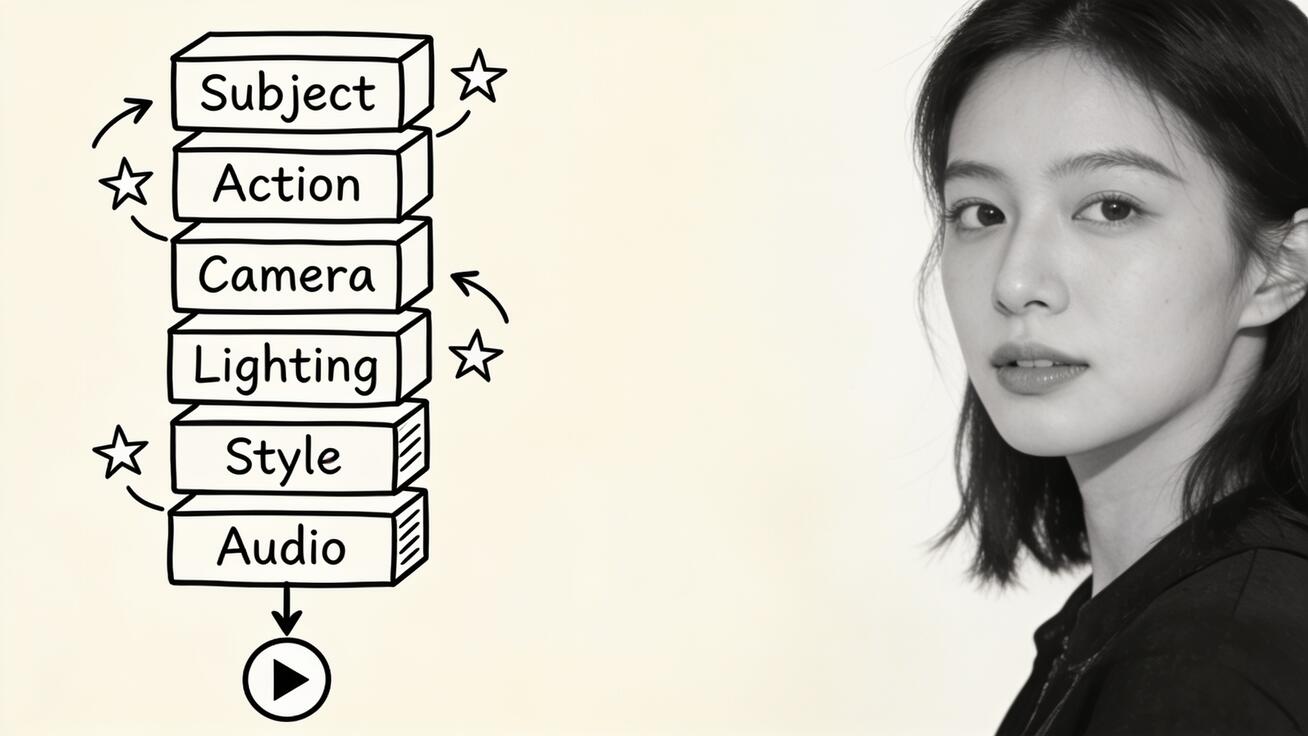
[Subject] + [Action/Motion] + [Camera] + [Setting & Lighting] + [Style] + [Audio]
A prompt that follows this sequence gives Seedance 2.0 a clear scene to build instead of a pile of adjectives to guess at. Here is the formula in a single line:
"A weathered fisherman in a yellow raincoat hauls a net over the side of a small boat, slow dolly-in from the left, grey dawn light and light rain, cinematic handheld documentary style, ambient ocean waves and creaking wood."
That prompt names a subject, gives it one clear action, tells the camera what to do, fixes the lighting and setting, sets a style, and describes the sound. Seedance 2.0 can render every clause. Compare it to "a fisherman doing fisherman things, cool cinematic vibe" — same idea, but the model now has to invent the action, the camera, the light, and the audio, so it averages everything toward mush.
The rest of this guide expands each block so you can write the long version on purpose, not by accident.
The Anatomy of a Seedance 2.0 Prompt
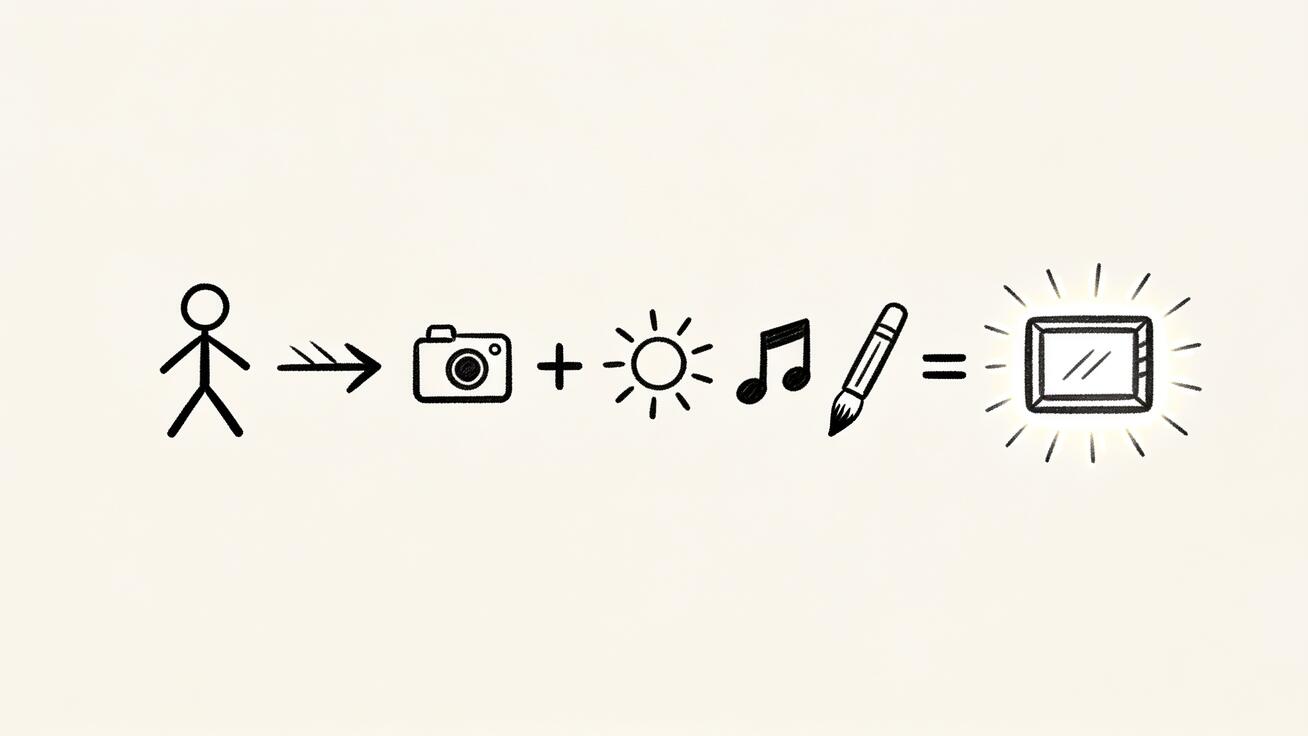
Every reliable Seedance 2.0 prompt is built from the same six components. You do not always need all six, but the more of them you specify, the less the model improvises.
1. Subject — who or what is in frame
Name the subject concretely: age, clothing, key features, and how many subjects there are. Seedance 2.0 holds subject consistency far better when the description is specific. "A woman" is weak; "a woman in her thirties with short black hair and a grey wool coat" is strong. If you need the same character across multiple clips, lock that exact description and reuse it word-for-word — this is the foundation of character consistency.
2. Action and Motion — one clear thing happening
Video models fail when you stack five actions into one shot. Pick one primary action per clip: pours coffee, turns to look at camera, walks through a doorway. Describe the motion's pace too — slowly, abruptly, in one smooth movement. If you want a second beat, that is usually a second shot, not a longer sentence.
3. Camera — the move that makes it look professional
This is the block most beginners skip, and it is the single biggest quality lever. Tell Seedance 2.0 what the camera does: static locked shot, slow dolly-in, orbit around the subject, handheld follow, crane up, whip pan. Pair the move with framing — close-up, medium shot, wide establishing shot. For a full vocabulary of camera language, see the Seedance 2.0 camera movement prompts breakdown.
4. Setting and Lighting — where and in what light
Lighting changes the entire mood and tells the model how to render color and shadow. Use real photographic terms: golden hour backlight, soft overcast daylight, hard neon at night, warm interior lamplight, high-key studio light. Anchor the setting in a place: a rain-slicked Tokyo alley, a minimalist white studio, a sunlit kitchen. Specific light beats any "cinematic" buzzword.
5. Style — the visual treatment
Style tells Seedance 2.0 how the footage should look as a finished piece: cinematic film grain, clean commercial product shot, handheld documentary, 3D animation, anime, vintage 16mm. One style label is plenty. Stacking "cinematic, hyperrealistic, 8K, ultra-detailed, masterpiece" does nothing useful — those words fight each other and waste prompt space.
6. Audio — the Seedance 2.0 advantage
Seedance 2.0 generates synchronized audio, so describe it. Name ambient sound (rain on a window, busy cafe murmur), specific effects (footsteps on gravel, a door creaking), or dialogue and tone. If you want a character to speak, put the exact line in quotes and describe the delivery. For deeper audio control, see generating video with audio in Seedance 2.0.
How to Write a Seedance 2.0 Prompt Step by Step
Here is the repeatable workflow inside Seedance, from blank box to finished clip.
Step 1 — Decide the output first. Before typing, know what the clip is for: a 9:16 TikTok ad, a 16:9 product hero, a talking-head intro. The format dictates framing and pacing, so decide it up front.
Step 2 — Choose your input mode. For a scene you can describe entirely in words, use text to video. When you already have a product photo, a character render, or a brand asset you must keep accurate, use image to video and let the image carry the look while your prompt drives the motion.
Step 3 — Write the prompt using the six-block formula. Lay the blocks down in order: subject, action, camera, setting/lighting, style, audio. Keep it to two or three sentences. Longer is not better — clearer is better.
Step 4 — Set parameters, not prose. Resolution, duration, and aspect ratio are controls, not prompt words. Set them in the interface (covered in the next section) instead of writing "make it 4K and 10 seconds long" inside the prompt.
Step 5 — Choose the model variant. Pick Seedance 2.0 (or 2.5 for maximum quality, 2 Mini for speed and volume) based on the job. Drafts and high-volume social can run on the faster variant; hero clips deserve the full model.
Step 6 — Generate two or three versions. Always generate a small batch from the same prompt. Video models are probabilistic; the second or third take is often the keeper. Comparing variants is cheaper than rewriting blind.
Step 7 — Inspect, then refine one block. Watch the result and diagnose by block: weak movement → fix the camera/action clause; wrong mood → fix lighting; warped subject → tighten the subject description. Change one block at a time so you learn what each edit does.
Step 8 — Export and reuse. Once a clip lands, export it for your platform and save the exact prompt to your own swipe file. A prompt that worked once will work again with small swaps.
Seedance 2.0 Prompt Templates You Can Copy
Use these as starting points. Replace the bracketed parts and keep the structure. Each follows the six-block formula.
Product demo (image-to-video)
"[Product] rotating slowly on a clean white pedestal, camera does a smooth 180-degree orbit, bright high-key studio lighting with soft reflections, premium commercial product style, subtle ambient hum and a soft shutter click at the end."
Talking-head intro
"A confident [man/woman] in a [color] blazer looks directly at the camera and says, '[your one-line hook]', static medium close-up shot, soft warm office lighting with a blurred background, clean modern corporate style, clear natural speech with quiet room tone."
Cinematic b-roll
"[Subject] [single action] in [location], slow dolly-in from a low angle, golden hour backlight with long shadows, cinematic film grain with shallow depth of field, ambient [environment sound]."
Social ad hook (9:16)
"[Subject] reacts with surprise and holds up [product] toward the camera, quick punch-in to a tight close-up, bright punchy daylight, energetic UGC vertical style, upbeat ambient sound and a crisp pop on the reveal."
Image-to-video motion (bring a photo to life)
"Add gentle natural motion to this image: [subject] [small movement, e.g. hair drifting in the wind], slow subtle parallax push-in, keep the original lighting and colors, photorealistic, soft ambient [matching sound]."
For more ready-made options across genres, pair this guide with our list of the 8 best Seedance 2.0 prompts.
Prompt Parameters and Controls That Change Your Output
Some of the most important settings are not prompt words at all. Putting them in the prompt either does nothing or confuses the model. Set these as parameters instead.
- Aspect ratio: Choose 16:9 for YouTube and landing pages, 9:16 for TikTok/Reels/Shorts, 1:1 for feed posts. Set it before generating; do not crop a finished 16:9 clip into a vertical one and lose your framing.
- Resolution: Higher resolution means sharper detail but more credits and slower renders. Use a lower resolution for drafts and the full resolution only for the final keeper. See the Seedance video length and resolution guide for the trade-offs.
- Duration: Shorter clips hold motion and consistency better. If you need a 20-second sequence, plan it as several tight shots and stitch them, rather than asking one prompt to carry the whole thing.
- First frame / last frame: When you supply a starting image (and optionally an ending image), the prompt's job shifts to describing the motion between them, not the look. Lean into action and camera language here.
- Reference image: Use a reference to lock a character, product, or style. When a reference is doing the visual work, keep your text prompt focused on movement and behavior so the two do not contradict each other.
The rule of thumb: describe content in the prompt, control format in the parameters. Mixing the two is a top reason prompts underperform.
Common Seedance 2.0 Prompt-Writing Mistakes (and How to Fix Them)
These are writing mistakes, not output bugs — fix them in the prompt and most problems disappear before they happen. (When a clip still breaks after a clean prompt, the Seedance prompt troubleshooting guide covers the output-level fixes.)
- Too many actions in one shot. "She walks in, sits down, opens a laptop, and starts typing" asks for four beats. Pick one. Split the rest into separate clips.
- Adjective soup. "Cinematic, epic, stunning, hyperrealistic, 8K, award-winning" gives the model no scene to build. Replace mood-words with concrete light, camera, and setting.
- No camera instruction. A missing camera block is why so many clips feel flat and static. Always name the move, even if it is just "slow push-in."
- Vague subjects. "A person" drifts and warps between frames. Add age, clothing, and one or two fixed features so the model has an anchor.
- Format words inside the prompt. Writing "vertical 9:16 4K 10 seconds" into the text wastes space and is unreliable. Use parameters.
- Negation overload. Long lists of "no blur, no distortion, no extra fingers" often backfire. Describe what you want clearly instead of cataloguing what you fear.
- Changing everything at once. When a result is close but not right, rewriting the whole prompt loses what worked. Change one block, regenerate, compare.
Weak vs Strong: Three Prompt Rewrites
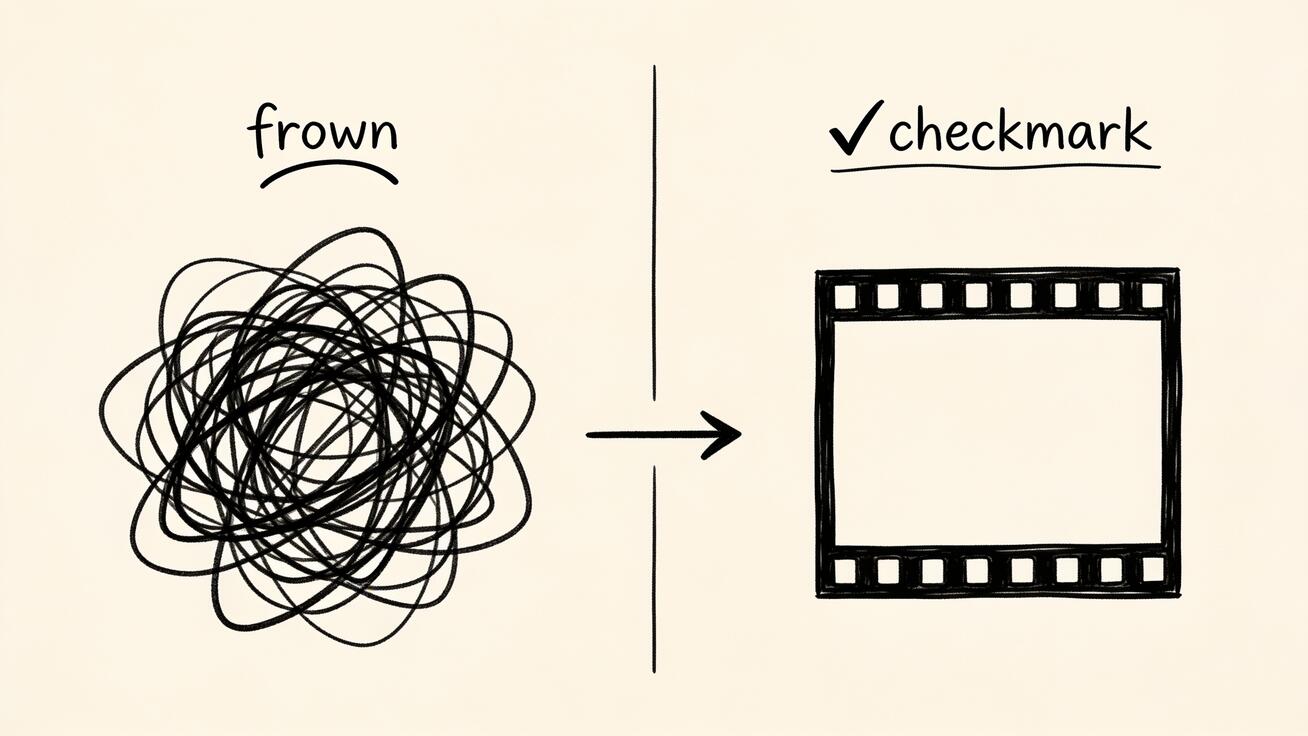
The fastest way to internalize the formula is to watch a vague prompt turn into a directable one. Here are three real-style rewrites.
1. Coffee shop scene
- Weak: "A barista making coffee, nice and cinematic."
- Strong: "A young barista in a green apron pulls an espresso shot and steam rises from the cup, slow dolly-in to a tight close-up on her hands, warm morning light through a front window, cozy cinematic style with shallow depth of field, soft cafe murmur and the hiss of the espresso machine."
The weak version forces Seedance 2.0 to guess the action, the framing, and the light. The strong version names all three, so the model spends its effort rendering instead of guessing.
2. Product reveal
- Weak: "Show my sneaker looking cool, make it pop."
- Strong: "A white sneaker rotates slowly on a matte black pedestal, camera orbits 180 degrees around it, crisp high-key studio lighting with soft floor reflections, premium commercial product style, quiet ambient hum and a subtle pop on the final frame."
"Pop" means nothing to a model. A specific camera orbit, studio light, and clean style produce the polished look the weak prompt was reaching for.
3. Outdoor character shot
- Weak: "A guy hiking, epic and dramatic."
- Strong: "A man in his thirties in a red windbreaker climbs over a rocky ridge and pauses to look out, handheld camera following from behind, cold overcast mountain light, gritty documentary style, wind and crunching gravel underfoot."
Notice the pattern: every rewrite swaps mood-words ("cool," "pop," "epic") for concrete subject, action, camera, light, and sound. That swap is the entire skill.
Best Use Cases for Strong Seedance 2.0 Prompts
A disciplined prompt system pays off most in these scenarios:
- Ecommerce and product video: Image-to-video plus an orbit or push-in camera turns a single product photo into a clean rotating demo for a product page or ad.
- Short-form social ads: The 9:16 hook template produces scroll-stopping openers; generate three variants per prompt and ship the strongest.
- Talking-head and UGC-style content: The audio block lets you script a spoken line with natural delivery, useful for explainers, testimonials, and creator-style ads.
- Cinematic b-roll for editing: Specific camera and lighting blocks give you clips that cut together with real footage instead of looking like obvious AI filler.
- Repeatable brand series: Lock a subject description and style label, then swap the action and setting to keep a consistent look across an entire campaign.
In every case the workflow is the same: format first, six-block prompt, batch of versions, refine one block, export.
FAQ
How long should a Seedance 2.0 prompt be? Two to three clear sentences is the sweet spot. Long enough to cover the six blocks, short enough that every clause earns its place. Padding with adjectives hurts more than it helps.
Do I have to use all six building blocks? No, but each block you skip is a decision you hand to the model. For quick drafts, subject + action + camera is often enough. For final, on-brand output, specify all six.
Can I write the prompt in another language? Seedance 2.0 understands many languages, but English prompts with concrete cinematic terms tend to be the most predictable. If you prompt in another language, keep the same six-block structure.
Why do I get a different result each time from the same prompt? Video generation is probabilistic by design, which is why you should always generate two or three versions and pick the best rather than expecting one perfect take.
What is the fastest way to improve a weak clip? Diagnose by block. Flat footage → add or strengthen the camera move. Wrong mood → rewrite the lighting. Warped subject → make the subject description more specific. Change one block at a time.
Should I prompt differently for image-to-video? Yes. When an image supplies the look, your prompt should focus on motion, camera, and audio — describe what moves, not what things look like, since the image already settles that.
Conclusion
Writing a good Seedance 2.0 prompt is not about magic words — it is about structure. Lead with a concrete subject, give it one clear action, tell the camera what to do, fix the setting and lighting, set a single style, and describe the audio. Control format with parameters, generate a small batch, and refine one block at a time. Do that and Seedance 2.0 stops feeling like a slot machine and starts behaving like a tool you can direct.
Save the six-block formula and the templates above as your starting kit, then build your own swipe file from the prompts that land. The fastest way to learn is to write a prompt with this Seedance 2.0 prompt guide open, generate a few versions in Seedance, and adjust. Open the prompt box, try one template, and see how much a little structure changes your output.
Ready to try it yourself?
Put the steps from this guide into practice with Seedance and turn prompts or images into polished videos in minutes.
Free credits on signup. Plans from $28/month.
Related Articles
More posts in the same locale you may want to read next.

Seedance App Preview Video Generator 2026: Create App Store and Product Launch Clips
Use Seedance to turn app screenshots, feature copy, and launch goals into App Store previews, Google Play promo videos, and product launch clips.
Read article
Gemini AI Video Prompt Examples: Copy-Ready Veo Scenes and a Better Prompt Formula
Copy Gemini AI video prompt examples for cinematic motion, product ads, dialogue, and vertical clips, then adapt them with a practical Veo prompt formula.
Read article
How to Keep Product Shape Consistent in AI Video Ads
Lock product geometry, packaging, labels, references, camera angles, and approval checks so AI video ads preserve the real SKU across every shot.
Read article