
How to Make ASMR AI Videos with Seedance (Step-by-Step)
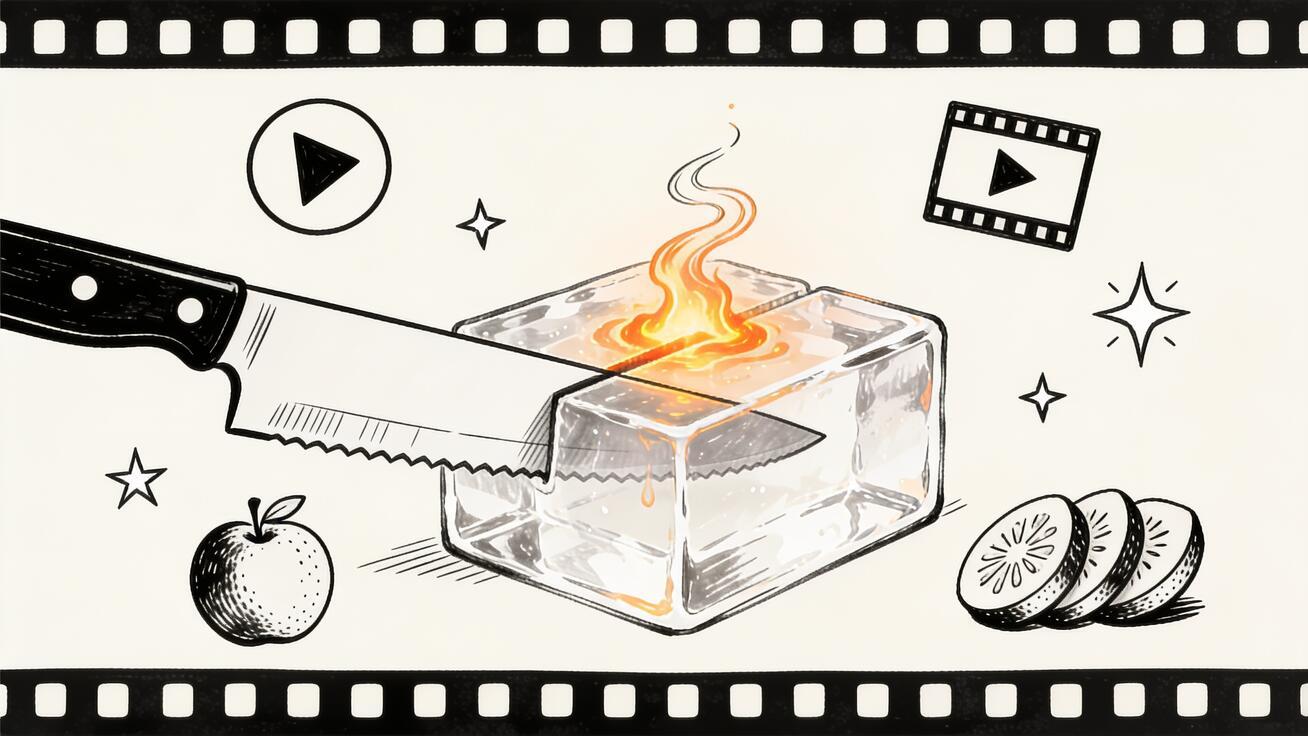
The most satisfying clips on your feed right now — a glowing knife slicing through glass, a wave of lava folding over itself, a perfectly clean cut through a stack of fruit — are increasingly made with text-to-video models, not cameras. If you want to make an AI ASMR video in this style, you do not need a studio, expensive macro lenses, or a single physical prop. You need a clear prompt and a model that can render texture, motion, and sound-implied detail convincingly. This guide walks through exactly how to make an AI ASMR video with Seedance, step by step, from your first prompt to an export that is ready for TikTok, Reels, or YouTube Shorts.
We will cover what actually makes the satisfying-visual format work, the prompt structure that gives you clean cuts and believable textures, copy-ready templates for the most popular ASMR formats, and the QA checks that separate a scroll-stopping clip from an obvious miss.
Quick Answer: Making an AI ASMR Video in Seedance
To make an AI ASMR video with Seedance: open the text-to-video tool, write a prompt that names the material, the action, and the camera distance (for example, "extreme close-up, a sharp blade slowly slicing a translucent block of blue glass, clean cut, soft studio light"), choose Seedance 2.0 as your model, generate two or three versions, then pick the cleanest result and export it in vertical 9:16. The whole loop takes a few minutes per clip.
The format relies on three things the model has to get right: material realism (glass looks like glass, lava glows and flows like lava), smooth single-action motion (one slow, deliberate cut or pour, not chaotic movement), and a tight framing that fills the frame with texture. Get those three right and the clip reads as satisfying even without real recorded audio.
What Makes an ASMR AI Video Actually Work
ASMR video as a viral format is less about literal whisper-audio and more about implied sensory satisfaction: surfaces that look like they would feel good to touch, cuts that look impossibly clean, and motion that resolves in a tidy, predictable way. When you generate an AI ASMR video, you are asking the model to sell that feeling visually.
Three qualities decide whether a clip lands:
- Texture fidelity. The surface has to be convincing. Translucent glass should refract light, kinetic sand should crumble, honey should be viscous and slow. Vague prompts produce vague materials, which kills the effect.
- Single, slow, deliberate motion. The strongest ASMR clips do exactly one thing: one slice, one pour, one press. Fast or multi-action prompts confuse the model and produce jitter. Slow, controlled motion is the whole point.
- Macro framing. Extreme close-ups fill the frame with the material so the texture is the subject. Wide shots dilute the effect and expose rendering weaknesses in the background.
Keep those three in mind and every prompt decision below becomes obvious. The reason text-to-video models are suddenly good at this format is that the satisfying-visual genre plays to their strengths — short duration, a single clear subject, controlled motion — and avoids their weaknesses, like long narratives, readable on-screen text, and complex multi-character scenes.
What You Need Before You Start
You do not need much, which is the appeal:
- A Seedance account — you can start with text-to-video for prompt-only clips or image-to-video if you want to animate a still you already have.
- A clear idea of the material and the action: glass + slice, lava + fold, fruit + clean cut, kinetic sand + press, soap + curl, honey + drip.
- An output platform in mind so you pick the right aspect ratio up front: 9:16 vertical for TikTok, Reels, and Shorts; 16:9 if you are cutting a longer compilation.
That is the entire shopping list. Because Seedance is text-to-video first, you can produce a full ASMR clip without uploading anything at all — the prompt is your raw material.
How to Make an AI ASMR Video with Seedance (Step-by-Step)
Here is the full workflow. Each step maps to a concrete action in the product.
Step 1: Pick one format and one action
Decide on a single material-and-action pair before you write a word of prompt. "Glass cutting," "lava folding," "fruit slicing," and "kinetic sand pressing" are all good starting points because they have a clear, repeatable motion. Resist the urge to combine — "a knife cutting glass while sand pours and water splashes" will produce a muddy clip. One material, one action.
Step 2: Write a structured prompt
A reliable ASMR prompt has four parts in this order:
- Camera/framing: "extreme close-up," "macro shot," "top-down view."
- Subject and material: "a translucent block of blue glass," "a stack of fresh strawberries," "a pool of glowing orange lava."
- Action and speed: "slowly sliced by a sharp blade," "cleanly cut in one smooth motion."
- Light and finish: "soft studio lighting, clean background, high detail, satisfying."
Stacking the prompt this way tells the model what matters in priority order. The framing and material come first because they define the look; the speed cue ("slowly," "smooth," "single motion") is what keeps the action calm and ASMR-appropriate.
Step 3: Choose your model
In Seedance, select Seedance 2.0 for the strongest texture and motion realism on this kind of short, single-subject clip. Seedance also lets you pick between models depending on the job; for the satisfying-visual format, the priority is clean material rendering and stable motion, which is exactly what the latest model is tuned to deliver. If you are unsure, generate the same prompt on two models and compare.
Step 4: Set duration and aspect ratio
Keep the clip short — ASMR clips live or die in the first few seconds, and short durations also reduce the chance of motion drift late in the generation. Set the aspect ratio to 9:16 if this is going to TikTok, Reels, or YouTube Shorts. Choose the vertical format before you generate so you are not cropping a 16:9 clip and losing the macro framing later.
Step 5: Generate two or three versions
Do not settle for the first result. Generate two or three versions from the same prompt and compare them side by side. Text-to-video is probabilistic — one seed might give you a perfect clean cut while another wobbles or melts the geometry. Generating a small batch and picking the best is the single biggest quality lever you have, and it costs only a couple of minutes.
Step 6: Inspect for ASMR-killers
Before you export, watch each candidate at full size and check for the specific failure modes that ruin a satisfying clip (the full QA list is below). The most common are: the material morphing mid-cut, the blade passing through without a clean separation, flickering edges, or background warping. If two of three versions have the same flaw, adjust the prompt; if only one is clean, you already have your keeper.
Step 7: Export and post
Export the winning version in 9:16, then post natively to your platform. If you are building a compilation, export several clips and stitch them in your editor. Many creators loop a single clean cut or stack three to four short cuts back-to-back to extend watch time. Real ASMR audio (a knife sound, a soft slice, ambient room tone) layered in your editor can lift the clip further, since the generated video sells the visual and your audio track sells the rest.
Prompt Templates for the Most Popular ASMR Formats
Copy these and swap in your own colors and materials. Each follows the framing → material → action → finish structure from Step 2.
Glass cutting
Extreme close-up, top-down view of a sharp polished knife slowly slicing through a translucent block of blue glass, one clean smooth cut, glass separating perfectly, light refracting through the material, soft studio lighting, clean white background, high detail, satisfying.
Lava / molten flow
Macro shot of glowing molten orange lava slowly folding and flowing over itself, thick viscous motion, embers glowing, dark background, dramatic warm light, ultra detailed texture, slow and hypnotic.
Fruit slicing
Extreme close-up of a sharp blade cleanly slicing through a stack of fresh ripe strawberries in one smooth motion, juice glistening, clean cross-section, soft natural light, white surface, high detail, satisfying ASMR cut.
Kinetic sand
Top-down macro shot of a blade slowly pressing and cutting into smooth pastel kinetic sand, crisp clean cut line, fine grains crumbling at the edges, soft even lighting, minimal background, calm and satisfying.
Soap cutting
Extreme close-up of a thin sharp blade curling a long clean shaving off a block of pastel soap, smooth continuous curl, matte surface, soft studio light, clean background, ultra satisfying, high detail.
Honey / viscous pour
Macro shot of thick golden honey slowly drizzling and pooling onto a clean surface, glossy viscous flow, warm backlight, slow hypnotic motion, ultra detailed, satisfying.
For every template, the words doing the heavy lifting are the slow-motion cues ("slowly," "smooth," "one clean cut") and the material descriptors ("translucent," "viscous," "glistening"). If a clip feels chaotic, add more slowness words; if the material looks fake, add more texture words.
Animating a Still: The Image-to-Video ASMR Workflow
Sometimes you already have the perfect starting frame — a product shot, a photo of a fruit arrangement, a rendered material — and you want it to move. That is the image-to-video path.
The workflow is similar but the prompt focuses on motion rather than the whole scene, because the image already defines the look:
- Upload your still image in Seedance's image-to-video tool.
- Write a motion-only prompt: "the blade slowly slices through the object in one clean cut" or "the surface slowly ripples and the material flows."
- Choose your model and generate two or three versions.
- Pick the version where the motion respects the original image without warping the subject.
Image-to-video is the better choice when brand consistency matters — for example, if you are making a satisfying product clip and the item has to look exactly like the real thing. It is also useful for turning a photograph you already shot into motion; if that is your goal, the turn photos into videos guide covers the broader still-to-motion workflow in more depth.
Best Use Cases for AI ASMR Videos
The satisfying-visual format is not just for views-for-views' sake. Here is where an AI ASMR video earns its place:
- TikTok and Reels growth. Satisfying clips have high completion and rewatch rates, which both feed the algorithm. A clean three-to-five second loop is ideal for the TikTok workflow, where native vertical clips perform best.
- YouTube Shorts. Compilations of several clean cuts stacked together extend watch time and are easy to batch-produce once you have your prompts dialed in.
- Brand and product teasers. A satisfying slice or pour featuring your product reads as premium and stops the scroll without a hard sell. Image-to-video keeps the product accurate.
- Channel filler and consistency. Because each clip is fast to produce, the format is a low-effort way to keep a posting schedule full between bigger pieces of content.
- Hook intros. A two-second satisfying cut at the top of a longer video is a proven pattern interrupt that buys you a few more seconds of attention.
The common thread: short, vertical, single-subject, high-texture. That is the sweet spot where text-to-video is genuinely production-ready today.
Common Problems and How to Fix Them
Generative video is not magic, and the ASMR format has a few recurring failure modes. Here is how to QA your clips and fix the most common issues.
The material morphs or melts mid-cut. This usually means the action is too ambiguous or the clip is too long. Shorten the duration, and make the action explicit and singular: "one clean cut," not "cutting." Add "the object holds its shape" to the prompt.
The cut does not separate cleanly. Add separation language: "the two halves fall apart," "clean cross-section visible," "perfect clean separation." Generate a fresh batch — separation is seed-sensitive, so a re-roll often fixes it.
Edges flicker or shimmer. Flicker comes from too much fine detail competing in the frame. Simplify the background ("clean solid background"), and lean on "soft even lighting" rather than dramatic high-contrast light.
The motion is too fast or jittery. Stack more slowness cues: "slowly," "smooth," "hypnotic," "gentle." The model responds to redundancy here — two or three slow-motion words beat one.
The background warps. Keep backgrounds minimal and named: "clean white background," "plain dark background." Busy or unspecified backgrounds are where warping shows up most.
A practical QA pass before you publish: watch the clip twice at full size, once for the material and once for the motion; confirm the action is a single clean event; check the first frame and last frame for consistency; and make sure nothing in the background distracts from the texture. If a clip fails two of those, re-roll or adjust rather than shipping it. Building this quick checklist into your routine is what keeps quality consistent across a batch.
It is also worth being honest about limits: generated ASMR clips do not come with real recorded audio, so the satisfying sound is something you add in your editor. The model gives you a convincing visual; the audio layer is on you. Treat the generation as one ingredient in the clip, not the finished product, and your results will look far more professional. For more prompt ideas across formats, the AI video prompts library is a good place to keep building your collection.
FAQ
What is an AI ASMR video? An AI ASMR video is a short, satisfying-visual clip — glass cutting, lava flowing, fruit slicing, kinetic sand pressing — generated by a text-to-video model instead of filmed with a camera. The "ASMR" refers to the calming, satisfying sensory quality of the visuals; you typically add the actual audio in your editor.
Can I make an AI ASMR video for free? You can start creating with Seedance's text-to-video tool and generate clips from prompts alone. Generate two or three versions of each idea and keep the cleanest one.
Which is better for ASMR clips, text-to-video or image-to-video? Use text-to-video when you are inventing the scene from scratch (most pure-satisfying clips). Use image-to-video when you have an existing still — a product or a photo — that needs to stay accurate while it moves.
Why do my cuts look messy or melt? The action is probably too vague or the clip too long. Use singular, explicit action language ("one clean cut," "clean separation"), keep the duration short, and re-roll — clean separation is sensitive to the random seed, so a fresh batch often fixes it.
What aspect ratio should I use? Choose 9:16 vertical before generating if the clip is for TikTok, Reels, or YouTube Shorts. Set it up front so you keep the tight macro framing instead of cropping later.
How long should an AI ASMR clip be? Keep it short. The satisfaction lands in the first few seconds, and shorter clips also reduce motion drift. For longer content, stack several clean clips into a compilation in your editor.
Conclusion
Making an AI ASMR video with Seedance comes down to a repeatable loop: pick one material and one action, write a structured prompt that leads with framing and material, choose Seedance 2.0, generate a small batch, QA for clean motion and texture, and export vertical. The format rewards restraint — one slow, deliberate action, tight macro framing, and a clean background will out-perform anything busy or complicated every time.
Start with one of the prompt templates above, run it through text-to-video, and generate three versions so you can feel how much the seed matters. Within a few minutes you will have a clean, scroll-stopping AI ASMR video ready to post — and once your prompts are dialed in, you can batch a week of satisfying content in a single sitting. Open Seedance, pick your first format, and make the cut.
Ready to try it yourself?
Put the steps from this guide into practice with Seedance and turn prompts or images into polished videos in minutes.
Free credits on signup. Plans from $28/month.
Related Articles
More posts in the same locale you may want to read next.

Seedance App Preview Video Generator 2026: Create App Store and Product Launch Clips
Use Seedance to turn app screenshots, feature copy, and launch goals into App Store previews, Google Play promo videos, and product launch clips.
Read article
How to Keep Product Shape Consistent in AI Video Ads
Lock product geometry, packaging, labels, references, camera angles, and approval checks so AI video ads preserve the real SKU across every shot.
Read article
How to Make AI Video Follow a Multi-Step Action
Plan atomic actions, state transitions, timing, continuity, and shot handoffs so an AI video completes a sequence in the intended order.
Read article