
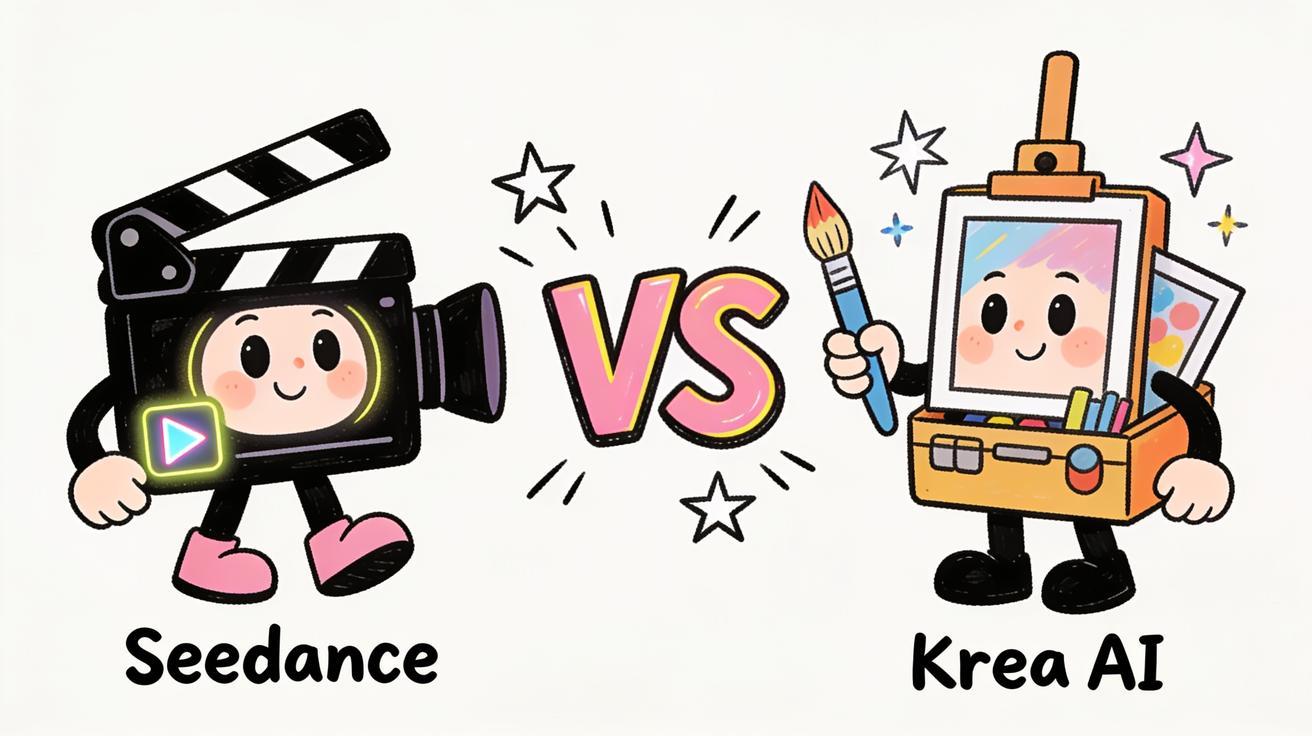
Quick Verdict: If your goal is finished video — product demos, social clips, image-to-video animations, ad cuts — Seedance is the better pick because it is a dedicated AI video generator with a focused video workflow. Krea AI is the better pick if you want an all-in-one creative studio that does realtime image generation, design iteration, upscaling, and LoRA training, with video as one tool among many. This Seedance vs Krea AI comparison breaks down where each wins so you can choose without wasting credits on the wrong tool.
The short version: Krea is a broad creative suite that aggregates dozens of third-party models (it actually offers Seedance as one of those models inside its platform). Seedance is a purpose-built video generator. If video is your main output, you want the tool that was designed around video, not the one where video shares a credit pool with image, 3D, and lipsync. Below I compare the two on video quality, image-to-video, motion, ease of use, pricing structure, and real use cases.
Quick Answer: Seedance vs Krea AI
| Dimension | Seedance | Krea AI |
|---|---|---|
| Core focus | Dedicated AI video generator | All-in-one creative studio (image, video, 3D, lipsync, upscaling) |
| Best for | Finished video output, fast iteration | Realtime image design, multi-tool creative workflows |
| Video models | Multi-model video generation in one video-first UI | Aggregates 150+ models (Veo, Kling, Runway, Hailuo, Wan — and Seedance itself) |
| Image-to-video | Core feature, tuned for motion and consistency | Available, shares credits with all other tools |
| Realtime generation | Not the focus; built for render-quality output | Realtime image/draw is a signature feature |
| Pricing model | Video-focused plans | Compute-unit credits shared across every tool |
| Learning curve | Low — pick model, prompt, generate | Higher — many tools, node editor, model picker |
Bottom line: choose Seedance for a video-first workflow where the whole interface is built to get you a clean clip fast. Choose Krea if you live across image, video, 3D, and upscaling all day and want one subscription to cover everything.
What Krea AI Actually Is
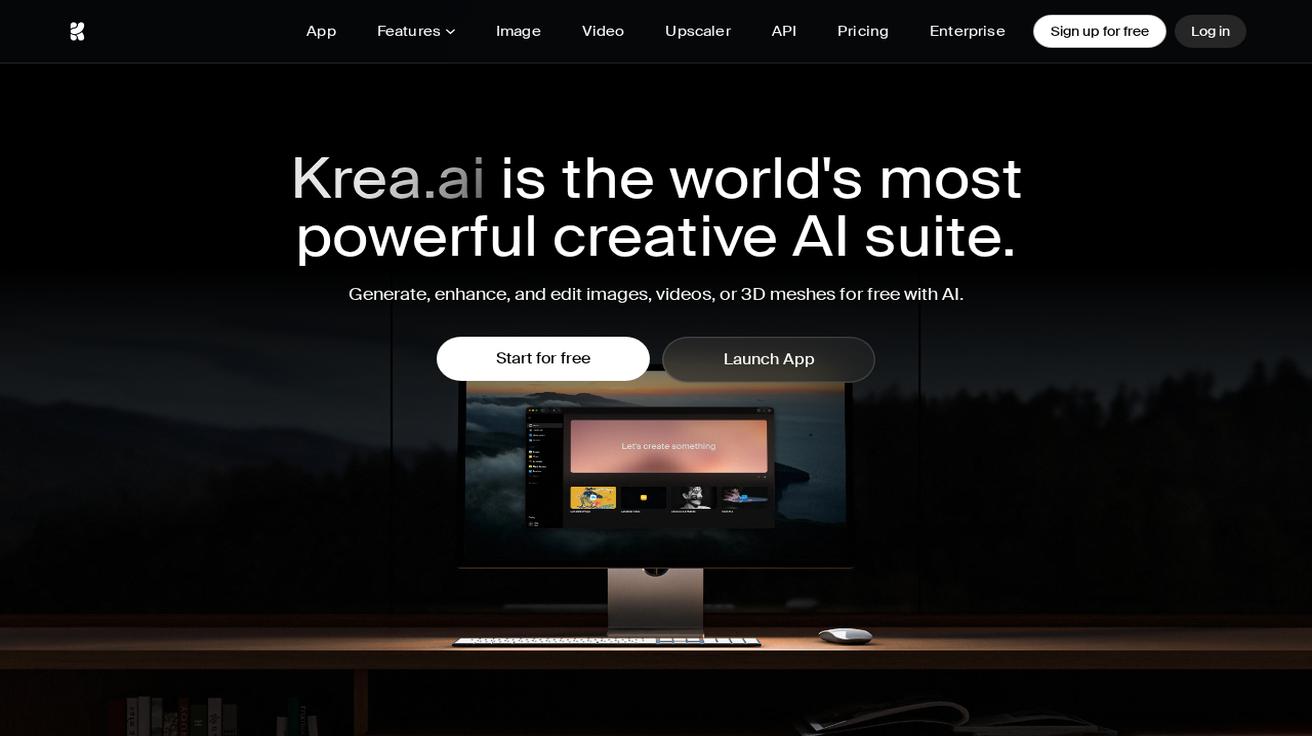 Krea's own homepage frames it as a creative AI suite — "generate, enhance, and edit images, videos, or 3D meshes." Video is one tool among many. (Source: krea.ai)
Krea AI positions itself as "the world's best creative AI studio." That framing matters, because Krea is not primarily a video tool — it is a creative suite. According to its own product pages, Krea offers image generation (including its in-house Krea image model), AI video, 3D, lipsync, an upscaler/enhancer, LoRA training, moodboards, and a node editor. Its standout feature has historically been realtime generation — you type or draw and watch the image update instantly, which is excellent for rapid visual exploration.
On the video side, Krea works as an aggregator. Instead of building one in-house video model, it gives you access to a large catalog of third-party video models — Veo, Kling, Hailuo, Wan, Runway, and others. Krea even lists Seedance among its available models. That is genuinely useful if you want to A/B many models from one login. But it also tells you something important: Krea's value is breadth and convenience, not a single best-in-class video engine that it owns and tunes end to end.
Krea runs on a compute-unit credit system. The free tier gives a small daily allowance (around 100 compute units per day, no credit card required) with limited access to image, video, 3D, lipsync, upscaling, and LoRA. Paid tiers add monthly compute units, commercial licensing, and broader model access. The key structural point: every tool draws from the same credit pool, so heavy video rendering competes with your image and upscaling usage.
What Seedance Is
Seedance is a dedicated AI video generator. The entire product is organized around one job: get you from an idea, a prompt, or a still image to a finished video clip. You upload an image or type a prompt, choose a video model, generate a few versions, check the result, and export. There is no detour through a general creative canvas, no node graph to wire up, and no design-tool overhead.
Seedance also supports multiple video models inside a single video-first interface, so you still get model choice — but the choice is framed around video output, not "150 models for everything." That focus is the whole point of this comparison. When the interface, the defaults, and the credit structure are all built for video, you spend less time configuring and more time shipping clips.
If you want to see how Seedance handles still images specifically, the Seedance image-to-video tool is the fastest place to start, and the Seedance 2.0 review covers what the latest model does well.
Video Quality: Head to Head
Video quality is the single most important axis for a video tool, so start here.
Krea AI: Because Krea aggregates third-party models, your output quality depends entirely on which model you pick. Run Veo and you get Veo's quality; run Kling and you get Kling's. That is flexible, but it also means quality is inconsistent across the platform and you carry the burden of knowing which model to use for which shot. There is no single "Krea video look" the way there is a single in-house standard — Krea's in-house strength is on the image side (its realtime and image models), not a proprietary video model.
Seedance: Seedance is tuned around delivering clean, coherent video as the primary output. Motion stability, subject consistency, and prompt adherence are the things a dedicated video tool obsesses over, because video is the only thing it ships. For most creators, the practical difference is this: in Seedance the default path is already pointed at good video, while in Krea you have to first decide which of many models to route to.
Who wins: Tie on raw ceiling if you hand-pick the best model in Krea — but Seedance wins on consistency and time-to-good-clip, because you are not gambling on model selection every time.
Image-to-Video: The Most Important Workflow
Image-to-video — animating a still photo, product shot, or character frame — is where most real marketing and social work happens. You already have a hero image; you want it to move.
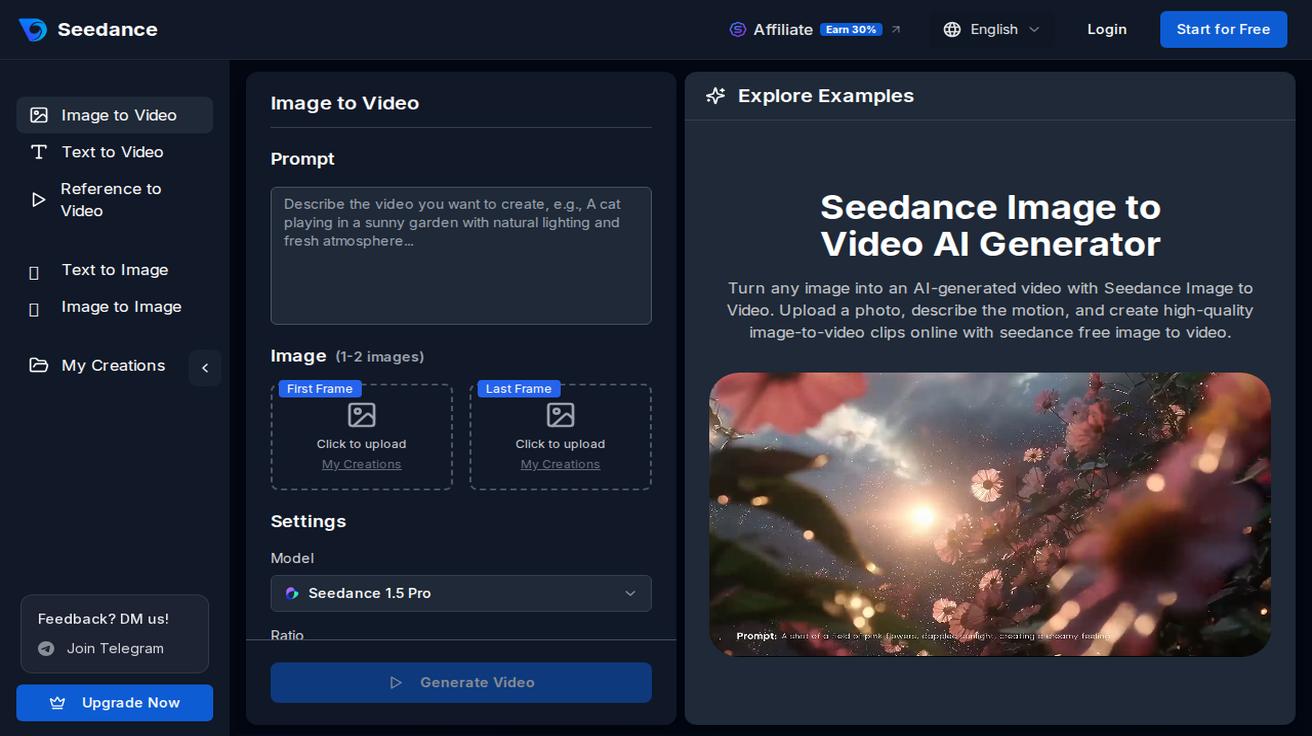 Seedance's Image to Video screen: upload a still, write a motion prompt, pick a model, generate. The whole interface is built around video output. (Source: seedance.tv)
Seedance treats image-to-video as a core, first-class feature. Upload your image, write a motion prompt ("slow push-in, fabric ripples in the wind, soft natural light"), choose a model, and generate two or three variants to compare. Because the tool is built for this, the motion controls and consistency checks are front and center. For a full walkthrough, see the Seedance image-to-video guide.
Krea can also do image-to-video, and it benefits from being able to send your still to multiple underlying models. But the workflow lives inside a much larger toolset, the credits come from the shared compute pool, and the experience is optimized for a creative-suite user rather than a "I need this product shot to move" user.
Who wins: Seedance, for anyone whose main job is turning images into video. The focus shows up in the defaults.
Motion and Camera Control
Good AI video is not just a moving picture — it is intentional motion: a controlled camera move, believable physics, a subject that holds together frame to frame.
- Seedance: Prompt-driven camera and motion control is a primary design goal. You describe the camera move (dolly in, orbit, crane up) and the motion, and the video-first defaults reward that specificity. The Seedance prompt guide has copy-ready camera and motion prompts.
- Krea: Motion control depends on the underlying model you select. Some models in Krea's catalog handle camera language well; others don't. You inherit each model's strengths and quirks, and you manage that yourself.
Who wins: Seedance for predictable, prompt-driven motion without model-shopping.
Ease of Use
Krea is powerful but broad. Between image, video, 3D, lipsync, the enhancer, LoRA training, moodboards, and a node editor, there is a real learning curve. That richness is a feature for power users who want one studio for everything — but it is overhead if all you want is a video clip.
Seedance is deliberately narrow: pick a model, write a prompt or upload an image, generate, compare, export. A first-time user can produce a usable clip in minutes without learning a node graph or deciding between 150 models. For video-first creators, less surface area is a feature, not a limitation.
Who wins: Krea for users who want a do-everything studio; Seedance for the fastest path to a finished video.
Pricing Structure
I'll keep this qualitative on purpose — credit systems and tiers change, and inventing exact numbers would be worse than useless.
Krea AI uses a compute-unit credit model. The free tier offers a modest daily allowance (about 100 compute units per day) with no credit card and limited access across image, video, 3D, lipsync, upscaling, and LoRA. Paid tiers grant monthly compute units, commercial licensing, and broader model/feature access, with discounts on annual billing. The structural catch for video creators: one shared credit pool feeds every tool, so a heavy day of video rendering eats into the same budget as your image and upscaling work. If you use the whole suite, that bundling is efficient. If you only make video, you are partly paying for capabilities you won't touch.
Seedance prices around video usage, so your spend maps directly to the output you actually care about. For a video-first user, paying for a video tool is simpler to reason about than splitting a general compute budget across many tools you don't use.
Who wins: Krea if you genuinely use the full creative suite (the bundle is good value). Seedance if video is the main output and you want spend that tracks video, not a shared pool.
Note on accuracy: Krea's credit allowances, tier prices, and model catalog change over time. Always confirm current numbers on Krea's official pricing page before budgeting. This comparison focuses on structure and fit, not point-in-time prices.
Best Use Cases for Each
Choose Seedance when:
- You make a lot of video. Social clips, TikTok/Reels cuts, product demos, app preview videos, landing-page hero loops.
- Image-to-video is your main move. You have product shots or character frames and need controlled motion.
- You want speed and a low learning curve. Pick model, prompt, generate, export — no node editor.
- You want spend that maps to video. No shared credit pool diluted across image, 3D, and upscaling.
Pair it with the Seedance image-to-video tool for stills, and read the Seedance 2.0 features post to see what the current model handles.
Choose Krea AI when:
- You work across modalities daily. Image, video, 3D, lipsync, and upscaling in one session.
- Realtime image design is core to your process. Krea's type/draw realtime generation is a genuine strength.
- You want to A/B many models from one login, and you're comfortable choosing the right one per shot.
- You need LoRA training, an enhancer/upscaler, or a node-based workflow in the same place.
How to Get a Great Video in Seedance (Step by Step)
Here is the practical workflow most creators use:
- Start from an asset or a prompt. Upload a product photo or character frame for image-to-video, or write a text prompt for text-to-video.
- Write a specific prompt. Name the subject, the motion, the camera move, and the lighting. Specificity beats length.
- Choose a model. Seedance offers multiple video models in a video-first UI — pick based on the look you want.
- Generate 2–3 versions. Compare variants from the same prompt rather than betting everything on one render.
- QA the result. Check subject consistency, motion physics, camera move, and that any on-frame text is clean.
- Export and reuse. Pull the clip into TikTok, Reels, a landing page, a product demo, or an ad.
Copy-ready image-to-video prompts
Use these as templates when animating a still in Seedance:
- Product spin: "Slow 180° orbit around the product on a clean white surface, soft studio light, shallow depth of field, subtle reflection, no warping on edges."
- Hero push-in: "Gentle slow push-in toward the subject, natural window light, soft background blur, steady camera, cinematic mood."
- Lifestyle motion: "Person holding the product, subtle hand movement, hair and fabric react to a light breeze, warm golden-hour light, locked-off camera."
- App/screen demo: "Smooth camera drift across the device screen, UI elements animate in sequence, crisp focus, modern minimal lighting."
For more, the Seedance prompt guide has a full library of camera and motion prompts.
Honest Limitations of Each Tool
No tool is perfect, and pretending otherwise wastes your time.
Seedance limitations: As a dedicated video tool, it is not the place for full image-design suites, realtime draw-to-image exploration, 3D, or LoRA training. If your workflow genuinely spans all of those, a suite like Krea covers more ground in one subscription. AI video also still requires QA — check consistency and motion on every clip regardless of tool.
Krea limitations: Breadth has a cost. Video quality depends on which underlying model you pick, the shared compute-unit pool means video competes with your other usage, and the larger surface area (node editor, many models) is more to learn. If video is 90% of what you do, you're paying for — and navigating — a lot you won't use.
Seedance vs Krea AI vs Other Tools
If you're comparison-shopping, it's worth seeing where each lands against the broader field. Krea's whole pitch is that it aggregates the other models — so the more useful question is which dedicated video tool fits your workflow. We've published honest head-to-heads against the major dedicated and aggregator options:
- Seedance vs Runway 2026
- Seedance vs Sora 2 comparison
- Seedance vs Kling AI 2026
- Seedance vs Pika 2026
Reading two or three of these alongside this Seedance vs Krea AI breakdown will tell you fast whether you want a dedicated video generator or an everything-suite.
FAQ
Is Krea AI a video generator? Krea AI is a broad creative studio that includes video, but it is not primarily a video tool. It aggregates many third-party video models (Veo, Kling, Runway, Hailuo, Wan, and others — including Seedance) alongside image, 3D, lipsync, upscaling, and LoRA training. Seedance, by contrast, is a dedicated AI video generator.
Can I use Seedance inside Krea? Krea lists Seedance among its available models, so you may be able to access a Seedance model from within Krea's platform. But the dedicated Seedance app gives you a video-first workflow, video-focused defaults, and pricing that maps to video rather than a shared compute-unit pool.
Which is cheaper, Seedance or Krea AI? It depends on usage. Krea bundles every tool into one compute-unit credit pool, which is efficient if you use the whole suite but means video competes with your other usage. Seedance prices around video, so spend tracks the output you care about. Confirm current prices on each official site before deciding.
Which is better for image-to-video? Seedance, for most creators. Image-to-video is a core, first-class workflow in Seedance with motion and consistency controls up front. Krea can do it too, but inside a much larger toolset and shared credit budget.
Which has the easier learning curve? Seedance. It's a focused pick-model-prompt-generate flow. Krea is more powerful but broader, with a node editor and 150+ models to navigate.
Conclusion: Seedance vs Krea AI
In the Seedance vs Krea AI decision, the right answer comes down to one question: is video your main output, or one of many things you create?
If you primarily make video — product demos, social clips, image-to-video animations, ads — Seedance is the better tool because everything in it is built around getting you a clean clip fast: a video-first interface, motion- and consistency-focused defaults, first-class image-to-video, and pricing that maps to video instead of a shared credit pool. If you live across image, video, 3D, lipsync, and upscaling every day and want one studio with realtime image design and LoRA training, Krea AI is a strong all-in-one suite — and you can even reach Seedance's model from inside it.
For most creators and marketers whose deliverable is a finished video, the focused tool wins. Try the workflow yourself with the Seedance image-to-video tool or start a free Seedance video and compare the output to anything else you're using.
Ready to create your own AI video?
Turn ideas, text prompts, and images into polished videos with Seedance. If this article helped, the fastest next step is to try the product.
Free credits on signup. Plans from $28/month.
Related Articles
More posts in the same locale you may want to read next.

Seedance App Preview Video Generator 2026: Create App Store and Product Launch Clips
Use Seedance to turn app screenshots, feature copy, and launch goals into App Store previews, Google Play promo videos, and product launch clips.
Read article
How to Keep Product Shape Consistent in AI Video Ads
Lock product geometry, packaging, labels, references, camera angles, and approval checks so AI video ads preserve the real SKU across every shot.
Read article
How to Make AI Video Follow a Multi-Step Action
Plan atomic actions, state transitions, timing, continuity, and shot handoffs so an AI video completes a sequence in the intended order.
Read article