
How to Make Slow-Motion Videos with Seedance: Prompts, Settings & Pro Techniques (2026)
Want to create a Seedance slow motion video that looks like it was shot on a high-speed cinema camera? You do not need a 1,000fps rig or expensive editing software. With the right prompt language, Seedance can generate buttery slow-motion clips of water splashes, hair flips, product reveals, and athletic moves straight from a text prompt or a still image. This guide shows you exactly how to make a Seedance slow motion video, the prompt words that actually control speed, and the QA checks that keep your footage from looking jittery.
Slow motion is one of the highest-impact looks in short-form video. It makes ordinary moments feel premium, gives the eye time to absorb detail, and reliably stops the scroll on TikTok and Reels. The catch with AI video is that "slow motion" is not a button you press — it is a quality you describe. Get the description right and Seedance gives you smooth, cinematic results. Get it vague and you get either normal speed or stuttery frames. Let's fix that.
Quick Answer: How Do You Make Slow Motion in Seedance?
To make a slow-motion video in Seedance, describe the pace of the action directly in your prompt using phrases like "slow motion," "captured in extreme slow motion," "ultra slow-mo at high frame rate," and "time stretched." Pair that with a slow-moving subject (falling water, drifting fabric, a slow turn) and a gentle camera move. Then generate two or three versions and pick the smoothest. Slow motion in Seedance is created at the prompt and motion level, not by changing playback speed after export.
In short: prompt the speed, choose a subject that benefits from it, keep the camera calm, and generate variants. Everything below expands on those four levers.
Why Slow Motion Looks Different in AI Video
Traditional slow motion works by capturing many more frames per second than you play back — film at 120fps, play at 24fps, and the action stretches to one-fifth speed while staying perfectly smooth. AI video generators like Seedance do not literally "film" faster; they synthesize motion based on what your prompt implies about speed and timing.
That has two practical consequences:
- You control speed with language, not a slider. Words like "slow motion," "gradual," "languid," and "drifting" tell the model to generate fewer changes between frames, which reads as slowed-down time.
- Smoothness depends on the subject. Fluid, continuous motions (water, smoke, fabric, hair, slow walks) interpolate beautifully. Fast, chaotic, or jerky actions can produce artifacts when forced into slow motion because the model has to invent a lot of in-between motion.
Understanding this is the difference between fighting the tool and working with it. You are not slowing down a clip after the fact — you are asking Seedance to generate time-stretched motion from the start. That is also why slow motion pairs so well with text-to-video and image-to-video workflows: in both cases the prompt is where the speed lives.
How to Make a Slow-Motion Video with Seedance (Step-by-Step)
Here is the full workflow, whether you are starting from a text idea or an existing photo.
Step 1: Choose your starting point
- Text-to-video when you are inventing a scene from scratch (a coffee pour, a runner crossing a finish line, petals falling).
- Image-to-video when you already have a hero frame — a product shot, a portrait, a landscape — and you want to animate it in slow motion.
Both routes accept the same speed language. Image-to-video gives you tighter control over the look because the first frame is locked to your asset.
Step 2: Pick a Seedance model
Open Seedance and select a model such as Seedance 2.5 or Seedance 2.0. Newer models generally handle motion coherence and physical realism better, which matters a lot for slow motion where the eye has time to notice mistakes. If your plan allows it, default to the latest model for slow-motion work and only step down for quick drafts. For a deeper look at what each version does well, see the Seedance 2.5 model page.
Step 3: Write a speed-aware prompt
This is where most slow-motion attempts succeed or fail. A strong slow-motion prompt has four parts:
- Subject and action — what is moving (e.g., "a single drop of milk falling into a glass").
- Speed cue — the explicit slow-motion instruction ("captured in extreme slow motion").
- Camera — usually a slow, stable move ("slow push-in, macro lens").
- Look — lighting and style ("soft studio lighting, shallow depth of field, cinematic").
Example:
A single drop of milk falling into a glass of coffee, captured in extreme
slow motion, the splash crown rising and rippling, slow macro push-in,
soft studio lighting, shallow depth of field, cinematic, high detail
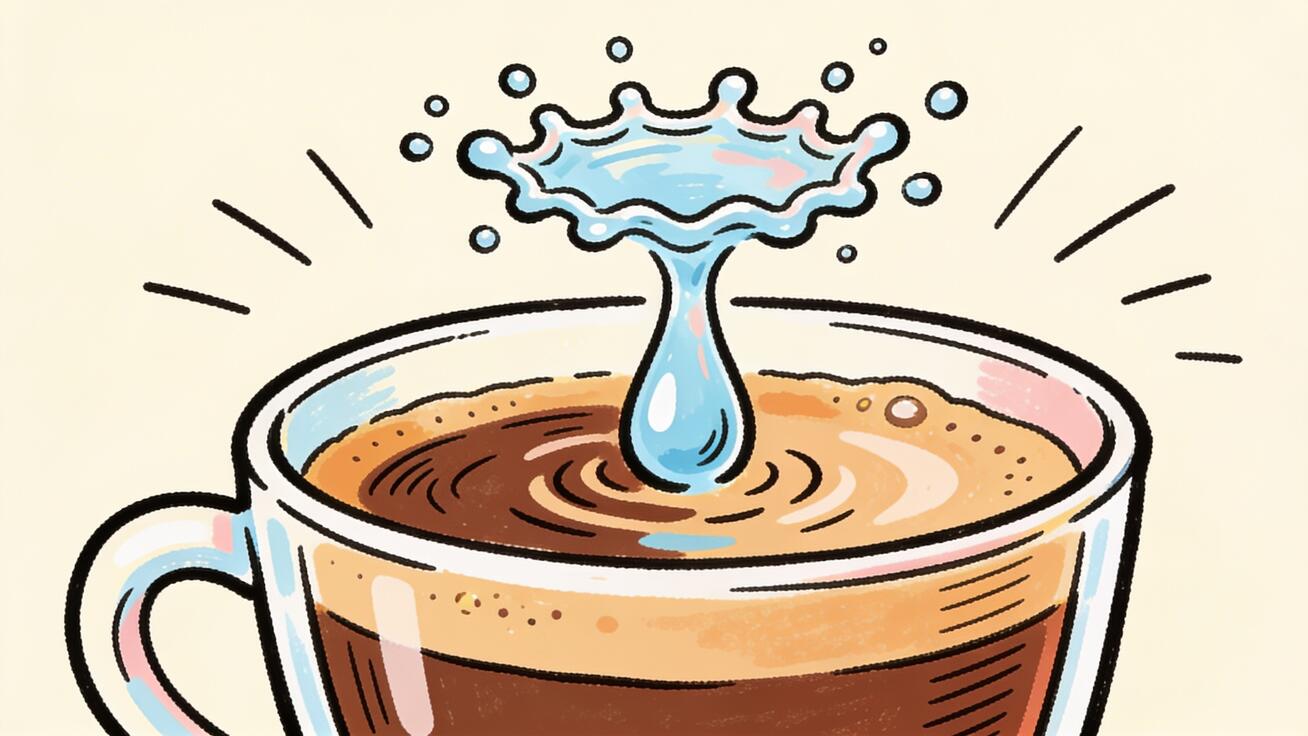 A frozen splash crown is a classic Seedance slow-motion subject — fluid motion interpolates smoothly.
Step 4: Generate two or three versions
Always generate more than one clip from the same prompt. Slow motion amplifies any frame-to-frame inconsistency, so you want options. Generating variants is the single cheapest quality upgrade you can make.
Step 5: Inspect for smoothness and artifacts
Watch each clip at full size and look specifically for:
- Warping in hands, faces, or fast-moving edges.
- Texture crawl on water or fabric.
- Pace — does it actually read as slow motion, or just slightly slower than normal?
Pick the cleanest version. If none feel slow enough, strengthen the speed cue (see the prompt section below).
Step 6: Export and use
Export your chosen clip for its destination — vertical 9:16 for TikTok and Reels, 16:9 for YouTube and landing pages. Slow-motion clips work especially well as loopable B-roll, hero backgrounds, and ad hooks.
Slow-Motion Prompt Templates (Copy-Ready)
Use these as starting points and swap in your own subject. The bolded phrases are the speed levers.
Product reveal
A luxury watch rotating on a reflective black surface, captured in
cinematic slow motion, light glinting across the case, slow orbit camera
move, dramatic rim lighting, ultra high detail, shallow depth of field
Liquid / splash
Fresh orange juice splashing into a tall glass, extreme slow motion,
droplets suspended in mid-air, slow push-in macro shot, bright natural
lighting, crisp focus, commercial food cinematography
Beauty / hair
A woman turning her head, hair flowing through the air in slow motion,
soft golden hour backlight, slow dolly move, shallow depth of field,
cinematic beauty commercial look
Nature
A hummingbird hovering near a bright flower, wings captured in ultra
slow motion at high frame rate, soft morning light, slow telephoto
push-in, dreamy bokeh, nature documentary style
Sports / action
A basketball player releasing a jump shot, captured in slow motion at
the peak of the jump, sweat droplets visible, low-angle slow tracking
shot, stadium lighting, dramatic and cinematic
Fabric / fashion
A flowing silk dress moving in the wind, slow motion, fabric rippling
gracefully, slow orbit around the subject, soft diffused light, editorial
fashion film aesthetic, elegant
If your output still looks too fast, stack the cue: "extreme slow motion, time stretched, ultra slow-mo, high frame rate capture." If it looks too slow or frozen, soften it to just "slow motion" and add a small ongoing movement so the frame never fully stops. For more on how phrasing changes output, the Seedance 2.5 prompt guide breaks down prompt structure in detail.
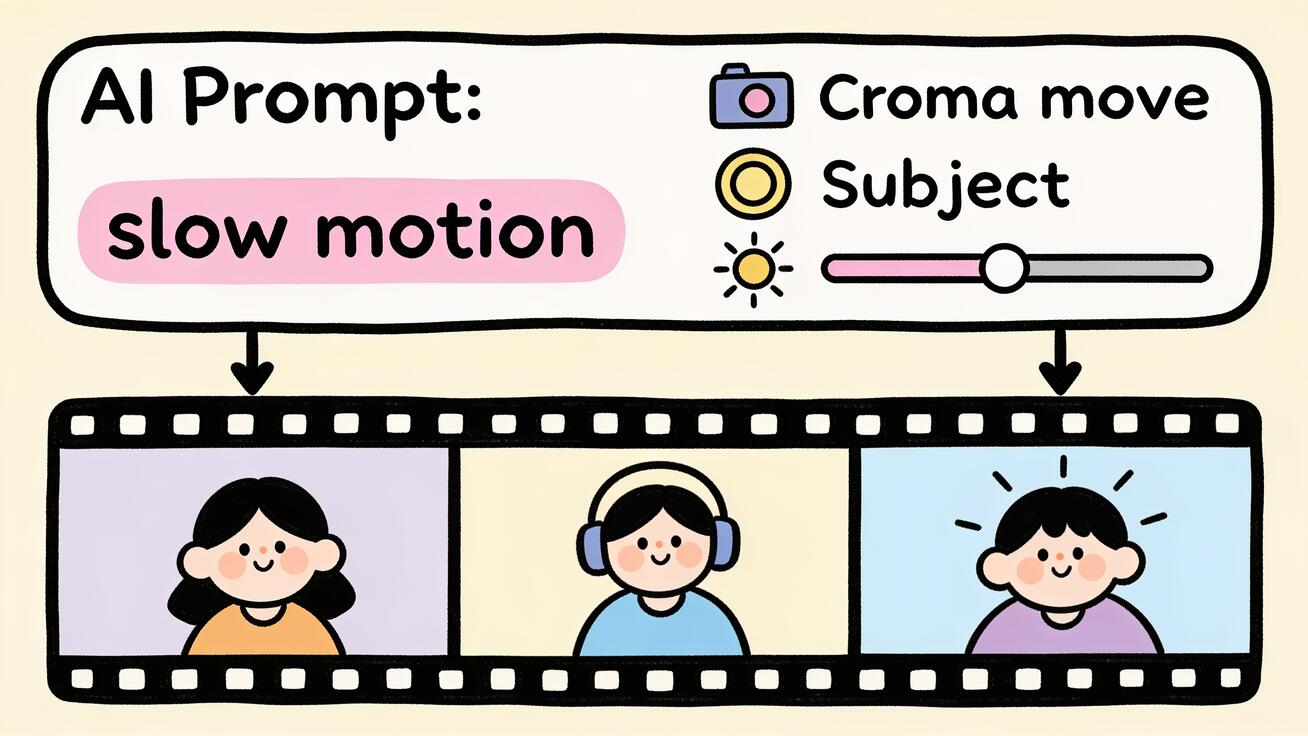 A strong slow-motion prompt front-loads the speed cue, then layers subject, camera move, and lighting.
Pro Techniques for Better Slow Motion
Combine slow motion with camera movement
Slow motion plus a slow camera move is the classic premium look. Pair your speed cue with a gentle camera movement prompt — a slow push-in, a subtle orbit, or a smooth tracking shot. Avoid fast whips and snap zooms; they fight the slowed-down feel and increase the chance of artifacts. For a full vocabulary of moves, the Seedance 2.0 camera movement prompts collection is a useful reference.
Use "speed ramp" language for hybrid clips
A speed ramp transitions from normal speed into slow motion (or back) within a single shot — a staple of action edits and sports highlights. Describe it explicitly: "begins at normal speed, then ramps into dramatic slow motion as the ball is kicked." The model will not always nail the exact ramp point, so generate several versions and choose the one with the cleanest transition.
Pick subjects that interpolate well
The best slow-motion subjects share a trait: continuous, fluid motion. Reach for water, smoke, steam, fabric, hair, petals, dust, slow walks, and slow turns. Be cautious with rapid limb movement, crowds, and busy backgrounds — they give the model more chances to invent inconsistent motion.
Light for slow motion
Because viewers study every frame, lighting quality matters more than usual. Ask for "soft studio lighting," "golden hour backlight," or "dramatic rim lighting." Shallow depth of field ("shallow depth of field," "creamy bokeh") hides background noise and focuses attention on your hero subject — exactly what slow motion is meant to do.
Match aspect ratio to the platform
Plan the frame before you generate. Vertical 9:16 for TikTok, Reels, and Shorts; 16:9 for YouTube and websites; 1:1 for feed posts. Slow-motion B-roll is endlessly reusable, so generating a clean horizontal master and cropping for verticals can stretch one clip across several channels.
Best Use Cases for Seedance Slow Motion
- Product ads and reveals. A slow rotation or a slow-motion pour makes a product feel premium and gives the viewer time to register details. Ideal for ecommerce hero videos and paid social.
- Beauty and fashion. Hair flips, fabric in the wind, and slow turns are the bread and butter of beauty film — and they interpolate cleanly in AI video.
- Food and beverage. Splashes, pours, steam, and sizzle in slow motion are some of the most scroll-stopping clips on social.
- Sports and fitness. Peak-action slow motion (a jump, a swing, a sprint) adds drama to highlight reels and gym content.
- Nature and lifestyle B-roll. Falling petals, drifting clouds, rippling water — perfect loopable backgrounds for landing pages and ambient content.
- Hooks and transitions. A two-second slow-motion moment at the start of a video buys you attention; a speed ramp into slow motion makes a clean scene transition.
Slow-Motion Shot Ideas by Industry
If you are not sure where slow motion fits your content, here are proven shot ideas you can generate in Seedance, with the speed lever already built in. Swap in your own brand details.
Ecommerce / DTC
A skincare serum bottle with a dropper releasing a single golden drop,
captured in extreme slow motion, droplet stretching and falling, slow
macro push-in, soft diffused studio light, clean white background
This is the classic premium product reveal — slow enough that the viewer registers texture, finish, and brand cues. Perfect for a paid social hook or a product-page hero loop.
Restaurant / food and beverage
Melted chocolate being poured over a dessert, slow motion, the stream
folding and glistening, slow side tracking shot, warm moody lighting,
shallow depth of field, appetizing food cinematography
Pours, sizzles, and steam in slow motion are among the most reliably scroll-stopping clips for food brands and delivery apps.
Real estate / interiors
Sheer curtains drifting in a breeze beside a sunlit window, slow motion,
soft morning light filling the room, slow dolly move forward, warm and
inviting, architectural lifestyle film
Slow ambient motion makes a static listing feel lived-in and aspirational without showing a single price or floor plan.
Fitness / sports
An athlete pouring water over their head after a workout, captured in
slow motion, droplets flying outward, low-angle slow tracking shot,
dramatic gym lighting, intense and cinematic
Peak-effort slow motion adds emotion and grit to gym content, supplement ads, and athlete highlight reels.
SaaS / tech and apps
A sleek smartphone rotating slowly on a pedestal, app interface glowing
on screen, cinematic slow motion, slow orbit camera, cool studio
lighting, reflective surface, modern and premium
Even software brands use slow-motion device shots as polished B-roll behind feature callouts and landing-page hero sections.
Across all of these, the recipe is identical: a fluid subject, a front-loaded slow-motion cue, a calm camera, and intentional lighting. Generate a couple of variants for each and keep the smoothest as reusable B-roll.
Common Mistakes and QA Checklist
Slow motion exposes flaws that normal-speed footage hides. Before you publish, run this checklist.
- The clip is not actually slow. If it reads as normal speed, your speed cue was too weak or buried. Move "slow motion" near the front of the prompt and intensify it.
- Hands, faces, and edges warp. This is the most common slow-motion artifact. Switch to a smoother subject, simplify the action, or generate more variants.
- Texture crawl on water or fabric. Often improves on a regen; if persistent, reduce background complexity.
- The frame freezes completely. Too much slow-motion language. Dial it back and keep one continuous small motion alive.
- Camera fights the slow-mo. Replace fast moves with a slow push-in, orbit, or static shot.
- Wrong aspect ratio for the platform. Decide 9:16 vs 16:9 before generating, not after.
QA pass before export:
- Watch at full size, not as a thumbnail.
- Confirm the slow-motion effect is obvious within the first second.
- Scrub frame by frame through any hands, faces, or fast edges.
- Check that lighting and focus draw the eye to the hero subject.
- Generate one more variant if you are between two clips — it is cheap insurance.
FAQ
Can Seedance make true slow-motion video? Seedance generates motion that reads as slow motion when you prompt for it. It synthesizes time-stretched movement rather than capturing extra frames like a high-speed camera, but for splashes, fabric, hair, and product reveals the result looks like genuine cinema slow-mo.
What is the best prompt word for slow motion in Seedance? "Captured in extreme slow motion" is a reliable core phrase. Stack it with "high frame rate," "time stretched," and "ultra slow-mo" if you need a stronger effect, and place the cue near the start of the prompt.
Why does my Seedance slow-motion clip look jittery? Usually the subject is too fast or chaotic for smooth interpolation, or there is too much background detail. Switch to a fluid, continuous motion, simplify the scene, and generate two or three versions to pick the cleanest.
Can I do a speed ramp from normal to slow motion? Yes — describe it directly, e.g., "starts at normal speed, then ramps into slow motion." Generate several clips because the exact ramp point varies between generations.
Should I use text-to-video or image-to-video for slow motion? Use text-to-video to invent a scene and image-to-video to animate an existing photo or product shot in slow motion. Both respond to the same speed language.
Conclusion
Making a Seedance slow motion video comes down to four moves: prompt the speed with clear, front-loaded language; choose a fluid subject that interpolates well; keep the camera calm with a slow push-in or orbit; and generate two or three versions so you can pick the smoothest. Add platform-correct framing and a quick QA pass, and you have premium slow-motion B-roll, product reveals, and scroll-stopping hooks without a high-speed camera or an edit suite.
Open Seedance, drop in one of the prompt templates above, swap in your own subject, and generate your first slow-motion clip free. Once you see how much the speed cue and subject choice matter, you will be able to dial in cinematic slow motion on demand.
Ready to try it yourself?
Put the steps from this guide into practice with Seedance and turn prompts or images into polished videos in minutes.
Free credits on signup. Plans from $28/month.
Related Articles
More posts in the same locale you may want to read next.

Seedance App Preview Video Generator 2026: Create App Store and Product Launch Clips
Use Seedance to turn app screenshots, feature copy, and launch goals into App Store previews, Google Play promo videos, and product launch clips.
Read article
Gemini AI Video Prompt Examples: Copy-Ready Veo Scenes and a Better Prompt Formula
Copy Gemini AI video prompt examples for cinematic motion, product ads, dialogue, and vertical clips, then adapt them with a practical Veo prompt formula.
Read article
How to Keep Product Shape Consistent in AI Video Ads
Lock product geometry, packaging, labels, references, camera angles, and approval checks so AI video ads preserve the real SKU across every shot.
Read article