
Seedance Reference Video Workflow: Keep Character Motion Consistent in AI Videos
Meta description: Build a Seedance reference video workflow for consistent AI video character motion, scene continuity, prompt control, and reliable shot iteration.
A strong Seedance reference video workflow solves one of the hardest problems in AI video production: keeping a character's motion consistent from shot to shot. A single impressive clip is useful, but a real campaign, short film, product story, or social series needs continuity. The character should walk with the same rhythm, turn with the same attitude, gesture in a recognizable way, and remain believable even when the camera angle, scene length, or background changes.
Seedance is especially useful for this type of workflow because it can turn a clear creative direction into polished video quickly. The mistake many creators make is treating each generation as a fresh isolated prompt. They write one prompt for a walking shot, another prompt for a close-up, another prompt for a product interaction, and then wonder why the character suddenly moves like three different people. The fix is not simply a longer prompt. The fix is a structured reference workflow: define the motion, break it into repeatable units, keep the visual identity stable, and iterate from one controlled shot at a time.
This guide shows a practical Seedance workflow for using a reference video concept to preserve character motion consistency. You can use it when planning brand avatars, fashion lookbooks, explainer videos, music visuals, game character reels, product demos, or creator content where the same person or mascot appears across several AI video scenes.
What a reference video workflow means in Seedance
In everyday production, a reference video is not just a file you upload. It is a motion standard. It tells the model and the creator what should stay consistent: the pace of movement, the body posture, the gesture pattern, the camera distance, the emotional tone, and the timing of the action.
For Seedance, think of the reference workflow as a package with five parts:
- Character identity: who appears in the video, including clothing, silhouette, age range, hairstyle, props, and visual style.
- Motion identity: how the character moves, such as a slow confident walk, energetic dance step, cautious turn, athletic jump, or gentle hand gesture.
- Camera identity: how the camera observes the motion, including lens feel, angle, distance, tracking speed, and shot size.
- Scene identity: where the action happens and what environmental elements should stay stable.
- Iteration rules: what you are allowed to change between generations and what must remain locked.
When creators say they want a Seedance reference video, they usually want one of three outcomes. First, they want a character to repeat the same movement across several shots. Second, they want a new scene to borrow the motion style of a previous clip. Third, they want to avoid the random drift that can happen when every prompt describes motion differently. All three use cases need the same discipline: start with a clear reference, translate that reference into prompt language, then generate variants without changing too many variables at once.
If you are new to Seedance, start with the core creation flows first: Seedance Text to Video for prompt-only motion design and Seedance Image to Video when you need a stronger visual anchor. For model capabilities and positioning, the Seedance 2.0 page is the best internal reference.
Why character motion consistency matters
Character consistency is not only about the face. Viewers recognize people through motion. A character's walk, posture, shoulder movement, hand rhythm, and reaction timing all create identity. If those details change too much, the video feels stitched together even when each individual clip looks high quality.
In AI video, motion inconsistency usually appears in six ways:
- The character changes walking speed between shots.
- A hand gesture starts smoothly but ends in a different pose.
- The body posture shifts from confident to awkward without story reason.
- A close-up uses a different facial expression rhythm than the wide shot.
- The camera changes speed so the same movement feels like a different action.
- Clothing, hair, or props move in ways that contradict the previous clip.
A Seedance reference video workflow reduces those issues by forcing every shot to inherit the same motion brief. Instead of asking Seedance to invent a new performance each time, you guide it toward a stable motion language.
This is especially important for commercial content. A product demo needs the hand movement to look intentional. A fashion video needs the walk to feel like one model, not a different runway pace in every clip. A brand avatar needs repeatable expressions. A tutorial sequence needs the same presenter energy across openings, transitions, and calls to action.
The Seedance reference video workflow in 8 steps
The workflow below is designed for real production. It works whether you are building a single 10-second clip, a multi-shot social ad, or a longer sequence with several scenes.
Step 1: Choose one hero motion before writing prompts
Do not begin by writing ten prompts. Begin by choosing one hero motion. The hero motion is the physical action you want viewers to remember.
Examples:
- A character walks toward camera with a calm confident pace.
- A dancer makes a smooth half-turn and points toward the lens.
- A presenter raises one hand, explains a feature, then smiles.
- A fashion model turns left, lets the jacket move naturally, and pauses.
- A game character draws a glowing sword and steps forward.
Your hero motion should be short, clear, and repeatable. The more complicated it is, the harder it becomes to maintain consistency. A reference video workflow is strongest when the motion can be described in three layers: start pose, main action, and end pose.
For example:
Start pose: character standing in three-quarter view, shoulders relaxed. Main action: takes two slow steps toward the camera while turning the head slightly right. End pose: stops, looks into camera, subtle smile.
That simple structure is more useful than a vague request like “make a cinematic character intro.” Seedance needs a motion path, not just a mood.
Step 2: Build a motion bible
A motion bible is a short written reference that stays beside every Seedance prompt. It does not need to be long. It needs to be specific.
Create a section like this:
Character motion bible
- Movement pace: slow, controlled, confident.
- Body posture: upright spine, relaxed shoulders, chin slightly lifted.
- Arm behavior: arms move naturally, no exaggerated waving.
- Head movement: slight turn toward camera during the second half of the shot.
- Emotion: calm focus, subtle smile only at the end.
- Timing: action begins immediately, no long idle pause.
- Avoid: sudden jumps, dance-like motion, aggressive gestures, unstable hands.
This motion bible becomes your consistency layer. When you create shot variations in Seedance, you keep this layer intact and only change the setting, camera distance, or final composition.
A common mistake is to put all creative ideas into one paragraph and then rewrite that paragraph for each shot. That introduces drift. Instead, keep the motion bible fixed and add scene-specific details below it.
Step 3: Decide whether Seedance text-to-video or image-to-video is the anchor
Seedance can be used in different ways depending on how much visual continuity you need.
Use Seedance text-to-video when the motion idea matters more than a specific face or outfit. This is useful for concept testing, ad storyboards, abstract character clips, and quick motion exploration. You can write a detailed character description and use the motion bible to keep the performance stable.
Use Seedance image-to-video when the character's appearance must stay tighter. A reference still can anchor the face, clothing, silhouette, product, or scene design while your prompt controls movement. This is often the better route for brand characters, fashion looks, product mascots, or recurring spokesperson clips.
A practical workflow is to use both:
- Use text-to-video to test the motion language quickly.
- Pick the best motion result as your behavioral reference.
- Create or select a strong character still.
- Use image-to-video to generate controlled shots with the same motion bible.
- Compare each output against the reference motion, not just against the prompt.
This hybrid approach helps you separate two problems: what the character looks like and how the character moves.
Step 4: Turn the reference into prompt language
Once you have a motion bible, translate it into a Seedance prompt. The prompt should describe the character, action, camera, timing, and constraints in a consistent order.
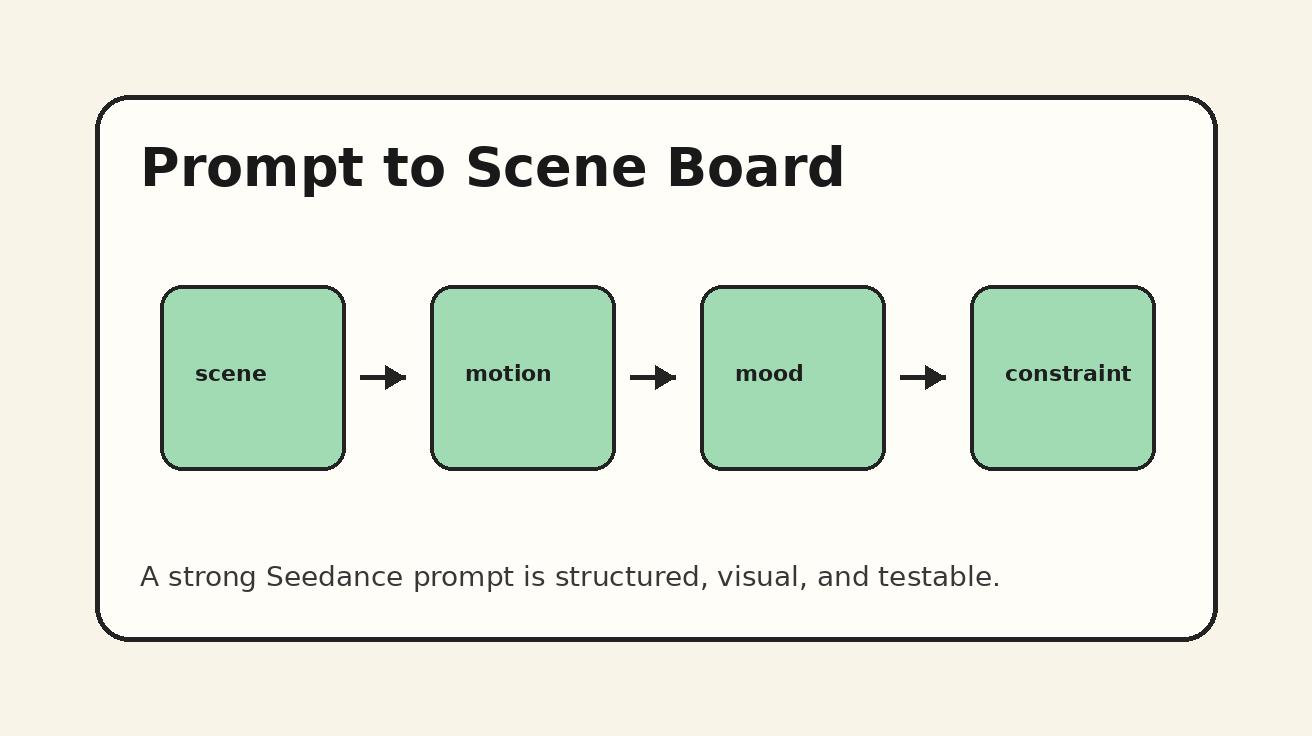
Use this structure:
- Subject: who the character is.
- Scene: where the character is.
- Motion: what the character does.
- Camera: how the viewer sees it.
- Style: lighting, tone, realism, color, production feel.
- Continuity constraints: what must not change.
- Negative instructions: what to avoid.
Example prompt:
A stylish young product presenter wearing a cream jacket and black trousers stands in a clean studio with soft warm lighting. She takes two slow confident steps toward the camera, keeps an upright posture, turns her head slightly to the right, then stops and gives a subtle smile. The camera tracks backward smoothly at chest height, medium shot, natural lens perspective. Polished commercial video style, realistic fabric movement, stable facial expression, consistent clothing, smooth hand motion. Avoid sudden jumps, exaggerated waving, dancing, face distortion, unstable fingers, fast camera shake, or a different walking pace.
Notice that the prompt does not only say “use the reference.” It describes the reference in production language. This matters because you want the motion to remain understandable even when you create variants.
Step 5: Generate a baseline clip and judge only motion first
Your first Seedance generation is not the final video. It is the baseline motion test. Judge it with one question: does this clip express the movement you want to repeat?
At this stage, ignore minor background details unless they break the shot. Focus on:
- Is the pace correct?
- Does the action begin at the right time?
- Does the character finish in a usable pose?
- Are the hands stable enough?
- Does the camera support the motion instead of fighting it?
- Does the clip feel like the right character performance?
If the answer is no, do not create scene variations yet. Fix the baseline first. Every weak baseline becomes multiplied when you build a multi-shot sequence.
Strong baselines usually share three qualities. The action is simple. The camera motion is not too aggressive. The end pose is clear. Those qualities make it easier to connect clips later.
Step 6: Create controlled variations one variable at a time
After you have a baseline, begin generating variations. The rule is simple: change only one major variable per generation.
Good variation plan:
- Version A: same motion, studio background.
- Version B: same motion, city street background.
- Version C: same motion, close-up camera distance.
- Version D: same motion, product prop in hand.
- Version E: same motion, warmer evening lighting.
Bad variation plan:
- Change background, clothing, camera angle, mood, movement speed, and hand gesture all at once.
When everything changes, you cannot tell what caused drift. When one variable changes, you can identify which change broke consistency.
For Seedance, the safest variables to change first are lighting, background, and shot size. The riskiest variables are complex hand interactions, fast turns, crowded scenes, and camera movements that obscure the body.
If your goal is consistent character motion, protect the motion bible like a locked layer. You can change the environment, but the body behavior should remain recognizable.
Step 7: Use a shot board for sequence continuity
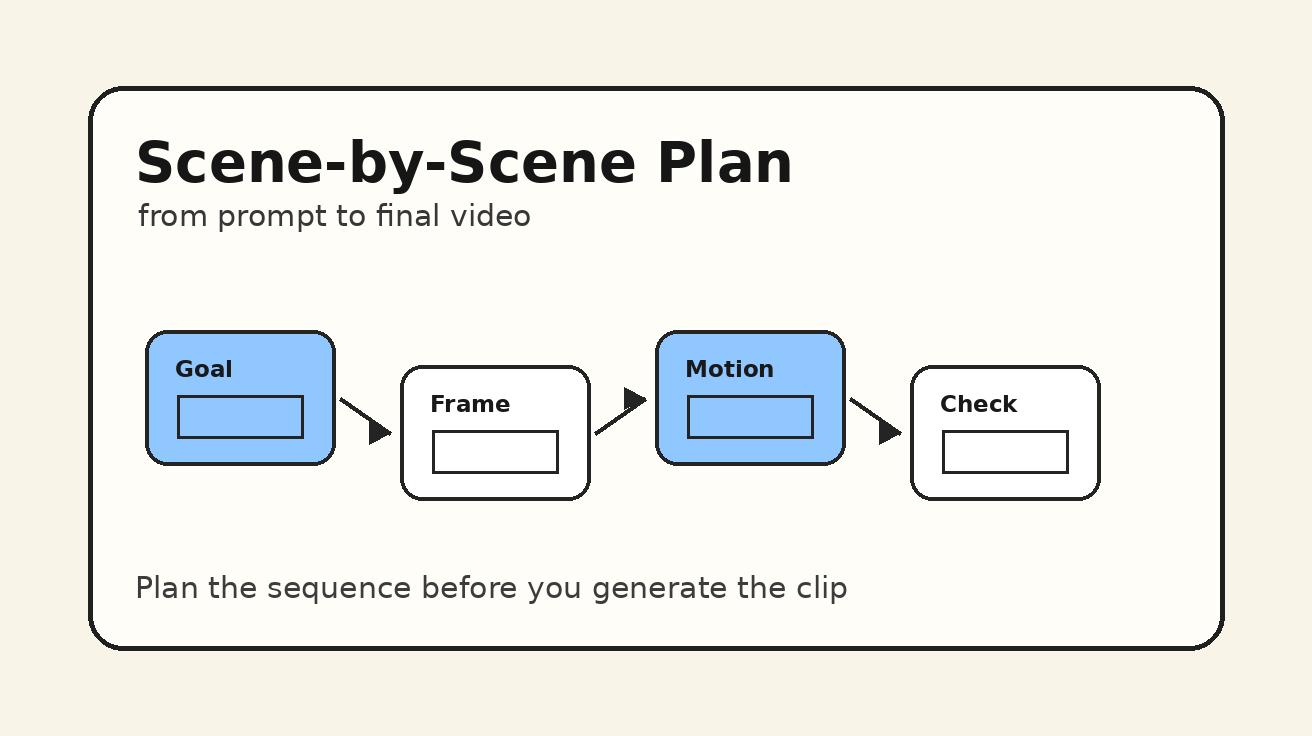
A reference video workflow becomes much stronger when you connect it to a shot board. The shot board lists each clip, its purpose, and its continuity rule.
Here is a simple Seedance shot board template:
| Shot | Purpose | Motion rule | Camera rule | What can change | What must stay consistent |
|---|---|---|---|---|---|
| 1 | Character intro | Two slow steps, slight head turn | Medium tracking shot | Background | Outfit, pace, posture |
| 2 | Product reveal | Same posture, right hand raises product | Medium close-up | Prop position | Face, smile timing, arm smoothness |
| 3 | Feature moment | Small pointing gesture | Locked camera | On-screen object | Gesture speed, shoulder angle |
| 4 | Closing CTA | Stop, look into camera, subtle smile | Slight push-in | Lighting | End pose, expression, clothing |
This template helps you plan before generating. It also prevents the common problem of chasing random beautiful clips that do not edit together.
For a deeper planning process, use the companion guide: Seedance Storyboard Workflow: Plan AI Videos Scene by Scene. For camera-specific language, use Seedance Camera Movement Prompts to keep tracking shots, push-ins, and pans consistent.
Step 8: Review outputs with a consistency checklist
Before you publish or edit, review every Seedance clip against the same checklist.
Motion consistency checklist
- Does the character keep the same general pace?
- Does the posture match the hero motion?
- Are the hands and arms behaving naturally?
- Does the head movement happen at roughly the same moment?
- Does the camera distance support continuity?
- Does the facial expression change for a story reason?
- Does the clothing remain visually compatible?
- Can this clip cut next to the previous one without feeling like a new performer?
If a clip fails one or two items, revise the prompt. If it fails several items, return to the baseline instead of trying to patch the result.
Prompt templates for Seedance reference video consistency
The fastest way to improve consistency is to reuse prompt structure. Below are practical templates you can adapt.
Template 1: consistent walk cycle
A [character description] in [scene] performs the same slow confident walk: starts standing in three-quarter view, takes two measured steps forward, keeps shoulders relaxed, turns head slightly toward camera, then stops in a stable pose. Camera tracks backward smoothly at chest height, medium shot, realistic motion, consistent outfit and face, natural arm swing. Avoid running, dancing, sudden jumps, unstable hands, changing clothing, camera shake, or exaggerated gestures.
Use this when you need a character intro, product spokesperson opening, fashion movement, or brand avatar reveal.
Template 2: consistent hand gesture
A [character description] stands in [scene], facing camera with an upright relaxed posture. The character raises the right hand slowly, points gently toward [object or screen area], holds the gesture for a moment, then lowers the hand naturally. Camera remains steady in a medium close-up. Keep the same facial expression, clothing, gesture speed, and shoulder position across the shot. Avoid extra fingers, twitching hands, waving, abrupt arm motion, or changing identity.
Use this for explainer videos, SaaS demos, product showcases, and educational content.
Template 3: consistent turn and reveal
A [character description] begins facing slightly away from camera in [scene]. The character slowly turns toward the lens, reveals [product/detail/outfit], pauses, and gives a subtle confident expression. Camera makes a gentle push-in, cinematic lighting, smooth fabric movement, stable face, consistent hairstyle and outfit. Avoid spinning too fast, dramatic dance motion, face morphing, inconsistent posture, or sudden background changes.
Use this for fashion, creator intros, game characters, and product reveal moments.
Template 4: reference motion variation
Use the same motion pattern as the reference: [describe the exact start pose, action, and end pose]. Keep the movement pace, posture, hand rhythm, and expression timing consistent. Change only [background/lighting/camera distance] while preserving character identity, outfit, body proportions, and the original motion feel. Avoid inventing a new gesture or changing the walking speed.
This is the most important template when you are generating multiple Seedance variations from one motion idea.
Common mistakes that break Seedance motion consistency
Mistake 1: using mood words instead of motion instructions
Words like cinematic, dynamic, professional, beautiful, or viral can improve style, but they do not define motion. If you want consistent character movement, describe the body action directly. Seedance performs better when the prompt names the pace, direction, posture, and end pose.
Mistake 2: changing the character description every time
Even small changes can create drift. If one prompt says “young woman in a cream jacket” and the next says “elegant presenter wearing a beige blazer,” the model may interpret those as similar but not identical. Keep the character block fixed across prompts.
Mistake 3: asking for too much motion in one clip
A walk, turn, product pickup, smile, camera orbit, background transition, and hand wave in the same short clip can overload the scene. Break complex action into shorter Seedance shots. Consistency improves when each clip has one primary movement.
Mistake 4: using fast camera motion to hide weak performance
Fast camera moves may look exciting, but they can make continuity harder. If you need consistent motion, begin with a stable medium shot. Add camera movement only after the character performance works.
Mistake 5: accepting a beautiful clip that does not match the sequence
This is the hardest mistake because the output may look good. But if it does not match the reference motion, it will weaken the final edit. In a reference video workflow, consistency beats isolated beauty.
A full Seedance workflow example
Imagine you are creating a 20-second brand avatar video. The character is a friendly AI product guide who introduces a new creative tool. You want four shots: intro walk, product gesture, interface reveal, and closing smile.
Reference motion: slow confident walk, slight head turn, relaxed shoulders, subtle smile at the end.
Shot 1 prompt goal: establish the character in a clean studio. Use the full walk motion.
Shot 2 prompt goal: same character, medium close-up, raises right hand to point toward floating UI. Keep the same posture and smile timing.
Shot 3 prompt goal: same character stands beside a screen, small pointing gesture, no walking. Keep shoulder position and expression style.
Shot 4 prompt goal: same character faces camera, gentle push-in, subtle smile, CTA moment.
The key is not to force all four actions into one generation. Use Seedance to create each shot with a shared motion bible. Then compare outputs side by side. If Shot 2 suddenly becomes too energetic, rewrite it with “same calm pace as Shot 1, no excited waving, small controlled gesture.” If Shot 4 changes the outfit, restore the exact character description from Shot 1.
This process feels slower than improvising, but it is faster than fixing a broken edit later.
Editing tips after Seedance generation
Seedance gives you the raw AI video clips. Your edit makes the consistency feel intentional. Use these post-generation tips:
- Cut on stable poses, not during unstable transitions.
- Match movement direction between shots.
- Avoid placing two clips together if the walking rhythm clearly changes.
- Use similar color grading for all shots in the same sequence.
- Keep shot lengths similar when the motion repeats.
- Use sound design to smooth small differences in timing.
- If a clip has a strong first half and weak ending, trim before the drift appears.
The final viewer does not see your prompt. They see the edit. A disciplined Seedance workflow plus smart trimming can make AI video feel much more coherent.
FAQ: Seedance reference video workflow
What is a Seedance reference video workflow?
A Seedance reference video workflow is a repeatable process for keeping character motion, camera behavior, and visual identity consistent across AI video generations. It uses a motion bible, stable prompt structure, controlled variations, and review checkpoints.
How do I keep the same character motion in Seedance?
Define one hero motion first, describe it with start pose, main action, and end pose, then reuse the same motion language in every prompt. Change only one major variable at a time, such as background or camera distance.
Should I use Seedance text-to-video or image-to-video for consistency?
Use text-to-video for motion exploration and image-to-video when appearance consistency matters more. For many character workflows, the best process is to test motion with text-to-video, then anchor the final character with image-to-video.
Why does my AI video character move differently in every clip?
The most common reason is prompt drift. If each prompt describes the character, camera, and action differently, the model has to reinterpret the performance. A fixed motion bible reduces that drift.
Can Seedance create multi-shot character videos?
Yes, but the best results come from planning each shot separately. Use a shot board, keep character and motion details consistent, and review each output before moving to the next shot.
What should I avoid in Seedance reference video prompts?
Avoid vague motion words, overcomplicated action, fast camera shake, changing character descriptions, and too many variables in one generation. Also avoid accepting a clip only because it looks beautiful if it does not match the reference motion.
How long should a reference motion be?
Short is better. A clear two-step walk, single turn, controlled hand raise, or simple product reveal is easier to repeat than a complex dance or long action sequence.
Final takeaway
A Seedance reference video workflow is about control. You are not trying to remove creativity from AI video; you are giving creativity a stable foundation. Start with one hero motion, write a motion bible, choose the right Seedance creation mode, generate a baseline, vary one element at a time, and review every result against the same consistency checklist.
If your goal is a professional sequence rather than a single lucky clip, this workflow will save time. It helps Seedance produce character motion that feels planned, repeatable, and ready for editing. Use Seedance Text to Video when you want to explore motion from prompts, use Seedance Image to Video when you need stronger visual identity, and connect your shots through a clear Seedance storyboard workflow. That is how you turn reference motion into consistent AI video.
Ready to create your own AI video?
Turn ideas, text prompts, and images into polished videos with Seedance. If this article helped, the fastest next step is to try the product.
Free credits on signup. Plans from $28/month.
Related Articles
More posts in the same locale you may want to read next.

Seedance App Preview Video Generator 2026: Create App Store and Product Launch Clips
Use Seedance to turn app screenshots, feature copy, and launch goals into App Store previews, Google Play promo videos, and product launch clips.
Read article
How to Make a Talking AI Avatar You Can Reuse
Make a talking AI avatar with Seedance: design one consistent character, give it a voice, and make it speak in a talking photo or a full Seedance 2.5 scene, episode after episode.
Read article
Best AI Video-to-Video Models in 2026
The best AI video-to-video models in 2026 for editing footage you already shot: Higgsfield Genjutsu, Seedance 2.x, Runway Aleph, Luma Modify and Kling Omni compared.
Read article