
Seedance Camera Movement Prompts: 35 Cinematic Shots for AI Video Creators
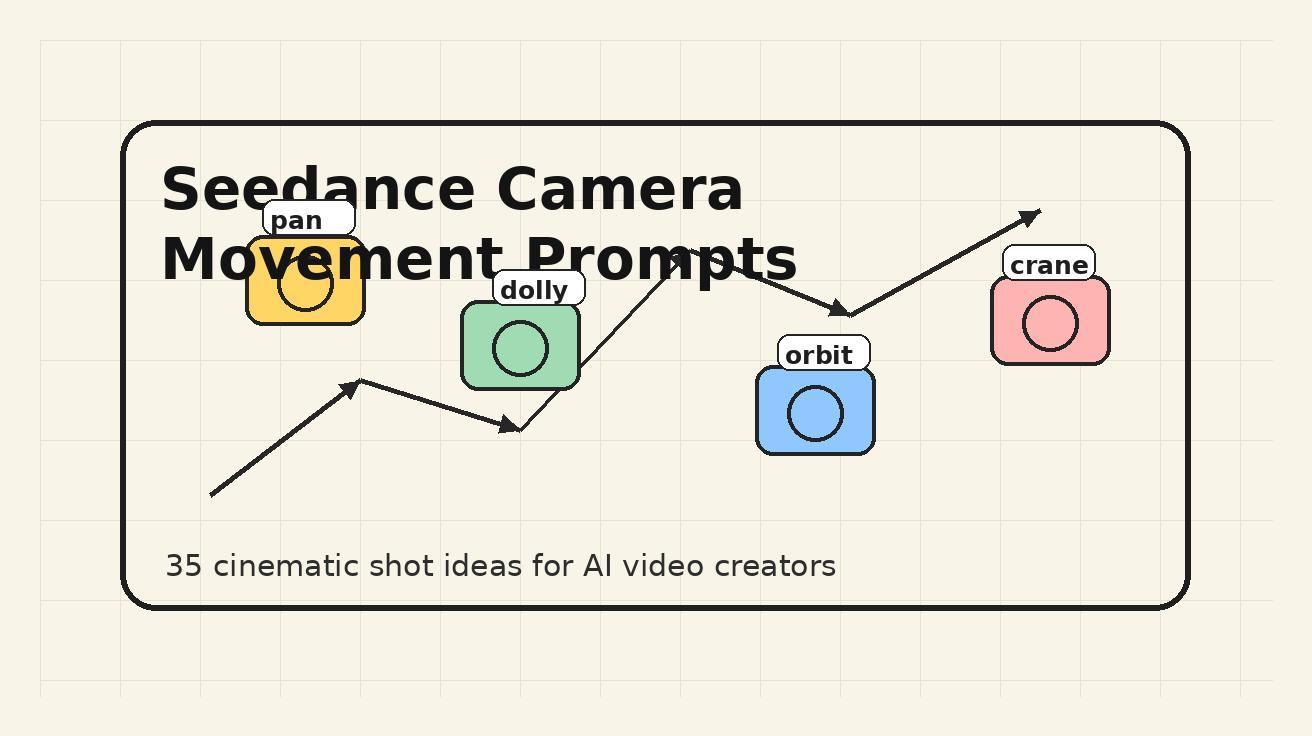
Camera movement is one of the fastest ways to make an AI video feel intentional instead of random. A still prompt can describe a beautiful scene, but a moving prompt tells Seedance how the viewer should enter the scene, where attention should travel, and what emotion the shot should create. If you want your clips to feel more like short films, product ads, music videos, game trailers, travel reels, or social content, camera direction needs to be part of the prompt from the first draft.
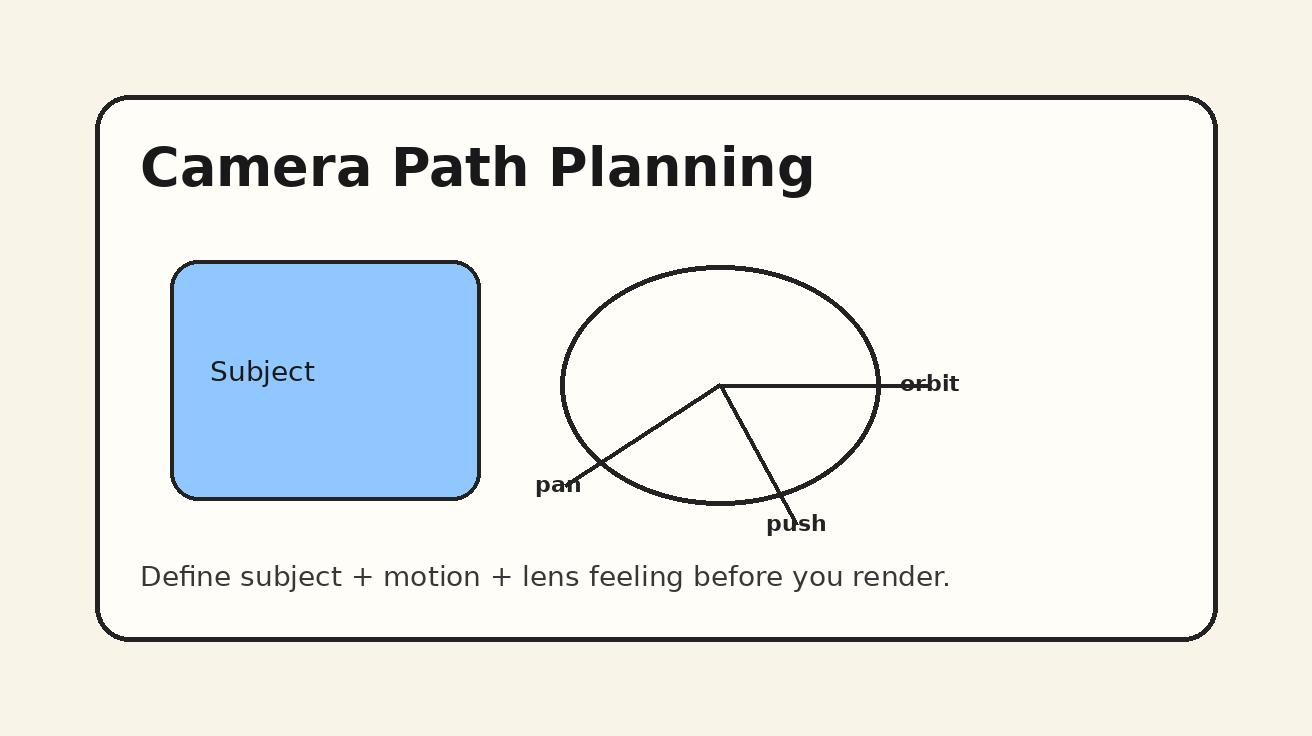
This guide gives you a practical Seedance camera movement workflow and 35 reusable prompts you can adapt today. The goal is not to memorize film terminology for its own sake. The goal is to make every prompt more controllable: subject, movement, pacing, lens feeling, environment, and final use case all working together. Use these examples with Seedance text-to-video, then refine them with image-to-video when you already have a character, product, or reference frame.
If you are new to the tool, start with the main Seedance creation flow on Text to Video, then test the same movement ideas with Image to Video when you want stronger visual consistency. For model-specific context, keep the Seedance 2.0 page nearby while you build a repeatable prompt library.
Why camera movement matters in Seedance prompts
A Seedance prompt has two jobs. First, it describes what should appear on screen. Second, it describes how the shot should unfold over time. Many weak AI video prompts fail because they only do the first job: “a woman walking through a neon city,” “a sneaker on a glass table,” or “a dragon flying over mountains.” Those prompts may generate attractive frames, but the result can feel like a drifting slideshow because the camera has no assignment.
Camera movement turns a scene into a sequence. A push-in can make a product feel important. A slow pan can reveal a location. A handheld follow shot can make a travel clip feel immediate. A crane-up can make a final moment feel larger than the character. A locked-off shot can make a fashion product feel premium because the motion happens inside the frame instead of from the camera.
Seedance responds best when the movement is specific but not overloaded. “Cinematic camera movement” is too vague. “Slow dolly push-in from a medium shot to a close-up, shallow depth of field, stable motion, no sudden zoom” is much easier to interpret. The prompt tells the model the direction, speed, framing, and stability. It also tells the model what not to do.
The best Seedance camera prompts usually include six pieces:
- Subject — who or what the shot is about.
- Setting — where the subject is placed.
- Camera movement — pan, tilt, dolly, orbit, crane, tracking, handheld, locked-off, or zoom.
- Framing — wide shot, medium shot, close-up, macro, over-the-shoulder, top-down.
- Mood and lighting — soft morning light, neon night, studio reflection, documentary realism.
- Constraints — stable motion, no warping, consistent face, readable product, no text artifacts.
When you include all six, Seedance has a clearer creative target. You do not need a long prompt every time, but you do need a complete shot idea.
The Seedance camera movement formula
Use this formula when writing your own camera movement prompts:
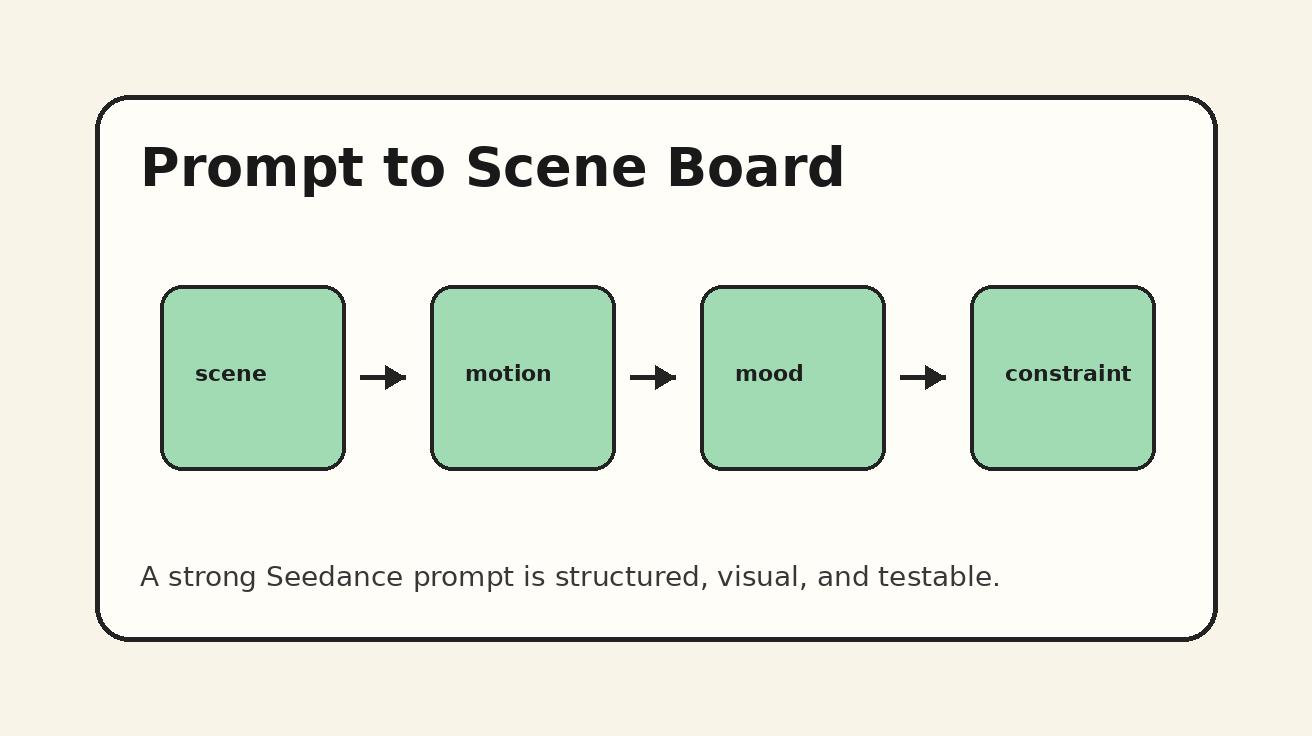
Create a [duration/style] video of [subject] in [setting]. Camera: [movement] from [starting frame] to [ending frame]. Visual style: [lighting, lens, texture]. Action: [what changes during the shot]. Keep [important constraints].
Example:
Create a short cinematic video of a ceramic coffee cup on a rain-covered cafe table. Camera: slow dolly push-in from a medium product shot to a close-up of steam rising from the cup. Visual style: warm window light, shallow depth of field, soft film grain. Action: raindrops slide down the glass in the background. Keep the cup shape consistent, no text, no sudden zoom.
This is stronger than “coffee cup cinematic video” because it defines the path of attention. It starts with the object, moves closer, adds atmospheric motion, and protects the important product detail.
35 Seedance camera movement prompts you can copy and adapt
Below are 35 prompts organized by movement type. Replace the subject, setting, product, or visual style to match your campaign. The prompts are written to be practical rather than overly poetic, because practical prompts are easier to test and improve.
1. Slow dolly push-in prompts
A dolly push-in moves the camera toward the subject. It is ideal when you want the viewer to feel discovery, importance, intimacy, or tension.
Prompt 1: Product hero push-in
Create a premium product video of a matte black wireless speaker on a stone pedestal in a minimal studio. Camera: slow dolly push-in from a wide hero shot to a close-up of the speaker texture. Lighting: soft side light, subtle rim light, realistic shadows. Action: a small pulse of light moves across the speaker grille. Keep the product shape consistent, no logos, no readable text, stable camera.
Prompt 2: Character reveal push-in
Create a cinematic portrait video of a young explorer standing at the entrance of a glowing cave. Camera: slow dolly push-in from behind the character to an over-the-shoulder view of the cave interior. Lighting: cool blue cave light mixed with warm torch light. Action: dust particles float in the air and the character slightly turns their head. Keep the face consistent, natural motion, no extra limbs.
Prompt 3: Food close-up push-in
Create an appetizing food video of a bowl of spicy ramen on a wooden counter. Camera: slow dolly push-in from a medium table shot to a close-up of noodles and steam. Lighting: warm restaurant light, shallow depth of field. Action: steam rises gently and chili oil reflects on the surface. Keep the bowl shape stable, no text, no sudden camera jump.
Prompt 4: Emotional story push-in
Create a quiet cinematic video of an old handwritten letter on a desk beside a rainy window. Camera: slow dolly push-in from a wide desk shot to a close-up of the folded paper and ink texture. Lighting: soft grey daylight, muted color palette. Action: the curtain moves slightly from wind. Keep the handwriting abstract and unreadable, no fake readable text.
2. Pull-back reveal prompts
A pull-back starts close and moves away. It is useful for reveals: a product inside a larger environment, a character in a dramatic setting, or a tiny detail becoming part of a big world.
Prompt 5: Tiny detail to big world
Create a cinematic nature video starting on a single dew drop on a green leaf. Camera: slow pull-back from macro close-up to a wider forest floor scene. Lighting: early morning sunlight, soft bokeh. Action: small insects move in the background and mist drifts through the plants. Keep the movement smooth, no morphing leaf shapes.
Prompt 6: Fashion outfit reveal
Create a fashion video of a model wearing a cream trench coat on a quiet city street. Camera: pull-back from a close-up of the coat fabric to a full-body street style shot. Lighting: overcast daylight, editorial look. Action: the model walks forward slowly while the background remains softly blurred. Keep clothing details consistent, realistic body movement.
Prompt 7: Interior design reveal
Create an interior design video of a modern living room with warm wood, linen textures, and soft indirect lighting. Camera: pull-back from a close-up of a ceramic vase to a wide shot of the entire room. Action: sunlight shifts gently across the floor. Keep furniture geometry stable, no warped walls, no text.
Prompt 8: Game trailer reveal
Create a fantasy game trailer shot beginning on a glowing sword planted in dark soil. Camera: pull-back from the sword handle to reveal a battlefield at sunrise. Lighting: dramatic orange horizon, volumetric fog. Action: banners move in the wind. Keep the sword stable, cinematic but not chaotic.
3. Pan and tilt prompts
A pan moves left or right. A tilt moves up or down. These are clean movements for showing scale, revealing details, and guiding attention without making the camera feel too busy.
Prompt 9: Horizontal location pan
Create a travel video of a coastal village on a cliff above turquoise water. Camera: slow left-to-right pan from white houses to the open ocean. Lighting: bright morning sun, natural colors. Action: small birds cross the sky and waves move below. Keep the horizon level, stable movement, no warped buildings.
Prompt 10: Product feature pan
Create a clean studio video of a silver laptop on a white desk. Camera: slow pan across the keyboard, trackpad, and thin edge profile. Lighting: softbox reflection, minimal background. Action: screen glow subtly changes without readable text. Keep the laptop shape accurate, no fake brand marks.
Prompt 11: Vertical architecture tilt
Create an architectural video of a tall glass tower at sunset. Camera: slow tilt upward from the entrance lobby to the top of the building. Lighting: golden hour reflections, realistic sky. Action: clouds move slowly behind the tower. Keep vertical lines straight, no bending geometry.
Prompt 12: Character power tilt
Create a heroic character shot of a sci-fi pilot standing beside a spacecraft. Camera: slow tilt up from boots on the metal floor to the helmet and shoulders. Lighting: cinematic hangar light, blue and orange contrast. Action: steam vents in the background. Keep armor details consistent and motion stable.
4. Tracking and follow shot prompts
A tracking shot follows the subject. It works well for social clips, travel, sports, tutorials, behind-the-scenes videos, and any moment where the subject is moving through space.
Prompt 13: Back follow travel shot
Create a cinematic travel video of a woman walking through a narrow market street at night. Camera: smooth tracking shot from behind at shoulder height, following her movement forward. Lighting: warm lanterns and neon signs, documentary realism. Action: people pass naturally on both sides. Keep the main subject consistent, no face distortion, no sudden cuts.
Prompt 14: Side tracking sports shot
Create an energetic sports video of a runner training on a riverside path at sunrise. Camera: side tracking shot matching the runner's pace, medium full-body framing. Lighting: golden morning light, slight motion blur. Action: breath visible in cool air, background trees glide past. Keep legs natural, stable rhythm, no extra limbs.
Prompt 15: Product in-use follow shot
Create a lifestyle video of a person carrying a compact camera through an art museum. Camera: smooth follow shot from slightly behind and to the side, focusing on the camera in hand. Lighting: soft museum light, realistic reflections. Action: the person pauses in front of a painting. Keep the product readable and consistent, no brand text.
Prompt 16: Cooking process follow shot
Create a food preparation video of a chef plating pasta in a small restaurant kitchen. Camera: smooth tracking shot following the chef's hands from pan to plate. Lighting: warm practical kitchen light. Action: sauce is spooned over the pasta and herbs are added. Keep hands realistic, plate stable, no text overlays.
5. Orbit and arc shot prompts
An orbit moves around the subject. It is excellent for products, fashion, vehicles, collectibles, architecture, and dramatic character shots. Use it carefully: too much orbit can become unstable. Ask for a slow, partial orbit instead of a full fast circle.
Prompt 17: 180-degree product orbit
Create a premium product video of a transparent perfume bottle on a reflective black surface. Camera: slow 180-degree orbit around the bottle, starting front-left and ending front-right. Lighting: high-end studio reflections, soft highlights. Action: liquid inside catches light as the camera moves. Keep bottle geometry stable, label abstract, no readable text.
Prompt 18: Fashion arc shot
Create an editorial fashion video of a model in a red silk dress standing in a minimalist gallery. Camera: slow arc shot from the model's left side to the front, medium full-body framing. Lighting: soft gallery light, polished floor reflection. Action: the fabric moves gently as the model turns slightly. Keep face and outfit consistent.
Prompt 19: Vehicle orbit reveal
Create a cinematic automotive video of an electric concept car parked on a desert road at dusk. Camera: slow quarter-orbit from the front wheel to the front grille, low angle. Lighting: sunset rim light, glossy reflections. Action: dust moves lightly near the tires. Keep car proportions stable, no brand logo.
Prompt 20: Character drama orbit
Create a dramatic fantasy video of a mage standing in a circle of floating sparks. Camera: slow partial orbit from front-left to profile view, medium shot. Lighting: magical blue and gold glow, dark background. Action: sparks rotate slowly around the character. Keep hands and face consistent, no extra fingers.
6. Crane, drone, and rising shot prompts
Rising shots create scale. They are good for endings, travel reveals, city scenes, real estate, and epic openings. The most common mistake is asking for a huge drone movement in a very short clip. Keep it simple: rise slowly, reveal one clear thing, and protect the subject.
Prompt 21: Real estate crane-up
Create a real estate video of a modern villa with a pool at golden hour. Camera: slow crane-up from the patio level to a higher view revealing the pool, garden, and ocean in the distance. Lighting: warm sunset, realistic shadows. Action: water ripples gently in the pool. Keep architecture straight, no warped roof lines.
Prompt 22: City drone rise
Create a cinematic city video starting between two narrow streets with glowing signs. Camera: slow vertical drone rise above the street to reveal the skyline. Lighting: blue hour, neon reflections on wet pavement. Action: cars move below as small light trails. Keep buildings stable, no text artifacts.
Prompt 23: Festival crowd rise
Create an energetic event video of a summer music festival. Camera: slow crane-up from the front row of the crowd to a wide view of the stage and lights. Lighting: colorful concert lighting, haze in the air. Action: hands move in rhythm and spotlights sweep the crowd. Keep faces natural, no distorted bodies.
Prompt 24: Nature scale reveal
Create a cinematic nature video of a hiker standing on a mountain ridge. Camera: slow drone rise from behind the hiker to reveal a valley filled with clouds. Lighting: sunrise glow, realistic atmosphere. Action: jacket fabric moves in wind. Keep the hiker stable and small against the landscape.
7. Handheld and documentary movement prompts
Handheld movement adds realism. It works for behind-the-scenes, street interviews, travel, fitness, creator content, and documentary-style ads. The prompt should say “subtle handheld” or “controlled handheld,” otherwise the movement may become too shaky.
Prompt 25: Street documentary handheld
Create a documentary-style video of a street artist painting a mural on a brick wall. Camera: subtle handheld medium shot, slowly moving closer to the brush and paint texture. Lighting: natural afternoon light. Action: paint strokes appear on the wall, people pass in the background. Keep the mural abstract, no readable text.
Prompt 26: Creator behind-the-scenes
Create a behind-the-scenes video of a creator setting up a small home studio with lights and a camera. Camera: controlled handheld movement from the desk to the light stand and back to the creator adjusting settings. Lighting: warm room light with soft LED panels. Keep motion realistic, no text on screens.
Prompt 27: Fitness training handheld
Create an energetic fitness video of an athlete doing battle rope exercises in a gym. Camera: controlled handheld low-angle shot, moving slightly with the rhythm of the ropes. Lighting: dramatic gym lighting, sweat highlights. Action: ropes wave toward the camera. Keep body motion natural and stable.
Prompt 28: Food market realism
Create a realistic food market video of a vendor preparing grilled skewers. Camera: subtle handheld close-up moving from the grill smoke to the vendor's hands. Lighting: warm evening market lights. Action: smoke rises, skewers turn, background people move naturally. Keep hands realistic, no extra fingers.
8. Locked-off camera prompts
Not every shot needs camera motion. A locked-off camera can look premium when the scene itself has motion: steam, fabric, reflections, lights, shadows, or character action. Use this when you want clarity and control.
Prompt 29: Premium product still frame
Create a premium studio video of a white smartwatch on a beige stone block. Camera: locked-off close product shot, no camera movement. Lighting: soft luxury product lighting, clean shadow. Action: a subtle highlight moves across the glass screen, but no readable text appears. Keep the watch shape consistent.
Prompt 30: Beauty texture shot
Create a beauty product video of a glass skincare bottle with water droplets. Camera: locked-off macro shot with shallow depth of field. Lighting: fresh morning light, clean bathroom background. Action: droplets slowly slide down the bottle. Keep label abstract and unreadable, realistic glass.
Prompt 31: Cozy lifestyle shot
Create a cozy lifestyle video of a knitted blanket, open book, and tea on a sofa. Camera: locked-off medium shot. Lighting: warm lamp light, rainy window in background. Action: steam rises from the cup and pages move slightly from air. Keep composition stable, no readable book text.
Prompt 32: Minimal app demo without text
Create a minimal technology video of a smartphone on a desk showing abstract colorful interface shapes. Camera: locked-off top-down shot. Lighting: clean daylight, soft shadows. Action: abstract shapes move smoothly on the screen, no readable text or logos. Keep phone geometry stable.
9. Zoom and lens-feel prompts
In AI video, “zoom” can sometimes create unstable warping if the prompt is too aggressive. Use “gentle optical zoom feel” or “subtle zoom-in effect” rather than fast zoom. If you need dramatic movement, a dolly push-in is usually cleaner.
Prompt 33: Gentle optical zoom portrait
Create a cinematic portrait video of a musician sitting backstage with a guitar. Camera: gentle optical zoom-in feel from medium shot to close portrait. Lighting: warm backstage bulbs, shallow depth of field. Action: the musician looks down and adjusts a guitar string. Keep face consistent, no sudden zoom.
Prompt 34: Subtle zoom product detail
Create a product detail video of a handmade leather wallet on a wooden table. Camera: subtle zoom-in effect toward the stitching and leather grain. Lighting: warm side light, natural texture. Action: a hand places a metal key beside the wallet. Keep hands realistic and product shape stable.
Prompt 35: Tension-building zoom
Create a suspenseful cinematic video of a closed wooden door at the end of a dim hallway. Camera: very slow zoom-in toward the door handle. Lighting: low-key light, soft shadows, film grain. Action: the handle moves slightly as if someone is behind the door. Keep the hallway geometry stable, no sudden jump cuts.
How to choose the right camera movement
The easiest way to choose a movement is to ask what the viewer should feel.
Use a dolly push-in when the subject should feel important, intimate, premium, or emotionally intense. Use a pull-back when you want a reveal. Use a pan when you need to show a horizontal environment. Use a tilt when height, scale, or power matters. Use a tracking shot when the subject is moving and you want energy. Use an orbit when the subject has interesting shape or texture from multiple angles. Use a crane-up when the environment is part of the payoff. Use handheld when realism matters more than polish. Use locked-off when stability, product clarity, or elegance matters most.
For Seedance, the most reliable approach is to test one movement at a time. Do not ask for “dolly, pan, orbit, zoom, and crane” in a single short clip. That creates conflicting instructions. If you need a longer sequence, write separate Seedance prompts for each shot, then edit the outputs together. A three-shot sequence usually performs better than one overloaded prompt.
Common mistakes to avoid
The first mistake is using film terms without context. “Cinematic orbit shot” is better than nothing, but it is still incomplete. Orbit around what? From which angle? How far? At what speed? With what lighting? The clearer the path, the better the result.
The second mistake is asking for fast camera motion. Fast movement gives the model less time to preserve details. If the subject is a face, product, logo-free object, or detailed outfit, slow movement is safer. You can always speed up the final edit later.
The third mistake is mixing camera motion with too much subject action. A running character plus a fast handheld camera plus a changing background plus dramatic lighting can become unstable. If the subject action is complex, simplify the camera. If the camera move is complex, simplify the subject action.
The fourth mistake is forgetting constraints. Good constraints are not negative for their own sake; they protect the business goal. “Keep the product shape consistent,” “no readable text,” “no sudden zoom,” “stable camera,” and “realistic hands” are useful because they tell Seedance what must survive the generation.
A simple testing workflow for Seedance creators
Start by writing one base prompt with a clear subject and one camera movement. Generate a first version. If the subject looks good but the camera is weak, keep the subject language and strengthen the movement line. If the camera is good but the subject changes, reduce movement speed and add consistency constraints. If the scene is attractive but not useful, add the intended format: product ad, TikTok hook, YouTube intro, real estate walkthrough, fashion lookbook, or tutorial B-roll.
For product videos, test locked-off, dolly push-in, and partial orbit first. For creator content, test handheld follow, side tracking, and pull-back reveal. For travel content, test drone rise, pan, and behind-the-subject follow. For story scenes, test push-in, over-the-shoulder tracking, and tension-building zoom.
After you find a movement that works, save it as a reusable prompt block. Over time you will build a library like this:
- Product premium block: slow dolly push-in, shallow depth of field, soft studio highlights, stable product shape.
- Travel reveal block: behind-subject tracking shot, natural light, environment reveal, stable horizon.
- Social hook block: handheld close-up, quick but controlled movement, clear subject action, no text artifacts.
- Film scene block: slow push-in or partial orbit, emotional lighting, subtle background motion, consistent face.
This library is more valuable than a random list of one-off prompts. It lets you create faster while keeping quality consistent.
FAQ
What is the best camera movement for Seedance product videos?
The safest starting points are locked-off shots, slow dolly push-ins, and partial orbit shots. They keep the product readable while still adding motion. Avoid fast zooms or full circular orbits until you have a stable product prompt.
Should I use camera movement in every Seedance prompt?
No. Use movement when it supports the goal. A locked-off shot with steam, reflections, fabric, or screen motion can look more premium than an unstable moving camera. The right choice depends on the subject.
How specific should a Seedance camera prompt be?
Be specific about direction, speed, start frame, end frame, and stability. You do not need a technical film essay. A single clear sentence like “slow dolly push-in from medium shot to close-up, stable motion, shallow depth of field” is often enough.
Why does my AI video warp during camera movement?
Warping often happens when the prompt combines fast movement, complex subject action, detailed objects, and changing backgrounds. Slow the movement down, simplify the action, and add constraints such as “keep product shape consistent” or “stable camera.”
Can I use these prompts with Seedance image-to-video?
Yes. Image-to-video is useful when you already have a strong reference frame. Keep the prompt focused on the movement and the desired action, then protect the reference with consistency constraints.
Final takeaway
Seedance camera movement prompts work best when they behave like shot directions, not just scene descriptions. Tell the model what to show, how the camera should move, where the shot begins, where it ends, and what must stay consistent. Start with slow controlled movements, build a reusable prompt library, and test one variable at a time. That is how you turn AI video generation from a lucky render into a repeatable creative workflow.
Ready to create your own AI video?
Turn ideas, text prompts, and images into polished videos with Seedance. If this article helped, the fastest next step is to try the product.
Free credits on signup. Plans from $28/month.
Related Articles
More posts in the same locale you may want to read next.

Seedance App Preview Video Generator 2026: Create App Store and Product Launch Clips
Use Seedance to turn app screenshots, feature copy, and launch goals into App Store previews, Google Play promo videos, and product launch clips.
Read article
How to Make a Talking AI Avatar You Can Reuse
Make a talking AI avatar with Seedance: design one consistent character, give it a voice, and make it speak in a talking photo or a full Seedance 2.5 scene, episode after episode.
Read article
Best AI Video-to-Video Models in 2026
The best AI video-to-video models in 2026 for editing footage you already shot: Higgsfield Genjutsu, Seedance 2.x, Runway Aleph, Luma Modify and Kling Omni compared.
Read article