
How to Make a Cinematic Movie Trailer with Seedance 2.5 (2026 Guide)
A great trailer makes a promise. In sixty seconds it has to introduce a world, hint at a conflict, raise the stakes, and leave you wanting the whole thing. For years, making one meant a camera crew, an editor, a sound designer, and a budget. That barrier is what kept most creators, indie studios, and marketers from ever shipping a real cinematic trailer.
That barrier is gone. With Seedance 2.5, you can direct a full trailer — cold open, character reveal, escalating montage, and a title card — from text prompts and reference images, with sound generated in the same pass. This guide is not a generic "AI video" walkthrough. It's a Seedance-specific playbook: how to use the model's 30-second native clips, native synced audio, multi-shot consistency, and cinematic camera control to build a trailer that actually feels edited, not assembled.
Why Seedance 2.5 Is Built for Trailers
Most AI video models can make a pretty five-second clip. A trailer needs something harder: connected shots that share a character, a tone, and a sense of rising tension. Seedance 2.5 lines up unusually well with that demand, and it's worth understanding why before you write a single prompt.
Native 30-second generations. Seedance 2.5 generates up to a full 30 seconds in a single native pass — pitched as the longest single-shot duration of any current model, versus the 5–15 seconds typical elsewhere. For a trailer, that means you can hold a beat long enough for tension to build instead of cutting away because the model ran out of frames. A slow push-in on a character's face, a reveal that lingers, a montage that breathes — all become possible inside one clip.
Native synced audio. This is the part that turns a video into a trailer. Seedance 2.5 generates audio jointly with the visuals in the same pass — ambient sound, effects, and improved lip-sync — rather than bolting it on afterward. A trailer lives and dies on its sound design: the low boom under the title, the riser before the cut to black, the diegetic footsteps in an empty hallway. Because the audio is generated with the image, your impacts land on the right frame.
Multi-shot consistency. Seedance 2.5 is built around story-driven, multi-shot generation with strong cross-shot consistency. Your protagonist keeps the same face, wardrobe, and lighting mood as you move from the cold open to the climax. That continuity is the single thing amateur AI trailers fail at, and it's where Seedance earns its keep.
Up to 2K and cinematic camera control. Higher resolution and prompt-directable camera moves (dolly, crane, whip-pan, slow push) give you the visual grammar trailers rely on. A trailer is a language of camera moves as much as images.
The takeaway: A trailer is a sequence problem, not a clip problem. Seedance 2.5 is one of the few models that treats it that way.
If you're new to the model itself, start with how to use Seedance 2.5 and the Seedance 2.5 prompt guide, then come back here for the trailer-specific workflow.
The Anatomy of a Trailer (and How It Maps to Seedance Shots)
Before prompting, you need a structure. Trailers aren't random highlight reels — they follow a near-universal three-act compression. Here's the classic beat sheet and how each beat becomes a Seedance generation.
| Trailer beat | Job it does | Seedance approach |
|---|---|---|
| Cold open | Set tone, establish world | Single 15–30s atmospheric shot, slow camera move, ambient audio |
| Character / premise reveal | Introduce the protagonist and the "what if" | Medium shot, lock character with a reference image |
| Inciting hook | Plant the central conflict | Tighter shot, a line of dialogue or a sound cue |
| Escalation montage | Raise stakes fast | Multi-shot sequence, hard cuts, rising audio |
| The drop / climax | Peak intensity, then a beat of silence | High-energy shot → cut to black |
| Title card | Brand it, make the promise | Title-reveal shot with a low boom and logo space |
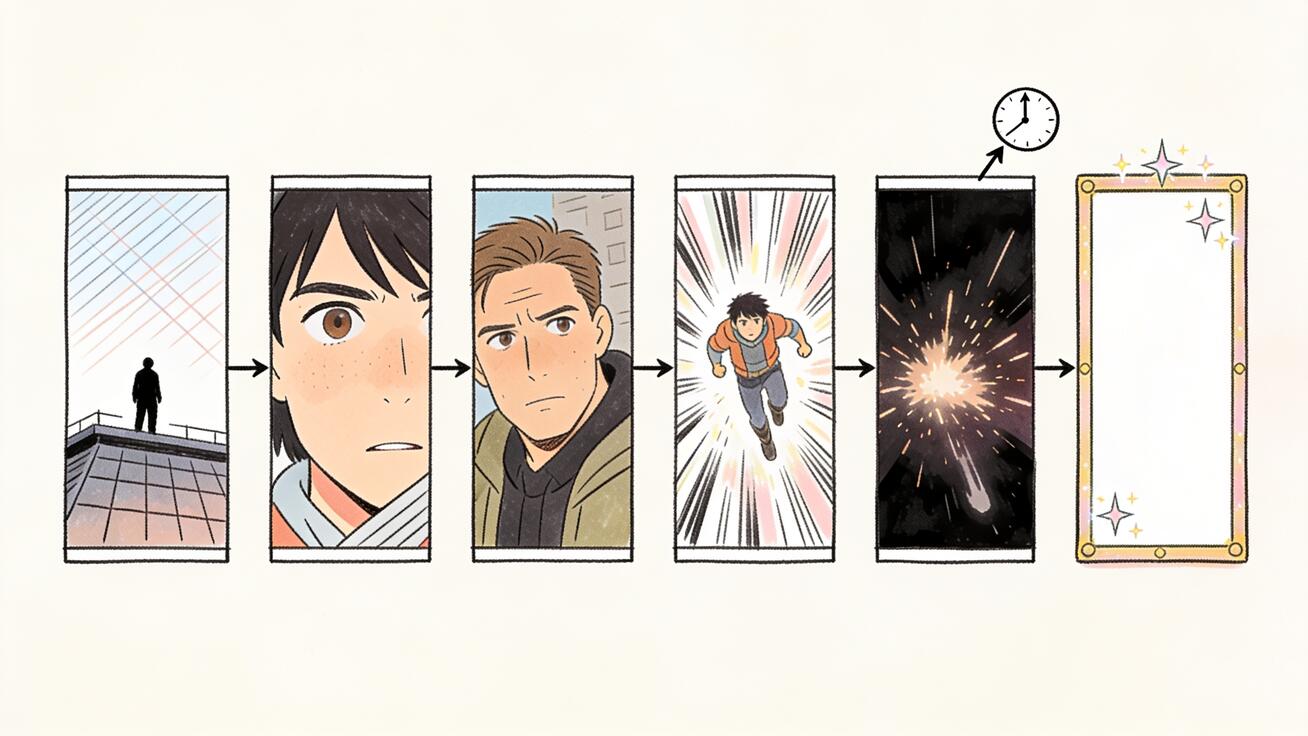
The discipline here is sequencing. Write all six beats first, as a one-line treatment, before you generate anything. A trailer that's "discovered" in editing almost never works; a trailer that's planned shot-by-shot almost always does. This is the same storyboard-first thinking covered in the Seedance storyboard workflow — treat your beat sheet as a shooting script.
The Seedance Trailer Prompt Formula
Generic prompts produce generic footage. For trailers you want a repeatable structure that gives the model the cinematic information it needs. Use this five-part formula for every shot:
[Shot type & lens] + [Subject & action] + [Setting & atmosphere] + [Camera movement] + [Lighting & mood] + [Audio cue]
Here's it applied to a cold open:
Wide establishing shot, anamorphic lens. A lone figure in a long grey coat stands at the edge of a rain-soaked rooftop overlooking a neon city at night. Slow cinematic crane-up revealing the skyline behind them. Moody low-key lighting, cold blue and magenta tones, volumetric haze. Audio: distant city hum, light rain, a single low sustained drone building underneath.
Notice what's doing the work: the lens callout ("anamorphic") signals cinematic framing, the camera move ("crane-up reveal") gives motion a purpose, the lighting language sets the trailer's palette, and the audio cue tells Seedance what to generate in the same pass. Drop any one of these and the shot loses a layer of polish.
For the character reveal, tighten the framing and lock identity:
Medium close-up, 50mm lens. A weathered woman in her 40s, short silver hair, scar across her left brow, looks directly off-camera with quiet resolve. Subtle slow push-in. Hard side light, deep shadows, warm practical light glinting in her eyes. Audio: a held breath, faint heartbeat, room tone.
To keep this character identical across every later shot, feed Seedance the same reference image (image-to-video) and reuse the exact physical description verbatim. Consistency comes from repetition, not hope. The full method is in the Seedance character consistency guide.
Building the Trailer, Beat by Beat
1. The Cold Open
Your first three seconds decide whether anyone keeps watching. Resist the urge to open loud. The strongest trailers open quiet and wide — a landscape, an empty room, a single object — then let sound do the foreshadowing. Use one of Seedance's longer 20–30s clips here and a single slow camera move (crane, dolly-in, or a drifting aerial). Keep the audio minimal: ambient texture plus one rising drone. The contrast you build now is what makes the later drop hit.
2. The Reveal
Now introduce who or what the story is about. Cut to your character or hero product in a medium shot. This is where the reference-image lock matters most — generate this shot, save the frame, and use it as the identity anchor for everything that follows. Add one short line of native dialogue or a signature sound. Lip-sync in Seedance 2.5 is strong enough that a single delivered line ("You shouldn't have come back") reads as intentional, not glitchy.
3. The Escalation Montage
This is the engine of the trailer. You want three to six fast shots that imply scale, danger, or transformation. Generate them as separate clips so you control the cut points, but keep three things locked across all of them: the color palette, the character's look, and the audio's rising energy. Vary the camera aggressively — a whip-pan, a low tracking shot, a sudden crash zoom — but keep the grade consistent so the cuts feel like one film.
Pacing rule: shots get shorter as tension rises. Your montage might run 2.5s, 2s, 1.5s, 1s, 0.5s. The accelerating rhythm is the suspense. Plan these durations before you generate so you know how much usable motion each clip needs.
4. The Drop and the Cut to Black
Every great trailer has a moment where the music and motion peak — then everything stops. Generate your highest-energy shot (the climax action, the reveal of the threat), then plan a hard cut to black with a single boom or sub-bass hit. In Seedance, prompt the climax shot with explicit high-energy audio ("sharp impact, music swells then cuts out"), and place the silence in your edit. That half-second of black after the noise is the most powerful frame in the whole piece.
5. The Title Card
End on your promise. Generate (or composite) a title-reveal shot — often a slow fade-up of text on a textured background, or your logo emerging from particles or fog. Prompt for negative space where the title will sit, and a low sustained boom with a tail of reverb. If your trailer is selling a product or channel rather than a film, this is your call to action: name, date, and where to find it.
Sound Design: The Trailer's Secret Weapon
Most AI trailers fail not on visuals but on audio. Because Seedance 2.5 generates sound in the same pass as the image, you have a real advantage here — but you have to direct it. Treat audio as a first-class prompt element, not an afterthought.
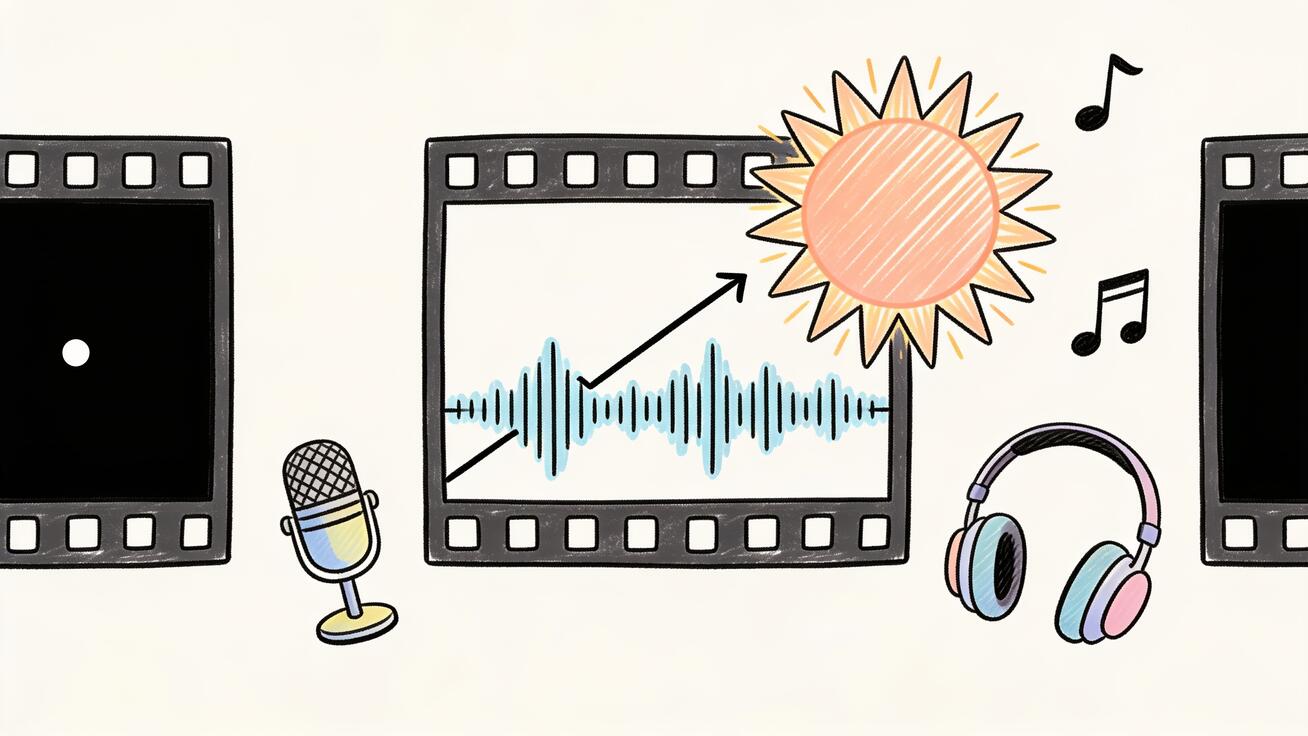
- Risers and drones build dread under your cold open and montage. Ask for "a low sustained drone slowly rising in pitch."
- Impacts and booms punctuate cuts. Prompt "a deep cinematic boom on the cut."
- Diegetic detail (footsteps, rain, a door, breathing) grounds the world and makes it feel shot, not generated.
- Silence is a sound. The beat of nothing after the drop is what makes the title land.
For trailers that lean on rhythm and a music bed, pair Seedance's native audio with the techniques in the multi-camera storytelling and native audio guide. You can always layer a licensed music track in your editor over Seedance's generated ambience and effects for the final mix.
Keeping It Consistent Across Shots
A trailer cut from twelve clips can still feel like one film — or like twelve different films. The difference is discipline:
- Lock your palette. Decide your color story up front (e.g., teal-and-orange, cold desaturated blues, golden-hour warmth) and write it into every prompt. Consistent grading is the strongest unifier.
- Reuse character descriptions verbatim. Copy-paste the same physical description into every shot featuring that character, and anchor with the same reference image.
- Hold the lighting logic. If your world is night-time and rain-lit, don't let one shot drift to bright daylight unless the story demands it.
- Match the lens language. Sticking to a consistent focal-length feel (mostly wides and mediums, say) reads as a deliberate visual style.
If you find shots drifting apart, the Seedance multi-shot how-to guide goes deeper on locking continuity across a sequence.
Aspect Ratio and Resolution Choices
Pick your format before you generate, because re-rendering is expensive in time. For a cinematic theatrical feel, generate in 16:9 (or letterbox a 2.39:1 crop in your edit) at the highest resolution available — Seedance 2.5's higher-resolution output up to 2K holds up far better when you add a film grain and grade. For a trailer destined for TikTok, Reels, or Shorts, generate vertical 9:16 from the start rather than cropping a horizontal shot, so your framing keeps the subject centered. A teaser meant for both can be shot 16:9 with the action kept safely inside a center 9:16 "safe zone."
A Fast End-to-End Workflow
Here's the whole process condensed into a repeatable checklist:
- Write the treatment. One line per beat across the six-beat structure. Decide the tone, the palette, and the one promise the trailer makes.
- Design your anchor. Generate or source a reference image for your main character or product. This is your consistency anchor.
- Generate the cold open. One long, quiet, atmospheric clip with a single camera move and ambient audio.
- Generate the reveal. Medium shot of your anchor, one line of dialogue or a signature sound.
- Generate the montage. Three to six escalating shots, palette and character locked, audio energy rising.
- Generate the climax. Your highest-energy shot, with explicit impact audio.
- Generate the title card. Negative space for text, low boom with reverb tail.
- Edit and mix. Assemble in your editor, cut on the beat, add the cut-to-black silence, layer a music bed if desired, and add a final grade and grain.
The whole thing can go from idea to finished 60-second trailer in an afternoon — something that used to take a crew and a budget.
Trailer Styles You Can Direct in Seedance
The six-beat structure is universal, but the texture changes with genre. Here's how to tune your Seedance prompts for the most common trailer types.
Sci-fi / dystopian. Lean on scale and cold palettes. Prompt for "vast brutalist megastructures, cold blue-grey grade, volumetric god rays, anamorphic flares." Use sweeping crane and drone moves to imply a world bigger than the character. Audio: deep synth drones and metallic impacts.
Horror / thriller. Restraint is everything. Keep shots dark, lighting low-key, and movement slow until the drop. Prompt for "near-black shadows, a single hard practical light, slow creeping push-in." Let the native audio carry dread — "faint breathing, a distant creak, sudden silence." The cut-to-black hits hardest here.
Action / adventure. Maximize kinetic energy. Prompt aggressive camera language — "low tracking shot, crash zoom, whip-pan" — and warm, high-contrast grades. Shorten your montage cuts dramatically and let the audio swell to a hard musical stab before the title.
Product or app launch. Treat your product as the hero character: anchor it with a reference image, reveal it in a clean medium shot, and escalate through its features as "beats." End the title card with a clear call to action — name, date, and where to get it. This bridges trailer craft with the conversion-focused thinking in the AI video ads that convert guide.
Game trailer. Blend cinematic establishing shots with punchy action beats. Prompt for stylized lighting that matches your art direction, and use Seedance's longer clips to hold on a hero moment before cutting to the logo.
Pick the style first, write it into every prompt, and your trailer will feel authored rather than assembled.
Common Mistakes (and How to Fix Them)
Opening too loud. If your first shot is already maxed out, you have nowhere to escalate. Open quiet.
Inconsistent character. Drifting faces and wardrobe break the illusion instantly. Always anchor with a reference image and verbatim descriptions. See the character consistency guide.
Flat pacing. If every shot is the same length, there's no rising tension. Shorten shots as you climb toward the drop.
No silence. Wall-to-wall sound exhausts the viewer and kills the climax. The half-second of black after the drop is non-negotiable.
Ignoring audio prompts. Letting Seedance default the sound wastes its biggest advantage. Direct the audio in every prompt.
Over-generating. You don't need forty clips. A tight trailer is six to twelve well-chosen shots. Generate with intent.
Frequently Asked Questions
Can Seedance 2.5 generate the full trailer in one clip? You can generate long single shots — up to 30 seconds natively — but a trailer is a sequence of shots cut together. Generate each beat as its own clip and assemble them in an editor for full control over pacing and cuts.
Does Seedance generate the trailer's music? Seedance 2.5 generates native synced audio — ambient sound, effects, dialogue, and lip-sync — in the same pass as the visuals. For a scored music bed, layer a licensed track in your editor over Seedance's generated sound design for the final mix.
How do I keep the same actor across every shot? Use a reference image (image-to-video) as your identity anchor and reuse the exact same physical description in every prompt. Consistency comes from repeating the same inputs, not from hoping the model remembers.
What resolution should I use for a cinematic trailer? Generate at the highest resolution available — Seedance 2.5 supports up to 2K — and add a subtle grain and grade in post. Higher resolution survives letterboxing and color work far better.
Can I make a vertical trailer for TikTok or Reels? Yes. Generate in 9:16 from the start rather than cropping a horizontal shot, so your composition is framed correctly for the vertical canvas.
How long should an AI trailer be? Most effective trailers run 45–90 seconds. For social platforms, a 30-second teaser cut often performs better. Plan the length before you generate so you know how many beats to build.
Start Directing
A trailer is the perfect first cinematic project: short enough to finish, structured enough to plan, and dramatic enough to show off what Seedance can really do. The model gives you the three things trailers demand — long enough clips to build tension, native audio that lands on the frame, and the cross-shot consistency that makes twelve clips feel like one film. The rest is direction.
Write your six beats, lock your look, and generate with intent. Then open Seedance and make the promise.
Ready to try it yourself?
Put the steps from this guide into practice with Seedance and turn prompts or images into polished videos in minutes.
Free credits on signup. Plans from $28/month.
Related Articles
More posts in the same locale you may want to read next.

Seedance App Preview Video Generator 2026: Create App Store and Product Launch Clips
Use Seedance to turn app screenshots, feature copy, and launch goals into App Store previews, Google Play promo videos, and product launch clips.
Read article
Gemini AI Video Prompt Examples: Copy-Ready Veo Scenes and a Better Prompt Formula
Copy Gemini AI video prompt examples for cinematic motion, product ads, dialogue, and vertical clips, then adapt them with a practical Veo prompt formula.
Read article
How to Keep Product Shape Consistent in AI Video Ads
Lock product geometry, packaging, labels, references, camera angles, and approval checks so AI video ads preserve the real SKU across every shot.
Read article