
Seedance API vs Kling AI API: Developer Workflow Comparison for 2026
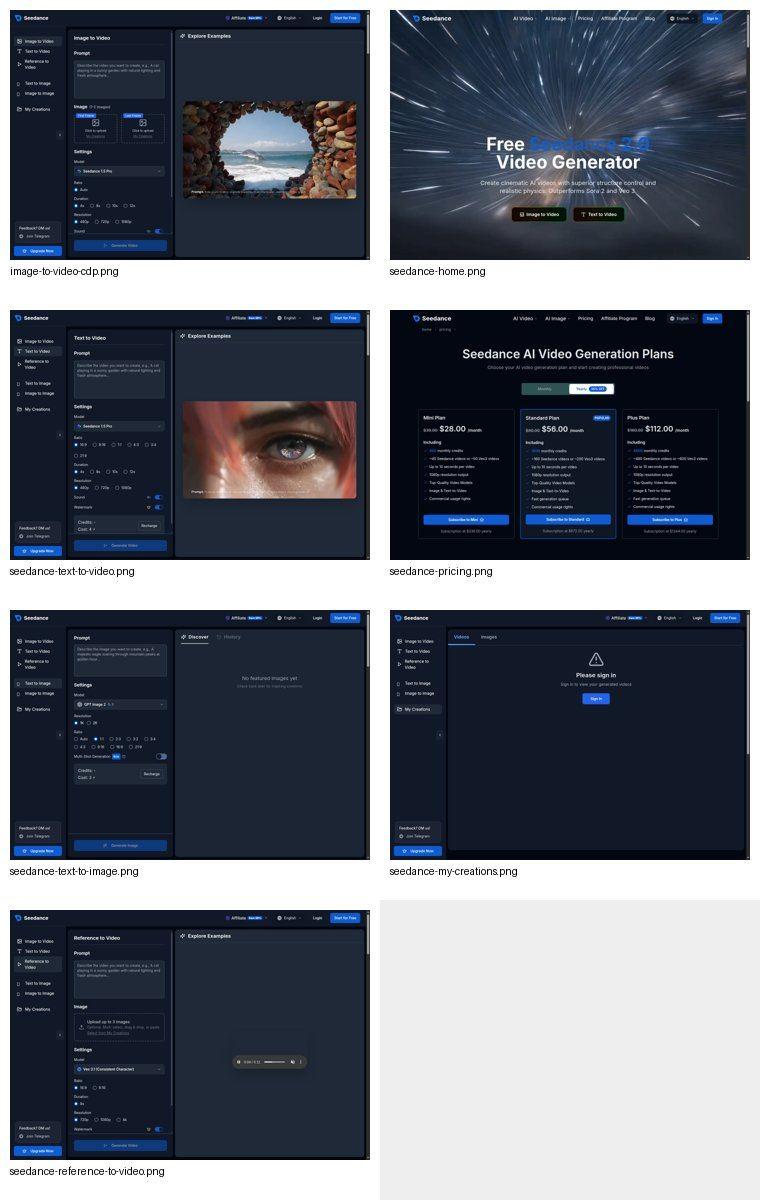
If you are comparing the Seedance API vs Kling AI API, the real question is not only which model can make a better clip. The better developer choice depends on the workflow you are building: prompt-to-video, image-to-video, model comparison, credit control, review loops, or a creator-facing product where nontechnical users need to test several versions before export. This guide compares Seedance and Kling from a practical integration point of view, then shows how to design a safer video generation workflow inside Seedance before you commit engineering time to an API stack.
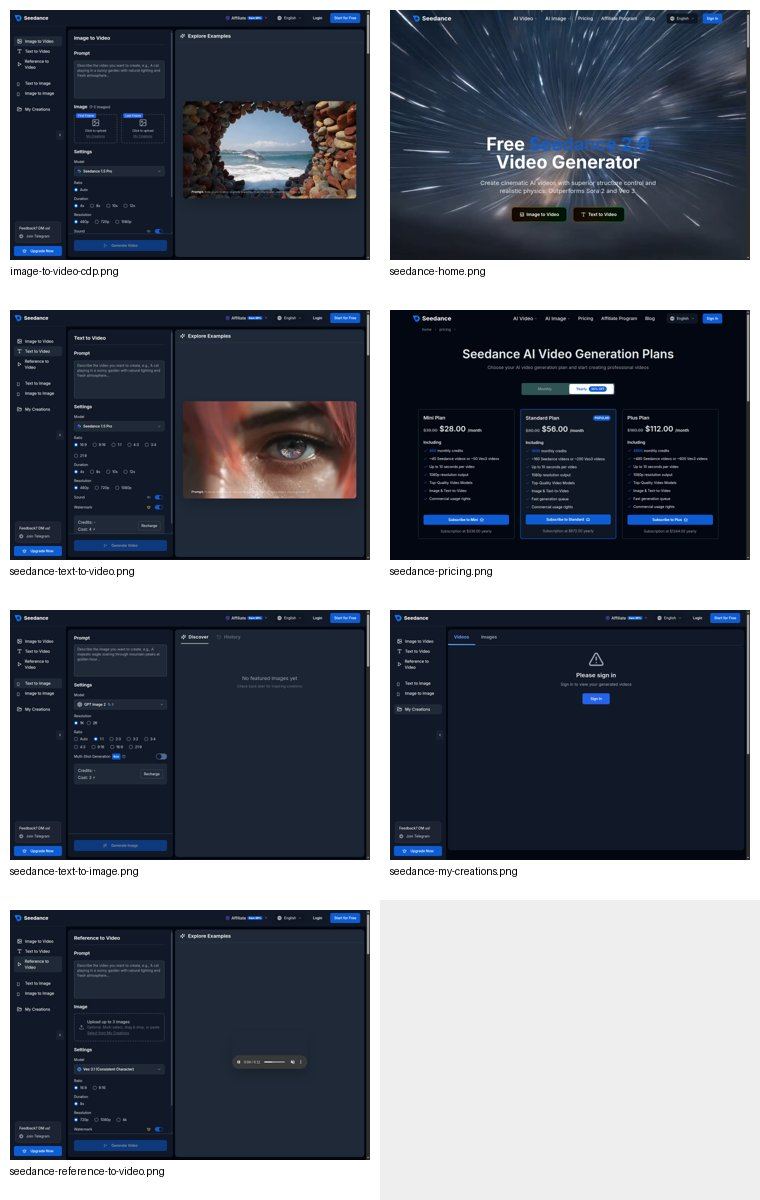
The goal is simple: help a developer, growth engineer, or product manager choose the right video generation route for a real product. Use the comparison to decide whether you need a direct API integration, a web-based production workflow, or a hybrid approach where your team prototypes in Seedance and only later moves high-volume tasks into code.
Quick Answer: Seedance API vs Kling AI API
For most creator tools, marketing workflows, and content production teams, Seedance is the more useful starting point because it gives you a multi-model workspace for text-to-video, image-to-video, reference-driven video, credit planning, and manual QA before automation. Kling is a strong option when your product requirement is specifically tied to Kling-style motion generation or you already know you want to build around Kling's model behavior.
Choose Seedance when:
- You need to compare multiple video models before locking the workflow.
- Your team wants text-to-video and image-to-video in one creation surface.
- You need marketers, editors, or founders to test prompts without engineering support.
- You care about credit planning, visual QA, and repeatable production workflows.
- You want a practical bridge from manual creation to API-style automation.
Choose Kling when:
- Your product is specifically built around Kling model output.
- Your developers already have a direct Kling API route and a tested queue system.
- Your use case depends on Kling motion behavior more than model flexibility.
- You can handle your own review tools, retry logic, storage, billing, and user controls.
The short version: Seedance is better for workflow design and multi-model production. Kling can be useful for a narrow model-specific API path. If you are not sure which model wins for your prompts, start in Seedance, compare outputs, document the winning prompt patterns, and then automate the pieces that stay stable.
What Developers Usually Mean by "API"
When teams search for Seedance API vs Kling AI API, they often mean three different things at once:
- Can I send a prompt or image from my app and get a generated video back?
- Can I control cost, queue state, resolution, duration, and retry behavior?
- Can my nontechnical team review output quality before we expose it to users?
The first question is only the transport layer. The second and third questions decide whether the feature survives production. AI video generation is slower, more expensive, and more subjective than text generation. A good developer workflow needs status polling, prompt versioning, credit estimates, asset storage, manual review, and clear fallback behavior when the output is not usable.
That is why Seedance deserves a serious look even if your final product uses a direct API. It lets the team explore the video workflow in a controlled UI before developers hard-code assumptions. You can test whether a product image needs a first-frame prompt, whether a social ad works better at 9:16 or 1:1, whether motion is too aggressive, and whether a model follows brand constraints closely enough.
Kling can be the right direct model choice, but you still need the surrounding product layer. A raw API call does not give your business team a prompt lab, a review checklist, a cost model, or a repeatable export workflow by itself.
Seedance Workflow Strengths for API Planning
Seedance is useful before and after API decisions because it gives teams a visible production flow. Instead of asking developers to guess which payload fields matter, you can prototype the workflow in the Seedance interface and turn the winning settings into engineering requirements.
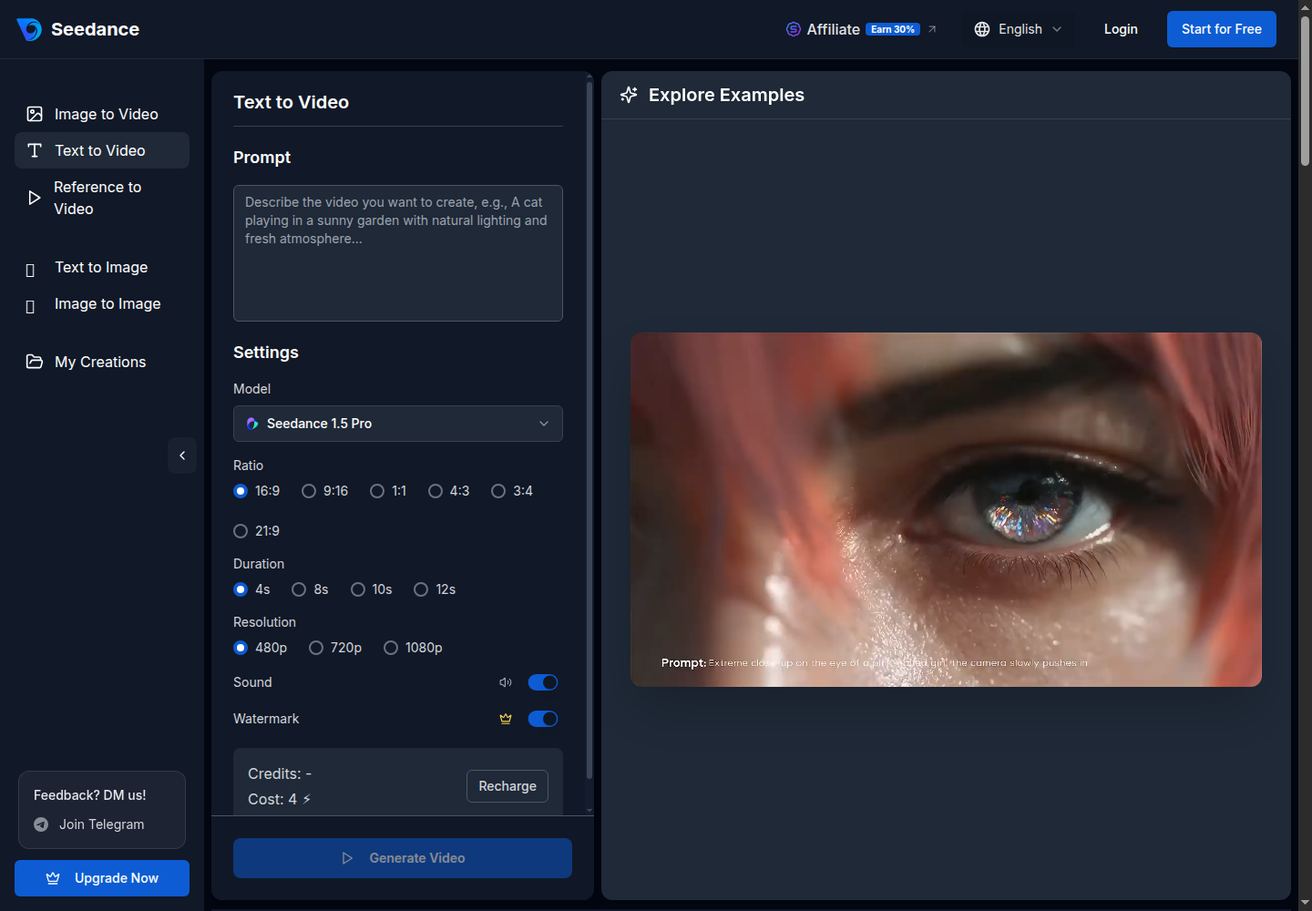
For text-to-video work, the important product decisions are visible: prompt, model selection, aspect ratio, duration, resolution, credit cost, and generation action. Those fields map cleanly to an integration spec. A developer can translate them into a form schema, queue job, or internal request object without inventing a workflow from scratch.
Seedance is especially strong for teams that do not yet know the winning model. You can generate the same concept through Seedance 2.0, Kling, Veo, or another available model, then compare prompt adherence, camera motion, scene stability, and cost. That is more useful than choosing an API vendor from a docs table before you have seen how your actual prompts behave.
For image-to-video, Seedance gives an even clearer planning surface. Product teams can test first-frame assets, last-frame transitions, sound options, watermark settings, duration, resolution, and reusable assets before committing to automation.
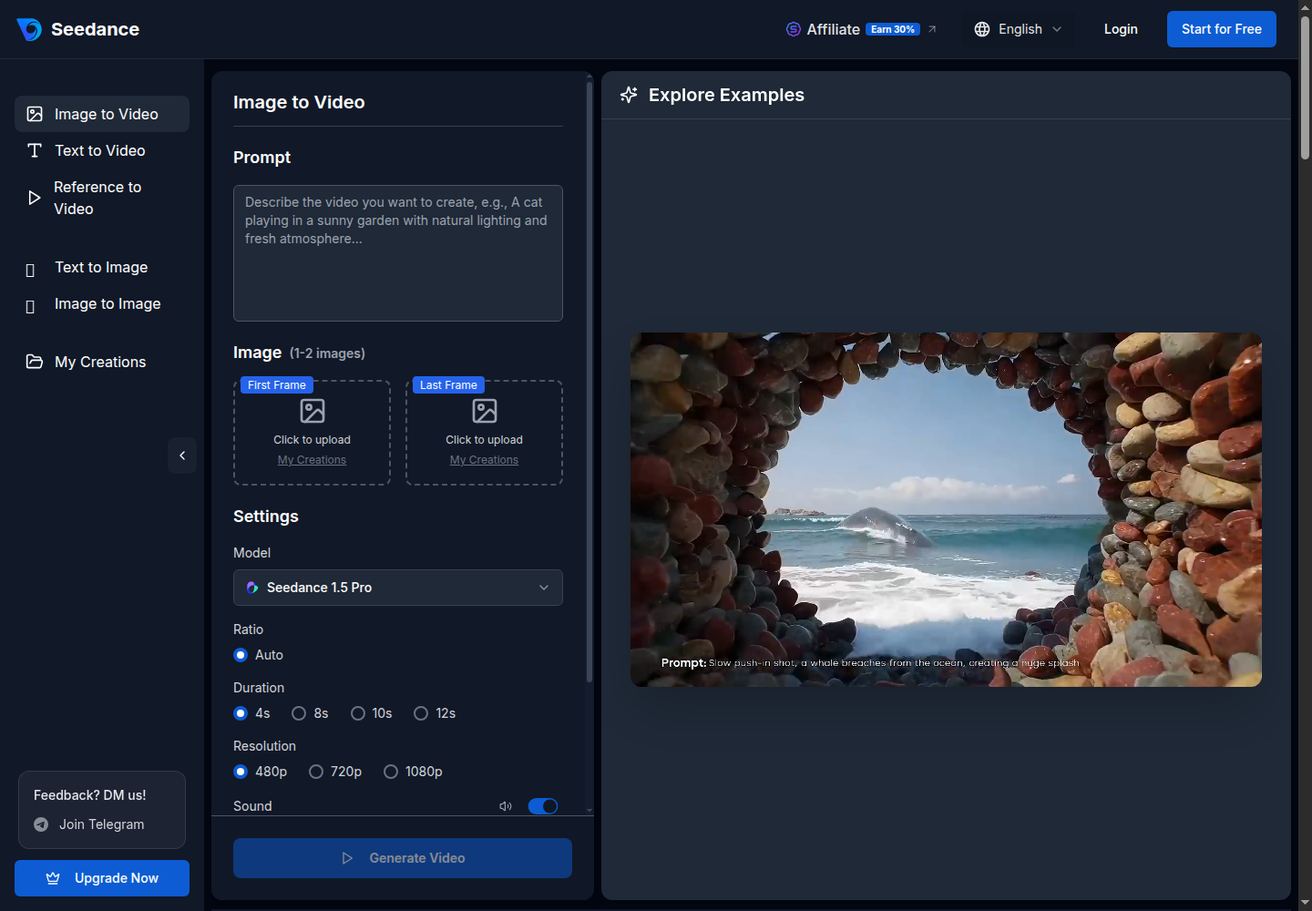
This matters because image-to-video failures are rarely solved by a single better prompt. You often need to change the source image, crop, product angle, background, motion instruction, or target aspect ratio. A web workflow lets marketers and designers fix those inputs before developers turn the process into a queue.
Kling AI API Strengths and Limits
Kling is a serious video generation competitor. It is known for strong motion, image-to-video use cases, and creator-facing video results. If your team has already validated Kling output for your exact use case, a Kling-centered integration may be appropriate.
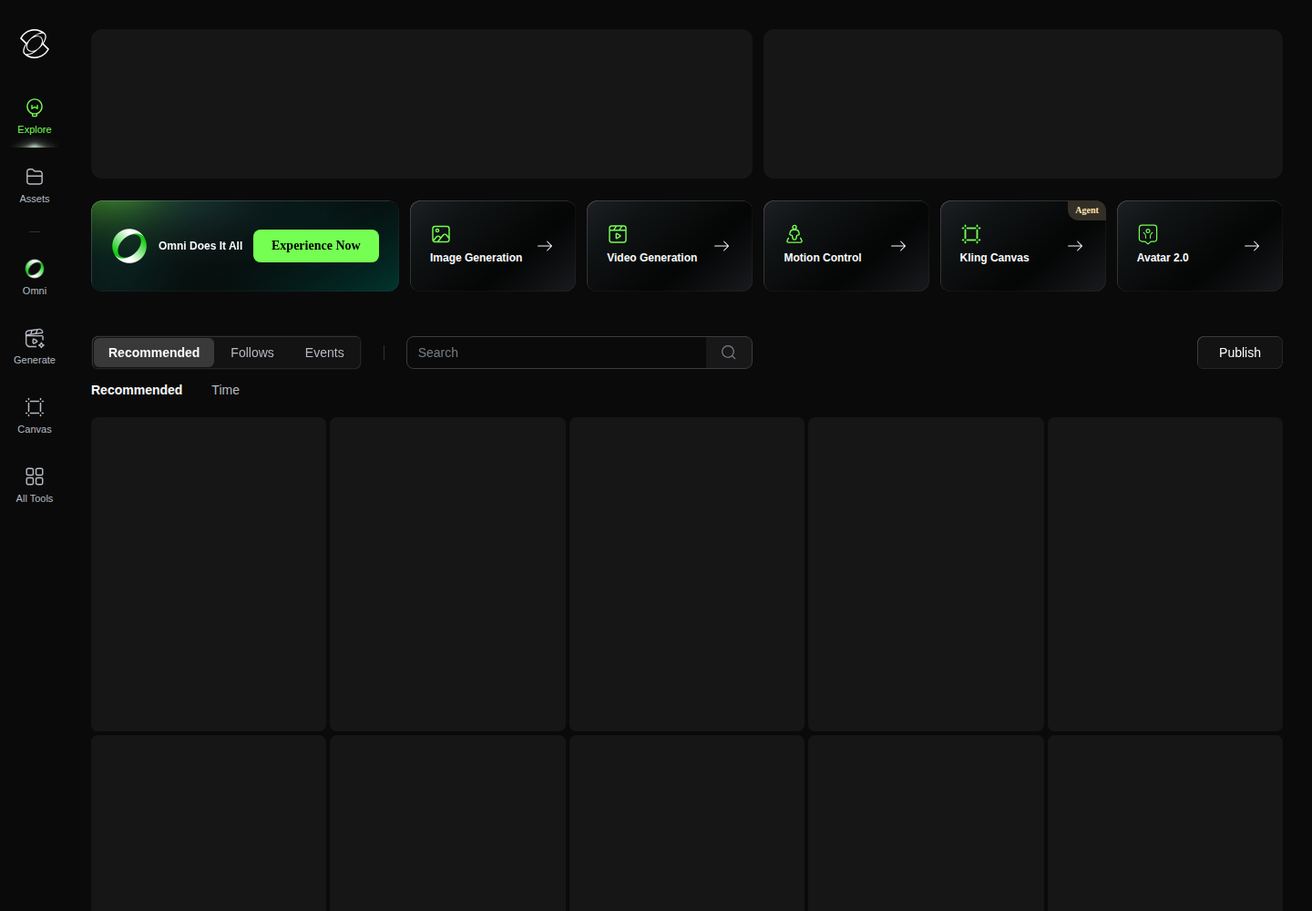
The main reason to choose Kling directly is focus. If the product brief says, "we need Kling-like motion and we know this model is the target," then a direct Kling path can be cleaner than a broad model hub. Your backend can wrap the specific API, enforce your own prompt templates, store outputs in your asset system, and show users only the options your product supports.
The limit is that Kling alone does not solve the broader AI video production problem. You still need to build:
- A prompt editor with examples and guardrails.
- Image upload and validation.
- Queue status and failure states.
- Credit or cost display.
- Preview, approve, regenerate, and export screens.
- Storage and CDN handling.
- Usage logging and customer support tooling.
These are not small details. They are the parts users touch. If your team has not validated the end-to-end video workflow, starting with a direct API can push too much product learning into engineering tickets.
Comparison Table: Where Each Option Fits
| Decision area | Seedance workflow | Kling AI API route |
|---|---|---|
| Best starting point | Multi-model testing, prompt workflow, team production | Direct Kling-specific generation |
| Text-to-video | Strong for prompt testing and model comparison | Strong if Kling output is already selected |
| Image-to-video | Useful for first-frame, last-frame, QA, and reusable asset tests | Useful when Kling motion is the desired output |
| Nontechnical team access | Better because marketers can test in UI | Requires your team to build the UI |
| API planning | Helps define fields and review loops before coding | Good after requirements are already stable |
| Cost visibility | Seedance pricing and credit screens help planning | You need to map provider cost into your own product |
| Model flexibility | Stronger because you can compare multiple models | Narrower, focused on Kling |
| QA workflow | Easier to run manual review before automation | Must be built into your product |
| Best use case | Creator workflow, marketing production, model selection | Model-specific automation |
The practical pattern is often hybrid. Use Seedance to discover which prompts, aspect ratios, source images, and model choices work. Then use your API stack for the repeatable subset. That prevents developers from automating an unproven creative process.
Recommended Seedance-to-API Workflow
Use this workflow if you are building a product feature, internal content engine, ecommerce video tool, or social ad generator.
Step 1: Define the output format
Start with the destination. A TikTok ad, ecommerce PDP video, app store preview, landing page hero clip, and sales email GIF all need different ratios, duration, motion style, and text density.
Document:
- Platform: TikTok, Reels, YouTube Shorts, product page, app store, landing page, or email.
- Ratio: 9:16, 1:1, or 16:9.
- Duration: short test clip, full ad, product loop, or hero background.
- Input: text prompt, product image, UI screenshot, character reference, or brand asset.
- Review criteria: subject consistency, readable text, camera motion, product accuracy, and brand safety.
This is the part many API comparisons skip. If you do not know the output format, you cannot judge the API.
Step 2: Prototype the prompt in Seedance
Open Seedance Text to Video when you are starting from a concept. Use Seedance Image to Video when you have a product photo, app screenshot, or reference image.
Run at least three prompt versions:
- A plain descriptive prompt.
- A prompt with camera movement and duration.
- A prompt with platform and brand constraints.
Example prompt for a product demo:
Create a 9:16 product demo video for a minimalist fitness app. Start on a clean phone mockup showing the weekly workout plan, then use a slow push-in camera move as colorful progress cards animate into view. Keep the background bright, modern, and uncluttered. No extra text except short UI labels already visible in the app screen.
Example prompt for image-to-video:
Animate this product photo into a clean ecommerce hero video. Keep the product shape and label stable. Add a slow clockwise camera arc, soft studio reflections, and a gentle reveal of the packaging texture. Do not change the logo, colors, or text on the product.
These prompts are not just for manual creation. They become your future API prompt templates.
Step 3: Compare Seedance and Kling outputs
Generate the same brief through Seedance and Kling if both are available in your workflow. Do not judge only by which clip looks flashier. Score each version with a simple QA grid:
- Prompt adherence: did the clip follow the requested scene?
- Subject consistency: did the product, face, UI, or object stay stable?
- Motion quality: did movement feel intentional or random?
- Text accuracy: did on-screen text remain correct?
- Brand safety: did the clip introduce unwanted visual elements?
- Reuse potential: could a customer publish this with small edits?
- Cost per usable output: how many attempts were needed?
The last metric is critical. A model that produces a beautiful best-case result can still be expensive if it needs too many retries. A slightly less dramatic model can win in production if it creates more usable first or second attempts.
Step 4: Convert the winning workflow into an API spec
Once you know what works, write a small integration spec. Do not start with code. Start with fields:
{
  "source_type": "image-to-video",
  "source_asset_url": "https://example.com/product-photo.jpg",
  "prompt_template": "ecommerce_product_arc_v1",
  "prompt_variables": {
    "product_type": "fitness app",
    "camera_move": "slow push-in",
    "platform": "TikTok"
  },
  "ratio": "9:16",
  "duration_seconds": 8,
  "quality_target": "social_ad_preview",
  "review_required": true
}
That object is easier to maintain than letting every user write a raw prompt. Whether the backend eventually calls Kling, Seedance, or another provider, the product logic stays stable.
Step 5: Keep human review until quality is predictable
Do not expose fully automatic video generation to paying users before you understand failure rates. Keep a review state in the workflow:
queuedgeneratingneeds_reviewapprovedregenerate_requestedexportedfailed
This is where Seedance helps teams avoid overbuilding. A few manual review sessions can reveal that you need better source image rules, stricter prompt templates, or a narrower set of video formats.
Pricing and Credit Planning
API comparisons often focus on model capability, but the product owner will ask a different question: what does one usable video cost?
Seedance helps here because the pricing and credit surface is visible to the production team. You can estimate how many credits a workflow consumes and whether a plan supports the volume you need.
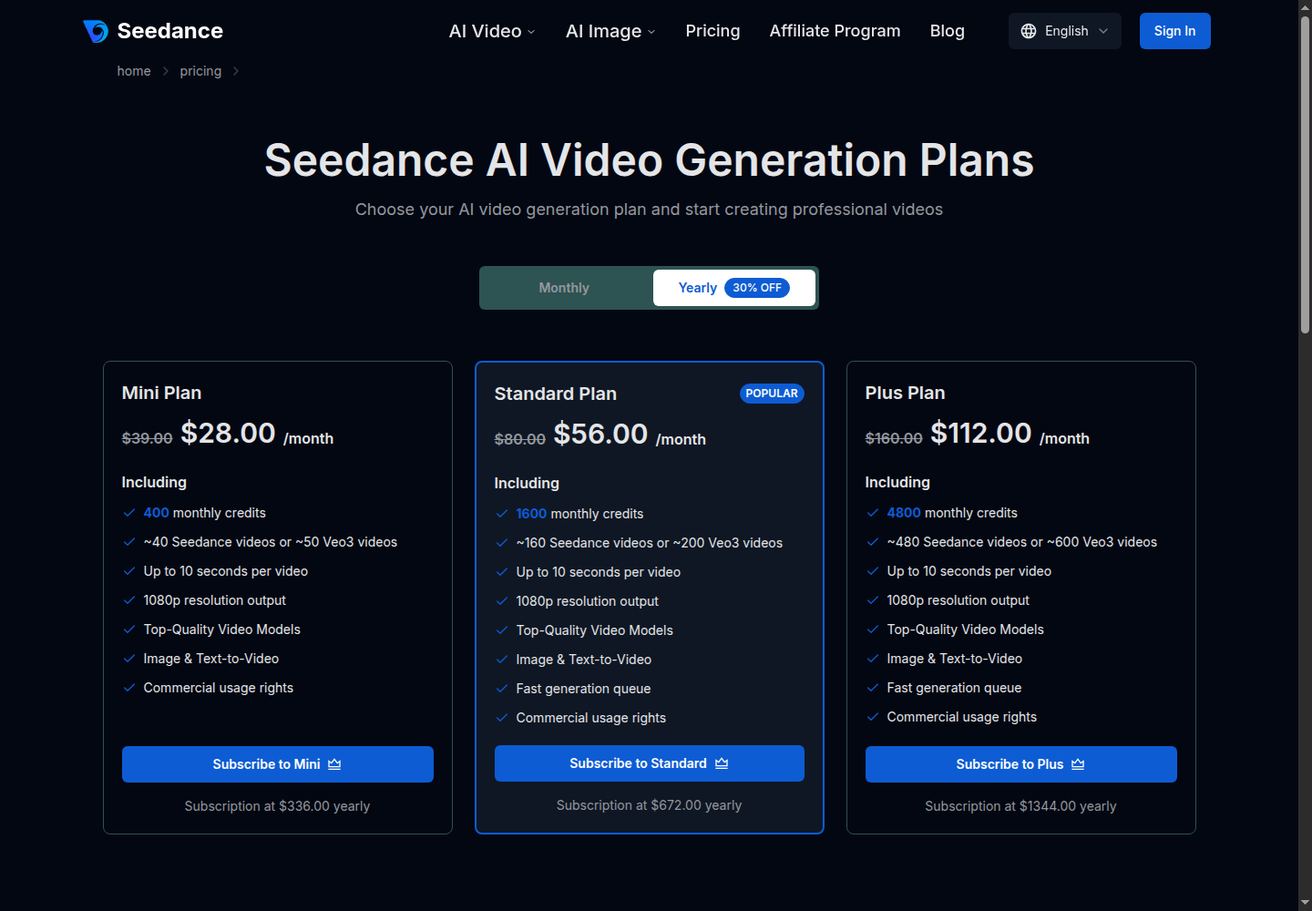
For an API route, calculate cost by usable output, not raw generation. A simple formula:
cost per usable video =
  provider cost per generation
  x average attempts per approved output
  + storage/CDN cost
  + moderation/review cost
  + support/retry allowance
If Seedance generates one acceptable product clip in two attempts and Kling needs four attempts for the same brief, Seedance can be cheaper for that workflow even if a single Kling request looks competitive. The reverse can also be true for motion-heavy scenes where Kling produces the desired look faster.
That is why you should test with your actual prompts, not demo prompts.
Best Use Cases for Seedance First
Use Seedance before direct API work for these cases:
- Ecommerce product videos from catalog photos.
- App preview clips from screenshots.
- Landing page hero videos.
- TikTok and Reels ad variations.
- Internal creative testing for paid social.
- Prompt template development.
- Model selection for new video formats.
- Client approval workflows where output quality matters more than raw speed.
These workflows benefit from visible controls and human review. The team can find the winning pattern first, then decide which parts deserve automation.
Best Use Cases for Kling Directly
Use a Kling-first API route when:
- The creative team has already approved Kling output for the format.
- Your app promises a specific Kling generation experience.
- You need programmatic generation at scale and can build the full product shell.
- The use case is narrow enough that prompt templates are predictable.
- You have your own billing, queue, moderation, storage, and retry systems.
This is not a knock on Kling. It is a reminder that a direct model API is only one layer. The stronger your internal product infrastructure, the more comfortable you can be with a direct provider integration.
Developer Checklist Before Choosing
Before you decide between Seedance API vs Kling AI API, answer these questions:
- What exact video format will users create?
- Will users start from text, image, reference media, or mixed inputs?
- How many attempts are acceptable before the user loses trust?
- Does the workflow need audio, watermark control, or commercial-use planning?
- Who reviews outputs before export?
- Where are source assets stored?
- Where are generated videos stored?
- What happens if a job fails or times out?
- How will you prevent prompt abuse or brand-risk outputs?
- Can nontechnical team members improve prompt templates without a deploy?
If those answers are unclear, build the workflow in Seedance first. If the answers are already stable and Kling is the chosen model, a direct Kling API route can make sense.
Source Notes and Verification
For current provider details, verify against the live product and official documentation before a production deploy. Relevant starting points:
- Seedance creation workflow: Text to Video, Image to Video, and Pricing.
- Related Seedance developer guide: Seedance API Guide for Developers.
- Related comparison: Seedance vs Kling AI.
- Kling public product page: https://app.klingai.com/global/
- BytePlus model/API documentation: https://docs.byteplus.com/
Because AI video providers update models, pricing, rate limits, and access rules often, treat this article as a workflow comparison rather than a permanent pricing contract. For production code, check the current API documentation, account dashboard, and legal/commercial terms on the day you ship.
Conclusion
The Seedance API vs Kling AI API decision should start with workflow risk, not brand preference. Seedance is the better first step when you need to prototype prompts, compare models, plan credits, involve nontechnical teammates, and define a repeatable video production process. Kling can be the better direct API choice when your product is already committed to Kling output and your team can build the surrounding queue, review, storage, and billing layers.
If you are still exploring, start with Seedance. Test text-to-video and image-to-video prompts, compare results with Kling where useful, measure attempts per usable output, and write down the winning workflow. Once the creative process is stable, your API decision becomes much easier and your developers can automate a workflow that has already proven it can produce usable videos.
Ready to create your own AI video?
Turn ideas, text prompts, and images into polished videos with Seedance. If this article helped, the fastest next step is to try the product.
Free credits on signup. Plans from $28/month.
Related Articles
More posts in the same locale you may want to read next.

Seedance App Preview Video Generator 2026: Create App Store and Product Launch Clips
Use Seedance to turn app screenshots, feature copy, and launch goals into App Store previews, Google Play promo videos, and product launch clips.
Read article
Gemini AI Video Prompt Examples: Copy-Ready Veo Scenes and a Better Prompt Formula
Copy Gemini AI video prompt examples for cinematic motion, product ads, dialogue, and vertical clips, then adapt them with a practical Veo prompt formula.
Read article
How to Keep Product Shape Consistent in AI Video Ads
Lock product geometry, packaging, labels, references, camera angles, and approval checks so AI video ads preserve the real SKU across every shot.
Read article