
Seedance Character Consistency Guide: Keep the Same Person Across AI Video Scenes
Character consistency is one of the biggest differences between a quick AI video experiment and a polished Seedance production. A single clip can look impressive, but creators, agencies, ecommerce teams, and short-form video editors often need something harder: the same person appearing across multiple Seedance scenes, camera angles, outfits, gestures, and story beats without drifting into a different face.
This guide explains a practical Seedance character consistency workflow you can reuse for ads, YouTube Shorts, TikTok stories, product demos, creator-led explainers, and branded campaigns. We will cover reference image selection, a character bible, shot prompts, negative prompts, multi-scene planning, troubleshooting, and a repair loop for scenes that almost work but need tighter continuity.
The goal is not to make vague prompts longer. The goal is to give Seedance clearer identity anchors at every step.
Why Character Consistency Is Hard in AI Video
AI video character consistency is difficult because video generation is not only about a face. A believable recurring person depends on many signals working together:
- Facial structure
- Hair shape and color
- Skin tone
- Age range
- Outfit
- Body type
- Posture
- Expression style
- Lighting
- Camera distance
- Scene context
- Movement style
If your prompt says “a young woman in a red jacket” in scene one and “the same woman walking through a neon city” in scene two, Seedance may understand the broad idea but still reinterpret the details. The face may become sharper, older, younger, more cinematic, more stylized, or dressed differently. That is not a failure of imagination; it is a lack of continuity constraints.
Prompt-only workflows are especially vulnerable because each new scene gives the model room to redesign the character. A Seedance character consistency workflow reduces that freedom by repeating the right details, using reference images when possible, and planning scenes as one connected sequence instead of isolated clips.
For creators, this matters because viewers notice identity drift quickly. For marketers, character drift weakens brand trust. For ecommerce teams, an inconsistent presenter or model can make a product video feel artificial. For agencies, inconsistent character continuity increases revision time.
Why Seedance Is Useful for Character-Led Clips
Seedance is especially useful for character-led AI video because it supports workflows where creators can move from concept to controlled shot generation. You can start with a text idea, build a reference-driven scene, then refine prompts around camera movement, action, and continuity.
If you are beginning with a written concept, Seedance’s text-to-video workflow is useful for exploring the character’s first scene, tone, and environment. If you already have a strong character image, Seedance’s image-to-video workflow is usually the stronger choice for same character AI video because the visual identity is anchored before motion begins.
For deeper product context, you can also review Seedance 2.0 to understand how creators use Seedance for more controlled AI video production. The key is to treat Seedance as a production system, not just a prompt box. Your consistency improves when you plan the character, the shots, and the repair process before generating the final sequence.
Prompt-Only vs Reference Image vs Storyboard Workflow
| Workflow | Best for | Character consistency level | Main strength | Main risk |
|---|---|---|---|---|
| Prompt-only | Fast ideas, rough concepts, early creative exploration | Low to medium | Quick iteration with no image prep | Character may drift between scenes |
| Reference-image workflow | Same presenter, product model, influencer-style clips, branded characters | Medium to high | Stronger face, outfit, and identity anchor | Weak reference images can lock in poor details |
| Storyboard workflow | Multi-scene ads, YouTube/TikTok narratives, agency campaigns | High | Continuity planned across scenes before generation | Requires more planning and shot discipline |
A prompt-only Seedance workflow can work for simple clips, but if your article, ad, or short-form campaign depends on the same person across scenes, use a reference-image video workflow. If the project has multiple locations, emotional beats, or camera angles, use a storyboard workflow.
Step 1: Choose the Right Reference Image
For Seedance character consistency, your reference image is not just a pretty portrait. It is the identity anchor. The better the reference, the less you need to fight drift later.
A strong Seedance reference image should have:
- One clear person as the main subject
- Face visible, not hidden by sunglasses, hair, masks, or extreme shadows
- Neutral or lightly expressive face
- Clothing visible enough to describe
- Clean lighting
- No confusing background characters
- No heavy filters that distort facial structure
- No cropped chin, forehead, or shoulders if you need full-body continuity
For ecommerce or agency work, keep the character’s outfit simple. A plain jacket, consistent shirt color, or recognizable accessory can help Seedance preserve identity. Complex patterns, reflective fabrics, and tiny logos can become unstable across motion.
If you need the same character across several Seedance scenes, create a small reference set instead of relying on one image. Use one hero portrait, one mid-shot, and one full-body image if available. Keep the same person, outfit family, and style. Do not mix images where the person has different hair length, different makeup, or different age appearance unless the story requires a transformation.
Good Reference Image Description
When writing your Seedance prompt, do not just upload or use a reference and hope the model reads your mind. Describe the identity clearly:
- “same woman from the reference image”
- “oval face, shoulder-length black hair, soft natural makeup”
- “wearing a cream blazer over a black top”
- “calm confident expression”
- “modern creator presenter style”
This gives Seedance both visual and textual anchors.
Avoid Weak Reference Images
Avoid using reference images where the person is:
- Too far from camera
- Shot from an extreme side angle
- Covered by motion blur
- In heavy costume unless the costume is essential
- Surrounded by similar-looking people
- Over-edited with stylized face filters
A weak reference image creates weak character continuity. If the first anchor is unclear, every later Seedance scene will require more repair.
Step 2: Build a Seedance Character Bible
A character bible is a short reusable identity sheet. It keeps your Seedance prompts consistent and prevents every scene from reinventing the person.
Your Seedance character bible should include:
- Character name or label
- Face and hair details
- Outfit rules
- Personality and expression style
- Movement style
- Visual do-not-change rules
- Scene-specific allowed changes
For example, if you are making a product launch video for TikTok, your character bible might describe “Maya, a confident ecommerce founder in a cream blazer, shoulder-length black hair, warm but focused expression, natural hand gestures, always shown as the same person from the reference image.”
The character bible should be short enough to paste into every Seedance prompt, but specific enough to protect identity.
Reusable Seedance Character Bible Template
Character Bible:
Name/label: [Character name or role]
Identity anchor: Same person from the reference image.
Face: [Face shape, age range, defining facial details]
Hair: [Color, length, style]
Outfit: [Main clothing, colors, accessories]
Expression style: [Calm, confident, playful, serious, warm]
Movement style: [Natural hand gestures, slow walk, presenter posture]
Do not change: Face shape, hair color, hairstyle, age, outfit color, body type.
Allowed changes: Camera angle, background, pose, lighting mood, small expression changes.
Seedance goal: Preserve the same character identity across every scene.
Use this same bible in every Seedance scene prompt. You can vary the action and camera, but keep the identity block stable.
Step 3: Plan the Multi-Scene Sequence Before Generating
Many character consistency problems begin before the first Seedance generation. Creators often generate scene one, like it, then invent scene two later. That approach creates continuity gaps.
Instead, plan the full sequence first:
- Scene 1: Establish identity
- Scene 2: Show action or product context
- Scene 3: Change angle while preserving outfit and face
- Scene 4: Add emotional beat or benefit
- Scene 5: End with CTA or final visual
For short-form creators, this might be a 15-second TikTok with five quick shots. For agencies, it might be a 30-second brand spot. For ecommerce teams, it might be a presenter holding the product, using the product, then reacting to the result.
The important Seedance principle is this: do not ask every scene to solve character design again. Scene one establishes the character. Every later scene should say it is the same person and repeat the stable identity anchors.
If you need a structured approach, pair this article with the Seedance storyboard workflow guide at /blog/seedance-storyboard-workflow-2026. Storyboarding makes Seedance character consistency easier because you can see where identity, outfit, lighting, and camera choices might conflict before generation.
Step 4: Write Scene Prompts That Separate Identity, Action, and Camera
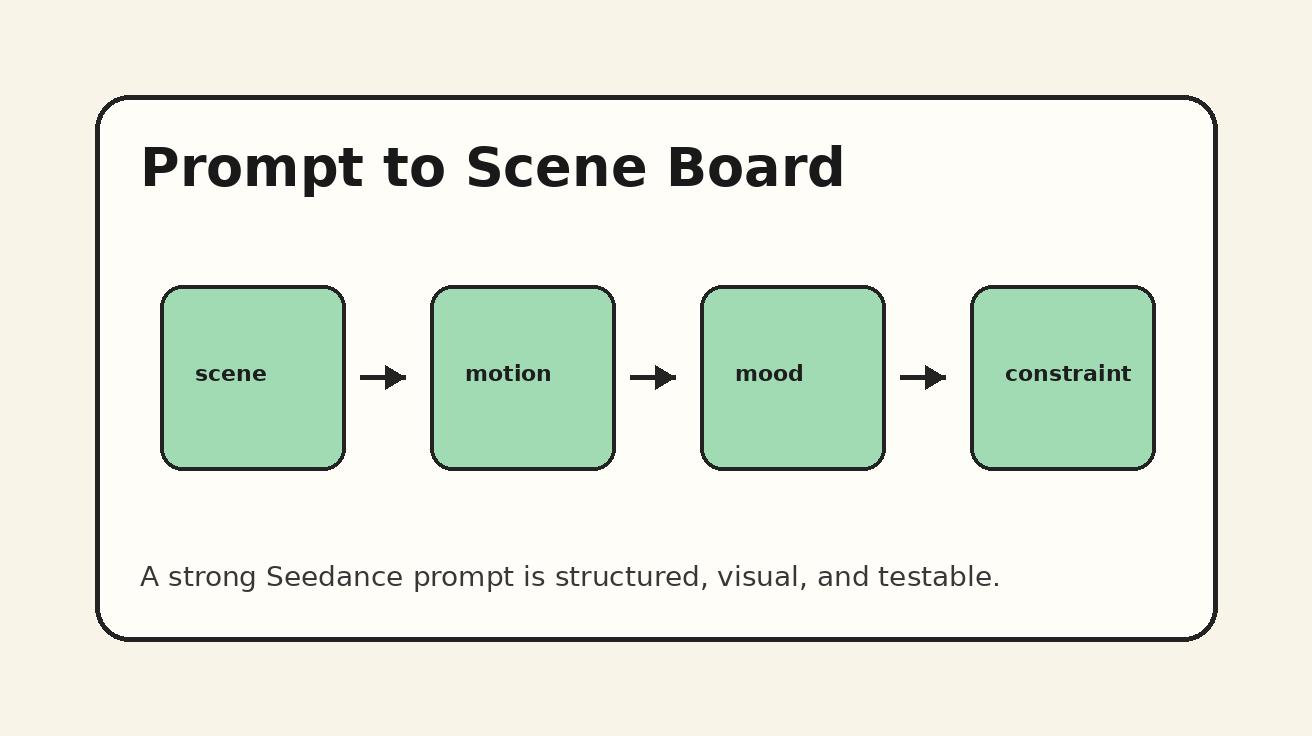
A strong Seedance prompt for character consistency should not be a single messy paragraph. Break it into clear blocks:
- Identity block
- Scene block
- Action block
- Camera block
- Lighting and style block
- Continuity block
- Negative prompt block
This helps Seedance understand what must stay fixed and what can change.
Reusable Seedance Scene Prompt Template
Seedance Scene Prompt:
Identity:
Use the same character from the reference image. [Character name/label] has [face details], [hair details], and wears [outfit]. Preserve the same face, age, hairstyle, body type, and outfit color from the reference.

Scene:
[Describe location and context.]

Action:
[Describe what the character does in this shot.]

Camera:
[Describe framing, lens feel, camera movement, and shot size.]

Lighting and style:
[Describe realistic/cinematic/social video/product demo style.]

Continuity:
This is the same person as the previous Seedance scene. Keep facial structure, hair, outfit, and overall identity consistent. Only change pose, expression, and camera angle.

Negative prompt:
Do not change the character's face, age, hairstyle, outfit color, body type, or identity. No extra people. No distorted hands. No duplicate faces. No sudden costume change. No different person.
This template works because it tells Seedance exactly which elements are identity-critical and which elements are scene-specific.
Step 5: Use Negative Prompts Carefully
Negative prompts are useful, but they should not become a giant list of fears. In Seedance character consistency work, negative prompts should target the most common drift problems:
- Different face
- Changed age
- Changed hairstyle
- Changed outfit color
- Extra people
- Duplicate character
- Distorted hands
- Unwanted makeup changes
- Sudden glasses or accessories
- Over-stylized face
A practical negative prompt for same character AI video might be:
“Do not change face structure, age, hairstyle, outfit color, or body type. No extra people, no duplicate character, no face morphing, no sudden costume change, no heavy makeup change, no distorted hands.”
Keep it consistent across scenes. If you rewrite the negative prompt every time, you may accidentally introduce new constraints that fight the previous scene.
Step 6: Use a Shot List Continuity Checklist
A continuity checklist is the easiest way to catch problems before you generate or approve a Seedance scene. For each shot, review:
- Is the same reference image used?
- Is the same character bible included?
- Is the outfit unchanged unless intentionally changed?
- Is the hair described the same way?
- Is the character’s age range stable?
- Does the camera angle create unnecessary identity risk?
- Are there extra people in the scene?
- Is the background distracting?
- Is the action too complex for one shot?
- Does the negative prompt prevent the most likely drift?
For agencies, this checklist can become part of client review. For creators, it can be a simple pre-generation habit. For ecommerce teams, it helps keep product demos clean and consistent.
Step 7: Start With Low-Risk Camera Angles
Not every camera angle is equally friendly to character consistency. If you need Seedance to preserve a person across multiple scenes, start with stable shots:
- Medium shot
- Waist-up presenter shot
- Three-quarter angle
- Slow push-in
- Gentle tracking shot
- Seated interview-style shot
- Product demo at a table
Use high-risk shots later:
- Extreme close-up
- Fast spin
- Heavy motion blur
- Dramatic side profile
- Backlit silhouette
- Wide shot with tiny face
- Crowded background
- Rapid outfit movement
The more the face disappears, the more Seedance has to infer identity. For the first scene, show the character clearly. Once the identity is established, you can experiment with more cinematic shots.
Step 8: Build a Repair Loop Instead of Starting Over
A professional Seedance character consistency workflow includes repair. Do not expect every scene to be perfect on the first generation. Instead, classify the issue.
Common Seedance Character Consistency Problems
| Problem | Likely cause | Repair action |
|---|---|---|
| Face looks like a different person | Identity block too vague or weak reference | Repeat face details, use clearer reference, reduce scene complexity |
| Outfit changes color | Outfit not described consistently | Add exact outfit color and “do not change outfit color” |
| Character looks older or younger | Age range missing | Add stable age range and negative prompt against age change |
| Hair changes length or style | Hair details missing or contradicted | Repeat hair length, color, and style in every scene |
| Extra person appears | Scene prompt implies crowd or social setting | Add “single main character only, no extra people” |
| Face becomes too stylized | Style prompt overpowers identity | Reduce stylization, request realistic face preservation |
| Hands distort during product demo | Action too complex | Simplify hand action, use shorter shot, keep product movement slower |
| Scene feels disconnected | No storyboard continuity | Add previous-scene reference and sequence position |
The repair loop should be small and controlled. Change one or two variables at a time. If you rewrite the entire prompt, you will not know what fixed the problem.
Step 9: Keep Prompts Consistent Across Scenes
When Seedance generates a multi-scene video concept, consistency improves when recurring language stays recurring. Do not describe the same person in five different ways.
For example, avoid this:
- Scene 1: “young woman with black hair”
- Scene 2: “stylish Asian creator”
- Scene 3: “female entrepreneur in blazer”
- Scene 4: “confident influencer”
- Scene 5: “professional presenter”
Those might all mean the same person to you, but they give Seedance multiple identity interpretations. Instead, use one stable label:
“Maya, the same woman from the reference image, with shoulder-length black hair, an oval face, warm brown eyes, and a cream blazer over a black top.”
Repeat that identity phrase in every scene. You can vary the action and camera, but the identity anchor should stay boringly consistent. Boring consistency in the prompt creates better visual consistency in the output.
If you need help building prompt systems, the Seedance prompt generator workflow at /blog/seedance-prompt-generator-workflow-2026 can help you turn rough ideas into structured Seedance prompts.
Reusable Multi-Scene Seedance Prompt Template
Project:
Create a multi-scene Seedance video with the same character appearing across all scenes.

Character continuity:
The character is [name/label], the same person from the reference image. Preserve the same facial structure, age range, hairstyle, hair color, body type, outfit, and overall identity in every scene.

Scene plan:
Scene 1: [Establishing shot and action]
Scene 2: [Second shot and action]
Scene 3: [Third shot and action]
Scene 4: [Fourth shot and action]
Scene 5: [Final shot and CTA/action]

Global style:
[Realistic creator video / polished ecommerce ad / cinematic brand film / TikTok-style vertical video]

Continuity rules:
Every scene must show the same person. Keep the character's face, hair, outfit, and age consistent. Camera angle, pose, expression, and background may change, but the character identity must not change.

Negative prompt:
No different person, no face morphing, no age change, no hairstyle change, no outfit color change, no duplicate character, no extra people, no distorted hands, no unreadable product, no sudden style shift.
This template is useful when you want Seedance to understand the whole sequence. You can also split the scenes into individual prompts after planning the full structure.
Use Cases for Seedance Character Consistency
1. Creator-Led TikTok and YouTube Shorts
Short-form creators often want a recurring presenter: the same face introducing a tip, reacting to a trend, or demonstrating a product. In Seedance, keep the first shot simple and recognizable. Use the same reference image and character bible for each new short so the creator identity becomes familiar.
For TikTok-style pacing, use short actions: pointing to text, holding a product, walking toward camera, reacting with a smile, or turning to reveal a background. Avoid asking Seedance for too many gestures in one shot.
2. Ecommerce Product Videos
Ecommerce teams can use Seedance character consistency to create a stable model or presenter across product demos. The character can unbox, hold, wear, compare, or demonstrate the product. Consistency is important because the viewer should focus on the product, not wonder why the presenter changed.
Keep product shots simple. If hands are important, use slower movement and clear framing. If the product has exact text, logos, or packaging details, review the output carefully before publishing.
3. Agency Campaign Concepts
Agencies can use Seedance to create pitch-ready character-led scenes before a full production decision. A consistent character helps clients understand the story. Use a storyboard workflow, create a character bible, and lock the look before exploring backgrounds.
For client work, name each Seedance scene clearly: “Scene 01 — Hero presenter,” “Scene 02 — Product reveal,” “Scene 03 — Customer reaction.” This makes revision feedback easier.
4. Brand Mascot or Spokesperson Videos
Some brands need a recurring human spokesperson or stylized character. Seedance can help create repeatable clips if the character bible is strict. Keep the face, hair, outfit, and tone stable. If the character is stylized, define the style once and repeat it exactly.
5. Educational Explainers
A consistent instructor figure can make AI-generated lessons feel more coherent. Use Seedance to keep the teacher, coach, or expert character stable across modules. The background can change, but the character should not.
Advanced Tips for Better Seedance Character Consistency
Use One Outfit Per Sequence
Changing clothes creates identity risk. For a single Seedance video, keep one outfit unless the outfit change is part of the story. If you need multiple outfits, separate the video into chapters and define the change clearly.
Avoid Overloading the Scene
A prompt that asks for a character, a product, a moving camera, a crowd, a complex background, hand gestures, text overlays, and dramatic lighting may reduce consistency. Start with the character and action. Add complexity only after the identity holds.
Keep Lighting Compatible
Lighting can change how faces look. If scene one is soft daylight and scene two is neon backlight, the same person may appear different. For continuity, describe lighting transitions carefully.
Use Scene Numbers
Seedance prompts become easier to manage when every shot has a number and purpose. Scene numbering also helps you repair only the weak shot instead of reworking the entire concept.
Save Approved Identity Language
When a Seedance scene gives you the right person, save the prompt language that worked. That language becomes your identity anchor for the rest of the sequence.
FAQ
1. What is Seedance character consistency?
Seedance character consistency means keeping the same person visually recognizable across multiple AI video scenes. It includes face, hair, outfit, age, body type, and overall identity, not just a repeated name in the prompt.
2. Is a reference image necessary for same character AI video?
A reference image is not always required, but it usually improves Seedance character consistency. Prompt-only workflows can work for rough concepts, while reference-image workflows are better when the same person must appear across several scenes.
3. How do I stop Seedance from changing the character’s face?
Use a clear reference image, repeat the same character bible in every prompt, describe the face and hair consistently, and add a negative prompt such as “no different person, no face morphing, no age change.” Also reduce scene complexity if the face keeps drifting.
4. Can I change camera angles and still keep the same character?
Yes, but change angles gradually. Medium shots, three-quarter angles, and slow push-ins are safer than extreme close-ups, silhouettes, or fast rotations. Keep the identity block stable even when the camera changes.
5. What should be included in a Seedance character bible?
Include the character label, face details, hair, outfit, expression style, movement style, do-not-change rules, and allowed changes. The character bible should be reused across every Seedance scene prompt.
6. What is the best workflow for multi-scene Seedance videos?
For multi-scene character-led videos, use a storyboard workflow: define the character, plan each shot, write consistent scene prompts, generate in sequence, then repair weak scenes one at a time. This gives Seedance stronger continuity than treating every scene as a separate prompt.
CTA: Create Your Own Consistent Character Video in Seedance
If you already have a strong character image, start with Seedance image-to-video and build your scenes around one clear reference. If you want to explore a character from scratch, begin with Seedance text-to-video, then turn the best result into your reference-driven workflow.
Ready to try it yourself?
Put the steps from this guide into practice with Seedance and turn prompts or images into polished videos in minutes.
Free credits on signup. Plans from $28/month.
Related Articles
More posts in the same locale you may want to read next.

Seedance App Preview Video Generator 2026: Create App Store and Product Launch Clips
Use Seedance to turn app screenshots, feature copy, and launch goals into App Store previews, Google Play promo videos, and product launch clips.
Read article
MiniMax H3 Video Extension Gets Brighter: Fix Exposure Drift at the Join
Diagnose and fix MiniMax H3 video extensions that become brighter using seam frames, stable references, tone matching, prompt controls, and safer clip chains.
Read article
VEED Background Noise Removal Free: Clean Video Audio Without Guessing
Use VEED Clean Audio to remove background noise from video or audio, understand the one-time free allowance, compare results, and fix metallic speech, echo, and volume jumps.
Read article