
How to Use Seedance: Complete Guide to Creating AI Videos with Seedance 2.0 (2026)
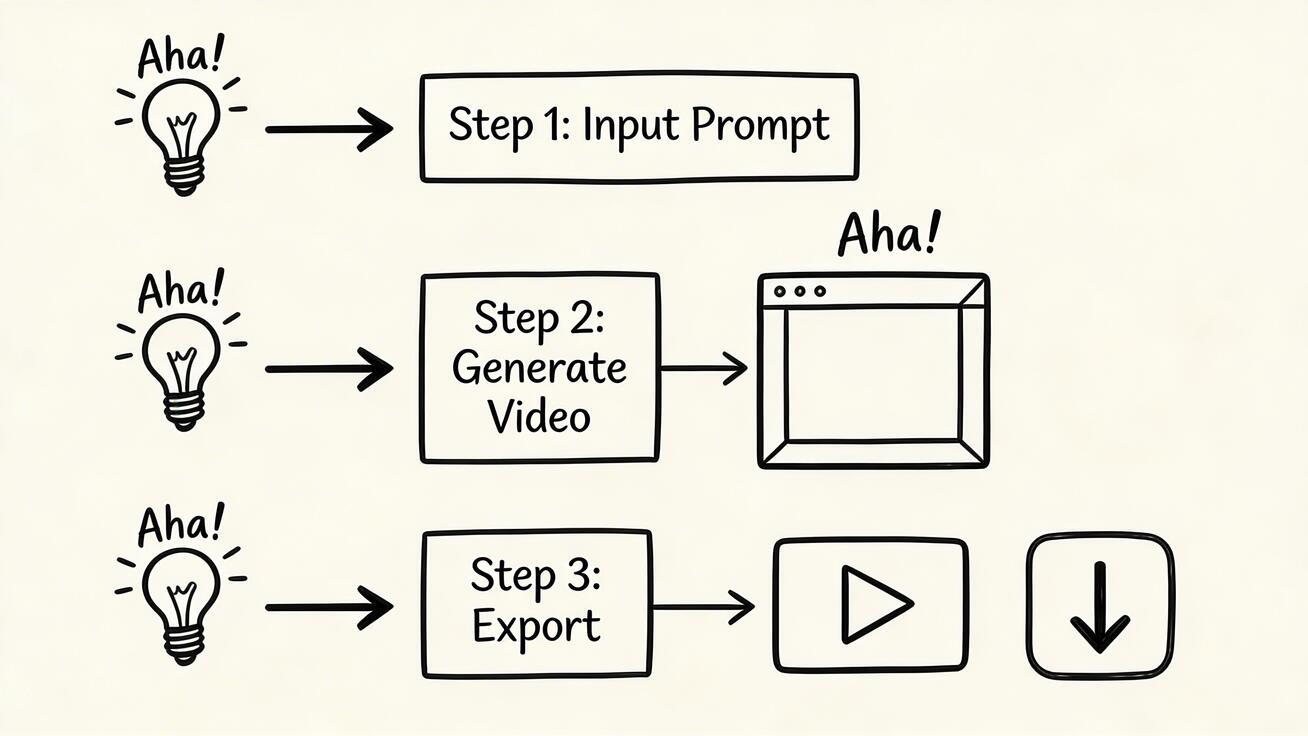
Seedance 2.0 is one of the most accessible AI video generation tools available in 2026, but "accessible" does not mean there is nothing to learn. The difference between a creator who gets mediocre results from Seedance and one who gets excellent results comes down to understanding how the tool works, how to write effective prompts, and how to build a production workflow that maximizes the value of each generation.
Quick Answer: How to Use Seedance: Complete Beginner's Guide to AI Video Generation (2026) — this step-by-step guide shows you how to use Seedance's AI-powered tools to achieve professional results in minutes, even if you're a complete beginner.
This complete guide covers everything from creating your account to advanced techniques for consistent professional-quality output.
Getting Started: Account Creation
Visit seedance.tv to begin. Account creation takes under two minutes:
- Click "Get Started" or "Sign Up"
- Enter your email address (or sign in with Google for faster setup)
- Create a password
- Verify your email address
- Your account is active and daily free credits are available immediately
No credit card is required for the free tier. You can start generating immediately after email verification.
The Interface: A Quick Tour
Once logged in, the Seedance 2.0 interface presents a clean, minimal layout designed to minimize friction between your idea and a generated video.
The prompt input area is the primary interface element. This is where you type your description of the video you want to generate. Everything about the output quality starts here.
Generation mode selector switches between text-to-video (describe a scene from scratch) and image-to-video (upload a still image and describe how you want it to move).
Generation parameters control aspects like video duration (within the available range), style, and quality settings. The defaults produce good results for most purposes.
Results gallery shows your generated clips, allows downloading, and displays your generation history.
Your First Generation: Text-to-Video
The fastest way to understand what Seedance can do is to generate your first clip. Here is a starting prompt that produces good results for most new users:
"A peaceful mountain lake at golden hour, pine trees reflected in still water, soft warm light, wide cinematic shot, nature documentary style"
This prompt works well because it specifies: the subject (mountain lake), the time of day (golden hour), an environmental detail (pine trees), a lighting quality (soft warm light), the camera framing (wide cinematic shot), and a style reference (nature documentary). All five elements working together give the model clear direction.
After submitting, generation typically takes 30 seconds to 3 minutes depending on server load. When your clip appears, download it and watch it at full quality.
Writing Better Prompts: The Core Framework
The single most important skill for getting good results from Seedance 2.0 is writing effective prompts. Here is the framework:
Subject + Action — Who or what is the focal point, and what are they doing?
- Weak: "a dog"
- Strong: "a golden retriever running through shallow ocean waves at low tide"
Environment/Setting — Where is this happening, and what are the relevant environmental characteristics?
- Weak: "on a beach"
- Strong: "on a wide sandy beach at low tide, the water glassy and reflective, foam from receding waves"
Camera/Framing — What is the shot type and camera behavior?
- Weak: (no camera specification)
- Strong: "medium tracking shot following the movement, slight handheld feel"
Lighting/Atmosphere — What is the light quality, time of day, and mood?
- Weak: "nice lighting"
- Strong: "warm late afternoon sun at an angle, long shadows, golden haze in the air"
Style Reference — What overall aesthetic or quality are you targeting?
- Weak: "professional"
- Strong: "cinematic nature documentary style, National Geographic quality"
Audio (optional) — What should the audio sound like?
- "the sound of waves and seagulls in the distance"
A complete prompt combining all these elements:
"A golden retriever running through shallow ocean waves at low tide, wide sandy beach, medium tracking shot, warm late afternoon golden light with long shadows, cinematic nature documentary style, the sound of waves and a light wind"
This prompt is more specific than most beginners write initially, but the improvement in output quality from this specificity is dramatic and immediate. The practice of writing this level of detail becomes fast and natural within a few sessions.
Image-to-Video: Animating Still Images
Seedance 2.0's image-to-video capability allows you to upload a still image and generate video from it — animating the content of the image according to your prompt.
How to use image-to-video:
- Select image-to-video mode in the interface
- Upload your source image (JPEG or PNG)
- Write a prompt describing the motion or animation you want
- Generate
What works well:
- Animating product photos (adding subtle motion, changing background atmosphere)
- Bringing landscape photos to life (adding weather effects, moving water, swaying trees)
- Creating motion from illustration and artwork
- Adding environmental elements to static scenes
What works less well:
- Complex human motion that requires multiple body parts moving in coordination
- Facial animation (often produces artifacts)
- Scenes where the original image and the described motion are physically inconsistent
The image-to-video workflow is particularly valuable for creators who already have a library of good photography or product images and want to convert them into video content without reshooting.
Understanding Daily Credits
Seedance 2.0's free tier refreshes daily. Here is how to use credits most effectively:
Each generation attempt consumes one credit regardless of whether the output meets your quality bar. Failed generations, low-quality outputs, and excellent outputs all cost the same. This creates an incentive to invest more time in writing good prompts before submitting rather than generating randomly and hoping.
Credits do not roll over. Unused credits expire at the end of the day. There is no benefit to holding credits in reserve — use your daily allocation.
Quality selection is not free. If you generate 5 clips to choose the best one, you consume 5 credits. Plan accordingly: decide how many generations you want to budget for each piece of content, and design your prompt with that budget in mind.
The best practice: Write your prompt carefully, generate 2-3 variations for important content (selecting the best), and use your remaining credits for lower-stakes experimentation where you can afford to be more exploratory.
Content Types and What Works Best
Nature and environment: Seedance 2.0's strongest category. Forests, oceans, mountains, weather effects, and atmospheric environmental scenes produce excellent results. High reliability, low iteration needed.
Product lifestyle: Strong performance for commercial product video. Specify shallow depth of field, specific lighting, and product-appropriate environment for best results.
Urban and architectural: Good results with specific attention to lighting time of day. Blue hour and golden hour urban scenes are particularly strong.
Human characters: Medium difficulty. Medium shots and wider framing where faces are not prominent produce fewer artifacts than close-ups. Silhouette and movement-focused compositions work reliably.
Abstract and atmospheric: Very reliable. Abstract visual phenomena — aurora, energy, particles, organic textures — allow the model creative latitude and produce consistently impressive results.
Common Mistakes and How to Avoid Them
Mistake 1: Generating without a clear visual concept. Fix: Spend 30 seconds visualizing the exact shot before writing the prompt. What do you see? What does the camera show? What is the light like?
Mistake 2: Using vague descriptors. Fix: Replace adjectives like "beautiful," "nice," and "amazing" with specific visual descriptions. "Warm golden hour backlight" is much more useful than "beautiful lighting."
Mistake 3: Forgetting camera language. Fix: Include a shot type in every prompt. "Medium shot," "close-up," "wide establishing," "aerial view," "tracking shot" — each produces a fundamentally different composition.
Mistake 4: Omitting audio description. Fix: Add a brief audio description to prompts where sound matters. Seedance 2.0 generates better contextually appropriate audio when given explicit guidance.
Mistake 5: Not saving good prompts. Fix: Keep a running document of prompts that produced results you liked. Your prompt library is a production asset that saves time and improves consistency.
What Is Seedance and How Does It Work?
Seedance is ByteDance's AI video generation platform, powered by the Seedance 2.0 model. It generates high-quality videos from text prompts or input images, with exceptional character consistency and smooth motion. Unlike older AI video tools, Seedance maintains character identity across frames — making it ideal for narrative content.
How it works: Seedance uses a diffusion-based video model trained on millions of video-text pairs. You provide a text prompt or image, and the model generates a video clip that matches your description.
How Do You Use Seedance to Create AI Videos?
Creating videos with Seedance is straightforward:
- Go to seedance.tv and sign up (free tier available)
- Choose mode: Text-to-video or image-to-video
- Write your prompt: Describe the scene, action, style, and camera movement
- Select settings: Resolution (480p/720p/1080p), duration (4–8 seconds)
- Generate: Click create and wait 20–60 seconds
- Download: Save in MP4 format
Is Seedance Free to Use?
Yes — Seedance offers a free tier with daily generation credits. The free plan is generous enough for regular content creation:
- Daily free credits refresh automatically
- No credit card required to start
- Free outputs can be used for personal and commercial projects
- Premium plans available for higher volume and priority generation
Building a Production Workflow
For creators who want to use Seedance 2.0 regularly for content production, a systematic workflow produces better results than ad hoc generation.
Weekly planning: At the start of each week, identify which content pieces will need video. For each piece, note the visual concept and the target platform. Planning ahead produces better content because you have time to develop prompts thoughtfully.
Session batching: Generate related pieces in a single session rather than one clip at a time over the week. A session focused on "outdoor lifestyle video" produces more consistent visual language across clips than separate sessions on different days.
Quality standard: Establish a specific quality bar for different content contexts. Social media posts may have a lower quality bar than website hero video. Knowing your quality standard for each context makes quality decisions fast.
Post-production: Seedance 2.0 generates clips that are ready to use, but basic post-production — adding text overlays, captions, music, or minor color grading — significantly enhances most clips for professional publication. Free tools like CapCut, Canva, and DaVinci Resolve handle all of these needs without cost.
Advanced Tips for Better Results
Use reference style names: "Wes Anderson symmetrical framing," "Stanley Kubrick wide angle," "National Geographic wildlife documentary" — named styles produce recognizable aesthetic outputs when the model has strong associations with those style names.
Contrast and emphasis: Specify which element should be the visual emphasis and what should be secondary. "The product in sharp focus against a softly blurred interior background" communicates visual hierarchy more clearly than describing both elements equally.
Temporal descriptions: Describe what changes over the 8-second clip duration. "Starting wide, slowly pushing in to medium close-up," "beginning in shadow and gradually revealing in light," "movement building from slow to faster." These temporal instructions give the clip visual progression.
Negative space: For contemplative or minimalist content, explicitly describe what is NOT in the frame. "Clean minimal composition, no other objects in frame" prevents the model from filling the scene with unwanted elements.
Frequently Asked Questions
Is Seedance 2.0 free? Yes — Seedance 2.0 offers daily free credits with no watermarks. Visit seedance.tv to create a free account.
How long are generated clips? Up to 8 seconds, which fits all major short-form social media formats natively.
Can I use generated content commercially? Review the current terms of service at seedance.tv for up-to-date commercial use rights, as platform terms can change.
How do I get better results? Write more specific prompts. Include subject, environment, camera framing, lighting, and style in every prompt. Practice consistently and save prompts that work.
What is the best first thing to generate? A nature or landscape scene is the most reliable category for new users. Start with: "A peaceful mountain lake at dawn, mist over the water, wide cinematic shot, soft natural light."
Getting the Most from Day One
The fastest path to productive Seedance use is generating 3-5 clips in your first session with deliberate variation — change one element between each generation to see how it affects the output. Understanding how lighting changes affect the same scene, or how changing from a wide shot to a medium shot changes the feel, builds intuition rapidly.
Visit seedance.tv to get started with your daily free credits today.
Seedance 2.0 for Different Creator Types
Understanding how different types of creators use Seedance 2.0 effectively can help you identify how it fits your specific workflow and goals.
Social media managers use Seedance 2.0 as a daily production tool. The daily credit refresh aligns naturally with the daily content publishing rhythm. A social media manager responsible for a brand's Instagram Reels, TikTok, and YouTube Shorts channels can maintain a regular AI video presence using free daily credits, supplemented by the brand's existing photography and video assets for context and variety. The key practice for social media managers is building a brand prompt library — the specific descriptors that reliably produce on-brand content — and using that library consistently.
Small business owners find Seedance 2.0 transformative because it eliminates the cost barrier that previously prevented most small businesses from using video. Product lifestyle video, brand atmosphere content, and service demonstration video that previously required hiring a videographer can now be produced at zero cost. The quality is not the same as a professional production shoot, but for the typical marketing contexts where small businesses use video — social media, email marketing, website backgrounds — Seedance 2.0 quality is more than sufficient.
Content creators and influencers use Seedance 2.0 primarily for b-roll and supporting visual content. A travel creator shooting primary content with their camera can use Seedance 2.0's free credits for atmospheric establishing shots, transition backgrounds, and supplementary environmental footage that enhances the primary content. The free daily credits make this supplementary production approach cost-free.
Educators and trainers use Seedance 2.0 to add visual support to course materials, presentations, and workshop content. Abstract concept visualization — representing ideas that have no natural visual form — is a category where AI-generated video adds genuine educational value that stock footage cannot match. The free tier makes this accessible for educators at every budget level.
Freelancers and agencies can add AI video generation to their service offerings without tool cost, expanding their service menu without increasing overhead. A freelance designer or small agency that previously directed clients to stock footage for video needs can now offer custom AI-generated video content as a differentiated service, with Seedance 2.0's free daily credits for individual practitioners providing a significant cost advantage.
Comparing Seedance 2.0 to Other AI Video Tools
Understanding Seedance 2.0's position in the broader AI video landscape helps you make informed decisions about when to use it and when a different tool might serve better.
Versus Runway ML: Runway is the professional-tier benchmark with the highest quality ceiling in many categories. Seedance 2.0 is comparable quality for most practical marketing and social content use cases, at lower cost for equivalent daily production volume.
Versus Pika 2.0: Pika has distinctive special effects (Pikaffects) that Seedance does not. Seedance 2.0 has a stronger free tier with no watermarks. For daily production without effects requirements, Seedance 2.0's free tier is superior value.
Versus Veo 3 (Google): Veo 3 generates native synchronized audio alongside video, which is a unique capability. Veo 3 requires a paid Google subscription for regular use. Seedance 2.0's free daily credits are a practical advantage for creators who cannot justify the subscription cost.
Versus Kling AI: Both offer daily free credits. Kling has longer maximum clip duration options. Seedance 2.0's no-watermark free tier and quality for commercial/lifestyle content are competitive advantages.
The practical answer for most creators is not choosing one tool exclusively but using Seedance 2.0 as the primary daily production tool (capturing its free tier value), while keeping awareness of specialized tools for specific project needs.
Next Steps
Now that you understand how Seedance 2.0 works and how to use it effectively, the path forward is practice. AI video generation improves fastest through regular, deliberate use — generating daily, analyzing results, saving what works, and continuously refining your prompting approach.
Your concrete next steps:
- Create your free account at seedance.tv if you have not yet
- Generate your first 5 clips using the prompt framework from this guide
- Save the 2 best clips and note exactly what made those prompts work
- Identify your primary use case (social media, product video, b-roll, etc.) and generate a set of clips specifically for that use case
- Build your brand prompt library — the 10-15 phrase combinations that reliably produce on-brand output
The skill compounds quickly. Creators who practice daily for two weeks develop prompt intuition that makes each subsequent session significantly more productive. The daily free credits mean the only cost of this practice is time.
Getting the Most from Seedance: Pro Tips
Once you have the basics down, these advanced practices will significantly improve your results and workflow efficiency.
Build a personal prompt library. Save prompts that produce results you like — not just the final prompt, but notes on what worked and why. Over time, this library becomes your most valuable Seedance asset: proven formulas for your specific content types that reduce experimentation and waste.
Use reference images strategically. Seedance's image-to-video capability shines brightest when the source image has strong visual composition. A well-composed photograph, product shot, or illustrated image will animate more effectively than a casual snapshot. If you're planning to use image-to-video heavily, spend time selecting or creating high-quality source images.
Understand the daily credit rhythm. Plan your generation sessions around your content calendar. If you publish three times per week, generate those three pieces on separate days to distribute your daily credit usage naturally. This approach ensures consistent production without front-loading all your generation into a single session.
Combine Seedance with free editing tools. Seedance generates excellent raw clips. Combining them with CapCut for captions and transitions, Canva for branded templates, or DaVinci Resolve for professional finishing creates a complete professional workflow at zero cost. The whole stack — generation through final delivery — can run free in 2026.
Test your content. Publish AI-generated clips and track what performs. Which styles resonate with your audience? Which prompts produce the most engagement? Use performance data to refine your approach over time. Data-driven iteration is what separates creators who grow from those who plateau.
Start your Seedance journey at seedance.tv — the text-to-video and image-to-video tools are free to use every day.
Conclusion: Our Seedance Verdict
After extensive testing, our recommendation is clear: Seedance is one of the top AI video generators in 2025, particularly excelling at character consistency and smooth motion. For creators who need reliable, high-quality AI video generation, Seedance is a strong choice alongside Veo 3.
Best choice for: Narrative content, character-driven videos, marketing content, and social media creators who need consistent visual identity.
Bottom line: Seedance delivers professional-quality AI video generation with a generous free tier. We recommend starting with a free account and testing your first video today at seedance.tv.
Ready to try it yourself?
Put the steps from this guide into practice with Seedance and turn prompts or images into polished videos in minutes.
Free credits on signup. Plans from $28/month.
Related Articles
More posts in the same locale you may want to read next.

Seedance App Preview Video Generator 2026: Create App Store and Product Launch Clips
Use Seedance to turn app screenshots, feature copy, and launch goals into App Store previews, Google Play promo videos, and product launch clips.
Read article
Gemini AI Video Prompt Examples: Copy-Ready Veo Scenes and a Better Prompt Formula
Copy Gemini AI video prompt examples for cinematic motion, product ads, dialogue, and vertical clips, then adapt them with a practical Veo prompt formula.
Read article
How to Keep Product Shape Consistent in AI Video Ads
Lock product geometry, packaging, labels, references, camera angles, and approval checks so AI video ads preserve the real SKU across every shot.
Read article