
Remove Object from Video with AI Editing for Quick, Clean Results
Not so long ago, if you wanted to remove an object from a video, you were in for a world of pain. It meant getting bogged down in tedious, frame-by-frame editing that was slow, expensive, and often produced a wobbly result. Thankfully, modern AI tools let you sidestep this whole mess. Instead of painstakingly removing things, you can generate pristine video from a simple text prompt, making sure those unwanted elements never even make it into the shot. It’s a cleaner, faster, and far more cost-effective way to get professional-looking footage.
Why Manual Object Removal Is Such a Grind
Before we jump into the AI solution, it’s worth understanding just why the old-school methods are such a headache. The traditional process is a massive drain on your time, budget, and creative energy, and even then, the final product doesn't always look the part.
Picture this: your marketing team gets some brilliant footage at a trade show. It's perfect, except for one thing—a competitor's logo is staring right at you from the background of a crucial shot. Suddenly, your entire campaign timeline is at risk because of one stray object.
Ready to create your own AI video?
Free credits on signup. Plans from $20/month.
The Technical Headaches of Manual Edits
The conventional fix means a skilled video editor has to fire up some pretty complex software. Their first job is to painstakingly trace the outline of the unwanted object, a technique called rotoscoping. They have to do this for every single frame the object appears in. For a short 10-second clip filmed at 30 frames per second, that's 300 individual frames that need meticulous attention.
Once the object is isolated, the editor has to fill in the hole left behind using inpainting tools. These tools work by analysing the surrounding pixels to guess what the background should look like. As you can imagine, this "guesswork" often leaves behind tell-tale signs of a cover-up.
For example, imagine trying to remove a person walking in front of a brick wall. The inpainting tool might struggle to perfectly replicate the brick pattern and mortar lines, resulting in a patch that looks smeared or misaligned.
You’ll often run into problems like:
- Blurry Artefacts: The patched-up area can look soft or out of focus, especially when the rest of the video is crystal clear.
- Unnatural Textures: Inpainting tools really struggle to replicate complex patterns like brickwork, fabric, or leaves, often leaving a smudged mess.
- Lighting Mismatches: If a shadow moves across the area you're fixing, the generated patch might not react correctly, making it painfully obvious something has been altered.
The real cost of manual object removal isn't just the software licence. It's the countless hours of skilled work and the very real risk of ending up with a final product that looks manipulated and unprofessional.
The Soaring Costs and Talent Squeeze
Getting seamless results the old way demands serious expertise, and right now, skilled video editors are in high demand. The British Film Institute reported a staggering £5.64 billion was spent on UK film and high-end video production back in 2021, and that number is only going up. This boom caused a massive 50% year-on-year jump in job postings for video editors between 2021 and 2022.
For any business needing to remove an object from video, this talent shortage makes finding an expert—let alone affording one—a real challenge. You can explore the best video editing software to see how professional tools handle these tasks, but the reality is that the industry's direction makes a smarter approach essential—one that avoids the problem in the first place.
Shifting from Deletion to AI Scene Generation
We've all been there—spending hours in post-production trying to fix a shot. It's a huge time sink for any creator. But what if you could sidestep that entire process? Instead of worrying about how to remove an object from video, imagine creating the perfect scene from scratch.
This approach means you're not just erasing mistakes; you're building the exact visual you want from the ground up using AI text-to-video. Rather than painting over an unwanted distraction, you simply tell the AI not to include it. The result is a much cleaner, more efficient workflow that often produces a more natural-looking video.
The Power of Proactive Creation
Let's think about this in real-world terms. An e-commerce brand could generate a slick product video with their item against a perfect, minimalist studio backdrop. No need to book a physical studio, hire a lighting crew, or even use expensive cameras. The savings in time and money are obvious.
Or picture a travel vlogger wanting a stunning shot of a historic landmark. Instead of battling crowds and waiting for a clear moment, they can generate the scene completely free of tourists and modern clutter. A simple text prompt turns what would be a logistical headache into a straightforward creative decision.
This is a fundamental change in mindset. You stop being a "fixer" and become a true director, with total control over every element in the frame right from the start.
Defining Your Scene with Words
The magic here is in the description. You need to be precise about what you want to see, and just as importantly, what you don't want to see. Today’s AI video generators can handle incredibly specific instructions. You're no longer just asking for "a beach scene"; you're dictating the time of day, the mood of the waves, and the deliberate absence of anything that would spoil the shot.
Here’s how that might look in practice:
- For Marketing: A prompt like, "A cinematic shot of a red sports car driving along a coastal road, sunset, no other cars or people visible," delivers a clean, focused video for an advert.
- For Content Creators: You could use, "A serene, empty library with towering bookshelves, warm afternoon light streaming through the windows," to generate beautiful B-roll without the expense of a location scout.
- For E-commerce: An online shop could prompt, "A minimalist white podium with a single luxury watch rotating slowly, studio lighting, no reflections," to create the ideal product showcase.
This level of detail helps you completely avoid the common issues of manual object removal, like blurry patches where an object used to be or lighting that just doesn't quite match. You can dive deeper into how this technology is reshaping visual media by exploring these insights on AI video generation and storytelling.
By generating the scene you want directly from text, you reclaim hours that would otherwise be lost to painstaking masking and inpainting. It’s simply a smarter way to work, letting you focus on your creative vision instead of just cleaning up messes.
Creating Object-Free Video with AI Prompts
Forget painstaking, frame-by-frame edits. When you want a video free from distractions, the best approach is to ensure those unwanted elements never appear in the first place. With AI prompts in Seedance, you’re not just an editor cleaning up a mess; you're the director of the entire scene, right from the start.
Let’s get practical. Imagine you're putting together a promotional video for a high-end boutique hotel. You need to capture a feeling of serene exclusivity, meaning the lobby has to be pristine and, crucially, empty. Trying to manually remove an object from video, like a stray luggage cart or a guest wandering through the shot, would be a real post-production headache.
This is where you can get clever with a clear, descriptive prompt.
Crafting the Perfect Prompt
If you simply type "a hotel lobby" into an AI generator, you’re rolling the dice. The result will be generic and unpredictable. To create that calm, luxurious atmosphere we're after, we need to be far more specific. We’ll dictate the mood, the lighting, and most importantly, what isn't in the shot.
A much better prompt would be something like: "Cinematic wide shot of a luxurious, empty hotel lobby at dawn. Soft morning light streams through large windows, illuminating plush velvet armchairs and a polished marble floor. The scene is quiet and peaceful."
See the difference? This prompt paints a complete picture, leaving very little to chance. It establishes the mood ("quiet and peaceful") and the visual style ("cinematic," "soft morning light"), which are absolutely vital for maintaining brand consistency.
Using Negative Prompts for Absolute Control
For even tighter control, we can use negative prompts. These are simply direct instructions telling the AI what to exclude. Think of it as your creative veto power.
Let's build on our hotel promo prompt:
Cinematic wide shot of a luxurious, empty hotel lobby at dawn... -no people -no luggage -no reflections -no cleaning carts
This small addition is a powerful filter. It ensures the final video is completely clean from the get-go, saving you the hassle of trying to remove an object from video later on. It's a proactive approach to a clean final cut.
This modern workflow, moving from manual editing to direct AI generation, is a game-changer. The diagram below shows just how much it simplifies the process.
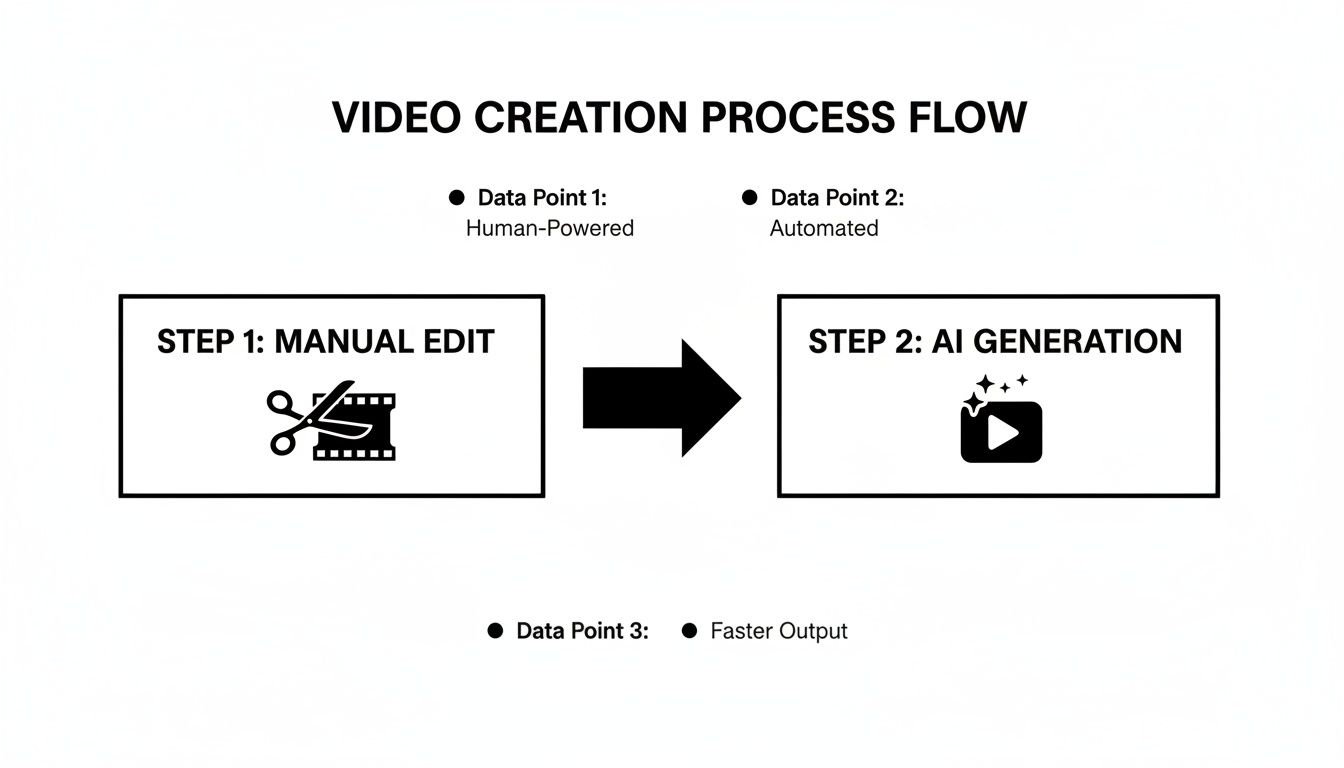
As you can see, AI generation lets you bypass the entire manual cleanup phase, producing the polished footage you wanted from the very beginning.
Writing effective prompts is a skill, but it’s easy to learn. The key is to be specific and provide context for the AI.
Here's a quick guide to help you refine your own prompts.
Crafting Effective Prompts for Object Control
| Goal | Ineffective Prompt | Effective Prompt Example | Why It Works |
|---|---|---|---|
| An empty beach scene | "A beach with no people." | "Drone shot of a pristine, deserted tropical beach at sunrise. The sand is untouched, with gentle turquoise waves lapping the shore. -no footprints -no boats -no buildings" | The positive prompt creates a rich visual scene, while the negative prompts remove specific, common distractions. |
| A clean product shot | "A watch on a table." | "Macro shot of a minimalist silver watch on a dark oak surface. Soft, diffused studio lighting highlights the watch face. -no reflections -no dust -no scratches" | This focuses on the details of the product and its environment, using negative prompts to ensure a flawless, commercial look. |
| An uncluttered office | "An office." | "Bright, modern, and minimalist office interior during the day, with sunlight streaming in. Focus on a single empty oak desk with a laptop. -no people -no papers -no clutter -no wires" | It defines the aesthetic ("minimalist") and a focal point ("single empty oak desk") while explicitly removing common office clutter. |
| A serene nature path | "A path in the woods." | "First-person view walking along a narrow dirt path through a dense, foggy forest in autumn. Fallen orange leaves cover the ground. -no signs -no litter -no other people" | The prompt specifies a perspective ("first-person view") and a distinct mood ("foggy forest in autumn") and then uses negatives to keep it purely natural. |
Mastering this combination of detailed positive instructions and targeted negative commands is the secret to getting exactly what you want from the AI.
Setting the Visual Style
Your prompt handles the what, but Seedance also gives you full control over the how. You can select from a wide range of visual styles to match your brand's specific look and feel.
For our boutique hotel example, a photorealistic style would be perfect, creating an authentic and inviting scene that guests can imagine themselves in.
If you were making an animated explainer video instead, you might opt for a "flat illustration" or "3D animation" style. This level of versatility is what allows you to produce content that feels truly unique. To see how AI can isolate subjects in a different context, check out this AI background removal demo.
The combination of a detailed descriptive prompt, specific negative prompts, and a defined visual style gives you total command over your video's composition.
The inefficiency of traditional methods in the UK’s video editing scene is staggering. Editors often spend up to 30% of their time just on cleanup tasks like inpainting backgrounds where objects were removed. This manual labour not only drains time but also inflates project budgets, with editing frequently making up 40% of the total cost. For anyone using Seedance, these figures really drive home the AI advantage—you can generate that same pristine, object-free video in a matter of minutes.
By embracing a generative-first approach, you’re doing more than just speeding up your workflow; you're giving yourself more creative freedom. If you're curious about other tools on the market, our guide on the best AI video generators provides a solid overview of the available options. Ultimately, the ability to create exactly what you envision, without compromise, is the real power here.
Advanced Techniques for Total Scene Control
Once you've got a handle on writing precise prompts, you can start digging into the more advanced features that give you complete creative control over your scenes. This is where you really move beyond single shots and start building a consistent, multi-layered story—something that has traditionally been a huge headache in post-production.
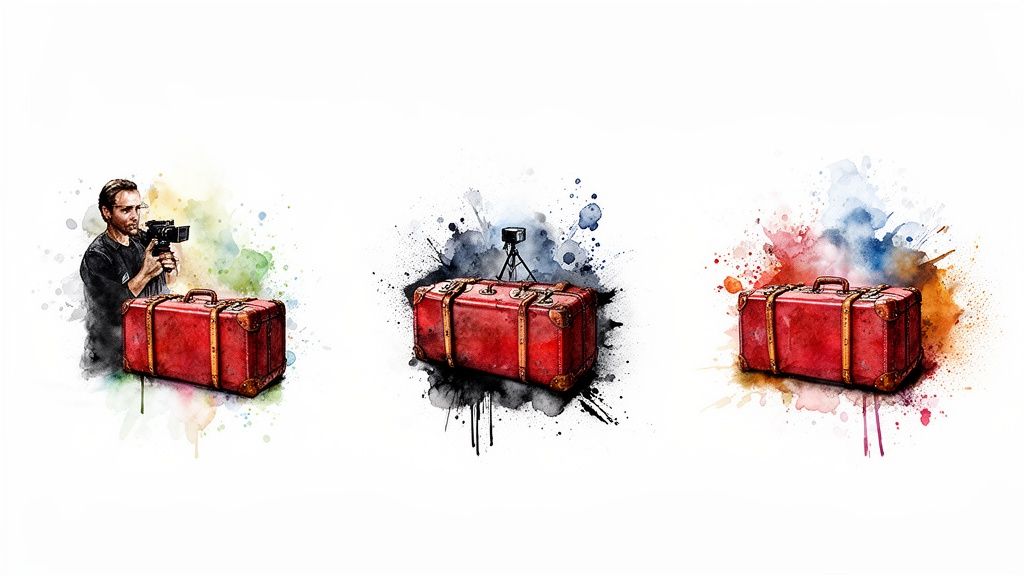
Instead of just telling the AI what one clip should look like, you can maintain the consistency of characters, props, and the overall style across several different scenes. This is absolutely essential if you want to tell a coherent story. For instance, a filmmaker can make sure a specific prop, like a vintage red suitcase, appears identically in every shot featuring their main character.
You pull this off by defining the object clearly in your first prompt and then simply referencing it in the prompts for any new scenes. When you work this way, the old-school method of manually trying to remove an object from video starts to feel completely outdated.
Refining Visuals for Brand Alignment
Beyond keeping objects consistent, refining the visual style is vital for making sure the final video aligns with your brand's unique aesthetic. You can guide the AI with incredibly specific descriptions that go way beyond just picking a style. This includes defining the exact mood you're after.
Think about getting specific with elements like:
- Lighting conditions: Try "golden hour lighting," "moody, high-contrast neon lighting," or "soft, overcast daylight."
- Camera angles and shots: You could specify a "low-angle dynamic shot," a "slow-panning wide shot," or an "intimate close-up."
- Colour palettes: Go for "a warm, autumnal colour palette with deep oranges and browns," or perhaps "a cool, futuristic palette dominated by blues and silvers."
By layering these details into your prompts, you can create footage that feels bespoke and is instantly recognisable as part of your brand. A health and wellness brand, for example, could consistently generate videos with soft, natural lighting and earthy tones to reinforce its calming, organic identity.
The real goal here is to shift from simply describing a scene to actually directing it. Every detail, from the camera's perspective to the quality of light, becomes a tool for storytelling and brand building.
The traditional approach of manually removing objects from footage is notoriously time-consuming. In the UK's bustling video production industry, this clean-up phase alone can chew up 25-35% of the total post-production time. For small businesses and marketers using Seedance, the real win isn't just speed; it's prevention. Generating text-to-1080p videos means unwanted objects are never there in the first place, giving you smooth motion and crisp details without a single edit.
When you consider the UK video production market was valued at USD 5,925.4 million in 2023 and is projected to skyrocket, Seedance’s ability to maintain consistency offers a powerful alternative. It slashes the editing phase, which can often inflate project costs by 50% in conventional workflows. You can learn more about the UK television programme production industry statistics on ibisworld.com.
Pro Tips for Multi-Shot Storytelling
To make your multi-shot videos feel truly seamless, keep these practical tips in your back pocket.
- Create a Character "Sheet": Before you start generating anything, jot down a detailed description of your main character—their appearance, clothing, and any key accessories. Keep this sheet handy and refer back to it for every prompt to ensure they look the same from shot to shot.
- Establish Your Environment: Define your primary location in the very first prompt. For any following shots in the same place, use slightly tweaked prompts that reference that established setting (e.g., "close-up shot within the same sunlit cafe").
- Use Consistent Style Modifiers: Make it a habit to include the same stylistic keywords in every single prompt, such as "cinematic, photorealistic, 35mm film look," to maintain a uniform visual tone throughout your entire video sequence.
Comparing AI Generation with Traditional Tools
<iframe width="100%" style="aspect-ratio: 16 / 9;" src="https://www.youtube.com/embed/-lnlwY8fucg" frameborder="0" allow="autoplay; encrypted-media" allowfullscreen></iframe>
Getting your head around the difference between generating a scene with AI and painstakingly editing one by hand is a game-changer. While powerhouse traditional software like Adobe Premiere Pro absolutely has its place, the actual workflow to remove an object from video is completely different—and frankly, often far more difficult—than just creating a perfect shot from the get-go with AI.
Let's walk through a common nightmare scenario. You've filmed the perfect take at a wedding, but right at the crucial moment, a guest wanders into the background, completely photobombing the shot.
If you’re using traditional tools, you're now facing a serious repair job. This means rotoscoping the guest out, frame by painful frame, and then using clone stamps or inpainting tools to essentially guess what the background behind them should look like. It’s slow, requires a great deal of technical skill, and can easily leave behind those tell-tale blurs or digital artefacts that scream "edited".
With an AI-first tool like Seedance, you approach the problem from a completely different angle. You don't fix the flawed video; you generate a new, perfect one. You'd simply use a prompt that describes the original scene but specifically leaves out the unwanted person: "Bride and groom exchanging rings, beautiful church background, cinematic lighting, -no guests in background." The AI constructs the entire scene from scratch, giving you a flawless result without any digital patching.
Seedance AI Generation vs Traditional Object Removal
So, what does this mean in practice? Let’s put the two approaches side-by-side to see how they really stack up for video creators.
| Feature | Seedance (AI Generation) | Traditional Software (Manual Removal) |
|---|---|---|
| Time Investment | Minutes to generate multiple options. | Hours or even days of meticulous, frame-by-frame editing. |
| Required Skill | Minimal. The focus is on creative description and clear prompts. | High. Requires expertise in masking, tracking, and compositing. |
| Final Quality | Flawless and consistent, as the scene is built without the object. | Varies greatly. Can result in artefacts, blurs, or lighting mismatches. |
| Creative Flexibility | Enormous. Easily change lighting, angles, or styles with a new prompt. | Limited. You are locked into the existing footage and can only repair it. |
| Cost | Low and predictable, based on your plan. | Can be very expensive due to the cost of software and skilled labour. |
At the end of the day, the fundamental advantage of AI isn't just about saving time; it's about fundamentally changing your workflow from a reactive, repair-based mindset to a proactive, creative one.
The real power of AI is shifting from a 'fix-it-in-post' mentality to a 'create-it-perfectly' approach. You get the ideal shot from the outset, not a repaired version of a flawed one.
This idea of removing unwanted distractions isn't just limited to what you can see. While this guide is all about objects, the same logic applies to cleaning up your audio. For example, learning how to remove background noise from video is another way to achieve a professional-sounding result.
Whether it’s an errant car in the background or distracting chatter, the goal is always a clean, polished final product. Thinking with an AI strategy for your video creation doesn't just give you a shortcut; it offers a much more direct and reliable path to bringing your creative vision to life.
Got Questions About AI Video Editing? We’ve Got Answers
Stepping into the world of AI video generation can feel a bit different from the traditional editing suites we’re all used to. It's natural to have a few questions about how it all works. Let's tackle some of the most common ones I hear from creators.
Can AI Actually Remove an Object from a Video I've Already Shot?
This is a great question because it gets to the heart of what makes AI generation a different beast. Right now, platforms like Seedance are built to create entirely new video clips from your text prompts.
So, instead of editing an existing video file to take something out, the whole idea is to generate the perfect scene from scratch. You tell the AI precisely what you want, ensuring unwanted items simply aren't in the frame to begin with. It’s a shift from post-production clean-up to pre-production control.
How Specific Do I Need to Be with My Text Prompts?
Think of it this way: the more detail you give the AI, the closer it will get to the image in your head. For the best results, you need to be the director. Your prompt should clearly spell out the main subject, the environment, what's happening, and the overall aesthetic you're going for.
But here’s a pro tip: don't just tell it what you want, tell it what you don't want. Adding simple negative commands like -no cars or -no logos is a game-changer. It gives the AI explicit instructions on what to leave out, which is the key to getting clean, professional footage every single time.
Consider your prompt a creative brief for your AI assistant. The more detailed your instructions, the more accurately it can bring your vision to life, free from any distracting elements.
Is AI Video Good Enough for Professional Work, Like Commercials?
Without a doubt. The quality has shot up incredibly fast. We're already seeing AI-generated video used for high-quality B-roll, slick social media adverts, product demos, and all sorts of conceptual animations.
It's a brilliant resource for marketers, small businesses, and creators who need to produce great-looking video content quickly and without breaking the bank. It opens the door to creating cinematic-style footage without the massive overheads of a traditional production crew and all the time spent in the editing bay.
Ready to stop fixing shots in post and start creating perfect scenes from the get-go? See how Seedance can help you generate flawless, object-free video in minutes. Get started today at https://www.seedance.tv.
Ready to create your own AI video?
Turn ideas, text prompts, and images into polished videos with Seedance. If this article helped, the fastest next step is to try the product.
Free credits on signup. Plans from $20/month.
Related Articles
More posts in the same locale you may want to read next.

AI Video Generator for Instagram Reels: Create Viral Content in Minutes (2026)
Use AI video generators to create Instagram Reels that get views. Best tools, Reel formats, prompts, and posting strategies for 2026.
Read article
How to Make Product Demo Videos with AI
Learn how to make product demo videos with AI using prompts, screenshots, image-to-video workflows, and simple editing systems that convert better.
Read article
AI Video Generator Free: No Limits, No Watermark, No Sign Up (2026)
Find the best free AI video generators with no limits, no watermark, and no sign up. Compare Seedance, Runway, Pika, and more — tested and ranked for 2026.
Read article