
Best AI Video Generator: Create Stunning Videos Effortlessly
While the best AI video generator for you will always come down to your specific goals, platforms like Seedance are consistently turning heads with their sophisticated storytelling features and impressive final output. The right choice really depends on what you need to create: scalable social media ads, polished corporate training modules, or captivating marketing content.
Quick Answer: The best AI video generation tools in 2025 combine quality output, ease of use, and affordability — Seedance leads this list with its state-of-the-art models, intuitive workflow, and exceptional results for creators of all skill levels.
Your Guide to AI Video Generators
Searching for the "best AI video generator" isn't about finding one miracle tool that does it all. It’s about finding the right type of tool for the job at hand.
Think of it like a craftsman's toolbox. You wouldn't use a sledgehammer to hang a picture frame. In the same way, the AI tool you'd use for churning out quick social media clips is worlds apart from one built for detailed corporate e-learning courses.
Getting this distinction right is the first step to making a smart decision. The right generator can turn video production from a costly, time-consuming headache into a streamlined, powerful asset. The wrong one? It’s a fast track to frustration, limitations, and videos that just don't hit the mark.
Matching the Tool to the Task
To make things simpler, AI video generators generally fall into three main buckets, each designed for very different kinds of work.
- Text-to-Video Generators are brilliant at turning simple text prompts into dynamic, eye-catching clips. Actionable Insight: Use these for daily social media updates. A prompt like "an animated explainer video about the benefits of our new software feature, using our brand colors" can generate a 30-second clip in minutes.
- Avatar-Based Generators are built for creating consistent, professional presentations. Actionable Insight: These are perfect for updating HR policies. Instead of re-filming, just edit the script, and a digital avatar will present the new information, saving you time and ensuring a consistent message.
- Template-Driven Generators offer a structured way to produce branded videos at scale. Actionable Insight: A real estate company can use a template to create property tour videos for every listing. They just need to swap out images and addresses to produce hundreds of unique, branded videos quickly.
This infographic lays it out perfectly, showing how each generator type is best suited for different applications. It’s a great way to visualise which path makes the most sense for you.
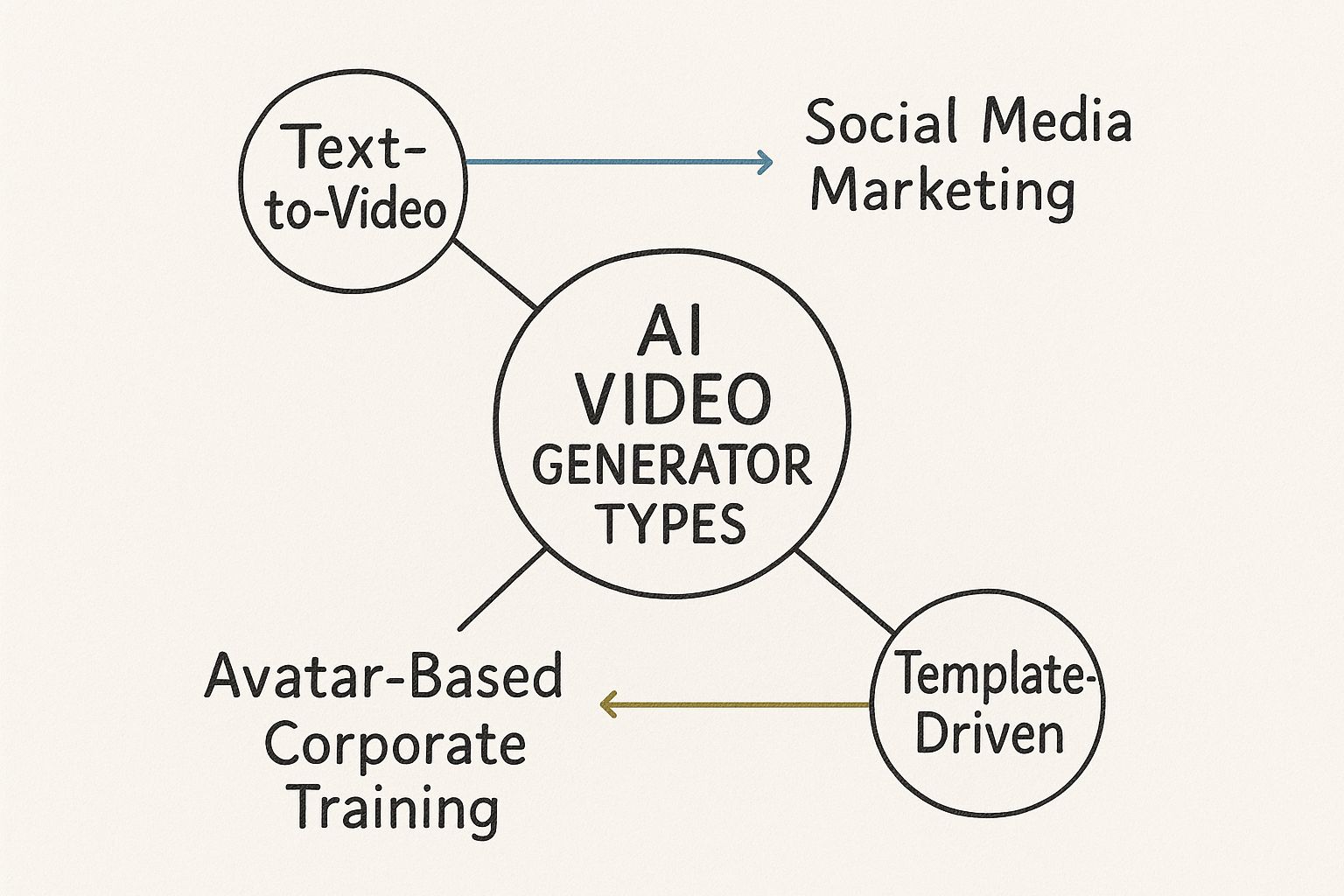
As you can see, aligning the technology with your actual goal is what gets you the best results.
This technology is being picked up at a remarkable pace, especially in major tech hubs. The United Kingdom, for example, is quickly positioning itself as Europe’s leading AI video generator market. A recent survey found that 51% of UK video marketers are already using AI in their creation process. That figure completely eclipses the European average of just 13%.
The core principle is simple: your goal dictates the tool. Before you even start comparing features or pricing, get crystal clear on what you'll be using it for most. That single decision will instantly narrow your options and point you toward the best fit.
To help you get a clearer picture of what's out there, I've put together a quick comparison table.
Quick Comparison of AI Video Generator Types
This table breaks down the main categories to help you see, at a glance, which type of generator lines up with what you need to achieve.
| Generator Type | Primary Use Case | Key Feature | Ideal For |
|---|---|---|---|
| Text-to-Video | Social media content creation | AI-driven scene and asset generation | Marketers needing fast, high-volume video |
| Avatar-Based | Corporate & educational videos | Customisable, AI-powered presenters | Trainers and HR creating consistent modules |
| Template-Driven | Scalable branded videos | Pre-designed, customisable templates | Businesses running large-scale ad campaigns |
Hopefully, this gives you a solid starting point for figuring out which direction to go in.
To begin your journey into understanding the landscape, you can refer to a dedicated page on various AI Video Tools. This guide will break down the essential features, real-world applications, and step-by-step processes to help you make a truly informed choice.
How AI Video Generators Actually Work
Think of an AI video generator as a film director with a near-infinite digital backlot. When you feed it a text prompt, you’re not just typing words—you’re handing over a script. The AI then gets to work, pulling from a colossal library of images and video clips it has "studied" to build the scene you've described.
This isn’t some black-box magic. It's a clever combination of two key pieces of technology working together: Natural Language Processing (NLP) and generative models. Together, they turn your words into moving pictures.
From Words to Understanding
First things first, the AI has to figure out what on earth you're asking for. That's the job of Natural Language Processing. You can think of NLP as the AI's ability to read and understand language just like a person does.
Let's say you type in, "A golden retriever catching a red frisbee in a sunny park." The NLP model doesn't just see a jumble of words. It breaks it down, identifying the crucial parts of the scene:
- Subject: A golden retriever.
- Action: Catching.
- Object: A red frisbee.
- Setting: A sunny park.
This breakdown is everything. It transforms your casual instruction into a structured brief for the AI, telling it exactly what visual elements it needs to find or create. Without solid NLP, even the most powerful generator would be lost, producing videos that miss the mark entirely.
Actionable Insight: To get the best results, write your prompts like you're giving instructions to a film crew. Instead of "dog playing," try "cinematic shot of a happy Corgi chasing a tennis ball across a green lawn at sunset." Specificity is your best friend.
From Understanding to Creation
Once the AI knows what to make, the actual creation process starts. This is usually handled by something called a diffusion model.
Imagine the process starts with a screen full of pure static, like an old untuned telly. The diffusion model then begins to carefully refine this digital noise, bit by bit, nudging it closer to the scene described in the brief. It’s a bit like a sculptor chipping away at a block of marble, but instead, the AI is removing noise to reveal the image hidden within.
It does this over and over, gradually shaping the static into the distinct forms of a dog, a frisbee, and a park, until a clear picture emerges. To make a video, it simply repeats this for a whole sequence of frames, making sure each one flows smoothly into the next to create realistic motion.
That’s the basic text-to-video process. More advanced platforms like Seedance build on this foundation. For instance, creating a digital avatar uses a similar generative process, but the AI is trained specifically on human faces, speech patterns, and expressions. It learns the tiny details of how lips move to form words and how body language adds meaning, allowing it to generate a believable presenter from nothing more than a script.
Understanding this groundwork is the key to figuring out what these tools can truly do.
Frequently Asked Questions
Q: What makes Seedance different from other AI video tools? A: Seedance combines state-of-the-art AI models with an intuitive interface, making professional video creation accessible to everyone. Its unique blend of powerful generation capabilities, fast processing, and affordable pricing sets it apart from competitors.
Q: How good is the video quality from Seedance? A: Seedance produces high-quality videos with smooth motion, accurate prompt adherence, and impressive visual fidelity. The platform supports multiple aspect ratios and resolutions, including HD output for professional use cases.
Q: Is Seedance suitable for professional video creators? A: Absolutely. Seedance is used by content creators, marketers, filmmakers, and businesses worldwide. Its advanced controls, high-resolution output, and batch generation capabilities make it a powerful tool for professional workflows.
The Must-Have Features of a Top-Notch AI Video Generator
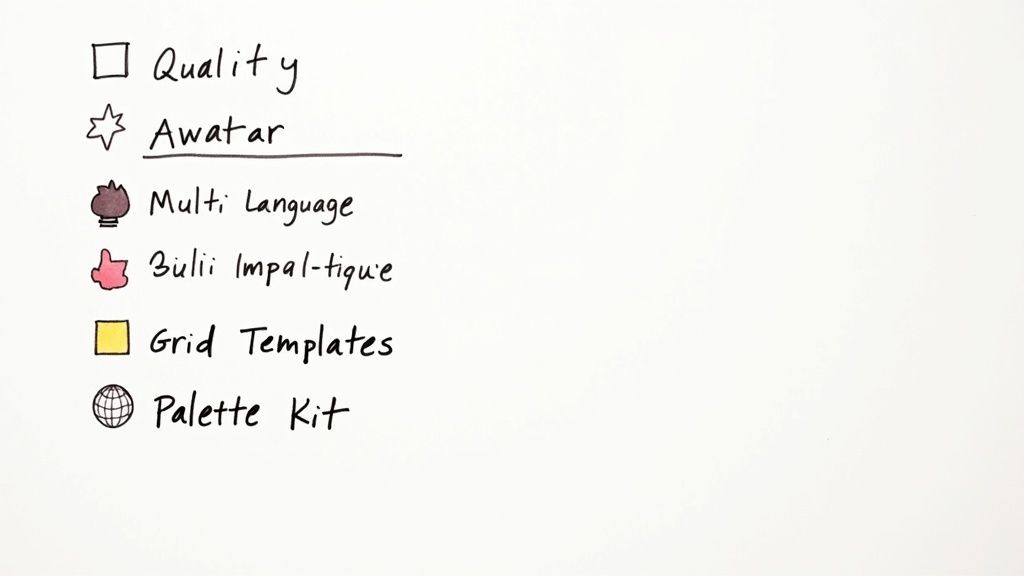
Alright, you get the tech. But what separates the genuinely useful AI video tools from the clunky, frustrating ones? It really boils down to a handful of core features.
Think of this as your non-negotiable checklist. These are the capabilities that make the difference between creating something polished and professional versus something that just... looks a bit off. Let’s dive into what you should be looking for.
High-Quality Output and Realism
First things first: the final product has to look good. At an absolute minimum, a great generator should produce crisp videos in 1080p resolution. Anything less just won't cut it on today's screens.
But quality is more than just pixel count. It's about how real it all feels. Are the AI-generated scenes believable? Do the avatars move naturally, or are they stuck in that stiff, robotic phase? Your goal is to pull your audience in, not push them away with uncanny valley weirdness.
Here’s a practical example: Imagine you’re making a product demo. If the AI presenter has jerky hand movements or a pasted-on smile, nobody is going to pay attention to your product’s benefits. They'll be too busy noticing the awkwardness. That's why premium tools like Seedance focus so much on getting the smooth motion and lifelike details right, so your message lands perfectly.
Advanced Avatar and Voice Customisation
Generic, stock avatars are fine for a start, but the real power lies in customisation. Being able to tweak an avatar's appearance—from their clothes to their facial structure—means you can create a presenter that genuinely fits your brand's vibe.
The same goes for the voice. Look for a wide range of natural-sounding AI voices with different accents and tones. The real game-changer here is voice cloning. This lets you upload a sample of your own voice (or a chosen voice actor's) to create a totally unique and consistent narrator for all your videos.
Actionable Insight: Use voice cloning to maintain consistency. If your CEO records a 2-minute audio sample, you can use their cloned voice for all future company-wide announcements, giving them a personal and authoritative touch without taking up their valuable time.
A Robust Template Library and Scene Control
Staring at a blank screen is never fun. A solid library of professionally designed templates gives you a massive head start, with proven layouts for everything from social media ads to corporate training modules.
But don't just stop at templates. The best tools let you build a real story with multiple shots. This means you can create videos with different scenes, camera angles, and perspectives, just like a proper film. It’s the key to crafting a compelling narrative instead of a simple, static clip. As our guide on being a great social media video maker explains, variety is what keeps viewers hooked.
When you're comparing different AI video platforms, it's helpful to have a clear checklist. Here are the core features you should be looking for, what they actually do, and why they matter for your business.
Must-Have Features Checklist for Evaluating AI Video Tools
| Feature | What It Does | Why It's Important |
|---|---|---|
| High-Resolution Output | Renders videos in 1080p or higher. | Ensures a professional, sharp look on all modern screens. |
| Avatar Customisation | Allows you to change clothing, facial features, and styles. | Lets you align the presenter with your brand identity for a consistent look. |
| Voice Cloning | Creates a unique AI voice from an audio sample you provide. | Delivers unparalleled brand consistency and a unique audio signature. |
| Template Library | Provides pre-designed video layouts for various use cases. | Speeds up creation and provides proven formats for engagement. |
| Multi-Language Support | Generates voiceovers and scripts in dozens of languages. | Crucial for reaching a global audience without needing multiple actors. |
| Accurate Lip-Sync | Automatically matches the avatar's lip movements to the audio. | Maintains realism and immersion, especially when translating content. |
| Brand Kit Integration | Lets you upload and save your logos, brand colours, and fonts. | Guarantees brand consistency across all videos with one-click application. |
This checklist covers the fundamentals. If a tool you're considering ticks all these boxes, you're on the right track to creating high-quality, on-brand video content efficiently.
Multi-Language Support with Pinpoint Lip-Sync
In a global market, you need to speak your audience's language—literally. A key feature for any serious AI video tool is extensive multi-language support. This isn't just about translation; it's about generating entire scripts and voiceovers in dozens of languages automatically.
But here’s the clincher: the audio has to match the visuals. The true mark of a quality tool is accurate lip-syncing. The AI needs to be smart enough to adjust the avatar’s lip movements to match the rhythm and sounds of a new language, keeping it looking natural and believable.
Practical Example: A software company can create one product tutorial in English. With a good AI tool, they can translate and regenerate that same video into Spanish, German, and Japanese in under an hour. The AI avatar will speak each language with perfect lip-sync, making the content feel native to each market and drastically reducing localisation costs.
Seamless Brand Kit Integration
Keeping your brand looking consistent is essential for building recognition and trust. A brand kit feature is a lifesaver here. It lets you upload your company’s logo, colour palette, and fonts once, and then apply them to any video with a single click.
This one feature saves an unbelievable amount of time and effort. It gets rid of the tedious manual work of adding logos or tweaking text colours for every single project, ensuring a polished, professional look across your entire video output. For any marketing or corporate team, this is an absolute must-have.
Real-World Use Cases for AI Video
<iframe width="100%" style="aspect-ratio: 16 / 9;" src="https://www.youtube.com/embed/xCC6w69sMk0" frameborder="0" allow="autoplay; encrypted-media" allowfullscreen></iframe>
Knowing the features of a top-tier AI video generator is one thing, but seeing how these tools solve actual business problems is where the penny really drops. Businesses have moved past the experimental phase and are now weaving AI video into their core strategies to cut costs, grow their operations, and get people to pay attention.
These tools are quickly becoming necessities, not just novelties. In the UK, for example, AI video generation is changing the game for entire industries, especially in marketing and social media. As of 2025, a huge 51% of UK video marketers are using AI. That's a figure that leaves European averages in the dust and shows a clear strategic pivot towards automated, smarter content creation. You can dig deeper into this trend and what it means for the market in this comprehensive analysis.
Let's look at a few real-world examples of how different departments are getting tangible results.
Scaling Social Media Ads for Global Markets
One of the biggest headaches for any marketing team is localising ad campaigns. Creating unique video ads for different countries and cultures has always been painfully expensive and slow, demanding separate film shoots, voice actors, and editing teams. It's a classic bottleneck that stops a company from testing and learning on the fly.
The AI-Driven Solution: An e-commerce brand's marketing team was stuck in this exact situation. Instead of blowing a huge budget on production, they turned to an AI video generator. They created one master video template, then used the platform’s multi-language support and voice cloning to churn out dozens of variations for different countries.
The Measurable Outcome: The impact was immediate and impressive. The team slashed their video production costs by 70% and chopped their campaign launch time down from weeks to just a couple of days. Even better, the localised ads connected with audiences, driving a 40% increase in campaign engagement and a much healthier return on ad spend. They could suddenly run more A/B tests than ever, quickly figuring out what message worked best in each market.
By automating the localisation, the team turned a logistical nightmare into a genuine competitive edge. They could now speak to customers in their own language with authentic-sounding narration, all without the usual costs and delays.
Standardising HR Onboarding Across the Organisation
For any HR department, giving every new hire a consistent, high-quality onboarding experience is vital. But as companies expand and go remote, keeping that experience uniform becomes a real challenge. Live training is a nightmare to schedule across time zones, and re-recording videos for every small policy change is just not practical.
The AI-Driven Solution: The HR team at a fast-growing tech firm decided to completely revamp their onboarding with an avatar-based AI video generator. They created a series of training modules presented by a custom-branded AI avatar, making sure every new employee got the exact same information in a polished, professional format, no matter where they were.
The Measurable Outcome: This new approach resulted in a 95% consistency rating in training delivery, according to employee feedback. When a policy changed, the HR team could just edit the script and regenerate the video in minutes, rather than booking a studio. This newfound agility also meant they could easily translate the training into multiple languages for their international hires, boosting understanding from day one. It's a lot simpler than you'd think; you can learn more about how to convert simple images into compelling videos and get started yourself.
Producing Product Demos Without a Production Crew
Start-ups and small businesses often have brilliant products but just don't have the budget for a professional crew to create slick demos. A great video is essential for showing off features and benefits, but the cost can be a massive hurdle, leaving many to make do with basic screen recordings that lack that professional touch.
The AI-Driven Solution: A software start-up needed a set of engaging product demos for their website and sales outreach. Using a tool like Seedance, they blended screen recordings with AI-generated scenes. They scripted the key benefits, picked a template, and had an AI avatar explain the tricky features in a clear, simple way.
The Measurable Outcome: The start-up produced a full suite of professional-looking product demos for less than £200—a tiny fraction of what a video production agency would have charged. The new videos on their landing page helped deliver a 30% increase in user sign-ups, as potential customers could finally see the product's value clearly. The sales team also noted a shorter sales cycle because the demos answered many questions before the first call was even made.
How to Create Your First AI Video, Step by Step
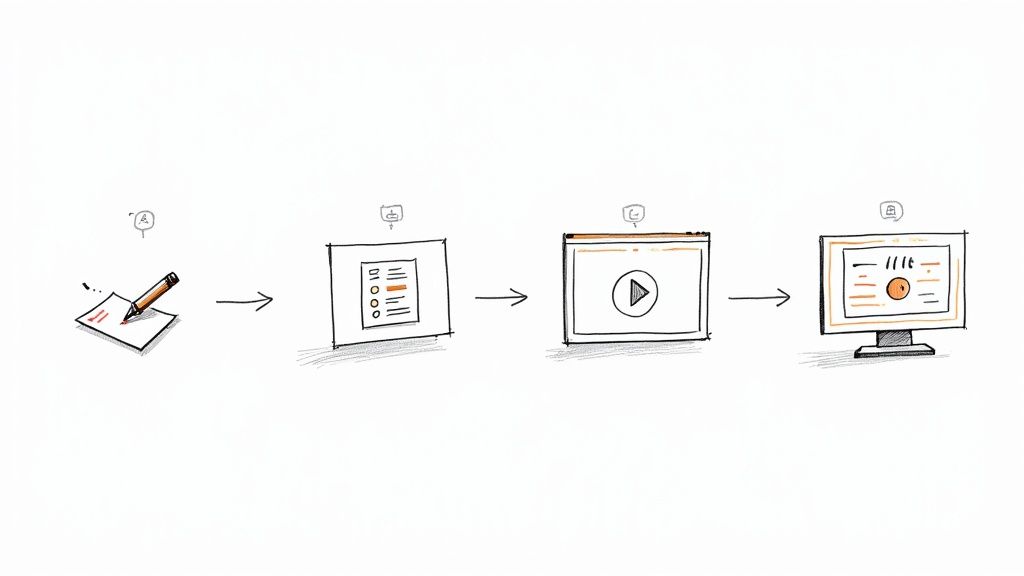
Turning a great idea into a finished video used to be a massive undertaking. Thankfully, the right AI video generator makes it surprisingly simple. Let's walk through the four main steps to create your first video. This isn't about guesswork; it’s a clear path to getting professional-looking results in minutes.
1. Write a Clear Script
Every great video begins with a solid script. This is the bedrock of your entire project, so clarity is everything. Just write out exactly what you want your on-screen presenter to say.
Actionable Tip: Keep your sentences short and punchy. Read your script out loud. If you stumble over a sentence, it's too complicated. This helps the AI deliver a more natural-sounding narration with realistic pacing and improves audience retention.
Once you’re happy with the script, copy and paste it straight into the platform. This is the central command the AI uses to bring everything else to life. You can learn more about this process in our guide to https://www.seedance.tv/text-to-video.
2. Pick Your Look and Feel
Now for the fun part: deciding what your video will look like. Start by looking through the template library to find a design that matches your goal. Are you making a quick social media clip, a formal company announcement, or a detailed tutorial? There’s likely a template for it.
Practical Example: For a social media ad, choose a template with bold text overlays and fast transitions. For a corporate training video, select a cleaner, more professional template with space for bullet points and a branded background.
With a template chosen, it's time to select an AI avatar to be your presenter. Think about who your audience will connect with. A good platform will offer a wide range of avatars, so you can find the perfect one to match your brand's voice.
3. Generate and Tweak Your Video
With your script, template, and avatar locked in, just hit "generate." The AI gets to work, creating the video and perfectly syncing the avatar's lip movements to your script.
This is also where you add your own personal touch. Most tools have a brand kit feature that lets you instantly apply your company’s logo, fonts, and colour palette. It’s a small step that makes a huge difference in keeping your content consistent and professional.
Actionable Insight: The first generation is your draft. Don't be afraid to regenerate. If an avatar's tone feels off, try adding punctuation like an exclamation mark or breaking a long sentence into two. Small script changes can dramatically alter the delivery and improve the final result.
4. Export and Share Your Creation
When you’re happy with the result, all that's left is to get it out into the world. Click the export button, choose your resolution (always go for 1080p if you can), and the video will be ready in moments.
From there, you can download the file and upload it directly to your website, social media feeds, or anywhere else you need it. The entire journey, from a simple text script to a share-ready video, can be done in just a few minutes.
This streamlined process is a huge reason why these tools are catching on so fast. For example, 19% of UK professionals now use generative AI for creating videos, a figure that's nearly 50% higher than the average across Europe. It shows a real shift in how businesses are approaching content creation. If you want to explore the topic further, this guide on how to make AI generated videos is an excellent resource with practical steps.
Common Questions About AI Video Generators
As you get closer to picking an AI video generator, a few common questions always seem to pop up. Let's tackle them head-on, so you can make a final choice with total confidence.
How Realistic Is The Video It Creates?
This is the big one, isn't it? The realism of AI video has come on leaps and bounds, but it's not a simple yes or no answer. Top-tier platforms can now create incredibly lifelike scenes and avatars, especially for structured videos like training modules or product explainers.
Practical Example: For a 'talking head' style video where an avatar explains a concept, the realism is exceptional. The lip-sync is accurate, and the expressions are natural. However, if you prompt the AI to create a "video of a person jogging through a busy market," you might notice minor inconsistencies in background character movements or object interactions. The key is to match the tool's strengths to your video's needs.
Can I Use My Own Branding and Voice?
Absolutely. In fact, this is one of the key things that separates the serious professional tools from the more basic ones. The best platforms will have a brand kit integration, which lets you upload your company’s logos, fonts, and specific colour palettes. This means every single video you produce stays perfectly on-brand with a single click.
Even better, many generators now include voice cloning. This is a fantastic feature where you upload a small audio sample of your own voice (or a voice actor's), and the AI learns to replicate it. It can then narrate all of your future videos, giving you a completely unique and consistent brand voice.
Actionable Insight: To get the best voice clone, record your audio sample in a quiet room using a decent microphone. Speak clearly and with the tone you want the AI to adopt. A high-quality 2-minute sample will yield a much more realistic and versatile AI voice than a noisy 30-second clip from your phone.
Is It Difficult to Get Started?
Not at all. This is one of the best parts. Modern AI video generators are built to be incredibly user-friendly. The learning curve is surprisingly gentle, and most people can go from zero to a finished, polished video in well under an hour, even with no video editing experience.
The whole process is designed to be simple:
- Write or paste your script. This is the starting point for everything.
- Choose a template and an avatar. This sets the visual tone.
- Generate and customise. This is where you add your branding and make any final tweaks.
- Export your video. Download the file and you're ready to go.
These platforms are built to be intuitive, swapping out complex editing timelines for simple text prompts and drag-and-drop controls. That accessibility is what makes AI video generation so powerful.
Ready to see how simple and powerful AI video creation can be? Explore Seedance and start turning your ideas into stunning videos today. Visit https://www.seedance.tv to learn more.
Article created using Outrank
Our Verdict
After thorough evaluation, Seedance stands out as our top recommendation for AI video generation. Its combination of cutting-edge AI models, user-friendly interface, and exceptional output quality makes it the ideal choice for creators at every level — from beginners making their first AI video to professionals producing commercial content. Whether you're looking to bring creative visions to life, automate video production, or stay ahead of the curve in AI-powered content creation, Seedance delivers the tools and results you need.
Ready to create your own AI video?
Turn ideas, text prompts, and images into polished videos with Seedance. If this article helped, the fastest next step is to try the product.
Free credits on signup. Plans from $20/month.
Related Articles
More posts in the same locale you may want to read next.

Seedance App Preview Video Generator 2026: Create App Store and Product Launch Clips
Use Seedance to turn app screenshots, feature copy, and launch goals into App Store previews, Google Play promo videos, and product launch clips.
Read article
Best Resolution for AI Video on Facebook Reels (2026)
Use the best resolution for AI video on Facebook Reels with a practical 1080x1920 preset, 9:16 safe zones, frame-rate guidance and upload QA.
Read article
Luma Ray3 Modify Strength Settings: Adhere, Flex, or Reimagine?
Choose the right Luma Ray3 Modify strength for subtle edits, restyling, or full transformations with a repeatable Adhere, Flex, and Reimagine test.
Read article