
Book Trailer Maker: How to Create a Cinematic Book Trailer with Seedance
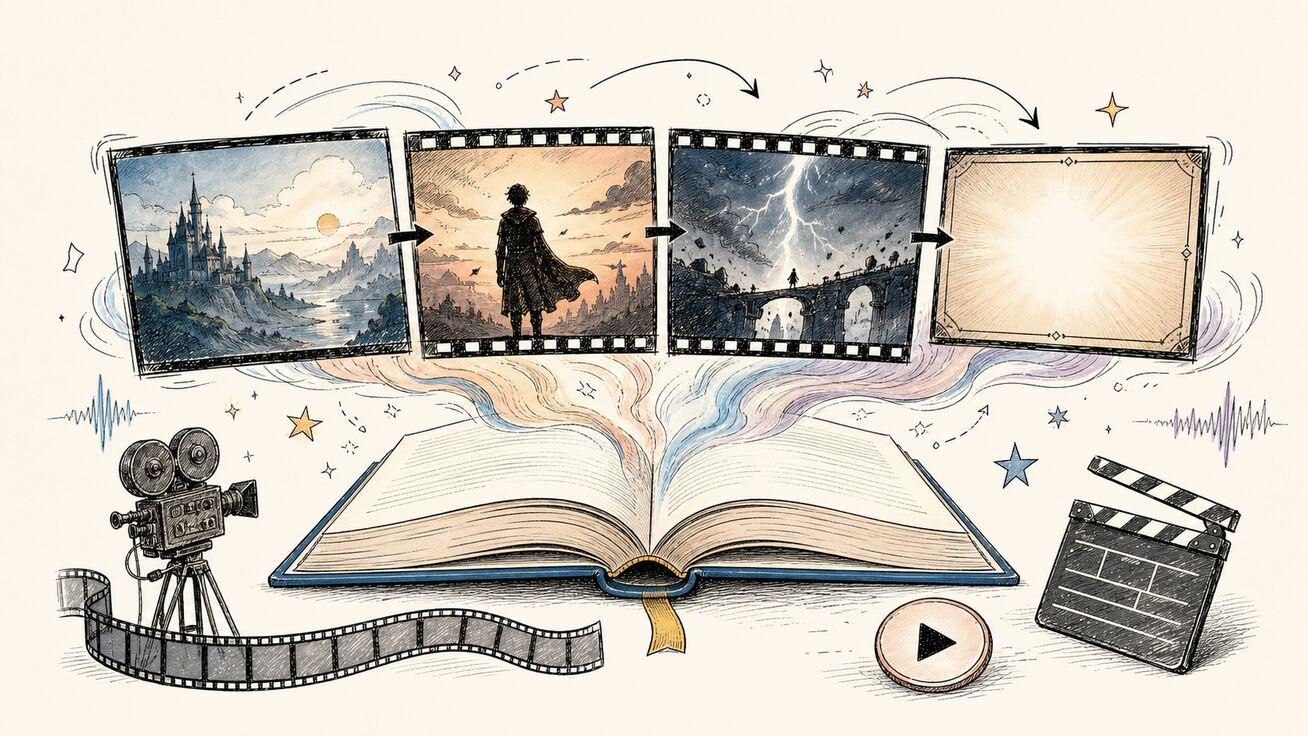
A book trailer maker turns a manuscript, cover, or story outline into a short video that gives readers a reason to stop scrolling. The strongest book trailers do not summarize every plot point. They establish a world, introduce one emotional question, build tension, and end with a clear title or release message. This guide shows a practical Seedance workflow for planning the trailer, generating individual shots, keeping characters and visual style consistent, checking the edit, and adapting the result for a launch page or social campaign.
Quick Answer: What Is the Best Way to Make a Book Trailer?
Build the trailer as six to ten short shots instead of asking an AI video generator for one complete 45-second movie. Start with a one-sentence hook, turn it into a beat sheet, create a reference pack, and generate each shot separately. Use text-to-video for environments and abstract transitions, image-to-video for the book cover and key art, and reference-to-video when the same character or visual identity must carry across scenes.
For most launches, aim for a 30- to 60-second master trailer. Create a 16:9 version for YouTube, a book page, or a crowdfunding page, then rebuild selected shots in 9:16 for Shorts, Reels, and TikTok. Treat every generated clip as raw footage: compare versions, remove continuity errors, add licensed music or narration, and verify the final export before publishing.
What a Book Trailer Needs to Accomplish
A book trailer is closer to a film teaser than a chapter summary. It sells a feeling and a question. A fantasy novel might promise a forbidden world and an impossible choice. A thriller might present a deadline and one suspicious detail. A nonfiction book might name a painful problem, show the cost of ignoring it, and promise a clearer method.
Before opening a book trailer maker, write these five items:
- Audience: Who should recognize that this book is for them?
- Emotional promise: What should the viewer feel—wonder, dread, hope, curiosity, urgency, or relief?
- Central question: What unresolved question makes the viewer want the book?
- Proof object: Which image best represents the premise: a place, artifact, person, diagram, or transformation?
- Action: Should the viewer preorder, read a sample, join a launch list, visit a campaign page, or buy now?
Do not reveal the ending, crowd the screen with review quotes, or attempt to visualize every major character. A short trailer can usually support one protagonist, one central conflict, and one memorable visual motif. Everything else belongs on the book page.
Plan the Trailer Before You Generate Video
The fastest production method begins outside the generator. Create a beat sheet with a purpose for every shot. A useful 45-second structure looks like this:
| Time | Beat | Job | Example visual |
|---|---|---|---|
| 0–4s | Pattern break | Stop the scroll | An empty lighthouse flashes during a storm |
| 4–10s | World | Establish genre and setting | Aerial push toward an isolated island |
| 10–18s | Character | Give the audience someone to follow | Archivist opens a water-damaged journal |
| 18–28s | Escalation | Introduce danger or desire | Ink moves across the page by itself |
| 28–37s | Montage | Increase pace without explaining everything | Door, wave, face, map, black frame |
| 37–43s | Question | Leave the central conflict unresolved | A second lighthouse answers from the sea |
| 43–48s | End card | Show title and next action | Book cover, release date, simple CTA |
Generate moving footage for the story beats, but build the final title card in an editor. AI-generated typography can be inconsistent, while a normal text layer keeps the book title, author name, release date, and URL readable.
Your storyboard does not need polished drawings. A table with shot number, framing, subject, action, camera movement, lighting, duration, and audio cue is enough. If you want a reusable process, the Seedance storyboard workflow explains how to move from concept to a controlled shot list.
Prepare a Reference Pack for Visual Consistency
Continuity problems usually begin before generation. If the protagonist has a different coat, age, hairstyle, or face in every shot, the trailer feels like unrelated stock footage. Prepare a small reference pack before you generate:
- The final book cover in high resolution.
- One front-facing and one three-quarter character reference, if the trailer shows a recurring person.
- A color palette with three to five colors.
- One environment reference for the main location.
- Notes for wardrobe, props, time period, weather, and lighting.
- A list of elements that must not appear.
Use artwork and photography that you own or are licensed to adapt. Publication rights for a manuscript do not automatically include rights to every image, celebrity likeness, font, song, or film clip you can find online. If the book is based on real people or sensitive events, arrange a legal review before distributing the trailer commercially.
When you have a stable character sheet, use the Seedance character consistency guide to plan angles, expressions, and repeated identifiers. Keep the reference images clean: one subject, simple lighting, no conflicting outfits, and enough resolution to preserve meaningful facial and costume details.
Choose the Right Seedance Workflow for Each Shot
Seedance provides several ways to start a video. The right choice depends on what must remain stable.
For a current model overview before you choose settings, review the Seedance 2.5 model page. Available models and controls can change, so confirm the live interface rather than relying on an old screenshot or fixed credit assumption.
Use Text to Video for Worlds and Transitional Shots
Text to Video is useful when the shot does not depend on an exact existing design. Establishing shots, weather, abstract tension, environmental details, and transition footage can start from a written prompt. Describe one scene and one action per generation. Avoid combining a wide shot, close-up, costume change, explosion, and title reveal in a single prompt.
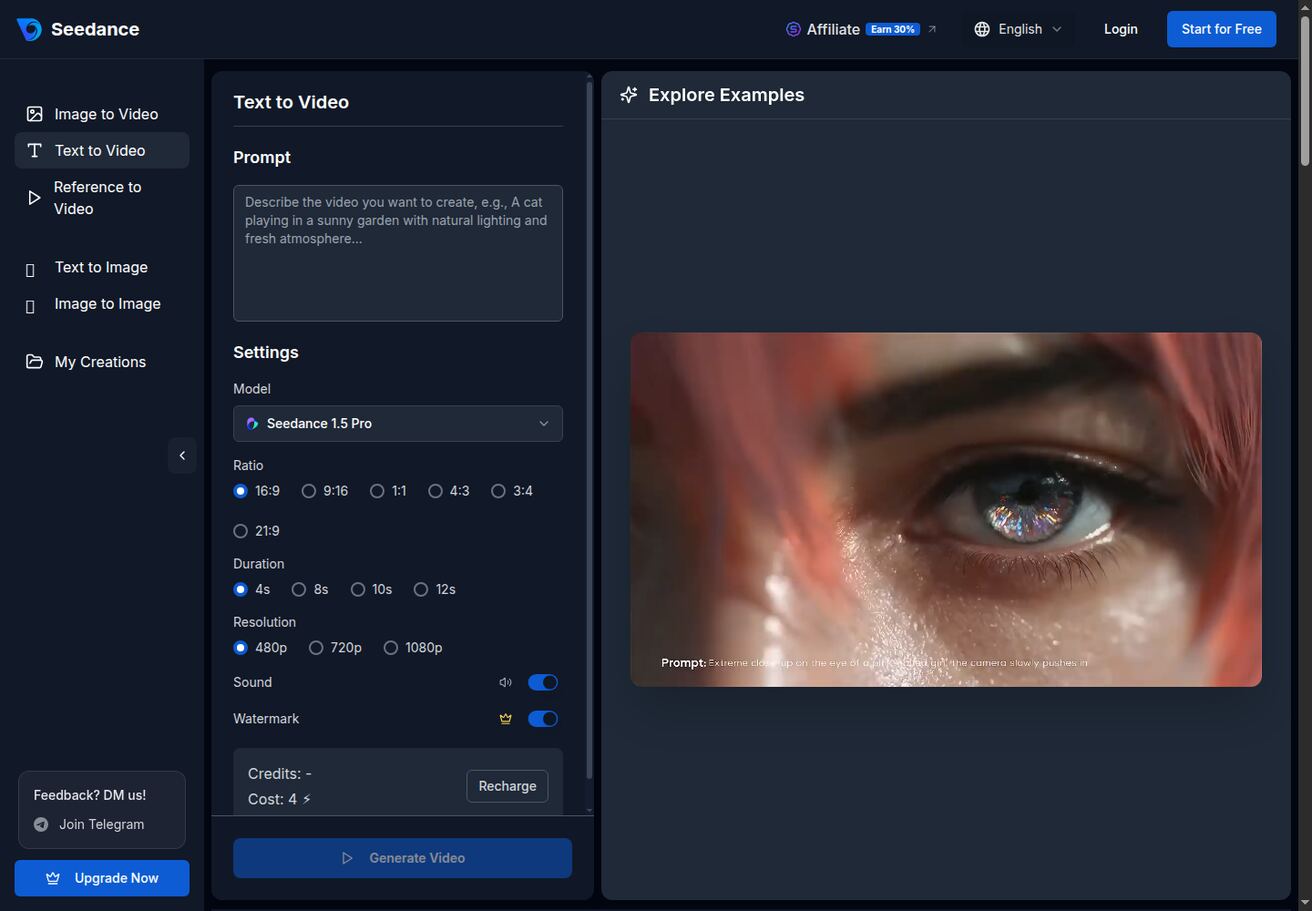
Seedance public Text to Video interface snapshot. Available models, controls, credit costs, and export rules may change; verify the current interface before production.
A good environment prompt names the framing, subject, action, camera, light, mood, and constraints:
Cinematic 16:9 establishing shot of a lonely stone lighthouse on a black volcanic island at midnight, a narrow beam sweeps across heavy rain and reveals a small rowboat approaching, slow aerial push-in, realistic sea spray, cold blue-gray palette with one warm window, restrained suspense, no text, no logo, no extra buildings, no people visible.
Generate two or three versions, then choose the clip with the cleanest geography and most readable focal point. Do not keep a version merely because it looks dramatic if the lighthouse changes shape mid-shot or the camera crosses through solid objects.
Use Image to Video for Covers, Key Art, and Designed Scenes
Image to Video is the better starting point when the frame must preserve your cover, illustration, product mockup, or approved character art. Upload a clean first frame, then prompt for motion rather than redescribing the entire image. This reduces the chance that the generator replaces the artwork with a new interpretation.
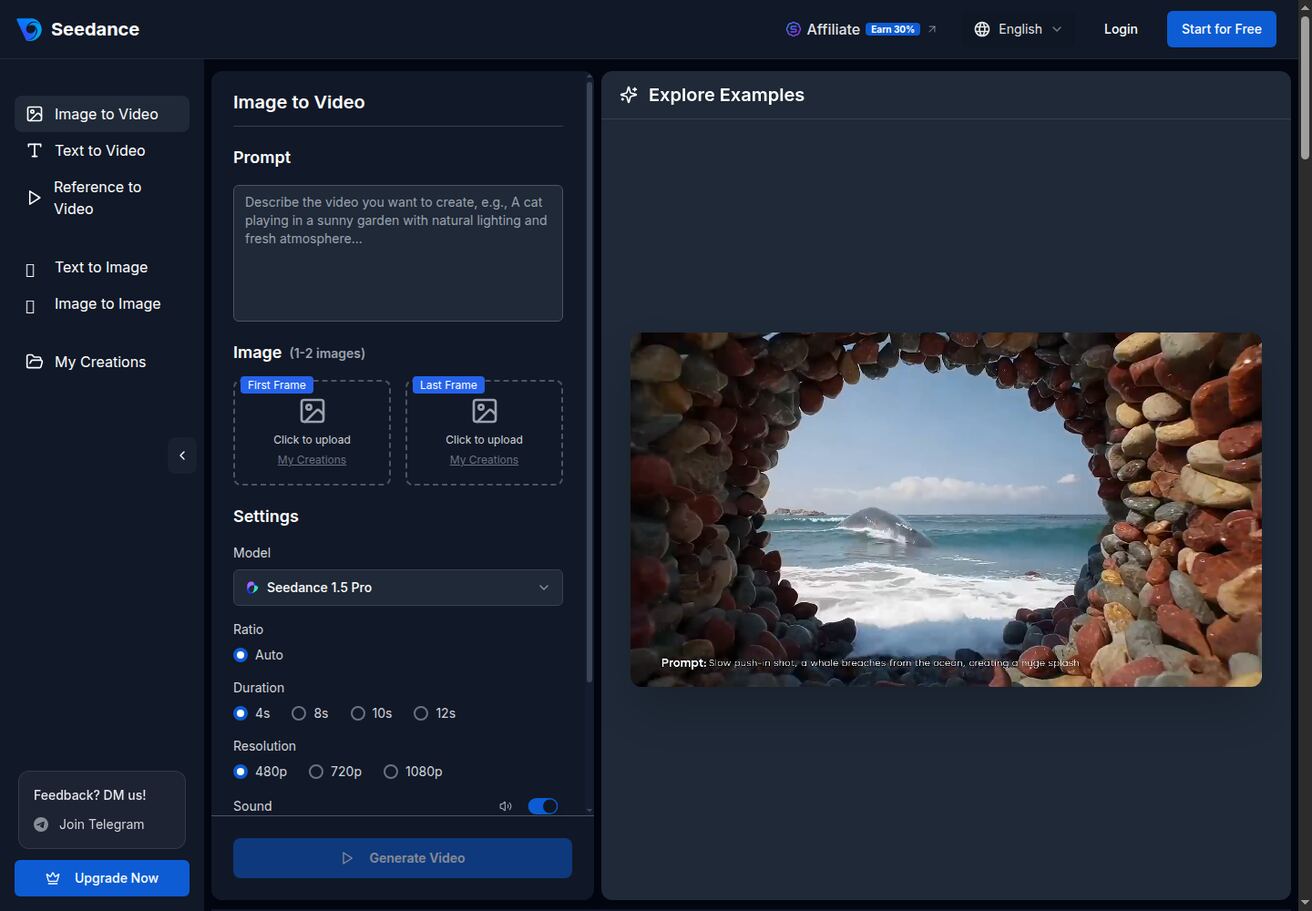
Seedance public Image to Video interface snapshot. Use owned or licensed artwork, and check the current model and output settings before generating.
For a cover reveal, keep the motion simple:
Preserve the uploaded book cover exactly. The camera makes a slow, smooth push toward the embossed compass symbol while a narrow band of warm light moves across the surface. Add subtle floating dust and shallow depth of field. Keep all cover artwork, proportions, colors, and typography unchanged. No new text, no page turning, no extra objects, no warping.
Even with explicit instructions, inspect every letter on the cover after generation. If the title or author name deforms, use a clean version of the cover as the final static frame in the editor instead of relying on generated typography.
Use Reference to Video for Recurring Characters and Style
Use Reference to Video when two or more shots need the same protagonist, creature, outfit, prop, or visual language. A reference cannot guarantee perfect continuity, but it gives the model a stronger anchor than text alone.
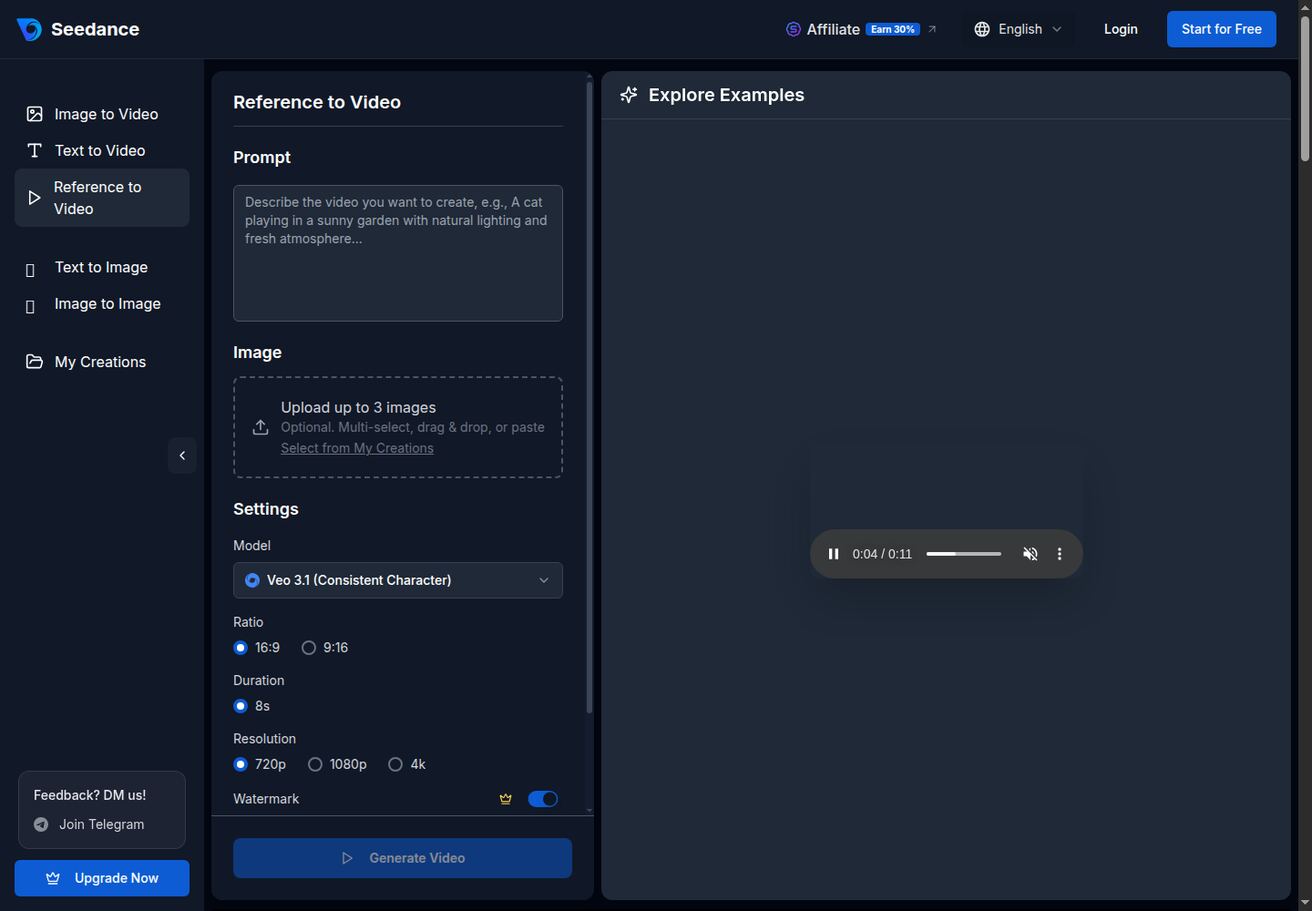
Seedance public Reference to Video interface snapshot. The visible model list and generation options are illustrative and can change over time.
Repeat only the identifiers that matter. For example:
Use the same woman from the reference image: short silver-streaked black hair, olive raincoat, round brass glasses, and a red leather journal. Medium close-up inside a dim lighthouse archive. She opens the journal and sees a faint blue glow reflected in her eyes. Slow handheld drift, candlelight mixed with cold moonlight, natural facial motion, restrained fear. Keep her age, facial structure, glasses, coat, and journal consistent. No speaking, no extra fingers, no text.
If a shot still drifts, simplify it. Reduce the number of people, shorten the action, lock the camera, or generate a reaction close-up instead of a full-body action scene.
A Step-by-Step Book Trailer Maker Workflow in Seedance
1. Write the Hook in One Sentence
The hook should describe the story tension without explaining the lore. “An archivist discovers a lighthouse that sends warnings from thirty years in the future” is usable. “This book follows Mara through a complex journey involving family, history, romance, and supernatural events” is too broad.
Turn the hook into three visual nouns and three verbs. For the lighthouse example, nouns might be lighthouse, journal, storm; verbs might be approaches, opens, answers. These become the visual spine of the trailer.
2. Build a Six-to-Ten-Shot Beat Sheet
Assign one job to every shot. If two shots communicate the same thing, remove one. Alternate framing—wide, medium, close-up, insert—to make the edit feel intentional. Plan a calm opening, a faster middle, and a pause before the title card.
For a 30-second vertical cut, five or six shots may be enough. For a 60-second launch trailer, eight to twelve shots can work if each adds new information. More footage is not automatically better; weak clips create more continuity and editing work.
3. Generate the Establishing Shot First
The first successful establishing shot becomes a style reference for the rest of the project. Note its palette, contrast, weather, lens feel, and motion speed. Reuse those descriptors in later prompts.
Create variants with one controlled difference: camera movement, weather intensity, or time of day. Changing every variable at once makes it difficult to learn which instruction improved the result. Save the chosen clip and its exact prompt in a production sheet.
4. Generate Character and Object Inserts
Close-ups of a hand touching an artifact, a journal opening, a key turning, or a character reacting are often more reliable than complicated multi-person action. These inserts also hide continuity cuts and give the editor control over pacing.
Use image-to-video for any shot tied to approved cover art or a designed prop. Use reference-to-video for recurring characters. Use text-to-video for neutral bridge footage such as clouds, city lights, forest movement, or water.
5. Create the Escalation Montage
The montage should increase uncertainty, not resolve it. Generate three to five clips that are visually distinct but connected by palette or motif. Keep each clip short in the final edit—often one to three seconds. Strong montage prompts include a single readable event:
Extreme close-up of wet black ink spreading across an old nautical map against gravity, one route glows faint blue and points into open ocean, macro lens, shallow depth of field, cold candlelit archive, slow controlled movement, no hands, no text, no symbols changing shape.
Low-angle shot on a stone bridge during a violent coastal storm, the same silver-haired archivist in an olive raincoat turns toward a second lighthouse beam appearing beneath the waves, fast wind moves coat fabric naturally, camera pushes forward, suspenseful realism, no dialogue, no other people.
Interior insert of a brass clock stopping at 3:17, candle flame goes out at the same instant, locked camera, one-second stillness followed by darkness, tactile historical detail, no text overlay, no melting metal.
6. Build Narration, Sound, and Music Separately
Do not let the soundtrack fight the trailer. Pick one dominant layer: narration, dialogue, or music. A teaser with on-screen copy may need no narration. A nonfiction trailer may benefit from a concise author voiceover. A children’s book trailer may use playful sound design and very little text.
Write narration after the rough visual edit so the words fit the shots. Keep sentences short and leave silence around important images. Use licensed music and effects with terms that cover your intended channels, paid advertising, and geography. If a Seedance model offers sound generation, treat it as a draft layer and confirm that the final audio is usable for your distribution plan.
7. Add Typography in the Editor
Use an editor for all critical text. Limit the trailer to a small number of cards:
- One hook or review line, if it is genuinely needed.
- The book title and author name.
- Release date or availability.
- One call to action and one destination.
Keep each message on screen long enough to read on a phone. Check contrast and safe margins. Avoid placing small type near the bottom or right edge, where platform controls and captions may cover it.
8. Export a Master and Rebuild Platform Cuts
Export a high-quality 16:9 master, then create platform-specific cuts from the source timeline. Do not simply crop the widescreen trailer to vertical after the fact. Reframe or regenerate important shots for 9:16, keep faces and the book cover inside the center safe area, and shorten the opening so the vertical version earns attention quickly.
Before relying on a generated clip, check the current Seedance account, credit, watermark, download, and commercial-use conditions. These details can change. Keep source files, prompts, reference licenses, music licenses, and final exports in the project archive.
Copy-Ready Book Trailer Prompt Templates
These templates are starting points. Replace bracketed details and remove instructions that do not apply.
Fiction Establishing Shot
Cinematic [ratio] establishing shot of [primary location] at [time/weather], [one visible event that introduces tension], [camera movement], [lens/framing], [color palette], [genre mood], realistic physical motion, no text, no logo, no extra characters, preserve clear geography.
Character Reveal
Use the same character from the reference image: [three to five fixed identifiers]. [Framing] in [location]. The character [one simple action] and reacts with [specific restrained emotion]. [Camera movement], [lighting], natural face and hand motion. Keep age, facial structure, hair, outfit, and [signature prop] consistent. No speaking, no text, no extra people.
Nonfiction Problem-to-Promise Shot
Clean cinematic visualization of [audience problem]. Start with [messy or stressful state], then reveal [clearer organized state] through one continuous camera move. Professional but human, realistic objects, [brand-neutral palette], no charts with invented numbers, no logos, no readable text, no exaggerated transformation claim.
Children’s Book Illustration Motion
Preserve the uploaded illustration style, character design, line work, and colors. Animate only [character action] and [environmental motion]. Gentle storybook timing, stable outlines, subtle parallax, warm light, no new characters, no new text, no changes to the character’s face or costume.
Cover Reveal
Preserve the uploaded book cover exactly. [Simple light or camera movement]. Keep the title, author name, artwork, dimensions, colors, and typography unchanged. No new text, no bending, no page morphing, no extra objects. End on a stable front-facing frame suitable for a clean edit.
Quality-Control Checklist Before You Publish
Watch the trailer once with sound, once muted, and once on a phone. Then inspect it frame by frame at every cut.
Story and Pacing
- Does the first four seconds establish a clear genre or question?
- Does every shot add new information or emotion?
- Is the central question unresolved?
- Does the title card arrive after the strongest moment, not before it?
- Can a viewer understand the promise without narration?
Visual Continuity
- Does the protagonist keep the same face, age, hair, clothing, and key prop?
- Do recurring locations preserve layout, weather, and time of day?
- Do hands, eyes, reflections, book pages, and small objects behave naturally?
- Does any cover typography warp during motion?
- Are camera moves physically possible and comfortable to watch?
Rights and Claims
- Do you own or license every reference image, font, voice, song, and sound effect?
- Do review quotes have permission and accurate attribution?
- Does nonfiction imagery avoid invented results, fake charts, or unsupported promises?
- Are there any recognizable people or brands that need consent or clearance?
- Have you checked current platform and generator terms for the intended use?
Delivery
- Is the title readable at phone size?
- Are captions accurate and inside the safe area?
- Does the CTA name one next step?
- Do the destination URL and release date match the book page?
- Have you watched the exported file rather than only the editor preview?
If a clip fails one check, regenerate or shorten that clip. Do not hide a continuity mistake beneath louder music or faster cutting. A simple, stable shot is more persuasive than a spectacular shot that visibly breaks.
Book Trailer Ideas by Genre
Different genres need different visual promises:
- Fantasy: Lead with a place, artifact, rule of magic, and costly choice. Avoid attempting a full battle unless you have strong reference control.
- Thriller or mystery: Use a deadline, suspicious object, obstructed face, or repeated clue. Preserve ambiguity.
- Romance: Focus on point of view, setting, emotional distance, and one choice. Avoid generic smiling-couple stock language.
- Science fiction: Establish one technological rule and one human consequence. Keep interface text minimal and readable.
- Horror: Suggest the threat through absence, sound, framing, and reaction before showing it directly.
- Nonfiction: Visualize the reader’s problem, method, and achievable next step without inventing proof.
- Memoir: Use places, objects, archives, and voiceover carefully; obtain consent for sensitive personal material.
- Children’s books: Animate approved illustrations gently and keep the original visual identity intact.
The genre changes the imagery, but the production method stays consistent: hook, beat sheet, reference pack, controlled clips, edit, QA, and platform cuts.
Frequently Asked Questions About Book Trailer Makers
How do I make a book trailer?
Write a one-sentence hook, turn it into six to ten visual beats, prepare a cover and character reference pack, generate each shot separately, and edit the selected clips with licensed audio and normal typography. End with the book title and one clear action.
How long should a book trailer be?
Thirty to sixty seconds is a practical range for a master trailer, while social teasers can be shorter. The correct length is the shortest edit that establishes the premise, creates tension, and gives the viewer time to read the end card.
Can I make a book trailer from only a cover image?
Yes. Animate the cover subtly, generate related environments and object inserts, then use narration or short text cards to provide context. Preserve the original cover as a static final frame if generated motion distorts its typography.
Should a book trailer summarize the whole story?
No. A trailer should communicate genre, protagonist, central tension, and emotional promise without revealing the resolution. Think in terms of a compelling question, not a compressed synopsis.
Can I use AI-generated book trailer footage commercially?
Commercial use depends on the current generator terms, your account or model conditions, and the rights attached to every reference asset, voice, font, music track, and source image. Check those conditions for the specific project and distribution channel before release.
Which format should I create first?
Create a 16:9 master when the main destination is YouTube, a launch page, or a campaign page. Create dedicated 9:16 versions for Shorts, Reels, and TikTok rather than relying on an automatic crop.
Conclusion: Build a Better Book Trailer Maker Workflow
A useful book trailer maker is only one part of the process. The result improves when you reduce the story to one emotional promise, plan every beat, choose the right generation mode for each shot, and treat AI clips as footage that still needs editing and quality control. Start with a stable reference pack, generate small controlled actions, preserve critical typography in the editor, and verify rights and export conditions before release.
When your hook and beat sheet are ready, try Seedance to create the first establishing shot, cover animation, or character test. Compare a few versions, keep the prompts that work, and build the trailer one deliberate shot at a time.
Ready to try it yourself?
Put the steps from this guide into practice with Seedance and turn prompts or images into polished videos in minutes.
Free credits on signup. Plans from $28/month.
Related Articles
More posts in the same locale you may want to read next.

Seedance App Preview Video Generator 2026: Create App Store and Product Launch Clips
Use Seedance to turn app screenshots, feature copy, and launch goals into App Store previews, Google Play promo videos, and product launch clips.
Read article
Kling 4.0 vs Seedance 2.5: Full Comparison
Kling 4.0 vs Seedance 2.5 compared by spec: 30-second clips, keyframes vs 50 references, audio, 4K and 10-bit color, editing, and which model fits which job.
Read article
Kling 4.0 Keyframes & Omni Reference Guide
Learn how Kling 4.0 uses up to 10 keyframes and 15 Omni Reference assets in one 30-second video, with 3 worked plans, common mistakes, and Seedance 2.5 tips.
Read article