
Seedance Webinar Promo Videos 2026: Turn Event Pages and Slides into Registration Clips

Webinars are easy to announce and hard to make feel urgent. A landing page can list the speaker, date, and agenda, but most visitors still need a fast reason to register. They want to know whether the session will solve a real problem, whether the speaker looks credible, whether the topic is practical, and whether the event is worth blocking time for. Static banners and long paragraphs often fail because they ask the visitor to imagine the value before the event has shown any momentum.
Seedance can help marketing teams create short webinar promo videos from assets they already have: a title slide, a speaker headshot, a product screenshot, a few agenda bullets, a customer pain point, and a registration call to action. The goal is not to fake a recorded event before it happens. The goal is to package the real promise of the webinar into a short, honest, registration-focused clip that can run on LinkedIn, X, YouTube Shorts, email, paid social, product newsletters, and the event landing page.
This guide explains a safe Seedance workflow for webinar promo videos in 2026. It covers pre-event teaser clips, speaker introduction clips, agenda explainer clips, product-demo preview clips, reminder videos, replay videos, prompt templates, editing structure, compliance checks, and measurement. It is written for demand generation teams, SaaS marketers, creator educators, product marketers, and founders who need polished event creative without waiting for a full motion design queue. If you are new to Seedance, start with the core workflows on the site: text-to-video, image-to-video, and the Seedance 2.0 model page.
Why webinar promotion needs a Seedance-specific workflow
A webinar promo video is different from a normal brand video. A brand video can be broad and atmospheric. A webinar video has to do a very specific job: make the right person believe the session will be useful enough to register now. That means the creative needs a clear promise, a credible speaker signal, a concrete agenda, and a simple next step. If the video looks beautiful but fails to explain the event, it will not help registrations.
Seedance is useful because it can turn still assets into motion while preserving the message hierarchy. A title slide can become a short opening scene. A product screenshot can become a controlled interface preview. A speaker card can become a polished introduction without inventing a fake talking-head recording. A list of agenda points can become a sequence of visual beats. A single static registration graphic can become several platform-specific variations.
The important constraint is accuracy. Webinar creative should never imply that a speaker said something they did not say, attended a session that has not happened yet, or endorsed a claim they did not approve. Seedance should support the real event promise, not manufacture social proof. The safest workflow is to use verified inputs: approved title, real date and time, approved speaker names, real product screenshots, allowed logo usage, and agenda bullets that match the registration page.
Best use cases for Seedance webinar promo videos
1. Registration teaser clips
A registration teaser is the first short video most people see. It should answer three questions in seconds: what is the topic, who is it for, and why should the viewer care this week? Seedance can animate a static event hero image into a more attention-grabbing opening. Use a slide or landing page screenshot as the reference, then prompt for subtle motion: a clean push-in, light parallax, a moving highlight around the main promise, or a sequence that reveals the problem and the event title.
Keep teaser clips short. For LinkedIn or X, fifteen to twenty seconds is often enough. For email, an animated hero or a short embedded clip can support the CTA without replacing the written details. Do not add fake attendee counts, fake countdowns, or exaggerated claims. The teaser should make the webinar easier to understand, not louder than the offer deserves.
2. Speaker introduction clips
A strong speaker can drive registrations, but a headshot alone can feel flat. Seedance can help create a speaker card that introduces the person, role, expertise area, and session angle. The safest approach is not to generate a speaking avatar unless the speaker explicitly approved it. Instead, use a real headshot, brand background, topic card, and subtle motion. The clip can pan from the session title to the speaker name, then to a one-line value statement.
Speaker intro clips work well for organic social and partner promotion. Give the speaker a version they can share from their own profile. Include only approved credentials. If the speaker is a customer, partner, or external expert, keep legal and brand review simple by avoiding claims that sound like endorsement language unless those claims are already approved.
3. Agenda explainer clips
Many webinar landing pages bury the actual learning outcomes below the fold. A Seedance agenda clip can turn three to five bullet points into a clear sequence. Each beat should map to a concrete audience pain point: reduce manual editing, create product launch clips faster, turn screenshots into demos, repurpose existing assets, or compare workflows before buying a tool.
The best agenda clips are practical. Instead of saying "Join our exclusive session," show the viewer what they will learn. A sequence might move from "Problem: launch assets are slow" to "Workflow: turn slides into short video" to "Outcome: publish registration, reminder, and replay clips." The video should feel useful even before the viewer registers.
4. Product-demo preview clips
If the webinar includes a demo, Seedance can create a short preview from real product screenshots. This is especially useful when the live demo environment is not ready for a polished recording. Use screenshots from the actual product state, remove sensitive data, and ask Seedance for controlled UI motion such as a soft zoom, cursor-free focus, or step-by-step panel reveal. Do not invent product features or show a workflow the webinar will not cover.
Product-demo previews help technical audiences because they reduce ambiguity. Viewers want to know whether the event is conceptual or hands-on. A clear preview can show that the session includes a workflow, not just a sales deck.
5. Reminder and last-call videos
Reminder clips should be direct. They can use the same visual identity as the registration teaser but update the message: tomorrow, today, starting soon, or replay available. Seedance can help create these variations quickly without rebuilding creative from scratch. Use the original approved event assets and change only the timing message and CTA.
Be careful with urgency language. If registration remains open after the live session for replay access, do not say "final chance" unless it is actually true. If a live Q&A is available only during the event, it is fair to highlight that specific reason to attend live.
6. Replay and recap clips
After the webinar, the same assets can support replay distribution. Seedance can turn a few approved screenshots, quote cards, and timestamps into a recap video. If you have actual recording clips, combine them with AI-generated transitions. If you do not have approved recording snippets, use neutral recap language: "Watch the replay to learn the workflow" rather than implying live footage.
Replay clips extend the shelf life of the event. They can drive on-demand leads, support sales follow-up, and feed future content clusters. A webinar should not be a one-day asset. With Seedance, it can become a source library for multiple short videos.
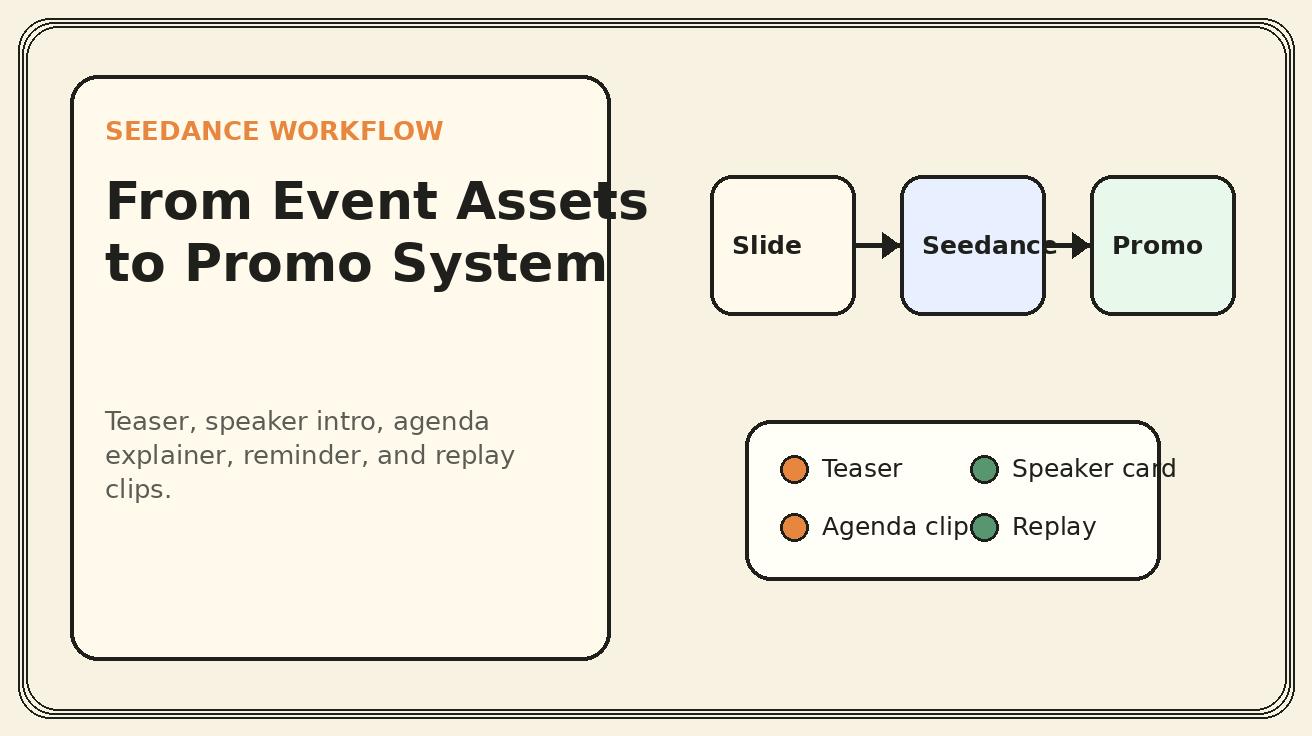
Seedance webinar promo planning table
| Asset type | Best input | Seedance motion | Best channel | Key guardrail |
|---|---|---|---|---|
| Registration teaser | Event hero slide or landing page | Slow push-in, title reveal, CTA beat | LinkedIn, X, email, landing page | Use real title, date, and CTA |
| Speaker intro | Approved headshot and title card | Gentle parallax, name/title reveal | Speaker social, partner posts | Do not create fake speech |
| Agenda explainer | Three to five approved bullets | Sequential card motion | Paid social, landing page | Match registration page exactly |
| Demo preview | Sanitized product screenshots | UI zoom, panel focus, workflow highlight | Product newsletter, retargeting | No invented features |
| Reminder clip | Approved event card | Countdown or date highlight | Email, social, community | Avoid false urgency |
| Replay clip | Recording screenshot or recap card | Smooth transition, quote reveal | Sales follow-up, blog, YouTube Shorts | Use approved quotes only |
Step-by-step workflow: from event plan to Seedance video system
Step 1: Lock the registration message before generating video
Before creating anything in Seedance, write the one-sentence promise of the webinar. This sentence should be specific enough that the target viewer can self-qualify. Weak: "Join our AI video webinar." Strong: "Learn how to turn product screenshots, slides, and launch notes into short AI video assets for LinkedIn, email, and landing pages." The second version gives Seedance clearer creative direction and gives the viewer a reason to act.
Then lock the operational details: event title, date, time zone, speaker names, company names, registration URL, and audience. AI video should not be used to keep changing the fundamentals. Once the message is approved, every generated clip becomes a variation of the same promise rather than a separate creative experiment.
Step 2: Build a small asset folder
Collect the inputs in one folder before prompting. Include the event hero slide, brand colors, logo, speaker headshot, agenda bullets, product screenshots, CTA line, and any legal disclaimers required by your team. If the webinar is co-marketed with a partner, include partner logo usage rules and approved speaker bios.
Seedance performs best when the asset choice is intentional. Do not upload a cluttered slide deck and hope the model finds the story. Choose a small number of clean frames that can each become one clip. A good first webinar video system can be built from six source assets: title card, speaker card, agenda card, product screenshot, reminder card, and replay card.
Step 3: Decide the clip package before generation
Plan the package as a set of deliverables, not one hero video. For example: one 20-second teaser, one 12-second speaker intro, one 20-second agenda clip, one 10-second reminder, one 15-second replay clip, and three cropped variants for vertical platforms. This prevents over-generation and helps you reuse the same approved source assets.
For each clip, write the intended channel and CTA. A LinkedIn teaser might end with "Register for the live session." An email hero might say "Save your seat." A replay clip might say "Watch the on-demand walkthrough." The visual can be similar, but the CTA should match the stage of the event.
Step 4: Generate one clip per source asset
Use Seedance to animate one source frame or simple sequence at a time. Start with subtle motion. For webinar creative, clarity beats spectacle. A slow push-in, clean card reveal, soft background movement, and precise focus on the title usually outperform chaotic motion. If a clip contains text, verify that the final render preserves readable text. If text distorts, use the motion clip as a background and add final text in your editor.
This is especially important for event dates and speaker names. Never rely on generated text for critical details if it becomes unstable. Use Seedance for motion, then lock the final text layer during editing.
Step 5: Edit into platform versions
After generation, edit the clips into platform-specific versions. A 16:9 version can work for landing pages, YouTube, and webinar pages. A 1:1 version can work for LinkedIn feed. A 9:16 version can work for Shorts, Reels, and TikTok. The message should remain consistent, but the pacing can change. Vertical versions need fewer words per frame and stronger opening hooks.
Keep the first three seconds clear. Instead of opening with a logo animation, open with the pain point or outcome: "Turn slides into registration clips," "Promote your webinar without a motion design queue," or "Create launch-ready event videos from existing assets." Then show the event title and CTA.
Step 6: Run the accuracy and compliance pass
Before publishing, compare every video against the registration page. Does the title match? Is the date correct? Is the time zone included where needed? Are speaker names and titles accurate? Are product screenshots approved and free of private data? Are partner logos used correctly? Does the clip imply a certification, guarantee, or outcome that the webinar does not provide?
This pass should be short but strict. Webinar videos move across many channels quickly, and small errors can spread. Seedance reduces production time, but it does not remove review responsibility.
Prompt templates for Seedance webinar promo videos
Registration teaser prompt
Use the provided webinar hero slide as the exact reference. Create a clean, modern webinar promo video with subtle camera push-in, light parallax, and a clear reveal of the event promise. Preserve the real title, brand colors, logo placement, date area, and CTA space. Make it suitable for LinkedIn and event landing pages. No fake attendee numbers, no invented speaker names, no extra claims, no distorted text.
Speaker intro prompt
Use the approved speaker headshot and event card as exact references. Create a polished speaker introduction clip with gentle motion, professional lighting, and a clean transition from the webinar topic to the speaker name and role. Preserve the real face, name, company, title, and brand layout. Do not animate the speaker as if speaking. No mouth movement, no voice imitation, no invented credentials.
Agenda explainer prompt
Create a short agenda explainer video from the provided bullet card. Use smooth sequential motion to highlight each learning outcome. Keep all wording accurate and readable. The style should feel practical, B2B, and registration-focused. No new agenda items, no exaggerated promises, no distorted text, no extra logos.
Product-demo preview prompt
Use the provided product screenshot as the exact reference. Create a controlled demo-preview motion with a soft zoom into the relevant UI area and a clean transition to the webinar CTA. Preserve the actual interface, labels, layout, and visible data after anonymization. No invented features, no fake buttons, no changed pricing, no cursor clicks unless provided, no private information.
Reminder clip prompt
Use the approved webinar registration card as the exact reference. Create a concise reminder video for social and email. Emphasize the real event date and time, the value of attending live, and the registration CTA. Keep motion subtle and readable. No false urgency, no fake scarcity, no changed date, no distorted speaker information.
Channel-specific guidance
LinkedIn webinar promotion should sound useful, not desperate. Use the first frame to state the problem or outcome. Keep the video short enough that the viewer can understand it without sound. Add captions or text overlays in the editor, especially for agenda clips. A good LinkedIn version might show the event promise, the speaker card, two agenda beats, and a registration CTA.
Do not overload the frame with every detail. LinkedIn viewers are often scanning between tasks. One clear promise is better than eight small lines of text. Use the post copy for date, time, and registration details if the video becomes too crowded.
Email video creative should support the CTA, not distract from it. Use a lightweight animated hero or a short linked thumbnail. If your email platform does not support video playback reliably, use a GIF-like preview or a static frame linked to the landing page. Seedance can create the motion source, and your editor can export the correct format.
For email reminders, clarity matters more than novelty. The viewer already knows something about the event. Use the video to remind them why the session is worth attending live: Q&A, demo walkthrough, template download, or practical framework.
Landing pages
On a landing page, the video can sit near the hero section or beside the agenda. It should reinforce the registration form. Avoid autoplay with sound. If autoplay is used, keep motion calm so it does not make the page feel noisy. The landing page version can be slightly longer than social, but it should still get to the promise quickly.
A Seedance landing page video is especially useful when the event topic is visual, like product demos, AI video workflows, design systems, or creative operations. It helps the visitor understand the session format before reading the full page.
Paid social
Paid webinar creative needs tighter message discipline. Build several variants from the same Seedance source assets: pain-point hook, outcome hook, speaker hook, and demo hook. Test these hooks without changing the core event promise. If one hook performs better, use the insight for the landing page and reminder emails.
Avoid claims that cannot be supported. Paid distribution increases review risk because the creative reaches colder audiences. Use practical language: "learn the workflow," "see a demo," "get the checklist," or "compare the options." Do not promise revenue, ranking, savings, or attendance outcomes unless you have approved proof.
A practical 7-day promotion calendar
A simple webinar campaign does not need dozens of assets. It needs the right assets at the right times. Here is a practical structure that Seedance can support.
Seven days before the event, publish the first registration teaser. The opening hook should focus on the pain point. Five days before, publish a speaker introduction clip and ask the speaker or partner to share it. Three days before, publish the agenda explainer with the most concrete learning outcomes. One day before, send a reminder clip in email and social. On the day of the event, use a short last-call version that emphasizes live Q&A or demo access. After the event, publish a replay clip with the on-demand CTA.
This calendar works because each clip has a different job. The teaser creates awareness. The speaker card builds trust. The agenda clip clarifies value. The reminder protects attendance. The replay extends ROI. Seedance makes this efficient because the team can reuse the same approved visual system instead of starting over for every message.
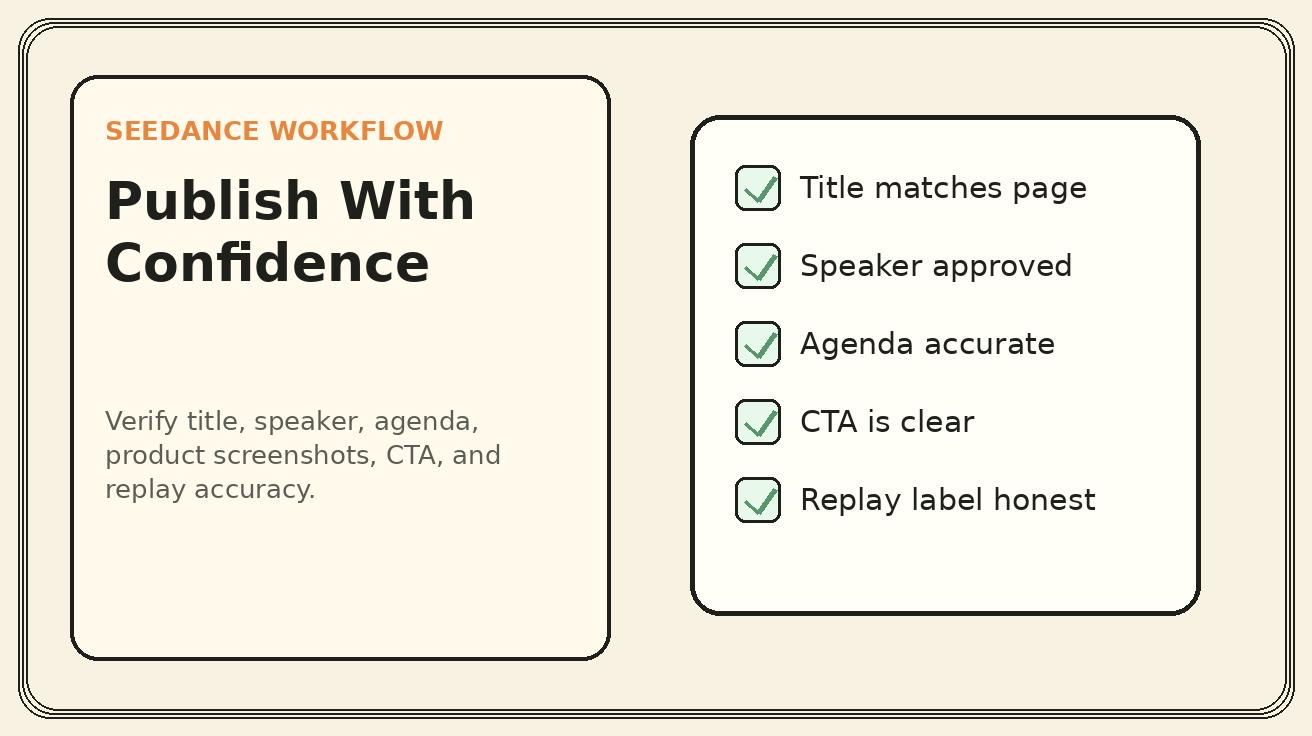
Quality checklist before publishing
Use this checklist before any Seedance webinar promo goes live:
- The event title matches the registration page.
- The date, time, and time zone are correct.
- Speaker names, titles, and companies are approved.
- The agenda in the video matches the agenda on the landing page.
- Product screenshots are sanitized and approved.
- Logos and partner marks follow brand rules.
- Critical text is added in the editor if generated text is unstable.
- The CTA matches the stage: register, save your seat, attend live, or watch replay.
- The video does not imply fake attendance, fake scarcity, fake quotes, or fake testimonials.
- The first three seconds make the value clear without sound.
- The final export has the correct aspect ratio for the target channel.
Common mistakes to avoid
The first mistake is asking Seedance to create a full event recording before the event happens. That can confuse viewers and create trust problems. Use promo language, not recap language, before the live session.
The second mistake is putting too much text inside generated motion. AI video is good at movement and composition, but final event details should remain editable. Add dates, names, and CTAs as locked text layers during editing whenever readability matters.
The third mistake is using the same clip everywhere. A landing page hero, LinkedIn post, email reminder, and vertical short have different viewing contexts. Reuse assets, but adjust pacing, crop, and CTA.
The fourth mistake is treating webinar video as only a pre-event asset. The replay phase is often where long-tail value appears. A good Seedance system should plan replay creative before the event happens.
FAQ
Can Seedance create a webinar promo video from only a title slide?
Yes, but the result will be stronger if you provide a small asset set: title slide, speaker card, agenda bullets, and one relevant product or workflow screenshot. A single title slide can become a teaser, but it may not explain enough value for registration.
Should I generate a fake talking-head speaker video?
No. Unless the speaker has explicitly approved that use case and the workflow is legally cleared, avoid creating synthetic speech or mouth movement. For most webinar campaigns, a speaker card with subtle motion is safer and more professional.
How long should a webinar promo video be?
Most teaser and reminder clips should be fifteen to twenty seconds. Speaker intros can be ten to fifteen seconds. Agenda explainers can be twenty to thirty seconds if the learning outcomes are concrete. Landing page versions can be longer, but they should still reach the promise quickly.
Can I use Seedance for webinar replay promotion?
Yes. After the event, use approved recording frames, quote cards, or recap slides to create replay clips. Be clear that the video promotes an on-demand replay, not a new live event, unless another live session is scheduled.
What should I avoid in Seedance webinar prompts?
Avoid fake attendance numbers, fake countdowns, invented speaker claims, distorted dates, synthetic speaker speech, unapproved product features, and claims that the webinar does not support. The best prompts preserve approved event details and add motion around them.
Which Seedance mode is best for webinar creative?
Use image-to-video when you already have slides, speaker cards, and screenshots. Use text-to-video for concept backgrounds, abstract visual metaphors, or quick hook variations. Use Seedance 2.0 when you need stronger motion quality and more polished variations.
Conclusion: use Seedance to make webinar value visible faster
Webinar promotion succeeds when the audience understands the value before they reach the form. Seedance helps teams turn approved static assets into a flexible video system: teaser, speaker intro, agenda explainer, demo preview, reminder, and replay. That system can support social, email, landing pages, paid campaigns, partner promotion, and sales follow-up without waiting for a full production cycle.
The best results come from a disciplined workflow. Start with a clear registration promise. Use real event assets. Generate one focused clip at a time. Keep critical details editable. Verify accuracy before publishing. Then repurpose the event into replay and follow-up content. Done this way, Seedance does not replace event strategy. It makes the strategy visible, reusable, and easier to ship.
<script type="application/ld+json"> { "@context": "https://schema.org", "@type": "FAQPage", "mainEntity": [ { "@type": "Question", "name": "Can Seedance create a webinar promo video from only a title slide?", "acceptedAnswer": { "@type": "Answer", "text": "Yes, but results are stronger when you also provide a speaker card, agenda bullets, and a product or workflow screenshot. A single title slide can work for a short teaser, while a small asset set supports a complete campaign." } }, { "@type": "Question", "name": "Should I generate a fake talking-head speaker video?", "acceptedAnswer": { "@type": "Answer", "text": "No. Unless the speaker has explicitly approved synthetic video use and the workflow is legally cleared, use a speaker card with subtle motion instead of fake speech or mouth movement." } }, { "@type": "Question", "name": "How long should a webinar promo video be?", "acceptedAnswer": { "@type": "Answer", "text": "Most teaser and reminder clips should be 15 to 20 seconds. Speaker intros can be 10 to 15 seconds, while agenda explainers can be 20 to 30 seconds when the learning outcomes are concrete." } }, { "@type": "Question", "name": "Can I use Seedance for webinar replay promotion?", "acceptedAnswer": { "@type": "Answer", "text": "Yes. After the event, use approved recording frames, quote cards, or recap slides to create replay clips, and clearly label them as on-demand replay assets." } }, { "@type": "Question", "name": "What should I avoid in Seedance webinar prompts?", "acceptedAnswer": { "@type": "Answer", "text": "Avoid fake attendance numbers, fake scarcity, invented speaker claims, distorted dates, synthetic speech, unapproved product features, and claims that the webinar does not support." } }, { "@type": "Question", "name": "Which Seedance mode is best for webinar creative?", "acceptedAnswer": { "@type": "Answer", "text": "Use image-to-video for slides, speaker cards, and screenshots. Use text-to-video for concept backgrounds or hook variations, and use Seedance 2.0 when you need more polished motion quality." } } ] } </script>
Ready to create your own AI video?
Turn ideas, text prompts, and images into polished videos with Seedance. If this article helped, the fastest next step is to try the product.
Free credits on signup. Plans from $28/month.
Related Articles
More posts in the same locale you may want to read next.

Seedance App Preview Video Generator 2026: Create App Store and Product Launch Clips
Use Seedance to turn app screenshots, feature copy, and launch goals into App Store previews, Google Play promo videos, and product launch clips.
Read article
How to Keep Product Shape Consistent in AI Video Ads
Lock product geometry, packaging, labels, references, camera angles, and approval checks so AI video ads preserve the real SKU across every shot.
Read article
How to Make AI Video Follow a Multi-Step Action
Plan atomic actions, state transitions, timing, continuity, and shot handoffs so an AI video completes a sequence in the intended order.
Read article