
Seedance vs OpenArt AI Video 2026: Free Credits, Watermark & Pricing Tested

If you are comparing Seedance vs OpenArt, you are not really asking whether one website has a longer list of AI models. You are asking a production question: which workflow helps you create usable AI video clips faster, with fewer credit surprises, better model choice, cleaner exports, and enough control to repeat the result tomorrow?
The practical answer for most video-first creators is this: Seedance is the better default when your main job is daily AI video generation. Seedance keeps the workflow close to the output: choose text-to-video or image-to-video, pick the right model, generate variants, review motion quality, and export a clip you can use in a social post, ad test, landing page, product demo, or creator workflow. OpenArt is valuable, but it is a broader AI creator studio. It brings images, videos, characters, audio, story tools, shared credits, and 100+ model integrations into one place. That breadth is useful for teams that want a multi-tool creative platform, but it can be heavier than necessary if you simply need reliable AI video production.
This guide compares Seedance AI video generator vs OpenArt across the factors that actually affect output: model choice, Seedance model access inside OpenArt, quality control, image-to-video consistency, free limits, credit planning, commercial-use checks, and the workflows each platform fits best. It is written for creators, founders, agencies, ecommerce teams, SaaS marketers, YouTube Shorts editors, TikTok teams, and anyone searching for an OpenArt AI video generator alternative that is more direct.
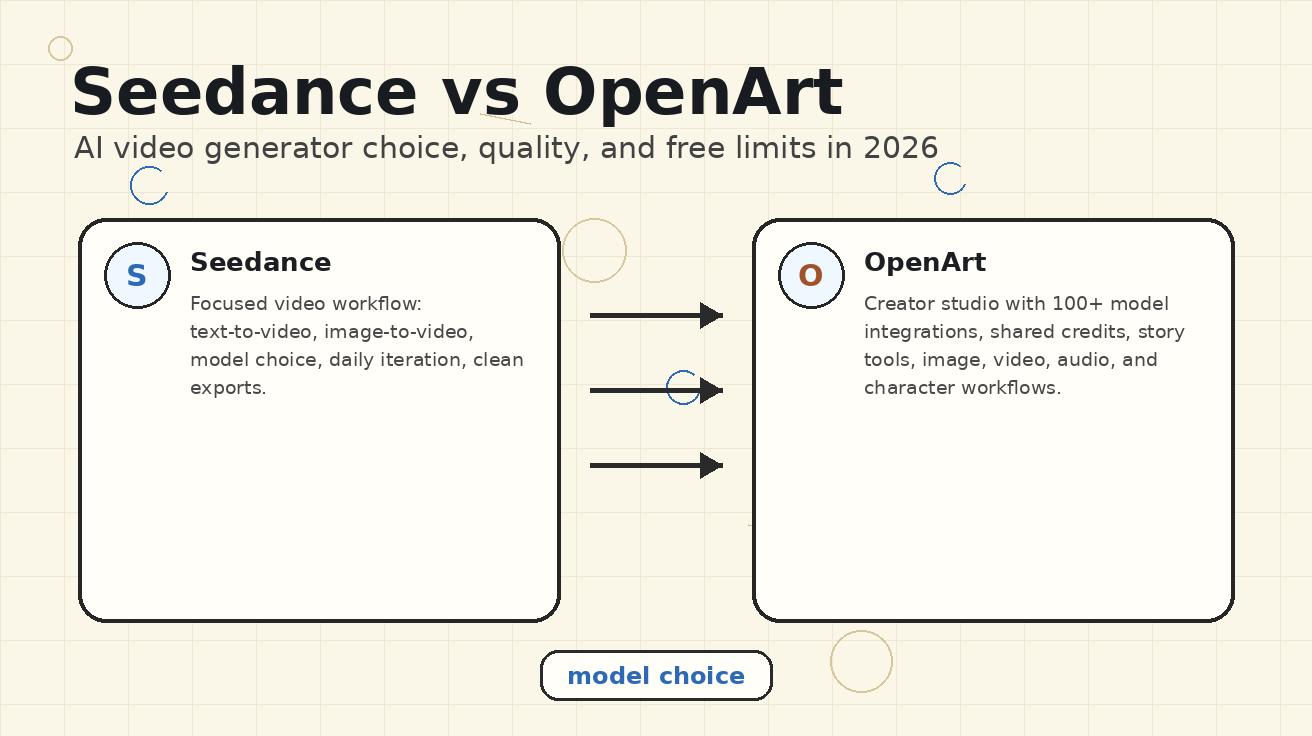
Quick verdict: choose Seedance for video-first production
Choose Seedance if your priority is making AI video clips every day. The Seedance workflow is direct, video-centered, and practical for fast iteration. It is especially strong when you already know the clip you need: a product hero shot, a short hook, a visual metaphor, a social ad background, an app preview, an ecommerce product motion clip, or a reference-image animation. Seedance is also easier to plan around when you care about daily free usage and clean exports.
Choose OpenArt if your priority is a broader creative studio with many AI tools in one account. OpenArt is useful when your team wants image generation, image editing, character workflows, video generation, story creation, audio tools, shared credits, and model discovery in the same environment. OpenArt also exposes Seedance-related models and pages, so an OpenArt AI video Seedance workflow can be valid if your team already works inside OpenArt.
The difference is not “Seedance has models and OpenArt has models.” Both can give creators access to strong video models. The difference is workflow focus:
- Seedance is a video-first generator. It is optimized for moving from prompt or image to video output with minimal friction.
- OpenArt is an all-in-one AI creator studio. It is optimized for many creative tasks, not only video generation.
- Seedance is easier for daily clip production. The interface and content ecosystem are built around practical AI video use cases.
- OpenArt is better when you need a suite. It can be a good hub for teams that also need image, character, audio, and story tools.
For most searches around Seedance vs OpenArt, the deciding question is simple: are you buying a video workflow or a creative operating system? If the answer is video workflow, Seedance is the cleaner choice.
Side-by-side comparison
| Category | Seedance | OpenArt |
|---|---|---|
| Best fit | Daily AI video generation, social clips, product motion, image-to-video, marketing visuals | Broad creator studio with image, video, audio, character, and story workflows |
| Workflow style | Prompt/image → model → variants → video export | Studio dashboard → tool/model → credits → output across many media types |
| Model choice | Focused around video output and practical model comparison | 100+ model integrations across image, video, and audio according to OpenArt pricing pages |
| Seedance model access | Native Seedance-oriented site experience plus multi-model video workflows | OpenArt publishes Seedance model pages, including Seedance Video Generator and Seedance 2.0 pages |
| Free workflow | Useful for daily experimentation and direct clip production | Official pricing lists 40 one-time trial credits for 7 days on Free |
| Paid plan logic | Upgrade when generation volume or premium models require it | Monthly credit tiers; official pricing lists Essential, Advanced, Infinite, and Wonder plans |
| Commercial-use check | Review platform and model terms before paid campaigns | Official pricing lists commercial use rights on Advanced and higher; model pages may include attribution notes |
| Learning curve | Lower for video-first users | Higher if you only need video; lower if your team wants many AI tools together |
| Best quality strategy | Generate several variants, compare stability, keep the most usable clip | Pick the right model, watch credit cost, and combine with suite tools when useful |
What Seedance does differently
Seedance is built around the question creators actually ask: “How do I turn this prompt, image, product shot, or storyboard idea into a usable video?” That matters because AI video generation is iterative. The first clip may be impressive, but production value usually comes from the second, third, or fourth attempt: clearer camera motion, stronger subject stability, fewer artifacts, better final frame, and a caption-safe composition.
A video-first workflow reduces wasted time. If you are making an ecommerce clip, you do not want to browse unrelated image tools before each generation. If you are testing a YouTube Shorts hook, you do not want to calculate a full creative-suite credit plan before every prompt. If you are turning a SaaS screenshot into a short feature teaser, you want the upload, prompt, model, and output review loop to be close together.
Seedance also fits the way modern content teams actually publish. They need repeated small clips, not one giant cinematic masterpiece every quarter. A growth team may need ten paid-social variations. A founder may need three product demo clips for a launch page. A creator may need background motion for a daily short. An agency may need safe concept clips for client approval. In those cases, the strongest tool is not always the one with the most features; it is the one that gets more usable clips through the loop.
Seedance connects naturally with workflows like text-to-video, image-to-video, and Seedance 2.0. That matters because you can start broad with text-to-video, then use image-to-video when visual consistency matters, then move to more advanced multimodal control when the project requires stronger reference guidance.
What OpenArt does differently
OpenArt positions itself as an AI creator studio for video and images. Its official pricing page describes shared credits, collaborative workspaces, and 100+ model integrations. The same page lists a Free plan with 40 one-time trial credits for 7 days, then paid plans such as Essential with 4,000 credits per month, Advanced with 12,000 credits per month, Infinite with 24,000 credits per month, and Wonder with 106,000 credits per month. OpenArt also frames usage in terms of approximate output capacity, such as images, videos, consistent characters, and one-click stories.
That credit-suite model is not bad. For some teams, it is exactly the point. A creative director may want one account where designers can make campaign images, generate character references, test video models, build story assets, and collaborate. A social agency may like shared credits because the team can spread usage across multiple deliverables. A creator who experiments with many formats may enjoy having image, video, character, and audio tools in one place.
OpenArt also publishes pages for Seedance-related video generation. Its Seedance Video Generator page describes ByteDance's Seedance model as strong for coherent video narratives, multi-shot narrative support, stable and smooth motion, and wide style support. Its Seedance 2.0 page describes multimodal support using text, images, video, and audio references, plus camera control and audio/lip-sync features. That means OpenArt can be a valid way to try a Seedance model if you already prefer OpenArt's studio environment.
The tradeoff is that OpenArt asks you to think like a platform user, not only a video producer. You need to understand model availability, credit cost, plan tier, parallel generations, commercial-use rights, attribution notes, and whether the current model is the best fit for the clip. That is fine for a creative operations team. It is less ideal for a solo creator who wants to animate a product photo and post it today.
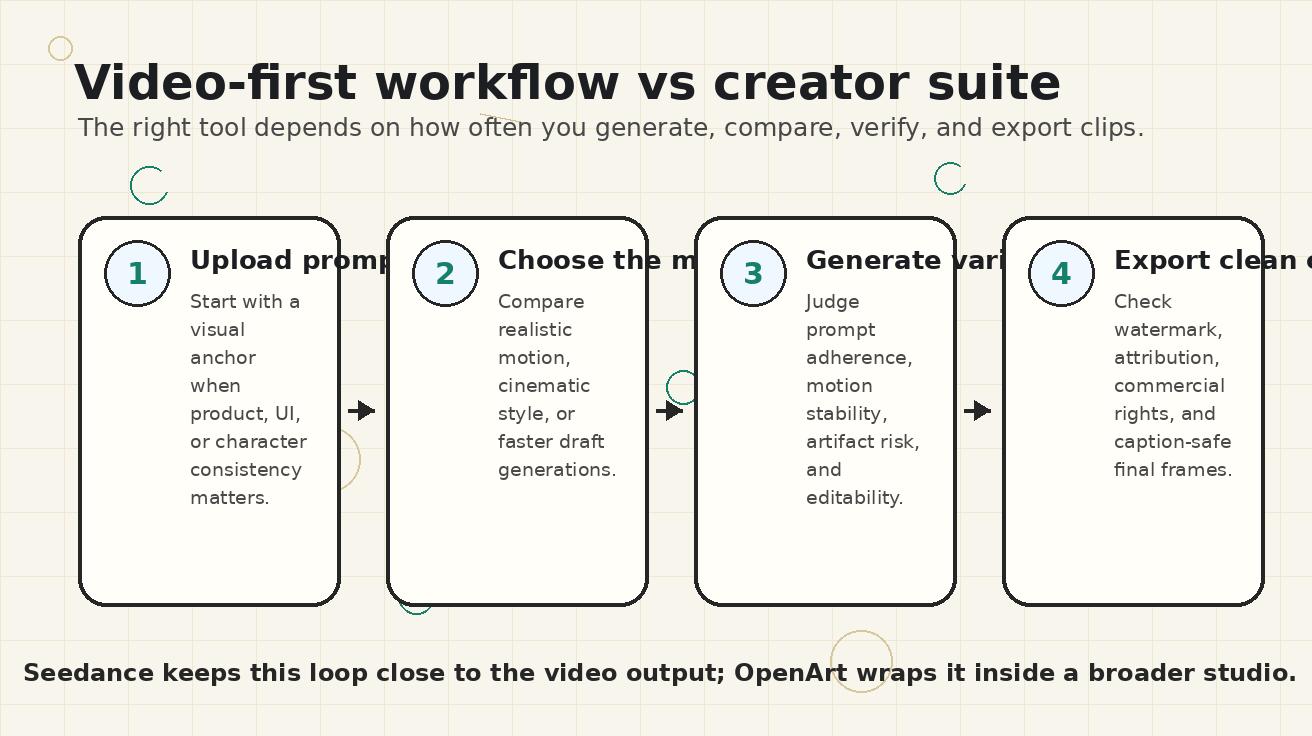
Model choice: focus beats a long catalog when speed matters
Model choice is one of the most important differences in this comparison. OpenArt's broad model catalog is attractive because it gives users a lot to explore. If you want to compare multiple image models, video models, character tools, and audio workflows, OpenArt can be a strong discovery layer. But a long catalog can also create decision overhead. The more options you have, the more important it becomes to know which model actually solves the current job.
Seedance approaches model choice from the video output side. The question is not “which model name sounds most advanced?” The question is “which model gives me the cleanest clip for this prompt, this reference image, this duration, and this destination?” A social background loop has different needs than a product hero shot. A cinematic visual metaphor has different needs than an exact UI animation. A character scene has different needs than a motion graphic.
A practical Seedance model-selection workflow looks like this:
- Start with the output destination: TikTok, Shorts, landing page, ad test, product demo, or internal pitch.
- Decide whether the source should be text-to-video or image-to-video.
- Use a reference image when the product, face, UI, packaging, logo, or style must stay consistent.
- Write a motion prompt that names camera movement, subject movement, pacing, lighting, and the final frame.
- Generate multiple variants and judge the clip, not the model reputation.
- Keep the most editable version, even if another version looks more dramatic for the first second.
An OpenArt model-selection workflow is broader:
- Check which model is available in the current tool.
- Check how many credits the model will consume.
- Confirm whether the plan allows the intended use case.
- Decide whether you need OpenArt's adjacent tools, such as image editing, story creation, or character workflows.
- Generate fewer, more deliberate attempts if the selected model is expensive.
- Review plan-level rights and any model-specific notes before commercial use.
Both workflows can produce strong results. Seedance wins when speed and repeatability matter. OpenArt wins when exploration across a broad creative stack matters.
Quality: judge usable clips, not demo moments
AI video quality should never be judged only by the most cinematic frame. A clip can look beautiful and still fail production if it changes the product, distorts a UI, mutates a face, breaks the logo, creates strange hands, adds unreadable fake text, or ends on a messy frame. For marketing and creator work, quality means the clip can actually be used.
When comparing OpenArt AI video generator outputs with Seedance outputs, evaluate five quality dimensions.
1. Prompt adherence
Does the clip follow the instruction? If the prompt asks for a slow push-in on a skincare bottle, the product should stay centered and unchanged. If the prompt asks for a dashboard screenshot to animate with subtle cursor movement, the UI should not turn into fantasy buttons. Seedance works well for this because the prompt loop is close to the video output. You can quickly test clearer motion language and reject clips that drift.
2. Reference-image consistency
Image-to-video is often the most practical mode for real campaigns. A brand already has a product photo, app screenshot, hero illustration, founder portrait, packaging render, or storyboard frame. The task is not to invent a new world; it is to animate the existing asset without destroying it. Seedance is a strong fit here because image-to-video is central to the workflow. OpenArt can also support image-to-video through model pages and suite tools, but the result depends on the selected model and settings.
3. Motion stability
A good AI video clip should move smoothly without flicker, object drift, melting details, or random camera jumps. OpenArt's own Seedance model page highlights stable and smooth motion as a Seedance benefit. In practice, the best way to find stable motion is to generate variants and compare them. Seedance's direct loop encourages that behavior. A credit-heavy suite workflow can make users more conservative, which sometimes reduces the number of attempts and lowers the chance of finding the cleanest clip.
4. Editability
The most useful clip is not always the flashiest clip. A useful clip has a clear first frame, a readable subject, caption-safe space, no accidental text, predictable pacing, and a clean end frame. If the clip will be used in Shorts, Reels, or ads, it needs to survive cropping, captions, and quick cuts. Seedance is especially practical for this because creators can generate modular clips that drop into a normal editing workflow.
5. Export confidence
Watermark status, attribution rules, commercial rights, resolution, and plan limits are part of quality. If a clip cannot be used in the campaign, it is not production-ready. This is where OpenArt users should be careful. Its pricing page lists commercial use rights on higher paid tiers such as Advanced and above, while model-specific pages may include attribution notes. Before using any OpenArt video commercially, check the current plan and model terms. Seedance users should also review terms for sensitive commercial use, but the Seedance workflow is easier to evaluate because the path from generation to export is more direct.
Image-to-video: the strongest practical reason to choose Seedance
Text-to-video is useful for imagination. Image-to-video is useful for production. If you are making real content for a brand, product, or creator identity, you usually already have a source visual that should stay recognizable. That source visual might be a product photo, app screenshot, food image, fashion shot, store interior, YouTube thumbnail, character reference, or landing-page hero frame.
Seedance works especially well when the visual anchor matters. The model has less freedom to invent the subject from scratch, and the creator has more control over what should remain stable. You can describe the motion while protecting the object.
Weak prompt:
Make this product image into a video.
Better Seedance prompt:
Animate this product photo as a clean 6-second ecommerce hero clip. Keep the product shape, label, color, and logo unchanged. Add a slow camera push-in, subtle parallax between foreground and background, soft studio lighting, and a final centered frame with empty space on the right for a discount caption. No new text, no extra packaging, no hands.
That prompt is production-minded. It tells the system what to animate and what to preserve. It also describes the final frame so the clip works in an editor.
OpenArt can be useful for image-to-video if the team also wants other assets from the same studio. For example, a designer may generate a concept image, edit it, create character references, then animate it with a video model. That is a suite advantage. But if the goal is simply to animate approved source images repeatedly, Seedance is usually faster and easier to teach across a team.
Free limits and credits: understand the real cost per usable clip
Free limits are not only about the number of credits on a pricing page. The real question is: how many usable clips can you generate before you hit a limit, watermark, attribution requirement, commercial-rights issue, or resolution constraint?
Seedance is attractive because the free workflow is designed for daily video experimentation. A daily rhythm matters. Monthly trial credits can disappear in one afternoon, especially when video generation requires multiple attempts. Daily free usage encourages repeatable practice: test a few prompts, keep the best output, learn which motion language works, and build a library of clips over time.
OpenArt's official pricing page currently lists the Free plan as 40 one-time trial credits for 7 days, with 4 parallel generations and private creations. Paid plans then scale by monthly credits. Essential lists 4,000 credits per month and approximate capacity up to about 50 videos. Advanced lists 12,000 credits per month and commercial use rights. Infinite and Wonder increase the credit pool further. These numbers can be useful, but they do not remove the need to check the exact model cost before generation. Different models and settings can consume credits differently.
For video teams, the metric should be cost per approved clip, not cost per generation. If you generate ten clips and keep two, your effective cost is five generations per usable clip. If a model costs more credits but gives a higher approval rate, it may be worth it. If a free workflow lets you practice daily and improve prompts, it may reduce paid waste later.
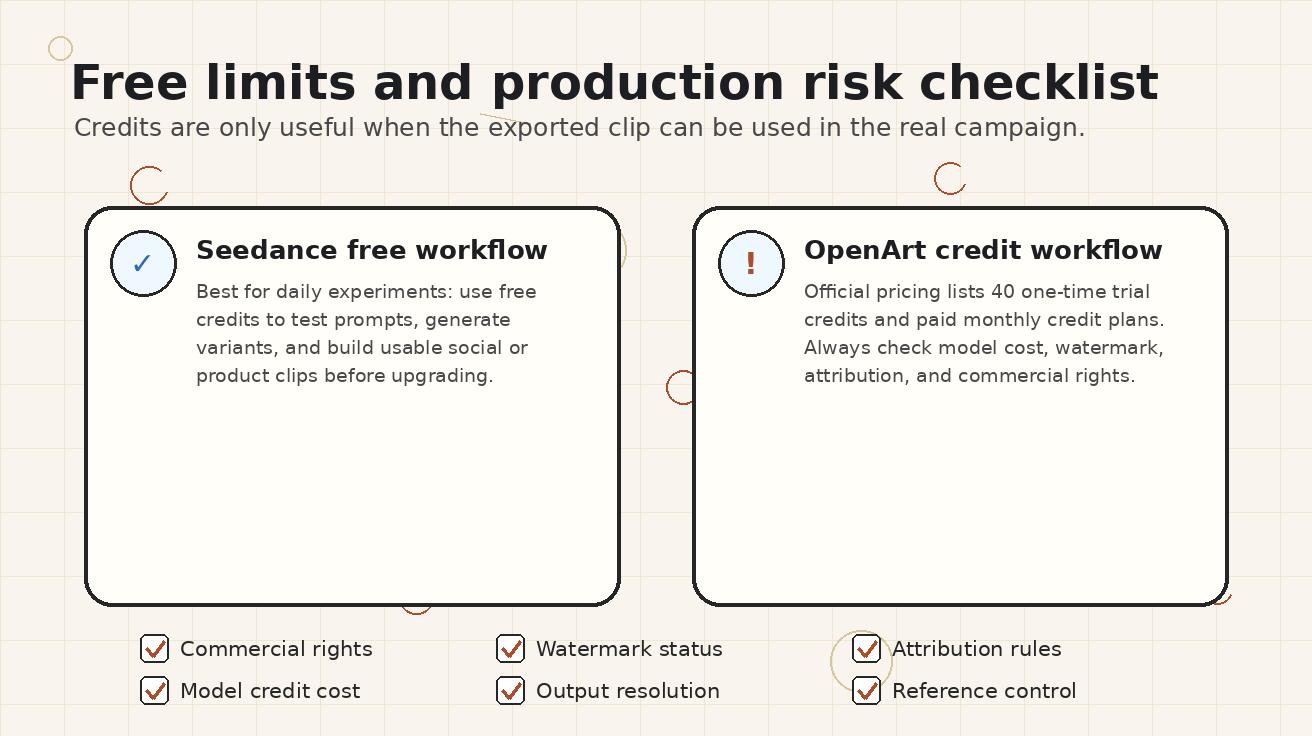
Commercial-use and attribution checks
Commercial-use rules can change, so do not treat any comparison article as legal advice. Treat it as a checklist.
For OpenArt, check three things before using video in a campaign:
- Plan-level rights. OpenArt pricing lists commercial use rights on paid tiers such as Advanced and higher, while the Free and Essential plan details shown on the pricing page do not display the same commercial-use line.
- Model-specific notes. OpenArt's Seedance model FAQ includes language about commercial use and attribution/backlink requirements for Seedance model outputs on OpenArt. If your use case is commercial, read the current page before publishing.
- Asset inputs. If you upload brand assets, third-party logos, celebrity likenesses, copyrighted characters, or client materials, make sure you have rights to use those inputs.
For Seedance, use the same discipline. Check plan terms, output usage, and input rights before paid advertising, client delivery, or public brand campaigns. The advantage is workflow clarity: because Seedance is centered on generation and export, the creator has fewer suite-level variables to inspect.
A simple commercial-readiness checklist:
- Is the output watermark-free?
- Is attribution required?
- Does the current plan allow commercial use?
- Did the prompt avoid restricted likenesses, trademarks, or copyrighted characters?
- Does the clip accurately represent the product?
- Are logos, labels, UI text, faces, and packaging stable?
- Can the same style be reproduced later for campaign consistency?
Best use cases for Seedance
Seedance is strongest when the output is short, visual, and repeatable.
Social hooks and short-form clips
Creators need volume. One clip rarely wins by itself. Seedance helps test hooks, backgrounds, visual metaphors, product reveals, and short scene variations quickly. The best clips can be cut into TikTok, Instagram Reels, YouTube Shorts, or paid social ads.
Product photo animation
Ecommerce teams can turn product photos into subtle hero videos. The strongest prompts preserve the product while adding motion: slow push-in, controlled parallax, clean lighting, no new text, no label distortion, and a stable ending frame.
SaaS and app previews
Seedance is useful for animating screenshots, dashboard mockups, or product scenes. Use approved UI images, avoid asking the model to invent exact text, and keep motion simple. For deeper product workflows, connect the clip with landing page visuals or onboarding sequences.
B-roll for creators and agencies
Creators often need visual support for voiceovers, testimonials, explainer videos, or trend commentary. Seedance can generate clean b-roll from prompts or reference images, reducing dependence on stock footage.
Ad creative testing
Paid social teams need multiple visual angles: problem scene, transformation scene, product shot, testimonial background, and CTA moment. Seedance makes it easier to produce a set of testable clips instead of over-investing in one polished concept.
Best use cases for OpenArt
OpenArt is strongest when the project benefits from a broad creative studio.
Multi-format creative exploration
If a campaign needs images, character references, video clips, story concepts, and audio experiments, OpenArt's suite approach can be efficient. It puts many creative tasks under one credit system.
Teams with shared credits
OpenArt pricing emphasizes shared credits and team or enterprise plans. That can be useful for agencies or internal creative teams that want centralized usage management.
Model discovery
OpenArt can be useful when you want to explore many models, including Seedance-related options, inside one interface. This is less about fastest production and more about creative R&D.
Character and story workflows
If your project needs consistent character creation, story generation, and visual asset development alongside video, OpenArt's broader toolset may be worth the extra complexity.
Recommended workflow if you are deciding today
Use a small test instead of debating features endlessly.
- Choose one real use case: product hero clip, social hook, app preview, or creator b-roll.
- Prepare one approved reference image and one text-only prompt.
- Generate at least three variants in Seedance.
- If you already have OpenArt access, generate comparable variants with the most relevant OpenArt video model.
- Score outputs on prompt adherence, reference stability, motion quality, editability, export rules, and cost per usable clip.
- Choose the platform that gets more usable clips through the loop, not the platform with the longer feature list.
For most video-first creators, this test will favor Seedance because it removes unnecessary steps. For teams that need image, character, story, and video tools in a shared workspace, OpenArt may still win.
FAQ: Seedance vs OpenArt
Is Seedance better than OpenArt for AI video generation?
Seedance is usually better for video-first production because the workflow is focused on prompt or image input, model choice, video variants, and export. OpenArt is better when you want a broader AI creator studio with image, video, audio, character, and story tools in one place.
Can I use Seedance models inside OpenArt?
OpenArt publishes Seedance model pages, including Seedance Video Generator and Seedance 2.0 pages. That makes an OpenArt AI video Seedance workflow possible, but the experience is still governed by OpenArt's credits, plan rules, and model-specific terms.
What are OpenArt free limits for video generation?
OpenArt's official pricing page lists 40 one-time trial credits for 7 days on the Free plan. The number of videos you can make depends on model cost and settings. For production planning, evaluate cost per usable clip rather than credits alone.
Which is better for image-to-video, Seedance or OpenArt?
Seedance is usually the cleaner choice for repeated image-to-video work because the workflow is direct and video-centered. OpenArt can be useful if the image-to-video clip is part of a broader studio workflow involving image editing, character creation, or story assets.
Does OpenArt allow commercial use?
OpenArt's pricing page lists commercial use rights on higher paid tiers such as Advanced and above. Model-specific pages may include additional notes, such as attribution requirements. Always check the current plan and model terms before using generated video commercially.
What is the safest way to compare Seedance and OpenArt quality?
Use the same real prompt, same reference image, same output destination, and the same scoring checklist. Judge prompt adherence, reference consistency, motion stability, editability, watermark or attribution rules, and cost per approved clip.
Final recommendation
If your main goal is to create AI video clips consistently, choose Seedance first. It is more direct, easier to iterate, and better aligned with the real production loop: prompt, model, variants, quality review, export. It is the stronger choice for social videos, product animations, app previews, ecommerce clips, ad creative testing, and creator b-roll.
Choose OpenArt when you want a wider AI creator studio and are comfortable managing credits, models, plan tiers, and commercial-use checks across multiple media formats. OpenArt's Seedance model access is useful, but it does not automatically make OpenArt the simpler video workflow.
For most creators comparing Seedance vs OpenArt in 2026, the best decision is not about which platform sounds bigger. It is about which platform helps you create more usable clips with less friction. On that metric, Seedance is the better video-first AI generator.
<script type="application/ld+json"> { "@context": "https://schema.org", "@type": "FAQPage", "mainEntity": [ { "@type": "Question", "name": "Is Seedance better than OpenArt for AI video generation?", "acceptedAnswer": { "@type": "Answer", "text": "Seedance is usually better for video-first production because the workflow is focused on prompt or image input, model choice, video variants, and export. OpenArt is better when you want a broader AI creator studio with image, video, audio, character, and story tools in one place." } }, { "@type": "Question", "name": "Can I use Seedance models inside OpenArt?", "acceptedAnswer": { "@type": "Answer", "text": "OpenArt publishes Seedance model pages, including Seedance Video Generator and Seedance 2.0 pages. That makes an OpenArt AI video Seedance workflow possible, but the experience is still governed by OpenArt's credits, plan rules, and model-specific terms." } }, { "@type": "Question", "name": "What are OpenArt free limits for video generation?", "acceptedAnswer": { "@type": "Answer", "text": "OpenArt's official pricing page lists 40 one-time trial credits for 7 days on the Free plan. The number of videos you can make depends on model cost and settings. For production planning, evaluate cost per usable clip rather than credits alone." } }, { "@type": "Question", "name": "Which is better for image-to-video, Seedance or OpenArt?", "acceptedAnswer": { "@type": "Answer", "text": "Seedance is usually the cleaner choice for repeated image-to-video work because the workflow is direct and video-centered. OpenArt can be useful if the image-to-video clip is part of a broader studio workflow involving image editing, character creation, or story assets." } }, { "@type": "Question", "name": "Does OpenArt allow commercial use?", "acceptedAnswer": { "@type": "Answer", "text": "OpenArt's pricing page lists commercial use rights on higher paid tiers such as Advanced and above. Model-specific pages may include additional notes, such as attribution requirements. Always check the current plan and model terms before using generated video commercially." } }, { "@type": "Question", "name": "What is the safest way to compare Seedance and OpenArt quality?", "acceptedAnswer": { "@type": "Answer", "text": "Use the same real prompt, same reference image, same output destination, and the same scoring checklist. Judge prompt adherence, reference consistency, motion stability, editability, watermark or attribution rules, and cost per approved clip." } } ] } </script>
Ready to create your own AI video?
Turn ideas, text prompts, and images into polished videos with Seedance. If this article helped, the fastest next step is to try the product.
Free credits on signup. Plans from $20/month.
Related Articles
More posts in the same locale you may want to read next.

Seedance App Preview Video Generator 2026: Create App Store and Product Launch Clips
Use Seedance to turn app screenshots, feature copy, and launch goals into App Store previews, Google Play promo videos, and product launch clips.
Read article
Midjourney Animate Uploaded Image Tutorial: From Still Frame to Usable Video
Learn how to animate an uploaded image in Midjourney, choose Low or High Motion, write a motion prompt, extend clips, and fix common continuity failures.
Read article
Luma Dream Machine Extend Tutorial: Build a Longer Shot Without Breaking Continuity
Learn how to extend Luma Dream Machine videos with blank prompts, directed prompts, end keyframes, clean handoffs, continuity checks, and selective reruns.
Read article