
Seedance Video Hook Generator Workflow 2026: Create the First 3 Seconds
The first three seconds decide whether most short-form videos get watched or ignored. A strong hook does not guarantee a viral result, but a weak hook almost always limits one. For TikTok, YouTube Shorts, Instagram Reels, paid social ads, product demos, course clips, and AI video experiments, the opening shot has one job: make the viewer understand why they should keep watching right now.
That is why a Seedance video hook generator workflow is useful for creators and growth teams in 2026. Instead of generating one full AI video and hoping the beginning works, you can use Seedance to prototype multiple opening shots quickly. You can test a problem hook, a curiosity hook, a before-and-after hook, a product reveal, a motion surprise, a visual metaphor, or a direct promise. Then you choose the opening that makes the rest of the edit easier.
A video hook is not only a line of copy. It is the combination of text, motion, camera framing, pacing, sound idea, and the first visual question in the viewer's mind. If the first shot looks generic, the caption has to work too hard. If the first shot is confusing, viewers leave before the message arrives. If the first shot is visually specific, the edit gets momentum before the voiceover even starts.
Seedance is strong for hook production because hooks are short, focused, and highly repeatable. You do not need to ask for a two-minute film. You need a two-to-five-second opening that creates urgency, contrast, curiosity, or proof. With a structured workflow, Seedance becomes more than an AI video generator; it becomes a hook lab for fast creative testing.
This guide explains how to plan, prompt, generate, evaluate, and edit high-retention video hooks with Seedance. It includes hook categories, prompt formulas, examples for product videos and creator content, a scoring checklist, and a repeatable process for building a hook library your team can reuse.
Quick Answer: What Is a Video Hook Generator?
A video hook generator helps create the opening moment of a video: the first shot, motion, visual idea, or short scene that stops the scroll. In a Seedance workflow, the hook can be generated from a text prompt or a reference image. The goal is not to create the whole video in one step. The goal is to produce several strong opening options, then edit the best one into a full short-form video.
For most teams, the workflow looks like this:
- Define the viewer problem or promise.
- Choose the hook type.
- Write a short Seedance prompt for the opening shot.
- Generate multiple variations.
- Score each hook for clarity, motion, novelty, and editability.
- Add caption, voiceover, product proof, and CTA in the final edit.
Use /text-to-video when the hook is driven by a written scene idea. Use /image-to-video when you need the hook to start from a product photo, brand image, character, or real visual asset. Review /seedance-2-0 when you want a broader view of Seedance capabilities before planning a repeatable content system.
Why the First 3 Seconds Matter
Short-form feeds are built around fast rejection. A viewer does not carefully evaluate every video. They decide in a fraction of a second whether the first frame, motion, caption, or promise deserves attention. The hook must overcome several problems at once: the viewer is distracted, the feed is competitive, the context is noisy, and the video has no earned trust yet.
A strong hook creates one of four reactions:
- Recognition: “That problem is mine.”
- Curiosity: “What happens next?”
- Contrast: “That before-and-after is surprising.”
- Proof: “This looks real enough to keep watching.”
AI video can help because the opening visual does not need to be limited by what you filmed yesterday. If you need a desk transforming from chaos to a clean workflow, a product appearing in a dramatic light sweep, a storyboard coming alive, or a creator's idea cards turning into a finished video, Seedance can generate a visual that supports the hook concept.
However, AI also makes weak hooks easier to produce at scale. More clips do not automatically mean better creative. The advantage comes from testing clear ideas, not from generating random beautiful footage. Treat every Seedance hook as a creative hypothesis: if this first shot appears with this caption, will the target viewer continue watching?
The Seedance Hook Workflow
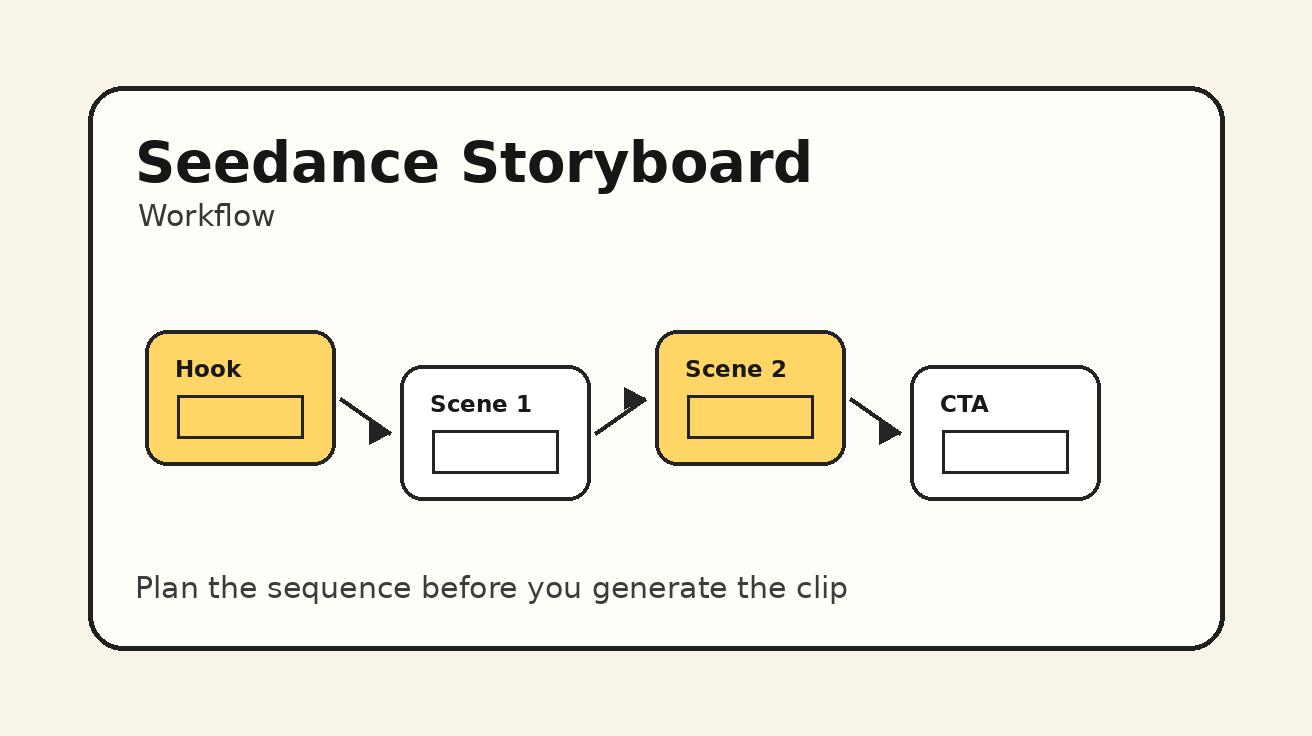
The best workflow has six stages: audience, promise, hook type, prompt, variation, and edit.
| Stage | Question | Output |
|---|---|---|
| Audience | Who should stop scrolling? | A specific viewer and situation |
| Promise | Why should they watch? | A benefit, problem, result, or curiosity gap |
| Hook type | What opening pattern fits? | Problem, proof, contrast, curiosity, product reveal, or motion surprise |
| Prompt | What should Seedance generate? | A short focused opening-shot prompt |
| Variation | What will you test? | 3-5 alternative openings |
| Edit | How will it appear in the video? | Caption, voiceover, cut timing, CTA path |
This workflow prevents one of the most common mistakes: starting with “make a viral video.” Virality is not a prompt. A better starting point is: “Create a two-second opening shot for founders who waste time editing product demos. Show a messy timeline snapping into a clean three-scene sequence.” That prompt gives Seedance a job the editor can use.
Step 1: Define the Viewer Before the Shot
Before writing a Seedance prompt, define the person you want to stop. A hook for a Shopify founder is different from a hook for a YouTube educator, a mobile app marketer, a student, or a filmmaker. The more specific the viewer, the clearer the opening visual becomes.
Use this one-line brief:
This video should stop [viewer] who wants [goal] but is blocked by [problem].
Examples:
- This video should stop ecommerce founders who want better product ads but are blocked by expensive shoots.
- This video should stop YouTube creators who want better retention but are blocked by boring intros.
- This video should stop course creators who want polished lessons but are blocked by static slides.
- This video should stop app marketers who want faster creative testing but are blocked by slow editing workflows.
Once the viewer is defined, the hook can be more concrete. The ecommerce founder needs product proof. The YouTube creator needs retention improvement. The course creator needs professionalism. The app marketer needs speed. Seedance prompts become stronger when they serve one viewer instead of everyone.
Step 2: Choose a Hook Type
Different hook types create different viewer reactions. Choose the type before generating footage.
Problem Hook
A problem hook shows the pain immediately. It works when the audience already recognizes the issue.
Prompt example:
A messy video editing timeline filled with disconnected clips, the cursor hesitates, then the scene freezes dramatically, close-up digital workspace, modern creator desk, tense but clean lighting, no readable text.
Use this when the video starts with “Your product videos are losing viewers because...” or “Most AI video ads fail before the product appears.”
Promise Hook
A promise hook shows the desired outcome quickly. It works when the benefit is tangible.
Prompt example:
A clean storyboard of five short video scenes appearing on a bright desk, each card lighting up in sequence, smooth top-down camera movement, polished creator workflow, no readable text.
Use this when the video starts with “Turn one product idea into five video hooks” or “Build a scroll-stopping intro in minutes.”
Before-and-After Hook
A before-and-after hook creates contrast. It works well for products, tutorials, transformations, and workflow videos.
Prompt example:
Split-screen cinematic shot: left side shows a flat boring product photo, right side shows the same product as a dynamic video scene with soft motion and studio light, clean commercial style, no text.
Use this when the first caption can say “Before AI B-roll / After Seedance.”
Curiosity Hook
A curiosity hook opens a question. It works when the viewer wants to see the reveal.
Prompt example:
A sealed envelope labeled only by a simple icon sits on a desk, glowing storyboard cards slowly slide out, camera pushes in, mysterious creative studio mood, no readable text.
Use this for “I tested three AI video hooks and only one worked” or “The first shot changed the whole ad.”
Product Reveal Hook
A product reveal hook shows the item or result fast. It is strong for ecommerce and landing page clips.
Prompt example:
Premium product reveal shot of a compact tech device emerging from soft shadow onto a clean desk, slow light sweep, macro commercial style, shallow depth of field, no distorted labels, no extra text.
Use this when the product itself is visually interesting or when the first frame must establish what is being sold.
Motion Surprise Hook
A motion surprise hook uses unexpected movement to interrupt the feed.
Prompt example:
A stack of handwritten video ideas suddenly folds into a clean animated shot list, quick but smooth motion, bright creative desk, satisfying transformation, no readable text, no faces.
Use this for fast social edits where the caption explains the benefit after the visual catches attention.
Step 3: Write Seedance Hook Prompts with Constraints
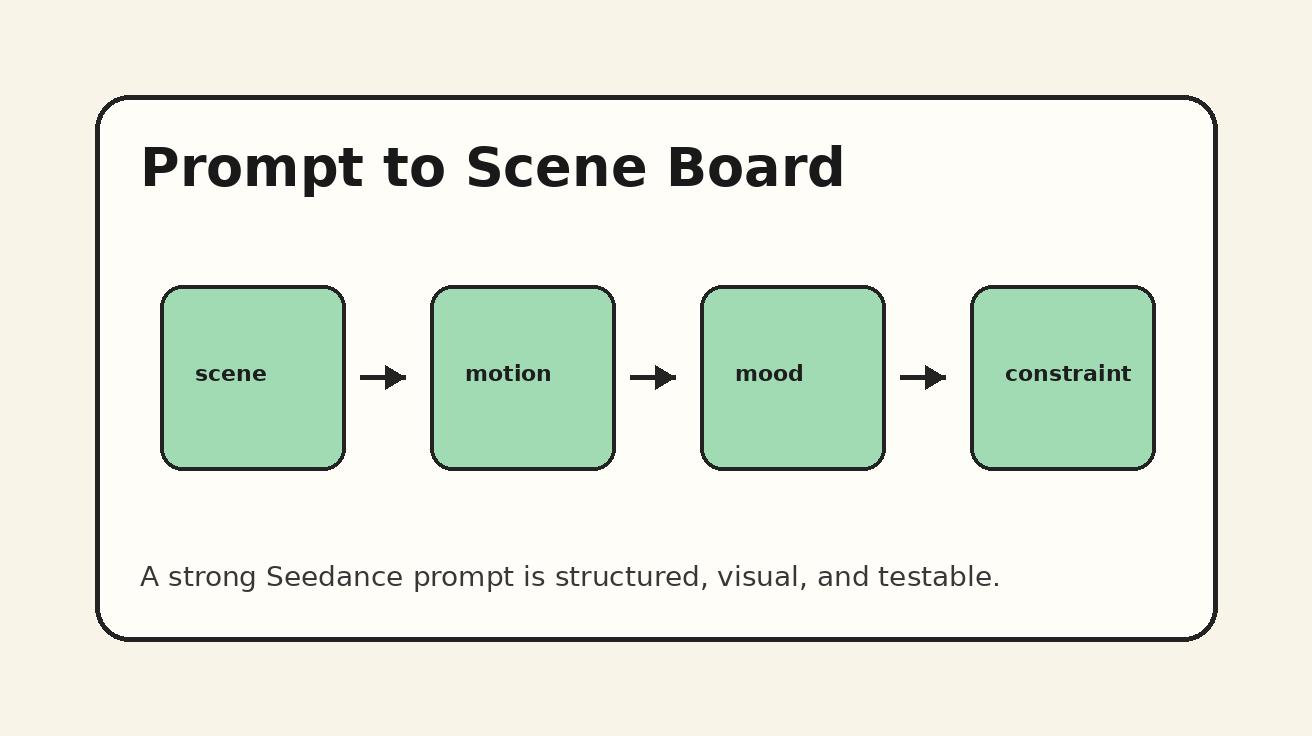
A good hook prompt should be focused. It should describe one short opening moment, not a full story.
Use this formula:
Viewer context + visual situation + single action + camera movement + style + constraints.
Example:
For a TikTok ad creator, show a chaotic desk of failed product video ideas transforming into three clean storyboard cards, fast but smooth motion, top-down camera, bright modern creator studio, satisfying visual rhythm, no readable text, no logos, no extra hands.
This prompt works because it contains a viewer context, a problem, an action, a camera angle, a style, and constraints. It does not ask for a long narrative. It asks for an opening shot.
Constraints are especially important for hooks. Avoid readable text unless you plan to add it yourself in the editor. Avoid fake UI if accuracy matters. Avoid too many objects if the clip will only appear for two seconds. Avoid complex human faces unless the identity is not important. The first shot must be readable immediately.
Step 4: Generate Variations Around One Idea
Do not generate one hook and stop. Strong creative testing requires variations. But variations should be controlled. Change one element at a time so you can learn what improves the opening.
For one idea, generate five versions:
- Same concept, top-down camera.
- Same concept, close-up macro shot.
- Same concept, faster motion.
- Same concept, warmer lighting.
- Same concept, stronger before-and-after contrast.
This helps you compare performance. If the macro shot looks better but the top-down shot explains the idea faster, the top-down version may be the better hook. If warm lighting makes the product feel premium, use it. If faster motion makes the shot confusing, slow it down. AI video generation should teach your team what visual language works, not just produce assets.
Step 5: Score Hooks Before Editing
Use a simple scoring system before spending time on captions and final edits. Score each Seedance hook from 1 to 5 on five criteria.
| Criterion | Question |
|---|---|
| Clarity | Can the viewer understand the visual idea in one second? |
| Relevance | Does it match the audience problem or promise? |
| Motion | Is there enough movement to stop scrolling without confusion? |
| Novelty | Does it look less generic than stock footage? |
| Editability | Can it fit under caption, voiceover, and music? |
A hook with a total score above 20 is worth editing. A hook with strong beauty but weak clarity should be regenerated. A hook with strong clarity but weak polish may still work if the caption and voiceover are good.
The most important score is clarity. Viewers do not have time to decode an opening shot. If they cannot tell what is happening, they will swipe before the promise arrives.
Step 6: Add Captions and Voiceover After the Visual
Seedance can create the opening shot, but the final hook usually needs caption and voiceover. Add text in your editor rather than asking the model to generate readable text. This gives you control over font, language, brand style, and A/B testing.
For each hook, write three caption options:
- A problem caption: “Your AI video intro is losing viewers.”
- A promise caption: “Build 5 hooks before you edit.”
- A curiosity caption: “I tested this first 3-second trick.”
Then match the caption to the visual. A messy timeline visual works with a problem caption. A storyboard transformation works with a promise caption. A product reveal works with a direct benefit caption. The hook is the combination of visual plus words; neither side should carry all the work.
Prompt Templates for Seedance Video Hooks
Template 1: Problem Hook
Short opening shot for [audience] struggling with [problem]. Show [visual symbol of the problem] in [setting], [single motion], [camera angle], [style], no readable text, no logos, clean composition.
Template 2: Promise Hook
Short opening shot showing the result of [benefit]. [Objects or scene] transform into [desired outcome], smooth motion, [camera movement], modern creator style, no readable text, clear first frame.
Template 3: Before-and-After Hook
Split or sequential opening shot: before [bad state], after [good state], focused on [product/workflow/result], cinematic lighting, satisfying transition, no text, no distorted details.
Template 4: Product Reveal Hook
Premium product reveal hook for [product type], [product action], [environment], [lighting], [camera movement], commercial style, clean background, no extra text, no distorted labels.
Template 5: Curiosity Hook
Mysterious opening shot for a video about [topic], show [intriguing object or scene] beginning to reveal [result], slow camera push-in, cinematic mood, no readable text, clear subject.
Template 6: Motion Surprise Hook
Fast scroll-stopping opening shot where [object or scene] transforms into [unexpected result], smooth satisfying motion, bright high-contrast composition, designed for vertical short-form video, no readable text.
Hook Ideas by Content Type
Ecommerce Product Ads
Use product reveals, before-and-after shots, and benefit metaphors. Show the product quickly. Avoid abstract hooks that delay the item too long. A good ecommerce hook might show a boring product photo becoming a moving lifestyle scene, or a cluttered desk becoming organized after the product appears.
YouTube Shorts and TikTok Tutorials
Use problem hooks and promise hooks. Show the pain in the first second, then promise the method. For example, show a messy timeline, then three clean storyboard cards. Or show a creator staring at a blank screen, then a shot list appearing.
SaaS and AI Tool Videos
Use workflow metaphors, interface-inspired visuals, and transformation hooks. Do not invent exact UI screens if accuracy matters. Use abstract dashboards, cards, timelines, and creative boards instead. Pair the visual with captions that explain the software benefit.
Course and Education Clips
Use clarity hooks. Show notes becoming a lesson plan, a confusing diagram becoming simple, or a student desk shifting from chaos to focus. Education hooks do not need to be loud. They need to create trust and show progress.
Brand Storytelling
Use emotional hooks: a creator starting with one idea, a team reviewing a storyboard, a product entering a real environment, or a visual metaphor for transformation. Brand hooks can be slower than ad hooks if the first frame is beautiful and intentional.
Editing Sequence for a Seedance Hook Video
A reliable short-form structure is:
- 0:00-0:03 Hook visual: Seedance opening shot with caption.
- 0:03-0:07 Problem or promise: Explain why the viewer should care.
- 0:07-0:15 Proof: Show product, process, example, or result.
- 0:15-0:25 Steps: Break down the method or benefit.
- 0:25-0:30 CTA: Send viewer to the next action.
This structure works because the hook earns attention, but the proof keeps it. Do not let the video become all hook and no substance. If the first three seconds promise a transformation, the rest of the video must deliver the transformation clearly.
Common Mistakes to Avoid
The first mistake is making the hook too cinematic but not specific. A beautiful city shot may stop someone for a moment, but if it does not connect to the product or promise, the retention will drop.
The second mistake is putting too much text into the AI generation prompt. Let Seedance create the visual. Add readable captions later in the editor.
The third mistake is changing too many variables at once. If every generated hook has a different concept, style, camera, and caption, you will not know what improved performance. Test controlled variations.
The fourth mistake is ignoring the first frame. Many platforms show the opening frame before motion becomes clear. Make sure the first frame alone communicates enough to earn the next second.
The fifth mistake is using the same hook for every audience. A founder, editor, student, filmmaker, and ecommerce buyer do not respond to the same opening. Build hook templates for each audience segment.
Measuring Hook Performance
After publishing videos, track retention instead of only likes. The most important metrics are first-three-second hold, average watch time, rewatch rate, click-through to profile or landing page, and conversion if the video is an ad. A hook that gets many views but no qualified clicks may be too broad. A hook with fewer views but better conversions may be stronger for business goals.
Create a simple log:
| Hook concept | Visual type | Caption | Platform | 3-second hold | Average watch | Notes |
|---|---|---|---|---|---|---|
| Messy timeline becomes clean storyboard | Promise | Build 5 hooks before editing | TikTok | TBD | TBD | Strong clarity |
| Product photo becomes motion scene | Before/after | Stop posting flat product photos | Reels | TBD | TBD | Good ecommerce angle |
| Creator desk chaos | Problem | Your intro loses viewers | Shorts | TBD | TBD | Needs faster motion |
This log turns Seedance generation into a learning system. Over time, your team will know which hooks work for each audience and platform.
FAQ
Can Seedance generate hooks for TikTok and YouTube Shorts?
Yes. Seedance can generate short opening shots that work as visual hooks for TikTok, YouTube Shorts, Instagram Reels, and paid social videos. The key is to prompt for a specific first moment rather than a full generic video.
Should a video hook be text-based or visual?
The strongest hooks usually combine both. Use Seedance to create the visual interruption or proof, then add readable captions in the editor so you can control language, font, and testing.
How long should a Seedance hook clip be?
Most hooks only need two to five seconds. Generate enough material to choose the clearest moment, then trim the clip so the visual payoff starts immediately.
What is the best hook type for product videos?
Product reveal, before-and-after, and problem hooks usually work best. The viewer should understand what the product is, why it matters, or what changes after using it.
Can I use image-to-video for hooks?
Yes. Image-to-video is often the best choice when product accuracy, brand style, or character consistency matters. Use a reference image, then prompt Seedance for motion, camera, and lighting.
How many hooks should I generate before choosing one?
For important videos, generate at least three to five variations around one concept. This gives you enough options without losing focus.
Final Recommendation
Use Seedance as a repeatable video hook generator, not a random viral clip machine. Start with the audience, define the promise, choose the hook type, write a focused prompt, generate controlled variations, score the results, and edit the best opening with captions and proof. This turns the first three seconds into a deliberate creative asset.
If you publish often, build a Seedance hook library. Save the prompts that stop the scroll, tag them by audience and platform, and reuse the structure with new products, scripts, and offers. The more you learn from retention data, the better your Seedance prompts become. In 2026, the teams that win short-form attention will not be the teams that generate the most clips. They will be the teams that test the clearest hooks fastest.
Ready to create your own AI video?
Turn ideas, text prompts, and images into polished videos with Seedance. If this article helped, the fastest next step is to try the product.
Free credits on signup. Plans from $20/month.
Related Articles
More posts in the same locale you may want to read next.

Seedance App Preview Video Generator 2026: Create App Store and Product Launch Clips
Use Seedance to turn app screenshots, feature copy, and launch goals into App Store previews, Google Play promo videos, and product launch clips.
Read article
Best Resolution for AI Video on Facebook Reels (2026)
Use the best resolution for AI video on Facebook Reels with a practical 1080x1920 preset, 9:16 safe zones, frame-rate guidance and upload QA.
Read article
Luma Ray3 Modify Strength Settings: Adhere, Flex, or Reimagine?
Choose the right Luma Ray3 Modify strength for subtle edits, restyling, or full transformations with a repeatable Adhere, Flex, and Reimagine test.
Read article