
Seedance TikTok Ad Videos 2026: Create Short Product Clips with AI
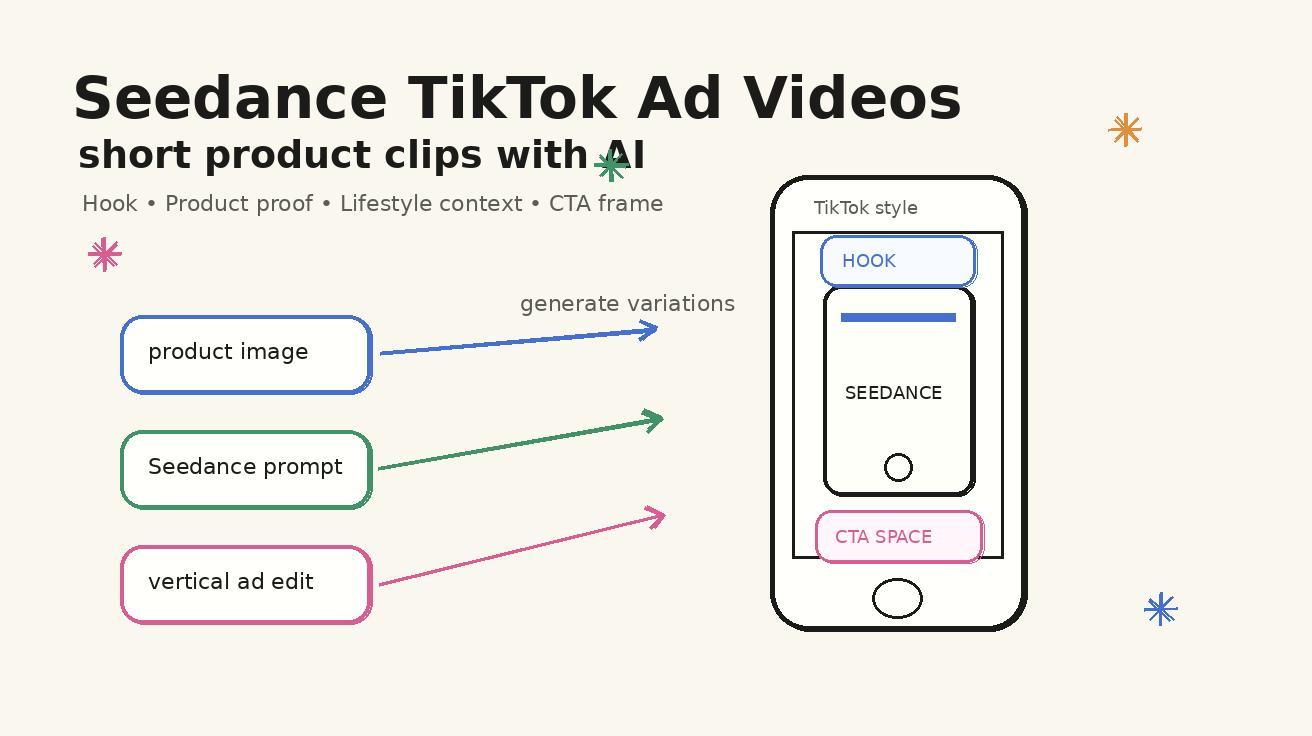
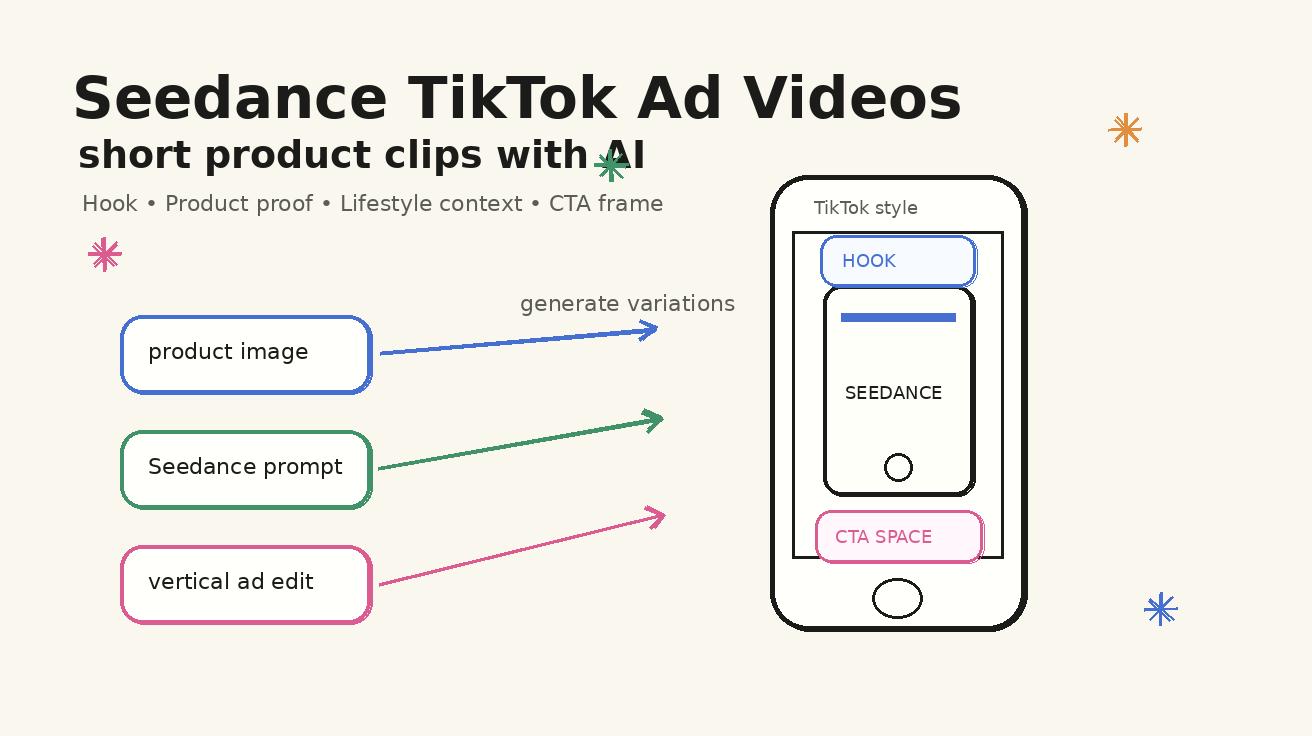
TikTok ads reward speed, clarity, and repeated testing. A product clip that looks polished but takes three weeks to produce usually arrives too late for the trend, the offer, or the audience signal. A clip that is fast but confusing will not earn the first three seconds. That is why seedance tiktok ads are becoming a practical workflow for ecommerce teams, app marketers, creators, and small brands that need many short product videos without rebuilding a full studio process every time.
Seedance is useful for this job because it can turn a written scene or a product image into a short, motion-rich video concept. Instead of waiting for a camera crew, a rented location, and a manual editing pass, you can draft several product angles in one sitting: a hero reveal, a lifestyle use case, a problem-solution hook, a feature close-up, and a final call-to-action frame. The result is not a replacement for strategy. It is a faster creative engine that gives your marketer, founder, or media buyer more variations to test.
This guide explains how to use Seedance for TikTok-style ad videos in 2026. It covers the creative structure, prompt formulas, image-to-video workflow, product consistency rules, hooks, CTA planning, and a review checklist before you export. The goal is simple: create short product clips that feel native to a vertical feed, show the product clearly, and give your team enough variations to learn what works.
Quick note: this is a Seedance workflow guide, not an official TikTok advertising policy document. Always review TikTok Ads policies, local disclosure rules, music rights, and product category restrictions before launching paid campaigns.
Why Seedance fits TikTok ad creative
TikTok ad creative is different from a classic product commercial. It has less time to explain, fewer seconds to earn trust, and more pressure to look like content rather than a glossy brand film. Seedance helps because it is good at compact visual storytelling. You can describe the scene, the product, the motion, the camera behavior, the lighting, and the end frame in one prompt, then generate a clip that can be edited into a vertical ad unit.
The biggest advantage is iteration. A single product can be expressed in many angles: unboxing, before-and-after, daily routine, founder demo, close-up detail, comparison, seasonal use, gift idea, problem fix, or tutorial. Traditional video production often forces teams to choose only one or two angles because each concept has a cost. Seedance lowers that concept cost. You can generate more candidates, discard weak ones, and keep the clips that communicate the benefit fastest.
Seedance also fits the way performance creative teams work. Paid social teams rarely need only one perfect video. They need a portfolio of variations: different hooks, different first frames, different backgrounds, different captions, different product positions, and different CTA endings. With Seedance, you can build a repeatable ad creative system instead of treating every new clip as a blank page.
For a complete product overview, pair this article with the Seedance feature page at Seedance 2.0. If you already have product photos, the image-to-video workflow will usually be the best starting point. If you are still exploring concepts before a product asset is ready, begin with text-to-video and convert the strongest concepts into image-guided generations later.
The 15-second structure that works for Seedance TikTok ads
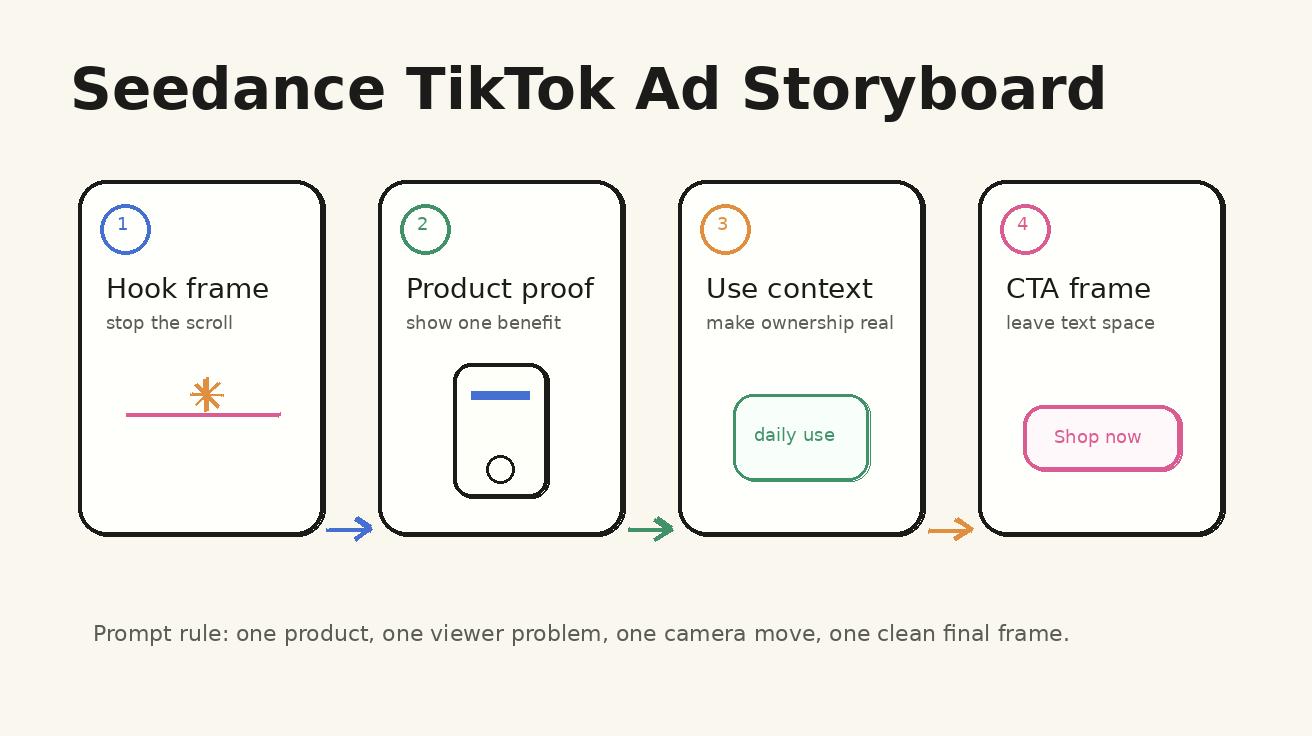
A short ad does not need to say everything. It needs to make one promise, prove one visual idea, and end with one next step. Seedance works best when the prompt is built around that simple structure. Think in four beats:
- Hook frame: the first visual that stops the scroll.
- Product proof: the moment that shows what the product does or why it matters.
- Use context: the setting that helps the viewer imagine owning it.
- CTA frame: the final clean image where text, price, trial, or offer can be added in editing.
For TikTok, the hook should be visual before it is verbal. Do not rely on a long caption to explain the entire value proposition. If you sell a portable blender, show fruit, ice, the blender, and a quick transformation. If you sell a desk lamp, show a dull workspace becoming focused and warm. If you sell a skincare tool, show the routine, texture, packaging, and final confident moment. Seedance can create these visual changes when the prompt is specific.
A strong Seedance TikTok ad prompt should avoid too many product promises at once. If the same clip tries to show premium design, discount pricing, shipping speed, social proof, product ingredients, creator testimonial, and five features, the generation becomes visually crowded. One clip should usually focus on one job: explain, demonstrate, dramatize, compare, or remind.
Text-to-video versus image-to-video for product ads
Seedance offers two practical paths for TikTok ad concepts.
Text-to-video is best when you are exploring ideas. You can describe a product category, a setting, a customer problem, and a camera movement. This is useful for mood boards, pre-production, concept testing, seasonal campaigns, and ad angles that do not require exact product identity yet. For example, you might test whether a cozy kitchen scene, a gym-bag scene, or a morning commute scene feels more persuasive before you bring in final product assets.
Image-to-video is better when product identity matters. TikTok ads normally need the viewer to recognize the product, package, interface, or object being sold. If you already have a product photo, packshot, app screenshot, or lifestyle image, use it as the visual anchor. Seedance can then animate the scene around that anchor while keeping the product more consistent than a pure text prompt.
For ecommerce and paid social, the safest workflow is usually hybrid:
- Start with text-to-video to explore the story angle.
- Choose the strongest concept.
- Prepare a clean product image or screenshot.
- Rebuild the prompt as image-to-video.
- Generate several camera and hook variations.
- Edit the best outputs into a final vertical ad.
This keeps the creative process fast without sacrificing product clarity. It also prevents a common mistake: publishing an attractive AI clip where the product looks different from the real item. Viewers may tolerate stylized backgrounds, but they should not be confused about the product itself.
Prompt formula for Seedance TikTok ad videos
Use this Seedance prompt formula when you want a short product clip that can become a TikTok ad:
Product anchor + audience problem + scene + action + camera movement + style + final frame.
Here is the formula in a reusable template:
Create a short vertical product ad video for [product]. The target viewer is [audience] who wants [problem or desire]. Open with [hook frame]. Show [product action or benefit] in [scene]. Use [camera movement] and [lighting style]. Keep the product visually consistent and centered. End on a clean final frame with space for a short CTA overlay. No fake brand text, no distorted labels, no extra hands, no unreadable UI.
The final sentence matters. AI video tools can invent labels, random text, extra objects, or unnecessary hand gestures when the prompt is too open. The cleaner your constraints, the easier it is to edit the output.
Example prompt: beauty product hook
Create a short vertical product ad video for a compact skincare serum bottle. The target viewer is a busy professional who wants a simple morning routine. Open with a messy bathroom counter, then reveal the serum bottle as the scene becomes clean and bright. Show a close-up of a single drop on the fingertip, then a confident final mirror moment. Use a slow push-in camera, soft daylight, premium but natural TikTok creator style. Keep the bottle shape and label area stable. End on a clean final frame with space for a CTA overlay. No fake readable text, no extra products, no distorted face.
Example prompt: kitchen gadget demonstration
Create a short vertical product ad video for a small countertop kitchen gadget. The target viewer is someone who wants faster weekday meals. Open with chopped ingredients on a crowded counter, then show the gadget organizing the cooking process. Use quick but smooth motion, top-down detail shots, warm kitchen light, and a practical creator-demo style. Keep the product centered and unchanged. End with the finished meal next to the product and empty space in the top third for a CTA overlay.
Example prompt: app or software ad
Create a short vertical product ad video for a mobile productivity app. The target viewer is a freelancer who wants to plan tasks faster. Open with a chaotic desk, sticky notes, and a phone screen. Show the phone becoming organized with simple dashboard shapes, calendar blocks, and task cards. Use clean motion graphics, realistic desk lighting, and a smooth zoom from desk to phone. Keep all UI text abstract and unreadable. End on a clean phone-in-hand final frame with room for an overlay headline.
Build ad variations instead of one perfect clip
The fastest Seedance TikTok ads workflow is not to generate one clip and hope it wins. Generate a controlled set of variations. Keep the product, audience, and offer stable, but vary the hook, scene, and camera behavior. This gives you a real creative test instead of random guesses.
A useful five-variation set looks like this:
| Variation | Purpose | What to change in Seedance |
|---|---|---|
| Problem hook | Shows the pain point first | Messy desk, slow routine, cluttered bag, awkward setup |
| Transformation hook | Shows before and after | Dark-to-bright room, empty-to-complete result, chaotic-to-clean scene |
| Product close-up | Builds trust in detail | Texture, material, packaging, button, screen, ingredient, finish |
| Lifestyle use | Shows ownership context | Kitchen, gym bag, travel pouch, home office, creator desk |
| CTA ending | Makes the final frame usable | Clean product shot, empty overlay space, stable camera, simple background |
When prompting Seedance, only change one or two variables at a time. If you change the scene, camera move, product size, lighting, and audience all at once, you will not know which change improved the ad. Performance creative is a learning process. Seedance makes learning faster, but the system still needs clean inputs.
Hook ideas for Seedance TikTok ads
A good hook is a visual question. The viewer should understand the tension before reading the caption. Here are practical hook categories that work well with Seedance prompts:
1. The messy-to-clean hook
This is useful for organizers, productivity apps, kitchen tools, cleaning products, travel accessories, and workflow software. Open with clutter, confusion, or wasted time. Then let the product create order. Keep the transformation visible and simple.
2. The close-up proof hook
This is useful for beauty, fashion accessories, tech devices, food, handmade goods, and premium materials. Start very close to the product detail: texture, light reflection, stitching, screen glow, pouring liquid, button click, or packaging reveal. The viewer should feel that the product is tangible.
3. The routine shortcut hook
This is useful for tools that save time. Show a daily task taking too long, then use the product to make it faster. Avoid unrealistic claims. Instead of saying the product changes a life overnight, show the immediate moment where it removes friction.
4. The giftable moment hook
This is useful for seasonal campaigns. Show the product entering a gift bag, desk setup, travel kit, kitchen counter, or self-care routine. Seedance can make these scenes warm and visual without needing a real holiday shoot.
5. The creator demo hook
This looks like a native TikTok post rather than a polished commercial. Show hands, a desk, a phone, packaging, and a quick demonstration. For AI generation, be careful with hands and labels. If the output creates awkward fingers or fake text, crop tighter, regenerate with fewer hand actions, or use product-only shots.
Camera movement rules for short product clips
Camera movement can make a Seedance clip feel premium, but too much motion can make a TikTok ad hard to read. Choose one main camera intention per generation. Do not ask for orbit, zoom, dolly, handheld, macro, pan, and tilt in the same prompt.
Use these camera moves:
- Slow push-in when you want the viewer to focus on the hero product.
- Top-down reveal when the product is used on a table, desk, or kitchen counter.
- Macro detail when texture, material, or interface quality matters.
- Side glide when comparing before and after.
- Static final frame when you need space for price, discount, or CTA overlay.
The last frame is especially important. Many AI video prompts focus on the opening and forget the ending. Paid ads need an editable finish. Ask Seedance for a clean final frame with negative space. Then add text in your editor rather than relying on the model to generate readable text inside the clip.
Product consistency checklist
Product ads fail when the item changes shape, color, logo, size, or interface during the clip. Seedance can create strong product motion, but the prompt and asset setup need to protect identity.
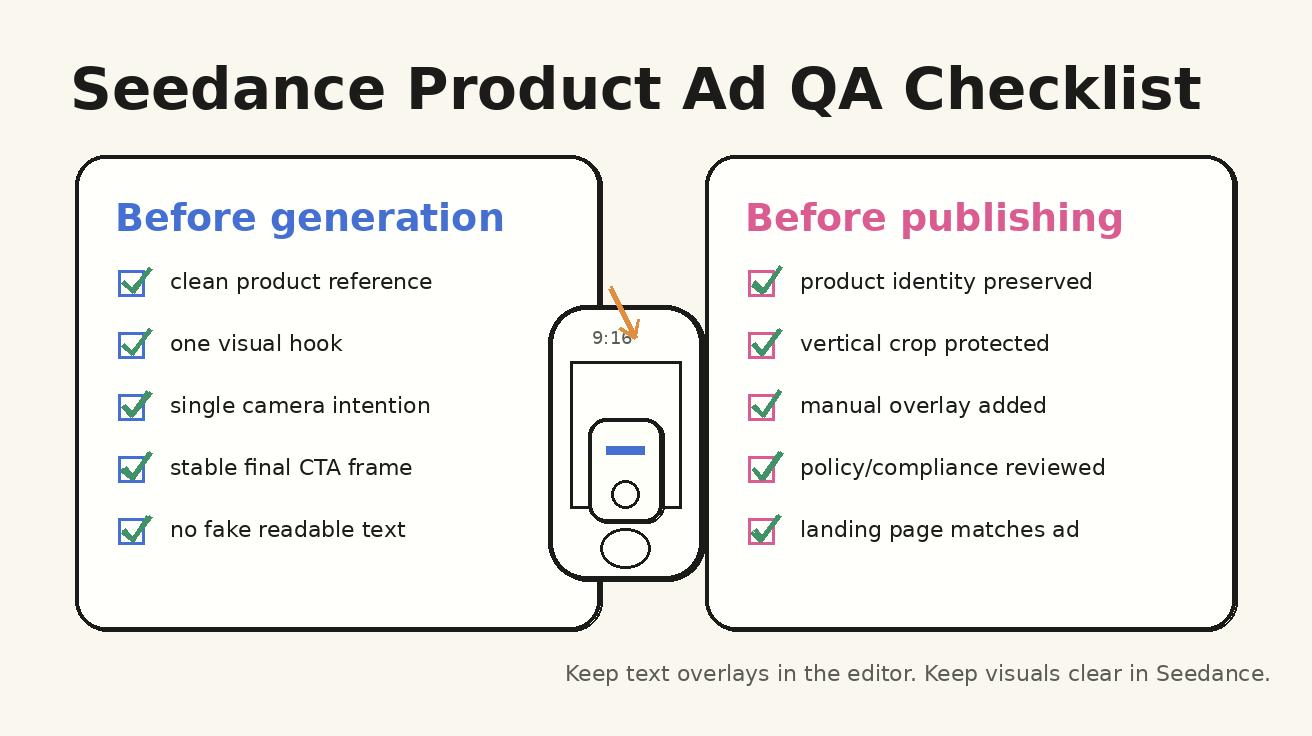
Use this checklist before generation:
- Use a clean product reference image when identity matters.
- Remove background clutter from the reference image if possible.
- Tell Seedance to keep the product visually consistent and centered.
- Avoid asking the product to transform into another object.
- Avoid too many hands touching the product unless the hand action is essential.
- Keep labels abstract if exact text cannot be controlled.
- Use editing overlays for headline, price, coupon, and CTA.
- Regenerate if the product shape changes across the clip.
For apps and SaaS products, use simplified UI shapes instead of fake readable dashboards. You can add real screen recordings or static screenshots in editing. The Seedance clip can provide the surrounding lifestyle story, desk scene, phone movement, or visual metaphor.
Editing the Seedance output for TikTok placement
Seedance can generate the raw visual concept, but the final ad still needs editing discipline. TikTok users move quickly, so the edit should be clear even when the sound is muted. Add text overlays that explain the point in short phrases. Do not cover the product. Keep captions away from platform UI zones. Use a clean hierarchy: hook text first, benefit text second, CTA last.
A practical edit structure:
- 0.0-1.5 seconds: visual hook plus one short headline.
- 1.5-5.0 seconds: product action or benefit.
- 5.0-9.0 seconds: use context, proof, or transformation.
- 9.0-12.0 seconds: close-up, result, or lifestyle confirmation.
- 12.0-15.0 seconds: final product frame and CTA.
Not every ad needs to be exactly 15 seconds, but this structure helps prevent the clip from drifting. If the product is simple, a 7-10 second clip may be enough. If the product needs explanation, create a second video rather than forcing every detail into one ad.
CTA and landing page alignment
A Seedance TikTok ad should match the page it sends people to. If the video promises a quick demo, the landing page should show the same product or workflow immediately. If the ad shows a discount, the page should make that offer easy to find. If the ad demonstrates a use case, the landing page headline should not be generic.
This matters for both user experience and creative testing. If a clip gets strong engagement but weak conversion, the problem may not be the video. It may be message mismatch. Keep a simple record for every Seedance ad variation:
- Hook type
- Product angle
- Prompt used
- Reference image used
- Overlay headline
- CTA text
- Landing page URL
- Launch date
- Notes from performance review
Even if you do not have a large media budget, this record helps your team avoid repeating weak angles. Seedance makes it easy to produce variations, but a lightweight tracking sheet turns those variations into learning.
Common mistakes to avoid
The first mistake is making the video too cinematic. A beautiful product clip is not automatically a good TikTok ad. Native social creative should feel immediate. It should show the viewer why the product matters in a situation they recognize.
The second mistake is asking Seedance for readable text inside the video. AI-generated text can be distorted. Use Seedance for visual motion, then add real text overlays in an editor.
The third mistake is overloading the prompt. If the prompt contains five scenes, three camera moves, four product benefits, and two emotional tones, the output becomes unstable. Keep one primary scene and one main motion.
The fourth mistake is ignoring the final frame. Performance ads need a clean ending. Ask for a stable product shot with space for CTA.
The fifth mistake is using an output where the product identity changed. Do not accept a clip just because the motion looks good. If the product looks wrong, the ad creates confusion and may hurt trust.
A repeatable Seedance TikTok ads workflow
Here is the workflow I recommend for most teams:
- Choose one product and one audience. Do not start with the tool. Start with the buyer and the problem.
- Write three hook ideas. Pick problem, transformation, close-up, lifestyle, or creator demo.
- Prepare the reference asset. Use a clean product image, packshot, screenshot, or simple scene.
- Generate in Seedance. Use one scene, one camera move, and a clear final frame instruction.
- Select the strongest output. Judge clarity before beauty.
- Edit overlays manually. Add headline, proof point, disclaimer if needed, and CTA.
- Export vertical format. Keep the product visible and protect UI safe areas.
- Launch small tests. Compare hooks and endings, not random creative bundles.
- Record learnings. Reuse the prompt patterns that produce clear product motion.
- Scale winners. Create new Seedance variations around the winning hook.
This process is simple on purpose. Seedance is strongest when it becomes a repeatable creative system. The teams that benefit most are not the teams that generate the most clips. They are the teams that generate clear variations, learn from them, and improve the next prompt.
Seedance prompt pack for TikTok product ads
Use these prompt starters as a base. Replace the bracketed sections with your product details.
Problem-solution product ad
Create a short vertical TikTok-style product ad for [product]. Open with [specific frustrating situation]. Show the product entering the scene and solving one clear problem. Use a smooth push-in camera and realistic creator-style lighting. Keep the product consistent and centered. End on a clean final product frame with empty space for a CTA overlay.
Before-and-after transformation
Create a vertical product video for [product]. Start with a before scene that feels [messy, slow, dull, uncomfortable]. Transition into an after scene where the product creates [specific visible improvement]. Use a side glide camera and natural lighting. Keep the product shape, color, and label area stable. No fake readable text. End with a calm final frame.
Product detail proof
Create a short vertical ad clip focused on the premium detail of [product]. Open with a macro shot of [material, texture, ingredient, screen, packaging, or mechanism]. Pull back to show the full product in use. Use soft light, shallow depth of field, and minimal background. Keep all text abstract. End with a clean hero shot.
App demo concept
Create a vertical ad concept for [app]. Show a person at a desk feeling overwhelmed by [problem]. The phone screen becomes visually organized with abstract task cards and calendar blocks. Use realistic desk light and a smooth zoom toward the phone. Keep UI text unreadable and clean. End with the phone centered and space for an overlay headline.
Seasonal gift idea
Create a short vertical gift-style ad for [product]. Open with a simple gift table scene. Show the product being placed next to [seasonal object]. Use warm light, soft shadows, and a friendly TikTok creator aesthetic. Keep the product consistent. End with a clean gift-ready hero frame and empty space for CTA text.
FAQ
Can Seedance create TikTok ad videos from a product image?
Yes. Use Seedance image-to-video when you have a product image, packshot, app screenshot, or lifestyle photo. A reference image helps the model preserve product identity while adding motion, camera movement, and scene context.
Are Seedance TikTok ads ready to publish without editing?
Usually no. Treat Seedance as the visual generation step, then edit the output for vertical format, safe zones, captions, CTA text, brand compliance, and platform policy requirements. Manual overlays are more reliable than asking AI to generate readable text inside the clip.
What length should a Seedance TikTok product ad be?
Many product concepts work well as 7-15 second clips. Use the first seconds for the hook, the middle for product proof, and the final seconds for a clean CTA frame. If the product needs more education, create multiple short ads instead of one crowded clip.
How do I keep the product consistent in Seedance?
Use a clean reference image, keep the scene simple, ask Seedance to keep the product centered and unchanged, avoid unnecessary transformations, and regenerate outputs where the product shape or label area changes too much. Add real text and offer details in editing.
What kind of hooks work best for Seedance TikTok ads?
Start with visual hooks: messy-to-clean, before-and-after, close-up proof, routine shortcut, creator demo, or giftable moment. The best hook depends on the product and audience, so generate controlled variations and compare performance.
Can I use Seedance for app and SaaS TikTok ads?
Yes, but do not depend on AI-generated readable UI text. Use Seedance for the desk scene, phone motion, workflow metaphor, and emotional context. Add real screenshots, captions, and interface details during editing.
Final takeaway
Seedance is a practical way to build TikTok ad creative when your team needs more product video variations than a traditional production schedule can support. The key is not to chase random AI visuals. Start with one product, one audience, one hook, one scene, and one final CTA frame. Use text-to-video for exploration, image-to-video for product identity, and manual editing for overlays and compliance.
If you build your process this way, Seedance becomes more than a video generator. It becomes a repeatable creative testing system for short product clips. You can move from idea to visual candidate faster, test more angles, and keep improving the prompts that create clear, scroll-stopping product ads.
Ready to create your own AI video?
Turn ideas, text prompts, and images into polished videos with Seedance. If this article helped, the fastest next step is to try the product.
Free credits on signup. Plans from $28/month.
Related Articles
More posts in the same locale you may want to read next.

Seedance App Preview Video Generator 2026: Create App Store and Product Launch Clips
Use Seedance to turn app screenshots, feature copy, and launch goals into App Store previews, Google Play promo videos, and product launch clips.
Read article
How to Keep Product Shape Consistent in AI Video Ads
Lock product geometry, packaging, labels, references, camera angles, and approval checks so AI video ads preserve the real SKU across every shot.
Read article
How to Make AI Video Follow a Multi-Step Action
Plan atomic actions, state transitions, timing, continuity, and shot handoffs so an AI video completes a sequence in the intended order.
Read article