
Seedance for Shopify Product Videos 2026: Turn Store Photos into AI Video Ads
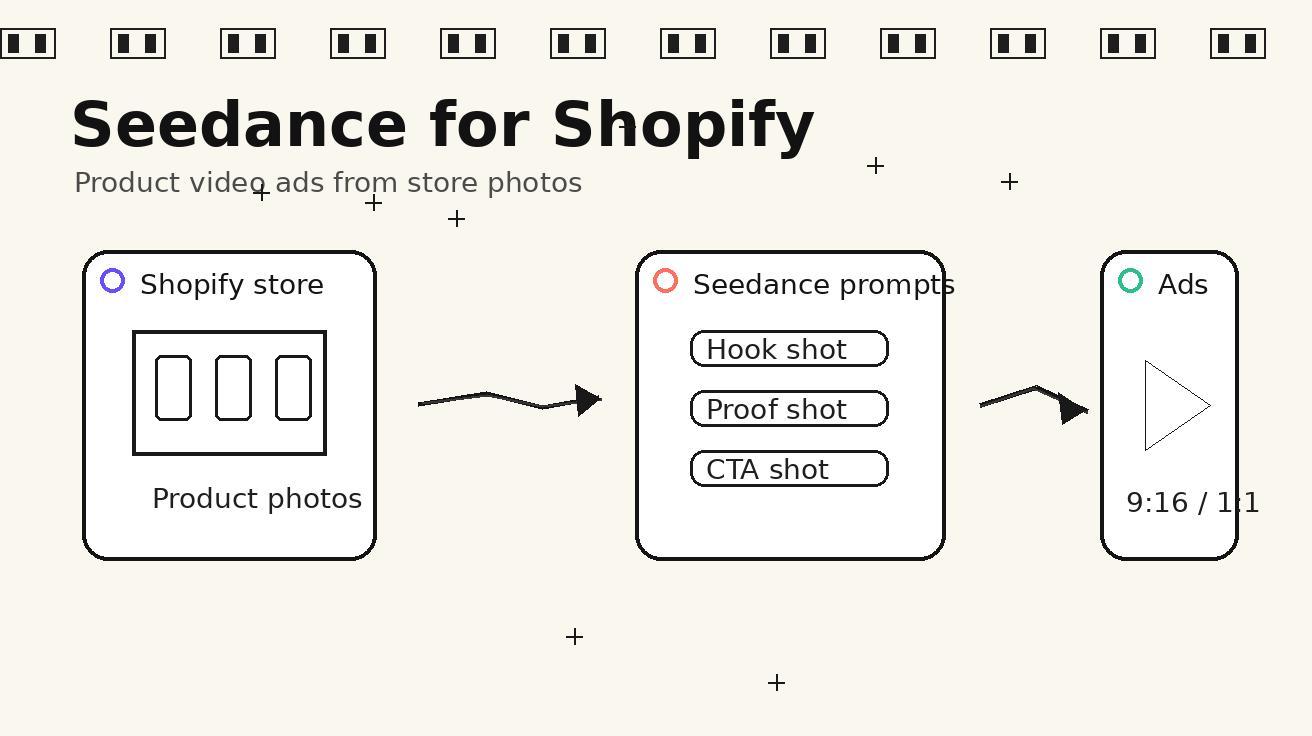
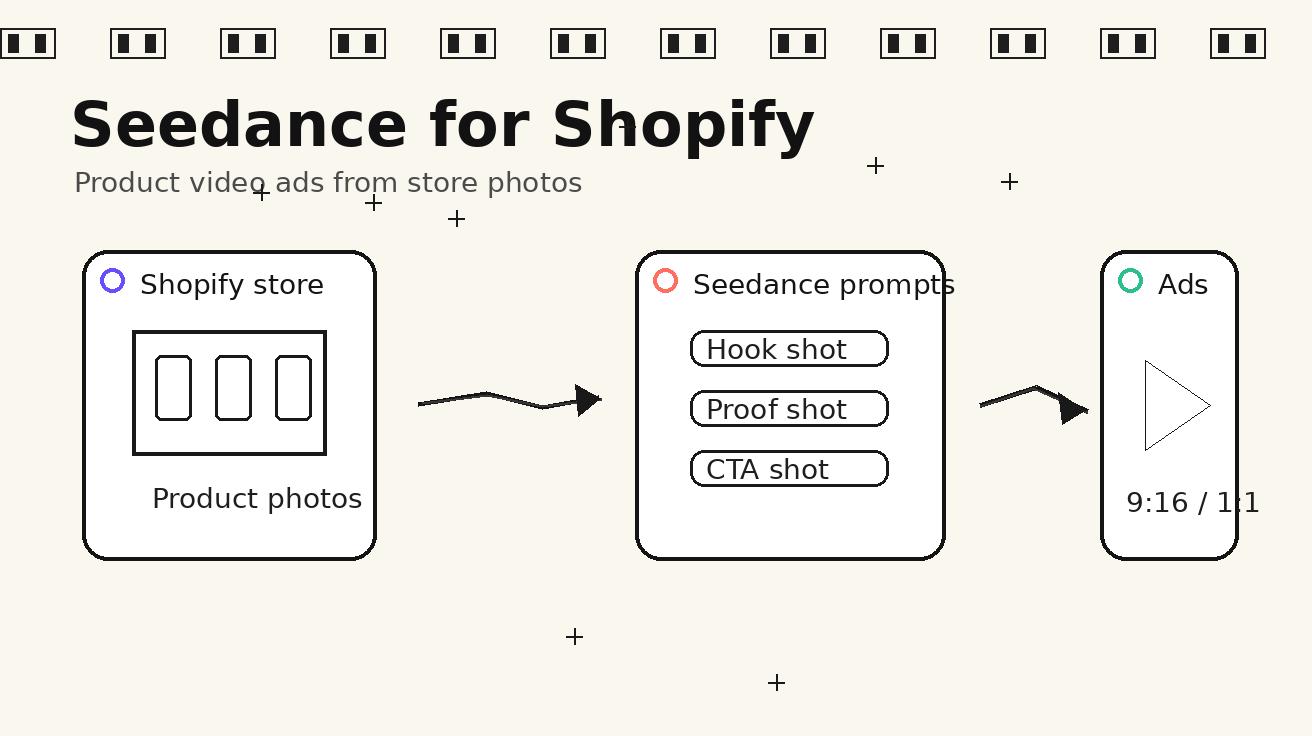
Shopify merchants usually have more product photos than usable video assets. A store may have clean pack shots, lifestyle photos, size charts, review screenshots, and a few phone clips from the founder, yet still struggle to publish enough short-form videos for product pages, TikTok, Instagram Reels, YouTube Shorts, and retargeting ads. The bottleneck is not only editing time. It is the lack of a repeatable method for turning static product information into motion that feels clear, believable, and ready to test.
Seedance is useful for this exact gap because it can turn a product image, a scene brief, and a short prompt into a structured video idea. Instead of treating AI video as a random creative toy, Shopify teams can use Seedance as a SKU-level production system: choose one product promise, give the model a clean visual reference, request a specific camera move, and generate multiple ad angles before deciding what deserves editing budget. The goal is not to replace every shoot. The goal is to create more first drafts, more hooks, and more visual variations from assets the store already owns.
This guide explains a practical Seedance workflow for Shopify product video ads in 2026. It focuses on ecommerce use cases: product-page loops, paid social hooks, founder-style explanations, before-and-after demonstrations, collection launch teasers, and retargeting clips. It also includes prompt templates, review checklists, and a safe production process so the final assets stay accurate to the product rather than drifting into exaggerated claims.
Why Shopify stores need a Seedance-specific workflow
A Shopify store does not need “more video” in the abstract. It needs video assets that answer a shopper’s next question. Will the product fit my use case? How large is it? What does the texture look like? What problem does it solve in the first three seconds? Can I understand the offer without sound? Does the product look trustworthy enough to click, add to cart, or continue reading?
Traditional video production is still the best option for hero campaigns, founder stories, and high-budget launches. But most ecommerce growth comes from constant iteration: one more hook, one more product angle, one more landing-page visual, one more retargeting concept for the SKU that is already selling. Waiting for a full shoot every time slows down learning. Seedance gives merchants a way to draft those variations quickly while keeping the creative brief close to the actual store assets.
The key is to make Seedance product-specific. A generic prompt like “make an exciting product ad” usually produces generic motion. A better prompt defines the product, the buyer context, the camera path, the claim boundary, and the output format. Shopify teams already have most of that information inside product pages, reviews, FAQs, and support tickets. The workflow below turns those inputs into video prompts that are easier to review and safer to publish.
The SKU-to-video workflow
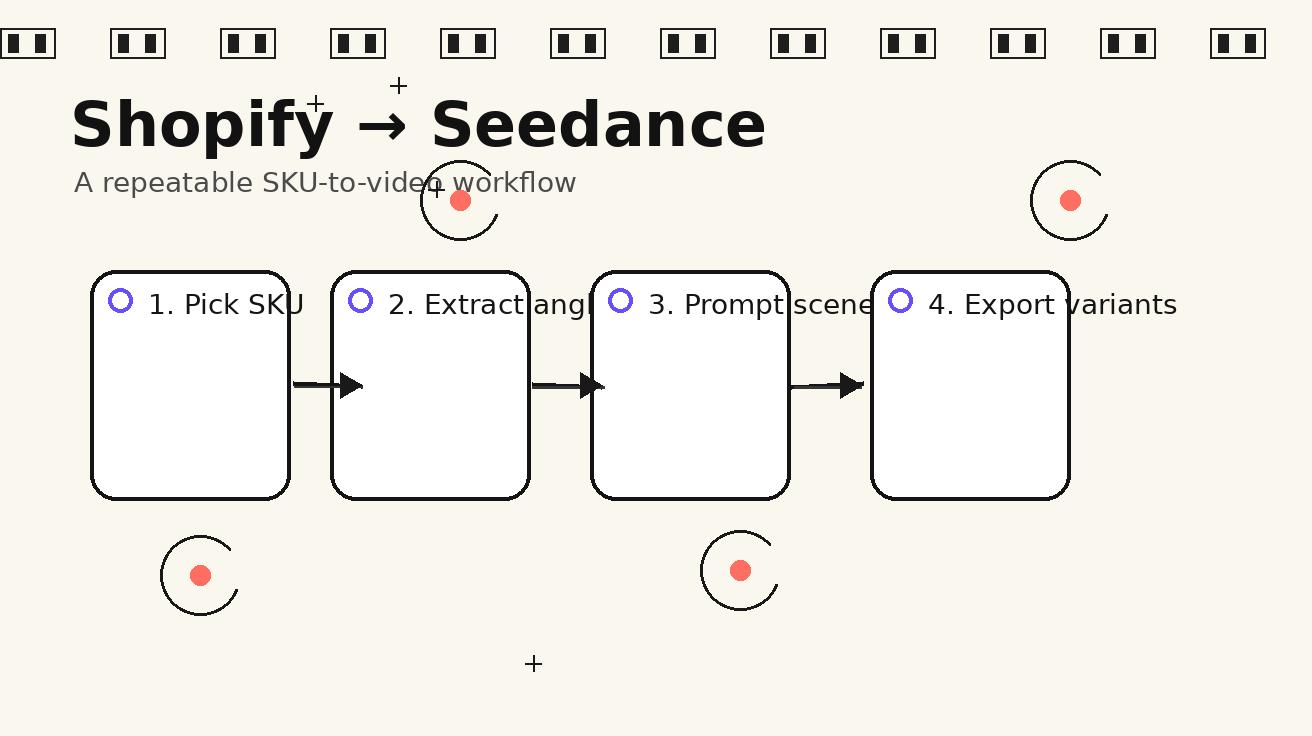
A repeatable Seedance workflow starts with one SKU, not an entire catalog. Pick a product that already has traffic, a clear margin profile, and enough visual references. Export the product title, three core benefits, five customer objections, the best product image, and any usage photo that shows scale. Then decide the job of the video. A product-page loop should clarify the product. A paid ad hook should earn attention. A retargeting clip should remove hesitation. A collection teaser should create mood and curiosity.
Once the job is clear, write a scene brief before writing the final Seedance prompt. The scene brief should answer five questions: what is on screen, what changes during the clip, what the camera does, what text overlay should appear, and what must not be invented. This last point is important. If the product is a skincare bottle, the prompt should not ask for medical transformations. If it is a kitchen tool, the model should not invent certifications, awards, or unrealistic performance claims. The safest videos are specific about visuals and conservative about claims.
After the scene brief, create three prompt variants for the same product. The first variant should be a clean product reveal. The second should be a problem-solution demonstration. The third should be a social-style hook. This gives the team a useful comparison set: clarity, usefulness, and attention. If all three fail, the issue is usually the product photo, the claim, or the prompt structure rather than the idea of AI video itself.
Prompt template for a Shopify product-page loop
Product-page videos should not feel like loud ads. Their job is to make the product easier to understand while the shopper is already considering it. Use Seedance to create a calm 5-8 second loop that shows texture, scale, and use context. This works especially well near the top of a Shopify product page, beside review snippets, or inside image galleries where a short motion asset can reduce uncertainty.
Use this prompt structure:
Create a short ecommerce product-page video for Seedance. Use the attached product photo as the primary reference. Show the product on a clean tabletop in a natural home setting. Start with a close-up of the package and slowly push in to reveal texture and key details. Then show the product placed beside everyday objects for scale. Keep the product shape, label placement, color, and materials consistent with the reference image. Add subtle warm lighting, minimal background motion, and a calm premium feeling. Do not invent awards, logos, certifications, medical claims, or features that are not visible in the reference. Format for a Shopify product page, smooth loop, no aggressive text.
This template works because it controls the camera and the claim boundary. It does not ask Seedance to create a “viral” ad. It asks for a clear ecommerce asset. After generation, the merchant can add real text overlays in an editor: “Soft-touch finish,” “Fits standard shelves,” “Made for daily use,” or any claim that is already approved on the product page.
Prompt template for paid social hooks
Paid social needs a stronger first frame. The shopper is not waiting for the product; the product must interrupt a scroll without looking deceptive. For Shopify stores, the best Seedance hooks usually show a recognizable situation: messy desk, packed travel bag, crowded bathroom shelf, pet hair on a sofa, dull product photo turning into a use-case scene, or a simple before-and-after layout where the “after” is visual organization rather than an exaggerated outcome.
Use this template:
Generate a 6-second Seedance video ad for a Shopify product. Use the attached product image as the exact product reference. Scene one: a realistic everyday problem related to the product category, framed close and easy to understand in the first second. Scene two: the product appears naturally in the scene and becomes the visual focus. Scene three: a clean finished setup that shows the practical benefit without exaggeration. Camera style: handheld but stable, slight push-in, realistic ecommerce lighting, vertical 9:16 composition. Keep the product color, shape, and visible branding consistent with the image. Do not show fake reviews, fake discounts, competitor logos, medical results, or impossible transformations.
The output should be judged by one question: can a cold shopper understand the product category and the reason to keep watching within three seconds? If not, the video may still be pretty, but it is not an ad hook. Seedance variations should be reviewed as performance drafts, not final art pieces.
Prompt template for founder-style explanation clips
Many Shopify brands rely on founder voice, but founders cannot record every new angle. Seedance can help create supporting B-roll for founder-style explanation ads. The final video may still use real voiceover from the founder, but Seedance provides the product cutaways: close-ups, packing shots, use scenes, texture shots, and simple “here is why we made it” visuals.
Use this template:
Create supporting B-roll for a founder-style Shopify product explanation. Use the product reference image exactly. Show a sequence of close-up details: the product being picked up, a hand placing it into the intended environment, a macro view of material or texture, and a final clean hero shot. The tone should feel honest, small-brand, and practical rather than luxury fantasy. Camera movement should be simple: slow pan, small push-in, and one over-the-shoulder usage angle. Leave space in the top third for captions. Do not create a synthetic founder face, celebrity likeness, fake testimonial, or any claim not supported by the product page.
This is a good format for stores that already have a founder story but need more visual coverage. It also reduces risk because the AI-generated asset does not pretend to be a real customer testimonial. It supports the voiceover without fabricating a person’s experience.
A practical Shopify ad matrix
One product can support many video angles. A Seedance matrix keeps the team from generating random clips. Start with four rows and three columns. Rows are buyer stages: discovery, comparison, hesitation, and return visitor. Columns are creative jobs: hook, proof, and action. For each cell, write one video idea.
For discovery, the hook may be a visual problem that the product solves. For comparison, the proof may show why the product is easier to use than a common workaround. For hesitation, the proof may show scale, storage, cleaning, or setup. For return visitors, the action may be a simple reminder of the best seller, bundle, or limited color. Seedance can create drafts for each cell using the same product reference, which makes review easier because the product stays consistent while the message changes.
A simple matrix for a travel accessory might include: “packed bag chaos,” “one-handed access,” “fits under airplane seat,” “gift-ready packing,” “weekend trip flat lay,” and “three colors in a clean grid.” A beauty product might include: “bathroom shelf clutter,” “texture close-up,” “morning routine,” “travel pouch,” and “bundle reveal.” The point is not to make every idea at once. The point is to give the team a map so the next generation round has a purpose.
How to keep Seedance outputs accurate
Accuracy matters more for Shopify than for pure concept art. A video that slightly changes a product’s size, label, material, or included accessories can create support tickets and refund risk. Before publishing any Seedance output, compare it against the product page. Check the product shape, dimensions, package count, color, texture, logo placement, and any visible claim. If the video implies waterproofing, medical benefit, battery life, compatibility, or a discount that the product page does not support, do not publish it.
The prompt should also include negative constraints. Instead of only saying what you want, say what Seedance should not add. For ecommerce, the most important exclusions are fake logos, fake certification badges, unrealistic before-and-after results, celebrity likenesses, competitor packaging, unreadable text that looks like a claim, and extra accessories that are not included. These constraints make review faster and reduce the chance that a beautiful clip becomes unusable.
A good habit is to separate generation from final text. Let Seedance create the motion, but add text overlays later in a normal editor where the copy can be checked. This prevents accidental misspellings, strange label text, and unauthorized claims from becoming part of the visual asset.
The 12-shot Seedance prompt library for Shopify
Below are practical shot types that work across many Shopify categories. They are intentionally simple because simple shots are easier to review and easier to reuse.
- Clean product reveal: A slow push-in from a neutral surface to the product hero angle.
- Scale comparison: The product beside a hand, desk item, bag, shelf, or everyday object.
- Texture macro: A close-up that shows material, finish, stitching, grain, or surface detail.
- Use-case placement: The product entering the real environment where buyers will use it.
- Problem setup: A relatable messy or inconvenient scene before the product appears.
- Organized after scene: A clean result that shows order, comfort, or easier access.
- Bundle reveal: Multiple SKUs arranged in a grid or unboxing layout.
- Colorway sweep: A smooth camera move across color variants without changing shape.
- Packing shot: The product being placed into a bag, box, cabinet, drawer, or kit.
- Gift moment: The product shown in simple packaging with warm lighting.
- Product-page loop: A calm, seamless motion clip with no heavy claims.
- Retargeting reminder: A short hero shot with space for “Still thinking it over?” copy.
For each shot, keep the product reference attached and repeat the phrase “keep the product shape, color, material, and visible label consistent with the reference.” Repetition is not elegant writing, but it is useful prompting. Ecommerce prompts should prioritize control over poetry.
Review checklist before publishing
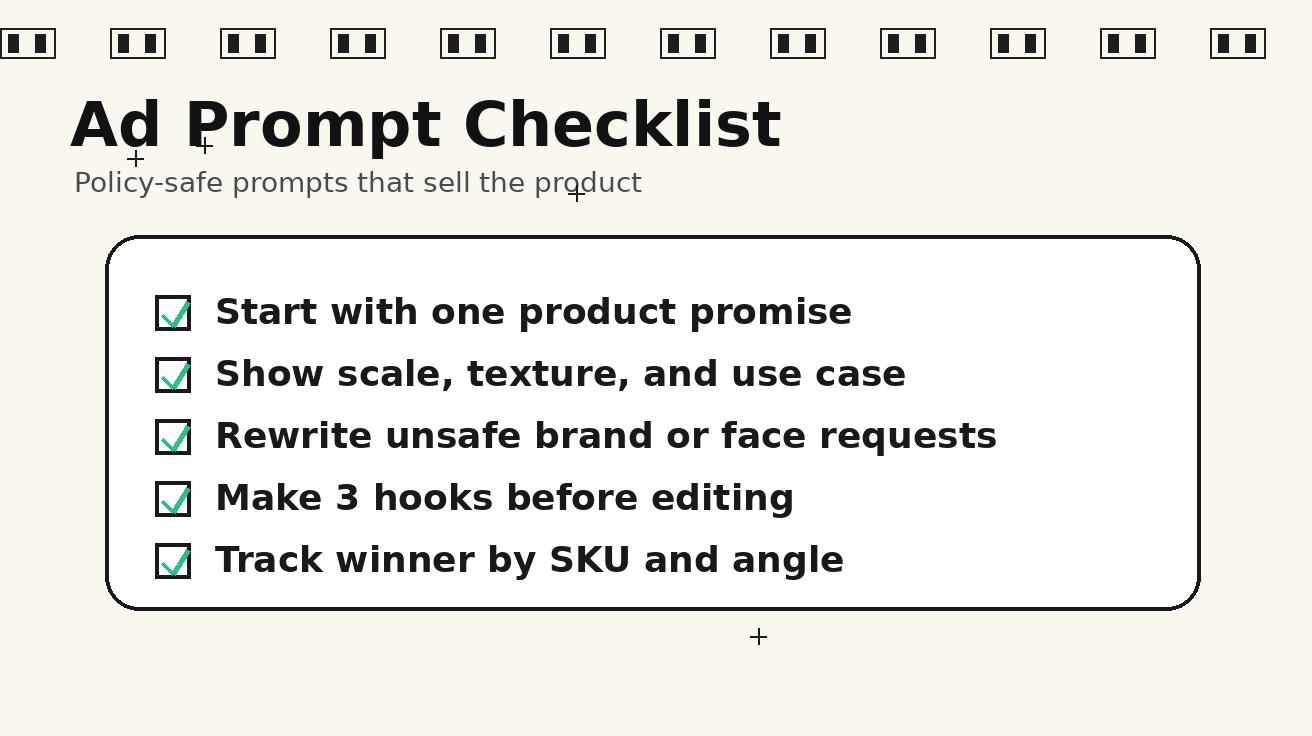
Before a Seedance Shopify video goes live, review it in four passes. First, check product fidelity. Does the asset still look like the real product? Second, check claim safety. Does the scene imply anything the product page cannot support? Third, check format. Does the video work in the intended placement, such as 9:16 ad, 1:1 feed post, or product-page gallery? Fourth, check commercial usefulness. Would this clip help a shopper understand, trust, or remember the product?
The review should be strict. A clip can be visually attractive and still fail because the product is slightly wrong. A clip can be accurate and still fail because the first frame is confusing. The best teams keep only the assets that are both accurate and useful. Everything else becomes learning material for the next prompt.
For paid ads, export at least three hook variants. One can show the problem first, one can show the product first, and one can show the result first. Use the same product reference and change only the opening scene. This makes it easier to learn which angle works without changing too many variables. For product pages, prioritize clarity over novelty. A simple loop that shows size and texture can outperform a dramatic concept that does not answer a buyer’s practical question.
Where to place Seedance videos on a Shopify store
The most obvious placement is the product media gallery, but it is not the only one. A Seedance product-page loop can sit near the top of the page to clarify the product. A short use-case video can support the benefits section. A bundle reveal can sit near the variant selector. A retargeting clip can be used in email, SMS, or paid social for visitors who viewed the product but did not buy. A collection teaser can help a landing page feel more dynamic without commissioning a full campaign shoot.
Use the placement to decide the prompt. If the video will appear in a product gallery, keep the background clean and avoid heavy text. If it will run as a social ad, make the first second more situational. If it will appear in an email, keep the idea readable even as a small animated preview. If it will support a landing page, leave negative space for a headline and button.
Seedance is especially helpful when a store has a strong product but weak motion assets. A single product photo can become several controlled concepts: tabletop reveal, lifestyle context, packing scene, use-case close-up, and retargeting reminder. That is enough to start testing without waiting for a full video calendar.
Internal workflow for teams
A small ecommerce team can run this process in one afternoon. The marketer chooses the SKU and writes the brief. The designer or operator prepares product reference images and prompts Seedance. The growth lead reviews outputs against claim safety and ad usefulness. The editor adds approved copy, captions, and brand elements. The performance marketer tests the variants and records which angle worked.
The most important habit is saving prompts with outcomes. Do not only save the final video. Save the prompt, source image, placement, hook angle, and notes from review. Over time, this becomes a brand-specific Seedance prompt library. The team learns which camera moves keep products accurate, which product photos work best as references, and which hooks are worth repeating for new SKUs.
For stores with many products, start with the top 10 SKUs by revenue or search demand. Do not try to generate video for the entire catalog immediately. Create a repeatable template for winners first, then expand. Seedance should help the team move faster, not create a messy folder of unreviewed assets.
Best practices for Shopify categories
Different categories need different controls. Beauty products need strong claim discipline and careful texture shots. Apparel needs fit, movement, and fabric consistency. Home goods need scale and room context. Electronics need compatibility and interface accuracy. Food products need appetite appeal without invented ingredients or nutrition claims. Pet products need extra care around animal behavior and safety.
For each category, write a short “do not invent” list before prompting. For beauty, do not invent clinical results. For apparel, do not change fabric, cut, or color. For electronics, do not invent ports, screen text, battery claims, or app features. For food, do not add ingredients that are not in the product. For pet products, do not show unsafe use or unrealistic animal reactions. These constraints keep Seedance aligned with the Shopify page and reduce review time.
It is also useful to create one brand motion style. Decide whether the store wants clean studio, warm home, playful creator, premium macro, or practical demonstration. Reuse that style across prompts. Consistency helps the final videos feel like one brand rather than disconnected AI experiments.
Measuring whether Seedance videos help
Seedance output should be measured like any other ecommerce creative. For product-page placements, watch engagement with the media gallery, add-to-cart rate, scroll depth, and conversion rate if traffic is sufficient. For paid social, compare thumb-stop rate, click-through rate, cost per landing-page view, and conversion quality. For retargeting, compare return visits and assisted conversions. Avoid judging the asset only by how impressive it looks.
A useful first test is simple: product photo only versus product photo plus a Seedance loop in the gallery. Another test is three ad hooks for the same SKU with the same offer. If one hook wins, use it to brief a stronger edit or a real shoot. In this way, Seedance becomes a creative research layer. It helps the team discover what shoppers respond to before spending more production budget.
FAQ
Can Seedance create Shopify product videos from only one product photo?
Yes, Seedance can draft useful product video concepts from one strong product photo, especially for clean reveals, tabletop loops, and simple context scenes. Results improve when the prompt clearly describes the camera move, the product details that must stay unchanged, and the claims that must not be invented.
Should Shopify brands use Seedance videos directly in ads?
They can, but every output should be reviewed before publishing. Check product accuracy, claim safety, text legibility, and format. Many teams use Seedance to create the motion layer, then add approved captions, pricing, and brand elements in a separate editor.
What is the safest Seedance prompt style for ecommerce?
The safest style is specific and conservative: use the product reference exactly, show one practical use case, define a simple camera move, and exclude fake claims, fake logos, medical results, celebrity likenesses, and impossible transformations. Clear prompts usually beat dramatic prompts for ecommerce.
Which Shopify products work best with Seedance?
Products with strong visual references and clear use contexts work best: accessories, home goods, beauty packaging, kitchen tools, desk products, travel items, and bundle offers. Products that depend on precise technical interfaces or regulated claims need stricter review.
How many Seedance variants should a Shopify team generate?
Start with three variants per SKU: a product reveal, a problem-solution hook, and a retargeting reminder. If one angle performs well, generate more versions around that same angle instead of changing everything at once.
Does Seedance replace product photography?
No. Seedance works best when it builds on real product photography. Good photos make better references, and real shoots are still important for flagship campaigns. Seedance helps Shopify teams create more motion drafts, test more hooks, and fill everyday content gaps faster.
Conclusion
Seedance gives Shopify merchants a practical way to turn static store assets into controlled video drafts. The advantage is not magic. It is workflow. Choose one SKU, define the video job, attach a clean product reference, write a specific prompt, exclude unsafe claims, and review the output against the product page. That process can produce product-page loops, paid social hooks, retargeting reminders, and launch teasers from assets the store already owns.
For most Shopify teams, the best first step is one product and three Seedance variants. Create a clean product reveal, a problem-solution ad hook, and a retargeting reminder. Publish only the clips that are accurate and useful, then track how shoppers respond. Over time, the prompts that work become a reusable creative system for the whole catalog.
If you want to build this workflow inside Seedance, start with the core tools on Seedance text to video, test product reference scenes with Seedance image to video, and compare outputs against your store’s main product page before launching ads.
<script type="application/ld+json"> { "@context": "https://schema.org", "@type": "FAQPage", "mainEntity": [ {"@type":"Question","name":"Can Seedance create Shopify product videos from only one product photo?","acceptedAnswer":{"@type":"Answer","text":"Yes. Seedance can draft clean product reveals, tabletop loops, and simple use-case scenes from one strong product photo when the prompt controls camera movement, product fidelity, and claim limits."}}, {"@type":"Question","name":"Should Shopify brands use Seedance videos directly in ads?","acceptedAnswer":{"@type":"Answer","text":"They can, but every output should be reviewed for product accuracy, claim safety, text legibility, and placement format before publishing or using it in paid campaigns."}}, {"@type":"Question","name":"What is the safest Seedance prompt style for ecommerce?","acceptedAnswer":{"@type":"Answer","text":"Use the product reference exactly, describe one practical scene, define a simple camera move, and exclude fake claims, fake logos, medical results, celebrity likenesses, and impossible transformations."}}, {"@type":"Question","name":"Which Shopify products work best with Seedance?","acceptedAnswer":{"@type":"Answer","text":"Accessories, home goods, beauty packaging, kitchen tools, desk products, travel items, and bundles usually work well because they have clear visual references and understandable use contexts."}}, {"@type":"Question","name":"How many Seedance variants should a Shopify team generate first?","acceptedAnswer":{"@type":"Answer","text":"Start with three variants per SKU: a clean product reveal, a problem-solution hook, and a retargeting reminder. Expand only after one angle shows useful performance signals."}}, {"@type":"Question","name":"Does Seedance replace product photography?","acceptedAnswer":{"@type":"Answer","text":"No. Seedance works best as a motion layer built on real product photography. Real shoots remain important for flagship campaigns, while Seedance helps teams test more ideas faster."}} ] } </script>
Ready to create your own AI video?
Turn ideas, text prompts, and images into polished videos with Seedance. If this article helped, the fastest next step is to try the product.
Free credits on signup. Plans from $28/month.
Related Articles
More posts in the same locale you may want to read next.

Seedance App Preview Video Generator 2026: Create App Store and Product Launch Clips
Use Seedance to turn app screenshots, feature copy, and launch goals into App Store previews, Google Play promo videos, and product launch clips.
Read article
Pictory Blog to Video Tutorial: Turn an Article Into a Watchable Story
Follow a practical Pictory blog-to-video workflow for compressing an article, fixing visuals, adding voiceover and captions, and approving the final export.
Read article
Higgsfield API Pricing per Video: Calculate the Real Cost Before You Generate
Calculate Higgsfield API cost per video using live per-second quotes, configuration estimates, retry budgets and approved-deliverable cost controls.
Read article