
Seedance Script to Video Workflow: Turn Marketing Scripts Into AI Videos in 2026
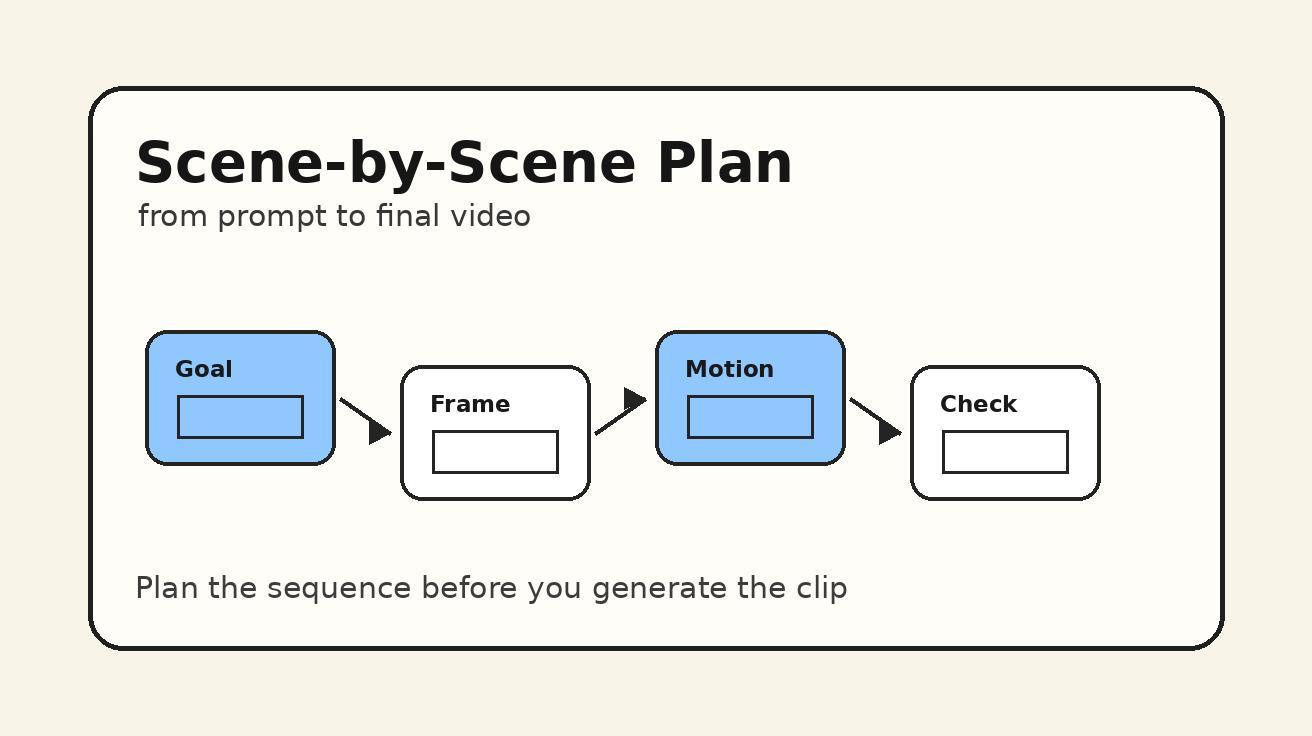
A strong AI video does not begin with a random prompt. It begins with a clear script: one idea, one audience, one visual direction, and one action you want the viewer to take. That is why a Seedance script to video workflow is one of the most reliable ways to create repeatable marketing videos, product explainers, short-form ads, training clips, and social posts without starting from a blank prompt every time.
Seedance can generate polished video from text and image inputs, but the output quality depends heavily on how you package the creative brief. A loose prompt such as “make a product video” gives the model too much room to guess. A structured script gives Seedance the scene order, visual beats, camera language, subject behavior, pacing, and brand tone it needs to create something closer to an intentional edit. For teams that publish frequently, this matters more than a single lucky generation. It turns AI video creation into a workflow that can be repeated, reviewed, improved, and handed to other people.
This guide explains how to turn a written marketing script into a Seedance-ready video prompt system. You will learn how to break a script into scenes, convert each line into visual instructions, maintain character and product consistency, choose camera movement, write negative constraints, and build reusable templates for ads, explainers, launch videos, and educational content. The process works whether you start from a polished copy deck, a rough voiceover, a landing page section, a sales email, or a simple product note.
If you are new to Seedance, start with the main text to video workflow. If you already have brand assets or a product photo, combine this guide with image to video. For model-specific capability notes, see the Seedance 2.0 overview.
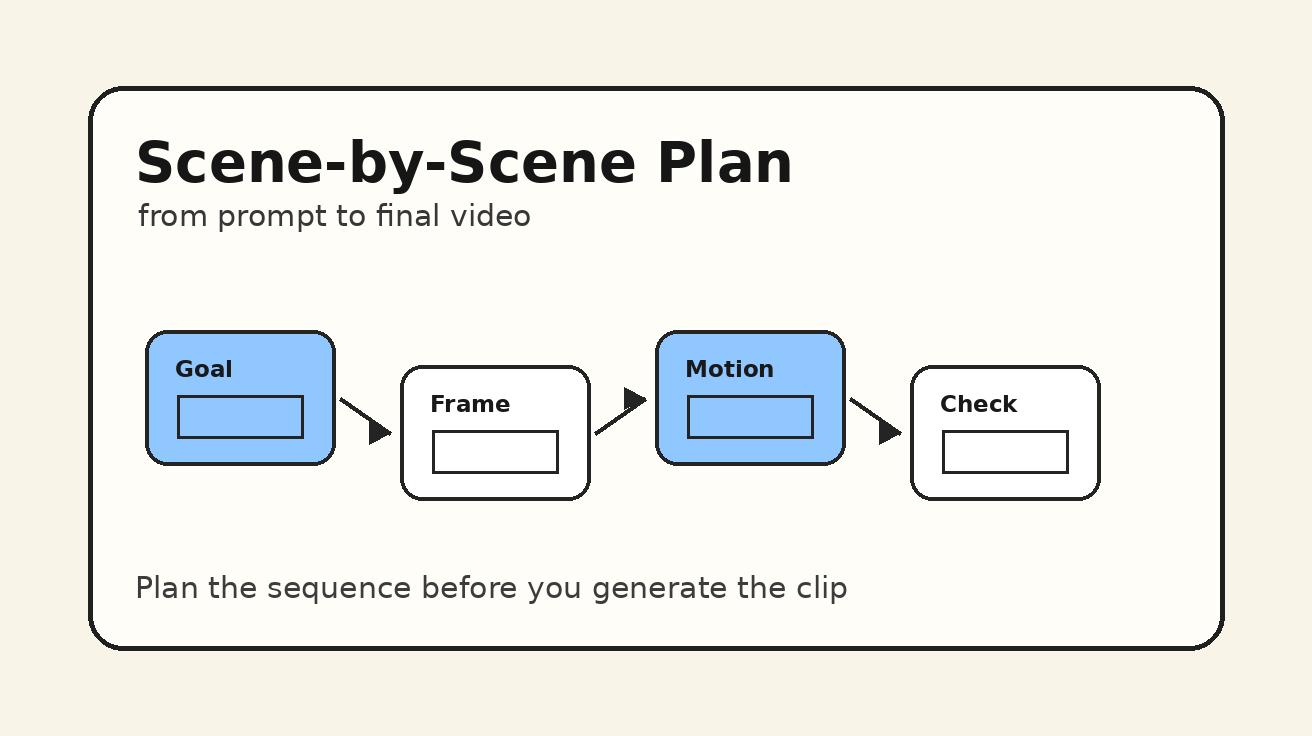
Why Script to Video Works Better Than Prompt Guessing
The main problem with many AI video prompts is not that they are too short. It is that they are not designed like video instructions. A normal marketing script is written for humans: it has a hook, a problem, a solution, a proof point, and a call to action. A video generation model needs something more specific: what appears on screen, where the subject is positioned, what the camera does, what changes during the shot, what should remain stable, and what should not appear.
A Seedance script to video workflow bridges that gap. Instead of asking Seedance to invent the whole creative from a single paragraph, you translate the script into structured visual beats. Each beat contains a purpose, a subject, an environment, an action, a camera instruction, a style direction, and a constraint. The script still drives the story, but the prompt now gives Seedance enough production information to generate a usable scene.
This approach is especially useful for marketing teams because most business videos follow repeatable patterns. A product demo needs a problem opening, a feature reveal, a benefit moment, and a CTA. A UGC-style ad needs a relatable hook, a personal reaction, proof, and an action line. A SaaS explainer needs context, screen-like visuals, a workflow moment, and a result. Once you create reusable structures for these patterns, every new script becomes faster to convert.
Script-first prompting also improves review. If a generated video fails, you can identify whether the script was unclear, the scene split was too dense, the camera instruction was conflicting, or the negative constraints were weak. Without structure, teams often blame the model when the real issue is that the prompt asked for five actions, two emotions, three camera moves, and multiple visual styles inside one shot. A script workflow makes the creative system easier to debug.
The Seedance Script to Video Framework
Use this six-part framework for each video script before you generate anything in Seedance:
| Step | What You Do | Why It Matters |
|---|---|---|
| 1. Define the outcome | Clarify audience, offer, format, platform, and CTA | Prevents generic visuals and weak endings |
| 2. Split the script | Break the copy into 3 to 8 visual scenes | Keeps each generation focused |
| 3. Translate each line | Convert words into visible actions and objects | Makes abstract claims visual |
| 4. Add Seedance direction | Camera, subject, lighting, pacing, style, consistency | Gives the model production language |
| 5. Add constraints | Exclude text errors, extra limbs, distorted logos, unwanted cuts | Reduces common AI video artifacts |
| 6. Review as an edit | Check sequence, continuity, CTA, and brand fit | Turns clips into a coherent video |
The framework is simple, but it changes the way you write. You stop thinking, “What prompt should I type?” and start thinking, “What should the viewer see at this exact second?” That mindset is closer to directing than prompting.
Step 1: Define the Outcome Before the Script
Before converting a script into Seedance prompts, write a short production brief. This can be only five lines, but it should be specific.
Use this format:
- Audience: who the video is for
- Goal: what the viewer should understand or do
- Format: ad, explainer, tutorial, product demo, social post, launch clip, educational video
- Platform: TikTok, YouTube Shorts, Instagram Reels, landing page, email, presentation, paid ad
- CTA: the final action or takeaway
For example:
Audience: ecommerce founders who need faster product ad concepts.
Goal: show that Seedance can turn one product idea into multiple video angles.
Format: TikTok-style product demo ad.
Platform: vertical social video.
CTA: try a Seedance text-to-video workflow.
This brief prevents the script from drifting. A landing page explainer can be slower and clearer. A TikTok ad needs a faster hook. A B2B product launch video can use cleaner UI metaphors. A creator tutorial can show hands, notes, screens, and step-by-step progress. Seedance can support many styles, but the prompt should not mix them without purpose.
The production brief also helps you decide what not to include. If the goal is a short paid ad, do not ask for long background exposition. If the goal is a product education clip, do not overuse cinematic motion that distracts from the explanation. If the goal is a founder announcement, do not turn every shot into an abstract montage. The brief keeps the video practical.
Step 2: Break the Script Into Visual Scenes
A written script often has more information than one AI video shot can handle. The best Seedance results usually come from compact scenes with one dominant action. If your script has ten ideas in one paragraph, split it.
Here is a simple four-scene structure for marketing videos:
- Hook: show the problem, desire, or transformation.
- Context: introduce the product, workflow, or situation.
- Proof: show the result, comparison, or benefit in action.
- CTA: end with the next step or memorable brand moment.
For more detailed explainers, use six scenes:
- Problem
- Failed old workflow
- Seedance input moment
- Generated visual result
- Use-case montage
- CTA
For product ads, use this structure:
- Pattern interrupt
- Product in real use
- Benefit close-up
- Social proof or emotional reaction
- Offer or CTA
The key is to make each scene visually distinct. If scene one shows a creator staring at a blank editing timeline, scene two could show a structured script board, scene three could show Seedance generating a product clip, and scene four could show polished social outputs arranged as vertical cards. The viewer should feel progression, not repetition.
Avoid making every scene a talking-head shot. Seedance can produce much stronger visual variety when you give it environments, objects, movement, and outcomes. A script line like “save hours on video production” is abstract. Convert it into a visible moment: a messy editing desk transforms into a clean storyboard with finished video thumbnails. That is the difference between copy and direction.
Step 3: Convert Script Lines Into Visual Instructions
Once the script is split, rewrite each line as a visual beat. A visual beat should answer five questions:
- What is on screen?
- Who or what is the main subject?
- What changes during the shot?
- How should the camera move?
- What should the viewer feel or understand?
Example script line:
“Most teams have plenty of ideas, but not enough time to turn them into videos.”
Weak prompt:
A team needs more time to make videos.
Seedance-ready visual beat:
A modern marketing team sits around a table covered with sticky notes, product sketches, and unfinished video ideas. The mood is busy but not chaotic. A wall calendar shows multiple launch dates. The camera slowly pushes in toward a central notebook labeled “video ideas,” while several empty storyboard frames remain unfilled. Natural office light, realistic commercial style, clean composition, no readable brand logos.
The stronger version gives Seedance something to film. It uses visual nouns, a main subject, motion, setting, mood, and constraints. It also avoids asking the model to render a complex paragraph of tiny text. In AI video, readable text is often unreliable, so use symbolic objects instead of text-heavy screens unless the product UI is essential.
Here is another example:
Script line:
“With Seedance, a simple script can become a polished first cut.”
Seedance-ready visual beat:
A creator places a short printed script beside a laptop, then the scene transitions into a neat grid of cinematic video thumbnails inspired by that script. The thumbnails show a product close-up, a lifestyle shot, and a final CTA frame. Smooth left-to-right camera slide, warm studio lighting, clean creator workspace, premium but approachable tone, consistent product shape across every thumbnail.
Notice the phrase “inspired by that script.” This prevents the prompt from demanding an exact interface reproduction. You want Seedance to visualize the workflow, not invent fake UI details that might confuse viewers.
Step 4: Use a Reusable Scene Prompt Template
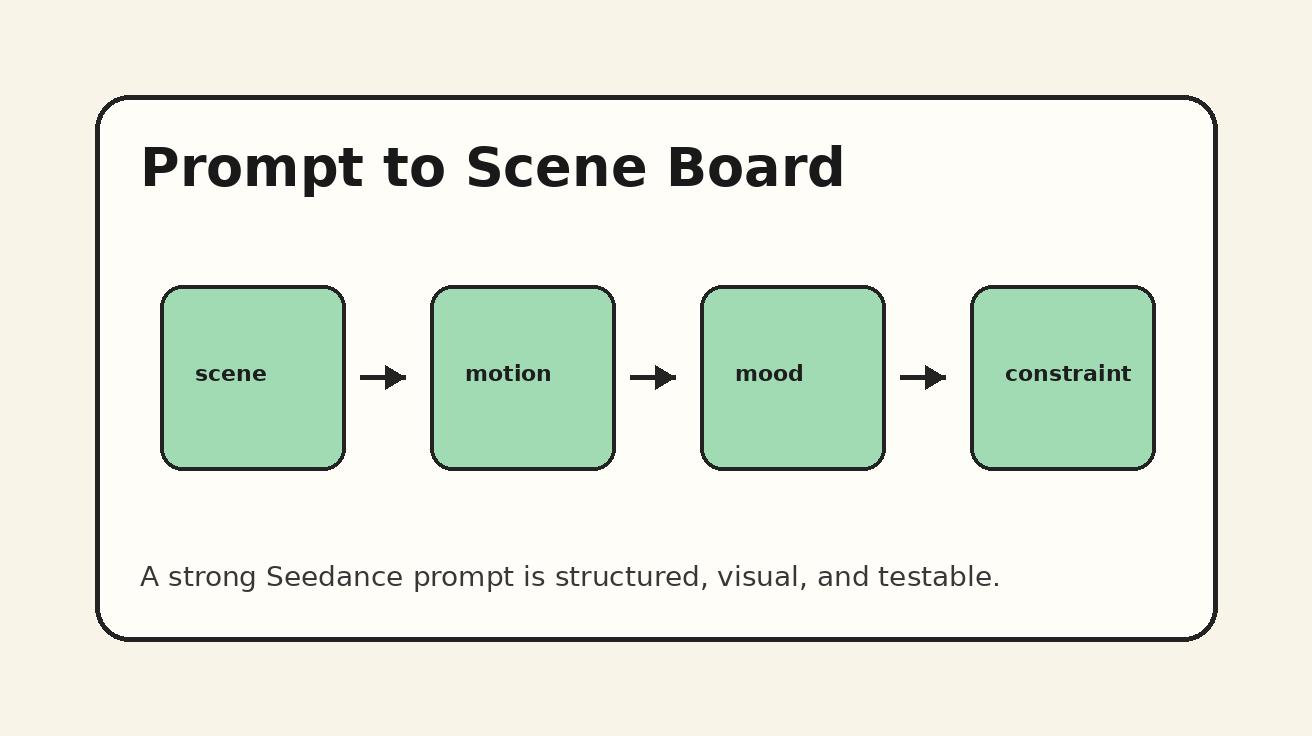
For repeatable work, build a template instead of writing every prompt from scratch. Use this Seedance scene prompt format:
Scene goal: [what this shot must communicate]
Main subject: [person, product, object, environment]
Visual action: [one clear movement or transformation]
Camera: [push in, dolly, handheld, overhead, close-up, orbit, static]
Style: [realistic commercial, doodle explainer, cinematic, UGC, clean SaaS, product macro]
Continuity: [same person, same product, same color palette, same setting]
Constraints: [no distorted hands, no extra text, no fake logos, no scene jumps]
Turn it into a prompt paragraph like this:
Create a realistic commercial video scene. Scene goal: show that a written marketing script can become a structured Seedance video plan. Main subject: a creator’s desk with a printed script, storyboard cards, and a laptop. Visual action: the script pages are arranged into four clean scene cards, each card represented by a simple thumbnail sketch. Camera: smooth overhead-to-front tilt, ending on the completed storyboard. Style: premium creator workspace, warm light, clean composition, no clutter. Continuity: use the same desk, same paper texture, and same blue accent color throughout the shot. Constraints: no readable tiny text, no fake brand logos, no warped hands, no random scene cuts.
This template works because it separates creative intent from production instruction. You can change the subject and scene goal while keeping the structure stable. Over time, your team can create a prompt library for hooks, product demos, before-and-after shots, testimonials, educational steps, and CTA endings.
Step 5: Match Camera Movement to Script Purpose
Camera movement should support the message. If every scene uses dramatic motion, the video can feel unstable. If every scene is static, the edit can feel flat. Choose movement based on the script function.
For hooks, use motion that creates attention: a quick push-in, a reveal, a handheld product pickup, or an overhead table transformation. For problem scenes, a slow push-in or slight handheld motion can create tension. For product benefit scenes, use clean close-ups, controlled dolly movement, or a smooth orbit around the product. For process explanations, overhead shots and left-to-right motion are easier to follow. For CTA scenes, stable framing usually works better than complex camera movement because the viewer needs clarity.
Here are practical pairings:
- Problem hook: slow push-in on clutter, unfinished work, or a frustrated creator.
- Transformation: match cut from messy notes to a polished storyboard.
- Product reveal: clean dolly in, product centered, shallow depth of field.
- Tutorial step: overhead shot with hands arranging cards or assets.
- Social proof: medium shot of a creator reacting naturally to finished clips.
- CTA: static or gentle push-in on final product, website, or brand-safe visual.
When writing Seedance prompts, avoid combining too many camera instructions. “Drone shot, macro close-up, fast orbit, handheld movement, zoom transition” is not a direction; it is a conflict. Pick one primary movement and one optional secondary behavior. For example: “slow dolly forward with a subtle rack focus from script page to finished video thumbnails.” That is clear enough to guide the generation.
Step 6: Preserve Product and Character Consistency
Script-to-video workflows often fail when the same person, product, or brand asset changes between scenes. Seedance can produce stronger continuity when you explicitly describe what must stay the same.
For a recurring creator, define:
- Approximate age range and general appearance
- Clothing style and color
- Hair style
- Environment
- Mood and performance style
Do not over-specify sensitive or unnecessary personal traits. Use broad, production-friendly descriptions. For example:
A young adult creator with short dark hair, wearing a simple beige overshirt over a white T-shirt, working in a warm minimalist studio with blue accent lighting. Calm, confident expression. Same person and outfit across all scenes.
For a product, define:
- Shape and color
- Material
- size relationship to hands or desk
- key visible feature
- what must not change
Example:
The product is a matte white cylindrical smart speaker with a subtle blue ring light near the top. Keep the same shape, color, and blue ring in every shot. Do not add extra buttons, logos, screens, cables, or unrelated accessories.
For a brand style, define:
- Palette
- lighting
- background texture
- graphic style
- pacing
Example:
Use a clean Seedance-style creator workflow aesthetic: warm neutral background, black ink storyboard sketches, soft blue highlights, realistic hands, simple desk props, no busy UI, no unreadable text.
Continuity prompts are especially important when turning one script into multiple clips. The script gives the story continuity, but the visual prompt must protect design continuity.
Step 7: Add Negative Constraints Without Overloading the Prompt
Negative constraints are not magic, but they help prevent predictable problems. Use them to remove unwanted visual artifacts and off-message elements.
Useful constraints for Seedance script-to-video prompts include:
- no fake logos
- no unreadable text overlays
- no distorted hands
- no extra fingers
- no random scene cuts
- no sudden outfit changes
- no duplicate products
- no floating objects unless intentional
- no exaggerated facial expressions
- no watermark
- no UI text unless specifically requested
Do not add a huge list of negatives to every prompt. Long negative blocks can dilute the main instruction. Focus on the risks that matter for the scene. If the shot includes hands, mention hands. If the shot includes a product, mention product consistency. If the shot includes paper or screens, mention no tiny unreadable text. If the shot is a brand-safe ad, mention no third-party logos.
A good constraint block is short:
Constraints: no fake brand logos, no unreadable text, no distorted hands, no extra products, no sudden scene changes.
For CTA scenes, add:
Constraints: keep the final frame clean, no random text, no unrelated app interface, no clutter.
For UGC-style scenes, add:
Constraints: natural expression, no exaggerated acting, no beauty-filter look, no jump cuts inside the shot.
Step 8: Build Script Templates for Common Marketing Videos
Once you have the framework, build reusable script templates. Here are four Seedance-ready templates you can adapt.
Template 1: Product Demo Ad
Script structure:
- Hook: “Here is the fastest way to show your product in motion.”
- Problem: “Static images do not explain the experience.”
- Seedance moment: “Turn one product idea into a visual sequence.”
- Benefit: “Show the product, use case, and result in seconds.”
- CTA: “Create your first product video with Seedance.”
Scene direction:
Start with a product sitting on a plain table beside static photos. The photos feel flat. A storyboard card slides into view, then the product appears in realistic lifestyle scenes: close-up, hand interaction, and final use case. End with a clean product hero shot and simple CTA mood. Use warm commercial lighting, smooth camera movement, consistent product shape, no fake logos.
Template 2: SaaS Explainer
Script structure:
- Problem: “Your workflow has too many disconnected steps.”
- Old way: “Scripts, assets, edits, and approvals live everywhere.”
- New way: “Plan the message, then generate scenes with Seedance.”
- Result: “A clear first cut for review.”
- CTA: “Use Seedance for faster video concepts.”
Scene direction:
Show a clean desk with scattered notes, a laptop, and unfinished storyboard boxes. The notes organize themselves into a simple visual workflow: script, scene, prompt, generated clip, review. Use top-down shots for clarity, minimal UI, blue highlight lines, realistic paper textures, no unreadable tiny text.
Template 3: Educational Short
Script structure:
- Hook: “Stop prompting one giant video.”
- Lesson: “Split your script into scenes.”
- Example: “One hook, one action, one camera move.”
- Result: “Seedance gets clearer direction.”
- CTA: “Save this prompt structure.”
Scene direction:
A creator draws three simple cards labeled by icons rather than text: hook, action, camera. Each card becomes a miniature video thumbnail. Camera moves from left to right as the workflow becomes clearer. Use doodle explainer style mixed with realistic desk objects, no complex text, no clutter.
Template 4: Founder Launch Clip
Script structure:
- Hook: “We built this because video production was too slow.”
- Product context: “Seedance helps turn ideas into motion.”
- Proof: “From script to visual scenes.”
- Vision: “More teams can create video without heavy production.”
- CTA: “Try the workflow today.”
Scene direction:
Show a founder-style creator in a warm studio reviewing a short script, then arranging scene cards into a video plan. The camera gently pushes in as the rough notes become polished video thumbnails. Keep the tone calm, credible, and product-focused. Avoid hype visuals, fake metrics, and exaggerated expressions.
How to Turn One Script Into Multiple Seedance Variations
One of the best uses of Seedance is variation. Instead of writing a completely new prompt for each video, keep the same script structure and change only the angle.
For example, a product ad script can become:
- A UGC creator version
- A premium studio product version
- A doodle explainer version
- A before-and-after workflow version
- A vertical social hook version
The core message stays the same, but each visual treatment speaks to a different audience or placement. This is more efficient than generating random clips because you can compare creative directions while controlling the message.
Use a variation matrix:
| Variable | Option A | Option B | Option C |
|---|---|---|---|
| Style | realistic UGC | premium product | doodle explainer |
| Camera | handheld | controlled dolly | overhead workflow |
| Hook | problem | transformation | curiosity |
| Setting | home studio | product table | creator desk |
| CTA | try now | learn workflow | save template |
When you review variations, judge them against the brief, not only visual beauty. A cinematic clip can look impressive but fail as an ad if it hides the product benefit. A simple desk workflow can outperform a complex montage if the viewer understands the value faster. Script-to-video is about message control first, style second.
Editing the Output Into a Finished Video
Seedance can generate strong scenes, but the final asset still benefits from editing judgment. Treat each generated clip as a shot, not necessarily the entire finished video. Review the sequence in this order:
- Does the first second communicate the hook?
- Can a viewer understand the product or idea without reading a long caption?
- Does each scene advance the story?
- Are the product, character, and environment consistent enough?
- Is the CTA visually clean?
- Are there any artifacts that distract from trust?
If a scene is almost right, revise only the weak instruction. Do not rewrite the whole prompt unless the scene goal changed. For example, if the camera moved too much, change “dynamic camera movement” to “static tripod shot with a gentle push-in.” If the product changed shape, strengthen the product continuity block. If the scene invented logos, add “no brand logos, no readable UI text.” If the mood feels too cinematic for a business explainer, change the style to “clean commercial tutorial, practical and bright.”
For short-form platforms, cut aggressively. Use the strongest hook shot first, even if it was not scene one in your original script. For landing pages, prioritize clarity and pacing. For internal concept review, include labels outside the generated footage rather than forcing text into the video. Seedance is strongest when the visual direction is clear and the editing layer handles final communication polish.
Common Mistakes to Avoid
Mistake 1: Turning the Whole Script Into One Prompt
A full marketing script may contain multiple scenes, emotions, and claims. If you paste it all into one prompt, the output may average everything together. Split it into scenes and generate focused shots.
Mistake 2: Asking for Abstract Business Outcomes
“Improve conversions” or “increase engagement” is not visual. Show the visible behavior: a product demo becomes clearer, a creator selects a finished clip, a messy workflow becomes organized, a viewer sees the result.
Mistake 3: Overloading Camera Language
Camera movement should be intentional. Too many movement terms create unstable generations. Pick one primary movement per scene.
Mistake 4: Ignoring Continuity
If the same product or person appears across scenes, describe what must remain stable. Do not assume the model will remember from scene to scene.
Mistake 5: Forcing Text Into the Frame
Readable text can be unreliable in generated video. Use icons, cards, composition, and editing captions outside the generated scene when possible.
Mistake 6: Reviewing Only Visual Quality
A beautiful clip that does not communicate the script is not a good marketing asset. Review against the brief, audience, and CTA.
A Complete Seedance Script to Video Example
Here is a compact example you can adapt.
Production brief:
Audience: small marketing teams and creators.
Goal: show that Seedance can turn a short product script into usable video scenes.
Format: vertical social explainer.
CTA: try Seedance text to video.
Style: realistic creator workflow with light doodle elements.
Script:
“Stop turning every video idea into a blank editing project. With Seedance, start from a simple script, split it into scenes, and generate visual options faster. Use one scene for the hook, one for the product moment, one for the benefit, and one for the call to action. Your first cut becomes easier to review, improve, and publish.”
Scene 1 prompt:
A creator sits at a clean desk with a blank video timeline on a laptop and a pile of rough video notes. The creator looks focused, not frustrated. A short script page sits in the center of the desk. Camera slowly pushes in toward the script page. Realistic creator workspace, warm light, blue accent objects, no readable UI text, no fake logos, no distorted hands.
Scene 2 prompt:
The script page is divided into four simple storyboard cards represented by icons: hook, product, benefit, CTA. The cards arrange themselves neatly from left to right. Camera uses a smooth overhead tracking move. Style is clean Seedance workflow, realistic paper texture with subtle doodle lines, no tiny text, no clutter.
Scene 3 prompt:
The storyboard cards transform into three polished video thumbnails showing a product close-up, a creator using the product, and a final hero frame. Keep the same product shape and blue accent color in every thumbnail. Camera glides across the thumbnails. Premium commercial lighting, crisp composition, no random products, no brand logos.
Scene 4 prompt:
A finished vertical video preview appears on a laptop beside the original script page, showing that the idea became a first cut. The creator smiles calmly and marks the script as ready for review. Static final framing with a gentle push-in. Clean CTA mood, warm studio, no unreadable text, no exaggerated expression, no watermark.
This example is intentionally practical. It does not ask Seedance to solve every part of production in one generation. It gives each scene a job, and the edit connects the jobs into a complete story.
FAQ
Can Seedance turn a full script into a video?
Seedance can generate video from text prompts, but a full script usually works best when you split it into focused scenes. Each scene should include a clear subject, action, camera direction, style, continuity note, and constraints. This gives Seedance better direction than one long script paragraph.
What is the best script length for Seedance video prompts?
For prompt writing, shorter scene instructions usually work better than long copy blocks. Keep each scene focused on one visual action. Your overall marketing script can be longer, but each Seedance prompt should describe one shot or one controlled visual moment.
Should I include voiceover text inside the Seedance prompt?
Use voiceover text to guide scene meaning, but do not rely on generated on-screen text for important messaging. It is safer to generate clean visuals in Seedance, then add captions, voiceover, or text overlays in editing.
How do I keep the same product across multiple Seedance scenes?
Write a product continuity block that describes the product shape, color, material, key feature, and what must not change. Repeat that block in each related scene prompt. If you have a product image, combine the workflow with Seedance image-to-video.
What is the fastest way to create multiple video variations?
Keep the same script structure and change one variable at a time: style, camera, hook angle, setting, or CTA. This lets you compare variations without losing the core message.
Final Takeaway
A Seedance script to video workflow gives teams a practical way to move from written ideas to repeatable AI video production. The script defines the message. The scene split defines the structure. The prompt template defines the visual direction. The constraints protect quality. The edit turns generated scenes into a finished asset.
If you want better AI video results, do not begin with a vague prompt. Begin with a script, translate it into visual beats, and give Seedance clear scene-level instructions. That is how one marketing idea becomes a set of usable video options instead of a random experiment.
Start with a simple four-scene script today: hook, context, proof, CTA. Then generate each scene with one clear subject, one action, one camera move, and one continuity rule. The workflow is simple enough for daily content production and structured enough for teams that need consistent brand output.
Ready to create your own AI video?
Turn ideas, text prompts, and images into polished videos with Seedance. If this article helped, the fastest next step is to try the product.
Free credits on signup. Plans from $28/month.
Related Articles
More posts in the same locale you may want to read next.

Seedance App Preview Video Generator 2026: Create App Store and Product Launch Clips
Use Seedance to turn app screenshots, feature copy, and launch goals into App Store previews, Google Play promo videos, and product launch clips.
Read article
How to Make a Talking AI Avatar You Can Reuse
Make a talking AI avatar with Seedance: design one consistent character, give it a voice, and make it speak in a talking photo or a full Seedance 2.5 scene, episode after episode.
Read article
Best AI Video-to-Video Models in 2026
The best AI video-to-video models in 2026 for editing footage you already shot: Higgsfield Genjutsu, Seedance 2.x, Runway Aleph, Luma Modify and Kling Omni compared.
Read article