
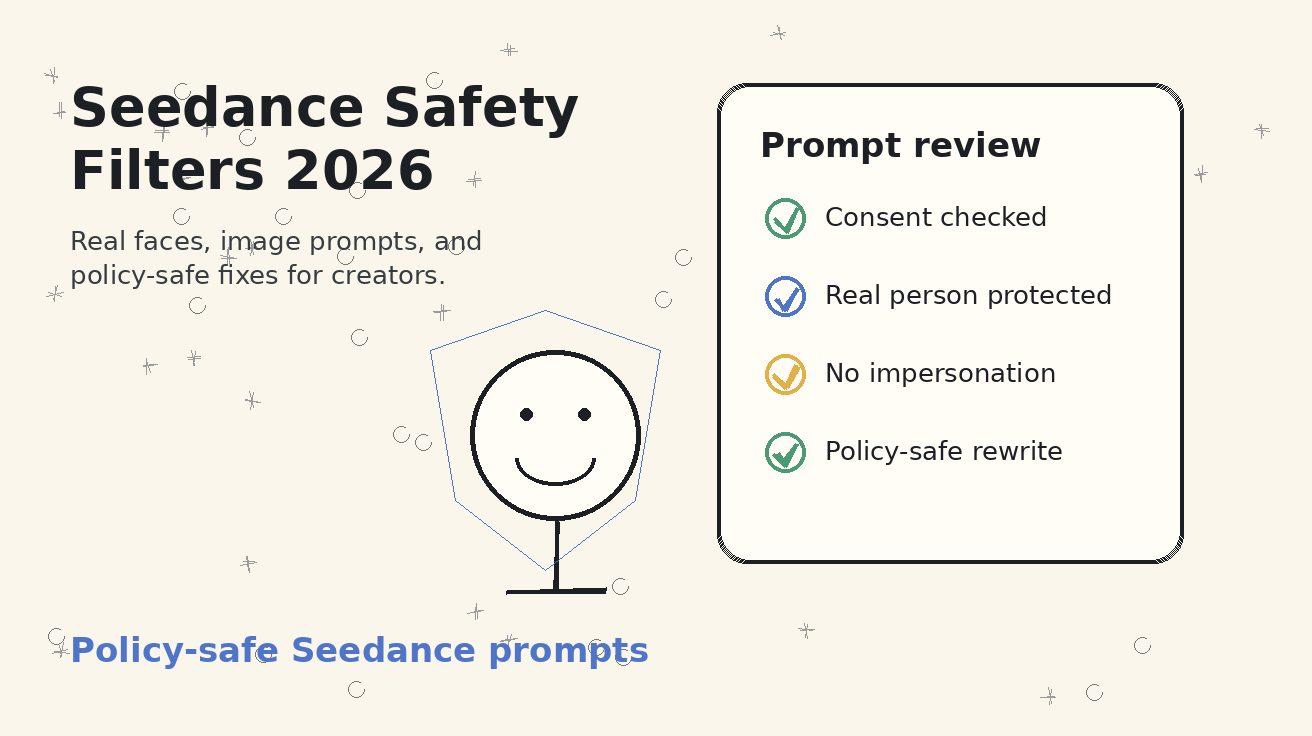
Seedance Safety Filters 2026: Real Faces, Image Prompts, and Policy-Safe Fixes
<script type="application/ld+json"> {"@context":"https://schema.org","@type":"FAQPage","mainEntity":[{"@type":"Question","name":"Why was my Seedance image prompt blocked?","acceptedAnswer":{"@type":"Answer","text":"A Seedance image prompt may be blocked when the request involves a real person, a private or sensitive context, impersonation, sexual or exploitative framing, deception, or instructions that appear to evade safety policy. The practical fix is to rewrite the creative goal into a consent-based, non-deceptive, policy-safe prompt."}},{"@type":"Question","name":"Can I animate real faces with Seedance?","acceptedAnswer":{"@type":"Answer","text":"Use Seedance face animation prompts only when you have appropriate rights and consent for the image and the scenario is respectful, non-deceptive, and not sensitive. For public figures, private people, minors, or anyone who has not clearly approved the use, choose a fictional character, an actor with release, or a generic subject instead."}},{"@type":"Question","name":"What is a policy-safe Seedance prompt?","acceptedAnswer":{"@type":"Answer","text":"A policy-safe Seedance prompt describes the permitted creative outcome clearly: subject type, consent status, action, camera movement, setting, style, and boundaries. It does not ask Seedance to impersonate, deceive viewers, exploit private images, create explicit content, or bypass safety filters."}},{"@type":"Question","name":"Should I try to bypass Seedance safety filters?","acceptedAnswer":{"@type":"Answer","text":"No. Do not try to bypass Seedance safety filters with spelling tricks, coded wording, cropping tricks, or hidden instructions. If a prompt is blocked, treat the block as a signal to change the request into a safer, consent-based version."}},{"@type":"Question","name":"How do I rewrite a blocked face animation prompt safely?","acceptedAnswer":{"@type":"Answer","text":"Remove any real-name impersonation, sensitive claim, deceptive context, or non-consensual image use. Replace it with a fictional or consent-cleared subject, a neutral action, a clear visual style, and review instructions such as no lookalike, no false endorsement, and no misleading context."}},{"@type":"Question","name":"What should brands check before publishing a Seedance face video?","acceptedAnswer":{"@type":"Answer","text":"Brands should verify consent, rights to the source image, truthful context, absence of impersonation, no sensitive claims, no misleading endorsement, and final output quality. If the video could make viewers believe a real person said or did something they did not approve, do not publish it."}}]} </script>
Seedance safety filters can feel frustrating when you are trying to move fast. You upload a reference image, write what seems like a normal creative request, and the generation does not go through. For creators, marketers, and product teams, the tempting reaction is to ask: "How do I get around this?" The better question is: "What is the safe version of this idea, and how can I prompt Seedance clearly enough to produce it?"
This guide is about practical, policy-safe Seedance prompts. It focuses on real faces, image-to-video prompts, and blocked requests that involve identity, consent, likeness, or sensitive context. It does not teach bypass methods. If your Seedance image prompt blocked warning appears, do not look for spelling tricks, coded language, hidden instructions, or ways to disguise a prohibited request. Those tactics create legal, ethical, and brand risk. Instead, use the block as a useful signal: the prompt probably needs a clearer subject, a safer context, stronger consent assumptions, or a different creative direction.
Seedance is especially powerful for image-to-video work because it can animate a still frame into a polished clip. That power is exactly why face and likeness prompts need discipline. A product screenshot, food photo, landscape, toy figure, or fictional character is usually straightforward. A real person's face is different. The output can imply speech, behavior, emotion, endorsement, or participation. A harmless-looking prompt can become risky if it makes a real person appear to do something they did not agree to do.
Below is a safe operating guide for creators who want to use Seedance responsibly: what safety filters are trying to catch, why real faces need extra care, how to rewrite blocked prompts, and how to build Seedance face animation prompts that stay useful without crossing policy or trust boundaries.
What Seedance Safety Filters Are Trying to Prevent
Seedance safety filters are not only looking for obvious harmful words. They are trying to reduce categories of misuse that can happen when generative video changes the meaning of an image. In a text-only prompt, the model can create a fictional scene. In an image prompt, the source image may contain a real face, a private place, a brand asset, a child, a medical situation, a financial document, a school setting, or another context where misuse can cause real damage.
The most common blocked areas are easy to understand when you think about the viewer of the final video. Would a reasonable viewer believe a real person said something, endorsed something, entered a situation, behaved sexually, committed a crime, experienced harm, or appeared in a sensitive context? If yes, the request needs to be rewritten or abandoned. A realistic AI video can change reputation, consent, and truth. Safety filters exist because video is persuasive.
For Seedance image prompts, risk usually comes from five patterns.
First, the prompt uses a real person or recognizable likeness without clear permission. That includes celebrities, politicians, coworkers, customers, influencers, private individuals, and people taken from social media. Even if the image is publicly available, that does not automatically mean you have permission to animate it.
Second, the prompt asks for impersonation or false endorsement. A request like "make this founder say our product is the best" is not just a creative animation. It can become a fabricated testimonial. The same problem appears when a prompt asks a public figure to praise a brand, apologize, confess, announce news, or participate in a campaign.
Third, the prompt changes a person's context in a sensitive way. Medical, legal, political, romantic, sexual, religious, financial, criminal, or humiliating framing can be risky even if the request sounds subtle. For example, asking Seedance to turn a profile photo into a video of the person crying in a courtroom creates a meaning that the original image did not have.
Fourth, the prompt tries to use a private image as raw material for a dramatic scenario. Family photos, employee photos, student photos, dating profile images, and customer-submitted images need extra caution. Consent and context matter more than technical quality.
Fifth, the prompt attempts to work around the filter. Asking for "the same thing but do not flag it," using misspellings, requesting hidden meanings, or splitting the request into coded pieces is not a policy-safe fix. It is a signal that the creative direction should change.
The practical takeaway: Seedance safety filters are not your enemy. They are a prompt quality checkpoint. When a filter blocks a request, rebuild the prompt around consent, fiction, neutral context, and truthful use.
Real Faces Are Different From Generic Characters
A face carries identity. In AI video, identity can become action. When Seedance animates a real face, the final clip may imply that the person smiled, spoke, flirted, cried, endorsed a product, attended an event, reacted to news, or took part in a scene. That implication is the core reason Seedance face animation prompts need stricter rules than product, landscape, or abstract motion prompts.
A generic character prompt is usually safer because no real person is being represented. For example:
Create a short cinematic video of a fictional young founder reviewing a product dashboard in a bright studio office. The character is not based on any real person. Warm lighting, neutral expression, slow camera push-in, professional startup mood.
That is very different from uploading a person's LinkedIn headshot and asking Seedance to make them appear in a sales video. Even if the prompt does not mention deception, the output could still be misleading if viewers recognize the person.
A consent-cleared actor is also different from a random face. If you have a model release, employee approval, customer release, creator agreement, or your own image rights, the prompt can state that clearly. The model does not verify your paperwork, but your workflow should. A good internal process saves the source asset, release status, intended use, and final output review notes.
Use this simple rule: if the person in the source image would be surprised, embarrassed, harmed, or misrepresented by the final video, do not use that image. If the final clip could make viewers believe a real person performed an action or endorsed a message without consent, do not publish it. If you are unsure, use a fictional subject, illustrated avatar, silhouette, product-only composition, or an actor who has approved the exact use.
For brands, this is not only ethics; it is conversion protection. A questionable face video can create backlash faster than it creates clicks. Seedance can help you make strong content without using anyone's identity in a misleading way.
Why a Seedance Image Prompt Gets Blocked
When a Seedance image prompt blocked message appears, the issue may be the source image, the text prompt, or the combination of both. A safe image can become unsafe when paired with a risky instruction. A vague image can become risky when Seedance infers a real person or sensitive setting. A reasonable creative goal can be blocked because the wording sounds like impersonation.
Here are common reasons your prompt may fail.
1. The subject is a recognizable real person
If the uploaded image looks like a public figure, influencer, employee, customer, private individual, or child, Seedance may apply stricter review. Even a neutral prompt can be sensitive if the system cannot know whether you have permission. Instead of fighting the filter, clarify the allowed subject type or change the asset.
Safer rewrite:
Use a fictional adult character, not based on any real person, in a clean portrait-video scene. The character smiles naturally while looking toward a laptop screen. No celebrity likeness, no real person imitation, no false endorsement.
2. The prompt asks the person to say, endorse, confess, or react
Face animation becomes risky when it implies speech or personal belief. "Make this person say..." is a red flag when the subject is real or recognizable. Use product visuals, text overlays added later, or a fictional presenter instead.
Safer rewrite:
Create a product-focused Seedance video with a neutral fictional presenter standing beside the interface. The presenter does not speak or imitate any real person. Leave clean space for approved overlay copy to be added in editing.
3. The scenario changes the person's reputation
Prompts involving arrest, medical diagnosis, scandal, romance, politics, addiction, humiliation, nudity, or grief can be harmful when attached to a real face. Even if your intention is storytelling, use a fictional character or non-identifiable composition.
Safer rewrite:
Create a fictional cinematic scene about a character facing a difficult decision in a neutral office setting. Do not use or resemble any real person. Focus on lighting, mood, and camera movement rather than identity.
4. The prompt contains evasive wording
If your prompt says "make it look like X without saying X," "avoid detection," "do not trigger the filter," or similar wording, the request is no longer a normal creative prompt. Remove the evasive intent and define an allowed outcome.
Safer rewrite:
Create a compliant marketing video using a fictional subject and approved brand assets. The goal is a professional product mood, not impersonation. Keep the scene neutral, respectful, and clearly fictional.
5. The request is too vague for a sensitive image
Vague prompts such as "make this photo more dramatic" can produce unpredictable context. With real faces, unpredictable context is risky. Give Seedance clear boundaries: neutral emotion, non-sensitive setting, no speech, no endorsement, no altered identity.
Safer rewrite:
Animate this consent-cleared portrait with subtle natural motion only: gentle head turn, soft studio lighting, neutral smile, and no speech. Keep the person in the same respectful portrait context. Do not add new claims, logos, sensitive scenes, or dramatic story events.
The Policy-Safe Rewrite Framework
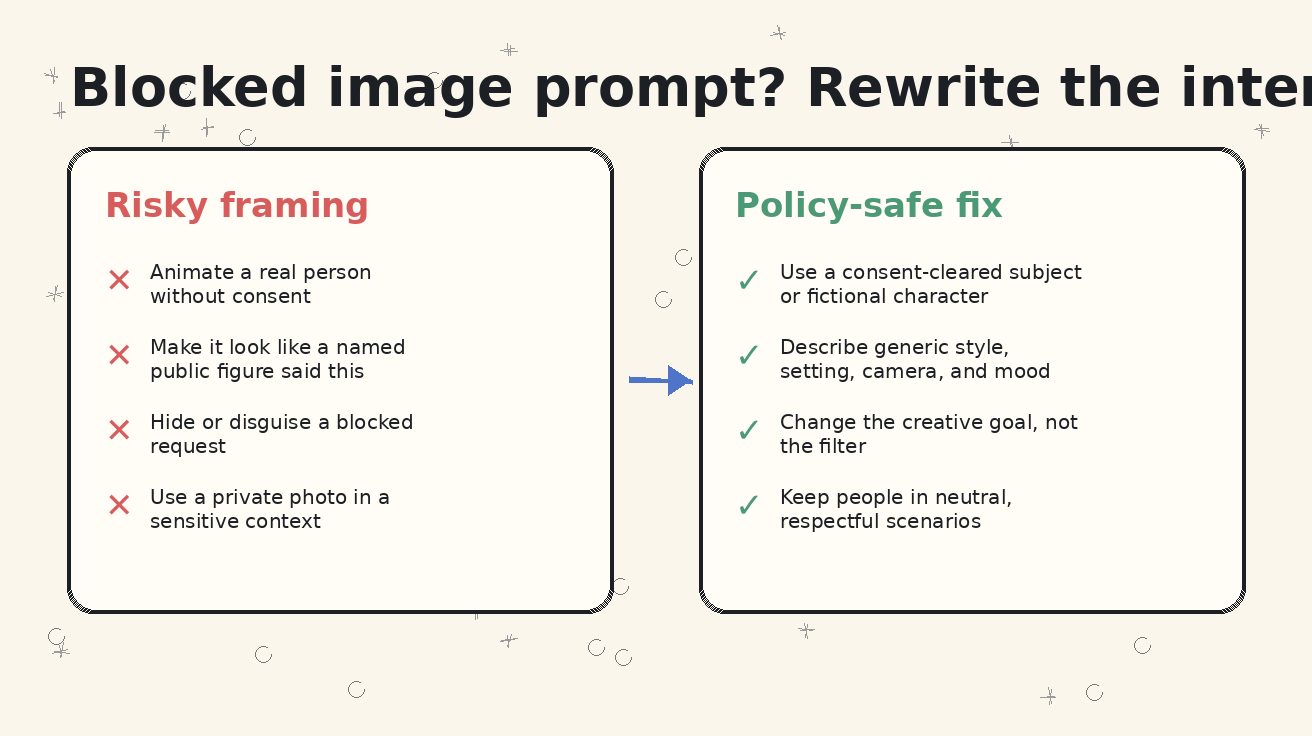
A good rewrite does not hide the risky idea. It changes the idea into something allowed. That distinction matters. A bypass attempt keeps the prohibited outcome and tries to disguise it. A policy-safe Seedance prompt changes the subject, context, action, or asset so the final video is truthful and respectful.
Use this five-part framework whenever a Seedance image prompt is blocked.
Step 1: Identify the real risk
Do not start by changing words randomly. Ask what the filter is probably protecting: identity, consent, privacy, sensitive context, deception, explicit content, political persuasion, child safety, medical claims, or brand impersonation. The rewrite depends on the risk.
If the risk is identity, switch to a fictional subject or consent-cleared actor. If the risk is endorsement, remove speech and use approved overlay text. If the risk is sensitive context, move the scene to a neutral setting. If the risk is a private image, do not use that asset.
Step 2: Keep the creative objective, not the unsafe mechanism
Maybe the real goal is not "animate this celebrity." The real goal is "make a high-trust launch video." Maybe the goal is not "make my competitor's CEO praise us." The goal is "show credible social proof." Maybe the goal is not "make this customer react emotionally." The goal is "show customer delight." Keep the legitimate goal and choose a safer mechanism.
Example:
Unsafe mechanism:
Make this famous creator hold our product and say it changed their workflow.
Policy-safe objective:
Create a fictional creator testimonial-style scene using a non-real character. The character reviews a product interface silently while approved text overlays will be added later. No celebrity likeness, no real-person imitation, no spoken endorsement.
Step 3: State consent and subject type clearly
If you own the image or have consent, say so in operational terms. If you do not, change the subject. The prompt should not rely on Seedance to guess.
Good phrases:
- "Use a fictional adult character, not based on any real person."
- "Use a consent-cleared actor portrait in a neutral brand-safe scene."
- "Animate the product and environment; do not animate or alter any real person's face."
- "No celebrity likeness, no public figure imitation, no false endorsement."
Step 4: Define the allowed motion
Real face prompts become safer when the motion is limited and neutral. Instead of dramatic acting, use subtle portrait movement. Instead of speech, use a silent expression. Instead of a new setting, preserve the original context.
Policy-safe Seedance face animation prompts often use wording like:
Subtle portrait animation only: natural blink, small head movement, gentle lighting shift, neutral friendly expression. Keep the same clothing, background, and respectful context. No speech, no lip-sync, no identity change, no sensitive scenario.
Step 5: Add review boundaries
The prompt is not the whole safety process. Review the final output before publishing. Reject results that create a lookalike problem, false endorsement, awkward identity changes, sexualized framing, humiliation, sensitive claims, or confusing realism. If the output is ambiguous, do not publish it.
A strong closing line for many prompts is:
Final output must be clearly respectful, non-deceptive, brand-safe, and free of real-person impersonation or false endorsement.
Copy-and-Paste Policy-Safe Seedance Prompt Templates
Use these templates as starting points. They are intentionally conservative. You can make the visual style more cinematic, but keep the consent and context boundaries.
Template 1: Consent-Cleared Portrait Animation
Animate this consent-cleared adult portrait into a short Seedance video. Keep the same person, clothing, background, and respectful portrait context. Motion should be subtle: natural blink, gentle head turn, soft studio lighting shift, and calm expression. No speech, no lip-sync, no new claims, no sensitive scenario, no sexualization, no identity change, no false endorsement. Final result should feel like a professional profile video.
Use this when you have permission and only need light motion. It is useful for founder pages, team pages, speaker bios, and profile-style brand assets. It is not suitable for making someone perform a new action or deliver a message they did not approve.
Template 2: Fictional Presenter for Product Marketing
Create a Seedance product marketing video with a fictional adult presenter who is not based on any real person. The presenter stands beside a clean SaaS dashboard in a bright studio. The presenter smiles naturally and gestures toward the interface without speaking. Camera slowly pushes in from medium shot to product-focused hero frame. Leave negative space for approved overlay copy. No celebrity likeness, no real-person imitation, no false endorsement, no readable invented testimonials.
This is the safer replacement for many blocked endorsement prompts. The presenter is generic, the product is the focus, and the claims can be added later by your team.
Template 3: Real Customer Story Without Real Customer Face
Create a Seedance customer story visual without showing a real customer's face. Use abstract product shots, hands typing on a laptop, a clean dashboard, and warm office lighting. The story should suggest workflow improvement through visual organization, not fabricated metrics or personal claims. No identifiable person, no testimonial quote, no private data, no fake company logos.
This protects customer privacy while still creating a useful case-study asset.
Template 4: Image-to-Video Prompt After a Block
Rewrite the scene as a policy-safe Seedance image-to-video clip. Use a fictional character or non-identifiable subject instead of any real person. Preserve the creative mood: optimistic, polished, and professional. Show the product interface, clean camera movement, and a neutral action. Do not imitate a real person, do not imply endorsement, do not add sensitive context, and do not include speech or lip-sync.
This works when your first version was blocked because it involved a recognizable person.
Template 5: Product-Only Alternative
Create a product-only Seedance video from this interface image. Animate the screen, lighting, camera movement, and surrounding workspace. Do not animate any face or person. 0-3s: close-up on the main product area. 3-8s: smooth pull-back to reveal the device. 8-12s: subtle highlight around the key feature. 12-15s: clean hero frame with space for CTA overlay. No fake text, no human likeness, no false claims.
This is often the highest-converting safe option for SaaS, AI tools, ecommerce, and B2B landing pages. You do not always need a face to create attention.
Safe vs Unsafe Rewrite Examples
The fastest way to improve blocked prompts is to practice translating risky requests into allowed requests. The examples below are not about finding loopholes. They are about preserving a legitimate creative goal while removing deception, non-consensual identity use, or sensitive framing.
| Blocked or risky request | Why it is risky | Policy-safe Seedance rewrite |
|---|---|---|
| "Make this celebrity say our app is amazing." | False endorsement and public figure impersonation. | "Create a fictional presenter beside our app interface, silent, no celebrity likeness, with overlay text added later." |
| "Animate this customer's photo crying before using our product and smiling after." | Uses a real person in an emotional and potentially misleading scenario. | "Show a non-identifiable workflow before/after: messy dashboard becomes organized, no real face, no personal claim." |
| "Make this employee headshot deliver a sales pitch." | May imply speech and endorsement beyond consent. | "Use a consent-cleared employee portrait with subtle motion only, or record the employee's real approved video." |
| "Make this politician announce our campaign." | Political/public figure impersonation and deception. | "Create a product-only explainer with neutral graphics and approved campaign copy added in editing." |
| "Use this private photo in a romantic scene." | Consent and sensitive personal context risk. | "Create a fictional couple scene with non-identifiable characters, respectful tone, no real likeness." |
| "How can I word this so the filter does not catch it?" | Evasion intent. | "Identify the unsafe part and rewrite the request into a consent-based, non-deceptive prompt." |
Notice that the safe rewrites often move from identity to product, from real person to fictional character, from speech to silent visual, and from sensitive story to neutral setting. That is not a downgrade. For many marketing assets, the safer version is also clearer and easier to approve.
A Practical Checklist Before Using Real Faces in Seedance
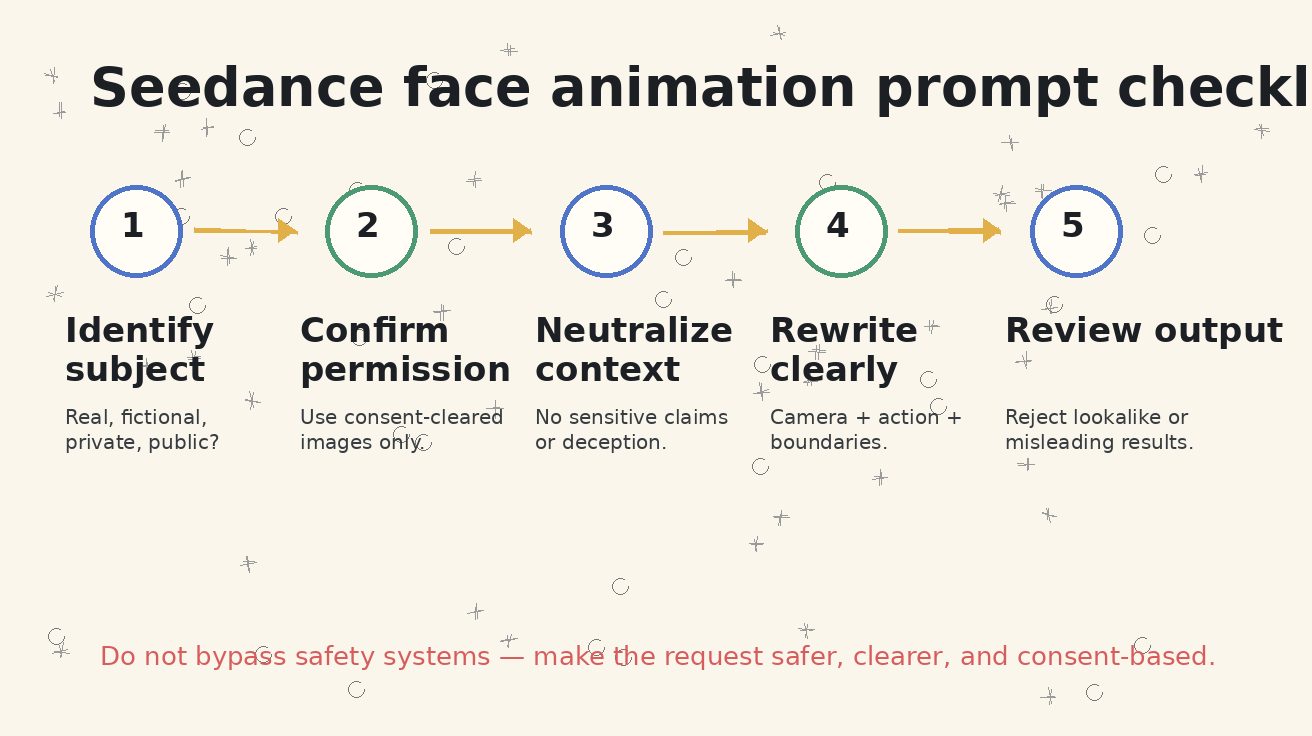
Before you generate, use this checklist. It takes less than two minutes and prevents most avoidable problems.
- Who is the subject? Is this you, an employee, a paid actor, a customer, a public figure, a private person, a child, or a fictional character?
- Do you have permission? Do you have written consent for the image, the animation, the campaign, the channel, and the duration of use?
- What will viewers believe? Could the final video imply speech, endorsement, attendance, emotion, political opinion, romantic involvement, medical condition, financial status, or criminal behavior?
- Is the context sensitive? Avoid face animation for sexual, humiliating, medical, legal, political, violent, or deeply personal scenarios.
- Can the same goal be product-only? A screen, object, environment, or fictional character often solves the creative problem without identity risk.
- Will the output be reviewed? Someone should check the final clip for lookalike issues, altered identity, false claims, and misleading realism.
- Can you document the asset? Save the source file, release status, prompt, output, reviewer, and publishing channel.
How to Write Better Seedance Face Animation Prompts
When a real face is allowed, clarity is your best safety feature. Seedance face animation prompts should be narrow, respectful, and visually specific. Avoid asking for broad acting. Avoid adding new claims. Avoid lip-sync unless you have explicit approval and a legitimate, non-deceptive use. Avoid changing the person's age, body, identity, clothing in a sensitive direction, or social context.
A strong prompt has eight parts:
- Consent status: "consent-cleared adult portrait" or "fictional character."
- Scope: "subtle portrait animation only" or "brand-safe presenter scene."
- Motion: blink, small head turn, breathing, light movement, camera push-in.
- Expression: neutral, professional, warm, calm.
- Context preservation: same background, clothing, and setting.
- Prohibited changes: no speech, no endorsement, no sensitive context, no identity change.
- Output use: profile video, product hero, internal training visual, event intro.
- Review standard: reject misleading or lookalike output.
Here is a complete policy-safe prompt:
Animate this consent-cleared adult portrait for a professional Seedance profile video. Keep the same person, clothing, background, and respectful business context. Add only subtle natural motion: blink, slight head movement, gentle breathing, and soft lighting shift. No speech, no lip-sync, no product endorsement, no sensitive scenario, no age change, no identity change, no sexualized framing. Camera slowly pushes in for a calm, trustworthy profile look. Final output must remain non-deceptive and suitable for a company bio page.
For a fictional presenter:
Create a fictional adult presenter for a Seedance product video. The presenter is not based on any real person, celebrity, public figure, employee, or customer. They stand beside a laptop showing an AI video workflow. The presenter makes a small welcoming gesture without speaking. Camera moves from medium shot to product close-up. Clean studio lighting, professional startup style. No false endorsement, no real-person likeness, no readable invented claims.
For a product-only fallback:
Use the uploaded product screenshot as the hero object. Animate only the device, lighting, and workspace. No people, no faces, no hands. Slow camera pull-back, subtle screen glow, clean background, and final hero frame with space for CTA. Preserve all UI text and brand elements. No fake claims or invented testimonials.
These prompts are not weaker than risky prompts. They are more production-ready because a brand can actually use the output.
What Not to Do When Seedance Blocks a Prompt
A blocked prompt is not a puzzle to defeat. It is a production risk to resolve. Avoid these behaviors:
- Do not misspell prohibited terms to slip past the filter.
- Do not ask for "almost" a real person, "inspired by" a recognizable person, or "same vibe" when the goal is likeness imitation.
- Do not crop, blur, or hide parts of a source image to disguise a real person's identity.
- Do not split one unsafe request into multiple smaller prompts.
- Do not ask Seedance to create a false confession, apology, endorsement, romantic scene, political statement, or scandal around a real person.
- Do not use private social photos as raw material for commercial campaigns.
- Do not publish an output just because it generated successfully; review it against the same safety standard.
The safe path is simple: change the request. If the original request depends on non-consensual likeness, deception, or sensitive personal context, there is no prompt wording that makes it a good idea. Move to fictional characters, product-only visuals, abstract storytelling, or approved actor footage.
Brand Workflow for Policy-Safe Seedance Prompts
For teams, the safest approach is to turn this into a repeatable workflow instead of relying on individual judgment at the last minute.
Create four internal labels for image assets:
- Product-only: screenshots, devices, objects, rooms, landscapes, abstract visuals.
- Fictional character: generated or illustrated character not based on a real person.
- Consent-cleared real person: actor, employee, customer, or creator with documented permission.
- Restricted real person: public figure, private individual without release, child, sensitive source image, or uncertain rights.
Product-only and fictional assets can usually move faster. Consent-cleared assets can be used with narrow prompts and review. Restricted assets should not be used for face animation, endorsement, sensitive scenes, or commercial claims.
Then add a prompt review line to every Seedance request:
Safety review: subject type = [product-only / fictional / consent-cleared / restricted]. Intended use = [channel]. Risk notes = [identity, consent, claims, sensitive context]. Required boundaries = [no speech, no endorsement, no sensitive scenario].
This may feel formal, but it saves time. When a prompt is blocked, your team can see whether the problem is the asset, the action, the context, or the wording. The rewrite becomes systematic.
For publishing, add a final checklist:
- The source image rights are known.
- The prompt does not request bypass or deception.
- The final output does not imitate an unapproved real person.
- Any claims are approved and added as overlays, not invented by the model.
- The video does not imply endorsement without consent.
- The scene is not sensitive, humiliating, sexual, political, medical, legal, or otherwise risky for the subject.
- The final file is reviewed before going live.
This workflow lets you use Seedance quickly while protecting people and brand trust.
Where Seedance Fits in a Safer Content Stack
Seedance is best used as the motion layer in a broader content workflow. It can animate a screenshot, create a fictional presenter, generate product mood, or turn a still creative into a short video. It should not be your source of legal claims, testimonials, private identity use, or public figure statements.
For product demos, start with approved assets. If you are animating a real interface, use the <a href="/image-to-video">Seedance image-to-video workflow</a> and preserve the screen. If you are exploring a concept before assets are ready, use <a href="/text-to-video">Seedance text-to-video</a> with fictional characters and neutral scenes. If you need the newest model capabilities, compare your prompt structure against <a href="/seedance-2-0">Seedance 2.0</a> workflows and keep the same safety review standards.
The best Seedance prompts are specific about what should happen and even more specific about what should not happen. That is not a creative limitation. It gives the model a clean target and gives your team a clip that can survive review.
Final Takeaway: Rewrite for Trust, Not for Evasion
Seedance safety filters are a reminder that generative video has consequences. A blocked prompt usually means the system sees a possible identity, consent, deception, or sensitive-context problem. The professional response is not to bypass the filter. The professional response is to rewrite the request into a safer creative brief.
Use fictional characters when you do not need a real person. Use consent-cleared actors when identity matters. Use product-only shots when the product is the message. Avoid speech, endorsement, and sensitive context unless you have explicit rights and a truthful reason. Review the output before publishing.
A policy-safe Seedance prompt is not just safer; it is usually stronger. It defines the subject, protects the person, clarifies the camera move, preserves the brand asset, and gives your editor space to add approved copy. That is how you turn a Seedance image prompt blocked moment into a better video brief.
FAQ
Why did Seedance block my image prompt?
Seedance may block an image prompt when the request involves a real face, uncertain consent, public figure likeness, sensitive context, false endorsement, explicit framing, private images, or wording that appears to evade policy. Rewrite the request around a fictional or consent-cleared subject, neutral context, and non-deceptive use.
Can I use Seedance to animate a real person's face?
Only use real face animation when you have the right to use the image and the intended video. Keep the motion subtle, respectful, and truthful. Do not create speech, endorsement, sensitive scenes, or misleading actions without clear approval. When in doubt, use a fictional character or product-only visual.
What are policy-safe Seedance prompts?
Policy-safe Seedance prompts describe allowed creative outcomes clearly. They include subject type, consent status, action, camera movement, setting, style, and boundaries. They avoid impersonation, evasion, sensitive personal claims, non-consensual likeness use, and false endorsements.
What should I do if my Seedance image prompt is blocked?
Identify the likely risk, then rewrite the prompt. Change a real person to a fictional character, remove speech or endorsement, move the scene to a neutral context, or use a product-only composition. Do not use bypass wording or hidden instructions.
Are Seedance face animation prompts safe for marketing?
They can be safe when the subject is fictional or consent-cleared, the scenario is respectful, and the final video does not mislead viewers. For most marketing teams, product-only videos, fictional presenters, and approved actor footage are safer than animating customers, employees, influencers, or public figures without a documented release.
How can I make a blocked prompt more practical without bypassing filters?
Keep the legitimate marketing goal and replace the unsafe mechanism. For example, change a celebrity endorsement into a fictional presenter scene, change a private customer photo into a product dashboard story, or change a real-person reaction into a non-identifiable workflow before/after. The goal is a safer creative brief, not filter evasion.
Ready to create your own AI video?
Turn ideas, text prompts, and images into polished videos with Seedance. If this article helped, the fastest next step is to try the product.
Free credits on signup. Plans from $20/month.
Related Articles
More posts in the same locale you may want to read next.

Seedance App Preview Video Generator 2026: Create App Store and Product Launch Clips
Use Seedance to turn app screenshots, feature copy, and launch goals into App Store previews, Google Play promo videos, and product launch clips.
Read article
Magic Hour Video Restyle Tutorial: Stable Video-to-Video Style Transfer
Learn Magic Hour Video-to-Video restyling from source trim and Art Style selection to prompt writing, full-motion review and flicker fixes.
Read article
Gemini Omni Voice Reference Tutorial for Consistent Avatar Videos
Learn the documented Gemini Omni personal-avatar voice workflow, from enrollment and @username prompts to timing, review and multi-shot consistency.
Read article