
Seedance for SaaS Hero Videos 2026: Product-Led Landing Page Prompts
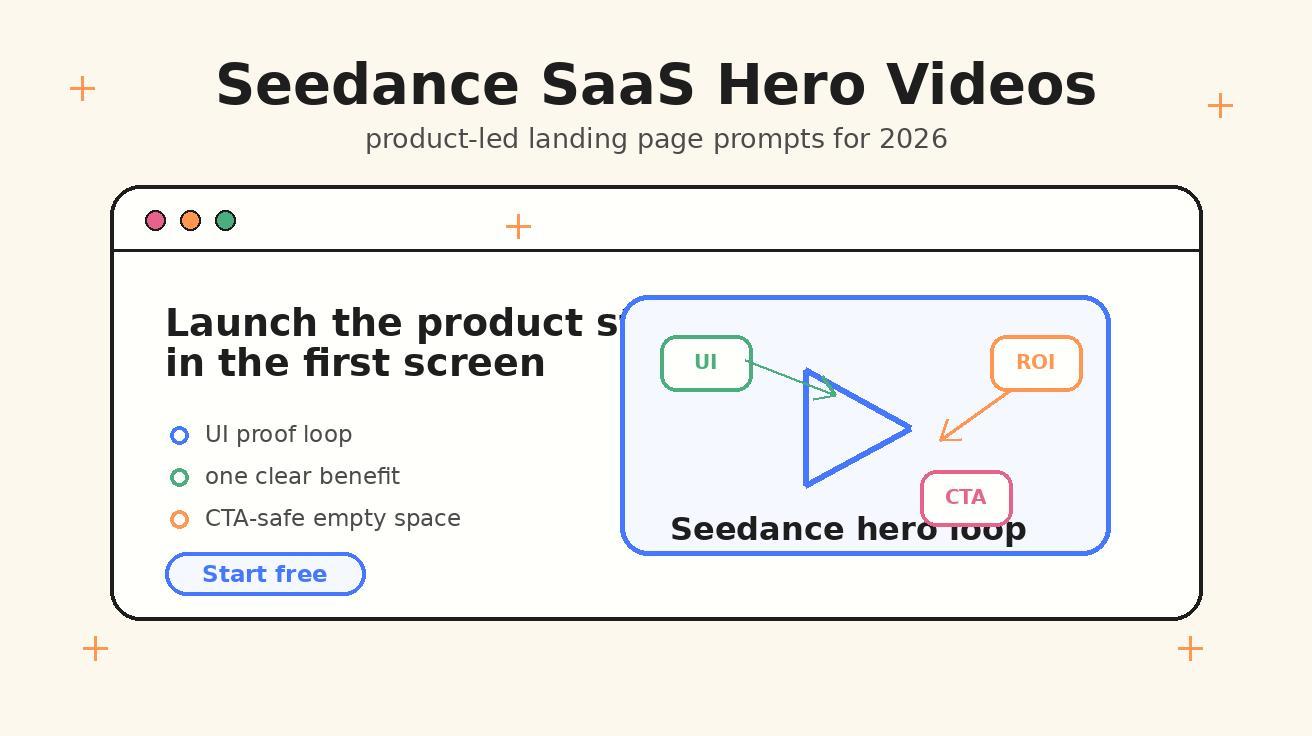
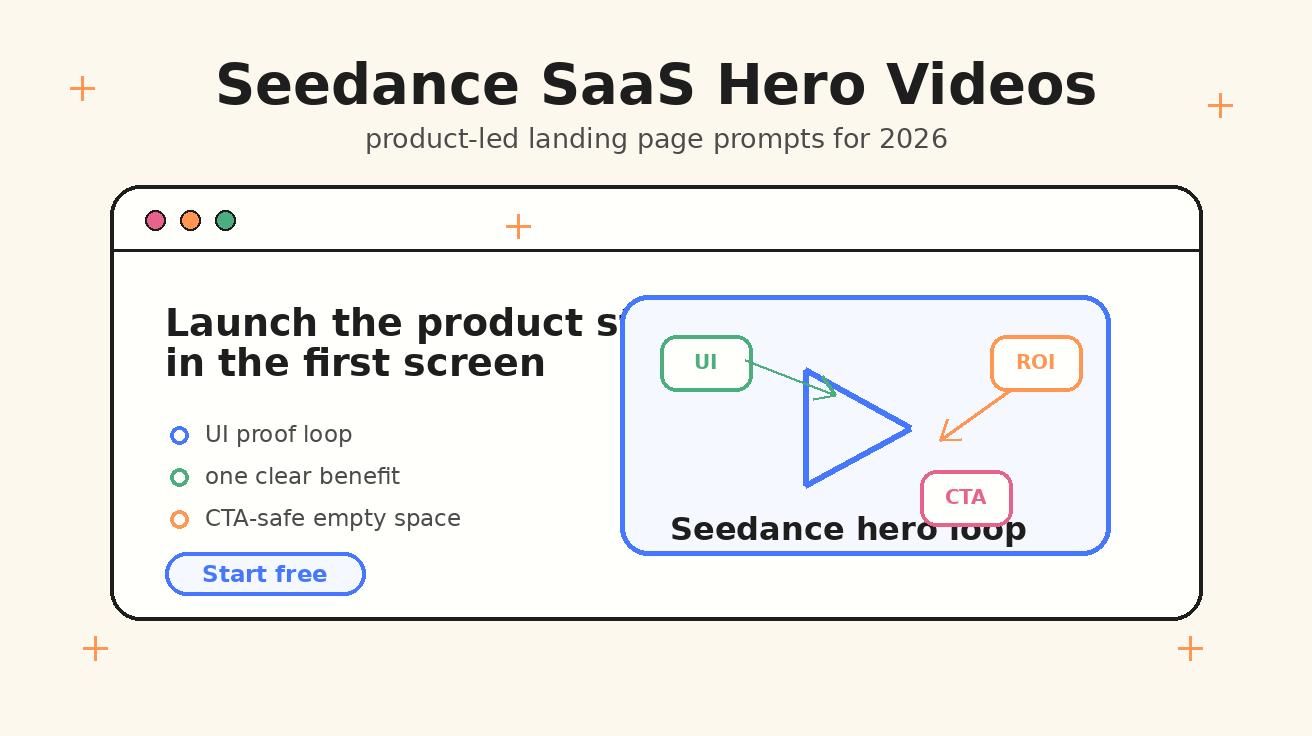
A SaaS hero section has one difficult job: explain the product fast enough that a qualified visitor wants to keep reading. In 2026, that job is harder because buyers have seen every generic dashboard mockup, every floating card animation, and every stock video of a team smiling at a laptop. The first screen of a landing page needs a stronger proof signal. It needs to show the product doing something useful before the visitor scrolls. That is where Seedance SaaS hero videos can help.
Seedance is especially useful for SaaS teams because it can turn a simple product idea, UI moment, or image reference into a short, polished video loop. Instead of treating AI video as a decorative background, you can use Seedance as a product-led storytelling layer: a five-to-eight-second visual that supports the headline, shows the interface in motion, and makes the promise feel tangible. The goal is not to make a movie. The goal is to make the landing page clearer.
This guide shows how to plan, prompt, and test Seedance hero videos for SaaS landing pages in 2026. You will learn how to translate product positioning into motion, how to write Seedance prompts for different SaaS categories, where to place the video above the fold, how to avoid conversion-killing mistakes, and how to build a repeatable prompt library for product marketing teams. If you already use Seedance for text-to-video or image-to-video, this workflow will help you move from one-off clips to landing-page assets that support signups, demos, and product-led growth.
Why SaaS hero sections need product-led video now
Most SaaS landing pages still open with a familiar pattern: headline, subheadline, CTA, social proof, and a static interface screenshot. That layout is not broken. It is still useful because it gives visitors a fast mental model. But static screenshots often fail to answer the question that matters most: what happens after I click?
A good SaaS hero video can answer that question without forcing the visitor into a long product tour. It can show a workflow compressing from manual to automated. It can show a messy input becoming a clean dashboard. It can show an AI assistant preparing a result. It can show a sales pipeline moving from lead capture to suggested next step. These are product moments, not decorative moments.
Seedance makes this practical because the clip can be short, directed, and easy to vary. You can generate several versions of the same hero idea: one with a slow push-in on the product UI, one with a split-screen before-and-after transformation, one with a user handoff from upload to result, and one with a clean loop around the CTA area. That variation is valuable for SaaS because hero sections are rarely perfect on the first attempt. They need testing.
For SaaS teams, the best hero video is usually not the most cinematic. It is the one that makes the product promise easier to believe. If the headline says, "Turn support tickets into prioritized engineering work," the hero video should show tickets clustering, priority labels appearing, and a clean handoff into a product roadmap. If the headline says, "Create launch videos from your product screenshots," the hero video should show a screenshot entering Seedance, motion being applied, and a polished output loop. Motion should reduce doubt.
What makes Seedance a good fit for SaaS hero videos
Seedance works well for SaaS hero content because SaaS visuals are often structured, repeatable, and concept-driven. A B2B landing page rarely needs chaotic action or long narrative scenes. It needs precise visual metaphors: dashboards, prompts, uploads, timelines, approval flows, collaboration panels, alerts, analytics cards, onboarding checklists, and product states. These are easy to describe in a prompt and easy to transform into short loops.
The strongest Seedance SaaS hero videos share five traits.
First, they have one conversion job. The video is not trying to explain every feature. It supports the primary promise in the hero section. If the page is about a project management tool for agencies, the clip might show client requests becoming organized tasks. If the page is about a finance automation platform, the clip might show invoices flowing into an approval queue. One job, one message.
Second, they start with a recognizable input. A visitor should understand the first frame quickly: a messy spreadsheet, a product screenshot, a support inbox, a design board, a CRM card, a calendar, or a plain text prompt. The clearer the input, the easier it is for the viewer to understand the transformation.
Third, they show motion that matches the product value. Automation tools should feel like sorting, routing, or compression. Creative tools should feel like expansion, previewing, or transformation. Analytics tools should feel like signal emerging from noise. Security tools should feel like detection, containment, and confidence. Seedance prompts should specify that motion instead of saying only "cinematic SaaS video."
Fourth, they leave space for the landing page interface. A hero video often sits beside a headline, behind a card, or inside a mock browser frame. If the clip is too busy, it competes with the copy. Good Seedance prompts include CTA-safe negative space, clean background, restrained movement, and readable product cards.
Fifth, they loop naturally. The best hero videos do not feel like a commercial with a hard ending. They return to the first frame or finish on a calm state that can restart smoothly. This matters because the visitor may spend several seconds reading the headline while the video repeats.
The product-led workflow: message, storyboard, generate, launch
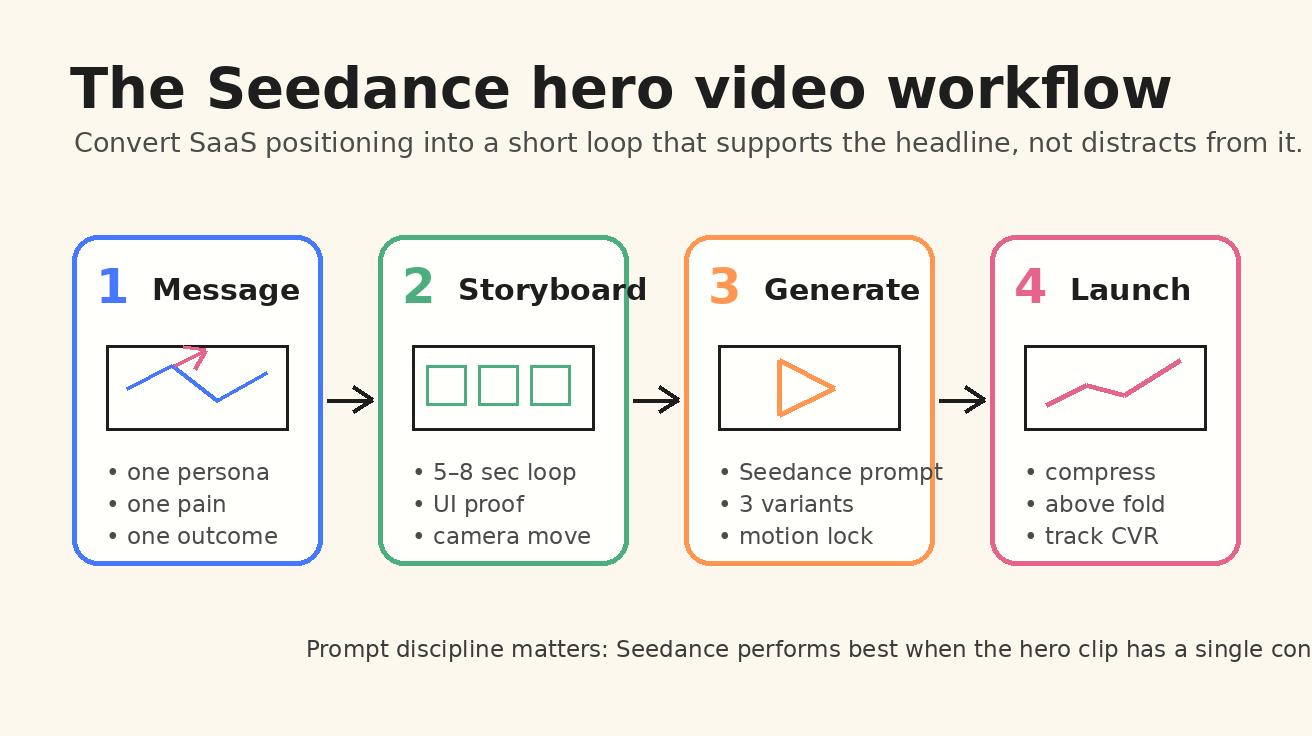
Before opening Seedance, write the landing page message in one sentence. This sentence is not the public headline. It is the internal creative brief. Use this format:
For [audience], Seedance should show [input] becoming [valuable output] through [product motion].
Examples:
- For revenue teams, Seedance should show scattered lead notes becoming a prioritized pipeline through AI sorting and next-step suggestions.
- For design teams, Seedance should show a static product screenshot becoming a launch-ready hero loop through smooth UI motion and text-safe framing.
- For support teams, Seedance should show a crowded ticket inbox becoming grouped themes and escalation paths through fast visual clustering.
- For HR teams, Seedance should show candidate profiles becoming a structured interview plan through organized cards and timeline motion.
Once the message is clear, storyboard four beats. Keep the sequence short.
Beat 1: recognizable problem. Show the messy state or blank state. The visitor should immediately know the context.
Beat 2: product action. Show the feature or workflow doing something visible. This could be a card moving, a prompt being processed, a chart forming, or a file transforming.
Beat 3: proof state. Show the useful result. This is the moment that supports the claim in the headline.
Beat 4: loop or CTA frame. End in a calm composition that can restart without feeling abrupt. If the video sits behind a CTA, leave open space.
Now write the Seedance prompt. Do not ask Seedance for a generic SaaS animation. Give it the product moment, the camera move, the visual hierarchy, and the loop behavior. A strong base prompt looks like this:
Create a short 6-second SaaS landing page hero video for a product-led website. The scene shows a messy product workflow transforming into a clear dashboard result. Start with scattered task cards and notes on a clean light interface. A smooth camera push-in follows the cards as they organize into a prioritized dashboard with three clear status columns. Motion should be calm, premium, and conversion-focused. Keep the center-right area visually clean for headline and CTA overlay. Use soft lighting, crisp UI cards, subtle depth, realistic interface motion, no readable brand names, no distorted text, seamless loop ending.
That is the difference between using Seedance as a video generator and using Seedance as a landing page production tool. The prompt contains the conversion context.
Seedance prompt framework for SaaS hero videos
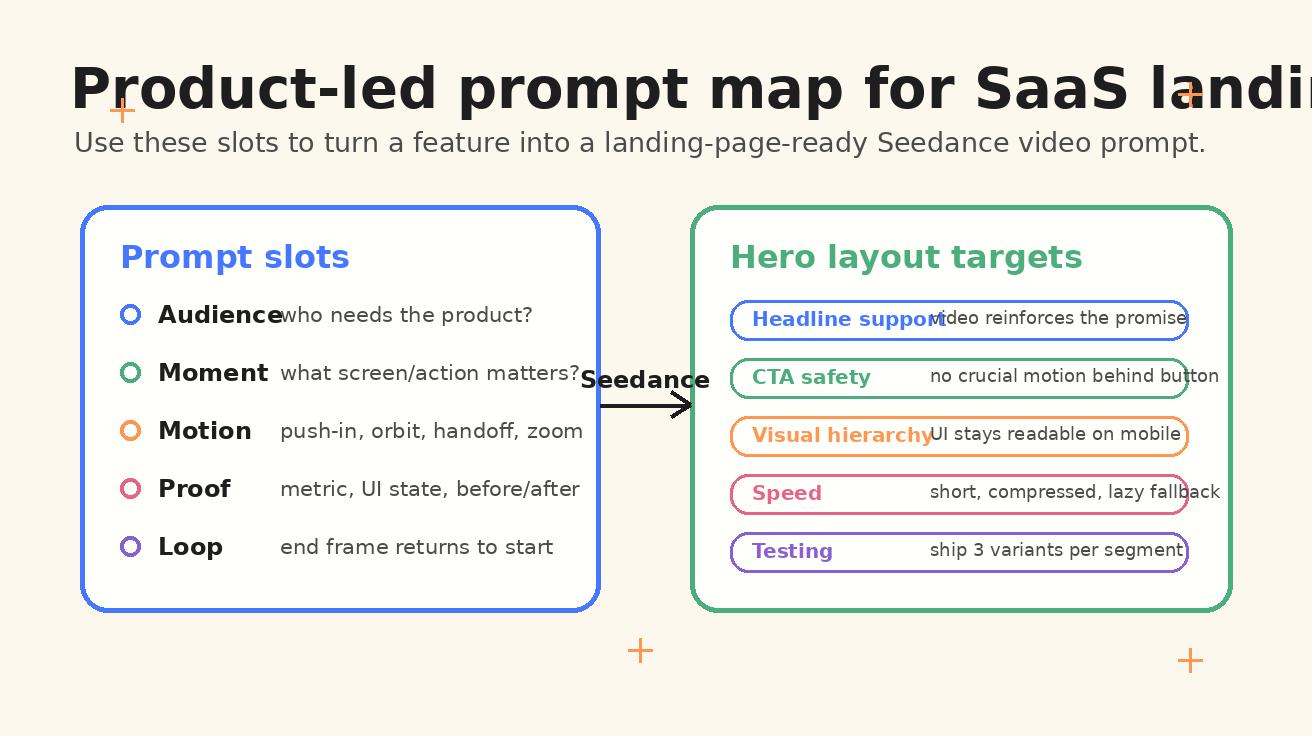
Use this five-part framework when writing prompts for Seedance SaaS hero videos.
1. Audience and product category
Tell Seedance what type of SaaS product the hero belongs to. This changes the visual language. A security product should not feel like a playful creator app. A design collaboration platform should not feel like a financial compliance dashboard.
Prompt slot:
A SaaS landing page hero video for [audience] using [product category], designed for a product-led website above the fold.
Examples:
- A SaaS landing page hero video for customer success teams using an AI churn prevention platform.
- A SaaS landing page hero video for product marketers using a launch asset generation tool.
- A SaaS landing page hero video for developers using an observability and incident response dashboard.
2. Input state
Start with the thing the buyer already recognizes. This builds empathy before the product appears.
Prompt slot:
Start with [messy input, static asset, manual workflow, or blank state].
Examples:
- Start with a crowded support inbox full of unresolved ticket cards.
- Start with a static SaaS product screenshot inside a clean browser frame.
- Start with scattered analytics events and unlabeled chart fragments.
- Start with a long manual onboarding checklist and disconnected app icons.
3. Product motion
Describe the transformation. Seedance needs motion verbs, not only nouns. Use verbs that match your product value: organize, merge, route, highlight, compress, generate, preview, approve, sync, detect, summarize, compare, or transform.
Prompt slot:
The motion shows [cards/files/screens/data] [moving/transformation verb] into [desired product result].
Examples:
- Ticket cards cluster by theme, priority labels appear, and an escalation path highlights itself.
- A screenshot expands into a smooth app walkthrough with cursor-free UI motion and subtle camera parallax.
- Revenue signals merge into a forecast dashboard, with high-risk accounts gently highlighted.
4. Landing page constraints
Hero videos are not standalone art. They must fit the page. Seedance prompts should include layout constraints.
Prompt slot:
Keep [left/right/top] area clean for headline and CTA, use restrained movement, readable UI shapes, no distracting text, seamless loop.
Examples:
- Keep the left third clean for headline text and primary CTA.
- Keep the final frame calm with negative space around the CTA area.
- Use abstract UI labels instead of readable tiny text to avoid distortion.
- Make the motion subtle enough to sit above the fold without distracting from the copy.
5. Visual style and output quality
For SaaS hero pages, a premium but minimal style usually wins. Avoid overloading the prompt with cinematic drama unless the product category needs it.
Prompt slot:
Premium SaaS website aesthetic, clean browser-frame UI, soft shadows, subtle depth, modern product marketing style, smooth motion, high clarity.
This framework keeps Seedance focused. It also helps a marketing team build prompt variations without rewriting everything from scratch.
Prompt templates for different SaaS landing pages
Below are practical Seedance prompt templates you can adapt for common SaaS hero sections.
Template 1: AI productivity SaaS
Create a 6-second Seedance hero video for an AI productivity SaaS landing page. Start with a busy workspace: scattered notes, calendar blocks, unread messages, and task cards floating inside a clean browser interface. A calm AI assistant panel appears and organizes the chaos into three prioritized tasks, a clean daily plan, and one highlighted next action. Use a smooth push-in camera move, soft lighting, premium SaaS UI aesthetic, subtle depth, and restrained motion. Keep the right side clean for headline and CTA overlay. Avoid readable tiny text, avoid brand names, seamless loop ending with the organized plan visible.
Use this when the landing page promise is about clarity, prioritization, or time savings. The key is to show information becoming action.
Template 2: SaaS analytics dashboard
Generate a short product-led hero video for a SaaS analytics platform. Start with scattered raw data points and faint chart fragments in a modern dashboard. The data streams into clean cards: acquisition, retention, revenue, and anomaly alerts. The camera slowly orbits the dashboard as one insight card rises forward with a clear visual highlight. The style is premium B2B SaaS, clean white interface, soft blue accents, realistic dashboard motion, no distorted text, no logos. Keep the left area calm for landing page copy. End on a stable dashboard state that loops smoothly.
Use this when the product value is insight, visibility, or decision support. Do not show too many charts. One highlighted insight is more memorable than eight tiny graphs.
Template 3: Developer tool or infrastructure SaaS
Create a 7-second Seedance landing page hero video for a developer observability SaaS. Begin with a dark but clean system map showing scattered service nodes and alert dots. A focused trace line moves through the system, identifies one failing service, and opens a clear incident card with status, owner, and next step shown as abstract UI blocks. Motion should feel precise, reliable, and calm. Use a modern developer dashboard aesthetic, subtle glow, smooth camera push-in, no readable small text, no brand names. Leave the top-left area clean for headline and CTA. Seamless loop ending.
Use this for products where trust matters. The motion should feel controlled, not chaotic.
Template 4: Collaboration or project management SaaS
Generate a 6-second Seedance hero video for a project management SaaS landing page. Start with scattered client requests, comments, and due-date cards across a clean workspace. The cards snap into a shared roadmap with three lanes: planning, production, review, shown as abstract readable blocks rather than tiny text. A teammate avatar handoff animation moves one task from request to approved. Use a bright modern SaaS aesthetic, warm accent colors, smooth motion, subtle shadows, no brand names. Keep the center-left clean for page headline. End on a calm roadmap view that loops naturally.
Use this when the buyer cares about coordination. The video should make the workflow feel less fragmented.
Template 5: AI creative SaaS using Seedance itself
Create a Seedance hero video for a SaaS product that turns product screenshots into launch videos. Start with a static app screenshot in a clean upload panel. The screenshot lifts into a browser mockup, gains smooth camera parallax, and becomes a polished product demo loop with UI cards moving gently. Show a side panel with abstract prompt chips, style choices, and output preview thumbnails. Use premium product marketing style, soft cream background, crisp UI cards, subtle motion, no readable tiny text, no logos. Keep the lower-right area clear for CTA. Seamless loop ending.
This is the most direct use case for Seedance SaaS hero videos: showing the transformation that the visitor wants to achieve.
How to build hero videos from product screenshots
Many SaaS teams already have product screenshots, but screenshots are often too static for the hero section. Seedance can help turn those assets into motion while keeping the product recognizable. The best workflow is simple.
First, choose one screenshot that represents the core value moment. Do not choose the most complex dashboard. Choose the screen a buyer would understand in two seconds. If the product is an email automation tool, that might be a sequence builder. If the product is an AI research tool, that might be a source summary panel. If the product is a video creation tool, that might be the prompt-to-output workspace.
Second, clean the screenshot before using it as a reference. Remove private data, tiny labels, customer names, and sensitive numbers. Replace real text with simple placeholders. Seedance should not be forced to preserve unreadable microcopy. The hero video needs recognizability, not legal-risk detail.
Third, describe the exact motion. A product screenshot can become a video in several ways: parallax depth, cursor-free walkthrough, card expansion, camera push-in, feature highlight, before-and-after split, timeline reveal, or output preview. Choose one. Too many motions will make the clip feel like a demo trailer instead of a hero loop.
Fourth, write a prompt that protects layout. For above-the-fold placement, tell Seedance where the page copy will sit. If the video will be on the right, ask for motion concentrated on the right with a calm left side. If it will be a full-width background, ask for low contrast, centered product shapes, and safe margins around headline text.
Fifth, generate variants. For each hero idea, create at least three Seedance variations: a calm version, a more energetic version, and a tighter UI version. The calm version often performs better on serious B2B pages because it supports reading. The energetic version can work for creator tools, product launch pages, and growth products. The UI version is useful when the product itself needs to carry trust.
Above-the-fold placement: where the Seedance video should live
A Seedance SaaS hero video can sit in several layouts.
Right-side product panel. This is the safest layout for most SaaS pages. The headline and CTA stay on the left. The video appears in a browser frame or card on the right. Use this when the page needs clear copy and the video is proof.
Background loop behind the headline. This can look premium, but it is risky. If the motion is too strong, visitors struggle to read. Use a low-contrast Seedance clip, heavy blur, or dark overlay. Keep the message simple.
Interactive-style mock demo. The video appears as if it is a product demo, but it loops automatically. This works for product-led pages where the interface is the core selling point. Use abstract UI labels and visible state changes.
Split-screen transformation. The left side shows the before state; the right side shows the result. This is strong for automation, AI writing, analytics, and workflow tools. It makes the value proposition obvious.
Embedded hero card below headline. Mobile-first pages sometimes place the video below the CTA. In that case, the first frame matters because the user may scroll into it. Start with a clear input state and avoid tiny text.
For all layouts, remember that a hero video is part of the conversion system. It must work with the headline, subheadline, CTA, social proof, page speed, and mobile experience.
SEO and conversion benefits of Seedance SaaS hero videos
The SEO value of a SaaS hero video is indirect but important. Google does not rank a page simply because it has an AI-generated video. But a better hero section can improve engagement signals, reduce confusion, and make the page more useful. It can also support richer content when you embed the same product-led narrative in the article, documentation, or feature page.
For SEO landing pages, Seedance videos can help in four ways.
First, they make the page more specific. A generic SaaS page often feels interchangeable. A product-led Seedance video shows the actual workflow category, which can improve topical relevance when paired with strong copy.
Second, they support long-tail intent. Pages targeting phrases like "AI onboarding automation software," "SaaS product demo video generator," or "customer support workflow automation" benefit from visual examples. The video reinforces the use case.
Third, they create reusable assets. A Seedance hero video can become a social teaser, a product update GIF, a help center visual, a launch email thumbnail, or a sales deck opener. That gives the SEO content team more ways to distribute the same idea.
Fourth, they can improve conversion on pages that already get traffic. If a feature page has impressions but weak signups, the problem may be unclear value. A Seedance hero loop that shows the transformation can make the page easier to understand.
However, do not sacrifice performance. A huge autoplay video can hurt load speed and mobile usability. Compress the file, use a poster image, lazy-load below-the-fold assets, and keep the hero clip short. If the Seedance output is used as an MP4 or WebM, serve optimized sizes for desktop and mobile.
Common mistakes to avoid
The most common mistake is making the Seedance clip too cinematic. Sweeping camera moves, dramatic lighting, and complex environments can look impressive, but SaaS hero sections need clarity. If the visitor remembers the animation but not the product, the video failed.
The second mistake is asking Seedance to render too much readable text. AI video models can create beautiful interface-like motion, but tiny text may distort. Use abstract labels, large UI blocks, icons, and simple status chips. Put exact words in the HTML copy, not inside the video.
The third mistake is showing features instead of outcomes. A video that cycles through five product panels may feel busy. A video that shows one painful input becoming one useful output is easier to understand.
The fourth mistake is ignoring mobile. Many SaaS hero videos are designed on a large desktop monitor and then become tiny, cropped, or distracting on mobile. Plan a mobile composition from the start. Sometimes the best mobile hero is a static poster from the Seedance video with the full loop available lower on the page.
The fifth mistake is not testing variants. Seedance makes variation affordable, so use it. Test different first frames, motion speed, visual metaphors, and CTA-safe layouts. The winning hero video might not be the most beautiful; it might be the clearest.
A/B testing checklist for Seedance hero videos
When you publish a Seedance SaaS hero video, test it like a landing page element, not like a creative asset. Track the metrics that match the page goal.
For a signup page, watch CTA click rate, free trial starts, form completions, bounce rate, and scroll depth. For a demo page, watch demo clicks, form starts, qualified submissions, and time on page. For a feature page, watch internal clicks to pricing, product pages, or documentation.
Run tests in focused pairs. Do not change the headline, CTA, layout, and video at the same time unless you are intentionally testing a full hero redesign. If you want to measure the video, keep the copy stable.
Useful tests include:
- Static screenshot versus Seedance hero video.
- Calm UI loop versus energetic transformation.
- Right-side video card versus full-width background.
- Product screenshot reference versus abstract product metaphor.
- Problem-first opening frame versus result-first opening frame.
- Desktop autoplay versus click-to-play on mobile.
Also review qualitative recordings if available. If visitors pause, scroll back, or move toward the video before clicking, it may be helping comprehension. If visitors hover but do not click or scroll, the video may be drawing attention away from the CTA.
Seedance prompt library for product marketing teams
The fastest way to operationalize Seedance hero videos is to create a shared prompt library. Product marketers should not start from a blank prompt every time. Build reusable modules.
Create one module for audience and category. Create another for product motion. Create another for page layout. Create another for visual style. Then assemble prompts based on campaign needs.
A useful prompt library might include:
- Automation transformation: messy cards organize into a clear workflow.
- AI assistant: prompt input becomes a recommended action plan.
- Analytics insight: raw data turns into a highlighted decision.
- Creative output: static asset becomes a polished media preview.
- Security response: risk signal becomes contained and resolved.
- Collaboration handoff: request moves from intake to review to approval.
- Onboarding journey: blank account becomes configured workspace.
Each module should include negative instructions too: no brand names, no unreadable tiny text, no excessive camera shake, no busy background, no hard cut ending, no visual clutter behind CTA.
This is where Seedance becomes more than a creative experiment. It becomes part of the SaaS growth stack. A product launch page, a comparison page, a feature page, and a blog tutorial can all use variants of the same prompt system while staying visually consistent.
Final recommended Seedance prompt for a SaaS hero page
If you want one ready-to-use prompt, start here:
Create a 6-second Seedance SaaS hero video for a product-led landing page in 2026. The video should show a clear product transformation above the fold. Start with a recognizable messy workflow: scattered task cards, notes, and app icons inside a clean browser interface. Then show the product organizing the workflow into a polished dashboard with three visible outcome cards, one highlighted recommendation, and a calm final state. Use smooth camera push-in, subtle parallax, premium B2B SaaS design, soft shadows, modern UI cards, and restrained motion. Keep the left third visually clean for headline, subheadline, and CTA overlay. Avoid readable tiny text, avoid logos, avoid clutter, avoid fast cuts. End on a stable frame that loops seamlessly back to the beginning.
After generating, review it with three questions:
- Can a qualified buyer understand the product category in two seconds?
- Does the motion support the headline instead of competing with it?
- Would the final frame still look good if used as a poster image?
If the answer is yes, the Seedance clip is ready for landing page testing.
Conclusion: use Seedance to make the SaaS promise visible
Seedance SaaS hero videos work best when they are product-led, concise, and conversion-aware. The clip should not be a decoration placed above the fold because AI video is trendy. It should be a visual proof moment that helps the visitor understand the product faster.
Start with the message. Storyboard one transformation. Prompt Seedance with the audience, input state, product motion, layout constraints, and loop behavior. Generate variants. Compress carefully. Test against a static screenshot. Then build the winning patterns into a shared prompt library.
For SaaS teams, the opportunity is clear: every landing page can have a hero visual that feels more alive than a screenshot but more focused than a brand film. Seedance gives product marketers a practical way to create those assets quickly, test them responsibly, and keep the product promise at the center of the page.
FAQ
What are Seedance SaaS hero videos?
Seedance SaaS hero videos are short AI-generated video loops created with Seedance for the first screen of a SaaS landing page. They usually show a product workflow, UI transformation, or before-and-after outcome that supports the headline and CTA.
How long should a SaaS hero video be?
Most SaaS hero videos should be five to eight seconds long. That is long enough to show a simple transformation but short enough to loop without distracting from the page copy.
Should I use a real product screenshot in Seedance?
Use a cleaned, non-sensitive product screenshot when the interface itself is important to the buying decision. Remove private data and tiny text before using it as a reference. For early-stage concepts, an abstract UI prompt may be safer.
Where should I place a Seedance hero video on a landing page?
The safest placement is usually a right-side product card beside the headline and CTA. Full-width background video can work, but only if the motion is subtle and the copy remains easy to read.
Can Seedance hero videos help SaaS SEO?
They can help indirectly by making the page more useful, specific, and engaging. The video itself is not a ranking shortcut, but a clearer product-led page can improve user experience and support conversion from organic traffic.
What is the best Seedance prompt structure for SaaS hero videos?
Use a structure that includes audience, product category, input state, product motion, landing page layout constraints, visual style, and loop behavior. Avoid generic prompts like "make a SaaS animation" because they rarely produce conversion-ready hero assets.
<script type="application/ld+json"> { "@context": "https://schema.org", "@type": "FAQPage", "mainEntity": [ { "@type": "Question", "name": "What are Seedance SaaS hero videos?", "acceptedAnswer": { "@type": "Answer", "text": "Seedance SaaS hero videos are short AI-generated video loops created with Seedance for the first screen of a SaaS landing page. They usually show a product workflow, UI transformation, or before-and-after outcome that supports the headline and CTA." } }, { "@type": "Question", "name": "How long should a SaaS hero video be?", "acceptedAnswer": { "@type": "Answer", "text": "Most SaaS hero videos should be five to eight seconds long. That is long enough to show a simple transformation but short enough to loop without distracting from the page copy." } }, { "@type": "Question", "name": "Should I use a real product screenshot in Seedance?", "acceptedAnswer": { "@type": "Answer", "text": "Use a cleaned, non-sensitive product screenshot when the interface itself is important to the buying decision. Remove private data and tiny text before using it as a reference. For early-stage concepts, an abstract UI prompt may be safer." } }, { "@type": "Question", "name": "Where should I place a Seedance hero video on a landing page?", "acceptedAnswer": { "@type": "Answer", "text": "The safest placement is usually a right-side product card beside the headline and CTA. Full-width background video can work, but only if the motion is subtle and the copy remains easy to read." } }, { "@type": "Question", "name": "Can Seedance hero videos help SaaS SEO?", "acceptedAnswer": { "@type": "Answer", "text": "They can help indirectly by making the page more useful, specific, and engaging. The video itself is not a ranking shortcut, but a clearer product-led page can improve user experience and support conversion from organic traffic." } }, { "@type": "Question", "name": "What is the best Seedance prompt structure for SaaS hero videos?", "acceptedAnswer": { "@type": "Answer", "text": "Use a structure that includes audience, product category, input state, product motion, landing page layout constraints, visual style, and loop behavior. Avoid generic prompts like make a SaaS animation because they rarely produce conversion-ready hero assets." } } ] } </script>
Ready to create your own AI video?
Turn ideas, text prompts, and images into polished videos with Seedance. If this article helped, the fastest next step is to try the product.
Free credits on signup. Plans from $28/month.
Related Articles
More posts in the same locale you may want to read next.

Seedance App Preview Video Generator 2026: Create App Store and Product Launch Clips
Use Seedance to turn app screenshots, feature copy, and launch goals into App Store previews, Google Play promo videos, and product launch clips.
Read article
AI Dance Video Prompt Examples: Choreography, Camera, and Rhythm
Use five AI dance video prompt examples, a choreography formula, camera guidance, and full-clip checks to create more coherent dance videos.
Read article
Pictory Blog to Video Tutorial: Turn an Article Into a Watchable Story
Follow a practical Pictory blog-to-video workflow for compressing an article, fixing visuals, adding voiceover and captions, and approving the final export.
Read article