
Seedance Reference Image Workflow 2026: Keep Style Consistent from Image to Video
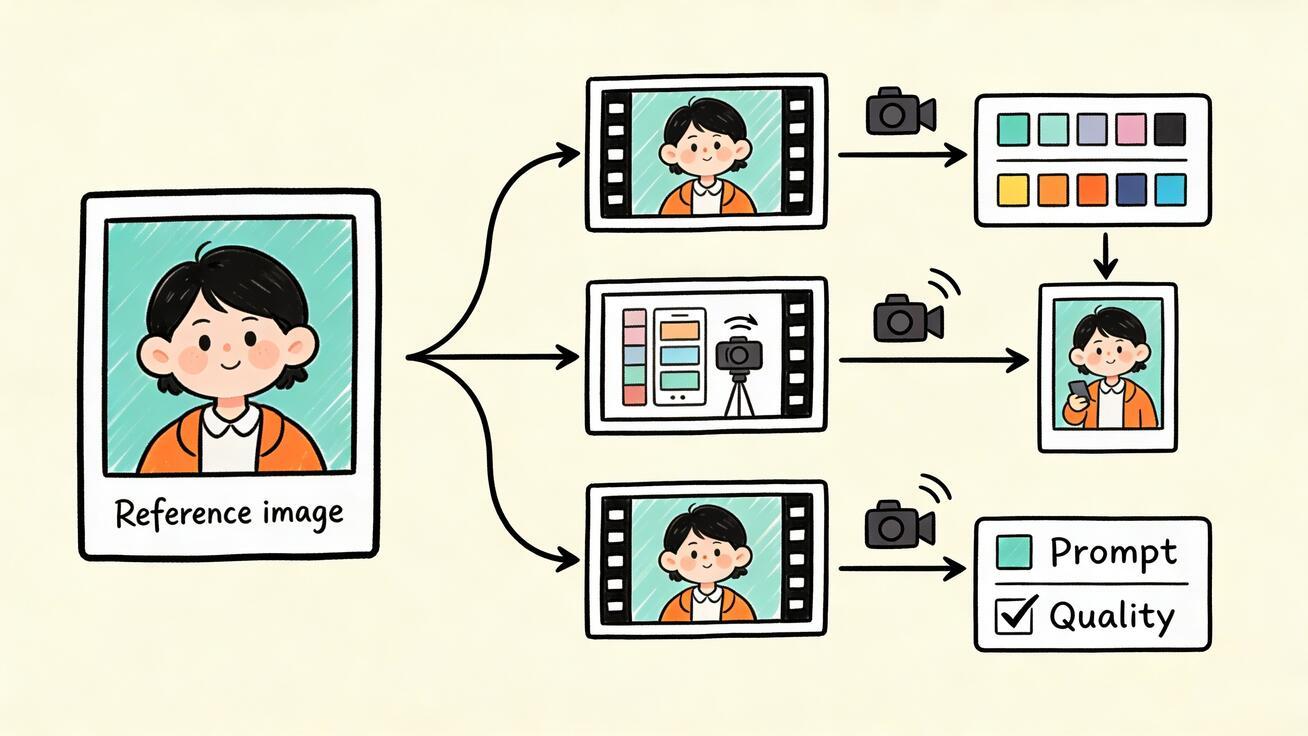
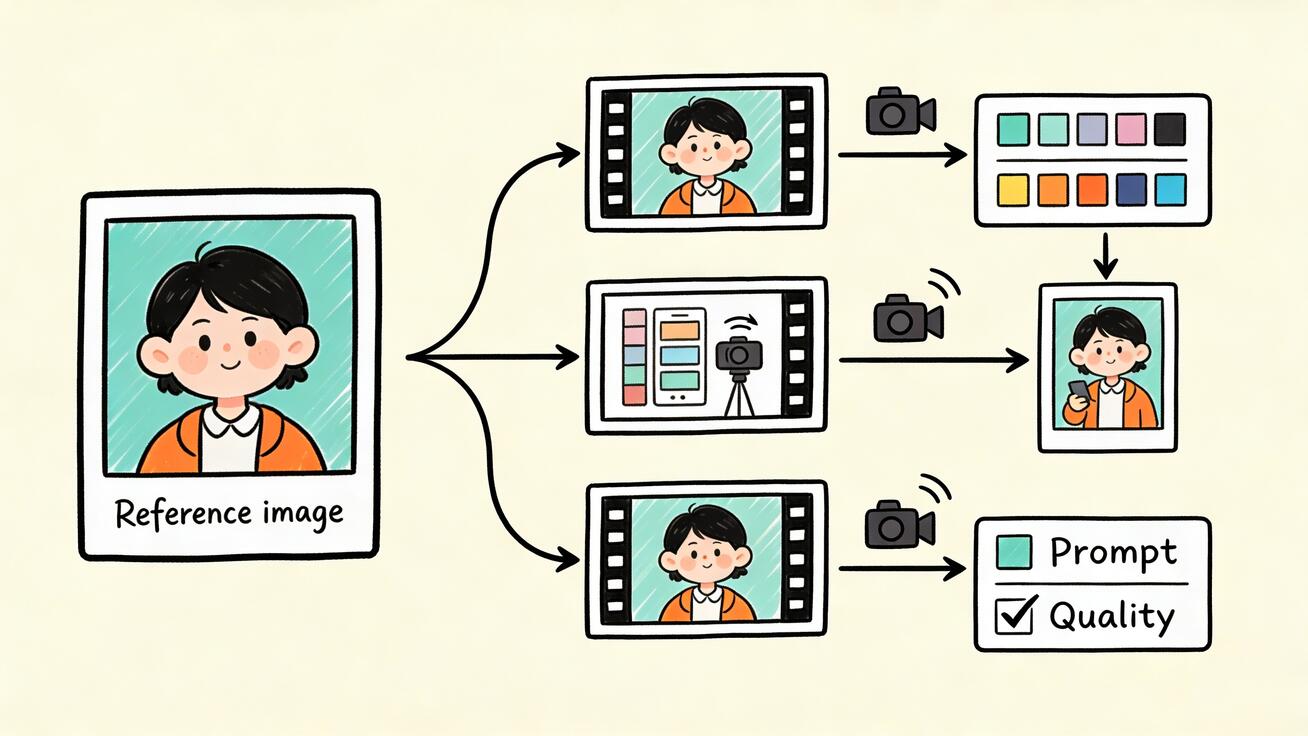
A strong Seedance video often starts before the prompt box. It starts with the reference image you choose, the visual rules you protect, and the way you translate a still image into motion instructions. When creators skip that preparation, they usually get one attractive clip and then lose consistency in the next generation: the character face shifts, the product changes shape, the wardrobe becomes a different style, the lighting jumps, or the scene no longer feels like part of the same brand.
This guide gives you a practical Seedance reference image workflow for 2026. It is written for creators, marketers, product teams, agencies, educators, and social video editors who need repeatable image-to-video results instead of one lucky generation. You will learn how to choose a reference image, build a Seedance prompt structure, maintain character and product consistency, plan shots, review outputs, and troubleshoot common failure patterns.
Use this article when you already have a product photo, character portrait, campaign still, style frame, room image, brand visual, or AI-generated concept image that you want to animate with Seedance. If you are starting with no image at all, build the concept first in Seedance Text to Video, then save the strongest frame or create a dedicated reference image. If you already have an image ready, open Seedance Image to Video and use this workflow as your production checklist. For model capability context, keep the Seedance 2.0 page nearby while testing reference-based shots.
What a Reference Image Actually Does in Seedance
A reference image is not just decoration. In a Seedance image-to-video workflow, the reference image acts as a visual anchor. It tells Seedance what the subject looks like before your prompt describes what should happen next. That anchor can be a product, a person, a character, a room, a costume, a color palette, a composition, a graphic style, or a complete scene.
The important point is that a reference image and a prompt do different jobs. The image provides visible evidence. The prompt provides direction. If the image shows a clean product photo, the prompt should not waste space describing every pixel. It should explain the motion, camera, setting, protected details, and what must not change. If the image shows a character portrait, the prompt should protect facial identity, hairstyle, outfit, and mood while giving Seedance clear action and camera instructions.
A weak Seedance workflow usually treats the image as magic: upload one picture and write “make it cinematic.” A strong workflow treats the image as a source of truth and the prompt as a director’s note. The image says, “This is the subject.” The prompt says, “Keep this subject consistent while creating this shot.”
That distinction matters because AI video models are excellent at motion and atmosphere, but they can still reinterpret details. Without guardrails, a product can gain extra buttons, a character can change age, a room can add furniture, and a brand style can drift. The Seedance reference image workflow is designed to reduce that drift.
The Seedance Reference Image Workflow at a Glance
Use this six-step system before every important Seedance image-to-video generation:
| Step | What you do | Why it matters |
|---|---|---|
| 1. Choose the anchor | Select the image that best defines the subject or style | Gives Seedance a clean visual reference |
| 2. Define the consistency target | Decide what must stay unchanged | Prevents product, character, and style drift |
| 3. Write the reference lock | Convert protected details into prompt language | Makes consistency explicit |
| 4. Add motion and camera | Describe one clear action and one camera move | Turns the still image into directed video |
| 5. Plan the shot sequence | Build a storyboard when multiple clips are needed | Keeps scenes connected |
| 6. Review against acceptance criteria | Check identity, product shape, style, motion, and usefulness | Stops pretty but unusable clips from passing |
This workflow is intentionally simple. The goal is not to make every Seedance prompt long. The goal is to make every prompt specific enough to protect the reference image while giving the model room to animate naturally.
Step 1: Choose the Right Seedance Reference Image
The best reference image is not always the prettiest image. It is the image that gives Seedance the clearest visual information for the job.
For a product video, choose an image where the product shape, material, color, and key features are visible. A clean hero photo, product render, ecommerce image, package shot, or device mockup is usually better than a crowded lifestyle scene. If the product is partially hidden by hands, shadows, reflections, or other objects, Seedance may misunderstand what should remain fixed.
For a character video, choose a reference where the face, hairstyle, outfit, body type, and overall style are easy to read. A clear portrait works for close-ups, while a full-body image works better for action or fashion shots. If you need both face and outfit consistency, prepare two references in your production folder even if you upload only the most important one for a single generation.
For a style consistency workflow, choose a frame that expresses the exact visual language you want: color palette, line quality, lighting mood, camera distance, production design, background texture, and composition. A style reference should not contain too many competing ideas. If it mixes anime, photorealism, neon, vintage film, product photography, and fantasy lighting in one frame, the output may drift because the signal is confused.
For a room, real estate, interior, or set design workflow, choose a wide image with stable perspective and visible layout. A Seedance prompt can add camera movement, sunlight, curtain motion, or small environmental changes, but it should not be forced to reconstruct an unclear room from a cropped corner.
Before uploading, ask five questions:
- Is the main subject obvious at mobile size?
- Are the protected details visible?
- Is there anything in the image that Seedance might treat as part of the subject by accident?
- Does the image match the video style I want, or only the object I want?
- Would a teammate understand what must stay consistent just by looking at it?
If the answer is no, prepare the image first. Crop it, simplify the background, remove distracting objects, or create a cleaner reference frame. The better the input, the less you need to fight the output.
Step 2: Decide What Kind of Consistency You Need
“Keep it consistent” is too vague for a Seedance prompt. You need to decide which consistency target matters most.
Product consistency
Product consistency means the item should keep the same shape, color, material, proportions, logos if visible, packaging silhouette, buttons, ports, labels, and key features. This is critical for ecommerce ads, SaaS mockup videos, app preview clips, product demos, landing page hero loops, and UGC-style ads.
A product consistency target might be:
- Same matte black bottle shape
- Same rounded cap
- Same blue label area
- Same slim device body
- Same screen ratio
- Same package silhouette
- No extra product copies
- No fake logos or invented text
Character consistency
Character consistency means the person or fictional character should keep the same face, hairstyle, age, outfit, body type, accessories, and emotional tone. This is important for short stories, creator avatars, brand mascots, training videos, education content, and social series.
A character consistency target might be:
- Same woman with short curly black hair
- Same red jacket and white sneakers
- Same friendly expression
- Same glasses
- Same age and face structure
- No outfit changes unless requested
- No sudden change in body proportions
Style consistency
Style consistency means the output should preserve the visual language of the reference: hand-drawn doodle, realistic studio commercial, cinematic night scene, soft pastel animation, premium product photography, documentary handheld, or mobile UGC. Style drift is common when the prompt adds too many new adjectives.
A style consistency target might be:
- Same cream background and ink line art
- Same warm morning light
- Same soft neutral palette
- Same shallow depth of field
- Same clean SaaS interface style
- Same premium commercial tone
Scene consistency
Scene consistency means the room, layout, props, horizon line, weather, lighting direction, or background should remain coherent. This is essential for real estate walkthroughs, interior design clips, tutorial videos, and multi-shot storyboards.
A scene consistency target might be:
- Same wooden desk
- Same window on the left
- Same sofa and coffee table positions
- Same city skyline background
- Same night market setting
- No new large furniture
- No sudden change from day to night
Do not try to protect everything with equal weight. Choose the top three to five details that truly matter. A Seedance prompt that protects the product, face, outfit, background, camera, lighting, props, color palette, logo, text, scene action, and editing style all at once can become overloaded. Consistency improves when the priority is clear.
Step 3: Build a Seedance Reference Lock
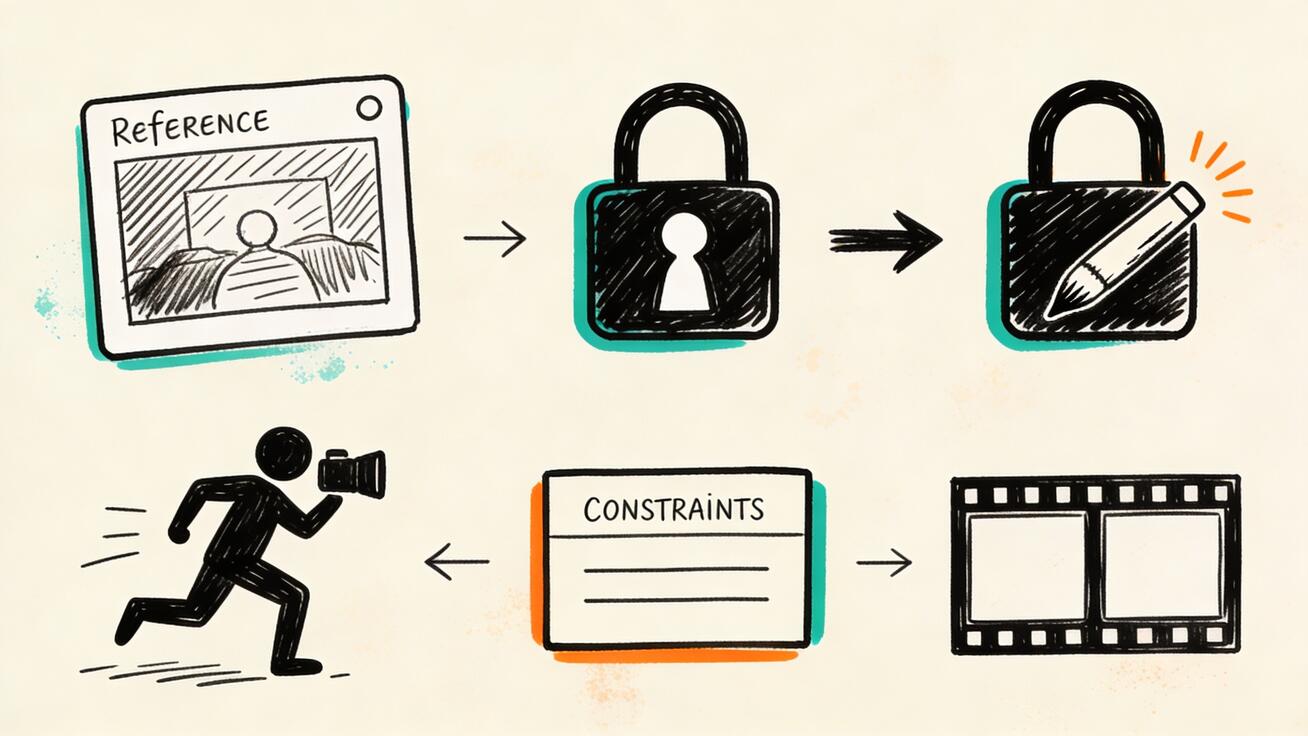
A reference lock is the part of the prompt that tells Seedance what the image must preserve. It should be short, concrete, and repeated across related shots.
Use this base format:
Use the uploaded reference image as the visual anchor. Preserve [protected details]. Do not change [forbidden changes].
For a product:
Use the uploaded product image as the visual anchor. Preserve the same product shape, color, material, proportions, package silhouette, and visible design features. Do not add extra buttons, new labels, fake logos, duplicate products, distorted edges, or unreadable text.
For a character:
Use the uploaded character image as the visual anchor. Preserve the same face, hairstyle, outfit, age, body type, and overall personality. Do not change the clothing, facial structure, hair color, glasses, or character proportions.
For a brand style:
Use the uploaded style frame as the visual anchor. Preserve the same cream background, black ink doodle line work, soft teal and orange accent colors, clean spacing, and editorial SaaS mood. Do not switch to photorealism, neon cyberpunk, 3D render style, or heavy text overlays.
For an interior scene:
Use the uploaded room image as the visual anchor. Preserve the same layout, wall color, sofa position, table position, window direction, and warm daylight mood. Do not add new furniture, move the main objects, change the room style, or introduce people unless requested.
The reference lock should not be buried at the end of a giant paragraph. Put it near the start or use a labeled line. Seedance can follow a prompt more reliably when the important instruction is easy to parse.
Step 4: Add One Clear Motion Idea
The most common Seedance image-to-video mistake is asking for too much action in one generation. A still image can become a strong video when the motion is simple and intentional. It becomes unstable when the prompt asks for a full story, a complex camera move, multiple character actions, a product transformation, changing lighting, new props, and a final CTA in one clip.
Use one primary motion idea per generation:
- Camera slowly pushes in toward the product
- Character turns slightly and smiles
- Hand places the product on a desk
- Curtains move while sunlight enters the room
- Product rotates gently on a studio surface
- Camera pans across the interior
- Light sweep reveals material texture
- Person lifts the item and uses it naturally
- Scene transitions from still image into a subtle living moment
Then add one camera instruction:
- Slow dolly push-in
- Locked-off medium shot
- Gentle handheld movement
- Left-to-right slider
- Macro rack focus
- Slow orbit
- Overhead top-down move
- Wide establishing pan
A Seedance prompt becomes stronger when action and camera work together. For example, “a hand places the product on the desk” pairs well with a close-up handheld shot. “The room comes alive with sunlight and curtain movement” pairs well with a slow interior pan. “The product rotates under a light sweep” pairs well with a premium studio orbit.
Avoid conflicting camera instructions. “Slow locked-off handheld orbit push-in from overhead macro wide shot” is not direction; it is noise. Choose one main camera move and one framing style.
Step 5: Use the Seedance Prompt Structure
Here is the most reliable structure for reference image work:
- Reference instruction
- Shot goal
- Protected details
- Scene and action
- Camera
- Lighting and style
- Constraints
- Review target
Template:
Use the uploaded reference image as the visual anchor. Shot goal: [what this clip should communicate]. Preserve: [subject/style/product details]. Scene and action: [what happens]. Camera: [framing and movement]. Lighting and style: [visual tone]. Constraints: [what to avoid]. Review target: the output should still look like the same [product/character/style] from the reference image.
Example for product consistency:
Use the uploaded product image as the visual anchor. Shot goal: create a premium Seedance image-to-video product reveal for a landing page hero. Preserve: the same product shape, matte surface, rounded cap, blue accent label, and package proportions. Scene and action: the product sits on a clean studio surface as a soft light sweep moves across the material. Camera: slow dolly push-in with a slight orbit. Lighting and style: realistic commercial product photography, warm neutral tones, crisp detail, minimal background. Constraints: no fake logos, no extra labels, no duplicate products, no warped edges, no readable text. Review target: the product must still be recognizable as the exact uploaded product.
Example for character consistency:
Use the uploaded character image as the visual anchor. Shot goal: animate the character into a short social story intro while preserving identity. Preserve: same face, short curly black hair, round glasses, yellow jacket, relaxed confident personality, and age. Scene and action: the character stands near a city window, turns toward the camera, and gives a small confident smile. Camera: stable medium close-up with a slow push-in. Lighting and style: soft cinematic daylight, natural skin tones, realistic but slightly stylized. Constraints: no outfit change, no face morphing, no extra characters, no exaggerated expression, no unreadable text. Review target: the character should feel like the same person from the reference image.
Example for style consistency:
Use the uploaded style frame as the visual anchor. Shot goal: create a Seedance tutorial visual that keeps the same hand-drawn SaaS doodle style. Preserve: cream background, black ink lines, teal and orange accents, clean spacing, simple cards, and friendly editorial mood. Scene and action: reference image cards flow into three video frame cards with small motion arrows and check marks. Camera: subtle overhead drift across the board. Lighting and style: flat illustration, clean educational design, no shadows. Constraints: no photorealistic objects, no 3D render style, no brand logos, no readable text. Review target: the frame should match the uploaded doodle style exactly.
This structure keeps the prompt focused on Seedance’s strengths: visual anchoring, directed motion, cinematic framing, and controlled variation.
Step 6: Plan Multi-Shot Videos Around the Reference
A single Seedance clip can work for a social hook, product reveal, or landing page loop. But many campaigns need several clips. That is where a reference image workflow becomes more valuable.
For a multi-shot sequence, create a shot plan before generating. Do not ask one prompt to produce the whole story. Break the video into shot cards.
A basic Seedance reference image storyboard might look like this:
| Shot | Purpose | Reference use | Motion | Consistency check |
|---|---|---|---|---|
| 1 | Establish the subject | Product photo as anchor | Slow studio push-in | Product shape unchanged |
| 2 | Show real context | Same product photo | Hand places product on desk | Same color and material |
| 3 | Show benefit | Same product lock | Desk becomes organized | No duplicate products |
| 4 | Final hero frame | Same product lock | Camera settles on product | Ready for CTA overlay in editor |
For a character story:
| Shot | Purpose | Reference use | Motion | Consistency check |
|---|---|---|---|---|
| 1 | Introduce character | Portrait as anchor | Character turns to camera | Same face and hair |
| 2 | Show action | Same character lock | Character walks through scene | Same outfit |
| 3 | Emotional beat | Same character lock | Close-up reaction | Same age and expression style |
| 4 | Payoff | Same character lock | Wide final pose | Same silhouette |
Each shot should repeat the same reference lock. You can change the camera, setting, and action, but do not rewrite the character or product description from scratch each time. Consistency comes from repeated anchors.
If you need a longer video, generate shorter Seedance clips and edit them together. Use matching transitions: a rightward pan into another rightward pan, a close-up of a product detail into a wide hero shot, warm light in one shot into warm light in the next. Seedance gives you the clips; the storyboard gives them continuity.
Product Reference Workflow for Seedance Ads
Product videos are one of the most practical uses of Seedance reference images because most teams already have product photos. The risk is that AI video can change the product if the prompt is too loose.
Use this product workflow:
- Choose a clean product image.
- Write a product lock.
- Choose the campaign job: hook, demo, benefit, hero loop, comparison, or UGC.
- Design one action that supports the job.
- Add a product-safe constraint line.
- Review the output against product identity before judging style.
Prompt example for a UGC-style product ad:
Use the uploaded product image as the visual anchor. Shot goal: create a realistic UGC-style Seedance image-to-video clip for a short ad. Preserve the same product shape, color, material, and proportions from the reference image. Scene and action: a creator places the product beside a laptop on a warm morning desk, then the camera moves closer as the workspace feels organized and ready. Camera: gentle handheld close-up, stable focus, natural motion. Lighting and style: realistic creator video, warm daylight, approachable and not overproduced. Constraints: no fake logos, no extra product copies, no unreadable text, no distorted hands, no product shape changes. Review target: the product must remain identical to the uploaded reference.
Prompt example for a landing page hero:
Use the uploaded product image as the visual anchor. Shot goal: create a calm Seedance landing page hero loop. Preserve the same product silhouette, material, color, and visible feature placement. Scene and action: the product remains on a minimal premium surface while soft light moves slowly across it. Camera: slow push-in that settles into a stable final frame. Lighting and style: clean studio commercial, neutral background, premium but not dramatic. Constraints: no fast cuts, no extra props, no fake text, no new product details, no duplicate items. Review target: the final frame should work next to website copy.
The key is to judge product accuracy before judging beauty. A beautiful clip with the wrong product is not usable marketing content.
Character Reference Workflow for Seedance Stories
Character consistency requires a different prompt rhythm. Seedance needs to know which details define identity and which details can move.
Use this character workflow:
- Choose a clear reference portrait or full-body image.
- Write a character identity lock.
- Define the emotional state.
- Add one action.
- Use stable framing for important identity shots.
- Review face, hair, outfit, age, and proportions.
Prompt example:
Use the uploaded character image as the visual anchor. Shot goal: create a consistent opening shot for a Seedance character story. Preserve the same face structure, short wavy brown hair, green jacket, silver necklace, age, and calm confident personality. Scene and action: the character stands at the edge of a rainy city street, turns slightly toward the camera, and takes one step forward. Camera: medium shot with a slow push-in. Lighting and style: cinematic evening rain, soft reflections, realistic but polished. Constraints: no outfit change, no face morphing, no hair color change, no extra characters, no exaggerated expression. Review target: the character should be immediately recognizable as the uploaded reference.
For multi-shot character scenes, avoid changing the character description in each prompt. Use the same identity lock, then only change the shot goal and action. If one clip succeeds, save the exact wording that worked and reuse it.
Style Reference Workflow for Brand Consistency
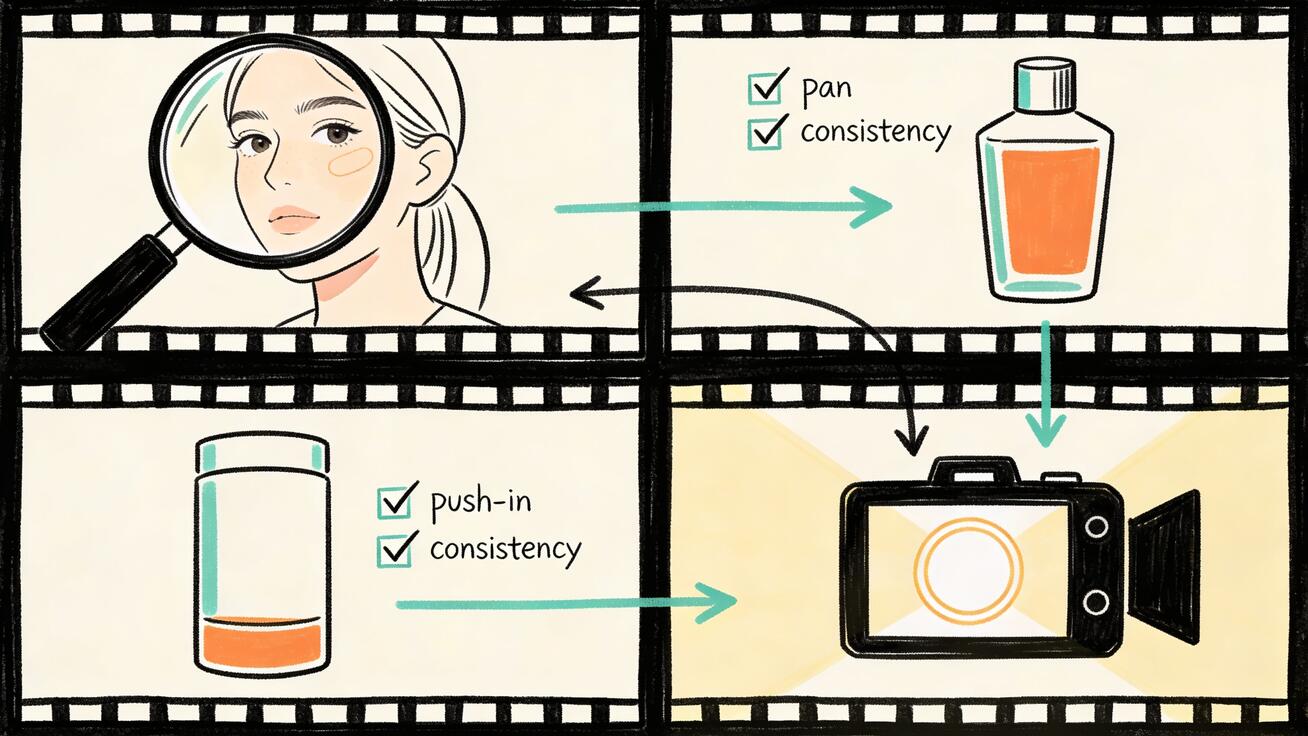
Style consistency matters when the output is part of a brand campaign, tutorial series, product education flow, or social content system. A single Seedance clip can look great, but a campaign fails if every clip looks like a different brand.
Use this style workflow:
- Choose one style frame as the visual source of truth.
- Describe the style with concrete visual terms.
- Remove conflicting adjectives.
- Keep camera movement subtle unless the style supports action.
- Review color, texture, composition, and medium.
Concrete style terms are better than generic ones. Instead of “make it beautiful,” write “cream background, black ink line art, soft teal accent, editorial SaaS tutorial layout.” Instead of “cinematic,” write “warm side light, shallow depth of field, natural handheld camera, realistic skin tones.” Instead of “premium,” write “minimal studio surface, soft shadows, controlled highlights, slow product orbit.”
Seedance responds better to visible direction than taste words. Taste words are subjective; visual terms are instructions.
Seedance Quality Check: Accept, Retry, or Repair
After generating a Seedance clip, review it with a checklist. Do not accept the first output just because it has nice motion.
Check product outputs for:
- Same shape as reference
- Same material and color
- No extra labels or fake text
- No duplicate product unless requested
- No warped edges or melting details
- No unrealistic hand interaction
- Clear final frame for editing
Check character outputs for:
- Same face structure
- Same hairstyle and color
- Same outfit
- Same age and body type
- Natural expression
- Stable hands if visible
- No sudden identity change during motion
Check style outputs for:
- Same visual medium
- Same color palette
- Same lighting mood
- Same composition logic
- No unexpected photorealism or 3D shift
- No clutter that weakens the reference style
Check shot usefulness:
- Does the clip perform the assigned role?
- Can it be edited into the planned sequence?
- Does the final frame connect to the next shot?
- Is the subject clear on mobile?
- Would a viewer understand the message without reading your prompt?
If the clip fails, decide whether to accept, retry, or repair.
Accept when the subject is consistent, the motion supports the goal, and the artifact level is low.
Retry when the core idea is right but Seedance missed one important detail. Tighten the reference lock and remove extra complexity.
Repair when the clip is useful but needs editing, cropping, speed changes, color correction, text overlay, or a different final frame. Not every issue requires a new generation.
Troubleshooting Common Seedance Reference Image Problems
The product changes shape
Cause: the product lock is too vague, the image is unclear, or the action is too complex.
Fix: use a cleaner product image, simplify the motion, and add exact protected details. Write: “Preserve the same product silhouette, proportions, cap shape, material, and visible feature placement. Do not add buttons, ports, labels, handles, or duplicate products.”
The character face changes
Cause: the prompt emphasizes scene and action more than identity, or the camera is too wide for facial detail.
Fix: use a clearer portrait, write a stronger character lock, and start with a medium close-up. Avoid asking for extreme facial expressions or fast movement in the first consistency test.
The style drifts into another medium
Cause: the prompt includes conflicting style words such as “hand-drawn,” “photorealistic,” “cinematic,” and “3D render” together.
Fix: choose one style language. If you want doodle, protect line art, background, accent colors, spacing, and flat illustration. If you want realism, protect lens, lighting, texture, and camera behavior.
The motion is too chaotic
Cause: the prompt asks for too many actions or camera moves.
Fix: reduce to one action and one camera move. Replace “the character walks, picks up the product, opens it, turns to camera, smiles, and the room transforms” with “the character picks up the product and turns slightly toward the camera.”
The output looks good but does not match the campaign
Cause: the prompt optimized for aesthetics instead of job-to-be-done.
Fix: add a shot goal. “Create a premium product reveal for a landing page hero” produces a different result from “create a fast UGC hook for TikTok.” Seedance needs the distribution context.
Text or logos look wrong
Cause: AI video models can struggle with precise generated text.
Fix: avoid asking Seedance to create readable text. Keep logos and labels in the reference image when necessary, but do not rely on generated copy. Add text overlays later in your editor.
Multiple shots do not match
Cause: each prompt was written as a new world.
Fix: repeat the same reference lock, same style lock, and same continuity notes across every shot. Use a shot table and write transitions before generation.
A Reusable Seedance Reference Image Prompt Template
Copy this template and fill it in before each important image-to-video generation:
Use the uploaded reference image as the visual anchor.
Shot goal: [what this clip should communicate].
Preserve: [top three to five subject/style/product details].
Scene and action: [one clear action].
Camera: [one framing style and one camera movement].
Lighting and style: [specific visual tone].
Constraints: [what must not appear or change].
Review target: the final clip should still look like the same [product/character/style/scene] from the reference image.
For Seedance style consistency, add:
Continuity with other Seedance clips: keep the same color palette, lighting direction, subject scale, and scene mood so this shot can be edited into the same sequence.
For product campaigns, add:
Product lock: the product must remain the exact same item from the reference image; no added features, no changed proportions, no duplicate copies, no fake text.
For character stories, add:
Character lock: the character must remain the same person from the reference image; same face, hair, outfit, age, and body proportions.
Final Workflow: From Image to Consistent Seedance Video
Here is the complete Seedance reference image workflow in one practical sequence:
- Choose a clear reference image with the subject or style visible.
- Decide whether the main goal is product, character, style, or scene consistency.
- Write a short reference lock with protected details and forbidden changes.
- Define the shot goal before writing the action.
- Add one action and one camera move.
- Keep lighting and style concrete.
- Generate the first Seedance test clip.
- Review identity, product shape, style, motion, and edit usefulness.
- If the clip works, save the reference lock as a reusable template.
- If you need multiple clips, build a shot table and repeat the same lock across scenes.
Seedance is most useful when you treat it like a production system, not a slot machine. A reference image gives you visual control. A prompt gives you direction. A storyboard gives you continuity. A quality checklist protects the final asset from drift.
The best Seedance image-to-video workflow is not the longest prompt. It is the clearest relationship between image, motion, and consistency.
FAQ
What is a Seedance reference image?
A Seedance reference image is an uploaded visual anchor used in an image-to-video workflow. It can define a product, character, scene, room, style, or brand look that Seedance should preserve while generating motion.
How do I keep a product consistent in Seedance image to video?
Use a clean product image and add a product lock in the prompt. Tell Seedance to preserve the same shape, color, material, proportions, package silhouette, and visible features. Also tell it not to add fake logos, extra labels, duplicate products, or new parts.
How do I keep a character consistent across Seedance clips?
Start with a clear character reference, then repeat the same character lock in every prompt. Protect the face, hairstyle, outfit, age, body type, and personality. Use stable medium shots for identity-critical scenes before trying complex action.
Why does my Seedance reference image workflow drift between shots?
Drift usually happens when each prompt describes a new scene without repeating the same protected details. Use the same reference lock, style lock, lighting notes, and continuity notes across all shots. Plan the sequence before generating.
Should I use Seedance text to video or image to video for consistency?
Use Seedance text to video when you are exploring ideas from scratch. Use Seedance image to video when a specific product, character, room, or style must stay consistent. For campaigns, many creators use text to video for concepting and image to video for controlled production.
What is the best prompt structure for Seedance reference image videos?
Use this structure: reference instruction, shot goal, protected details, scene and action, camera, lighting and style, constraints, and review target. This keeps the prompt clear while giving Seedance enough direction to animate the still image without losing consistency.
Ready to create your own AI video?
Turn ideas, text prompts, and images into polished videos with Seedance. If this article helped, the fastest next step is to try the product.
Free credits on signup. Plans from $20/month.
Related Articles
More posts in the same locale you may want to read next.

Seedance App Preview Video Generator 2026: Create App Store and Product Launch Clips
Use Seedance to turn app screenshots, feature copy, and launch goals into App Store previews, Google Play promo videos, and product launch clips.
Read article
FramePack 6GB VRAM Setup Guide: Install, Test, and Tune Safely
Install FramePack on a 6GB NVIDIA GPU, run a clean sanity check, tune TeaCache safely, and diagnose CUDA out-of-memory errors without guesswork.
Read article
Google Vids Slides to Video: Convert a Deck into a Publishable Video
Convert Google Slides into Google Vids scenes, use speaker notes and optional Gemini narration, replace static slides with motion, and export a publishable work video.
Read article