
Seedance Drone Shot Prompts 2026: Aerial Camera Moves Without a Drone
If you want a drone-style reveal but do not have a drone crew, a location permit, or time to capture aerial footage, Seedance drone shot prompts are a practical production shortcut. This guide shows how to write Seedance prompts for virtual aerial camera moves: orbit shots, crane-up reveals, top-down layouts, fly-through scenes, descent-to-product frames, and map-to-closeup transitions. The goal is not to pretend that AI footage is real drone footage. The goal is to use Seedance as a controllable virtual camera system for product stories, travel concepts, real estate moodboards, event promos, and social videos.
Seedance is strongest when the prompt tells it exactly what the camera should do and what must remain stable. A weak prompt says, 'make an epic drone video.' A useful prompt says, 'a slow aerial push over a small outdoor table, camera descends toward the Seedance product mockup, preserve the package shape and color, natural morning light, final frame centered for a CTA, no readable fake signs.' That level of direction makes the output easier to review, edit, and publish.
This article focuses on Seedance itself: how to use Seedance text-to-video for concept shots, how to use Seedance image-to-video when identity matters, and how to keep aerial motion from becoming chaotic. It is written for marketers, creators, founders, product teams, tourism teams, agencies, and educators who need cinematic movement without a physical camera rig. Internal workflows that connect naturally with this guide include Seedance text-to-video, Seedance image-to-video, and Seedance 2.0.
Quick answer: the Seedance aerial prompt formula
A reliable Seedance drone shot prompt has six parts: subject, environment, altitude, movement, stability rule, and final frame. Subject tells Seedance what must stay important. Environment tells it where the shot happens. Altitude defines whether the shot starts high, medium, or close. Movement defines the virtual drone path. Stability rules prevent the product, person, landscape, or room from changing. The final frame tells the editor where the shot should end.
Here is the basic formula: A [altitude] aerial shot of [subject] in [environment], camera [movement], maintain [identity/stability rule], [lighting/style], final frame [editorial purpose], no [forbidden elements]. This formula works because it separates visual ambition from production control. Seedance can be creative inside the frame, but the prompt still gives it boundaries.
When to use Seedance drone-style video
Use Seedance drone-style movement when the video needs scale, reveal, travel energy, or a premium opening frame. A high establishing view can make a tiny product look part of a larger story. A top-down reveal can explain layout. A descent can move the viewer from environment to benefit. An orbit can show shape and dimension. A fly-through can turn a static concept board into a short scene.
Do not use drone movement simply because it looks cinematic. If the camera move does not help the viewer understand the offer, it becomes visual noise. For ecommerce, the move should reveal the product or use case. For real estate, it should clarify space. For travel, it should create orientation. For app or SaaS videos, it should transition from a conceptual world into the device or screen, not distract from the message.
Seedance drone shot decision table
| Shot type | Best use in Seedance | Prompt risk | Review rule |
|---|---|---|---|
| High establishing shot | Opening a travel, property, event, or brand world | Subject becomes too small | The viewer can identify the hero within two seconds |
| Slow orbit | Product, building, booth, sculpture, or package reveal | Object shape changes | Product silhouette remains consistent through the orbit |
| Top-down layout | Desk setup, menu, product kit, floor plan, or storyboard | Geography becomes impossible | All key objects stay in believable positions |
| Crane-up reveal | Before-and-after scene, launch announcement, location reveal | Camera moves too fast | The final frame is usable as a thumbnail or CTA |
| Descent to closeup | Move from scene context to product benefit | Landing frame is unstable | Final frame centers the intended subject |
| Fly-through | Concept videos, futuristic interiors, event spaces | Random objects appear | Path is smooth and has one clear destination |
Step 1: choose one aerial intention
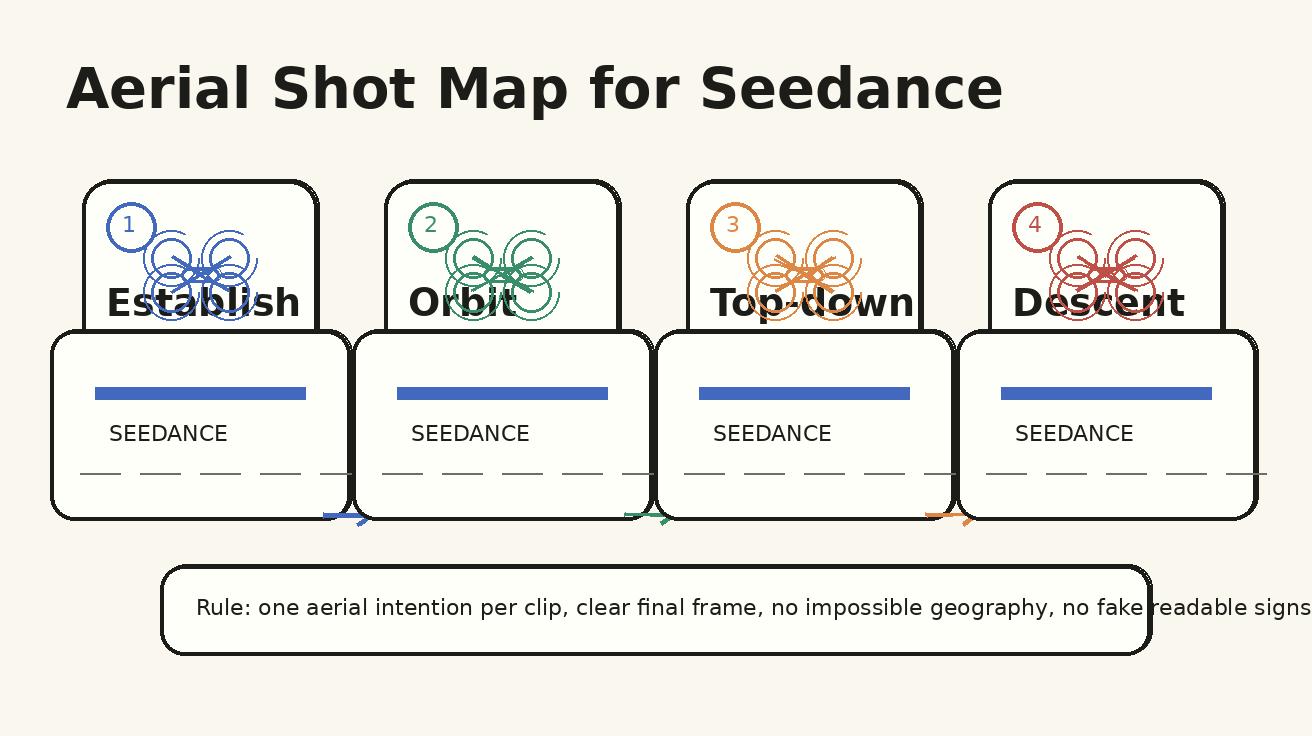
The most common mistake is stacking several camera moves into one Seedance prompt: drone flies over a city, rotates around a product, dives through a window, becomes a macro shot, then ends as a social ad. That may produce something visually busy, but it is difficult to control. Start with one aerial intention. If you need several moves, create several clips and edit them together.
Good aerial intentions are simple: establish the location, reveal the product, show the layout, transition from wide to close, create a premium opening, or connect two scenes. Write that intention before writing the prompt. If the intention is not clear, the generated clip will likely feel like stock footage rather than a Seedance asset made for your project.
For example, a product team might write: 'The aerial intention is to descend from a clean studio table to the hero packaging so the final frame can hold a launch CTA.' That sentence tells Seedance what matters. It also tells the editor what to reject. If the final frame does not hold the product cleanly, the clip fails even if the opening looks beautiful.
Step 2: define altitude and camera path
Altitude words matter. 'High aerial' suggests a large scene. 'Medium aerial' suggests a camera above the subject but still close enough to read shape. 'Low drone glide' feels like a floating gimbal just above a surface. 'Top-down' means the camera looks vertically downward. 'Crane-up' means the camera rises. 'Descent' means the camera moves toward the subject. These words reduce ambiguity.
A strong path also has speed. Use phrases such as slow controlled orbit, gentle top-down drift, smooth descent, stable crane-up, or steady fly-through. Avoid vague words such as crazy, epic, fast, insane, dramatic, or viral unless you really want unstable motion. Seedance can produce cinematic energy without chaotic direction if the movement is specific.
Step 3: lock the Seedance subject
Aerial movement can cause identity drift. A package changes label shape. A building grows extra windows. A person changes outfit. A room rearranges itself. To reduce this, add subject lock instructions. For product videos, write: preserve product shape, package color, logo placement, and material. For property videos, write: keep the same room layout, doors, windows, and furniture positions. For travel concepts, write: keep the same coastline, trail, or landmark throughout the shot.
If identity is critical, use Seedance image-to-video rather than only text-to-video. Give Seedance an approved product image, room mockup, app screen, or storyboard frame. Then the aerial movement becomes a camera direction applied to a source image, not an invitation to invent every detail. Text-to-video is better for early concepts and moodboards; image-to-video is better for brand-sensitive assets.
Step 4: write the final frame before generating
The final frame is where many AI video clips fail. The opening looks strong, but the ending is awkward, blurred, off-center, or impossible to cut. Seedance prompts should specify the ending: final frame centered on the product, final frame holds the room from above, final frame stops with clear space for a headline, final frame lands on the entrance, final frame shows the table layout without motion blur.
This is especially important for ads and landing page videos. Editors need a frame where captions, buttons, or voiceover beats can land. If the camera is still spinning at the end, the clip may be unusable even if the middle is good. A controlled ending is often more valuable than an exciting beginning.
Seedance drone prompt templates
Template 1:
A high aerial establishing shot of a clean outdoor desk setup with a hero product box in the center, camera slowly descends toward the product, preserve package shape and color, warm morning light, final frame centered with empty space above the product for a headline, no readable fake signs.
Template 2:
A low virtual drone glide across a modern kitchen counter toward a Seedance product mockup, smooth forward movement, shallow depth of field, keep object positions stable, final frame stops on the hero item, no extra hands, no random labels.
Template 3:
A top-down aerial view of a creator workspace, camera drifts gently from left to right, show laptop, notebook, camera, and product reference image, keep layout consistent, clean cream background, final frame shows the complete workflow board.
Template 4:
A slow orbit around a small exhibition booth concept, camera circles 120 degrees, preserve booth geometry and brand colors, realistic indoor lighting, final frame faces the front banner, no fake readable sponsor names.
Template 5:
A cinematic crane-up reveal from a close product detail to a wider studio scene, camera rises smoothly, product stays centered, background remains minimal, final frame usable as a YouTube Shorts opening, no distortion.
Template 6:
Image-to-video prompt: animate this product reference image with a subtle aerial descent, preserve exact product silhouette, colors, and packaging, add soft shadow movement, final frame centered and stable, no new text or changed label.
Use these templates as starting points, not finished scripts. Replace the subject, environment, product truth, and final frame with your actual production requirements. Keep one camera move per template. If you want an orbit and a descent, generate two clips.
Workflow for a complete Seedance aerial sequence
- Write the scene purpose. Decide whether the aerial shot establishes, reveals, explains, transitions, or closes.
- Choose the Seedance mode. Use text-to-video for concept exploration and image-to-video for identity-sensitive work.
- Prepare references. Collect product photos, room layouts, brand palettes, and rejected examples.
- Write one camera instruction. Use orbit, descent, crane-up, top-down drift, glide, or fly-through.
- Add stability rules. Preserve subject identity, scene geography, lighting direction, and final frame.
- Generate one clip. Do not batch ten variations before reviewing the first result.
- Score the clip. Check subject stability, camera path, editability, brand safety, and final frame.
- Revise only one variable. Change altitude, speed, subject lock, or final frame. Do not rewrite everything at once.
This workflow keeps Seedance production learnable. When every generation changes only one or two variables, the team can see what improved. When every prompt is completely new, the team just collects random clips.
QA checklist before publishing
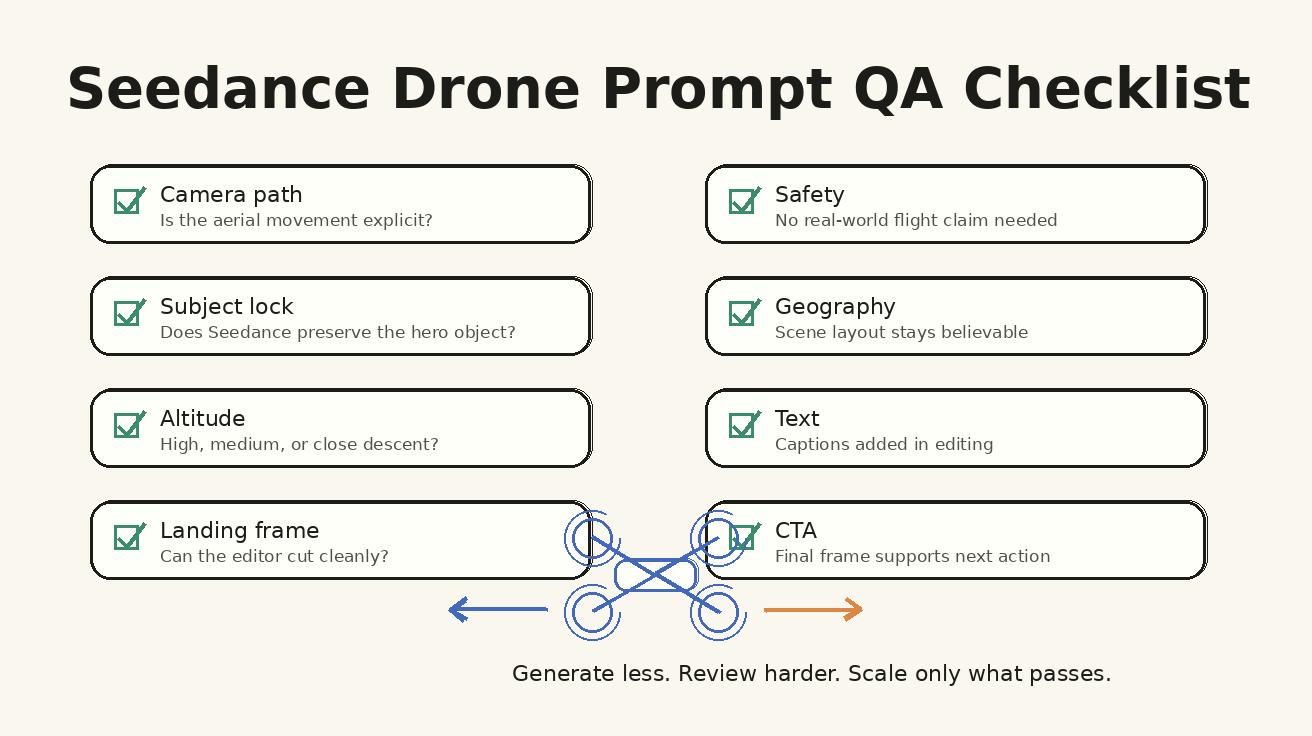
- The clip clearly looks AI-generated or virtual-camera when disclosed; it is not mislabeled as real drone footage.
- The subject remains recognizable from the first frame to the last frame.
- The camera path matches the prompt: orbit, descent, crane-up, top-down, glide, or fly-through.
- Scene geography stays believable and does not create impossible rooms, roads, tables, or coastlines.
- No fake readable text, fake logos, fake map labels, fake ratings, or unsupported claims appear.
- The final frame can hold a headline, CTA, voiceover beat, or edit transition.
- The clip still works when cropped for vertical social video or embedded on a landing page.
- The file can be trimmed without losing the main message.
Do not skip this checklist. Aerial motion is seductive; it makes almost any scene look more expensive. But SEO and conversion performance depend on clarity. If the generated shot does not help the viewer understand the page, product, or message, cut it or regenerate it with a simpler path.
Use cases for Seedance drone shot prompts
Product launch hero
Start high over a clean studio table, descend to the product, and end with space for launch copy. This works for landing pages, email headers, and short social openings.
Travel concept video
Use a high establishing view, then descend toward a traveler, landmark, or route. Keep the geography believable and avoid inventing specific real-world signs unless they are part of an approved reference.
Real estate moodboard
Use a top-down or crane-up movement to communicate space. For real listings, do not imply generated footage is actual property footage; use it for concepts, ads, or pre-visualization.
Event teaser
Fly above a stylized venue layout, then descend toward the stage or booth. Keep sponsor names and signage out of generation unless they are added later in editing.
App or SaaS metaphor
Use an aerial movement across a desk, workflow board, or device environment. Then cut to real screen capture or approved product UI for accuracy.
Education and training
Use top-down camera moves for process explanations, lab setups, classroom layouts, or how-to sequences where spatial clarity matters.
Seedance text-to-video vs image-to-video for aerial prompts
Text-to-video is faster when you want a new idea. It is useful for brainstorming drone-style openings, moodboards, scene concepts, and creative directions. The tradeoff is that Seedance has more freedom to invent details. If the product, room, character, or app screen must stay exact, text-only prompting may create avoidable drift.
Image-to-video is better when you already have an approved visual source. For example, a product photo can become a slow aerial descent, a restaurant table shot can become a top-down drift, and a booth render can become a crane-up reveal. The reference image anchors the scene while the prompt controls movement. This is usually safer for commercial assets.
A good production pipeline uses both. Start with text-to-video to explore the camera language. Once you know which aerial move works, rebuild the winning concept with image-to-video and approved references. This gives you creative speed without sacrificing accuracy.
Common mistakes with Seedance aerial prompts
Mistake 1: asking for physical drone realism when you need virtual-camera clarity
You do not need to simulate every detail of a real drone flight. You need a clear camera path that supports the message. A virtual crane-up or overhead drift may be better than a hyper-real drone movement if the final video is a product ad or tutorial.
Mistake 2: mixing too many subjects
Aerial scenes already include more environment than closeups. If you add multiple people, several products, signs, animals, vehicles, and fast motion, Seedance has too many objects to preserve. Keep the hero simple.
Mistake 3: forgetting crop and captions
A wide aerial shot can look good on desktop and fail on mobile. Leave safe space for vertical crop, captions, and UI overlays. If the hero subject is tiny, the clip may lose meaning in a feed.
Mistake 4: approving the middle of the clip but ignoring the ending
Many generated clips have a strong middle and weak ending. Always review the final frame. The final frame determines whether the clip can become a real asset instead of a demo preview.
How to connect Seedance aerial shots into a full video
A drone-style shot is usually not the entire video. It is an opener, transition, reveal, or closing moment. Build the rest of the edit around the role of the aerial clip. A product launch video might use an aerial opener, then cut to macro details, then show use cases, then end on a stable CTA. A travel concept might start high, descend to a traveler, then cut to close human moments. A real estate ad might use an overhead reveal, then move into room-level walkthrough clips.
Use simple edit rules: match motion direction between shots, avoid sudden speed changes, keep color temperature consistent, and do not let every scene use aerial movement. If every shot flies, nothing feels special. One strong Seedance aerial shot can elevate a sequence; six uncontrolled aerial shots can make the edit feel detached.
Final Seedance drone prompt pack
Copy this pack and replace the bracketed details:
Opening reveal: A high aerial establishing shot of [environment], camera slowly descends toward [hero subject], preserve [identity details], [lighting], final frame [CTA/edit purpose], no fake readable text.
Product orbit: A medium aerial orbit around [product], camera circles [degrees] slowly, preserve product shape, color, and material, clean background, final frame front-facing and stable.
Top-down explainer: A top-down view of [layout/process], camera drifts gently from [start] to [end], keep objects in fixed positions, clear negative space for captions, no random extra items.
Fly-through concept: A controlled fly-through of [space], camera moves toward [destination], maintain believable geography, no impossible architecture, final frame lands on [subject].
Image-to-video aerial: Animate this reference image with a subtle aerial [descent/orbit/crane-up], preserve exact subject identity, colors, and layout, final frame centered and sharp.
FAQ
Can Seedance create drone-style shots without a real drone?
Yes. Seedance can generate drone-style aerial movement when the prompt clearly defines altitude, subject lock, camera path, and final frame. Treat it as virtual camera direction, not a claim that physical drone footage was captured.
What is the safest Seedance drone shot prompt structure?
Use one subject, one environment, one aerial movement, one altitude rule, one realism constraint, and one final frame. Avoid asking for a whole commercial, multiple locations, and several camera moves in one generation.
Are drone shot prompts useful for product videos?
Yes, especially for hero reveals, product scale, packaging layouts, booth concepts, architectural scenes, and location-style ads. For exact SKU identity, combine Seedance image-to-video with a strong product reference.
Should I use text-to-video or image-to-video for aerial Seedance clips?
Use text-to-video for conceptual scenes and fast exploration. Use image-to-video when the product, room, landscape, brand color, or character identity needs to stay consistent.
How do I prevent Seedance aerial shots from looking chaotic?
Limit the prompt to one aerial intention, specify slow controlled movement, remove extra subjects, define the landing frame, and reject clips where geography changes or the hero object drifts.
Can I publish Seedance drone-style clips as real drone footage?
Do not mislabel generated footage as real drone footage. Use it honestly as AI-generated or virtual camera video, and review any commercial use against current platform and product terms.
Final recommendation
Use Seedance drone shot prompts when aerial movement clarifies scale, reveals a subject, or creates a premium opening. Keep the camera instruction simple, lock the subject, define the final frame, and review the clip like an editor. The best Seedance aerial assets are not the wildest flights. They are controlled virtual camera moves that help viewers understand the story faster.
<script type="application/ld+json">{"@context": "https://schema.org", "@type": "FAQPage", "mainEntity": [{"@type": "Question", "name": "Can Seedance create drone-style shots without a real drone?", "acceptedAnswer": {"@type": "Answer", "text": "Yes. Seedance can generate drone-style aerial movement when the prompt clearly defines altitude, subject lock, camera path, and final frame. Treat it as virtual camera direction, not a claim that physical drone footage was captured."}}, {"@type": "Question", "name": "What is the safest Seedance drone shot prompt structure?", "acceptedAnswer": {"@type": "Answer", "text": "Use one subject, one environment, one aerial movement, one altitude rule, one realism constraint, and one final frame. Avoid asking for a whole commercial, multiple locations, and several camera moves in one generation."}}, {"@type": "Question", "name": "Are drone shot prompts useful for product videos?", "acceptedAnswer": {"@type": "Answer", "text": "Yes, especially for hero reveals, product scale, packaging layouts, booth concepts, architectural scenes, and location-style ads. For exact SKU identity, combine Seedance image-to-video with a strong product reference."}}, {"@type": "Question", "name": "Should I use text-to-video or image-to-video for aerial Seedance clips?", "acceptedAnswer": {"@type": "Answer", "text": "Use text-to-video for conceptual scenes and fast exploration. Use image-to-video when the product, room, landscape, brand color, or character identity needs to stay consistent."}}, {"@type": "Question", "name": "How do I prevent Seedance aerial shots from looking chaotic?", "acceptedAnswer": {"@type": "Answer", "text": "Limit the prompt to one aerial intention, specify slow controlled movement, remove extra subjects, define the landing frame, and reject clips where geography changes or the hero object drifts."}}, {"@type": "Question", "name": "Can I publish Seedance drone-style clips as real drone footage?", "acceptedAnswer": {"@type": "Answer", "text": "Do not mislabel generated footage as real drone footage. Use it honestly as AI-generated or virtual camera video, and review any commercial use against current platform and product terms."}}]}</script>
Ready to create your own AI video?
Turn ideas, text prompts, and images into polished videos with Seedance. If this article helped, the fastest next step is to try the product.
Free credits on signup. Plans from $20/month.
Related Articles
More posts in the same locale you may want to read next.

Seedance App Preview Video Generator 2026: Create App Store and Product Launch Clips
Use Seedance to turn app screenshots, feature copy, and launch goals into App Store previews, Google Play promo videos, and product launch clips.
Read article
Synthesia AI Assistant Video Tutorial: From Source Material to an Editable Draft
Learn how to use Synthesia Assistant with prompts, files, scripts, outlines, Storyboard revisions, precise scene edits, and a reliable final QA pass.
Read article
MiniMax H3 Continuous Talking Avatar Workflow: Keep One Face and Voice Across Clips
Build a longer MiniMax H3 talking avatar from stable 4–15 second clips with one face, voice, speaker ID, boundary frame, and clean audio handoff.
Read article