
Seedance 15-Second Video Prompts 2026: Hooks, Shot Lists, and Reels
A 15-second video looks simple from the outside. It is short enough to watch without commitment, fast enough to fit inside Reels, Shorts, TikTok, paid social ads, product teasers, and landing page loops, and flexible enough for almost every niche. The hard part is not the length. The hard part is writing a prompt that gives Seedance a clear beginning, middle, and ending instead of asking the model to invent pacing from a vague one-line idea.
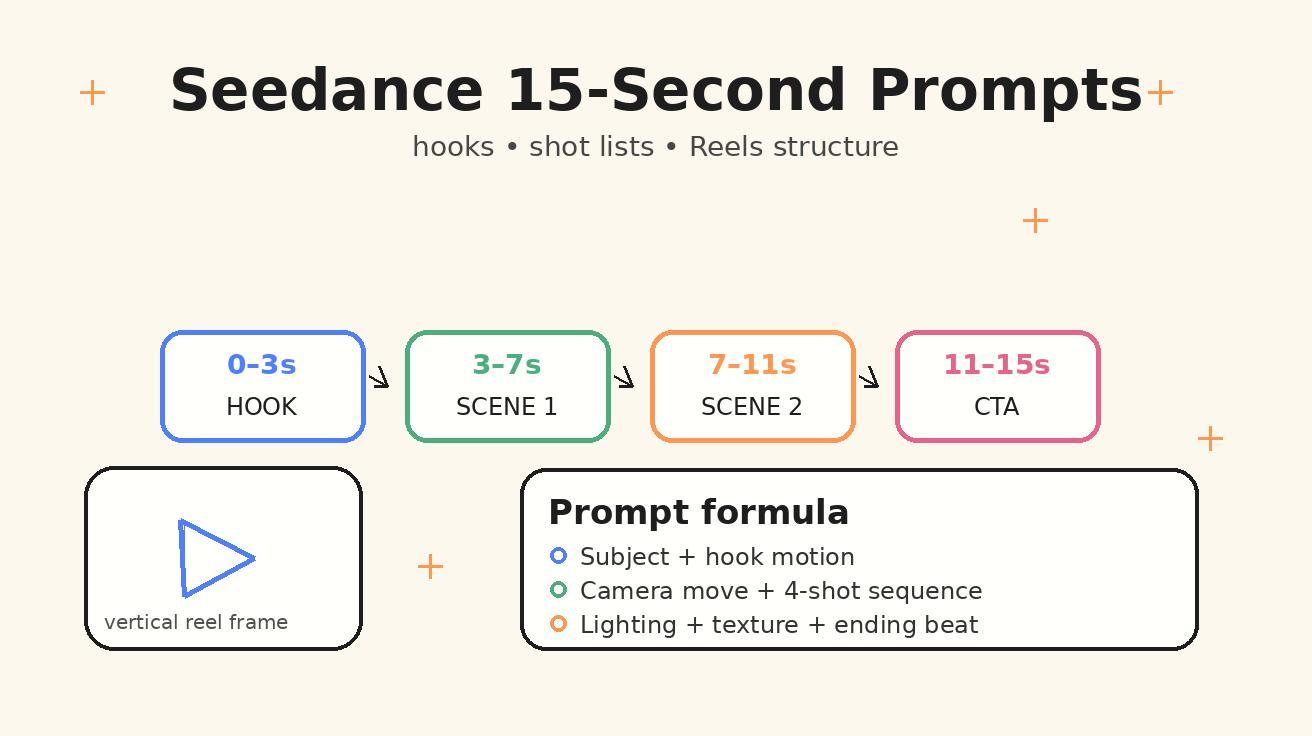
This guide is a practical system for writing seedance 15-second video prompts that feel structured, scroll-stopping, and easy to iterate. We will use one repeatable pattern: a hook in the first three seconds, a compact four-beat shot list, a clear camera direction, and a final frame that either loops cleanly or leaves space for your caption, CTA, or product overlay.
If you already use Seedance for text to video, this workflow will help you move from "nice clip" to "usable short-form asset." If you work from a product photo, brand visual, creator selfie, or design mockup, the same structure also works in image to video. The goal is not to memorize prompt tricks. The goal is to build a short-video briefing habit that Seedance can follow reliably.
Why 15 Seconds Is the Sweet Spot for Seedance Short Video Prompts
Fifteen seconds is long enough to show transformation, context, movement, and payoff, but short enough that every second needs a job. That constraint is useful. It forces you to decide what the viewer should notice first, what visual proof they should see next, and what feeling should remain at the end.
For Seedance, a 15-second brief works best when it does not read like a paragraph of marketing copy. A model cannot "make this go viral" in the abstract. It can follow visible instructions: show a close-up of a coffee cup, push the camera through steam, reveal a small desk setup, end on a smooth loop where the hand places the cup back into frame. That is a video plan. The more concrete the plan, the more controllable the result.
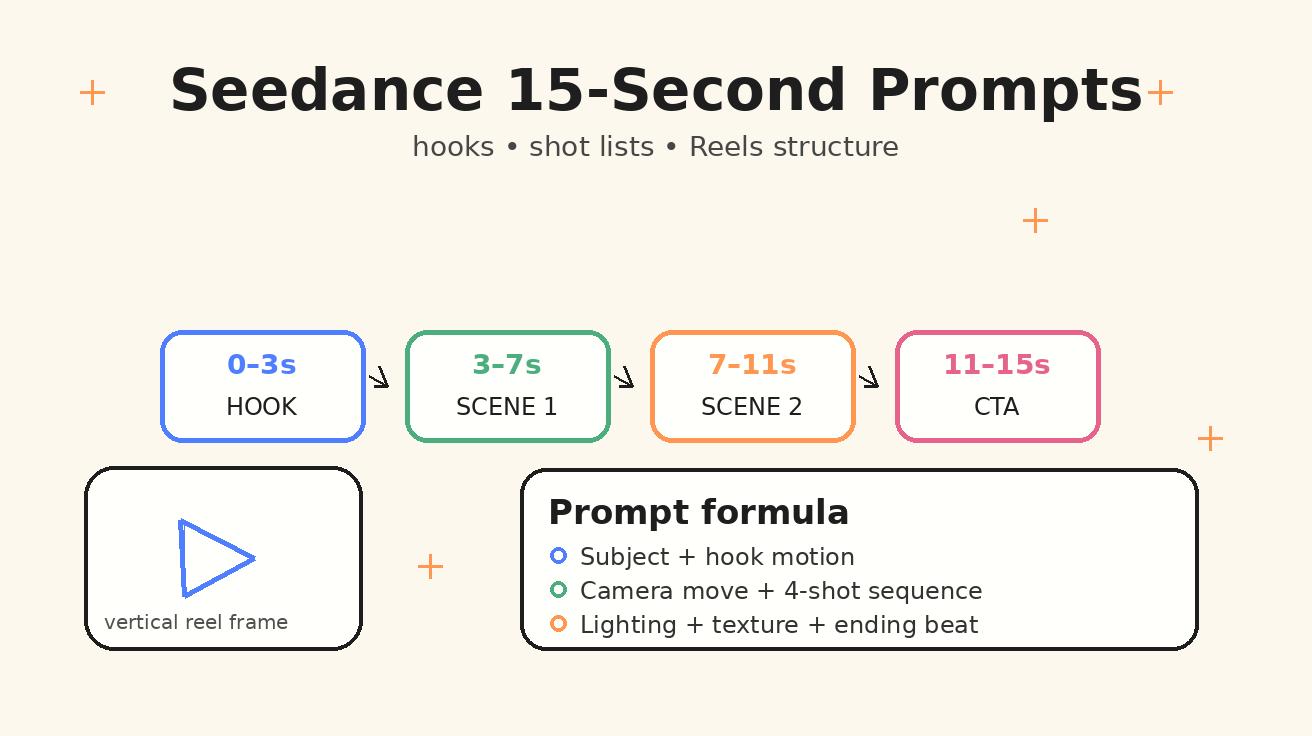
A strong 15-second structure usually has four parts:
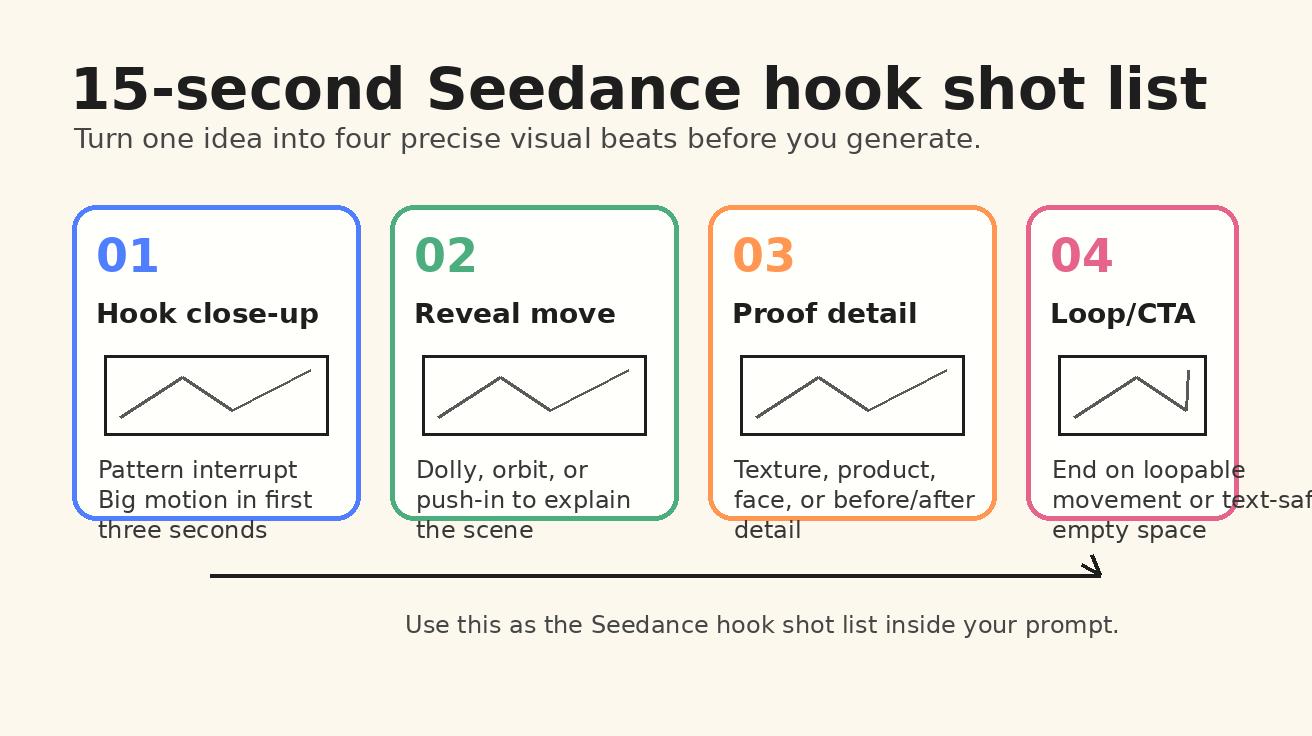
- 0-3 seconds: hook. A visual interruption, surprising motion, close-up detail, strong expression, or mystery object.
- 3-7 seconds: reveal. The camera pulls back, pushes in, or tracks sideways to explain what the viewer is looking at.
- 7-11 seconds: proof or detail. Show the benefit, texture, before/after, use case, result, or emotional beat.
- 11-15 seconds: loop or CTA-safe ending. Finish on a repeatable action, satisfying composition, or clean space for overlay text.
This structure keeps your Seedance short video prompts focused. It also makes your variations easier. You can keep the same concept and change only the hook, camera move, or final loop.
The Seedance Hook Shot List Formula
The fastest way to improve a short prompt is to separate concept from execution. The concept is the idea: "a ceramic mug launch video," "a fitness app Reel," "a travel packing tip," or "a founder introducing a new feature." The execution is the shot list: what appears on screen second by second.
Use this formula:
Create a vertical 15-second Seedance video about [topic]. Use a [hook type] in the first three seconds. Then follow this shot list: 0-3s [hook shot], 3-7s [reveal shot], 7-11s [proof/detail shot], 11-15s [loop or CTA-safe ending]. Camera style: [camera movement]. Visual style: [lighting, texture, realism]. Avoid: [things you do not want].
That is the complete Seedance hook shot list. It tells the model what to prioritize without overloading it. You can add more detail, but keep the hierarchy clear: format, timing, subject, camera, style, negative constraints.
Hook Types That Work Well in 15 Seconds
A hook is not only text on screen. In AI video prompting, the hook should be visible even if the viewer watches with the sound off and before any caption is added. Here are prompt-friendly hook types that Seedance can understand:
- Macro reveal: start extremely close on texture, then reveal the product or scene.
- Impossible motion: an object assembles itself, ingredients float into place, or a room transforms.
- Character action: a person turns suddenly, opens a door, catches an object, or reacts to something off camera.
- Before/after split: start messy or unfinished, then move into a clean result.
- POV movement: camera behaves like the viewer walking, reaching, pouring, packing, or choosing.
- Pattern break: something moves opposite to expectation, such as a still poster becoming a video scene.
- Loop hook: begin and end with the same action so the Reel feels seamless.
For Seedance, the best hooks are visual verbs: pours, opens, spins, unwraps, assembles, lifts, reveals, glides, snaps, transforms, lands. Avoid hooks that are only conceptual, such as "make it exciting" or "show curiosity." Convert those into visible actions.
Prompt Anatomy: What to Include Every Time
A reliable 15-second prompt has eight building blocks. You do not need to write them in a rigid order every time, but you should check that each one is present before generating.
1. Format and Duration
Start with the output type: vertical, 15 seconds, social-ready pacing. If you want a Reel, say vertical 9:16 framing or "designed for Instagram Reels." This keeps the composition from drifting into a wide cinematic frame where the subject is too small.
Example:
Create a vertical 15-second Seedance video for Instagram Reels, social-ready pacing, clear subject centered for mobile viewing.
2. Subject and Context
Name the subject, setting, and viewer promise. A subject without context often looks generic. "A skincare bottle" is weaker than "a frosted glass skincare serum bottle on a bathroom counter during golden morning light."
3. First-Three-Seconds Hook
Write the hook as a shot, not as a marketing slogan. Instead of "grab attention," say "start with an extreme macro of a single serum drop sliding down the glass bottle."
4. Four-Beat Shot List
Use timing markers. Seedance does not need a full screenplay, but timing markers help the model preserve pacing. The four-beat list is the center of the workflow.
5. Camera Movement
Short videos need motion, but motion should support the idea. Choose one primary camera move: push-in, pull-back, orbit, handheld follow, top-down slide, dolly left, crane up, rack focus, or slow zoom. Too many camera moves inside 15 seconds can feel chaotic.
6. Visual Style
Add lighting, texture, mood, and realism level. Good style instructions include "soft natural window light," "clean studio product lighting," "cinematic handheld realism," "warm cafe interior," "minimal neutral background," or "high-contrast sports commercial look."
7. Text and Overlay Safety
If you plan to add captions later in an editor, tell Seedance to leave negative space. If you do not want generated text, say "no visible text, no subtitles, no logos, no fake UI labels." This is important for product and brand content.
8. Ending Instruction
Endings matter because Reels often loop. Say whether the last frame should loop back to the first frame, hold on a clean product shot, or leave space for CTA text.
The 15-Second Prompt Template Library
Below are practical Seedance reels prompts you can adapt. They are written to stay distinct from generic viral short video advice. Each template includes timing, camera, style, and ending behavior.
Template 1: Product Hook Reel
Use this for ecommerce, SaaS physical swag, CPG, cosmetics, fashion accessories, or design objects.
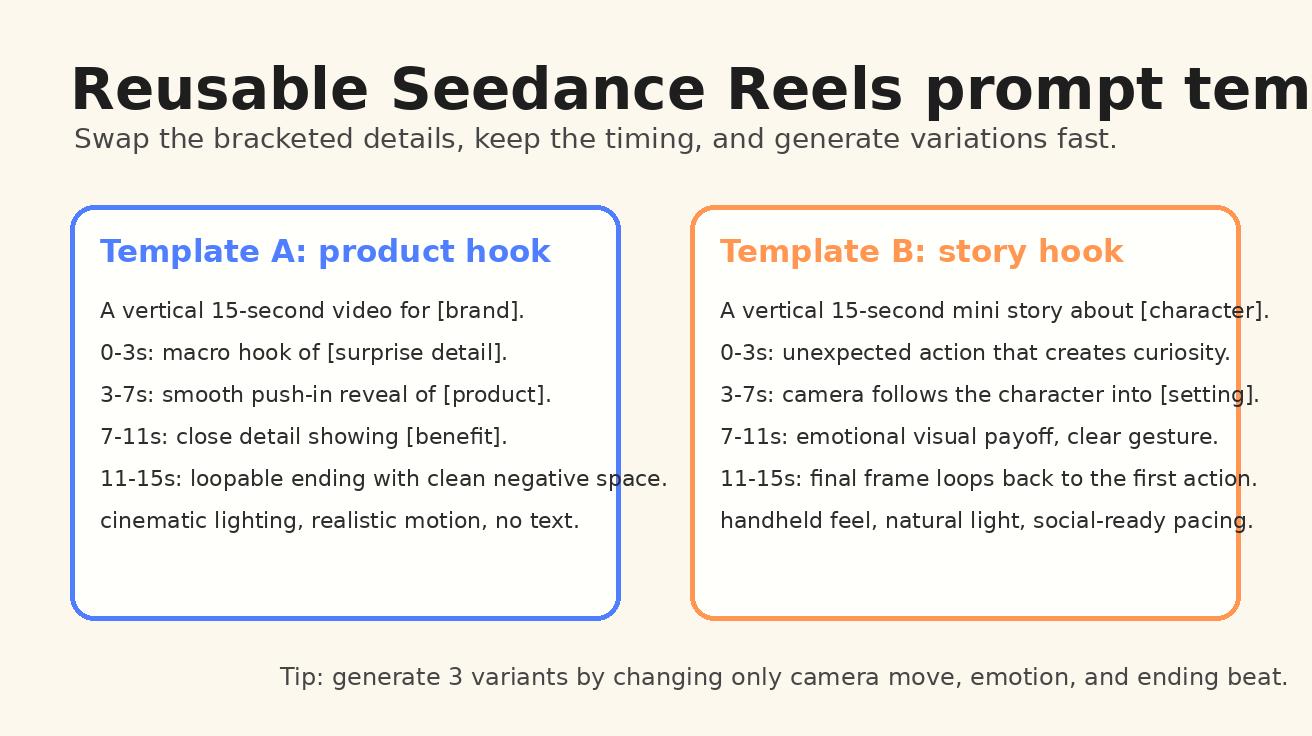
Create a vertical 15-second Seedance video for Instagram Reels featuring [product] in [setting].
0-3s: Start with an extreme macro hook of [surprising detail: texture, reflection, steam, fabric, button, ingredient] moving across the frame.
3-7s: Smooth push-in reveal showing the full product in context, with the camera gliding from left to right.
7-11s: Show the product being used by [person/hand/action], emphasizing [main benefit] through visible movement.
11-15s: End on a clean hero shot with negative space on the upper third for caption text, subtle loopable motion.
Style: realistic product commercial, soft natural light, premium but not overproduced, crisp details, mobile-first vertical composition.
Avoid: fake text, distorted logos, extra fingers, unreadable labels, cluttered background.
Why it works: the prompt does not ask Seedance to invent the product story. It gives the model a progression from attention detail to full reveal to benefit to ending frame.
Template 2: Creator Talking-Point Visual
Use this when you want a Reel background, B-roll, or visual metaphor for a creator caption.
Create a vertical 15-second Seedance video that visualizes the idea: [creator topic].
0-3s: A curious visual hook: [object/action] appears unexpectedly in the foreground.
3-7s: Camera follows [main subject] through [setting], revealing the problem or context.
7-11s: Show a clear transformation or visual proof of the idea: [before/after or result].
11-15s: End with a calm, centered composition and open space for on-screen caption.
Camera: gentle handheld follow, natural movement, no fast cuts.
Style: authentic creator Reel, realistic lighting, approachable and human, not corporate.
Avoid: generated text, over-stylized fantasy elements, distracting background crowds.
This is useful when the final Reel will include voiceover or captions. The video does not need to explain everything by itself. It needs to support the message visually.
Template 3: Mini Story Hook
Use this for founders, coaches, educators, lifestyle creators, travel, food, and personal-brand content.
Create a vertical 15-second Seedance mini story about [character] trying to [goal].
0-3s: Hook with [unexpected action or emotional reaction], close-up framing, immediate motion.
3-7s: Reveal the setting and the obstacle through a smooth camera pull-back.
7-11s: Show the character solving the problem with [specific action], clear body language.
11-15s: End with a satisfying loop where the final action visually connects back to the first frame.
Style: cinematic realism, warm natural light, expressive but believable acting, social video pacing.
Avoid: melodrama, excessive cuts, unreadable signs, inconsistent character appearance.
The key is to make the story physical. "The founder feels stressed" is hard to render. "The founder opens a laptop surrounded by sticky notes, then the notes organize themselves into a clean roadmap" is easier to render.
Template 4: Before/After Transformation
Use this for design, organization, fitness, productivity, home decor, beauty, and workflow content.
Create a vertical 15-second Seedance transformation video about [before state] becoming [after state].
0-3s: Start on a close, slightly chaotic view of [before detail], with motion that creates curiosity.
3-7s: Camera pulls back as the environment begins to transform, objects moving naturally into place.
7-11s: Show the completed after-state with one strong detail that proves the transformation.
11-15s: End on a smooth loopable movement, such as the camera returning to the original angle but now showing the improved result.
Style: clean, realistic, satisfying transformation, no magical explosions, polished social ad look.
Avoid: jumpy cuts, impossible anatomy, text artifacts, excessive clutter.
Transformation prompts are powerful because they have built-in narrative. The viewer understands the value without needing a long explanation.
Template 5: Educational Shot List
Use this for tutorials, quick tips, tool comparisons, and workflow explainers.
Create a vertical 15-second Seedance video that teaches one visual tip: [tip].
0-3s: Hook with the mistake or problem shown clearly in a close-up.
3-7s: Reveal the corrected setup or improved method, using a top-down or side-follow camera move.
7-11s: Show the result in action, with the main benefit visible on screen.
11-15s: End on a clean final frame with space for a text overlay summarizing the tip.
Style: bright, clean, practical tutorial aesthetic, realistic hands and objects, clear mobile framing.
Avoid: on-screen generated text, messy composition, unrelated props.
For educational Reels, Seedance should show the demonstration while your caption or voiceover explains the lesson. That division of labor usually produces cleaner results.
How to Turn One Idea Into Five Seedance Variations
The biggest advantage of a structured prompt is that you can create controlled variations. Do not rewrite everything at once. Keep the subject and shot list stable, then change one variable per generation.
Here is a simple variation ladder:
- Hook variation: macro detail, sudden movement, POV action, before/after, or character reaction.
- Camera variation: push-in, orbit, handheld follow, top-down slide, or slow pull-back.
- Lighting variation: morning window, studio softbox, golden hour, neon night, or clean office.
- Pacing variation: smooth premium, fast creator-style, cinematic slow, energetic product ad.
- Ending variation: loop, hero shot, negative space, emotional smile, product in use.
For example, if your topic is a reusable water bottle, you can generate five clips from the same base idea:
- Version A starts with condensation running down the bottle.
- Version B starts with a hand dropping ice into the bottle.
- Version C starts with a messy desk transforming into a clean hydration setup.
- Version D starts from POV inside a gym bag opening.
- Version E starts with the bottle rolling into frame and stopping perfectly centered.
That is not random experimentation. It is systematic creative testing. When a version works, you can reuse the same structure for another product, niche, or campaign.
Writing Prompts for Text-to-Video vs Image-to-Video
Seedance can support different workflows, and the prompt should change depending on the input.
Text-to-Video Workflow
When you start from text only, the prompt must define the subject, environment, appearance, camera, and timing. Text-to-video gives you the most creative freedom, but it also requires the most context.
Use text-to-video when:
- You need a completely original scene.
- You do not have product or brand images yet.
- The subject is conceptual, educational, or lifestyle-based.
- You want to explore several visual directions quickly.
A good text-to-video prompt says exactly what should be visible. If you ask for "a premium productivity app video," Seedance has to guess the objects. If you ask for "a clean desk with a laptop, calendar cards, and a coffee cup as sticky notes organize themselves into a simple weekly plan," the model has visible anchors.
Image-to-Video Workflow
When you start from an image, the prompt should focus more on motion and less on appearance. The image already defines the product, character, or layout. Your job is to tell Seedance how to move the camera and what should animate.
Use image-to-video when:
- You have a product photo, hero image, mockup, or brand asset.
- You need consistency with an existing visual identity.
- You want the video to preserve a specific object or person.
- You are creating social variants from one approved design.
A strong image-to-video prompt might say:
Animate this image into a vertical 15-second Reel. Preserve the product shape and colors. 0-3s: start with a slow push-in toward the product label. 3-7s: add subtle light movement across the surface. 7-11s: show the background elements gently shifting to create depth. 11-15s: return to a clean hero composition with negative space for caption. Realistic motion, no generated text, no label changes.
Notice that the prompt protects the source image: preserve shape, preserve colors, no label changes. That matters when you work with brand assets.
Common Mistakes That Make 15-Second Prompts Weaker
A short prompt can fail for predictable reasons. Here are the issues to check before generating.
Mistake 1: Asking for a Viral Result Instead of a Visible Plan
"Make a viral Reel about my product" is not a production brief. It is an outcome wish. Seedance needs what the camera sees. Replace outcome words with visual actions.
Weak:
Make a viral short video for a new coffee brand.
Stronger:
Create a vertical 15-second Seedance video for a new coffee brand. 0-3s: macro hook of espresso swirling into milk. 3-7s: camera pulls back to reveal a hand placing the cup beside a laptop in warm morning light. 7-11s: close detail of steam and the brand-colored cup sleeve. 11-15s: end on a calm hero shot with negative space for caption, loopable steam motion.
Mistake 2: Too Many Scenes for the Length
Fifteen seconds cannot carry eight locations, three characters, five camera moves, and a full plot twist. If the idea needs a longer arc, split it into multiple clips. A single Seedance Reels prompt should usually stay in one environment or move through one simple transformation.
Mistake 3: No Ending Instruction
Without an ending instruction, the final seconds may feel unfinished. Tell Seedance what the last frame should do. Should it loop? Hold on the product? Leave space for text? End with a character gesture? A clear ending makes the clip easier to edit and publish.
Mistake 4: Generated Text Inside the Video
AI-generated text inside video frames can be inconsistent. If you need precise copy, add it later in your editor or platform. In the Seedance prompt, ask for negative space and no visible text. That gives you more control.
Mistake 5: Vague Style Words
Words like cool, premium, viral, cinematic, aesthetic, or high quality are not useless, but they are not enough. Pair them with concrete style details: lens feel, lighting, color palette, background, texture, movement, and realism level.
A Practical 10-Minute Workflow for Reels Production
Here is a fast operating system for creating short-form videos with Seedance.
Step 1: Choose One Viewer Promise
Write one sentence: "This Reel shows [audience] how/why/what [benefit]." If you cannot write the promise, the prompt will probably drift.
Examples:
- This Reel shows small cafes how a seasonal drink can look premium without a photoshoot.
- This Reel shows fitness coaches how to visualize a simple morning mobility routine.
- This Reel shows SaaS founders how to turn a product update into a visual launch teaser.
Step 2: Pick One Hook
Choose a hook type from the list above. Do not choose three. One strong hook beats a crowded opening.
Step 3: Write the Four Beats
Use the 0-3, 3-7, 7-11, 11-15 structure. Keep each beat to one visible action.
Step 4: Add Camera and Style
Choose one camera movement and one style direction. For product content, "smooth push-in, clean studio lighting" is often enough. For creator content, "gentle handheld follow, natural window light" may feel more authentic.
Step 5: Generate Three Variations
Change only one variable at a time. If all three fail, the issue is probably the core concept or the visual clarity of the prompt. If one works, refine from that version.
Step 6: Edit Outside Seedance
Add captions, logo lockup, music, CTA, and final crop in your editor. Seedance gives you the base clip; your publishing layer makes it platform-ready.
Niche Examples: Seedance Reels Prompts You Can Copy
Ecommerce Beauty Product
Create a vertical 15-second Seedance video for Instagram Reels featuring a frosted glass vitamin C serum bottle on a bathroom counter.
0-3s: extreme macro hook of a golden serum drop sliding down the glass.
3-7s: smooth push-in reveals the full bottle beside clean white towels and morning light.
7-11s: a hand applies one drop to the back of the hand, showing glow and texture.
11-15s: end on a clean hero shot with soft steam in the background and negative space above the bottle.
Style: realistic skincare commercial, warm natural light, minimal bathroom setting, premium but approachable.
Avoid: fake label text, distorted hands, clutter, medical claims.
Restaurant or Cafe Reel
Create a vertical 15-second Seedance video for a cafe launching a strawberry matcha drink.
0-3s: hook with strawberry puree swirling dramatically into bright green matcha, macro close-up.
3-7s: camera pulls back as ice cubes drop into the cup and the layers settle.
7-11s: hand places the drink on a sunny cafe table with soft background movement.
11-15s: end on a loopable close-up of condensation and a straw gently stirring.
Style: fresh, realistic, appetizing, natural daylight, social food Reel pacing.
Avoid: unreadable text, extra hands, messy spills, artificial colors.
SaaS Launch Teaser
Create a vertical 15-second Seedance video that visualizes a SaaS product launch without showing fake UI text.
0-3s: hook with messy sticky notes floating above a laptop.
3-7s: camera pushes in as the notes organize themselves into three clean columns.
7-11s: a hand clicks a trackpad and the desk lighting becomes brighter, suggesting clarity and progress.
11-15s: end on a clean laptop-and-desk hero composition with negative space for overlay copy.
Style: modern startup office, realistic objects, soft daylight, polished launch teaser.
Avoid: readable UI, fake logos, floating random letters, clutter.
Fitness Coach Reel
Create a vertical 15-second Seedance video for a fitness coach teaching a morning mobility routine.
0-3s: hook with a close-up of sneakers stepping onto a yoga mat as sunlight hits the floor.
3-7s: camera follows the athlete into a smooth lunge stretch.
7-11s: show a controlled shoulder rotation and relaxed breathing, clear form.
11-15s: end on the athlete standing tall as the camera slowly pulls back, loopable movement.
Style: realistic wellness Reel, bright morning light, calm energy, clean home studio.
Avoid: impossible flexibility, distorted limbs, crowded gym background.
Travel Creator Reel
Create a vertical 15-second Seedance travel Reel about packing for a weekend city trip.
0-3s: hook with a passport sliding into frame beside a compact camera and sunglasses.
3-7s: top-down camera shows clothes folding neatly into a small bag.
7-11s: camera transitions to a hand closing the bag near a doorway with morning light.
11-15s: end on a loopable shot of the bag being lifted as the door opens slightly.
Style: realistic travel lifestyle, warm light, clean composition, satisfying packing motion.
Avoid: visible brand logos, unreadable tickets, chaotic items.
How to Evaluate the Result Before Publishing
A generated clip can look attractive but still fail as a Reel. Use this checklist before you post:
- Can a viewer understand the hook in the first three seconds without sound?
- Is there one clear subject, or does the eye wander?
- Does the camera movement help the idea instead of distracting from it?
- Is the final frame usable for a loop, caption, or CTA?
- Are hands, faces, product shapes, and labels acceptable for your brand?
- Does the clip leave space for platform captions or overlay text?
- Can you describe the viewer promise in one sentence?
If the answer is no, do not keep regenerating randomly. Edit the prompt. Usually the fix is one of three things: make the hook more physical, reduce the number of actions, or clarify the ending.
When to Use Seedance 2.0 for More Controlled Short Videos
If you are building a repeatable social content engine, consistency matters more than one-off novelty. Use Seedance 2.0 when you want stronger control over motion style, realism, and structured scene direction. The four-beat workflow pairs well with that kind of control because it gives the model a clean plan instead of a loose mood board.
For teams, the workflow also makes review easier. A marketer can approve the hook, a designer can approve the visual style, and an editor can plan where captions go. That is much faster than debating a vague prompt after the clip is already generated.
Advanced Prompt Controls for Cleaner Outputs
Once the basic formula works, add controls carefully.
Use Negative Constraints Sparingly
Negative prompts should protect the output from common problems, not become a long list of fear. For social videos, useful constraints are: no generated text, no fake logos, no distorted hands, no extra fingers, no unreadable labels, no heavy motion blur, no cluttered background. Pick the constraints that matter for the specific clip.
Add Composition Notes
For Reels, composition is part of usability. If captions will sit at the top, keep the subject lower. If a CTA button or app UI overlay will sit at the bottom, keep the bottom third clean. Add this to the ending instruction.
Example:
Keep the main subject centered in the middle third and leave clean negative space in the upper third for caption text.
Control the Amount of Motion
Too little motion feels like a photo pan. Too much motion feels unstable. Use phrases such as "subtle loopable motion," "one smooth push-in," "gentle handheld follow," or "slow orbit around the product." Do not combine five motion styles in one 15-second clip.
Protect Brand Assets
For brand work, ask Seedance to preserve product shape, color, packaging, and overall layout. If the clip uses a reference image, explicitly say which parts must remain unchanged.
Final Checklist: The 15-Second Seedance Prompt Card
Before you generate, your prompt should answer these questions:
- Is the video vertical and clearly intended for Reels or mobile short-form?
- What is the visible hook in the first three seconds?
- What happens from 3-7 seconds?
- What visual proof appears from 7-11 seconds?
- What should the ending frame do from 11-15 seconds?
- What is the camera movement?
- What style, lighting, and setting should Seedance use?
- What should Seedance avoid?
- Where will captions, CTA, or logo be added later?
- How will you create variations without changing everything at once?
If your prompt answers those questions, you are no longer hoping for a good short video. You are directing one.
FAQ
What is the best structure for Seedance 15-second video prompts?
The best structure is a four-beat shot list: 0-3 seconds for the visual hook, 3-7 seconds for the reveal, 7-11 seconds for proof or detail, and 11-15 seconds for a loopable or CTA-safe ending. Add camera movement, visual style, and negative constraints after the shot list.
How do I write Seedance short video prompts for Reels?
Start with vertical format, name the subject and setting, write a visible first-three-second hook, then specify the four timed shots. Keep the prompt focused on visible actions rather than abstract goals like "make it viral." Add negative space if you plan to place captions or CTA text later.
Should I include text in Seedance Reels prompts?
For precise marketing copy, it is usually better to ask Seedance for no visible text and add captions in your editor or social platform. You can still request negative space for text overlays, but generated text inside video frames may be inconsistent.
Can I use the same Seedance hook shot list for image-to-video?
Yes. For image-to-video, keep the same 0-3, 3-7, 7-11, 11-15 structure, but focus more on motion and preservation. Tell Seedance to preserve the product shape, colors, or character from the source image while adding camera movement and subtle animation.
How many variations should I generate from one 15-second prompt?
Generate at least three variations, but change only one variable at a time: hook, camera move, lighting, pacing, or ending. This makes it easier to understand why one version works and to build a repeatable short-video style.
What should I avoid in Seedance 15-second prompts?
Avoid vague goals, too many locations, excessive camera moves, generated text, and unclear endings. A short video prompt works best when it describes one subject, one hook, one camera direction, and one satisfying final frame.
Conclusion
The best seedance 15-second video prompts are not long because they are complicated. They are specific because short-form video has no room for confusion. Give Seedance a visual hook, a compact shot list, one camera move, clear style instructions, and a usable ending. Then create variations by changing one variable at a time.
That simple habit turns Seedance from a clip generator into a practical Reels production system. Whether you are making product ads, creator B-roll, educational shorts, or launch teasers, the 0-3 / 3-7 / 7-11 / 11-15 structure gives every second a job — and gives every generation a better chance of becoming something you can actually publish.
Ready to create your own AI video?
Turn ideas, text prompts, and images into polished videos with Seedance. If this article helped, the fastest next step is to try the product.
Free credits on signup. Plans from $20/month.
Related Articles
More posts in the same locale you may want to read next.

Seedance App Preview Video Generator 2026: Create App Store and Product Launch Clips
Use Seedance to turn app screenshots, feature copy, and launch goals into App Store previews, Google Play promo videos, and product launch clips.
Read article
Midjourney Animate Uploaded Image Tutorial: From Still Frame to Usable Video
Learn how to animate an uploaded image in Midjourney, choose Low or High Motion, write a motion prompt, extend clips, and fix common continuity failures.
Read article
Luma Dream Machine Extend Tutorial: Build a Longer Shot Without Breaking Continuity
Learn how to extend Luma Dream Machine videos with blank prompts, directed prompts, end keyframes, clean handoffs, continuity checks, and selective reruns.
Read article