
How to Make AI Videos from Text: A Step-by-Step Guide for Beginners and Pros
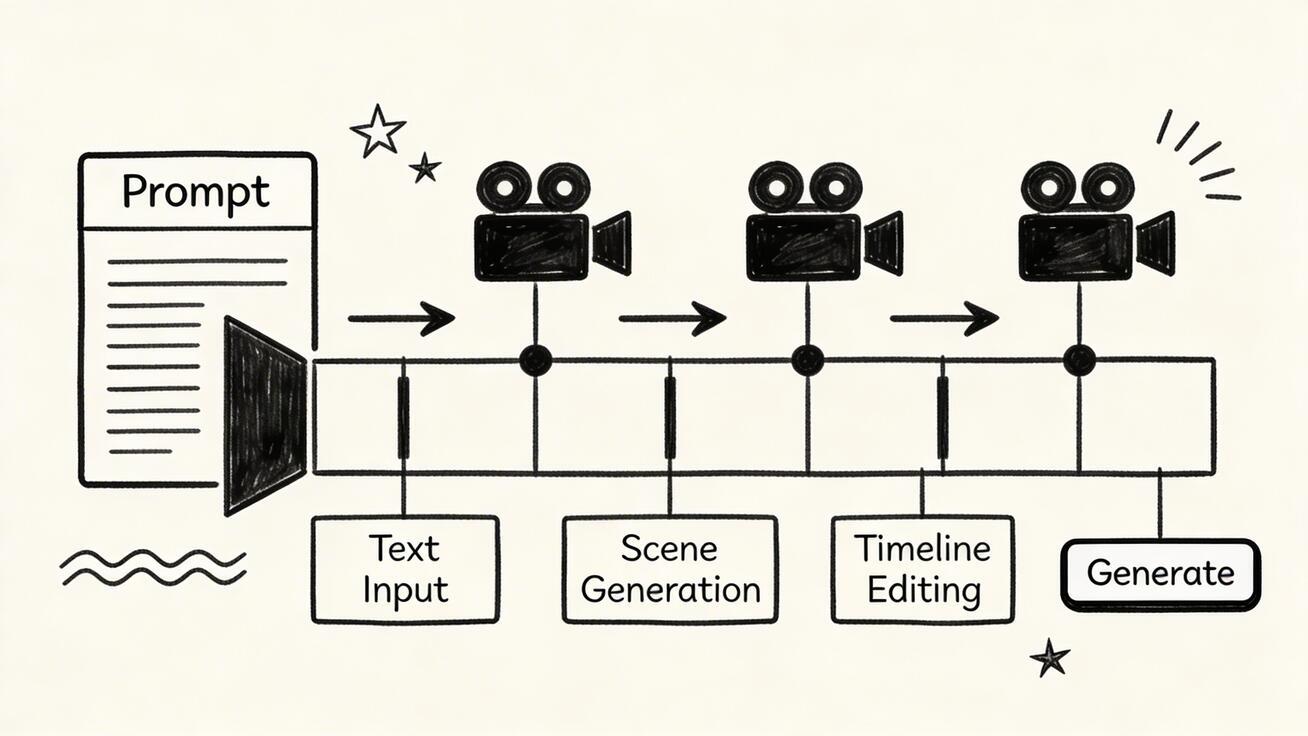
How to make AI videos from text is one of the most useful skills in modern content creation. If you can turn a written prompt into a polished clip, you can create ad concepts, product demos, storyboards, social videos, explainer scenes, and cinematic experiments without needing a traditional production setup.
Quick Answer: How to Make AI Videos from Text: A Step-by-Step Guide for Beginners and Pros — this step-by-step guide shows you how to use Seedance's AI-powered tools to achieve professional results in minutes, even if you're a complete beginner.
The good news: the workflow is much easier than it was a year ago.
The bad news: a lot of tutorials are vague, skip the prompt craft, and pretend every generator works the same. They do not. If you want strong results, you need a tool that understands scene instructions, camera direction, and visual tone. That is why this tutorial uses Seedance as the main demo. It offers one of the cleanest text-to-video AI workflows right now, and it is also easy to continue from prompt-only generation into full creation through Create. If you want the product overview first, read Seedance 2.0.
In this guide, you will learn exactly how to make AI videos from text, how to write better prompts, how to avoid common mistakes, and how to turn rough ideas into clips that actually look intentional.
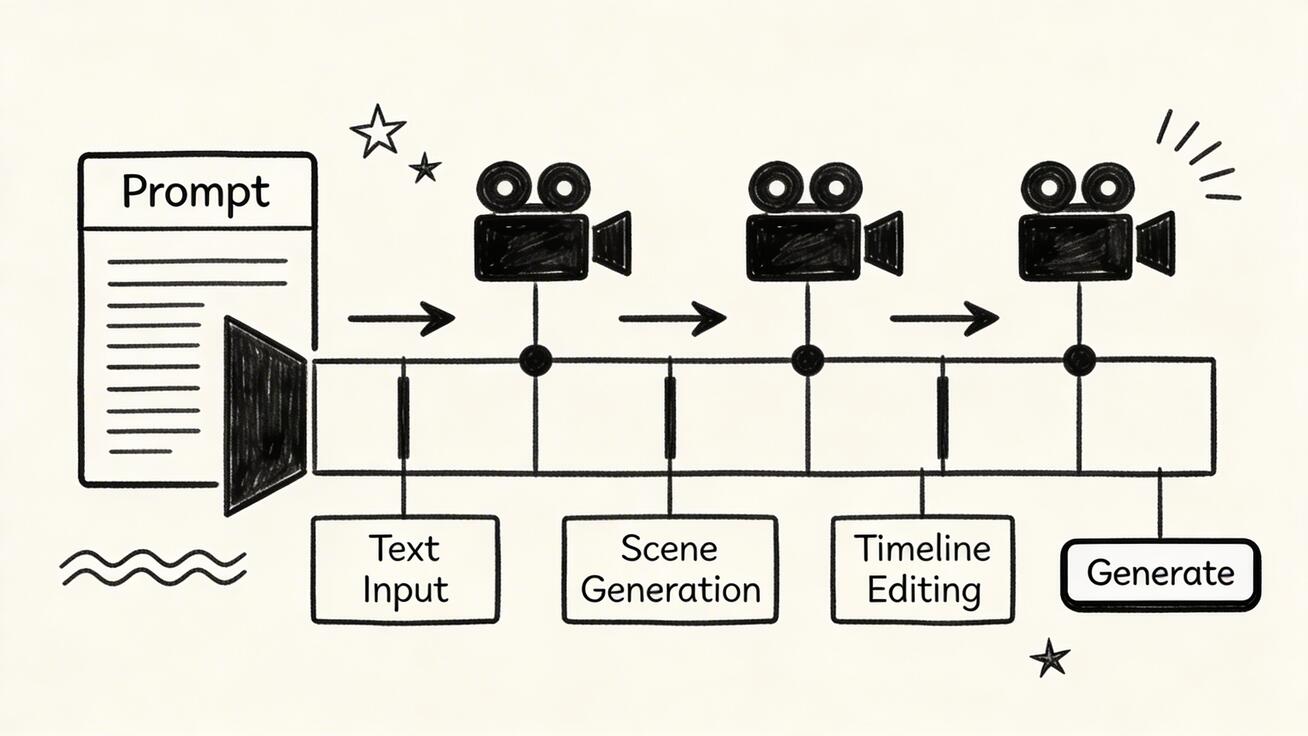
What Does It Mean to Make AI Videos from Text?
Text-to-video AI means describing a scene in words and letting an AI model generate motion, visuals, camera feel, and atmosphere based on that prompt.
A basic prompt might be:
A young woman walking through a neon-lit Tokyo alley at night, cinematic lighting, light rain, slow tracking shot, realistic style.
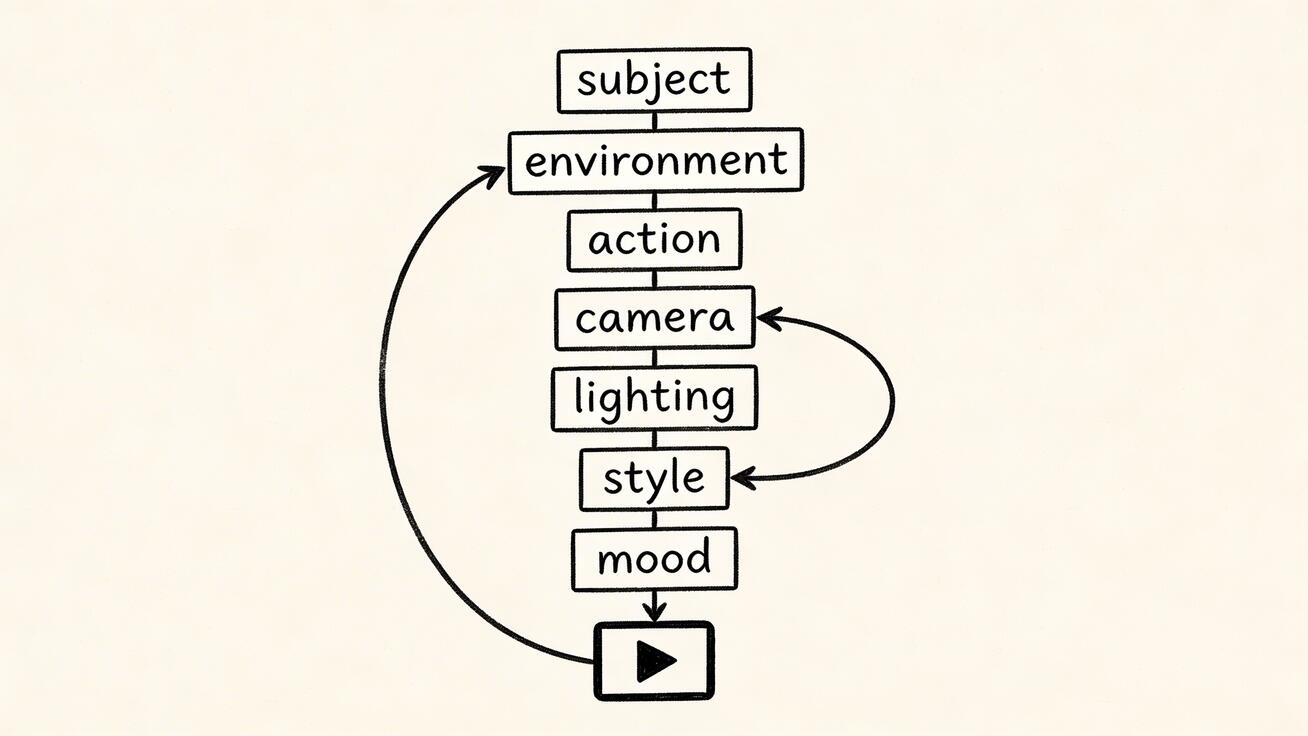
The AI then tries to interpret:
- Subject
- Environment
- Motion
- Camera direction
- Lighting
- Style
- Mood
That is the core idea. But the quality of the output depends heavily on how you structure those instructions.
Why Use Seedance for Text to Video AI?
There are plenty of generators on the market, but Seedance is a strong choice for this tutorial because it is practical rather than gimmicky.
Why Seedance works well for beginners and advanced users
- Clean interface
- Strong text prompt interpretation
- Good visual quality
- Useful for both one-shot scenes and multi-shot storytelling
- Easy path from text ideas to production-ready drafts
If you want to learn by doing instead of reading endless theory, Seedance is a good place to start.
Step 1: Decide What Kind of AI Video You Want to Make
Before writing your prompt, define the purpose of the video. This matters more than people think.
Common text-to-video goals
- Social media short
- Product promo
- Cinematic concept clip
- Storyboard scene
- Educational visual
- Music visualizer-style content
If your goal is vague, your prompt will be vague. If your prompt is vague, your output will be mush. Garbage in, weird moving garbage out.
Example objective
Let us say we want to make a product-style lifestyle clip for a coffee brand.
Goal: A cinematic 8-second ad showing a steaming cup of coffee on a wooden table in morning sunlight.
That is already much better than “make a nice coffee video.”
Step 2: Break the Scene into Prompt Components
A good prompt for AI video from text usually includes these elements:
Subject
What is the main focus?
- A steaming ceramic coffee cup
- A futuristic electric car
- A woman jogging on a beach
Environment
Where is it happening?
- Minimalist kitchen
- Busy city street
- Snowy mountain cabin
Action
What changes or moves?
- Steam rises slowly
- The camera pushes in
- Wind moves the curtains
Camera direction
This is one of the biggest upgrades you can make.
- Slow dolly in
- Wide establishing shot
- Low-angle tracking shot
- Overhead top-down view
Lighting and mood
- Golden hour sunlight
- Soft diffused studio light
- Dark moody neon lighting
Style
- Realistic cinematic
- Anime-inspired
- Commercial product ad
- Hand-drawn sketch
Step 3: Write Your First Text-to-Video Prompt
Here is a weak prompt:
Coffee on a table in the morning.
Here is a much stronger prompt:
A steaming ceramic cup of black coffee on a rustic wooden table by a sunlit window, soft golden morning light, visible steam drifting upward, shallow depth of field, cinematic commercial style, slow push-in camera movement, warm cozy atmosphere, realistic details.
See the difference? The second prompt gives the model something to work with.
Step 4: Open Seedance and Start a New Text-to-Video Project
Go to Text to Video or start from Create.
Screenshot description
Imagine the Seedance creation screen with:
- A large prompt box in the center
- Style or generation settings nearby
- A generate button below the prompt area
- Preview panel for output clips
Paste your prompt into the main input field.
If settings are available, choose the most suitable defaults for:
- Aspect ratio
- Duration
- Visual style
- Quality mode
For your first try, keep it simple. Do not stack every setting at once.
Step 5: Generate the First Version
Click generate and wait for the first clip.
What to evaluate in the result
- Does the scene match your subject?
- Is the camera movement close to your request?
- Is the mood correct?
- Does the motion feel natural?
- Are any parts distorted, floating, or unstable?
Your first result does not need to be perfect. It needs to teach you what to improve.
Step 6: Refine the Prompt Instead of Randomly Re-Generating
A lot of users waste credits by repeatedly clicking generate with the same weak prompt. That is lazy and inefficient.
Instead, diagnose what is wrong.
If the scene looks too generic
Add more environment detail.
If the camera does not move correctly
Use explicit camera language like:
- slow dolly in
- gentle pan left
- overhead shot
- tracking shot following the subject
If the style is wrong
Add a direct style phrase such as:
- realistic cinematic commercial
- moody sci-fi film look
- polished product ad aesthetic
If the motion feels chaotic
Reduce the number of actions in the prompt. Simpler often works better.
Step 7: Use a Strong Prompt Formula
A reliable text-to-video AI prompt formula looks like this:
[Subject] + [Environment] + [Action] + [Camera] + [Lighting] + [Style] + [Mood]
Example
A young chef plating pasta in an open restaurant kitchen, stainless steel counters and warm ambient background lights, steam rising from the dish, medium close-up shot with a slow cinematic push-in, warm restaurant lighting, realistic food commercial style, inviting and premium mood.
That structure works because it is specific without becoming messy.
Frequently Asked Questions
Q: How long does it take to generate an AI video? A: With Seedance, most AI videos are generated within 1-3 minutes depending on length and complexity. The platform uses optimized processing pipelines to deliver fast results without compromising on quality.
Q: What kind of prompts work best for AI video generation? A: The most effective prompts are specific and descriptive — include details about the scene, lighting, camera movement, mood, and style. Seedance's AI responds well to cinematic language like "slow pan", "golden hour lighting", or "documentary style".
Q: Can I edit the AI-generated video after it's created? A: Yes, Seedance provides built-in editing tools that let you trim, extend, add music, adjust pacing, and apply style effects to your generated videos. You can also regenerate specific sections if you're not satisfied with the initial output.
Step 8: Use Prompt Techniques That Improve Results
Technique 1: Start with one clear subject
Do not ask the model for five things at once.
Bad:
A family, a dog, fireworks, a flying drone, a waterfall, and a sports car in one scene.
Good:
A father and daughter watching fireworks from a hilltop, gentle wind, soft evening lighting, wide cinematic shot.
Technique 2: Describe motion intentionally
Motion is where AI video often falls apart.
Use phrases like:
- subtle movement
- smooth tracking
- gentle head turn
- slow zoom in
- natural walking pace
Technique 3: Use cinematic language sparingly
Words like “cinematic” help, but they are not magic. Combine them with actual details.
Technique 4: Anchor the mood
Mood words are underrated.
- calm
- tense
- dreamy
- playful
- premium
- intimate
Technique 5: Iterate one variable at a time
Change the camera, then test. Change the lighting, then test. Do not rewrite everything every time.
Step 9: Example Seedance Demo Prompt
Let us build a realistic prompt for a startup promo video.
A sleek wireless earbud case opening on a matte black table, soft studio lighting with subtle reflections, the earbuds lift slightly as the camera slowly rotates around the product, premium commercial aesthetic, shallow depth of field, realistic details, smooth elegant motion, high-end tech advertisement style.
Why this prompt works
- One clear subject
- Controlled environment
- Specific action
- Explicit camera instruction
- Defined lighting
- Clear commercial style
Screenshot description
In the preview panel, you would expect:
- The product centered in frame
- Smooth rotation feel
- Soft reflections on the surface
- Controlled, premium lighting
Step 10: Improve Weak Outputs with Prompt Rewrites
Suppose the earbuds clip looks too dark.
Prompt revision
A sleek wireless earbud case opening on a matte black table, bright soft studio key light from the upper left, subtle fill light to reveal product edges, camera slowly orbiting around the case, premium tech commercial style, realistic surface texture, elegant and polished mood.
That rewrite gives the model clearer lighting guidance. Tiny changes can fix a lot.
Step 11: Create Multi-Scene AI Videos from Text
One of the most useful upgrades is moving from a single scene to a sequence.
With Seedance, this works especially well for storytelling and ad concepts.
Example 3-shot sequence
- Wide shot: morning city skyline at sunrise
- Medium shot: young founder opening a laptop in a bright studio
- Close-up: product dashboard on screen with focused expression
Instead of demanding all three scenes in one messy prompt, generate or structure them in parts. That gives you more control.
Step 12: Turn Text into Better Marketing Videos
If you want to make AI videos from text for business use, think in outcomes.
For product demos
Focus on product, material, motion, and camera.
For app promos
Focus on UI context, user action, and smooth transitions.
For brand storytelling
Focus on emotion, pacing, and atmosphere.
For social ads
Focus on a strong hook in the first 2 seconds.
Step 13: Common Mistakes When Making AI Videos from Text
Mistake 1: Prompt too short
If your prompt is only six words long, the model is guessing.
Mistake 2: Prompt too overloaded
If you stuff every idea into one line, the model will blur them together.
Mistake 3: No camera direction
Without camera language, the output can feel static or random.
Mistake 4: No style definition
If you do not tell the model the aesthetic, it may default to something generic.
Mistake 5: Re-generating without learning
Every bad result should teach you something.
Step 14: Best Prompt Examples for Text to Video AI
Cinematic scene
A lone astronaut walking across a red desert at sunset, dust moving in the wind, wide cinematic shot, slow tracking camera from behind, dramatic golden light, realistic sci-fi film style, epic and quiet mood.
Product ad
A glass bottle of sparkling water on a white marble surface, tiny droplets of condensation, bright premium studio lighting, slow macro push-in, luxury commercial style, crisp realistic details.
Social lifestyle clip
A young woman laughing while riding a bicycle through a flower-lined street in spring, handheld natural camera feel, bright afternoon sunlight, soft pastel color palette, cheerful lifestyle ad style.
Food video
Fresh ramen being placed on a wooden counter in a cozy Japanese restaurant, steam rising, warm ambient lights in the background, close-up cinematic shot, realistic food commercial look.
Step 15: When to Use Image-to-Video Instead of Text-to-Video
Sometimes text-only is not the best starting point. If you already have a key visual, logo scene, character still, or product image, image-to-video can give you more control.
Use text-to-video when:
- You are exploring ideas
- You do not have source visuals yet
- You want broad scene invention
Use image-to-video when:
- You need consistency
- You already have an approved visual
- You want to animate a product or illustration
Step 16: Workflow for Better Results in Seedance
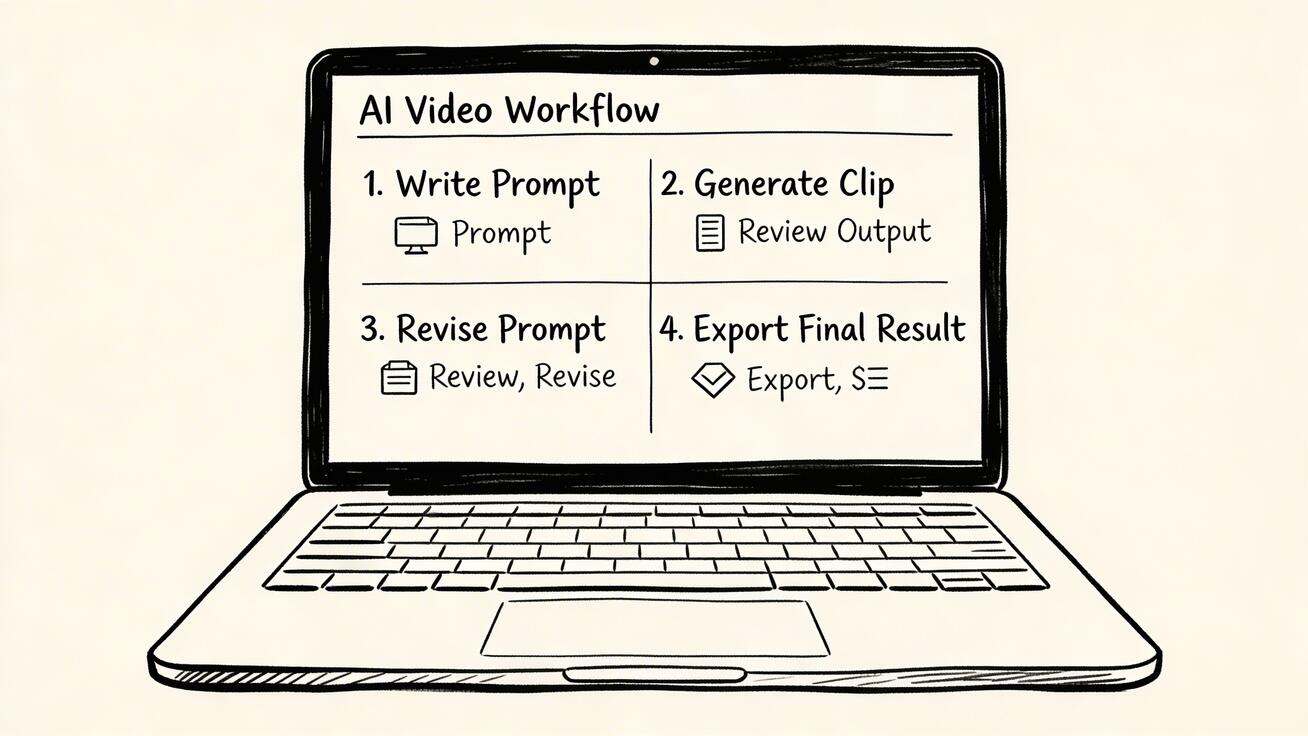
Here is a simple repeatable workflow:
- Define the purpose of the clip
- Write one focused prompt
- Generate first version in Seedance
- Review the result critically
- Rewrite one part of the prompt
- Generate improved version
- Save the best outputs
- Expand into additional shots if needed
This workflow beats random experimentation every time.
Step 17: How Long Should a Text-to-Video Prompt Be?
Most good prompts are between one and four sentences. Long enough to be specific, short enough to stay coherent.
If your prompt feels like a novel, tighten it. If your prompt feels like a tweet, add detail.
Step 18: Final Checklist Before You Generate
Ask yourself:
- Is the subject clear?
- Is the environment clear?
- Is the motion clear?
- Is the camera clear?
- Is the style clear?
- Is the mood clear?
If yes, you are ready.
Final Thoughts: How to Make AI Videos from Text Successfully
Learning how to make AI videos from text is mostly about learning how to think visually. The tool matters, but the prompt matters just as much.
Seedance is one of the best places to practice because it makes the workflow accessible while still giving you quality worth publishing. Start simple, iterate deliberately, and treat prompt writing like direction, not decoration.
If you want to begin now, use Seedance Text to Video, go directly to Create, or read the latest Seedance 2.0 overview before you dive in.
FAQ: How to Make AI Videos from Text
How do I make AI videos from text?
Write a clear prompt describing the subject, environment, action, camera movement, lighting, style, and mood, then generate the clip in a text-to-video tool like Seedance.
What is the best text to video AI tool for beginners?
Seedance is one of the best options for beginners because it has a clean workflow, strong prompt handling, and practical output quality.
How long should my text-to-video prompt be?
Usually one to four sentences. It should be specific enough to guide the scene without overloading the model.
Why does my AI video look weird?
Common reasons include vague prompts, too many competing ideas, unclear motion direction, and lack of style guidance.
Is text-to-video better than image-to-video?
It depends. Text-to-video is better for new idea generation. Image-to-video is better when you need stronger consistency from an existing visual.
Can I use text-to-video AI for marketing?
Yes. It is useful for ad concepts, product demos, explainer visuals, and social media campaigns.
Try Seedance Text to Video Now
If you want to stop reading tutorials and actually make something, try Seedance Text to Video now. Start with Text to Video, launch a project in Create, or explore what changed in Seedance 2.0. It is one of the fastest ways to turn a written idea into a usable video.
Pro Tips to Make AI Videos from Text Look More Professional
Once you understand the basics, the real jump in quality comes from directing the model more intentionally.
Think like a director, not a keyword list writer
A lot of weak prompts read like tags. Good prompts read like scene direction. Instead of listing disconnected nouns, describe what the viewer should feel and what the camera should notice first.
Put the most important visual information early
Models often respond better when the primary subject and scene setup appear near the beginning of the prompt. If the hero object is a perfume bottle, open with that. If the scene is about a woman running through rain, start there.
Use contrast carefully
Some of the best text-to-video prompts include a contrast element: warm light in a cold room, a still product in a moving environment, a calm face in a chaotic street. Contrast gives the model more cinematic tension.
Common Mistakes Pros Still Make
Even experienced users screw this up sometimes.
Over-directing every tiny movement
Too many instructions can make the clip brittle. Give the model a strong spine, then leave room for interpretation.
Forgetting the opening frame
The first impression matters. If you are making a social clip, write prompts that establish the core subject immediately instead of easing in too slowly.
Using one prompt for every platform
A YouTube explainer shot, a TikTok hook, and a landing-page product loop are not the same thing. Adjust pacing, framing, and style to the placement.
Internal Workflow Suggestion for Seedance Users
If you want better consistency, build a three-pass workflow:
- Discovery pass — test scene concepts in Create
- Refinement pass — improve the best prompt with clearer camera and lighting cues
- Production pass — generate final variants and, if needed, pair them with image-to-video for continuity
This simple structure saves credits and produces cleaner results than random trial-and-error.
More FAQ: How to Make AI Videos from Text
Can I make AI videos from text without editing skills?
Yes. Editing helps, but the core skill is writing a clear visual prompt. A good generator can do a lot of the heavy lifting.
How many prompt iterations does it usually take?
Usually two to five serious iterations are enough to get close, assuming the starting prompt is not sloppy.
What should I learn next after text-to-video?
Learn shot sequencing, prompt reuse, and when to switch into image-to-video. That is where your videos start looking less like tests and more like actual creative work.
Ready to try it yourself?
Put the steps from this guide into practice with Seedance and turn prompts or images into polished videos in minutes.
Free credits on signup. Plans from $28/month.
Related Articles
More posts in the same locale you may want to read next.

Seedance App Preview Video Generator 2026: Create App Store and Product Launch Clips
Use Seedance to turn app screenshots, feature copy, and launch goals into App Store previews, Google Play promo videos, and product launch clips.
Read article
How to Keep Product Shape Consistent in AI Video Ads
Lock product geometry, packaging, labels, references, camera angles, and approval checks so AI video ads preserve the real SKU across every shot.
Read article
How to Make AI Video Follow a Multi-Step Action
Plan atomic actions, state transitions, timing, continuity, and shot handoffs so an AI video completes a sequence in the intended order.
Read article