

Managing social media effectively requires more than just creative flair; it demands a strategic combination of planning, execution, and analysis. Juggling content creation, scheduling posts across multiple platforms, engaging with your community, and tracking performance metrics can quickly become overwhelming. This is where the right software stack makes all the difference, transforming a chaotic workflow into a streamlined, results-driven operation. Without the proper support, even the most talented social media manager will struggle to keep pace and demonstrate tangible ROI.
Quick Answer: The best AI video generation tools in 2025 combine quality output, ease of use, and affordability — Seedance leads this list with its state-of-the-art models, intuitive workflow, and exceptional results for creators of all skill levels.
This guide is designed to cut through the noise and help you identify the best tools for social media managers tailored to your specific needs. We move beyond generic feature lists to provide an in-depth analysis of each platform, focusing on actionable insights and real-world scenarios. For example, we'll show you how to use a specific feature to save time on reporting or how to leverage an AI tool to create five content variations in minutes. Whether you're a freelance content creator, part of a large marketing team, or a small business owner, you will find solutions here to enhance your productivity and amplify your social media impact. For a comprehensive overview of the market, exploring additional resources like this list of the 12 Best Social Media Management Tools You Should Know can provide further context.
We have organised our recommendations into clear categories, from all-in-one management suites to specialised creative and analytics platforms. Each entry includes a concise summary, key features, ideal user profiles, and transparent pricing information. To give you a complete picture, we also provide an honest assessment of pros and cons, complete with screenshots and direct links, enabling you to make a well-informed decision for your business. Let's find the perfect tools to elevate your social media strategy.
1. Seedance
Seedance emerges as a powerful and uniquely capable AI video generator, solidifying its place as one of the best tools for social media managers looking to produce high-quality, narrative-driven video content at scale. It excels where many competitors falter: creating coherent, multi-shot stories from a single text prompt. This platform allows you to describe a full sequence of events, and its advanced AI maintains character and environmental consistency across different scenes, a crucial feature for compelling storytelling.
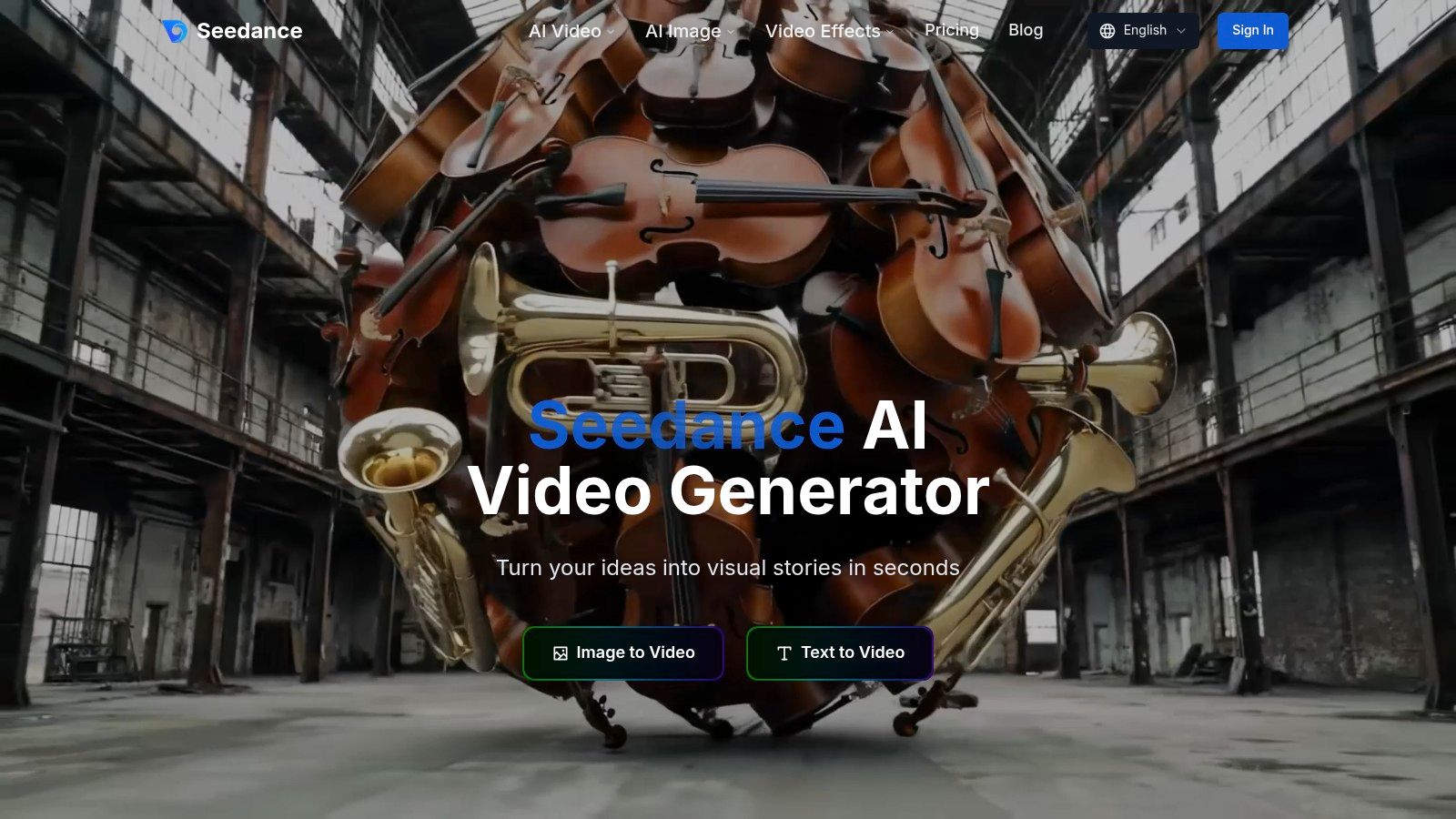
This capability moves beyond simple, single-clip generation. For a practical example, a social media manager could prompt: “Scene 1: A young woman in a red jacket sips coffee at a London café. Scene 2: She smiles as she looks at her laptop. Scene 3: Close-up on the laptop screen showing a new product logo.” Seedance processes this entire narrative, ensuring the woman in the red jacket remains consistent throughout, delivering a professional 1080p video ready for a campaign launch, saving hours of filming or stock footage searching.
Key Strengths & Use Cases
- True Multi-Shot Storytelling: Its core differentiator is the ability to generate multi-scene videos with seamless transitions and persistent character identity.
- Cinematic Control: The platform provides dynamic camera controls, allowing for tracking shots and smooth motion, adding a professional polish to social content.
- Stylistic Versatility: From photorealism to animation, Seedance adapts to your brand’s aesthetic, making it highly flexible for diverse campaigns.
While the website advertises a free AI video generator, detailed pricing tiers are not publicly listed and require visiting the dedicated Pricing page. The output is capped at 1080p, which is perfect for social platforms but may not suit projects requiring 4K. For those seeking to elevate their video strategy, exploring how a social media video maker like Seedance can streamline production is a logical next step.
Website: https://www.seedance.tv
2. Sprout Social
Sprout Social is an enterprise-grade, all-in-one social media management platform designed for larger teams and agencies requiring robust control, collaboration, and in-depth analytics. It distinguishes itself from other tools with its sophisticated CRM-style functionalities, offering a unified Smart Inbox that centralises all incoming messages and mentions, allowing teams to manage engagement without stepping on each other's toes.
The platform is one of the best tools for social media managers who need comprehensive reporting and listening features. For example, a manager can create a report that directly compares their brand's share of voice on Twitter against three main competitors, and schedule it to be automatically emailed to stakeholders every Monday morning. The powerful publishing tools include an intuitive content calendar, asset library, and optimal send time suggestions to maximise reach.
Key Features and Ideal Use Case
- Unified Smart Inbox: Consolidates messages from all networks into a single stream for efficient team-based response management.
- Advanced Analytics: Delivers presentation-ready reports on post performance, competitor activity, and team productivity.
- Social Listening: Monitors brand mentions and relevant keywords to uncover trends and consumer sentiment.
- Collaboration & Governance: Provides user-level permissions, approval workflows, and task assignment to keep teams organised.
Actionable Insight: Use Sprout Social's message tagging feature to categorise incoming messages by theme or urgency, like 'Product Feedback' or 'Urgent Support'. This allows you to run reports on specific topics, providing valuable, quantified insights for other departments and proving the value of social media as a listening tool. Its powerful analytics can also help refine your video content marketing strategy by pinpointing what resonates most with your audience.
Pricing and Considerations
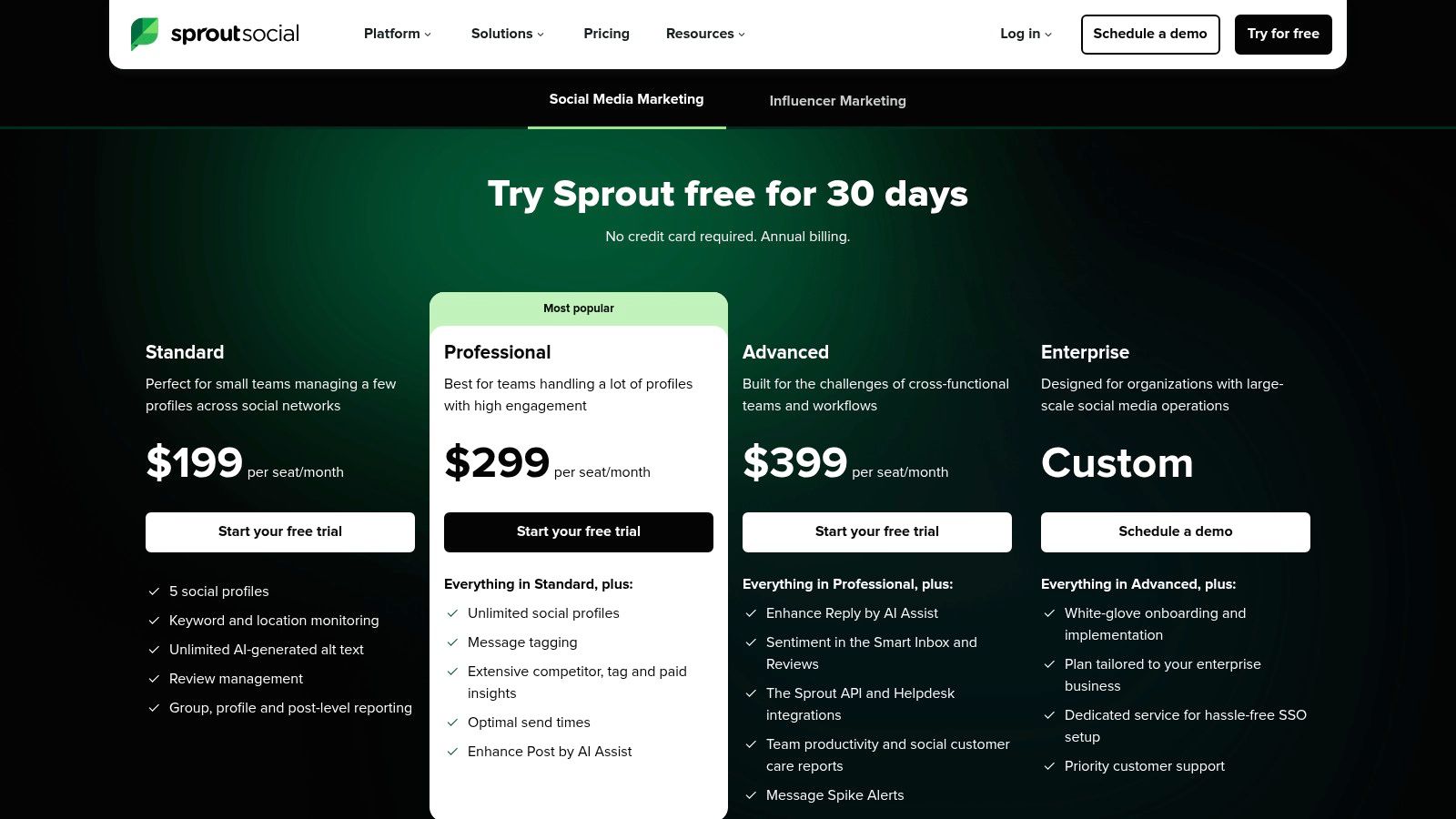
Sprout Social's pricing is user-based, which can become costly for larger teams.
- Standard: £199 per user/month
- Professional: £299 per user/month
- Advanced: £399 per user/month
Pros:
- Excellent reporting and analytics capabilities.
- Mature, enterprise-level collaboration and governance features.
Cons:
- Per-user pricing model can be expensive.
- Advanced listening and advocacy tools are costly add-ons.
Website: https://sproutsocial.com/pricing/
3. Hootsuite
Hootsuite is one of the most established all-in-one social media management platforms, known for its comprehensive dashboard that simplifies scheduling, monitoring, and analytics. It allows managers to handle multiple social profiles from a single location, making it a reliable choice for those needing a centralised command centre for their social media operations. Its longevity in the market means it has a mature and broad feature set that scales from individual users to large enterprise teams.
The platform excels at providing a clear overview of all social media activity through its customisable streams, which can track keywords, mentions, and hashtags in real-time. This makes it one of the best tools for social media managers focused on brand monitoring and engagement. For instance, a manager for a coffee brand could set up a stream to monitor the hashtag #LondonCoffee to find and engage with local coffee lovers, spotting user-generated content opportunities in real-time. Recent additions like an AI-powered caption writer further streamline content creation.
Key Features and Ideal Use Case
- Comprehensive Scheduling: Plan and bulk schedule posts across multiple networks with an intuitive content calendar.
- Social Inbox & Monitoring: Manage all comments and mentions in one place and set up streams to monitor conversations.
- AI Content Tools: Utilise OwlyWriter AI for generating captions, ideas, and hashtags, plus get recommendations for optimal posting times.
- Analytics & Reporting: Track performance with customisable reports, benchmarking against competitors, and analysing audience sentiment.
Actionable Insight: Use Hootsuite's "Streams" to create dedicated columns for competitor mentions, industry keywords, and your own branded hashtags. This provides an at-a-glance dashboard for social listening, allowing you to quickly spot engagement opportunities or emerging trends without having to run separate searches. For example, a travel company could have streams for "family holiday ideas," "cheap flights," and mentions of a rival airline, all visible on one screen.
Pricing and Considerations
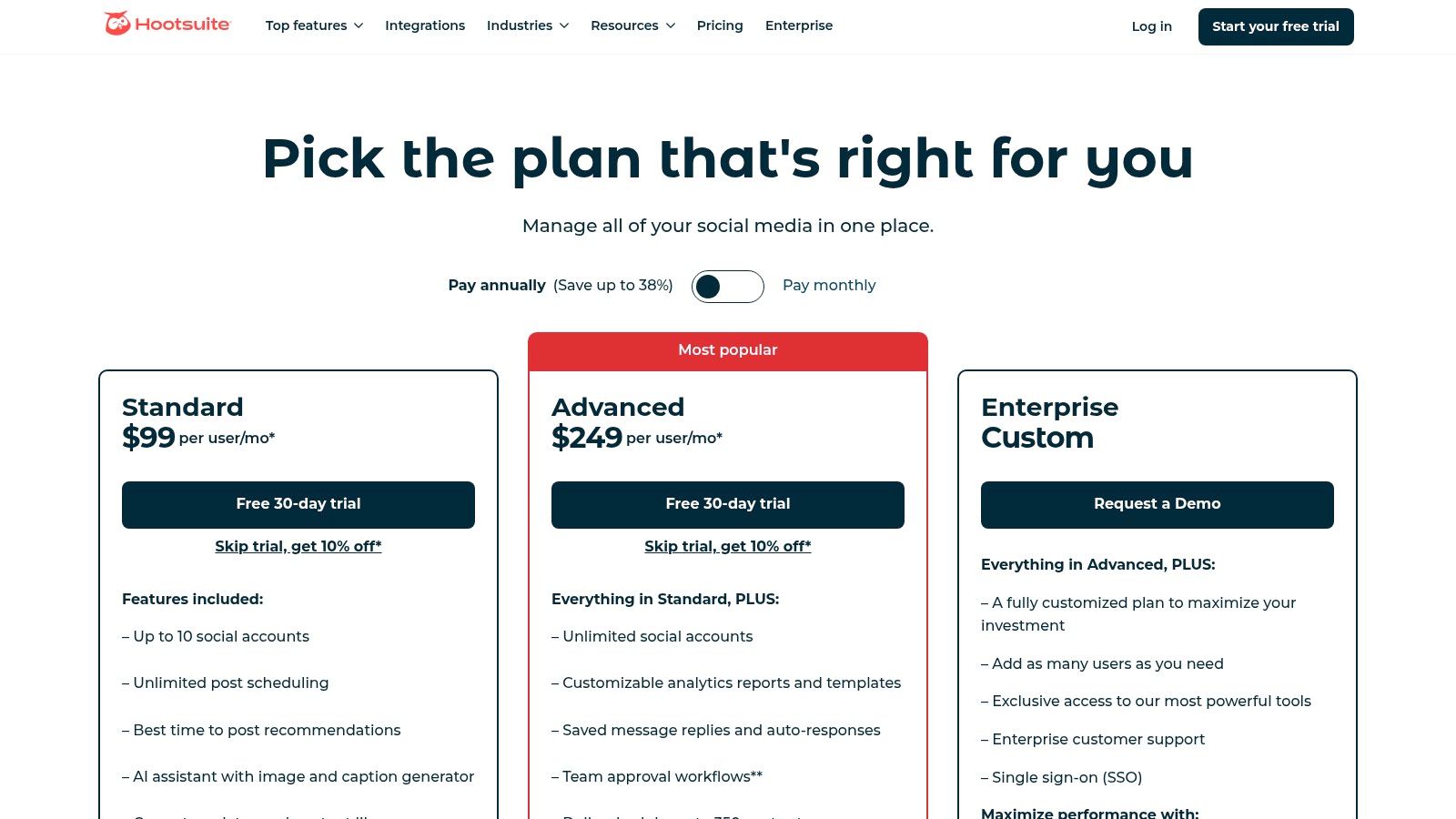
Hootsuite’s pricing is tiered, with more advanced analytics, collaboration, and support features reserved for higher plans.
- Professional: £89 per month (1 user, 10 social accounts)
- Team: £199 per month (3 users, 20 social accounts)
- Enterprise: Custom pricing
Pros:
- Broad feature coverage in a single, unified dashboard.
- Scalable plans suitable for everyone from solo users to enterprise teams.
Cons:
- Can become expensive as your team grows or requires more advanced features.
- The interface can feel cluttered for new users until streams are customised.
Website: https://www.hootsuite.com/plans
4. Buffer
Buffer is a streamlined and user-friendly social media scheduling tool, prized for its simplicity and affordability. It excels in its core function: helping freelancers and small teams plan, schedule, and publish content without the complexity of enterprise-level platforms. Its standout feature is a flexible pay-per-channel pricing model, which makes it one of the most cost-effective tools for social media managers just starting out or managing a small portfolio of accounts.
The platform provides a clean, intuitive interface with a visual content calendar that simplifies content planning. While it may not have the deep analytical power of its larger competitors, Buffer offers essential performance metrics and a basic engagement inbox to manage conversations. The recent addition of an unlimited AI assistant for generating and refining post copy adds significant value. For example, a manager can write a simple sentence, "Our new summer collection is out now," and ask the AI to expand it into an exciting announcement with relevant hashtags for Instagram.
Key Features and Ideal Use Case
- Pay-Per-Channel Model: Offers unmatched flexibility to add social channels individually, keeping costs low and scalable.
- Unlimited AI Writing Assistant: Helps generate post ideas, rewrite copy, and overcome creative blocks directly within the composer.
- Visual Calendar & Workflows: Allows for easy content planning and includes approval processes on the Team plan for smoother collaboration.
- Key Integrations: Connects seamlessly with Canva, Dropbox, Google Drive, and Zapier to streamline the content creation process.
Actionable Insight: Use Buffer's AI assistant to create multiple variations of a single post for different platforms. For example, ask it to generate a professional, concise version of your product announcement for LinkedIn and a more casual, emoji-filled version for Instagram from the same core message. This action alone saves significant time and ensures your content is contextually appropriate for each channel.
Pricing and Considerations
Buffer's pricing is highly customisable based on the number of channels you need.
- Free: 3 channels, basic scheduling.
- Essentials: Starts at £5 per channel/month. Includes analytics and engagement tools.
- Team: Starts at £10 per channel/month. Adds collaboration tools and approval workflows.
Pros:
- Extremely budget-friendly and scalable for freelancers and SMBs.
- Simple, clean UI that is very quick to set up and learn.
Cons:
- Lacks the advanced social listening and in-depth analytics of enterprise tools.
- Collaboration and workflow features are reserved for the higher-priced Team plan.
Website: https://buffer.com/pricing
5. Later
Later is a visual-first social media marketing platform, initially famed for its Instagram scheduler and now expanded to support TikTok, YouTube, and LinkedIn. It excels for brands and creators whose strategy is heavily reliant on visual content, offering a highly intuitive drag-and-drop content calendar. The platform’s core strength lies in making it simple to plan and visualise the aesthetic of an Instagram feed before publishing.
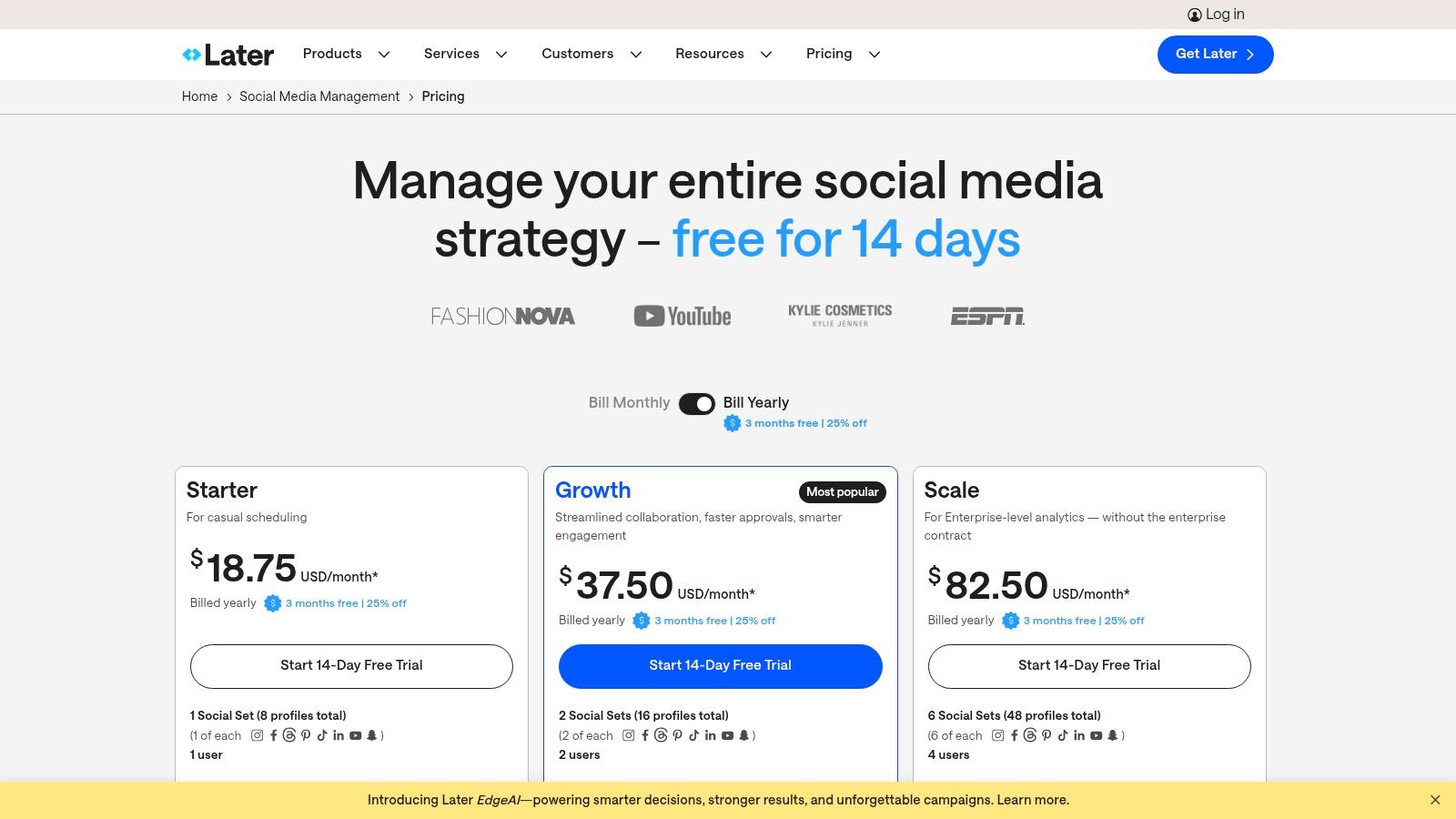
As one of the best tools for social media managers focused on visual platforms, Later provides specialised features like first comment scheduling for Instagram and a comprehensive Link in Bio tool. For example, you can schedule an Instagram post and simultaneously schedule the first comment to include your relevant hashtags, keeping your caption clean and professional. The platform’s bundling of profiles into "Social Sets" makes it easy to manage multiple brands or client accounts efficiently.
Key Features and Ideal Use Case
- Visual Planner: Drag-and-drop calendar to preview and arrange your Instagram feed's aesthetic before posting.
- Link in Bio: A customisable, linkable landing page for your Instagram or TikTok profile that drives traffic to your website or products.
- UGC Collection: Search for and collect user-generated content by hashtags and mentions, then easily add it to your content library.
- Content Approvals: Streamlines team collaboration with internal and external approval links for content before it goes live.
Actionable Insight: Use the "Social Sets" feature to create distinct bundles for different clients or campaigns. For instance, create one set for 'Client A' that includes their Instagram, TikTok, and LinkedIn profiles. This keeps all their scheduled content, analytics, and assets neatly organised and separate from other accounts, preventing accidental cross-posting and simplifying client reporting. It's a simple organisational trick that saves time and reduces errors.
Pricing and Considerations
Later’s pricing is based on features, the number of users, and the number of posts per profile. Note that prices are in USD and may be subject to VAT for UK users.
- Starter: $25 per month
- Growth: $45 per month
- Advanced: $80 per month
Pros:
- Excellent visual-first workflow, especially for Instagram and TikTok.
- Scalable "Social Sets" make managing multiple brand profiles straightforward.
Cons:
- The Starter plan is quite limited in features and user numbers.
- Advanced analytics like competitive benchmarking are reserved for higher-tier plans.
Website: https://later.com/pricing/
6. Brandwatch (Social Media Management)
Brandwatch offers a sophisticated, enterprise-level suite that merges deep social listening with comprehensive social media management. It is designed for mid-to-large organisations that require powerful data intelligence to drive their strategy. The platform stands out by combining its robust research heritage with practical tools for publishing, engagement, and reporting, all within a single, unified interface.
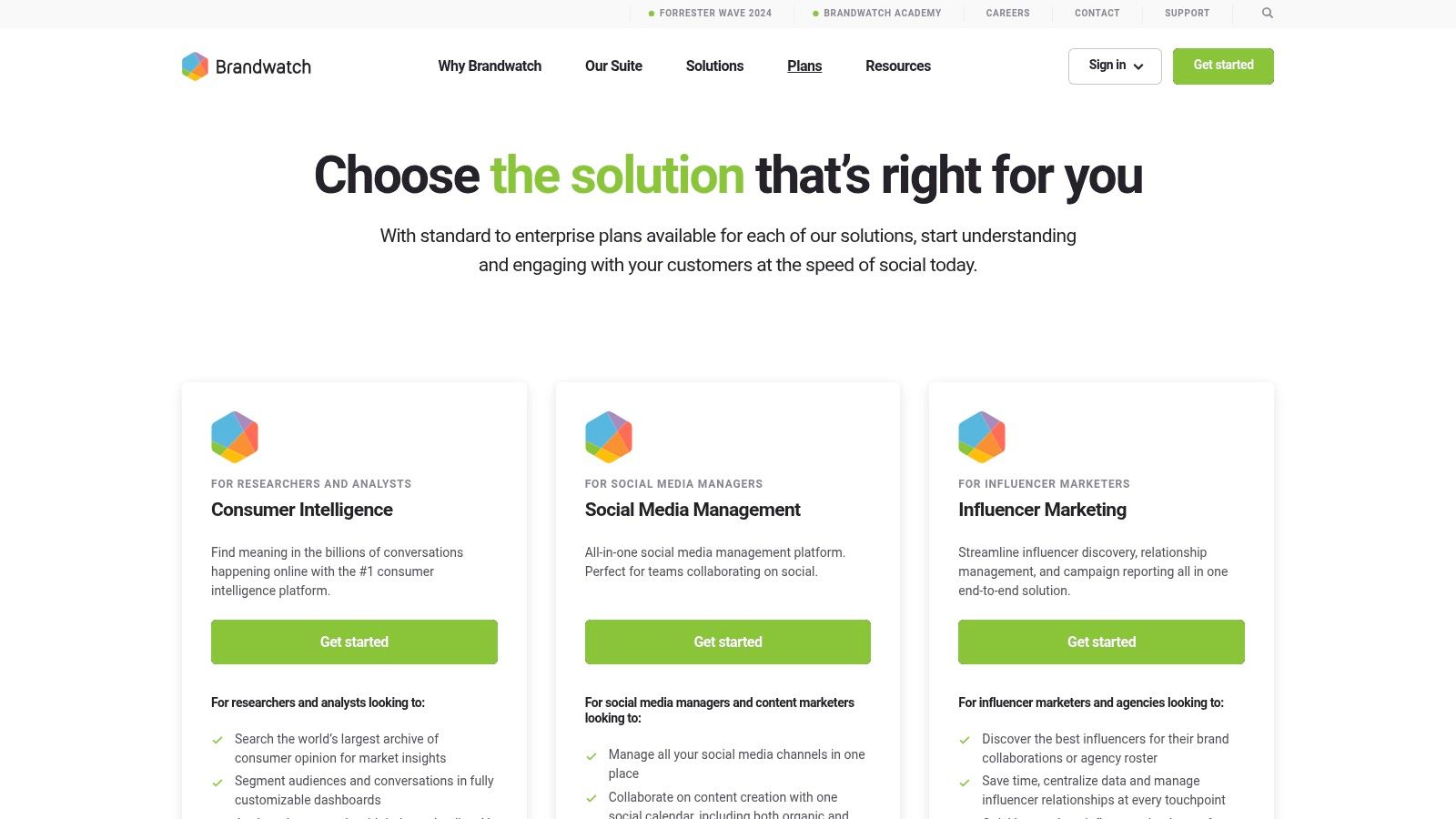
This tool is one of the best for social media managers who need to go beyond surface-level metrics and understand the "why" behind online conversations. For example, a manager could use Brandwatch to analyse sentiment around a new product launch, not just counting mentions but categorising them into themes like 'price concerns', 'feature requests', or 'positive delivery experience'. This provides actionable feedback for the product and customer service teams.
Key Features and Ideal Use Case
- Deep Social Listening: Leverages an extensive data archive to monitor brand health, track campaign impact, and conduct in-depth consumer research.
- Centralised Inbox & Social CRM: Unifies all incoming messages and mentions into a single stream for streamlined, collaborative engagement.
- Competitor & Performance Dashboards: Offers highly customisable analytics to track performance against competitors and KPIs.
- Integrated Publishing: Provides a collaborative content calendar for planning, scheduling, and executing both paid and organic social media campaigns.
Actionable Insight: Use Brandwatch’s listening queries to identify unbranded conversations related to your industry. For example, a mattress company can track phrases like "can't sleep" or "back pain" to find potential customers and create content that directly addresses their problems, positioning the brand as a helpful authority. As you consider this powerful platform, it's also wise to explore Brandwatch alternatives to ensure you find the perfect fit for your specific budget and feature requirements.
Pricing and Considerations
Brandwatch does not offer a public price list; access is demo-led, and pricing is provided via a custom quote based on your organisation's needs.
- Pricing: Custom quote required.
Pros:
- Advanced analytics and powerful research capabilities.
- Official partnerships with major social networks ensure reliable data access.
Cons:
- No transparent pricing model; requires a sales demo.
- Primarily positioned for mid-enterprise and enterprise clients, making it less accessible for smaller businesses.
Website: https://www.brandwatch.com/pricing/
Frequently Asked Questions
Q: What makes Seedance different from other AI video tools? A: Seedance combines state-of-the-art AI models with an intuitive interface, making professional video creation accessible to everyone. Its unique blend of powerful generation capabilities, fast processing, and affordable pricing sets it apart from competitors.
Q: How good is the video quality from Seedance? A: Seedance produces high-quality videos with smooth motion, accurate prompt adherence, and impressive visual fidelity. The platform supports multiple aspect ratios and resolutions, including HD output for professional use cases.
Q: Is Seedance suitable for professional video creators? A: Absolutely. Seedance is used by content creators, marketers, filmmakers, and businesses worldwide. Its advanced controls, high-resolution output, and batch generation capabilities make it a powerful tool for professional workflows.
7. Meta Business Suite
Meta Business Suite is the free, native management toolset created by Meta for managing Facebook and Instagram profiles from a single dashboard. It serves as the go-to starting point for many businesses, offering direct integration for creating, scheduling, and boosting content across both platforms. Its primary advantage is its seamless connection to Meta's ecosystem, ensuring access to the latest features and post formats without third-party limitations.
The platform is one of the best tools for social media managers who are exclusively focused on the Meta family of apps or are just starting out. It provides a unified inbox that brings together Facebook Messenger, Instagram DMs, and comments from both platforms, simplifying community management. For a practical example, a manager can create saved replies for frequently asked questions (e.g., "What are your opening hours?") and respond to customer queries across both platforms with a single click from the inbox.
Key Features and Ideal Use Case
- Unified Inbox: Consolidates all comments and direct messages from Facebook and Instagram into one place for streamlined communication.
- Native Content Scheduling: Create and schedule posts, Stories, and Reels for both platforms with access to all native features like stickers and music.
- Basic Analytics: Provides fundamental insights into page performance, content reach, and audience growth without cost.
- Integrated Ad Management: Allows for easy post boosting and direct access to the more powerful Ads Manager for complex campaigns.
Actionable Insight: Use the "Planner" view to visualise your entire month's content calendar for both Facebook and Instagram. Here, you can use the A/B testing feature for posts to experiment with different captions or images on a small audience to see what performs best before committing a larger ad spend. This is a free way to optimise your content strategy directly within the platform.
Pricing and Considerations
Meta Business Suite is completely free to use, with costs only incurred for advertising.
- Standard: Free
Pros:
- Completely free for all scheduling and analytics features.
- Perfect native integration with Facebook and Instagram's latest updates.
- No third-party API connection issues or limitations for Meta platforms.
Cons:
- Can be unreliable with occasional bugs and a less intuitive user interface.
- Strictly limited to managing Facebook and Instagram accounts.
Website: https://business.facebook.com/
What Is Best Tools For Social Media Managers and Why Does It Matter?
Best Tools For Social Media Managers is an essential capability for modern content creators and marketers. The best tools for best tools for social media managers combine AI-powered automation with professional-quality outputs — saving hours of manual work while delivering results that meet commercial standards.
In 2025, platforms like Veo 3 and Seedance have made best tools for social media managers more accessible than ever, offering free-tier access alongside professional plans.
How Do You Get Started with Best Tools For Social Media Managers?
Getting started with best tools for social media managers requires just a few steps:
- Choose the right tool for your needs (see comparison above)
- Sign up for a free account — no payment required to start
- Follow the step-by-step guide in this article
- Test with simple examples first, then scale up
Most users can produce their first professional result within 30 minutes of starting.
What Are the Best Tools for Best Tools For Social Media Managers in 2025?
The top tools for best tools for social media managers in 2025 are:
- Veo 3 — best overall quality, free via Google Gemini
- Kling AI — best mobile experience and free tier generosity
- Runway Gen-4 — best for artistic and cinematic styles
- Pika 2.1 — best for beginners with simple interface
Each tool has strengths in different areas — the best choice depends on your specific use case, volume requirements, and budget.
8. Canva
Canva has become the indispensable design tool for social media managers who need to produce high-quality, visually appealing content quickly and without needing advanced graphic design skills. It is a user-friendly, drag-and-drop platform that streamlines the entire creative process, from initial concept to final export. Canva stands out by democratising design, offering a vast library of templates, stock assets, and AI-powered features that make professional-looking graphics accessible to everyone.
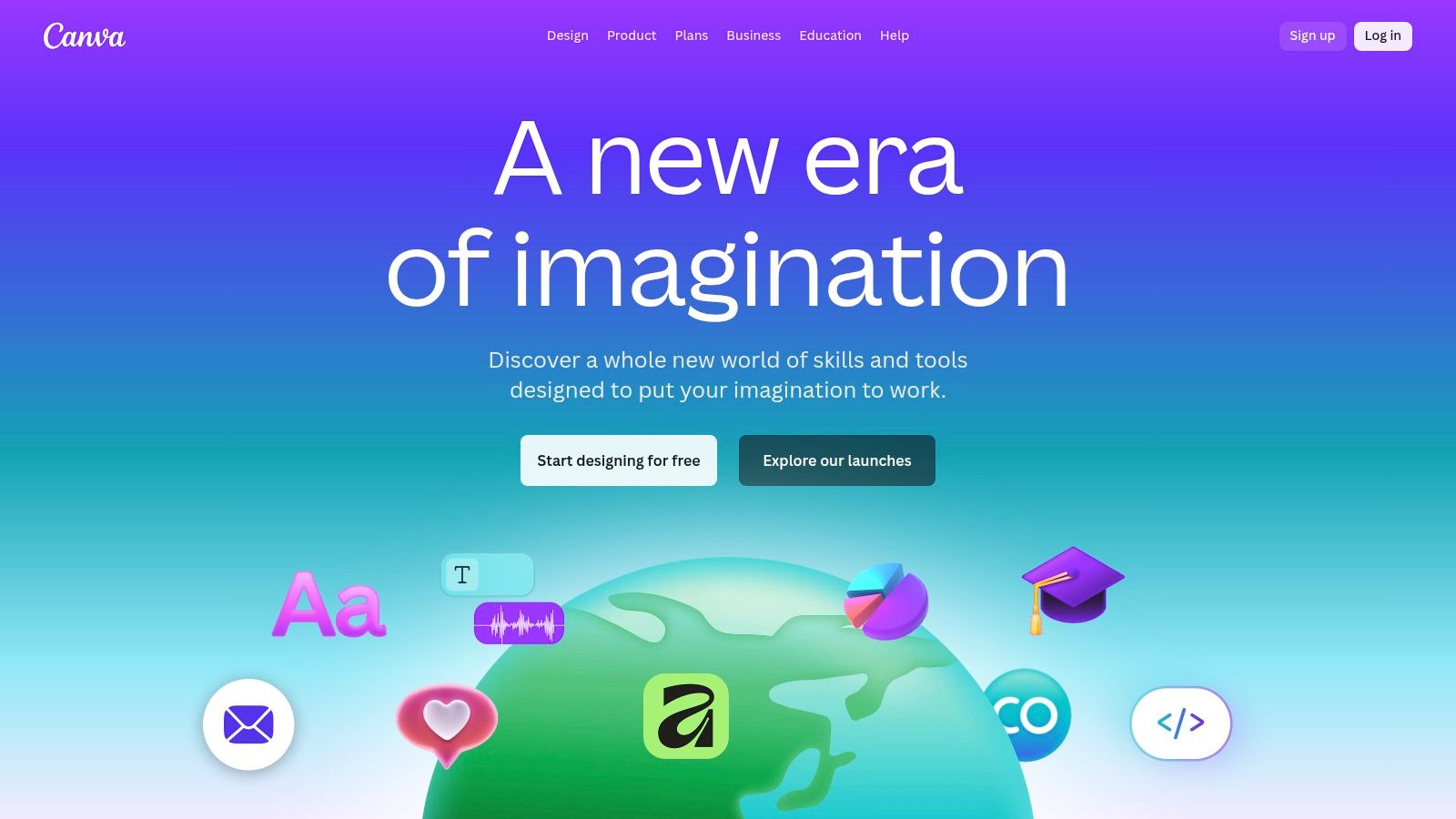
This platform is one of the best tools for social media managers because it consolidates asset creation, brand management, and team collaboration into a single workspace. A practical example is using the Brand Kit feature: a manager can upload their company's logos, fonts, and colour palette. Then, any team member can apply this branding to any template with one click, ensuring every single graphic is perfectly consistent. This avoids the time-consuming process of manually checking hex codes or font names.
Key Features and Ideal Use Case
- Vast Template Library: Access thousands of professionally designed templates for every social media platform and content format.
- Magic Studio (AI): Utilise AI tools for generating copy, editing images, and using Magic Resize to adapt one design for multiple formats instantly.
- Brand Kit & Controls: Maintain brand consistency with centralised logos, colour palettes, and fonts for team-wide use.
- Collaboration & Approvals: Invite team members to co-edit designs, leave comments, and manage approval workflows directly within the platform.
Actionable Insight: Use the "Magic Resize" feature to create a primary design, such as an Instagram post (1080x1080). Then, with one click, generate correctly sized versions for a Facebook post, Instagram Story (1080x1920), and a LinkedIn banner. This single action saves hours of manual re-cropping and redesigning. You can also explore creative ways to turn a photo into a video using Canva's simple animation features to add motion to static posts.
Pricing and Considerations
Canva offers a robust free tier, but many essential team and AI features are reserved for paid plans.
- Free: Generous free plan with ample templates and assets.
- Pro: £12.99 per user/month (for 1 person).
- Teams: £25.99 per month (for the first 5 people).
Pros:
- Extremely easy to use, enabling rapid asset production.
- Comprehensive library of templates, stock photos, and design elements.
Cons:
- Best features like Brand Kits and Magic Studio require a paid plan.
- Can lead to generic-looking designs if templates are not customised.
Website: https://www.canva.com/
9. Adobe Express (with Content Scheduler)
Adobe Express is a powerful, all-in-one design and content creation tool that streamlines the entire workflow from asset creation to social media publishing. It integrates template-led design with Adobe's Firefly generative AI, a large stock asset library, and a built-in content scheduler, making it one of the best tools for social media managers who need to create and post high-quality visuals efficiently without leaving a single platform.
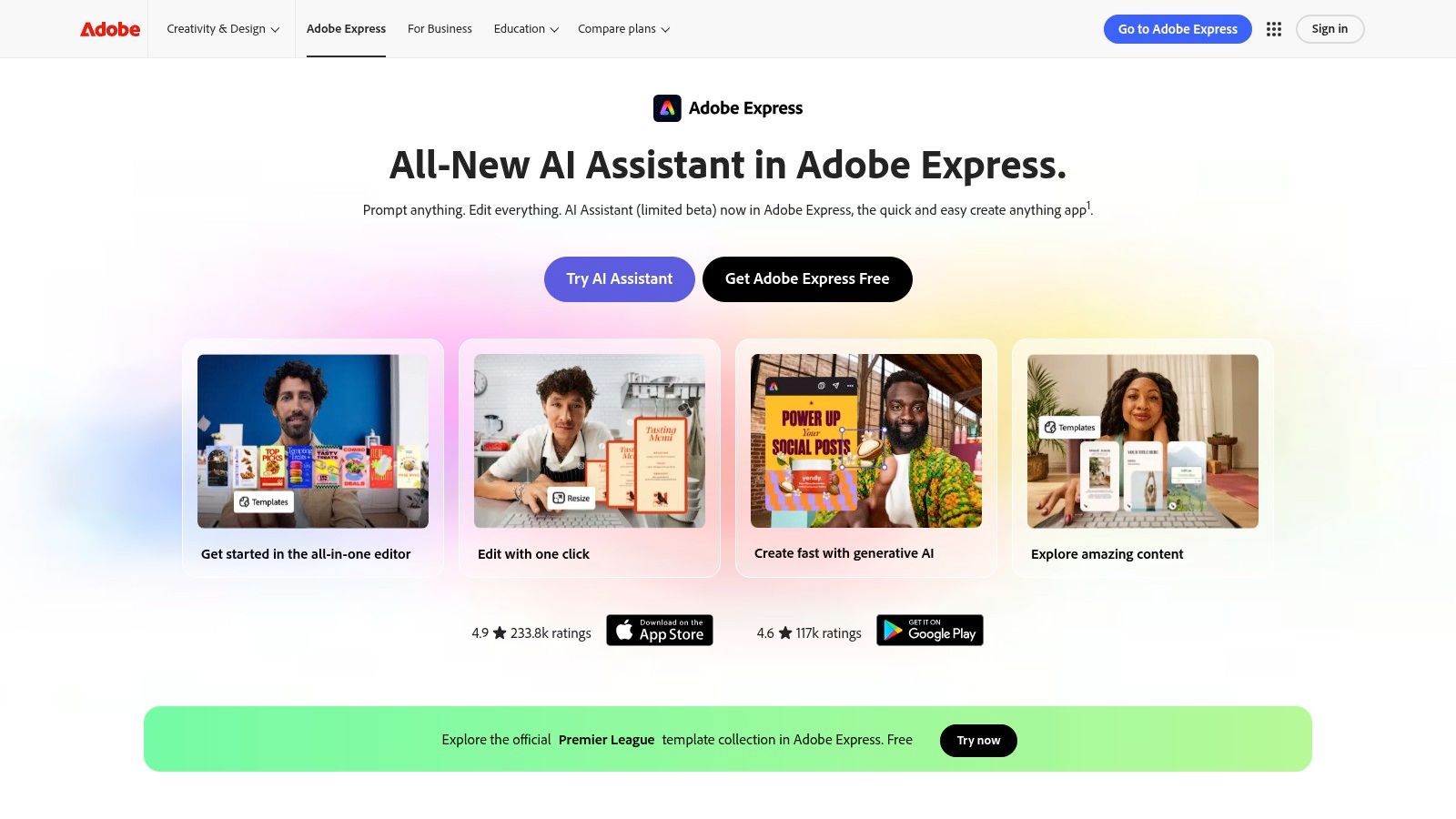
Its key differentiator is the seamless integration of creative tools and scheduling functionalities. For a practical example, a manager can use the Firefly AI to generate a unique image with the prompt "a golden retriever wearing sunglasses on a beach." They can then add text, apply their brand colours with one click, and schedule the final graphic to Instagram and Facebook directly from the same screen, completing the entire process in under five minutes.
Key Features and Ideal Use Case
- Integrated Design & Scheduling: Create visuals, edit videos, and schedule them to Instagram, Facebook, X (Twitter), Pinterest, LinkedIn, and TikTok from one place.
- Firefly Generative AI: Use text-to-image and text effects to generate commercially safe custom assets directly within your projects.
- Brand Kits: Upload logos, fonts, and colour palettes to ensure all content remains perfectly on-brand with a single click.
- Quick Actions: Instantly perform tasks like removing video backgrounds, resizing images, and converting files without starting a new project.
Actionable Insight: Use the "Brand Kit" feature to create multiple kits if you manage different clients or product lines. When starting a new design, you can instantly apply the correct branding, drastically speeding up your content creation process. For instance, switch from 'Client A' branding to 'Client B' branding on a template with a single click, ensuring flawless consistency across all accounts.
Pricing and Considerations
Adobe Express offers a robust free plan, but full scheduling and asset access require a premium subscription.
- Free: Limited features and assets.
- Premium: From £9.98/month
Pros:
- Strong stock asset library and commercially safe generative AI.
- Excellent for maintaining brand consistency across all creative assets.
- Special pricing options are often available for UK non-profits and educational institutions.
Cons:
- Full scheduling capabilities and premium assets require a paid plan.
- Adobe's subscription bundles and what's included can change, requiring users to stay updated.
Website: https://www.adobe.com/uk/express/
10. G2
While not a management tool itself, G2 is an indispensable resource for discovering, comparing, and validating social media software. It's a review and ranking platform that provides real-world user feedback on thousands of business tools. For social media managers, it serves as a critical starting point for shortlisting vendors and understanding the practical strengths and weaknesses of different platforms before committing to a demo or subscription.
G2 stands out by organising tools into intuitive "G2 Grids," which segment platforms by market presence and user satisfaction for small businesses, mid-market, and enterprise segments. This makes it one of the best tools for social media managers who need to find a solution tailored to their company's specific size and needs. For example, a manager at a small business can filter the "Social Media Management" category to only see tools with high satisfaction scores from other small businesses, instantly ignoring expensive enterprise solutions that aren't a good fit.
Key Features and Ideal Use Case
- Category Grids & Filters: Visually compare tools based on user satisfaction and market presence, with filters for company size and specific features.
- Verified User Reviews: Access detailed feedback from actual users, including reported pros, cons, and satisfaction scores.
- Alternative Discovery: Find direct competitors and alternative solutions for any given tool, helping you conduct a thorough market scan.
- Trending Tool Identification: Stay updated on emerging and popular platforms within the social media management space.
Actionable Insight: When shortlisting tools, don't just look at the overall score. Dive into the most recent reviews and filter them by your company size and role to find feedback from users with similar needs. Pay close attention to reviews discussing customer support and ease of implementation, as these are often critical pain points not mentioned in marketing materials. This practical step helps you anticipate potential issues before you buy.
Pricing and Considerations
G2 is free to use for browsing and reading reviews. Creating an account, which is also free, allows you to save comparisons and follow specific categories.
- Free Access: Core features like browsing, reading reviews, and viewing grids are completely free.
Pros:
- Provides an essential reality check via authentic, unfiltered user feedback.
- Excellent for conducting market research and discovering alternative tools.
Cons:
- Some content can be influenced by vendors encouraging positive reviews.
- Requires cross-referencing with other sources for a fully balanced view.
Website: https://www.g2.com/categories/social-media-suites
11. Capterra UK
Capterra UK isn't a social media tool itself, but rather an indispensable software directory for finding them. It serves as a comprehensive discovery platform, specifically tailored for the UK market, allowing managers to compare hundreds of social media marketing and management tools in one place. Its strength lies in its powerful filtering system, enabling you to narrow down options based on features, deployment type, and business size.
This platform is one of the best tools for social media managers in the initial research phase. Instead of relying solely on well-known names, you can surface niche or budget-friendly solutions that might be a better fit. For a practical example, a UK-based manager could filter for tools that offer a "Free Trial," are priced in "GBP (£)," and have a key feature like "Automated Publishing." This instantly provides a manageable shortlist of relevant, localised options.
Key Features and Ideal Use Case
- UK-Focused Directory: Curates a list of software with pricing and features relevant to businesses operating in the UK.
- Advanced Filtering: Allows users to shortlist tools based on specific functionalities like content management, analytics, or team collaboration.
- User Reviews & Comparisons: Provides crowdsourced ratings and side-by-side comparisons to evaluate different platforms objectively.
- Vendor Shortlisting: Helps you create a curated list of potential tools before heading to their official websites for demos.
Actionable Insight: Use the filters to find tools that integrate with other software you already use, such as your CRM or email marketing platform. For instance, if your company uses HubSpot, you can filter for social media tools that offer a native HubSpot integration to ensure your data flows smoothly between systems. Before making a final decision, always cross-reference the features and pricing on the official vendor website, as Capterra’s information may not always be fully up-to-date.
Pricing and Considerations
Capterra UK is a free-to-use resource for buyers.
Pros:
- Excellent for discovering a wide range of tools beyond the most famous brands.
- UK-specific focus helps in finding locally relevant and priced options.
Cons:
- Information is not always the most current; verification on vendor sites is essential.
- Sponsored listings can influence the visibility of certain tools.
Website: https://www.capterra.co.uk/directory/30781/social-media-marketing/software
12. Amazon UK
While not a software tool, Amazon UK is an indispensable resource for social media managers needing to quickly acquire reliable hardware for content creation. It serves as a one-stop-shop for essential creator gear, from entry-level ring lights and tripods to high-quality USB microphones and webcams. For managers building an in-house content studio or kitting out a remote team, it is one of the best tools for procuring equipment efficiently.
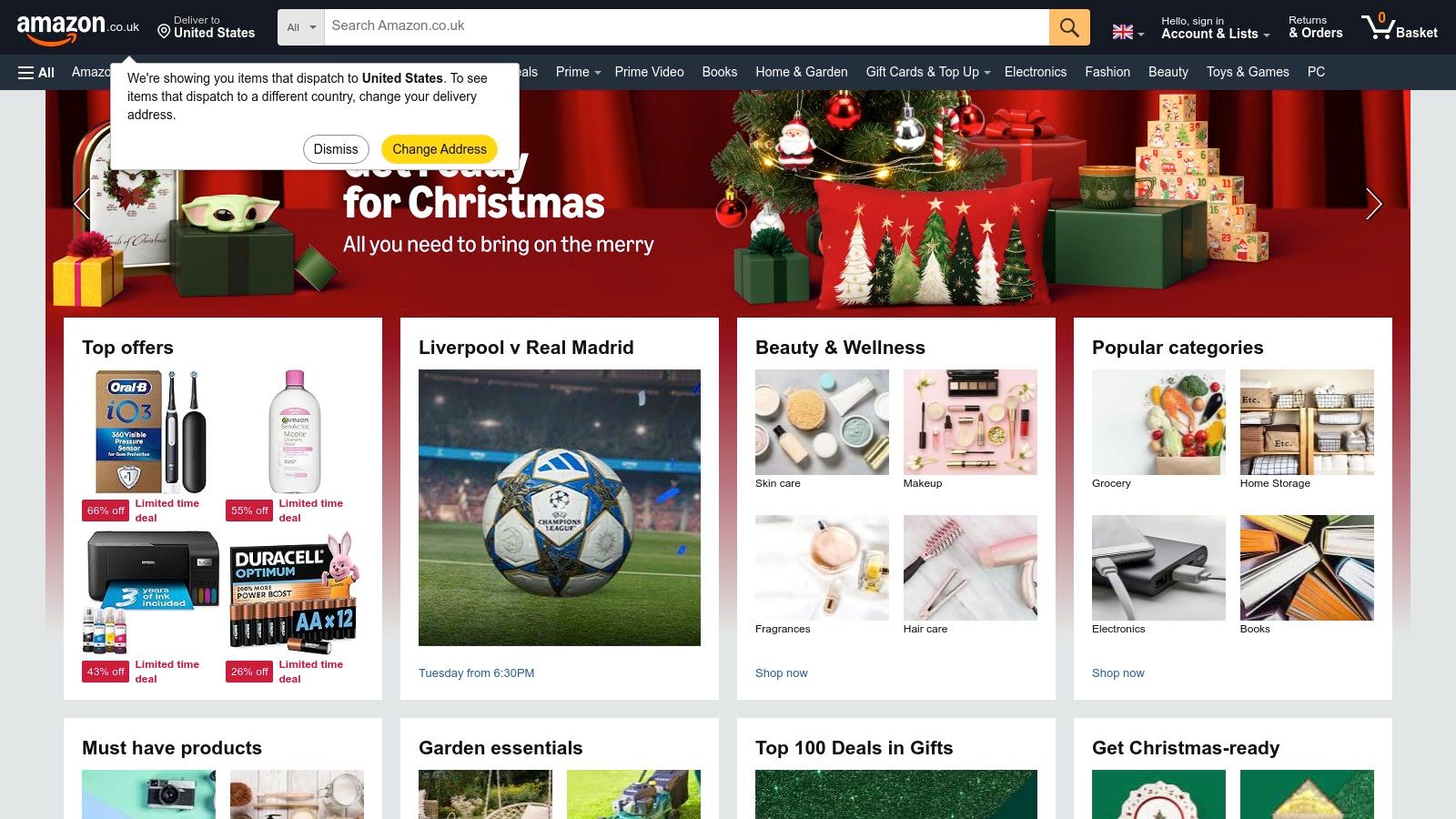
The platform’s key advantage lies in its vast selection, competitive pricing, and the sheer volume of user-generated reviews. For a practical example, if you need a reliable microphone for a podcast but have a budget of under £100, you can search for "USB microphone," filter by "4 Stars & Up," and sort by "Avg. Customer Review" to quickly find the most popular and trusted options in your price range. The social proof helps managers make informed purchasing decisions with confidence.
Key Features and Ideal Use Case
- Wide Selection of Creator Equipment: Offers everything from budget to professional-grade hardware like lights, mics, and cameras.
- Prime Fast Delivery: Provides next-day shipping on eligible items, perfect for urgent equipment needs or replacements.
- Extensive User Reviews: Allows for detailed product evaluation based on real-world feedback from other creators.
- Standard Buyer Protections: Offers reliable returns and support for most items, reducing the risk of purchasing faulty gear.
Actionable Insight: When buying equipment like a microphone or ring light, always filter for items with a high number of 4-star-and-above reviews. Pay close attention to recent reviews that include user-submitted photos or videos to get a realistic impression of the product's quality and performance. For example, check photos of a ring light in a dimly lit room to see its actual brightness, as seller descriptions can sometimes be inaccurate.
Pricing and Considerations
Pricing is product-dependent, ranging from a few pounds for basic accessories to hundreds for professional equipment. An optional Prime membership (£95/year or £8.99/month) provides free, fast delivery.
Pros:
- Competitive pricing and constant stock availability.
- Next-day delivery for Prime-eligible items is a major advantage.
Cons:
- Quality varies significantly across third-party sellers; must check verified reviews.
- Product detail accuracy can be inconsistent between different sellers.
Website: https://www.amazon.co.uk/
Top 12 Social Media Management Tools Comparison
| Product | Core features | Quality (★) | Price/Value (💰) | Target audience (👥) | Unique selling points (✨) |
|---|---|---|---|---|---|
| 🏆 Seedance | Text→video 1080p, multi-shot storytelling, style control | ★★★★☆ cinematic, smooth motion | 💰 Free option indicated; paid tiers undisclosed | 👥 Creators, marketers, filmmakers, SMBs | ✨ Multi-shot continuity, character consistency, dynamic camera control |
| Sprout Social | Publishing, listening, analytics, CRM-style collaboration | ★★★★☆ enterprise-grade reporting | 💰 Per-seat pricing; 30‑day trial; can scale costly | 👥 Mid-market & enterprise teams | ✨ Robust governance & advanced analytics |
| Hootsuite | Scheduling, social inbox, AI captions, benchmarking | ★★★☆☆ mature, broad feature set | 💰 Tiered plans; advanced features gated | 👥 Solo users → enterprises | ✨ All-in-one dashboard; bulk scheduling |
| Buffer | Publishing, visual calendar, integrations, AI writing assistant | ★★★☆☆ simple & reliable | 💰 Budget-friendly; pay-per-channel model | 👥 Freelancers & small teams | ✨ Unlimited AI assistant; flexible channel pricing |
| Later | Visual planner, UGC collection, link-in-bio, approvals | ★★★☆☆ visual-first, short-form focused | 💰 Tiered with clear post/profile caps; AI credits | 👥 Instagram/TikTok teams, creators | ✨ Strong IG/TikTok workflows & UGC tools |
| Brandwatch | Deep listening + social CRM, centralized inbox, dashboards | ★★★★☆ research-grade insights | 💰 Demo/quote only; enterprise pricing | 👥 Mid-enterprise & enterprise buyers | ✨ Deep listening combined with SMM |
| Meta Business Suite | Native FB/IG publishing, unified inbox, boost ads | ★★★☆☆ integrated but UX reliability issues | 💰 Free | 👥 Facebook & Instagram managers | ✨ Direct access to Meta placements & ad tools |
| Canva | Templates, brand kits, Magic Studio AI, collaboration | ★★★★☆ fast asset production | 💰 Free + Pro/Teams paid tiers | 👥 Marketers, designers, small teams | ✨ Huge template library & Magic Resize |
| Adobe Express | Firefly AI, templates, brand kits, scheduler | ★★★★☆ strong assets; safe-for-commercial AI | 💰 Some features behind Premium/Firefly Pro | 👥 Teams needing branded assets & scheduling | ✨ Firefly integration & large stock library |
| G2 | Reviews, category pages, comparison grids, user pros/cons | ★★★☆☆ useful user feedback (vendor-influenced at times) | 💰 Free browsing; vendor content varies | 👥 Buyers shortlisting tools | ✨ Real-user reviews & comparison grids |
| Capterra UK | UK-focused directory, filters, pricing callouts | ★★★☆☆ UK-relevant comparisons | 💰 Free (sponsored listings exist) | 👥 UK buyers & procurement teams | ✨ UK pricing displays & local filters |
| Amazon UK | Marketplace for creator hardware, reviews, Prime delivery | ★★★★☆ wide selection; variable vendor quality | 💰 Competitive pricing; Prime fast delivery | 👥 Creators needing gear & accessories | ✨ Fast UK shipping, buyer protections & reviews |
Final Thoughts
Navigating the expansive landscape of social media management tools can feel like an overwhelming task. From all-in-one platforms like Sprout Social and Hootsuite to specialised creative powerhouses like Canva and our own Seedance, the options are as varied as the strategies they support. As we've explored throughout this guide, the goal isn't to find a single, mythical "best" tool, but to assemble a bespoke toolkit that aligns perfectly with your unique workflow, team size, and strategic objectives.
The core takeaway is this: your tool stack should be an extension of your strategy, not a limitation upon it. A tool is only as effective as the plan it helps you execute. Before you commit to any subscription, take a step back and clearly define your needs. Are you struggling with consistent scheduling across multiple platforms? A tool like Buffer or Later might be your priority. Is your primary challenge proving ROI and understanding audience sentiment? Then a robust analytics suite from Brandwatch or Sprout Social should be at the top of your list.
Building Your Ideal Social Media Toolkit
Choosing the right combination from our list of the best tools for social media managers requires a thoughtful, strategic approach. Don't be swayed solely by an impressive feature list; focus on practical application and integration.
Here are some actionable steps to guide your selection process:
- Audit Your Current Workflow: Identify the biggest bottlenecks. Is it content creation? Approval processes? Reporting? For example, if your team spends hours every week searching for high-quality video assets, a tool like Seedance becomes a high-priority investment because it directly solves a major time sink.
- Define Your "Must-Have" Features: Create a checklist. Do you absolutely need an integrated inbox for community management? Is a visual, drag-and-drop calendar non-negotiable? Does your team require sophisticated collaboration and approval features? Ranking these needs will help you filter out options that don't meet your core requirements.
- Leverage Free Trials and Demos: Never underestimate the power of a test drive. What looks perfect on paper might feel clunky in practice. Dedicate time to using a tool's trial period for your actual day-to-day tasks. For a practical test, try scheduling a week's worth of content or building a performance report. Does it genuinely save you time?
- Consider Scalability and Integration: Think about your future needs. Will this tool grow with your team and client base? Critically, how well does it integrate with the other software you rely on? A powerful scheduling tool is less effective if it doesn't work seamlessly with your preferred creative suite or analytics platform.
From Tools to Triumphs
Ultimately, the best tools for social media managers are the ones that empower you to move beyond tedious administrative tasks and focus on what truly matters: building authentic connections, fostering community, and driving meaningful business results. By thoughtfully curating your software arsenal, you free up invaluable time and mental energy for high-impact activities like strategy development, creative experimentation, and genuine audience engagement.
Whether you're a freelance social media manager juggling multiple clients or part of a large in-house marketing team, the right tools will transform your efficiency and amplify your impact. Use this guide as your starting point, audit your needs with honesty, and build a toolkit that not only simplifies your work but also inspires your creativity.
Ready to elevate your video content and stop the endless scroll? Seedance provides a curated library of stunning, cinematic stock footage designed specifically for social media. Discover unique, high-quality clips that make your brand stand out and integrate seamlessly into your content creation workflow. Explore our collections at Seedance and see the difference for yourself.
Ready to create your own AI video?
Turn ideas, text prompts, and images into polished videos with Seedance. If this article helped, the fastest next step is to try the product.
Free credits on signup. Plans from $20/month.
Related Articles
More posts in the same locale you may want to read next.

Seedance App Preview Video Generator 2026: Create App Store and Product Launch Clips
Use Seedance to turn app screenshots, feature copy, and launch goals into App Store previews, Google Play promo videos, and product launch clips.
Read article
Midjourney Video Batch Size Settings: Choose 1, 2, or 4
Compare Midjourney video batch sizes 1, 2, and 4, understand SD and HD GPU costs, set --bs, and choose the right test workflow.
Read article
Invideo Agent Timeline Editing Prompts: A Practical Playbook
Use precise Invideo agent prompts to assemble, shorten, mix, caption, color-match, and review an editable timeline without changing the wrong sections.
Read article