
Think of having an AI film director on call, ready to turn any visual idea you have into reality. That's really the essence of what Minimax AI video technology is all about. This guide provides actionable insights and practical examples to help you master this tool.
Understanding Minimax AI Video
Instead of wrangling cameras, crews, and complex editing software, you simply give the AI a written prompt—a detailed description of the scene you’re imagining. The AI then takes that creative brief and generates a polished, high-quality video clip from scratch.
This process radically simplifies video creation. A small business owner, for instance, can bypass the high cost of a professional shoot. Actionable Insight: Instead of hiring a crew, they can generate a promotional clip by typing: "An overhead shot of a craftsman's hands carefully assembling a leather wallet on a rustic wooden workbench." The AI delivers a ready-to-use video in minutes.
Ready to create your own AI video?
Free credits on signup. Plans from $20/month.
At its core, Minimax AI is designed to bridge the gap between imagination and creation. Its real power comes down to a couple of key strengths:
- Motion Realism: The AI excels at producing fluid, believable movements. Whether it’s a subtle change in facial expression or a sweeping camera pan, it grasps the physics of motion, so the final videos feel natural, not stiff and computer-generated.
- Rendering Speed: Tasks that would normally take hours or even days in traditional animation and post-production are done in a matter of minutes. This means you can rapidly test ideas. Practical Example: A marketing team could test three different ad concepts in an hour by generating clips for "a dog excitedly chasing a ball," "a cat peacefully napping in a sunbeam," and "a playful puppy tripping over its paws," all without a single animal actor.
By translating simple text prompts into moving pictures, Minimax gives filmmakers, artists, and marketers a way to instantly storyboard ideas, create unique B-roll, or produce entire short-form videos without ever picking up a camera.
To help summarise these core ideas, here’s a quick breakdown of what makes Minimax tick.
Minimax AI Video at a Glance
| Concept | Brief Explanation | Actionable Benefit |
|---|---|---|
| Text-to-Video Engine | Interprets written descriptions (prompts) to generate video scenes. | Create video content without needing technical skills or expensive equipment. |
| Motion Modelling | Uses advanced algorithms to simulate realistic and dynamic movement. | Produces fluid, natural-looking motion that avoids a "robotic" feel. |
| Rapid Rendering | Processes complex visual data quickly to produce clips in minutes. | Enables fast iteration and A/B testing of creative concepts. |
| Creative Briefing | The user's text prompt acts as the director's instructions for the AI. | Gives you precise creative control over the final output. |
Ultimately, this technology is part of a much bigger change happening across creative fields. If you want to see the broader picture, exploring what AI can do for interactive video provides a great overview of the various tools and applications that are completely changing how we think about, produce, and interact with visual content.
Understanding the Technology Behind the Magic
At its core, Minimax AI video generation can be thought of as an incredibly skilled artist with an endless imagination, standing before a blank canvas. Your text prompt acts as the creative brief, guiding the artist on exactly what to paint. The AI then pulls from its vast "palette"—a colossal library of visual data it's been trained on—to bring your concept to life, one pixel at a time.
This isn't just random guesswork. It’s a sophisticated process that merges a deep understanding of language with the ability to create visuals. When you type in a prompt, the AI first breaks down your words to understand the key elements: the subject, the action, the style, and even the mood. Practical Example: For the prompt "A majestic eagle soaring over a snowy mountain range at sunset," the AI identifies "eagle" as the subject, "soaring" as the action, "snowy mountain range" as the environment, and "sunset" as the lighting and mood.
This simple diagram shows the fundamental journey from your initial idea to the final video clip.
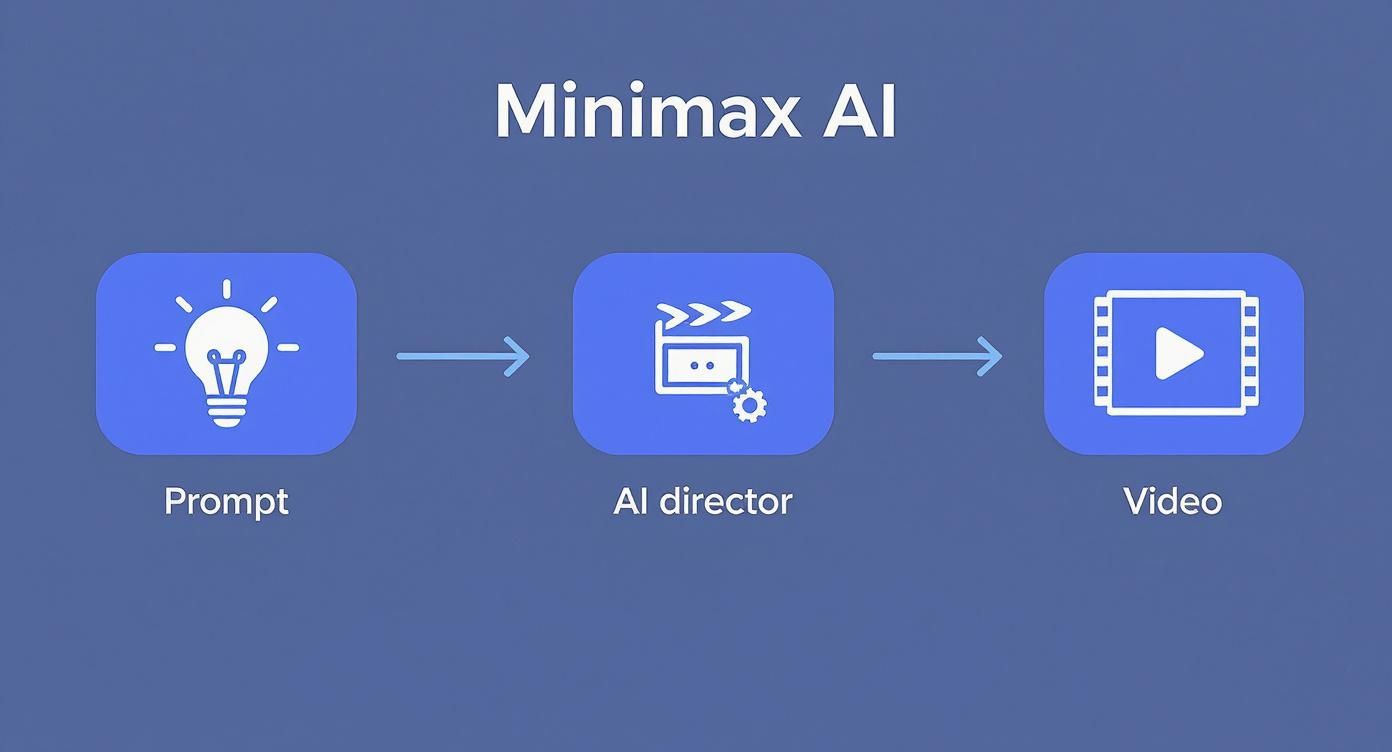
As you can see, everything hinges on how well the AI can interpret your prompt before it even thinks about generating the first frame.
From Static Noise to Fluid Motion
So how does it actually create the video? Minimax uses a powerful technique called a diffusion model. The best way to picture this is to imagine a screen filled with nothing but random, staticky noise. The AI then slowly refines this noise, sculpting it step-by-step into the first frame of your video, guided by your text prompt.
It meticulously layers in details, colours, and shapes until a clear, coherent image emerges that perfectly matches your description. This method is fantastic for achieving realism because the AI essentially builds the image from scratch, making sure that things like textures and lighting feel natural.
Of course, a single image doesn't make a video. The next part of the process is motion synthesis.
The real magic of Minimax isn't just in creating one perfect picture; it's about predicting what the next picture should look like to create believable movement. It calculates the likely path of a moving object, the way water should flow, or the subtle shift in a person's expression.
The Key Ingredients for Realistic Video
To get such impressive results, the technology has to nail a few critical areas:
- Physics Simulation: The model has a built-in, fundamental understanding of real-world physics. Actionable Insight: You can leverage this by prompting for specific physical actions. For example, "A glass of water tipping over and spilling on a table in slow motion" will generate a video where the liquid behaves realistically, saving you complex CGI work.
- Instruction Following: The quality of the final Minimax AI video is directly tied to how well the model sticks to your prompt. Newer versions are trained to understand complex instructions, meaning they can distinguish between subtle commands like "a gentle breeze" versus "a strong wind."
- Visual Fidelity: The system is built to produce high-resolution output, often in native 1080p. This focus on crisp, clean visuals makes the generated clips ready for professional projects, moving far beyond the grainy, experimental look of early AI videos.
This kind of approach isn't just for making videos from text, either. Many platforms are now exploring ways to animate still photos, a process you can learn more about in our guide on how to transform a static image into a dynamic video. Once you get your head around these core mechanics, you'll find you can write far more effective prompts.
Exploring Core Features and Current Limitations
To get the most out of Minimax AI video, you need a solid grasp of what it can do well and, just as importantly, where it currently falls short. Knowing its strengths lets you play to them, while being honest about its weaknesses helps you sidestep frustrating dead ends. This balanced view will let you slot it into your creative process without a hitch.
The technology is engineered to nail specific tasks, offering features that can genuinely slash production time and costs. We’re not talking about small conveniences; this is a different way of thinking about how visual content gets made.
Standout Features of Minimax AI
Minimax has made a name for itself by prioritising high-quality output and believable motion. Let's break down the core features that make it a compelling tool, along with some actionable examples.
-
Photorealistic B-roll Generation: Minimax is fantastic at creating high-quality, generic footage. Practical Example: A travel blogger making a video about Italy needs a quick shot of Rome. Instead of searching through stock footage, they can prompt, "A tracking shot of the Colosseum at golden hour with birds flying past," to get a unique, royalty-free clip that fits their exact needs.
-
Dynamic Abstract Visuals: The model is also surprisingly good at interpreting artistic and abstract ideas. Practical Example: An event organizer needs a background visual for a tech conference. They can generate a loop with the prompt, "An endless tunnel of glowing blue and purple data streams, futuristic, cybernetic." This creates a custom, on-brand visual without hiring a motion graphics designer.
-
Advanced Physics Simulation: The AI has a decent understanding of real-world physics, which is brilliant for creating realistic movement. Practical Example: A food company can generate a mouth-watering ad with the prompt, "Extreme close-up of a strawberry splashing into a bowl of cream, slow motion, high detail." The AI will accurately simulate the liquid's splash and crown effect.
Understanding how AI handles other complex tasks, like processing human speech, gives you a sense of just how quickly the field is moving. Diving into resources on AI transcription applications can offer a glimpse into the foundational tech that underpins these more visual tools.
Acknowledging the Current Limitations
No technology is magic, and it’s crucial to be realistic about what Minimax can't do yet. Being upfront about its shortcomings is key to planning successful projects.
While Minimax AI video is remarkable, it often struggles with tasks requiring high levels of continuity and intricate detail. These limitations are not failures but rather frontiers of ongoing development in generative AI.
Here are a few of the most common hurdles you're likely to face:
- Character Consistency: Trying to keep the same character—with the exact same face, clothes, and build—across multiple shots is a massive challenge. Actionable Insight: For now, it's best to use Minimax for scenes with anonymous characters (e.g., "a crowd of people walking") or for shots where the character isn't the primary focus.
- Complex Hand Rendering: This is a classic problem for generative AI. Minimax, like many of its peers, can get hands and fingers wrong. You might end up with a character who has six fingers. Actionable Insight: When prompting for people, try framing the shot to de-emphasize hands. A "medium shot" or a prompt where the character's hands are in their pockets can help avoid this issue.
- Limited Video Length: Right now, most clips are capped at around 6 to 10 seconds. This makes the tool ideal for bite-sized content like social media clips or quick B-roll, but it’s not yet capable of producing longer, continuous narrative scenes.
By keeping these strengths and weaknesses in mind, you can use Minimax AI strategically for what it excels at.
Putting Minimax AI to Work in Creative Projects
<iframe width="100%" style="aspect-ratio: 16 / 9;" src="https://www.youtube.com/embed/vSvghVdlDDw" frameborder="0" allow="autoplay; encrypted-media" allowfullscreen></iframe>
Knowing the theory behind Minimax AI video is one thing, but the real magic happens when you see how it plugs into actual creative workflows. This isn't just a new toy; it’s a seriously practical tool that can save time, slash costs, and unlock creative avenues that simply weren't possible before.
By turning the complex, resource-heavy job of video creation into a task as simple as writing a text prompt, Minimax frees up creators to focus on the idea, not the logistics.
For Digital Marketing Agencies
Picture a digital agency running a social media campaign for a new coffee brand. The traditional approach would involve booking a photographer, hiring a videographer, and carving out a hefty chunk of the budget.
-
Before Minimax: The team would spend days planning and shooting to produce three to five ad variations, limiting their ability to test effectively.
-
After Minimax (Actionable Workflow): A single marketer can now generate 20 different ad variations in an afternoon. They can A/B test visuals by prompting:
- "Cinematic close-up of steam rising from a black coffee mug, rustic wooden table." (Warm, cozy vibe)
- "Minimalist shot of an iced coffee on a clean white background, condensation dripping down the glass." (Modern, clean vibe)
- "Fast-paced montage of coffee beans being roasted, ground, and brewed." (High-energy, process-focused vibe)
This rapid testing allows data, not guesswork, to drive the campaign strategy.
For Independent Filmmakers
If you're an indie filmmaker, you know that pre-production and visual effects can be absolute budget-killers. Minimax AI video provides a powerful way to manage both.
A filmmaker can use Minimax as a sort of living storyboard. Instead of static drawings, they can generate short, animated clips of crucial scenes. This helps them nail down camera angles, lighting, and pacing long before a single frame is actually shot.
Practical Example: A director planning a sci-fi short film needs to visualize a key scene. They can use the prompt, "A lone astronaut walking on the surface of a red, dusty planet, with two moons visible in the dark sky, wide shot." This gives the entire crew a clear visual reference, ensuring everyone is aligned on the final look and feel of the film, which is a huge step up from traditional storyboarding. Our guide on turning text prompts into compelling videos dives into these techniques with more detail.
While Minimax is making waves globally for its cinematic output, its uptake in the UK is still in the early stages. As of September 2025, only about 12% of UK-based creative agencies that use generative AI have started experimenting with it. The ones that have, however, are reporting some impressive results, including a 40% improvement in rendering speed and a 25% reduction in post-production time for short videos.
Crafting Prompts That Deliver Stunning Results
The quality of your Minimax AI video comes down to one thing: the quality of your prompt. It’s a classic case of 'garbage in, garbage out'. Think of yourself as a director giving a detailed creative brief to your AI cinematographer.
Getting good at writing prompts is the most important skill you can develop. It’s about learning how to translate the vision in your head into clear instructions the AI can understand. Vague requests get you vague footage; descriptive language unlocks cinematic gold.
The Anatomy of a Powerful Prompt
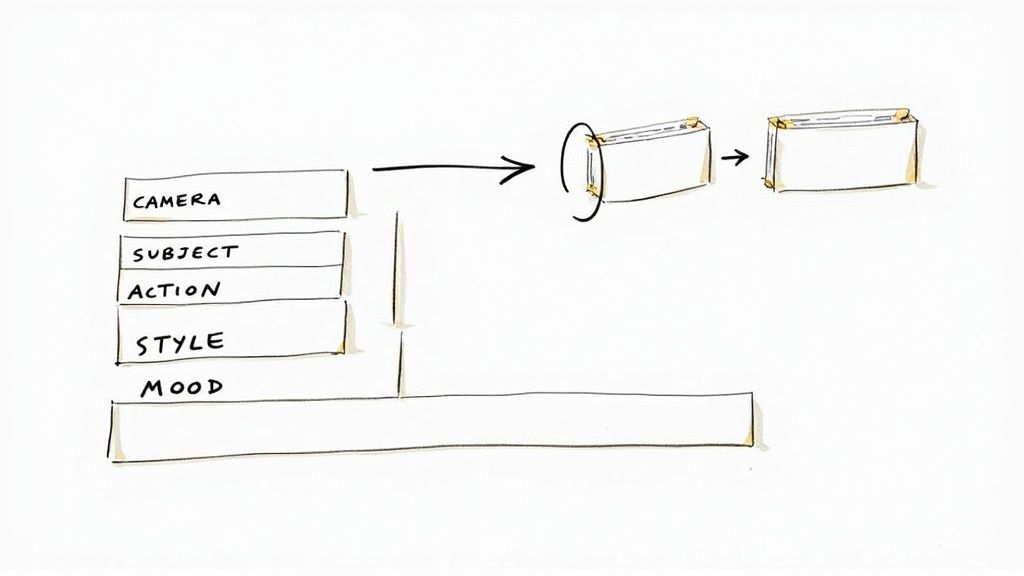
An effective prompt isn't a single idea. It's a combination of different creative layers that build a complete picture for the AI.
Here are the key ingredients to include for actionable results:
- Subject & Action: Be specific. Instead of "A woman walking," use "A detective in a trench coat striding purposefully down a foggy alley."
- Camera & Shot Type: Direct the AI. Specify "slow pan right," "dolly zoom in," "close-up," "wide shot," or "drone shot from above."
- Artistic Style & Mood: Set the vibe with terms like "photorealistic," "cinematic," "vintage 1980s film," or "dramatic lighting." Use adjectives like "serene," "energetic," or "mysterious."
- Environment & Lighting: Paint the scene. Describe the setting and lighting in detail, like "golden hour sunlight filtering through trees" or a "neon-lit city street at night."
When you weave all these elements together, you're giving the AI a rich, detailed set of instructions. These same principles work wonders for bringing still images to life, which you can read more about in our guide on how to turn a photo into a video.
Practical Examples: Weak vs. Strong
Let's look at how a few extra details can transform a weak prompt into one that produces compelling results.
Weak Prompt:
A car driving in the rain.
This is too simple. The AI has to guess the car model, location, camera angle, and mood. The result is almost always a forgettable, generic clip.
Strong Prompt:
A vintage red sports car driving down a wet, neon-lit city street at night, POV shot from the driver's seat, rain streaking across the windscreen, cinematic, moody atmosphere.
Actionable Insight: The strong prompt is a complete creative brief. It specifies the subject (vintage red sports car), action (driving), environment (wet, neon-lit street), camera shot (POV), and mood (cinematic, moody). By removing the guesswork, you empower the AI to generate a specific and visually stunning scene that matches your vision.
Grappling with the Ethics of AI-Generated Video
As powerful tools like Minimax AI video become more common, they don’t just open up creative doors; they also force us to confront some tricky ethical questions. For any creator stepping into this space, it’s not just about what you can create, but what you should.
The first big question mark hangs over copyright. Who owns a video an AI generates? The short answer is: it’s complicated. Legal frameworks are still racing to catch up. In many places, AI-generated work doesn't get the same copyright protection as something made by a human. You can use it, but proving you're the sole owner might be a legal headache.
Being Transparent and Warding Off Misuse
Beyond the legal tangle of ownership, there's the very real danger of convincing fake content. We’re now at a point where you could create a video of a public figure saying something they never actually said, and it could look alarmingly real. This is where transparency isn't just good practice—it's essential.
When you use AI-generated footage, especially for commercial or public-facing projects, be upfront about it. A simple disclosure builds trust and demonstrates responsible use of the technology.
Here’s an actionable checklist for ethical AI creation:
- Always Disclose: Make it clear when content is AI-generated. Practical Example: In the description of a YouTube video, add a simple note: "(Visuals in this video were created using AI generation tools)."
- Don’t Deceive: Never use AI to create malicious deepfakes, spread misinformation, or impersonate someone without their explicit consent.
- Check Your Sources: Before animating an image or basing a video on existing work, ensure you have the rights to use the source material. The same copyright rules apply.
Got Questions About Minimax?
Even after getting the hang of how Minimax works, you might still have a few practical questions. Let's tackle some of the most common ones.
What’s the Damage? How Much Does Minimax Cost?
Most tools using Minimax technology run on a subscription or credit-based system. You'll often find tiered plans, and many offer a free trial with a handful of video generations.
Actionable Insight: For creators who need it regularly, a monthly subscription is usually the most cost-effective. For occasional users, pay-as-you-go credit packs are great for one-off projects. Always check the official website for current pricing.
Can I Create Consistent Characters?
Ah, the holy grail of AI video! Keeping a character looking exactly the same from one scene to the next is a tough nut to crack for almost all current video models.
Actionable Insight: You can get specific with character descriptions in a single prompt, but getting that same face to show up perfectly in another clip is tricky. It often takes a lot of careful prompt tweaking and sometimes post-production work. For now, focus on using consistent descriptions and generate multiple takes to find the closest match.
The 'best' tool often depends on your specific goal. Minimax is frequently praised for its high-fidelity motion and photorealistic textures, making it great for cinematic shots and realistic B-roll.
How Does Minimax Stack Up Against Other Tools?
While Minimax has its strengths, other platforms might be better suited for different jobs. Some excel at character control, others nail specific artistic styles, and a few might let you generate longer clips.
Actionable Insight: The best way to find your favourite is to test them. Use the free trials on different platforms and give them the exact same prompt (e.g., "A golden retriever puppy chasing a butterfly in a sunny meadow, cinematic, slow motion"). Seeing the results side-by-side is the quickest way to figure out which tool's output and workflow best fit your creative style.
Ready to bring your creative vision to life with the next generation of AI video? Seedance offers a powerful platform to transform your ideas into stunning 1080p videos with multi-shot storytelling and incredible artistic control. Start creating cinematic-quality content today by visiting the official Seedance website.
Ready to create your own AI video?
Turn ideas, text prompts, and images into polished videos with Seedance. If this article helped, the fastest next step is to try the product.
Free credits on signup. Plans from $20/month.
Related Articles
More posts in the same locale you may want to read next.
AI Video Generator for Instagram Reels: Create Viral Content in Minutes (2026)
Use AI video generators to create Instagram Reels that get views. Best tools, Reel formats, prompts, and posting strategies for 2026.
Read article
How to Make Product Demo Videos with AI
Learn how to make product demo videos with AI using prompts, screenshots, image-to-video workflows, and simple editing systems that convert better.
Read article
AI Video Generator Free: No Limits, No Watermark, No Sign Up (2026)
Find the best free AI video generators with no limits, no watermark, and no sign up. Compare Seedance, Runway, Pika, and more — tested and ranked for 2026.
Read article