
From ByteDance comes Seedance 2.0, a powerful AI tool that lets you create high-definition, multi-shot videos simply by describing what you want to see. It’s designed to cut through the complexity of professional video production, giving creators the ability to generate intricate, story-driven content in a matter of minutes. This opens up high-quality video creation to everyone, no expensive gear or expert editing skills required.
Quick Answer: AI video generation with Seedance lets you create stunning, professional-quality videos from text prompts or images in just minutes — no editing experience required.
Unlocking Cinematic Video Creation with AI
Picture having a digital film crew on standby, ready to interpret your vision and turn it into a cinematic scene almost instantly. That’s the magic behind the Seedance 2.0 AI video generator. It’s an impressive platform that takes your text prompts and translates them into detailed, 1080p videos, complete with consistent characters and smooth transitions between scenes.
This is a huge leap forward for anyone involved in visual storytelling. For instance, a marketer can now sketch out an entire social media campaign in an afternoon, a small business owner can create a professional product demo without hiring a film crew, and a filmmaker can pre-visualise a complex scene before a single shot is filmed. The emergence of tools like this is part of a much bigger shift toward AI-powered content creation, which is fundamentally changing how we develop and share stories.
Key Capabilities at a Glance
What really makes Seedance 2.0 stand out from the crowd is its sharp focus on narrative and user control. It doesn’t just spit out random, isolated clips. Instead, it’s built to produce cohesive, multi-shot stories. This means you can outline a whole sequence of events, and the AI will craft a video where the style, setting, and characters all remain consistent from one shot to the next.
Actionable Insight: The platform's real value is in making video production accessible. It gives creators the power to produce high-definition, multi-shot narratives that, until now, were only possible with professional teams and hefty budgets.
To get a better sense of what this tool can do, let’s quickly break down its core features in the table below.
Seedance 2.0 At a Glance
Here’s a quick summary of the standout features of Seedance 2.0 and the main advantages they bring to the table.
| Feature | Description | Primary Benefit |
|---|---|---|
| Multi-Shot Storytelling | Generates several connected scenes with consistent characters and style. | Creates complete, coherent stories, not just disconnected clips. |
| Precise Style Control | Lets you define specific visual looks, from photorealistic to cyberpunk. | Guarantees the final video perfectly aligns with your brand or creative vision. |
| 1080p HD Output | Produces high-resolution videos ready for professional and commercial use. | Delivers sharp, clear visuals that look fantastic on any screen. |
| Multi-Modal Input | Takes text, images, and even video clips as input to guide the AI. | Gives you far more creative control and helps produce more accurate results. |
When you put all these features together, you get a remarkably versatile tool in the Seedance 2.0 AI video generator. For a practical example, a user could combine a text prompt for a character's action, an uploaded image to set a 'vintage film' style, and a short video clip to dictate a 'slow zoom' camera motion.
In the next sections, we'll dive deeper into these capabilities, giving you practical tips to get the most out of them for your own projects.
How the Core Technology Works
To really make the most of what Seedance 2.0 can do, it helps to peek under the bonnet and see how the technology actually works. At its heart, the platform is built to think less like a computer and more like a storyteller.
This really comes to life with its multi-shot storytelling feature. Picture a film director planning out a scene. They map out a sequence: a wide shot to set the scene, a medium shot on a character, then a close-up on a key object. Seedance 2.0 follows that same logic. For example, if your prompt outlines three distinct but connected actions, the AI will generate three shots that maintain the character, style, and setting, building a proper narrative.
The Artistic Engine: Diffusion Models
The engine driving all of this creativity is something called a diffusion model. Think of it like a sculptor starting with a rough block of stone and slowly chipping away to reveal the final statue. The AI begins with what looks like digital television static—a canvas of random noise.
Your prompt is the sculptor's guide. The AI then starts refining that noise, step-by-step, gradually shaping it into an image that fits your description. Over many iterations, a clear, detailed video emerges from that initial chaos. This gradual refinement process is what allows for such incredible detail. For a practical example, a prompt for a "serene lake at sunrise" would cause the AI to transform the noise into recognisable shapes of water, mountains, and a rising sun, adding colour and texture with each step.
Combining Inputs for Pinpoint Control
Another key piece of the puzzle is the platform’s multi-modal input system. This is where you move beyond just typing in text and get far more precise control over the final video.
For example, to create a video for a tech startup, you could provide:
- Text Prompt: "A sleek animation showing a new app interface on a smartphone, with a user swiping through features."
- Reference Image: A screenshot of your brand's colour palette (e.g., blues and greens) to ensure the video's aesthetic matches your company's visual identity.
- Video Clip: A short recording of a smooth 'dolly-in' camera movement to instruct the AI on how to reveal the smartphone.
Combining these inputs gives you layers of creative control. You could write a text prompt for the action, upload an image to define an art style (like watercolour), and add a video clip to demonstrate a smooth dolly zoom. The Seedance 2.0 AI video generator will synthesise all of these elements into a single video that brings your specific vision to life.
Actionable Insight: Once you grasp these building blocks—the storyteller’s logic of multi-shot sequences, the artist’s process of diffusion models, and the director’s toolkit of multi-modal inputs—you can go from just using the tool to truly creating with it. You'll be well on your way to producing professional and compelling video content.
Creating Your First Video Step-by-Step
Getting started with a new creative tool can sometimes feel like learning a new language. The good news is, Seedance 2.0 is designed to be incredibly intuitive. We're going to walk through the entire process together, from a simple idea to a finished multi-shot video, using a real-world example: creating a short, atmospheric promotional piece for a local coffee shop.
This little diagram perfectly captures the journey from initial thought to final creation.
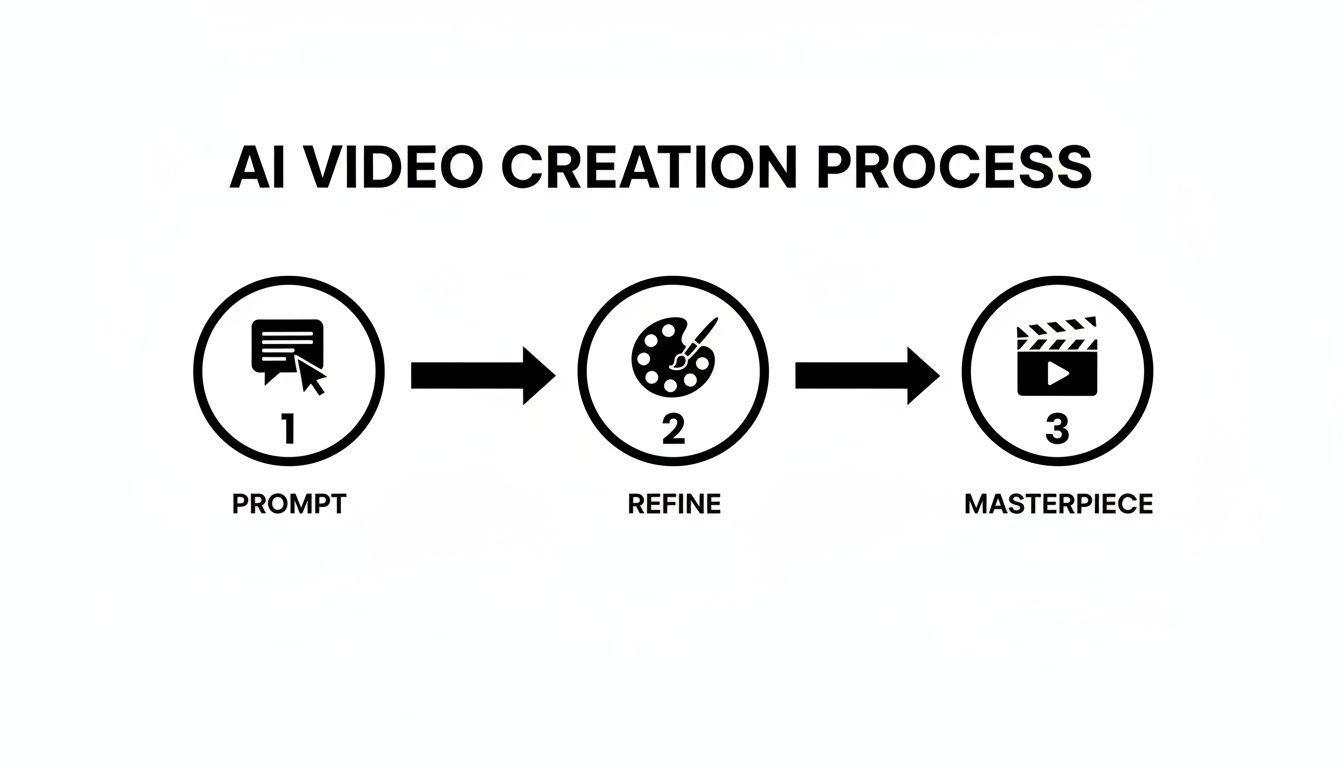
It really is that simple. You start with a text prompt, fine-tune it with visual guides, and let the AI craft your masterpiece. Let's break down how it works in practice.
Step 1: Crafting a Detailed Prompt
Think of your prompt as the script and director's notes all rolled into one. It’s the single most important part of the process, because the more detail you give the AI, the closer the result will be to what you’re picturing in your head. A vague prompt gets you a vague video.
Let’s go back to our coffee shop. They want a video that feels cosy and inviting.
- A vague prompt might be: "A video of a coffee shop."
- A practical, detailed prompt would be: "Scene 1: Close-up shot of a barista's hands expertly pouring latte art into a ceramic mug, steam rising gently. Scene 2: A wide shot of the coffee shop interior, warm morning light streaming through the window, customers chatting softly at wooden tables. Scene 3: A final shot of a person smiling as they take the first sip of their coffee."
See the difference? The second prompt breaks the video into distinct scenes, describes specific actions, and adds crucial atmospheric details like "warm morning light." This gives the AI a clear narrative to build, which is key to a polished, professional-looking video.
Step 2: Using Reference Materials
While a great prompt lays the foundation, adding reference materials is how you achieve real precision. For brands, this is brilliant for keeping everything consistent.
For our coffee shop promo, we could upload:
- An Image for Style: A photo with that warm, rustic colour palette the shop uses in its branding. This tells the AI, "make the video feel like this."
- A Video for Motion: A short clip that shows a slow, smooth camera pan. This instructs the AI on the exact camera movement for the wide shot of the shop's interior.
When you combine a detailed prompt with visual references, you’re leaving very little to guesswork. You can even turn a single photo into a dynamic video this way, just by giving it motion instructions.
Step 3: Choosing Your Settings
Before you hit 'generate', a few final tweaks will make sure the video is technically and stylistically spot-on for where you plan to share it.
You’ll want to look at:
- Aspect Ratio: This is just the shape of your video. You’ll want 16:9 for YouTube, 9:16 for TikTok or Instagram Reels, and maybe 1:1 for a standard Instagram post. For our coffee shop promo, 9:16 is the obvious choice for social media.
- Style Intensity: This slider is really useful. It tells the AI how strictly to follow your reference images. A higher intensity means it will stick very closely to your supplied aesthetic, while a lower setting gives it a bit more creative leeway.
Actionable Insight: Thinking in Scenes for Multi-Shot Videos The real magic of Seedance 2.0 is its ability to create a sequence of shots that tell a story. To harness this, write your prompt like a mini-script. Number your scenes ("Scene 1," "Scene 2," etc.) and describe the action and camera angle for each one. This structure is what helps the AI keep the characters and style consistent from one shot to the next, turning a collection of clips into a coherent narrative.
Step 4: Generating and Refining Your Video
Once your prompt, references, and settings are locked in, it’s time for the fun part. Hit generate, and Seedance 2.0 will get to work. The first version it produces is best thought of as a first cut. From here, you can tweak your prompts, change the reference images, or play with the settings and generate again until you're completely happy.
This ability to iterate so quickly is what makes the platform so powerful. In the UK, early adoption figures show a 45% increase in video marketing by small and medium-sized businesses in London and Manchester since Seedance 2.0 came on the scene. For instance, a Manchester-based bakery used the tool to create a promotional video that saw 300% more engagement on Instagram than their previous content. Better yet, they saved around £2,500 in production costs. These kinds of results show just how much of a leveller this technology can be for smaller outfits.
Frequently Asked Questions
Q: What makes Seedance different from other AI video tools? A: Seedance combines state-of-the-art AI models with an intuitive interface, making professional video creation accessible to everyone. Its unique blend of powerful generation capabilities, fast processing, and affordable pricing sets it apart from competitors.
Q: How good is the video quality from Seedance? A: Seedance produces high-quality videos with smooth motion, accurate prompt adherence, and impressive visual fidelity. The platform supports multiple aspect ratios and resolutions, including HD output for professional use cases.
Q: Is Seedance suitable for professional video creators? A: Absolutely. Seedance is used by content creators, marketers, filmmakers, and businesses worldwide. Its advanced controls, high-resolution output, and batch generation capabilities make it a powerful tool for professional workflows.
Where Seedance 2.0 Really Shines: Practical Uses Across Industries
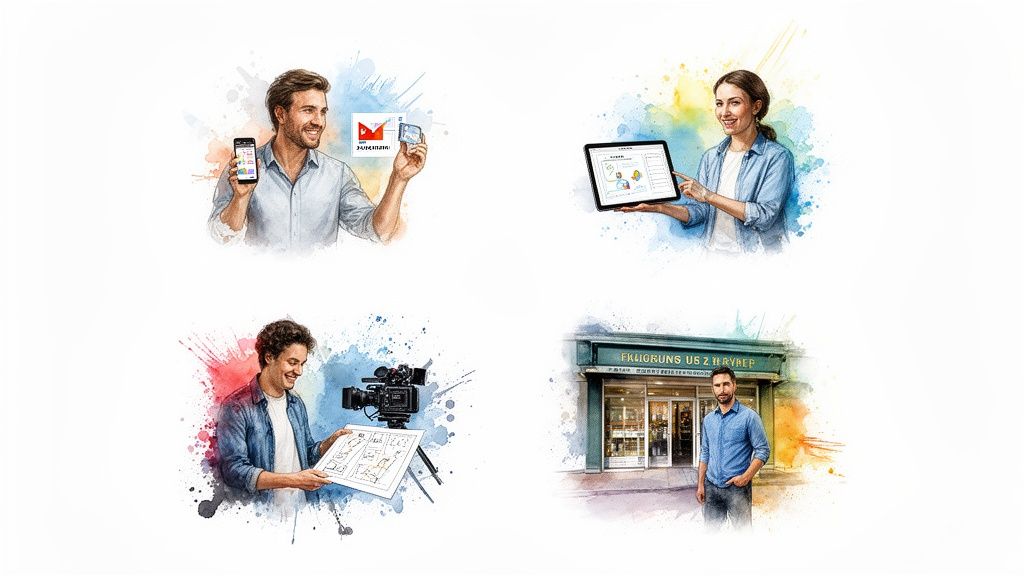
The true test of any new tool isn't just the tech behind it, but what it can actually do for people in the real world. Seedance 2.0 is proving to be a game-changer for a whole host of professions. It's a seriously useful asset for marketers, teachers, filmmakers, and business owners who need great video without the usual cost and complexity.
We're already seeing tangible results. Recent UK data, for instance, shows a 52% uplift in campaign efficiency for marketing teams who've adopted the platform. This shows just how fast it's being picked up to solve everyday creative and business problems.
The ability to go from a simple idea to a finished video in just a few minutes is completely overhauling old workflows. Let's dig into a few specific examples of how people are putting Seedance 2.0 to work.
Marketing and Social Media Content
For anyone in marketing, the content treadmill never stops. The pressure to feed platforms like TikTok, Instagram, and YouTube with fresh video is immense. Seedance 2.0 gives teams the power to quickly generate a wide variety of ad creatives and social media clips.
One of its most powerful uses is for A/B testing. Instead of blowing the budget filming one or two ad concepts, a marketer can now create dozens of variations.
- Practical Example: A/B Test for a Skincare Brand
- Prompt (Version A): "A woman with glowing skin applies a serum in a sunlit bathroom, minimalist aesthetic, cinematic slow motion. The product bottle is prominently displayed on a clean marble surface."
- Prompt (Version B): "A dynamic, upbeat video showing diverse people using a skincare product outdoors, laughing and active. Fast cuts, vibrant colours, pop music feel."
- Actionable Result: Generate two completely different 15-second video ads. Run them simultaneously on Instagram to see which version drives more clicks and sales, then allocate the rest of your ad spend to the winner.
Actionable Insight: By dismantling the old barriers of video production, Seedance 2.0 lets marketing teams be far more agile. This freedom to test, learn, and iterate on the fly is a massive advantage in today's fast-paced digital world.
Education and E-Learning
Some topics are hard to explain with words on a page. Educators are always looking for better ways to grab their students' attention. Seedance 2.0 gives them a simple way to create animated explainers and visual aids that bring abstract concepts to life.
Imagine teaching a history lesson on ancient Rome or a science class on how cells divide. Instead of just pointing to static diagrams, a teacher can generate a short, dynamic video.
- Practical Example: Animated Explainer for Biology
- Prompt: "A simple animated explainer video showing the process of photosynthesis. A cartoon sun shines down on a green plant, water travels up from the roots, and arrows show carbon dioxide being absorbed and oxygen being released. Friendly, educational style."
- Actionable Result: A clear, engaging 30-second animation perfect for the classroom or an online course, making a complex scientific process easy to grasp. Embed it in a presentation or upload it to a learning portal.
Filmmaking and Pre-Visualisation
In the film world, planning is everything. The pre-production stage, where directors and cinematographers map out their shots—a process known as pre-visualisation or "pre-vis"—is absolutely critical. Traditionally, this meant painstaking storyboards or expensive 3D animations.
Seedance 2.0 offers a completely new way of doing things. Filmmakers can now turn a scene from their script or a shot list directly into a concept trailer or a pre-vis sequence.
- Practical Example: Pre-visualising a Film Scene
- Prompt: "Scene 1: Wide shot, a futuristic detective stands on a rooftop overlooking a neon-lit city at night, rain falling. Scene 2: Close up on the detective's face, determined expression. Scene 3: POV shot as the detective looks down at a speeding vehicle on the street below."
- Actionable Result: A quick, animated storyboard that allows the director to experiment with camera angles, pacing, and visual tone long before anyone sets foot on a film set, saving a huge amount of time and money.
You can explore how Seedance 2.0's efficiency is reshaping creative industries in the UK.
Small Business Promotion
If you run a small business, you know that professional marketing can feel out of reach. Seedance 2.0 helps to level the playing field, giving entrepreneurs the ability to create high-quality promotional videos without hiring a pricey production agency.
The possibilities are endless. Think of a local bakery wanting to show off its latest cakes, or a freelance consultant who needs a sharp video to explain their services.
- Practical Example: Promo for a New Service
- Prompt: "A sleek, professional video for a new financial consulting service. An animated graph shows upward growth, followed by a shot of a confident business professional meeting with a client in a modern office. Text overlays highlight 'Secure Your Future' and 'Expert Advice'."
- Actionable Result: A polished, corporate-style promo video, ready to be placed on a website homepage, shared on LinkedIn, or embedded in an email marketing campaign to attract new clients.
How Seedance 2.0 Stacks Up Against Other AI Video Tools
<iframe width="100%" style="aspect-ratio: 16 / 9;" src="https://www.youtube.com/embed/ae7IaOKsvEw" frameborder="0" allow="autoplay; encrypted-media" allowfullscreen></iframe>
The world of AI video generation is buzzing, and picking the right tool can feel a bit like navigating a maze. To get a real sense of where the Seedance 2.0 AI video generator stands, we need to look past the hype and compare it to heavyweights like OpenAI’s Sora and Runway.
It's one thing to create a single, jaw-dropping clip. It's another thing entirely to tell a story. This is where Seedance 2.0 really finds its footing. Its core focus is on narrative structure, making it less like a simple clip generator and more like a director's assistant for building complete scenes.
Finding Its Niche in a Crowded Field
Most AI video platforms have their star features. Runway, for instance, is famous for its powerful suite of "AI Magic Tools," which are brilliant for editing and adding complex effects to existing video. Sora blew everyone away with its ability to create long, incredibly realistic single videos.
Seedance 2.0 carves out its space by zeroing in on what storytellers actually need: control and consistency. The platform allows you to use text, images, and even video clips as a starting point. This gives you a level of directorial influence that’s crucial for maintaining a specific artistic vision or brand look from one shot to the next.
Actionable Insight: The real challenge isn't just about making a beautiful video; it's about making the right video that fits perfectly into a larger story. This dedication to sequence-level consistency is where Seedance 2.0 pulls ahead for narrative projects.
To get the full picture of the market, it’s worth seeing what other leading AI video tools are bringing to the table. This helps clarify how different platforms are built for very different creative outcomes.
A Head-to-Head Look
Let's cut to the chase and lay out the differences. This table gives a quick overview of how Seedance 2.0 compares to the competition, helping you decide which tool might be the best match for your project.
Seedance 2.0 vs The Competition
| Feature | Seedance 2.0 | Sora | Runway |
|---|---|---|---|
| Primary Strength | Multi-shot narrative and character consistency. | Long, high-fidelity single-shot generation. | Advanced video editing and effects tools. |
| Storytelling | Excellent for creating connected scenes. | Strong for detailed, self-contained clips. | Focused on post-production and manipulation. |
| Ideal Use Case | Marketing campaigns, short films, tutorials. | Concept visuals, cinematic single shots. | Creative effects, video editing, style transfer. |
| Output Quality | Consistent 1080p resolution with cinematic feel. | Very high visual fidelity, often cinematic. | Varies based on the specific tool used. |
So, what’s the verdict? The best AI video generator for you boils down to your end goal. If your project is all about telling a cohesive story with a consistent look and feel across multiple shots—like a multi-part ad campaign or an explainer video—then Seedance 2.0 is a fantastic contender. And if you're curious to see what else is out there, our guide on the best free AI video generator options is a great place to continue your search.
Right, let's talk about what Seedance 2.0 can and can't do, and some of the bigger questions this kind of technology raises. Understanding its limits is the key to using it well.
For all its power in creating solid, believable scenes, Seedance 2.0 can sometimes get tripped up by really complex or abstract ideas. You might see odd visual glitches or things that don't quite add up in videos with loads of moving parts or unusual interactions.
Think of it like a brilliant artist who's still getting their head around the subtle rules of physics. These aren't so much failures as they are the current edges of what's possible. The technology is still learning.
Navigating the Ethical Landscape
Of course, the technical side is only half the story. Powerful AI video tools bring some serious ethical responsibilities. We can't ignore the conversations around misinformation and the risk of creating 'deepfakes'—highly convincing fake videos. When you can generate realistic footage from a few lines of text, you have to be incredibly careful.
This all comes down to responsible use. It means being upfront when a video is AI-generated and making a commitment to use these tools to create, entertain, or inform, not to mislead. As a community of creators, we all have a part to play in setting standards that protect everyone from misuse.
Actionable Insight: The real point of AI video generation should be to enhance human creativity, not to make it redundant. These tools shine brightest when they work as a collaborator, helping bring a human vision to life in ways that were once held back by budgets, time, or technical hurdles.
The Future Is Collaborative
So, where is all this heading? The evolution of AI video isn't about a machine that pushes the artist out of the picture. Far from it. The future is all about collaboration.
Tools like Seedance 2.0 are becoming powerful assistants. They handle the grunt work of production, which frees up creators to focus on what truly matters: the story, the emotional core, and the big, innovative ideas.
Picture a filmmaker storyboarding an entire sequence in minutes, or a small business owner producing a polished advert without needing a massive crew. This is what it’s all about—making creativity more accessible and opening doors to new possibilities. The real future for the Seedance 2.0 AI video generator is as an essential partner in the creative process.
Got Questions About Seedance 2.0?
Alright, let's get into some of the practical questions that usually pop up when you're first getting your hands dirty with a tool like Seedance 2.0. Think of this as a quick-fire FAQ to clear up any lingering doubts.
Can I Actually Use These Videos for My Business?
Yes, absolutely. For the most part, videos you create with Seedance 2.0 are fair game for commercial use. This makes it a really handy tool if you're a marketer, run a small business, or create content for a living. You can confidently use your creations in social media ads, for product showcases, or in any other promotional material.
Actionable Insight: Always double-check the terms of service for your specific subscription plan. Also, be mindful if you've used any reference images or video clips that you don't personally own the rights to – that can complicate things. Stick to royalty-free assets or your own original content to be safe.
How Do I Stop My Character from Changing in Every Shot?
Keeping a character looking the same from one scene to the next is a classic challenge in AI video, but it’s something Seedance 2.0 handles pretty well if you know how to nudge it. The secret is to give it a solid reference image of your character from the get-go.
Actionable Tip: When you're writing your prompts, be direct. Tell the AI you want the character to stay the same. For instance: "Scene 1: A male detective with a long trench coat inspects a clue. Scene 2: The same detective now interviews a witness." Being explicit, especially when paired with that reference image, is the best way to maintain consistency.
What Kind of Reference Material Works Best?
This is a simple one: good stuff in, good stuff out. The quality of your final video is directly tied to the quality of the references you provide. For the best results with the Seedance 2.0 AI video generator, you'll want to use high-resolution, clearly lit materials.
- For nailing the style: Find images that have a really strong, defined aesthetic. A moody, high-contrast photo is going to give the AI much clearer direction than a messy, poorly lit picture.
- For guiding the motion: Short, simple video clips are your friend here. A slow, steady pan or a smooth tracking shot is much easier for the AI to interpret and replicate than something shaky or complex.
Ultimately, clean and high-quality inputs are the key to getting those polished, professional-looking results you're after.
Ready to bring your ideas to life? Jump in and explore what's possible with Seedance and start creating some incredible videos today. Visit the Seedance website to learn more.
Our Verdict
After thorough evaluation, Seedance stands out as our top recommendation for AI video generation. Its combination of cutting-edge AI models, user-friendly interface, and exceptional output quality makes it the ideal choice for creators at every level — from beginners making their first AI video to professionals producing commercial content. Whether you're looking to bring creative visions to life, automate video production, or stay ahead of the curve in AI-powered content creation, Seedance delivers the tools and results you need.
Ready to create your own AI video?
Turn ideas, text prompts, and images into polished videos with Seedance. If this article helped, the fastest next step is to try the product.
Free credits on signup. Plans from $28/month.
Related Articles
More posts in the same locale you may want to read next.

Seedance App Preview Video Generator 2026: Create App Store and Product Launch Clips
Use Seedance to turn app screenshots, feature copy, and launch goals into App Store previews, Google Play promo videos, and product launch clips.
Read article
AI Halloween Costume Transformation Video Guide
Turn one photo into a Halloween costume transformation video with AI: vampire, witch, zombie, and skeleton glow-ups, with prompts and step-by-step tips.
Read article
AI Halloween Dance Video: Skeleton & Zombie Dances
Make a viral AI Halloween dance video: dancing skeletons, zombie dance-offs, witches, and costume dance trends. Step-by-step with prompts and motion control.
Read article