

Getting your head around Hailuo AI pricing is actually quite simple. They use a tiered subscription model that starts with a free plan to let you try things out, moves up to a Creator plan for more serious projects, and tops out with a Business plan for professional work. The cost just depends on how many video credits you need and which features you want access to.
Quick Answer: Hailuo Ai Pricing — Seedance provides a comprehensive solution with cutting-edge AI video generation technology, making it easy for creators at every level to produce professional-quality content quickly and efficiently.
Breaking Down the Hailuo AI Pricing Tiers
Choosing the right AI video tool often boils down to a simple question: am I getting good value for my money? Hailuo AI structures its pricing into a few distinct plans, each aimed at a different kind of user, from someone just dipping their toes in the water to a full-scale marketing team. Figuring out which tier is right for you is the first step to making a smart investment.
My practical approach is to think of it like picking a camera. The free plan is your phone – great for quick snaps and getting a feel for what the platform can do, without spending a penny. The Creator plan is like a good DSLR, giving you the features and quality you need for proper content creation. The Business plan? That’s the full studio setup, kitted out with all the advanced tools for professional-grade productions.
The Free Plan: Your AI Sandbox
The Free plan is exactly what it sounds like: a risk-free way to get started. It gives you a limited number of short video generations each month, which is plenty to explore the interface and test out its main features. It's perfect if you're just curious about AI video or part of a small team wanting to give the software a proper evaluation before committing.
Actionable Insight: Use the Free plan to create a quick 30-second draft of a social media post. You can check the timing of your script and the flow of the scenes without spending any money. This lets you confirm your core idea is working before you even think about using paid credits.
Just be aware of the limitations. Videos made on the free tier come with a Hailuo AI watermark and are capped at a standard resolution. It’s fantastic for learning and experimenting, but you wouldn’t want to use it for public-facing content where your branding needs to look professional.
The Creator Plan: For Serious Content Makers
Once you’re ready to produce polished, professional-looking videos, the Creator plan is the logical next step. This tier gets rid of the watermark, unlocks higher resolutions like 1080p, and gives you a much healthier monthly allowance of video credits. It’s really built for YouTubers, social media managers, and solo entrepreneurs who need to create high-quality videos on a regular basis.
Practical Example: Use the Free plan to draft your scripts and test out different concepts. For instance, create three different 15-second opening hooks for your YouTube video. Once you've reviewed the watermarked drafts and chosen the most engaging one, upgrade to the Creator plan to generate the final, high-resolution, watermark-free version. This little trick helps you save your paid credits for when it really counts.
This visual shows how the plans progress, from the basic entry point right up to the professional tier.
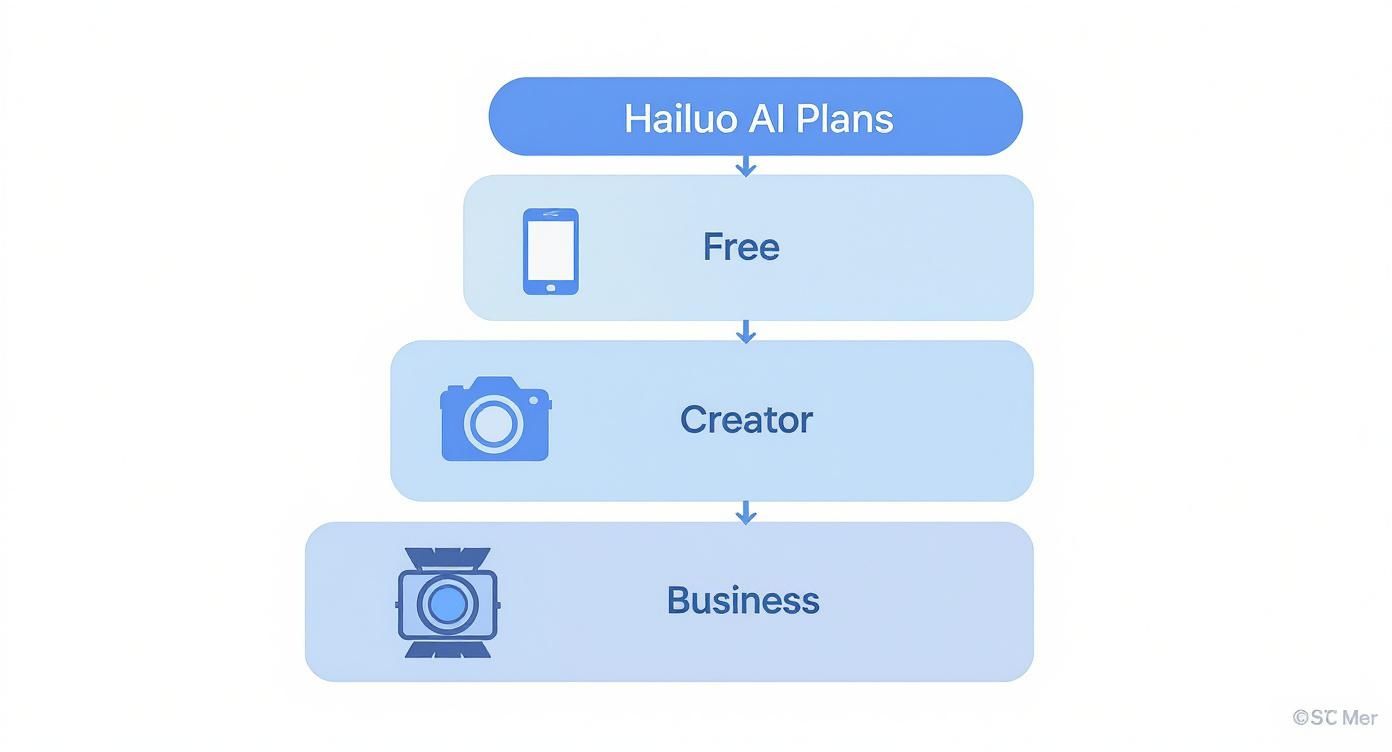
As you can see, each plan builds on the one before it, adding more features and capacity as your needs grow.
Hailuo AI Plans At a Glance
To make it even clearer, here’s a quick summary of the plans, who they’re for, and what you get.
| Plan Tier | Ideal User | Key Features | Starting Price (GBP) |
|---|---|---|---|
| Free | Individuals testing the platform, students, hobbyists. | Limited video credits, watermarked output, standard resolution. | £0 |
| Creator | YouTubers, social media managers, freelancers. | More credits, watermark removal, 1080p resolution. | £20/month |
| Business | Marketing agencies, corporate teams, large businesses. | Highest credit volume, team collaboration, custom branding. | £60/month |
This table should help you quickly pinpoint the best starting point for your own video creation journey.
The Business Plan: For Professional Scale
For those who need to operate at a larger scale, the Business plan is the top-tier option. It offers the largest volume of credits, priority processing to get your videos faster, and advanced features like team collaboration and custom branding options. This is the plan for marketing agencies, corporate training departments, and any business that has video at the heart of its strategy.
Actionable Insight: If you're an agency, use the collaboration feature to create a shared project folder. Your copywriter can upload scripts, your designer can add brand assets, and the project manager can generate video drafts. This keeps everything in one place, streamlining feedback and avoiding endless email chains.
Hailuo AI has really shaken things up in the UK market by making this level of production so accessible. Their model allows UK users to create high-quality, cinematic videos for as little as £10 per minute. That's a huge drop from the industry average, which can often be closer to £100 per minute from competing platforms.
To see how Hailuo's pricing fits into the wider ecosystem, it's worth reading up on the best marketing tools and their pricing models. And if you're shopping around, it's a good idea to check out the details on https://www.seedance.tv/membership to see how their value proposition compares.
Understanding the Hailuo AI Credit System
Beyond your monthly subscription, the real currency inside Hailuo AI is its credit system. Think of your subscription as the entry fee to the theme park, but your credits are the tokens you need for every single ride. Getting a handle on how these credits are spent is absolutely crucial for managing your budget and making the most of the platform.
A generation credit is simply the unit of value you trade for specific actions. Every time you generate a video, pick a premium voice, or render your project in high quality, you spend a set number of these credits. It's essentially a pay-as-you-go model that works alongside your main plan.

This setup creates a flexible approach to Hailuo AI pricing, as you only pay for the resources you actually consume. It means someone who generates one simple video isn't paying the same as a power user rendering multiple complex projects every week.
How Credits Translate to Real-World Use
Let's make this more concrete. Imagine your monthly credit allowance is like the fuel in your car. Different actions consume that fuel at different rates. A quick trip to the local shops (a low-resolution draft) uses very little petrol, while a long motorway journey at top speed (a final 4K render) will burn through your tank much faster.
Not all actions are created equal in Hailuo AI. The platform works out the credit cost based on how complex and high-quality the task is. The more processing power your request demands, the higher the credit cost.
Here are a few practical examples of how credit use can vary:
- Video Resolution: Generating a one-minute video in standard definition (720p) might cost you 10 credits. Rendering that exact same video in full HD (1080p) could jump to 25 credits, while a premium 4K version could demand 60 credits or more.
- AI Voice Quality: Using a standard, built-in AI voice for your narration is often the most credit-friendly choice. But if you opt for a premium, ultra-realistic voice with nuanced emotional delivery, it could add an extra 5-10 credits for every minute of audio you generate.
- Advanced Features: Using features like character consistency across different scenes or generating complicated animations will also bump up the credit cost. A simple talking-head video is far cheaper to produce than a dynamic scene with multiple moving parts.
Actionable Tips for Optimising Your Credit Usage
Knowing how credits are spent is one thing; actively managing them is how you really take control of your costs. Wasting credits on unnecessary high-quality renders is like leaving the heating on with all the windows open—a completely preventable expense. With a few smart habits, you can make your monthly allowance stretch much further.
The goal is to be efficient, saving the high-credit-cost actions for when they really count: the final product.
Key Insight: The single most effective way to save credits is to separate your drafting process from your final rendering. Never use high-quality settings for initial reviews or experiments; it's the fastest way to drain your balance on work that isn't client-ready.
Here’s how you can put this into practice:
- Draft in Low-Res: Always, always create your initial video drafts in the lowest possible resolution. It lets you check the script, timing, and general flow for a fraction of the credit cost.
- Use Standard Voices for Drafts: Even if your final version needs a premium voice, stick with a standard one while you're drafting. You can easily swap it out later without having wasted credits on audio that might change.
- Finalise Your Script First: Make every script edit before you start generating video. Re-generating scenes just because of a typo or a rephrased sentence is a common and totally avoidable credit-drainer.
- Track Your Balance: Get into the habit of checking your credit usage regularly. This will help you spot your own consumption patterns and tweak your workflow if you’re burning through them too quickly. If you want to see a clear breakdown of your balance and spending, our guide on how to check your available credits is a great place to start.
Looking Out for Hidden Costs and Overages
Nobody likes a surprise on their monthly bill. While Hailuo AI is pretty upfront with its pricing, the figure you see on the plan page isn't always the final amount you’ll pay. It's not about sneaky "hidden" fees, but more about understanding where extra costs, like overages and add-ons, might pop up if you’re not keeping a close eye on your usage.
Getting a handle on these potential extra charges is simply good financial planning. It helps you pick the right plan from the get-go and avoids that all-too-familiar stomach drop when an invoice comes in higher than you budgeted for. Let’s dig into where these costs might come from so you can stay in full control of your spending.
<iframe width="100%" style="aspect-ratio: 16 / 9;" src="https://www.youtube.com/embed/K-UGZyYsNXc" frameborder="0" allow="autoplay; encrypted-media" allowfullscreen></iframe>
What Happens When You Use Up Your Credits?
The most common reason for a bill to creep up is running out of your monthly credits. It’s a bit like exceeding your mobile data allowance—your service doesn’t cut off, but you start paying for the extra you use, and it's usually at a higher rate. Hailuo AI works in much the same way.
If your credit balance hits zero before your renewal date, you'll likely get an option to purchase a top-up pack to keep you going. It's a handy feature, for sure, but those pay-as-you-go credits almost always cost more than the ones bundled into your plan.
Practical Example: Let's say your Creator plan gives you 1,500 credits for £20, which breaks down to about £0.013 per credit. An emergency top-up pack of 500 credits might cost £10, making each credit £0.02. That's over a 50% markup. If you find yourself needing top-ups month after month, it's a clear signal to upgrade your plan.
This is exactly why it pays to estimate your usage carefully. If you're buying top-ups consistently, take it as a sign. It’s probably more cost-effective in the long run to just move up to the next plan tier.
Premium Features and Commercial Licence Fees
Another place extra costs can appear is with specialised tools and licensing. Not every single feature is included in the standard subscription, especially when you start getting into more advanced or business-focused applications.
It’s crucial to read the details of your specific plan to see what’s included and what’s an extra.
- Custom Avatars: Want to create a digital version of yourself or a specific person for your videos? It’s a fantastic feature, but it often requires a one-off setup fee or is only available on a more expensive plan.
- Exclusive Editing Tools: Early access to beta features or advanced editing tools might be locked behind a higher-tier subscription or offered as a paid add-on.
- Commercial Use Licences: This is a big one. If you’re on a personal plan but plan to use your videos to make money—think social media ads or product explainers—you'll need a proper commercial licence. This usually means upgrading to a Business plan. Using content commercially without the right licence is a compliance headache you don’t need, so it’s a cost you can’t afford to skip.
Actionable Insight: Before creating an ad for your e-commerce store, go to your Hailuo AI account settings and confirm your plan includes a "Commercial Use Licence". If it doesn't, upgrade to the Business plan before you publish the ad. This simple check can save you from potential legal issues later on.
Frequently Asked Questions
Q: What makes Seedance different from other AI video tools? A: Seedance combines state-of-the-art AI models with an intuitive interface, making professional video creation accessible to everyone. Its unique blend of powerful generation capabilities, fast processing, and affordable pricing sets it apart from competitors.
Q: How good is the video quality from Seedance? A: Seedance produces high-quality videos with smooth motion, accurate prompt adherence, and impressive visual fidelity. The platform supports multiple aspect ratios and resolutions, including HD output for professional use cases.
Q: Is Seedance suitable for professional video creators? A: Absolutely. Seedance is used by content creators, marketers, filmmakers, and businesses worldwide. Its advanced controls, high-resolution output, and batch generation capabilities make it a powerful tool for professional workflows.
Calculating What You'll Actually Spend
Theory is one thing, but your budget needs real numbers. So, let's get down to brass tacks and translate the Hailuo AI pricing model into pounds and pence. By walking through a few common scenarios for UK creators and businesses, you'll get a much clearer idea of what your monthly bill might look like.
This way, you can pick a plan with confidence, knowing exactly what you’re signing up for. We'll look at the subscription fee, a realistic estimate of credit usage (including those inevitable re-dos), and any extra features needed to get a final monthly cost.

YouTuber Weekly Channel Update
First up, let's picture a YouTuber based in the UK who puts out one 10-minute video update every week. Their main goal is consistency and a professional look for their audience, so they'll need HD resolution.
- Content Volume: They're creating four 10-minute videos a month, which adds up to 40 minutes of finished content.
- Workflow Needs: But nobody gets it perfect on the first try. A good rule of thumb is to budget an extra 25% in credits for tweaks, re-shoots, and edits. That's another 10 minutes of generation time.
- Total Generation: All in, they’ll need to generate about 50 minutes of video each month.
To get 1080p video without a watermark, the Creator Plan is the natural fit. If we assume it costs 25 credits per minute for HD video, their monthly need is 1,250 credits (50 minutes x 25 credits). This should fit comfortably within the Creator Plan’s included credits, making the cost nice and predictable.
Cost Breakdown: The monthly outlay would just be the flat fee for the Creator Plan, which sits at around £20 per month. As long as they don't go over their credit limit, there are no nasty surprises. It’s a straightforward, budget-friendly choice for creators on a regular schedule.
Small Business Social Media Marketing Video
Now, let's switch gears to a small business in Manchester making a 2-minute promo video for their social media. Here, the focus isn't on volume, but on creating one perfectly polished asset to bring in new customers.
They’ll probably want to experiment a lot more—trying different AI voices, visual styles, and calls to action to see what works best.
- Content Volume: One final 2-minute video.
- Workflow Needs: The revision process will be much more intensive. Let's say they generate three completely different versions to compare, plus an extra minute's worth of credits for tiny adjustments. That brings their total generation to 7 minutes (2 mins x 3 versions + 1 min of tweaks).
- Premium Features: They also decide to use a premium AI voice for a more professional feel, which will have a small additional credit cost.
For any commercial project like this, the Business Plan is the only real option. You need that commercial licence. At 25 credits per minute, they'd use 175 credits for the video generation. The premium voice might bump that up to around 200 credits in total.
Cost Breakdown: Their monthly cost would be the Business Plan subscription at roughly £60 per month. Even though their credit usage is quite low, the plan is essential for the commercial licence and access to premium features, ensuring their marketing is fully compliant.
Agency Ad Campaign Variations
Finally, imagine a digital marketing agency building a campaign for a client. They need to produce three different 30-second ad variations to A/B test and see which one performs best. This kind of work demands team collaboration and a quick turnaround.
- Content Volume: Three 30-second ads, giving us 1.5 minutes of final content.
- Workflow Needs: To properly A/B test, you need options. The agency might create two versions of each ad to test different opening hooks. That’s 3 minutes of generated video right there. Chuck in another minute for client-requested revisions, and they're at 4 minutes of total generation.
- Required Plan: The Business Plan is a no-brainer here. It’s built for team collaboration and has the credit flexibility an agency needs.
At 25 credits per minute, the total credit usage is just 100 credits (4 minutes x 25 credits). This is a tiny fraction of the Business Plan's allowance, leaving loads of credits free for other client work that month.
Sample Project Cost Scenarios
To bring it all together, this table summarises the estimated monthly costs for our three scenarios. It gives you a clear side-by-side look at how different project needs influence the final Hailuo AI pricing.
| Project Scenario | Required Plan | Estimated Credits Used | Total Estimated Monthly Cost (GBP) |
|---|---|---|---|
| YouTuber (4x 10-min videos) | Creator | 1,250 credits | £20 |
| Small Business (1x 2-min promo) | Business | 200 credits | £60 |
| Agency (3x 30-sec ads) | Business | 100 credits | £60 |
As you can see, translating your creative goals into a realistic budget isn't too difficult once you break it down. These examples should help you map out your own needs, pick the perfect plan, and avoid any financial surprises down the line.
Hailuo AI vs Seedance: A UK Value Comparison
Picking the right AI video generator isn't about finding the cheapest plan—it’s about finding the best value for what you actually need to create. When you put Hailuo AI pricing up against a major player like Seedance, you have to look past the monthly subscription fee. For UK creators and businesses, a true comparison means getting into the weeds: what does each minute of video really cost, what quality do you get for your money, and how flexible is the whole setup?
Let's dive in and put these two platforms head-to-head. We'll explore a few real-world scenarios to see where one might have a clear edge over the other. This should help you make a smart investment that truly matches your creative or business goals.

Cost Per Minute: The Real Bottom Line
The sticker price of a subscription is often just a starting point. The metric that truly matters is your effective cost to produce one minute of polished, high-quality video. This is where the credit systems of both platforms really show their differences.
Hailuo AI often structures its plans to reward volume. If you're a content creator pumping out regular, longer videos (say, a weekly 10-minute YouTube piece), Hailuo’s credit bundles can slash your cost per minute. Their system is really built for that kind of consistent output.
Seedance, on the other hand, can offer better value for projects that need exceptionally high fidelity or complex, multi-shot scenes. While its per-minute cost might look higher on paper for a simple video, the superior quality and consistency can mean fewer retakes and edits. That saves you credits—and money—on those high-stakes projects where every detail counts.
Practical Example: A creator making four 10-minute videos a month would probably find Hailuo AI’s ‘Creator’ plan more budget-friendly, as the generous credit allowance is designed for that exact workflow. But for a marketing agency producing a single, cinematic 60-second brand advert, Seedance is likely the better bet. The premium output justifies what might be a higher per-project cost.
To get a broader sense of how Hailuo AI stacks up, it's worth looking into other leading AI content optimization tools, including their pricing structures.
Avatar Quality and Customisation
The realism and expressiveness of the AI avatars are huge factors. They directly affect how professional your video feels, and this is an area where small differences between Hailuo AI and Seedance can make a big impact.
-
Hailuo AI: You'll typically find a wide library of standard avatars that are very efficient to use, credit-wise. This makes it a great, cost-effective choice for straightforward informational videos, e-learning content, or internal company updates where clarity is the main goal, not cinematic drama.
-
Seedance: This platform places a heavy emphasis on photorealism and getting emotional nuances just right. If your video needs to build a genuine connection with your audience—like in a marketing campaign or a piece of storytelling—the premium quality from Seedance can deliver a much higher return, even if it costs more credits per minute.
Actionable Insight: For an internal training video on a new software, Hailuo AI is perfect. The goal is clear information transfer. For a customer-facing advert about a new luxury product, the subtle emotional expressions of a Seedance avatar would be far more effective at building brand trust and desire.
Flexibility of the Credit System
Flexibility is the other pillar of value. How a platform lets you manage credit top-ups, rollovers, and usage for specific features dictates how much control you have over your spending.
Hailuo AI’s system is often praised for being straightforward, with clear costs for standard video generation. This predictability is perfect for anyone with consistent monthly needs who can forecast their usage and stick to a plan without any surprises.
Seedance, conversely, tends to offer more granular control. You might be able to allocate credits towards specific premium features like advanced scene transitions or ensuring character consistency across multiple clips. This is a huge advantage for one-off projects where you need to go all-in on specific high-end features without being forced into a top-tier plan for the long haul. For those interested in the underlying tech, learning about the advancements in text-to-video technology provides great context.
Ultimately, Hailuo AI often delivers better value for creators and businesses with predictable, high-volume video needs, as its pricing makes consistent creation affordable. Seedance, in contrast, shines as the smarter choice for specialised, high-impact projects where premium quality and feature-specific flexibility are the absolute priorities. The key is to match the platform’s pricing philosophy to your own production workflow.
Got Questions About Hailuo AI's Pricing? We’ve Got Answers.
It's natural to have a few questions when you're looking at a new tool's pricing page. Let's clear up some of the most common queries about Hailuo AI so you can choose a plan with total confidence and avoid any surprises down the line.
Is There a Free Trial?
Yes, but it's better than a typical trial. Hailuo AI has a completely free plan that you can use indefinitely. Think of it as a permanent test drive.
Practical Example: You can use the free plan to generate a watermarked version of a 60-second client video. Send it to them for script and timing approval. Once they sign off, you can upgrade to a paid plan to produce the final, unwatermarked version, knowing you won't waste credits on revisions.
Can I Change My Plan Later?
Absolutely. You can move between plans whenever you like. This flexibility is a huge plus, as your needs can easily change.
Imagine you're a YouTuber starting on the Creator plan. If your channel suddenly takes off, you can instantly upgrade to the Business plan from your dashboard to get more credits and access team features. On the flip side, if you've got a massive project one month, you could upgrade for a short burst and then downgrade again once things quieten down.
Actionable Insight: If you have a big product launch in November, upgrade to the Business plan on October 28th to handle the high volume of marketing videos. Once the launch is over, set a calendar reminder for November 25th to downgrade back to the Creator plan for your regular content schedule. This tactical approach saves you money in the long run.
Do Unused Credits Roll Over to the Next Month?
This is a really important one. With most services like Hailuo AI, your monthly credits do not roll over. When your new billing cycle starts, your credit balance resets.
This system is designed to encourage you to pick a plan that genuinely matches your monthly creation needs. If you find yourself with lots of credits left over at the end of each month, it's a clear sign you could probably save some money by switching to a lower-tier plan.
What Payment Methods Do You Accept?
Hailuo AI accepts all the usual suspects: major credit and debit cards like Visa, Mastercard, and American Express. For businesses on the top-tier or custom Enterprise plans, they often provide more options, such as invoicing or bank transfers.
As payment options can sometimes differ depending on where you are in the world, it’s always a good idea to double-check their official payment page for the latest info.
Can I Get a Discount for Paying Annually?
You sure can. Paying for a year upfront is one of the simplest ways to get a better deal on Hailuo AI pricing. Like many platforms, they offer a hefty discount if you commit to an annual subscription, often saving you the equivalent of a month or two.
Practical Example: A plan that costs £20 per month comes to £240 for the year. The annual option might be just £200. That's a £40 saving, which is like getting two months free. If you know you'll be using the tool consistently, locking in that annual price is a no-brainer for instant savings.
Ready to put all this into practice? While Hailuo AI is a solid choice, if you're looking to create truly cinematic stories with advanced multi-shot editing, Seedance might be what you need. Turn your vision into stunning 1080p videos today. Explore Seedance and start your first project.
Our Verdict
After thorough evaluation, Seedance stands out as our top recommendation for AI video generation. Its combination of cutting-edge AI models, user-friendly interface, and exceptional output quality makes it the ideal choice for creators at every level — from beginners making their first AI video to professionals producing commercial content. Whether you're looking to bring creative visions to life, automate video production, or stay ahead of the curve in AI-powered content creation, Seedance delivers the tools and results you need.
Start generating for free - no credit card required
Create videos with free signup credits, then scale with affordable plans whenever you need more generations.
Free credits on signup. Plans from $28/month.
Related Articles
More posts in the same locale you may want to read next.

Seedance App Preview Video Generator 2026: Create App Store and Product Launch Clips
Use Seedance to turn app screenshots, feature copy, and launch goals into App Store previews, Google Play promo videos, and product launch clips.
Read article
Gemini AI Video Prompt Examples: Copy-Ready Veo Scenes and a Better Prompt Formula
Copy Gemini AI video prompt examples for cinematic motion, product ads, dialogue, and vertical clips, then adapt them with a practical Veo prompt formula.
Read article
How to Keep Product Shape Consistent in AI Video Ads
Lock product geometry, packaging, labels, references, camera angles, and approval checks so AI video ads preserve the real SKU across every shot.
Read article