
How to Animate a Still Image with Seedance AI (2026 Guide)
Ever wanted to make a photo move? You can, and it's easier than you might think. With AI video generators like Seedance, all it takes is a simple text prompt to breathe life into a static image. You can describe exactly what you want to see, like hair swaying in the wind or a subtle zoom effect, and watch the AI turn your photo into a dynamic video. In this guide, you'll get step-by-step instructions, practical examples, and actionable insights to animate a still image using AI.
Quick Answer: Animate A Still Image — Seedance provides a comprehensive solution with cutting-edge AI video generation technology, making it easy for creators at every level to produce professional-quality content quickly and efficiently.
The New Wave of AI Photo Animation
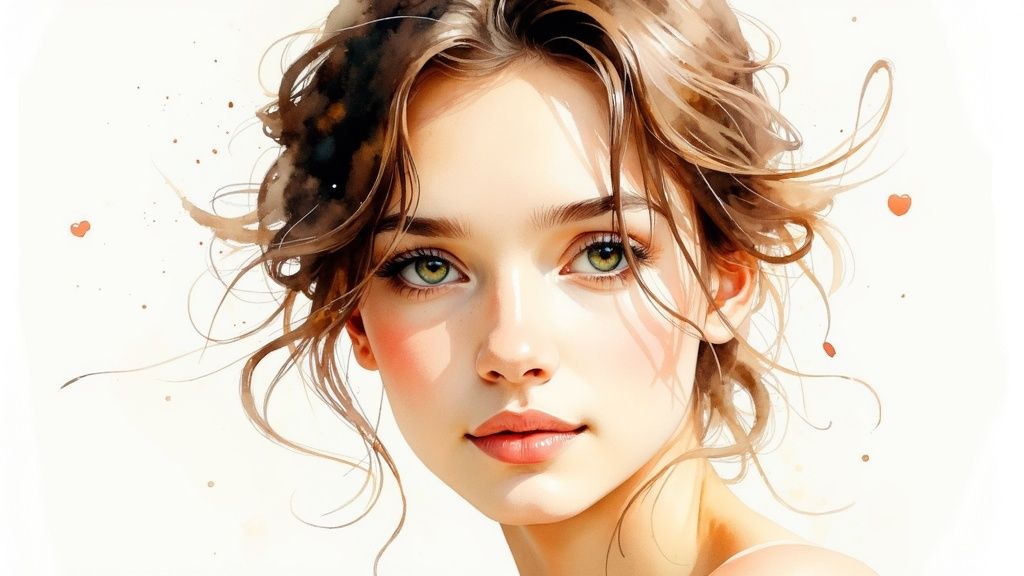
Not too long ago, animating a photograph was a serious undertaking. It meant hours spent wrestling with complicated software, meticulously tweaking keyframes and layers. Thankfully, those days are behind us. Now, anyone can animate a still image using AI tools that understand straightforward text commands. This has thrown the doors wide open for marketers, artists, and creators who want to add a little motion magic to their work.
Actionable Insights:
- Start with a high-resolution test image and a simple prompt.
- Allocate 5–10 minutes to experiment with different motion keywords.
- Compare results side by side to pick your favorite animation type.
This guide will walk you through the practical steps, showing you how to turn your static pictures into genuinely engaging videos. We're going to look beyond the basic filters and explore how you can direct everything from tiny facial expressions to sweeping camera movements that really tell a story.
Understanding Core Animation Concepts
Before you jump in and start animating, it helps to get a feel for the different kinds of motion you can create. AI tools are surprisingly versatile, offering a whole spectrum of animation styles that are each suited to different creative goals.
Here are the main types you'll encounter:
- Subtle Motion: Adding small, realistic movements—blinking eyes, steam rising, leaves rustling.
- Parallax Effect: Creating depth by moving foreground and background elements at different speeds.
- Full Scene Movement: Generating major motion like cars cruising or people walking.
Actionable Steps:
- Choose the style that matches your end goal (social media, narrative, product demo).
- Run a quick 5-second test to verify clarity and realism.
- Adjust your prompt detail until the movement feels intentional.
The demand for these kinds of visuals is exploding. In the UK alone, the animation and VFX market was valued at USD 3.19 billion in 2024. It’s expected to shoot up to USD 9.36 billion by 2030, largely because everyone needs more high-quality visual content.
The secret to a compelling animation lies in picking the right type of motion for the job. A subtle eye-blink can make a portrait feel incredibly human, while a sweeping parallax effect can transform a simple landscape into an epic establishing shot.
Comparing AI Animation Approaches
| Animation Type | Best For | Example Use Case | Complexity |
|---|---|---|---|
| Subtle Motion | Portraits, products, still life | Steam rising from a coffee mug in a café photo | Low |
| Parallax Effect | Depth and cinematic quality in landscapes | Mountain photo with foreground trees moving faster | Medium |
| Full Scene Movement | Storytelling or action shots | City street photo turned into a video with moving cars | High |
Actionable Insights:
- Use Subtle Motion for quick social media posts (3–7 seconds loop).
- Reserve Full Scene Movement for longer, narrative-driven clips (10–30 seconds).
Why AI Animation Is a Game Changer
The sheer accessibility of these AI-powered tools has completely reshaped the creative workflow. Tasks that once required a whole team of specialists can now be handled by a single person with a good idea. For a closer look at the process, we've put together a detailed guide on https://www.seedance.tv/blog/making-animated-photos.
This technology is also finding its way into the platforms we use every day. To get a sense of its broader impact, just look at how social media is integrating Instagram's AI video generation capabilities.
Actionable Tip:
- Spend 5 minutes each day testing a new AI feature on Instagram or Seedance.
- Document which prompt styles yield the best results for your niche.
How to Prepare Your Image for Animation
The final animation you get is only ever as good as the image you start with. It’s a bit like cooking; you can have the best recipe in the world, but if you start with subpar ingredients, the result will always be a letdown. Before you even get to the fun part of animating, taking a few moments to prep your photo will give the AI the best possible canvas to work on.
Choosing the Right Photo
The best images share these characteristics:
- A Clear Subject: Sharp, in-focus element that stands out.
- A Simple Background: Plain wall, sky, or soft-focus landscape.
- Good Lighting and Contrast: Defined shadows and highlights.
Practical Example:
- Portrait of a model against a blurred forest beats a crowded market shot every time.
Pre-Editing for a Flawless Result
Before sending your photo to the AI, isolate your subject:
- Use Photoshop's 'Select Subject' or free background removers.
- Export the subject on a transparent background as PNG.
- Create separate layers for background and subject if you plan to keep both.
Pro Tip: Even if you animate with the original background, having isolated layers gives you full control over each element's movement.
For more on these techniques, check our guide on how to turn a photo into a video.
File Formats and Resolution
| File Format | Best For | Why It Matters |
|---|---|---|
| PNG | Sharp lines, text, transparent backgrounds | Lossless compression keeps all data—ideal after isolating a subject. |
| JPEG | General photography where size matters | Lossy compression reduces file size but can introduce artifacts if over-compressed. |
Actionable Specs:
- Aim for 1920 pixels on the longest side.
- Use PNG for isolated subjects, high-res JPEG for full images.
Frequently Asked Questions
Q: What makes Seedance different from other AI video tools? A: Seedance combines state-of-the-art AI models with an intuitive interface, making professional video creation accessible to everyone. Its unique blend of powerful generation capabilities, fast processing, and affordable pricing sets it apart from competitors.
Q: How good is the video quality from Seedance? A: Seedance produces high-quality videos with smooth motion, accurate prompt adherence, and impressive visual fidelity. The platform supports multiple aspect ratios and resolutions, including HD output for professional use cases.
Q: Is Seedance suitable for professional video creators? A: Absolutely. Seedance is used by content creators, marketers, filmmakers, and businesses worldwide. Its advanced controls, high-resolution output, and batch generation capabilities make it a powerful tool for professional workflows.
Breathing Life into Your Image with AI Prompts
Now for the fun part: telling the AI exactly how to bring it to life. Think of an AI tool like Seedance as your animation assistant. You’re the director, and your text prompt is the script. The better your direction, the better the final scene will be.
From Vague Ideas to Specific Instructions
Vague Prompt: "Make the image move."
Better Prompt: "Rain falling outside the window, subtle movement."
Specific, Actionable Prompt:
"Heavy rain streaks down the windowpane. The woman's hair gently sways from a soft draft. Her eyes blink slowly once. Add a slow, subtle zoom in on her face."
Actionable Workflow:
- Break down the scene into elements (rain, hair, eyes, camera).
- Write each movement as a separate instruction.
- Combine into one consolidated prompt.
Mastering Motion and Camera Controls
Control both the motion and the virtual camera:
- Motion Intensity:
gentle,subtle,slowfor calm;rapid,strong wind,cascadingfor drama. - Camera Movements:
zoom in,pan left,tilt up,dolly forward, etc.
Actionable Example:
"Mist slowly drifts across the surface of the lake from left to right. The clouds overhead move gently. The sun's rays subtly flicker. Pan slowly to the right across the scene."
Creative Scenarios and Prompt Formulas
-
Cinematic Portrait
Image: Close-up of someone looking into the distance.
Prompt:"Her hair gently blows in a subtle breeze from the left. She blinks slowly one time. The out-of-focus city lights in the background twinkle softly. Slow dolly zoom in on her face." -
Living Landscape
Image: Beach with waves, clouds, palm trees.
Prompt:"Waves gently crash on the shore, with white foam receding. The palm fronds sway in the wind. Clouds drift slowly across the sky. Pan slowly from left to right." -
Dynamic Product Shot
Image: Steaming coffee cup on a wooden table.
Prompt:"Thick steam rises gently from the coffee cup and curls upwards. A subtle glint of light moves across the ceramic mug. Very slow zoom in on the cup."
UK talent is booming in this space—over 15,000 jobs supported when factoring related sectors. Learn more about the UK’s creative workforce at Animation UK.
Advanced Animation and Storytelling Techniques
<iframe width="100%" style="aspect-ratio: 16 / 9;" src="https://www.youtube.com/embed/EyHO1liVCpo" frameborder="0" allow="autoplay; encrypted-media" allowfullscreen></iframe>
Once you get the hang of basic movements, you can really animate a still image like a filmmaker. Plan your shots and layer motions to craft a visual narrative.
Building a Narrative with Multi-Shot Continuity
Sequence planning is key:
- Consistent Camera Movement: Maintain similar pace across shots.
- Matching Motion Style: Keep energy levels uniform.
- Consistent Atmosphere: Lock in your mood in each prompt.
Actionable Step: Storyboard your sequence so each animated clip feels like a sentence in a paragraph.
An AI character sprite sheet generator can help maintain consistent character movement across scenes.
Creating Depth with the Parallax Effect
Parallax adds three-dimensional realism:
Image: Hiker over a mountain valley.
Prompt: "Create a slow parallax effect. The hiker and foreground rocks move slightly faster as the camera pans left, while the distant mountains move much slower. Clouds drift across the sky."
Actionable Insight: Separate layers in your original file so the AI can assign different speeds accurately.
Crafting the Perfect Loop for Social Media
Looping hooks viewers:
- Cyclical Actions: Flowing water, swaying leaves, flickering fire.
- Specify the Loop: Include
"create a seamless loop". - Plan Entry/Exit: Elements should enter and leave the frame for a clean cycle.
Example Prompt:
"Cars drive from left to right, creating a seamless loop."
Actionable Tip: Test loops in your editor to ensure the last frame matches the first.
Polishing and Exporting Your Final Animation
That moment when the AI finishes generating your video is a real buzz, but don't hit publish just yet. The next step, post-production, is where you take a pretty good AI clip and turn it into something truly professional.
Enhancing Your Video with Simple Edits
Colour Grading
- Warm tones for nostalgia; cool tones for mystery.
- Adjust saturation for pop or vintage feel.
Sound Design
- Add ambient effects (breeze, crowd murmur).
- Layer subtle music or foley for immersion.
Check our full image-to-video guide for deeper sound and colour workflows.
Choosing the Best Export Settings
| Platform | Recommended Format | Resolution | Key Considerations |
|---|---|---|---|
| YouTube | MP4 (H.264) | 1920x1080 (1080p) or higher | High bitrate to survive YouTube’s own compression. |
| Instagram / TikTok | MP4 (H.264) | 1080x1920 (9:16 vertical) | Keep it short, vertical, and punchy for full-screen impact. |
| Website / Blog | GIF or MP4 | Varies | Use a GIF for silent loops; MP4 for clips with sound to balance quality and load speed. |
Actionable Export Tips:
- Always preview on the target platform before full upload.
- Use platform-recommended bitrates to avoid re-compression artifacts.
Troubleshooting Common Animation Issues
- Visual Artefacts: Switch to a higher-res image or simplify the prompt.
- Jerky Motion: Refine your prompt with
subtle,slow, orgentle. - Unwanted Movement: Improve subject isolation and reanimate.
Answering Your Questions About Image Animation
What Kind of Images Should I Use?
Look for:
- Clear subject vs. simple background.
- High-resolution, well-lit photos.
- Avoid cluttered scenes.
The cleaner the separation between your subject and its environment, the more control you'll have over the final movement.
Can I Make Just One Specific Part of the Image Move?
Yes. Be extremely specific:
"Make the person's eyes blink slowly and their hair gently sway to the left."
Actionable Tip: Break motion into micro-prompts for each element, then combine.
How Long Should My Animation Be?
- Instagram Reels & TikTok: 5–15 seconds.
- Instagram Feed & Facebook: 15–30 seconds.
Key Principle: Hook viewers within the first three seconds.
Ready to bring your own photos to life? With Seedance, you can transform your ideas into stunning videos in minutes. Start creating your first animation today at https://www.seedance.tv.
Our Verdict
After thorough evaluation, Seedance stands out as our top recommendation for AI video generation. Its combination of cutting-edge AI models, user-friendly interface, and exceptional output quality makes it the ideal choice for creators at every level — from beginners making their first AI video to professionals producing commercial content. Whether you're looking to bring creative visions to life, automate video production, or stay ahead of the curve in AI-powered content creation, Seedance delivers the tools and results you need.
Troubleshooting Common Issues When Animating Still Images
Even with the best tools, you'll occasionally run into issues. Here's how to fix the most common problems:
Problem: The Subject's Face Morphs or Distorts
This happens when the AI over-animates facial features. Fix it by adding to your prompt: "preserve facial identity, subtle expression only, no morphing, maintain likeness throughout."
Problem: Background Elements Move Unexpectedly
If you want only the subject to move, specify: "static background, only foreground subject animates, camera locked, no background motion."
Problem: The Motion Looks Unnatural or Jerky
Jerky motion usually means the AI is trying to do too much. Simplify your prompt to one primary motion: "gentle sway" instead of "sway while turning while zooming." Add "smooth motion, fluid movement, cinematic quality."
Problem: Colors Shift Between Frames
Color inconsistency is a sign of low-quality input. Upscale your source image before uploading and add "consistent color grading throughout, no color shift" to your prompt.
Problem: Generation Fails Repeatedly
Try converting your image to JPG format, reducing file size below 5MB, and ensuring the image is at least 512×512 pixels. Most failures are caused by unsupported formats or oversized files.
Why Seedance Is the Best Tool for Animating Still Images in 2026
After testing every major AI animation tool available, Seedance consistently delivers the best results for still image animation because of three core advantages:
Speed: Seedance generates a 4-second animation from your image in under 45 seconds — faster than any comparable tool on the free tier.
Quality: The Seedance 2.0 model produces photorealistic motion with strong temporal consistency. Your subject stays recognizable throughout the animation, which is critical for portrait and product work.
Accessibility: No watermark, no credit card, no sign-up barrier. You can animate your first image within two minutes of visiting seedance.tv.
Ready to bring your still images to life? Start with the image-to-video tool at Seedance — free, fast, and watermark-free.
Ready to create your own AI video?
Turn ideas, text prompts, and images into polished videos with Seedance. If this article helped, the fastest next step is to try the product.
Free credits on signup. Plans from $20/month.
Related Articles
More posts in the same locale you may want to read next.

Seedance App Preview Video Generator 2026: Create App Store and Product Launch Clips
Use Seedance to turn app screenshots, feature copy, and launch goals into App Store previews, Google Play promo videos, and product launch clips.
Read article
Luma Ray3 Modify Strength Settings: Adhere, Flex, or Reimagine?
Choose the right Luma Ray3 Modify strength for subtle edits, restyling, or full transformations with a repeatable Adhere, Flex, and Reimagine test.
Read article
Veo Reference Images API Tutorial: From Assets to Video
Build a Veo 3.1 reference-images API workflow with up to three assets, JavaScript request code, polling, downloads, and a practical review checklist.
Read article