- Seedance Blog: AI Video Tutorials & Guides
- AI Video Generator Free No Sign Up: 9 Tools You Can Use Right Now (2026)
AI Video Generator Free No Sign Up: 9 Tools You Can Use Right Now (2026)

AI Video Generator Free No Sign Up: 9 Tools You Can Use Right Now (2026)
By Emma Chen · March 31, 2026
Not everyone wants to hand over their email just to test an AI video tool. Whether you're a content creator on a deadline, a marketer prototyping ideas, or simply curious about AI-generated video, you want to jump in and start creating — no forms, no verification emails, no friction.
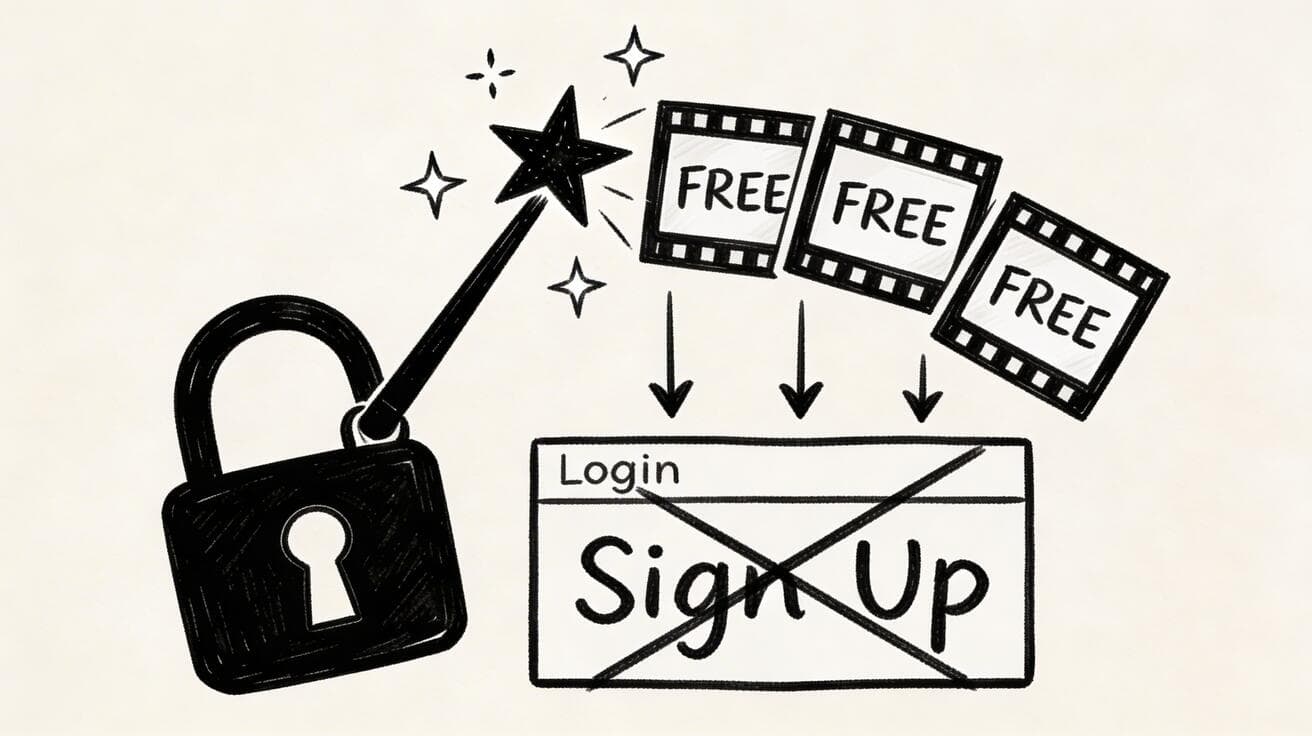
Good news: several AI video generators in 2026 let you create videos for free with no sign up — or with just a one-click Google login that feels nearly the same. We tested nine of the most popular options, ranked them by quality, ease of use, and how much you can actually do without paying. Here's what we found.
Ready to try it yourself?
Free credits on signup. Plans from $9.9/month.
Quick Comparison: 9 Free AI Video Generators (2026)
| Tool | Sign Up Required? | Free Credits / Limit | Max Video Length | Watermark? | Quality Rating |
|---|---|---|---|---|---|
| Seedance | Google one-click only | 50 free credits/day | Up to 10s | No | ★★★★★ |
| VEED | No | Limited features | 10 min (editor) | Yes | ★★★★☆ |
| FlatAI | No | ~3 videos/day | 5s | No | ★★★☆☆ |
| BasedLabs | No | ~5 generations/day | 4s | Yes (small) | ★★★☆☆ |
| Canva | Yes (free tier) | 5 AI videos/month | 5s | No | ★★★★☆ |
| PixVerse | Yes (free tier) | 30 credits/day | 4s | No | ★★★★☆ |
| Pika | Yes (free tier) | 150 credits initially | 4s | Yes | ★★★★☆ |
| Runway | Yes (free tier) | 125 credits initially | 10s | Yes | ★★★★★ |
| MiriCanvas | Yes (free tier) | Limited monthly | 5s | No | ★★★☆☆ |
Now let's break down each tool in detail so you can pick the one that fits your workflow.
1. Seedance — The Best All-in-One AI Video Generator (★★★★★)
Sign up required? Google one-click login only (no email forms, no passwords)
If we're being honest, Seedance is the closest thing to a "no sign up" experience you'll find among top-tier AI video generators. There's no registration form. You click "Sign in with Google," and you're in — generating videos within seconds. No email verification, no onboarding wizard, no credit card.
What makes Seedance stand out from every other tool on this list is the model selection. While most platforms lock you into their proprietary model, Seedance gives you access to multiple state-of-the-art models in one place — including Seedance 1.0, Veo 3, and Sora 2. That means you can compare outputs from different AI engines side by side, all from a single interface.
The free tier is genuinely generous. You get 50 credits per day, enough to generate multiple high-quality videos. The text-to-video feature handles complex prompts with impressive accuracy — cinematic camera movements, realistic physics, and coherent character motion. The image-to-video tool is equally powerful, turning still photos or AI-generated images into smooth, natural-looking video clips up to 10 seconds long.
Output quality is top-tier. Videos render at up to 1080p with no watermark on the free plan. Motion coherence — often the weak spot for AI video — is noticeably better here, especially with the Veo 3 and Seedance 1.0 models.
Best for: Anyone who wants the highest quality AI video without friction. Creators who want to test multiple AI models. People who need a daily free allowance rather than a one-time trial.
Drawback: Requires a Google account — but if you have Gmail (and most people do), it's a single click.
2. VEED — True No-Sign-Up Video Editing with AI (★★★★☆)
Sign up required? No
VEED is one of the few platforms where you can genuinely use AI video features without creating an account at all. Navigate to their site, and you can start editing immediately. Their AI tools include auto-subtitles, text-to-speech, background removal, and basic AI-generated video clips.
The browser-based editor is polished and intuitive. You can upload footage, trim it, add transitions, overlay text, and export — all without logging in. For quick social media edits, it's hard to beat the convenience.
However, the catch is significant: all exports on the free, no-login tier include a VEED watermark. It's not subtle — it's a persistent branded overlay in the corner of your video. For professional work or client projects, that's a dealbreaker.
The AI video generation capabilities are also more limited than dedicated generators like Seedance or Runway. VEED's strength is post-production, not generation from scratch.
Best for: Quick edits, subtitles, and social media clips where a watermark isn't a dealbreaker.
Drawback: Watermark on free exports. AI generation features are limited compared to dedicated tools.
3. FlatAI — Instant Browser-Based AI Video (★★★☆☆)
Sign up required? No
FlatAI takes the minimalist approach. Open the site, type a prompt, and generate a video — no account needed, no login wall, no email field. It's one of the most frictionless experiences on this list.
The interface is stripped down to essentials: a text box, a generate button, and your output. There are no complex settings panels or model selectors. You type what you want, wait a minute or two, and get a short AI-generated clip.
Quality is decent but not outstanding. Videos max out around 5 seconds, and the visual fidelity sits a tier below premium tools like Seedance or Runway. Motion can occasionally look choppy, and complex scenes with multiple subjects sometimes produce artifacts.
You're limited to roughly three generations per day without an account, tracked by your browser session. The videos come without watermarks, which is a plus.
Best for: Quick tests and idea validation. Users who want zero friction and don't need Hollywood quality.
Drawback: Low daily limits. Shorter max duration. Quality trails behind premium platforms.
4. BasedLabs — No-Login AI Video with Community Features (★★★☆☆)
Sign up required? No
BasedLabs has carved out a niche as a community-driven AI platform where you can generate images and videos without signing up. The video generator is accessible directly from the homepage — type a prompt, pick a style, and hit generate.
The platform offers around five free video generations per day for anonymous users. Videos top out at about 4 seconds, and a small BasedLabs watermark appears in the corner.
One interesting feature is the community gallery. You can browse what other users have created, which serves as both inspiration and a practical prompt guide.
Best for: Casual experimentation. Users who enjoy community features and browsing others' creations.
Drawback: Small watermark. Occasional reliability issues. Limited video length and quality.
5. Canva — Free AI Video Within an Ecosystem (★★★★☆)
Sign up required? Yes (free account)
Canva does require registration, but the free tier is robust enough to earn a spot on this list. Once you create an account, you get access to Canva's AI video generator alongside its massive library of templates, stock footage, and design tools.
The AI video feature gives you 5 free generations per month on the free plan. The real power here is the ecosystem — you can drop an AI-generated clip into a presentation, social media post, or marketing video and edit everything in one place.
Video quality is good, though not best-in-class for pure AI generation. No watermark on the free plan is a significant advantage.
Best for: Marketers and designers who need AI video as part of a larger project. Teams already in the Canva ecosystem.
Drawback: Requires sign-up. Only 5 AI video generations per month on the free plan.
6. PixVerse — Generous Free Credits for AI Video (★★★★☆)
Sign up required? Yes (free account)
PixVerse is a dedicated AI video generator that offers a solid free tier. After creating an account, you receive 30 daily credits — enough for several video generations. The platform supports text-to-video, image-to-video, and even video-to-video style transfers.
The generation quality is strong. PixVerse handles motion well, produces relatively coherent scenes, and offers multiple style presets (realistic, anime, 3D, cinematic). Videos generate at up to 4 seconds on the free plan, with no watermark.
Best for: Regular AI video creators who want a reliable daily allowance. Users who want multiple style options without paying.
Drawback: Requires account creation. 4-second max on free tier.
7. Pika — Creative AI Video with a Free Trial (★★★★☆)
Sign up required? Yes (free account)
Pika burst onto the AI video scene with impressive generation quality and has maintained its position as a creative favorite. The free tier gives you 150 credits to start, with limited daily replenishment afterward.
What sets Pika apart is its creative capabilities. The Pikaffects feature lets you apply wild transformations — inflate objects, crush them, melt them, explode them — that are genuinely fun and unique to the platform. For social media content that needs to stop the scroll, these effects are gold.
Standard text-to-video generation is also strong. Pika handles stylistic prompts well, producing videos with character and personality.
Best for: Creative professionals and social media creators who want unique visual effects. Short-form content with high visual impact.
Drawback: Requires sign-up. Watermark on free tier. Credits deplete fast without a subscription.
8. Runway — Professional-Grade AI Video (★★★★★)
Sign up required? Yes (free account)
Runway's Gen-3 Alpha remains one of the most powerful AI video generators available. The 125 free credits you receive at sign-up let you test the platform's capabilities, and the results are genuinely impressive. Film-grade visual quality, exceptional camera control, and strong temporal consistency make Runway the go-to for professionals.
The "Director Mode" lets you specify exact camera angles, movements, and focal lengths — tools that filmmakers demand. Multi-shot consistency keeps characters looking the same across different clips. The overall polish is unmatched.
The catch? Those 125 credits disappear fast, especially at higher quality settings. After that, plans start at $12/month for 625 credits or $28/month for unlimited. And free-tier exports include a Runway watermark.
For professional production, the cost is justified. For casual users, the free trial is a great way to see what's possible — then switch to Seedance for ongoing free generation.
Best for: Professional filmmakers, advertisers, and creators who need the absolute best quality and don't mind paying for it.
Drawback: Requires sign-up. Free credits are one-time and limited. Expensive subscription.
9. MiriCanvas — Free AI Video for Simple Projects (★★★☆☆)
Sign up required? Yes (free account)
MiriCanvas is a Korean design platform that has expanded into AI video generation. The free tier includes limited AI video credits that reset monthly. The platform is most useful for simple, template-based video projects — marketing slides, social media announcements, and basic explainer content.
The AI video quality is serviceable but not competitive with top-tier generators. Think of MiriCanvas as a lighter alternative to Canva with AI capabilities bolted on. It's best when you need quick, template-driven content rather than creative AI generation.
Best for: Simple design projects. Users who want a Canva alternative with Asian market templates.
Drawback: Requires sign-up. Limited AI capabilities. Quality below dedicated generators.
How to Generate AI Videos Without Signing Up
If you want to start generating AI videos right now with minimal friction, here's the fastest path:
Option A: Zero Registration (Truly No Account)
- Go to VEED.io or FlatAI
- Enter a text prompt describing your video
- Click generate and wait 1-2 minutes
- Download your video (note: VEED adds a watermark)
This gets you from zero to video in under 3 minutes, no email required.
Option B: One-Click Login (Best Quality)
- Go to seedance.tv
- Click "Sign in with Google" (one click, no forms)
- Enter your prompt or upload an image
- Choose your model (Seedance, Veo 3, or Sora 2)
- Generate and download — no watermark, up to 10 seconds
This takes about 30 seconds longer than Option A but delivers dramatically better results. If you have a Google account, this is the recommended approach.
Option C: Quick Free Account (More Features)
- Create a free account on PixVerse, Pika, or Canva
- Verify your email
- Access your free credits and start generating
- Use the platform's editing tools to polish your output
This requires 2-3 minutes of setup but gives you the most features and control.
What to Look for in a Free AI Video Generator
Not all free AI video tools are created equal. Here's what to evaluate before committing to a platform:
Video Quality
The gap between the best and worst AI video generators is enormous. Top-tier tools like Seedance and Runway produce cinematic results with realistic motion, while lower-end free tools can look choppy and artificial. Always test with a complex prompt before committing to a workflow.
Watermark Policy
Some free tools add persistent watermarks that make the output unusable for professional work. Seedance, FlatAI, Canva, PixVerse, and MiriCanvas offer watermark-free exports on their free tiers. VEED, BasedLabs, Pika, and Runway watermark free-tier videos.
Daily vs. One-Time Credits
Platforms like Seedance (50 credits/day) and PixVerse (30 credits/day) provide renewable daily allowances — you can use them indefinitely. Others like Runway (125 credits) and Pika (150 credits) offer one-time grants that don't replenish, forcing you to subscribe after they run out. Daily credits are significantly more valuable for ongoing use.
Maximum Video Length
Ranges from 4 seconds (BasedLabs, PixVerse, Pika) to 10 seconds (Seedance, Runway). If you need longer clips, you'll either need to stitch multiple generations together or look at paid plans.
Model Options
Most platforms offer a single proprietary model. Seedance is unique in offering multiple models (Seedance, Veo 3, Sora 2) from a single interface — letting you compare results and choose the best output for each project.
Export Options
Check what formats and resolutions are available on the free tier. 1080p is the standard for most platforms. Some limit free exports to 720p or add compression. Seedance exports at full 1080p quality with no restrictions.
Frequently Asked Questions
Is there a truly free AI video generator with no sign up and no watermark?
Yes — FlatAI lets you generate AI videos with no account and no watermark, though quality and duration are limited. For the best quality without watermarks, Seedance requires only a Google one-click login (no traditional sign-up) and produces top-tier, watermark-free videos.
What's the best free AI video generator overall in 2026?
Seedance offers the best combination of quality, free credits (50/day), model variety, and ease of access. It's effectively "no sign up" with just a Google click, and produces studio-quality video with no watermark.
Can I use free AI-generated videos commercially?
Most platforms allow commercial use of videos generated on their free tiers, though you should check each platform's terms. Seedance, Canva, and PixVerse explicitly allow commercial use. Runway and Pika have some restrictions on their free tiers.
How long can free AI videos be?
Most free AI video generators produce clips of 4-10 seconds. Seedance and Runway lead with up to 10-second clips. For longer videos, you'll need to generate multiple clips and stitch them together in an editor like CapCut or VEED.
Why do some AI video generators require sign up?
Registration serves multiple purposes: tracking usage and credits, complying with AI safety regulations, preventing abuse, and building a user base. However, platforms like FlatAI and VEED have demonstrated that anonymous access is technically feasible, and Seedance's Google one-click approach minimizes friction while still maintaining accountability.
Which AI video generator has the most free credits?
Seedance leads with 50 free credits per day that reset daily. PixVerse offers 30 daily credits. Most other platforms provide one-time grants (Runway: 125, Pika: 150) that don't replenish without a subscription.
Can I generate AI videos on my phone?
Yes, most of the tools listed here are browser-based and work on mobile devices. Seedance, VEED, FlatAI, and PixVerse all function well on mobile browsers. Canva and Runway also have dedicated mobile apps.
Is AI-generated video content detectable?
Yes — many platforms embed invisible watermarks or metadata identifying AI-generated content. This is increasingly standard for responsible AI practices. Seedance's parent company ByteDance, for example, includes invisible watermarks for content provenance tracking.
Conclusion: Which Free AI Video Generator Should You Choose?
If you want the absolute lowest friction and don't care about quality, go with FlatAI or VEED — no account needed, instant results.
But if you want the best quality for free, the answer is clear: Seedance. One Google click gets you in, 50 daily credits keep you going, multiple AI models let you pick the best output, and there's no watermark. It's the most complete free AI video generator available in 2026.
Ready to create your first AI video?
- 🚀 Try Seedance free — One click to start, no subscription needed
- 🎬 Generate videos with text-to-video AI or image-to-video AI
- 📖 Compare models side by side and download in 1080p with no watermark
Stop filling out forms. Start creating videos.
Ready to try it yourself?
Put the steps from this guide into practice with Seedance and turn prompts or images into polished videos in minutes.
Free credits on signup. Plans from $9.9/month.
Related Articles
More posts in the same locale you may want to read next.

AI Video Generator for Instagram Reels: Create Viral Content in Minutes (2026)
Use AI video generators to create Instagram Reels that get views. Best tools, Reel formats, prompts, and posting strategies for 2026.
Read article
How to Make Product Demo Videos with AI
Learn how to make product demo videos with AI using prompts, screenshots, image-to-video workflows, and simple editing systems that convert better.
Read article
AI Video Generator Free: No Limits, No Watermark, No Sign Up (2026)
Find the best free AI video generators with no limits, no watermark, and no sign up. Compare Seedance, Runway, Pika, and more — tested and ranked for 2026.
Read article