- 블로그
- Seedance 2.0 프롬프트 가이드 2026: 바로 복사해 쓰는 프롬프트 30개 이상과 카메라 무브
Seedance 2.0 프롬프트 가이드 2026: 바로 복사해 쓰는 프롬프트 30개 이상과 카메라 무브
최종 업데이트: 2026년 5월
빠른 답변: 이 Seedance 프롬프트 가이드는 Seedance 2.0 프롬프트를 작성하기 위한 반복 가능한 2026년 워크플로를 제공합니다. 샷을 정의하고, 피사체를 설명하고, 움직임을 지정하고, 장면을 고정한 뒤 조명과 스타일을 추가하세요. 아래의 복사·붙여넣기 예시는 Text to Video에서 바로 사용할 수 있으며, 더 빠른 프롬프트 제작 과정이 필요할 때는 Seedance 프롬프트 생성기 워크플로와 함께 사용하면 좋습니다.
2026년 5월 업데이트: 많은 검색자가 “공식” Seedance 2.0 프롬프트 가이드를 찾고 있습니다. 이 글은 ByteDance 사양서가 아니라 공식 문서 스타일의 실전 필드 가이드입니다. 반복 가능한 구조, 카메라 무브 표현, 제품 프롬프트, 이미지-투-비디오 규칙, 문제 해결, 그리고 Text to Video 또는 Image to Video에서 테스트할 수 있는 복사·붙여넣기 템플릿을 제공합니다.
어떤 Seedance 프롬프트를 먼저 사용해야 할까요?
긴 프롬프트를 쓰기 전에 이 결정 표를 사용하세요. 첫 생성 결과의 초점을 유지하고 낭비되는 크레딧을 줄이는 데 도움이 됩니다.
| 목표 | 프롬프트 패턴 | 가장 좋은 시작 문구 |
|---|---|---|
| 제품 광고 | 제품 + 표면 + 카메라 오빗 + 조명 | Studio product shot, [product], slow camera orbit... |
| TikTok/Reels 클립 | 세로 샷 + 크리에이터/동작 + 빠른 훅 | Vertical close-up shot, [subject] doing [action]... |
| 시네마틱 장면 | 와이드/미디엄 샷 + 피사체 + 환경 + 카메라 무브 | Wide cinematic shot, [subject] in [location]... |
| 인물 애니메이션 | 클로즈업 + 미세한 얼굴/머리카락 움직임 | Close-up portrait, natural blinking, subtle head turn... |
| 이미지-투-비디오 | 원본 이미지를 유지 + 움직임만 설명 | Animate this image with [motion], no background change... |
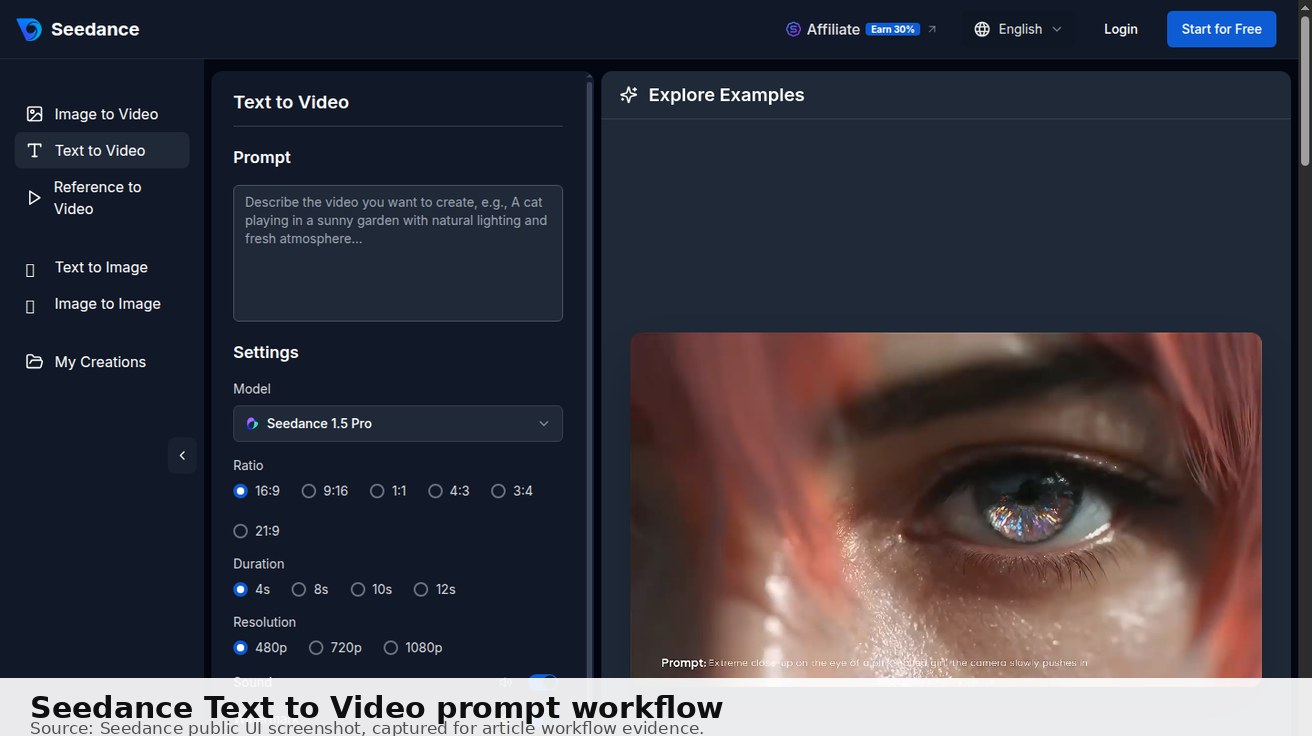
복사·붙여넣기 프롬프트 라이브러리: 바로 시작할 Seedance 2.0 프롬프트 10개
피사체, 장소, 카메라 무브를 커스터마이즈하기 전에 빠른 기준점으로 사용할 수 있는 즉시 실행형 프롬프트입니다. 단순한 공식이 아니라 의도적으로 완성된 프롬프트입니다.
직접 해볼 준비가 되셨나요?
가입 시 무료 크레딧 제공. 요금제는 월 $20부터.
1. Studio product shot, matte black wireless earbuds on a reflective acrylic surface, slow 180-degree camera orbit, softbox reflections, premium ecommerce lighting, shallow depth of field, no text, no logo distortion.
2. Vertical creator-style short, a designer opening a laptop and pointing at a clean dashboard, quick push-in camera move, bright morning desk setup, natural hand motion, upbeat social media pacing, 9:16 composition.
3. Cinematic wide shot, a lone cyclist crossing a neon-lit city bridge at night, gentle tracking shot from behind, wet road reflections, blue and magenta lighting, realistic motion blur, high-detail atmosphere.
4. Animate this product image with a subtle camera push-in and soft light sweep across the packaging, keep the product shape and label stable, no new text, no background change, clean commercial look.
5. Close-up lifestyle scene, a person pouring iced coffee into a clear glass beside a window, macro detail on condensation, slow handheld camera drift, warm natural light, cozy morning mood.
6. SaaS onboarding walkthrough, cursor moves from the empty dashboard to the first setup button, smooth zoom toward the successful state, clean UI, readable layout, no fake extra buttons, calm tutorial pacing.
7. Fashion lookbook shot, model walking through a minimal concrete gallery, medium tracking shot, fabric movement visible, soft editorial lighting, neutral background, premium brand mood, no warped hands.
8. Food commercial clip, close-up of noodles being lifted from a ceramic bowl, steam rising, slow macro push-in, appetizing highlights, realistic texture, shallow depth of field, no text overlay.
9. Travel establishing shot, sunrise over a coastal road with a small car driving along the curve, drone-style forward glide, golden hour light, cinematic landscape, stable horizon, natural motion.
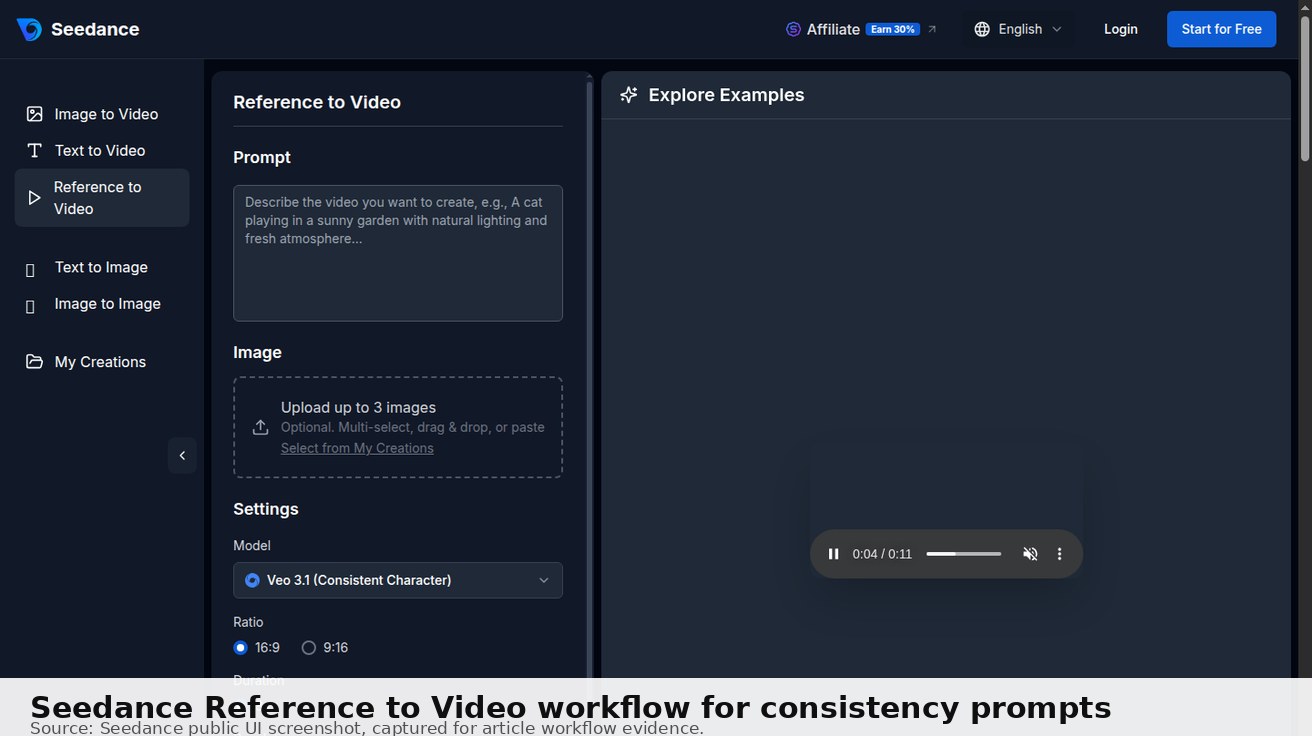
10. Character consistency test, same young explorer in a red jacket walking from forest trail to campsite, keep face, outfit, and backpack consistent, medium shot, gentle handheld motion, realistic lighting.
강력한 Seedance 2.0 프롬프트는 보통 다섯 가지 질문에 순서대로 답합니다. 어떤 샷인가, 누가 또는 무엇이 피사체인가, 무엇이 움직이는가, 어디에서 일어나는가, 최종 영상은 어떤 스타일로 느껴져야 하는가? 프롬프트가 실패해도 모든 것을 다시 쓰지 마세요. 카메라 움직임, 피사체 동작, 조명 중 하나의 변수만 바꾸세요. 어떤 지시가 결과에 영향을 주었는지 배우는 가장 빠른 방법입니다.
대부분의 AI 비디오 프롬프트 가이드는 형용사 목록에 그칩니다. 이 글은 그렇지 않습니다.
이 가이드는 Seedance 2.0에서 꾸준히 좋은 결과를 만드는 구체적인 프롬프트 패턴에 집중합니다. 무엇을 피해야 하는지, 흔한 실패를 어떻게 고치는지, 크레딧으로 더 많은 결과를 얻는 방법까지 함께 다룹니다.

Seedance 프롬프트 가이드 2026: 재사용 가능한 워크플로
운 좋은 일회성 생성이 아니라 예측 가능한 Seedance 2.0 결과를 원할 때 이 워크플로를 사용하세요. 시네마틱 장면, 제품 영상, 소셜 클립, 이미지-투-비디오 프롬프트에 모두 적용됩니다.
- 출력 형식부터 정하세요. 프롬프트를 쓰기 전에 클립이 가로 16:9인지, 세로 9:16인지, 정사각형 1:1인지 결정하세요.
- 샷 타입을 먼저 명시하세요. Seedance는 프롬프트가
close-up,wide shot,aerial drone shot,tracking shot또는 다른 명확한 카메라 방향으로 시작할 때 잘 반응합니다. - 하나의 주요 피사체를 설명하세요. 주인공, 제품, 사물을 쉽게 식별할 수 있게 유지하세요. 비슷하게 중요한 여러 피사체로 프롬프트를 복잡하게 만들지 마세요.
- 눈에 보이는 동작 하나를 추가하세요.
walking slowly,steam rising,camera orbiting,fabric fluttering in wind처럼 구체적인 움직임을 사용하세요. - 환경을 고정하세요. 핵심 피사체와 동작이 명확해진 뒤에만 장소, 시간대, 날씨, 배경 디테일을 추가하세요.
- 조명과 스타일로 마무리하세요.
golden hour,soft studio lighting,documentary realism,35mm film grain또는 다른 시각 단서를 더하세요. - 한 번에 하나의 변수만 반복 수정하세요. 클립이 거의 마음에 들지만 완벽하지 않다면 카메라 무브, 조명, 피사체 디테일 중 하나만 바꾸세요. 세 가지를 한꺼번에 바꾸지 마세요.
이 과정을 안내형으로 따라가고 싶다면 최신 Seedance 프롬프트 생성기 워크플로 2026을 사용하세요. 이 페이지는 수동 레퍼런스이고, 워크플로 글은 단계별 프롬프트 빌더입니다.
복사·붙여넣기 Seedance 프롬프트 템플릿
[Shot type], [main subject with visual details], [one clear action], [environment and time of day], [camera movement], [lighting], [visual style], [aspect ratio]
예시 템플릿 완성본:
Close-up tracking shot, a ceramic coffee cup on a walnut desk, steam rising slowly while morning light moves across the surface, cozy apartment kitchen at sunrise, subtle dolly forward, soft golden window light, realistic cinematic style, 16:9
사용 사례별 Seedance 프롬프트 예시
다음 짧은 예시는 실제 검색 의도에 맞도록 설계되었습니다. 하나를 복사하고, 대괄호 안의 피사체를 바꾼 뒤 첫 테스트에서는 같은 구조를 유지하세요.
제품 광고 프롬프트
Studio product shot, [product] on a clean stone surface, slow camera orbit from left to right, small highlights moving across the material, premium softbox lighting, crisp commercial style, 16:9
제품 공개 영상, 이커머스 히어로 클립, 광고 목업이 필요할 때 사용하세요. 배경을 단순하게 유지하면 Seedance가 사물, 반사, 카메라 움직임에 더 많은 디테일을 쓸 수 있습니다.
크리에이터 숏폼 프롬프트
Vertical medium close-up, [creator] holding [object] toward the camera, quick confident gesture, subtle handheld movement, bright room with natural window light, energetic TikTok product demo style, 9:16
Reels, Shorts, TikTok, UGC 스타일 테스트에 사용하세요. 핵심은 세로 프레이밍, 눈에 보이는 동작 하나, 명확한 사물 상호작용입니다.
시네마틱 B-Roll 프롬프트
Wide cinematic shot, [subject] moving through [location], slow tracking camera, atmosphere in the background, golden hour lighting, realistic film color, shallow depth of field, 16:9
분위기, 맥락, 전환 샷이 필요할 때 사용하세요. 첫 결과가 너무 복잡해 보이면 주요 피사체를 바꾸기 전에 배경 디테일부터 줄이세요.
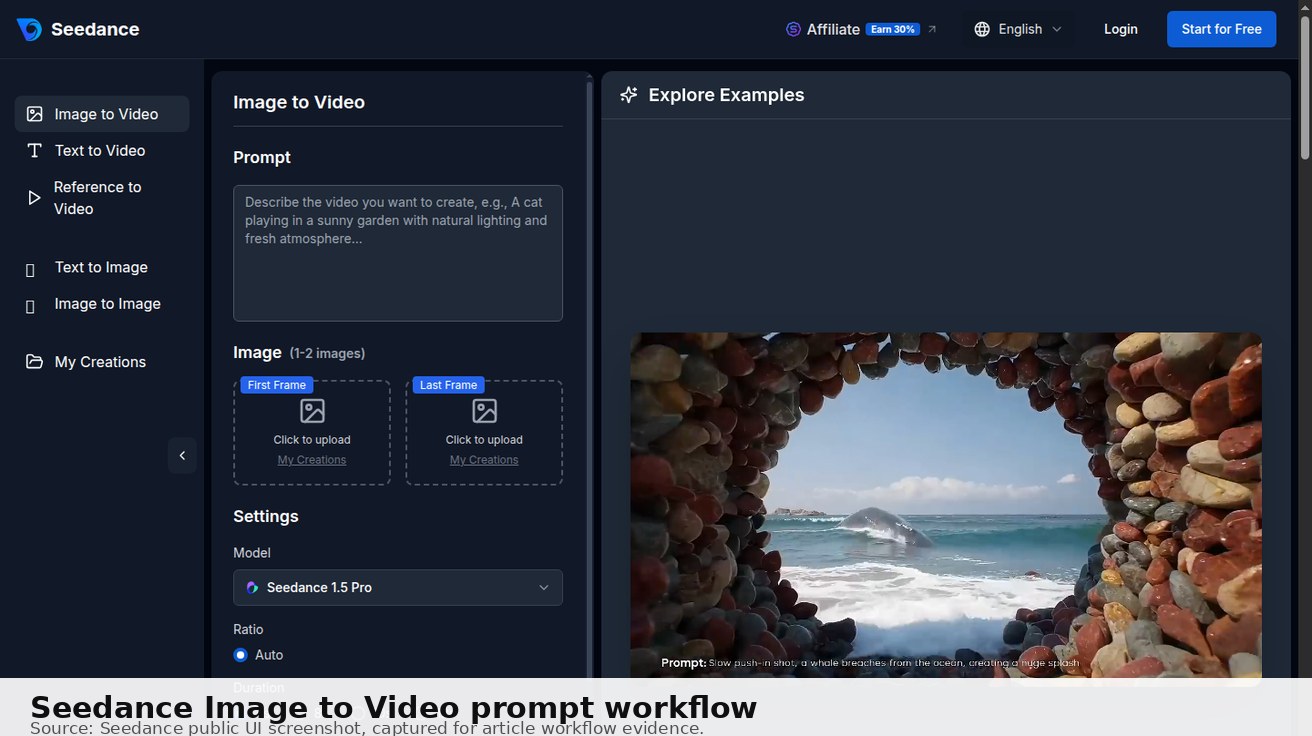
이미지-투-비디오 모션 프롬프트
Animate this image with a slow push-in, natural micro-movement, gentle background depth, no identity change, no extra objects, no text distortion
원본 이미지를 업로드한 뒤 사용하세요. 이 프롬프트는 캐릭터나 제품을 다시 길게 설명하지 않도록 설계되어, 정체성 드리프트를 줄이고 애니메이션을 원본 이미지에 더 가깝게 유지합니다.
프로 팁: 사용할 만한 클립을 만든 모든 프롬프트를 저장하세요. 화면비와 원본 이미지 유형도 함께 기록하세요. 작은 프롬프트 라이브러리는 긴 무작위 예시 목록보다 빠르게 더 가치 있어집니다. 자신의 제품, 크리에이터 스타일, 조명 세팅, 게시 형식에서 실제로 효과가 있었던 내용을 담기 때문입니다.
핵심 프롬프트 구조
Seedance 2.0은 단순히 묘사적인 프롬프트보다 구조화된 프롬프트에 가장 잘 반응합니다. 가장 신뢰할 수 있는 형식은 다음과 같습니다.
[Camera/shot type], [Subject], [Action/motion], [Environment], [Lighting], [Visual style/mood]
예시:
Slow dolly push forward, a woman in a red coat walking through a misty autumn forest, leaves falling around her, golden diffused morning light, cinematic color grade, shallow depth of field
약한 버전과 비교해 보세요.
Woman walking in a forest with leaves falling
구조화된 버전은 첫 시도에서 좋은 결과가 나올 가능성이 훨씬 높습니다. 모호한 버전은 탁한 조명, 불명확한 움직임, 일관성 없는 시각 품질을 만들 때가 많습니다.
샷 타입 레퍼런스
샷 타입을 지정하는 것은 어떤 프롬프트에든 추가할 수 있는 가장 영향력 큰 요소입니다. 다음 표현들은 Seedance 2.0에서 안정적으로 작동합니다.
| 샷 타입 | 용도 | 예시 문구 |
|---|---|---|
| 익스트림 클로즈업 | 질감, 디테일, 제품 집중 | extreme close-up on hands typing |
| 클로즈업 | 감정, 얼굴, 작은 피사체 | close-up on a woman's face, tears forming |
| 미디엄 샷 | 사람, 대화, 동작 | medium shot of a chef plating food |
| 와이드 샷 | 풍경, 설정 샷 | wide shot of an empty desert highway at dusk |
| 항공/드론 | 설정, 규모감, 지리감 | aerial drone shot over a coastal city at sunrise |
| 오버더숄더 | 시점, 대화 느낌 | over-the-shoulder shot looking at a glowing laptop screen |
| 트래킹/돌리 | 피사체 추적, 추진감 | tracking shot following a runner through city streets |
| 스태틱/고정 | 분위기, 사색 | static shot of rain hitting a window |
움직임과 카메라 무브
카메라 움직임을 설명하면 결과물의 제작 품질이 크게 올라갑니다.
잘 작동하는 카메라 움직임:
slow dolly forward/slow dolly backgentle pan left/gentle pan rightsubtle zoom in/slow zoom outorbit around the subjecttilt up from the groundhandheld slight camera shake(자연스러운 느낌에 적합)
피사체 움직임 문구:
moves gracefullyslow motiontimelapse(구름, 군중, 자연에 적합)hovering gentlydrifting through frame
피하세요: 동시에 일어나는 지나치게 복잡한 움직임. “카메라가 360도 회전하면서 줌인하고 피사체가 카메라를 향해 달려온다” 같은 지시는 보통 일관성 없는 결과를 만듭니다.
효과적인 조명 프롬프트
조명 설명은 충분히 활용되지 않는 경우가 많습니다. 다음 문구들은 결과 품질을 안정적으로 높입니다.
| 조명 유형 | 문구 예시 |
|---|---|
| 골든 아워 | warm golden hour sunlight |
| 흐림/부드러운 빛 | soft diffused cloud light, no harsh shadows |
| 블루 아워 | blue twilight, cool tones |
| 스튜디오 | clean studio lighting, soft box light from the left |
| 드라마틱 | hard chiaroscuro lighting, deep shadows |
| 네온/도시 | neon reflections on wet pavement |
| 촛불 | warm candlelight flickering, low key |
| 자연 창문광 | soft natural window light from the right, indoor setting |
프로 팁: “color temperature: warm” 또는 “color temperature: cool”을 추가하면 Seedance 2.0이 따라갈 강한 시각 방향을 얻습니다.
시각 스타일과 분위기
다음 스타일 설명어는 영상의 시각 톤을 꾸준히 바꿔 줍니다.
필름/시네마 레퍼런스:
35mm film grain, Kodak color paletteanamorphic lens flarescinematic widescreen 2.35:1documentary style, naturalistic
분위기:
moody and atmosphericethereal and dreamlikegritty and realisticclean and minimaldramatic tension
시대/미학:
1970s film aesthetic, muted colorsnoir style, black and whitecontemporary commercial, bright and cleanvintage 8mm film look
피사체 설명: 무엇을 포함해야 할까요?
피사체 설명이 구체적일수록 결과가 더 일관됩니다.
사람의 경우:
A woman in her early 30s, wearing a dark navy blazer, dark hair in a loose bun, serious expression, carrying a briefcase
단순히 “비즈니스우먼”이라고 쓰지 마세요.
제품의 경우:
A glass perfume bottle with a gold cap, amber-colored liquid, clean white background, professional product photography lighting
단순히 “향수병”이라고 쓰지 마세요.
환경의 경우:
A narrow cobblestone alleyway in an old European city, stone walls with climbing ivy, warm evening light from a small window
단순히 “골목”이라고 쓰지 마세요.
좋은 Seedance 프롬프트를 만드는 요소는 무엇인가요?
가장 좋은 Seedance 프롬프트는 네 가지 핵심 특징을 공유합니다.
- 명확한 피사체 설명: 영상에 누가 또는 무엇이 등장하는지
- 움직임 지정: 어떤 움직임이 일어나야 하는지
- 환경 맥락: 장면이 어디에서 펼쳐지는지
- 스타일/분위기 단서: 시네마틱, 사실적, 애니메이션 등
예시: “빨간 드레스를 입은 자신감 있는 여성이 밤의 붐비는 Tokyo 거리를 걷고, 젖은 포장도로에 네온빛이 반사되며, 시네마틱 슬로 모션”
Seedance Text-to-Video 프롬프트는 어떻게 작성하나요?
텍스트-투-비디오 프롬프트는 다음 구조를 따르세요.
- 피사체: [사람/사물/동물] + [설명]
- 동작: [구체적인 움직임 또는 활동]
- 배경: [장소 + 시간대 + 날씨]
- 스타일: [시네마틱/사실적/애니메이션] + [카메라 움직임]
나쁜 프롬프트: “도시를 걷는 여성” 좋은 프롬프트: “파란 정장을 입은 젊은 비즈니스우먼이 해 질 무렵 midtown Manhattan을 목적 있게 걷는 장면, 클로즈업 트래킹 샷, 골든 아워 조명, 가벼운 비”
어떤 Seedance 프롬프트가 가장 좋은 결과를 내나요?
성과가 가장 좋은 Seedance 프롬프트 카테고리는 다음과 같습니다.
- 자연 장면: 숲, 바다, 산과 환경 움직임
- 도시 환경: 군중, 교통, 분위기 있는 조명이 있는 도시 거리
- 제품 영상: 미세한 회전 또는 공개 움직임이 있는 깔끔한 제품 샷
- 캐릭터 애니메이션: 특정 배경에서 걷거나, 제스처를 하거나, 상호작용하는 사람들
Seedance 프롬프트에 대한 자주 묻는 질문
Q: 가장 좋은 Seedance 프롬프트 구조는 무엇인가요? A: 가장 좋은 구조는 샷 타입, 피사체, 동작, 환경, 카메라 움직임, 조명, 시각 스타일, 화면비입니다. 이렇게 하면 Seedance에 과도한 정보를 주지 않으면서도 명확한 시각 지시를 제공할 수 있습니다.
Q: Seedance 프롬프트는 얼마나 길어야 하나요? A: 대부분의 강력한 Seedance 프롬프트는 35~80단어입니다. 짧은 프롬프트도 단순 애니메이션에는 작동하지만, 시네마틱·제품·소셜 클립에는 움직임, 조명, 카메라 동작을 정의할 만큼 충분한 디테일이 필요합니다.
Q: 텍스트-투-비디오와 이미지-투-비디오에 같은 프롬프트를 사용할 수 있나요? A: 같은 창의적 방향은 사용할 수 있지만, 이미지-투-비디오 프롬프트는 더 짧게 쓰세요. 업로드한 이미지가 이미 피사체를 정의하므로 움직임, 카메라 이동, 분위기에 집중하세요.
Q: Seedance 프롬프트를 더 일관되게 만들려면 어떻게 해야 하나요? A: 생성마다 같은 피사체 설명, 조명, 스타일을 유지하세요. 결과가 무엇 때문에 좋아졌는지 확인할 수 있도록 한 번에 하나의 변수만 바꾸세요.
Q: 제품 영상에는 어떤 프롬프트를 써야 하나요?
A: studio product shot으로 시작하고, 제품명을 적고, slow camera orbit 같은 움직임 하나를 설명한 뒤 softbox lighting 또는 premium commercial look 같은 조명 표현으로 마무리하세요.
Q: TikTok이나 Reels에는 어떤 프롬프트를 써야 하나요? A: 첫 문장에 눈에 보이는 동작 하나가 있는 세로 9:16 프롬프트를 사용하세요. 좋은 예시는 클로즈업 음식 샷, 제품 공개, 피트니스 동작, 크리에이터 스타일의 핸드헬드 움직임입니다.
Q: 더 빠른 Seedance 프롬프트 워크플로는 어디에서 찾을 수 있나요? A: 안내형 과정은 Seedance 프롬프트 생성기 워크플로 2026을 사용하고, 이 페이지는 예시와 문제 해결을 위한 레퍼런스 라이브러리로 활용하세요.
<!-- May 2026 FAQ expansion: official-style Seedance prompt intent -->
Q: 이 글이 공식 Seedance 2.0 프롬프트 가이드인가요? A: 이 글은 Seedance 사용자를 위한 공식 문서 스타일의 실전 가이드이며, ByteDance 사양서가 아닙니다. 실제 워크플로에서 작동하는 프롬프트 패턴을 재사용 가능한 템플릿, 예시, 문제 해결 단계로 바꾸도록 설계되었습니다.
Q: Seedance 2.0 비디오 생성에 가장 좋은 프롬프트는 무엇인가요?
A: 가장 좋은 시작 프롬프트는 다음과 같습니다. Shot type, subject, one visible action, environment, camera movement, lighting, visual style, aspect ratio. 예를 들면 Close-up product shot, white ceramic mug on a walnut desk, steam rising slowly, morning apartment kitchen, subtle dolly forward, soft golden window light, realistic cinematic style, 16:9.입니다.
Q: Seedance 이미지-투-비디오는 어떻게 프롬프트를 작성해야 하나요? A: 업로드한 이미지의 모든 사물을 다시 설명하지 마세요. 원본 이미지를 고정하고, 원하는 움직임, 카메라 이동, 조명 변화, 분위기만 설명하세요. 이렇게 하면 원치 않는 정체성 변화나 배경 변화가 줄어듭니다.
흔한 실패와 해결 방법
문제: 생성된 영상이 너무 정적이거나 아무것도 움직이지 않음
원인: 움직임 설명이 빠져 있습니다.
해결: 구체적인 움직임을 추가하세요. “테이블 위 커피잔” → “커피잔에서 천천히 올라오는 김, 오른쪽으로 미세하게 흐르는 카메라, 매크로 렌즈, 아침빛”
문제: 조명이 밋밋하고 매력 없어 보임
원인: 프롬프트에 조명 방향이 없습니다.
해결: 광원과 빛의 품질을 지정하세요. soft side lighting from the left, dramatic backlighting, golden afternoon light through windows를 추가하세요.
문제: 피사체가 설명한 것처럼 보이지 않음
원인: 프롬프트가 너무 추상적이거나 서로 충돌합니다.
해결: 구체적인 시각 디테일을 사용하세요. “미래적인 기기” 대신 “브러시드 스틸 표면 위에 놓인, 바닥 둘레에 빛나는 파란 링이 있는 작은 흰색 원통형 물체”처럼 설명하세요.
문제: Seedance 2.0을 써도 영상 품질이 낮아 보임
원인: 짧고 디테일이 부족한 프롬프트를 사용했을 가능성이 큽니다.
해결: 샷 타입 + 피사체 + 움직임 + 환경 + 조명 + 스타일의 전체 구조화 형식을 사용하세요. 길지만 구조화된 프롬프트가 꾸준히 더 나은 품질을 만듭니다.
문제: 캐릭터나 사물이 프레임마다 일관되지 않음
원인: 서로 경쟁하는 요소가 너무 많은 복잡한 장면입니다.
해결: 단순화하세요. 한 번의 생성에는 하나의 주요 피사체에 집중하세요. 여러 캐릭터, 복잡한 배경, 디테일한 소품은 모델의 주의를 서로 빼앗습니다.
Seedance 2.0과 다른 모델 비교: 언제 전환해야 할까요?
Seedance에서는 여러 모델을 사용할 수 있습니다. 각 모델이 가장 강한 상황은 다음과 같습니다.
| 모델 | 가장 적합한 용도 | 피해야 할 용도 |
|---|---|---|
| Seedance 2.0 | 시네마틱 품질, 브랜드 영상, 디테일한 장면 | 빠른 반복이 많이 필요할 때 |
| Seedance 1.5 | 빠른 반복, 프롬프트 방향 테스트 | 최종 고품질 납품물 |
| Kling 3.0 | 캐릭터 움직임, 액션 장면, 사람 동작 | 복잡한 배경 |
| Veo 3.1 | 고디테일 환경, 레퍼런스가 많은 장면 | 추상적이거나 스타일화된 콘텐츠 |
추천 워크플로:
- Seedance 1.5로 콘셉트를 초안 생성하세요. 더 빠르고 크레딧 비용이 낮습니다.
- 초안 결과를 바탕으로 프롬프트를 다듬으세요.
- Seedance 2.0으로 최종 버전을 생성하세요. 품질이 더 높습니다.
이 방식은 반복 단계에서 크레딧을 40~60% 절약합니다.
복사해서 사용할 수 있는 테스트 프롬프트 30개
다음 프롬프트들은 테스트를 거쳤으며 Seedance 2.0에서 꾸준히 좋은 결과를 냅니다.
시네마틱 / 필름
1. Slow dolly push in on an empty leather chair in a dimly lit office, dust particles visible in a ray of light from a frosted window, film noir atmosphere, 35mm grain
2. Wide establishing shot of a modern glass skyscraper reflecting a dramatic orange sunset, slow upward tilt, cinematic anamorphic lens
3. Extreme close-up on a woman's eyes, blinking slowly, tears forming, bokeh background of warm city lights at night
자연 / 풍경
4. Aerial drone shot soaring over a volcanic black sand beach, turquoise ocean waves, Iceland, cold morning light, cinematic 4K quality
5. Timelapse of storm clouds building over a wheat field, lightning flickering on the horizon, golden light breaking through, dramatic atmosphere
6. Macro shot of raindrops falling onto a lily pad, slow motion, soft natural daylight, green tones, peaceful
제품 / 커머셜
7. Product shot of a sleek matte black smartwatch on a dark marble surface, subtle camera orbit, studio lighting, clean tech aesthetic
8. Pour shot of red wine into a crystal glass, slow motion, dark background, dramatic backlighting from behind the glass
9. Perfume bottle on white satin, soft mist spray, morning window light from the left, elegant and minimal
도시 / 거리
10. Street-level wide shot of a rainy Tokyo intersection at night, neon reflections on wet pavement, busy pedestrians under umbrellas, slight camera shake for handheld feel
11. Aerial drone pull back from a person standing alone on a rooftop, city skyline at blue hour, cool tones, contemplative mood
12. Tracking shot down a narrow European alleyway, cobblestones wet from rain, warm lights in windows above, slow pace
SF / 콘셉추얼
13. Wide shot of a lone astronaut on a red rocky alien planet surface, two moons rising on the horizon, dramatic volumetric lighting, cinematic space opera scale
14. Extreme close-up on a robotic hand gently picking up a small glass flower, studio lighting, smooth mechanical movement
15. Time-lapse of a futuristic city skyline transitioning from night to day, bioluminescent buildings, hovering vehicles in background
사람 / 라이프스타일
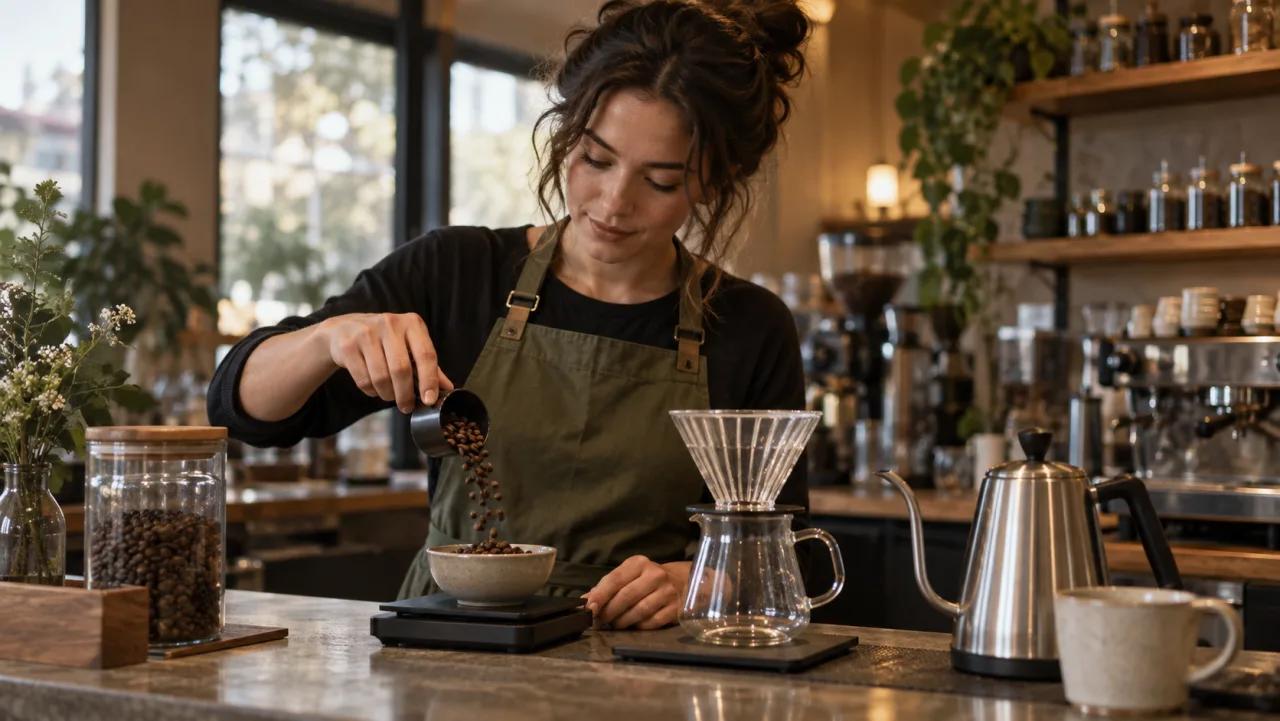
16. Medium shot of a barista crafting latte art in a warm indie coffee shop, steam rising, ambient morning light, authentic and warm
17. Over-the-shoulder shot of a designer sketching on a tablet, creative tools on desk, soft natural window light, cozy workspace
18. Slow motion close-up of hands kneading bread dough on a flour-dusted wooden table, warm kitchen light
추상 / 움직임
19. Macro shot of ink slowly dispersing in water, dark background, blue and gold colors, mesmerizing slow motion
20. Extreme close-up of fire burning slowly, embers glowing, dark background, micro details visible
Seedance 2.0용 2026 복사·붙여넣기 프롬프트 팩
다음 예시를 출발점으로 사용한 뒤, 프로젝트에 맞게 피사체, 카메라 무브, 화면비를 조정하세요.
소셜 숏폼 프롬프트
21. Vertical close-up shot, a fitness creator tying running shoes on a city sidewalk before sunrise, quick hand movement, subtle handheld camera energy, cool blue morning light, motivational sports commercial style, 9:16
22. Medium shot, a food blogger lifting a slice of molten chocolate cake toward the camera, steam and glossy texture visible, slow push-in, warm cafe lighting, appetizing macro detail, 9:16
23. Over-the-shoulder shot, a designer arranging colorful mood-board images on a desk, hands moving naturally, soft daylight from the left, clean creative studio aesthetic, 9:16
제품 및 이커머스 프롬프트
24. Studio product shot, a white wireless earbud case opening on a reflective glass surface, subtle camera orbit, crisp softbox lighting, premium tech commercial look, 16:9
25. Macro close-up, skincare serum drops sliding down a transparent glass bottle, slow motion, pastel bathroom background, clean luxury beauty lighting, 1:1
26. Wide tabletop shot, a sneaker rotating slowly on a minimal concrete platform, dust particles in the air, dramatic side lighting, modern streetwear campaign style, 16:9
스토리 및 브랜드 필름 프롬프트
27. Wide establishing shot, a small team entering a bright startup office in the morning, natural walking motion, slow dolly back, sunbeams through large windows, optimistic documentary style, 16:9
28. Close-up shot, an elderly craftsman polishing a handmade wooden chair, careful hand movement, warm workshop lamps, shallow depth of field, emotional brand film mood, 16:9
29. Aerial drone shot, a cyclist crossing a coastal bridge at sunset, ocean waves below, smooth forward tracking movement, warm orange sky, cinematic travel commercial style, 16:9
30. Static medium shot, a musician adjusting headphones before recording vocals, small nod and breath before singing, dim studio background, moody blue and amber lighting, realistic music documentary style, 16:9
이미지-투-비디오 프롬프트 추가 문구
Seedance Image to Video에서 정지 이미지를 애니메이션화할 때는 프롬프트를 더 짧게 유지하고 원하는 움직임만 설명하세요.
Animate this image with a subtle slow zoom in, natural blinking, hair moving gently in a light breeze, soft cinematic lighting, realistic motion, no camera shake
플랫폼별 프롬프트 작성
TikTok / Reels용(9:16):
- 프롬프트에
vertical format, 9:16 aspect ratio를 추가하세요. - 넓은 풍경보다 클로즈업과 미디엄 샷을 우선하세요.
dynamic energy또는engaging and attention-grabbing을 추가하세요.
YouTube용(16:9):
- 기본 형식이 잘 작동합니다.
- 품질 신호로
cinematic widescreen을 추가하세요.
Instagram용(1:1):
square format, 1:1 aspect ratio를 추가하세요.- 중앙 정렬 구도를 우선하세요.
고급: 시퀀스를 위한 프롬프트 결합
여러 개의 연결된 클립이 필요할 때는 다음 방법을 사용하세요.
방법: 각 샷을 따로 생성한 뒤 영상 편집기에서 이어 붙입니다.
샷 간 일관성을 위해 각 프롬프트에서 다음 요소를 동일하게 유지하세요.
- 같은 피사체 설명
- 같은 조명 특성(예: 항상 “golden afternoon light”)
- 같은 시각 스타일(예: 항상 “cinematic 35mm grain”)
바꾸는 것은 샷 타입과 구체적인 동작뿐입니다.
이렇게 하면 서로 별도의 생성 결과라도 하나의 cohesive한 시퀀스처럼 느껴집니다.
크레딧 효율 팁
- 좁게 시작하고 디테일을 더하세요 — 타이트한 클로즈업은 복잡한 와이드 샷과 비슷한 크레딧을 쓰지만 더 일관된 결과를 만듭니다.
- 성공한 프롬프트 요소를 재사용하세요 — 효과가 좋았던 조명 세팅이 있다면 다음 생성에도 유지하세요.
- 반복에는 Seedance 1.5를 사용하세요 — 크레딧 비용이 더 낮고, Seedance 2.0에 확정 투입하기 전에 프롬프트 방향을 테스트할 수 있습니다.
- 짧은 영상이 더 좋아 보일 때가 많습니다 — 선명한 4~5초 클립은 늘어진 10초 클립보다 좋은 결과를 내는 경우가 많습니다.
생성 시작하기
이 프롬프트들을 실제로 사용해 보세요. 가입 시 무료 크레딧이 제공되며 카드가 필요 없습니다.
Seedance 2.0 사용해 보기 → — 시네마틱 비디오용 프리미엄 모델
Text to Video → — 이 가이드의 어떤 프롬프트든 붙여넣기
더 큰 프롬프트 테스트 워크플로를 시작하기 전에 Seedance 가격 페이지에서 최신 플랜 세부 정보를 확인하세요.
결론: Seedance에 대한 우리의 평가
광범위한 테스트 후 우리의 추천은 분명합니다. Seedance는 2026년 최고의 AI 비디오 생성기 중 하나이며, 특히 캐릭터 일관성과 부드러운 움직임에서 뛰어납니다. 안정적이고 고품질의 AI 비디오 생성이 필요한 크리에이터에게 Seedance는 Veo 3와 함께 강력한 선택지입니다.
가장 적합한 용도: 내러티브 콘텐츠, 캐릭터 중심 영상, 마케팅 콘텐츠, 일관된 시각 정체성이 필요한 소셜 미디어 크리에이터.
핵심 결론: Seedance는 실용적인 무료 체험 및 유료 플랜 경로와 함께 전문가 수준의 AI 비디오 생성을 제공합니다. 오늘 seedance.tv에서 첫 프롬프트와 첫 영상을 테스트해 보기를 권장합니다.
직접 해볼 준비가 되셨나요?
이 가이드의 단계를 Seedance에서 바로 적용해 프롬프트나 이미지를 몇 분 안에 완성도 높은 영상으로 바꿔보세요.
가입 시 무료 크레딧 제공. 요금제는 월 $20부터.

Seedance vs CapCut AI: 2026년 최고의 영상 도구는?
Seedance vs CapCut: detailed comparison of AI video generation vs editing. Find out which tool is right for your workflow, use case, and budget in 2026.
글 읽기
Seedance 립 싱크 AI: 완벽한 립 싱크 영상 만드는 방법
Complete guide to creating lip sync videos with Seedance AI. Learn techniques for music videos, explainers, social media content, and how to sync audio perfectly.
글 읽기
애니메이션 동영상을 위한 Seedance 사용법: 2026 완벽 가이드
Learn how to create stunning animation videos with Seedance AI. Complete guide covering 2D cartoon, 3D, anime styles, character consistency, and professional workflows.
글 읽기